token-usage-dashboard
Health Uyari
- License — License: MIT
- Description — Repository has a description
- Active repo — Last push 0 days ago
- Low visibility — Only 5 GitHub stars
Code Gecti
- Code scan — Scanned 12 files during light audit, no dangerous patterns found
Permissions Gecti
- Permissions — No dangerous permissions requested
Bu listing icin henuz AI raporu yok.
📊 Beautiful dashboard for historical token usage for Claude, Codex and OpenCode
Token usage dashboard
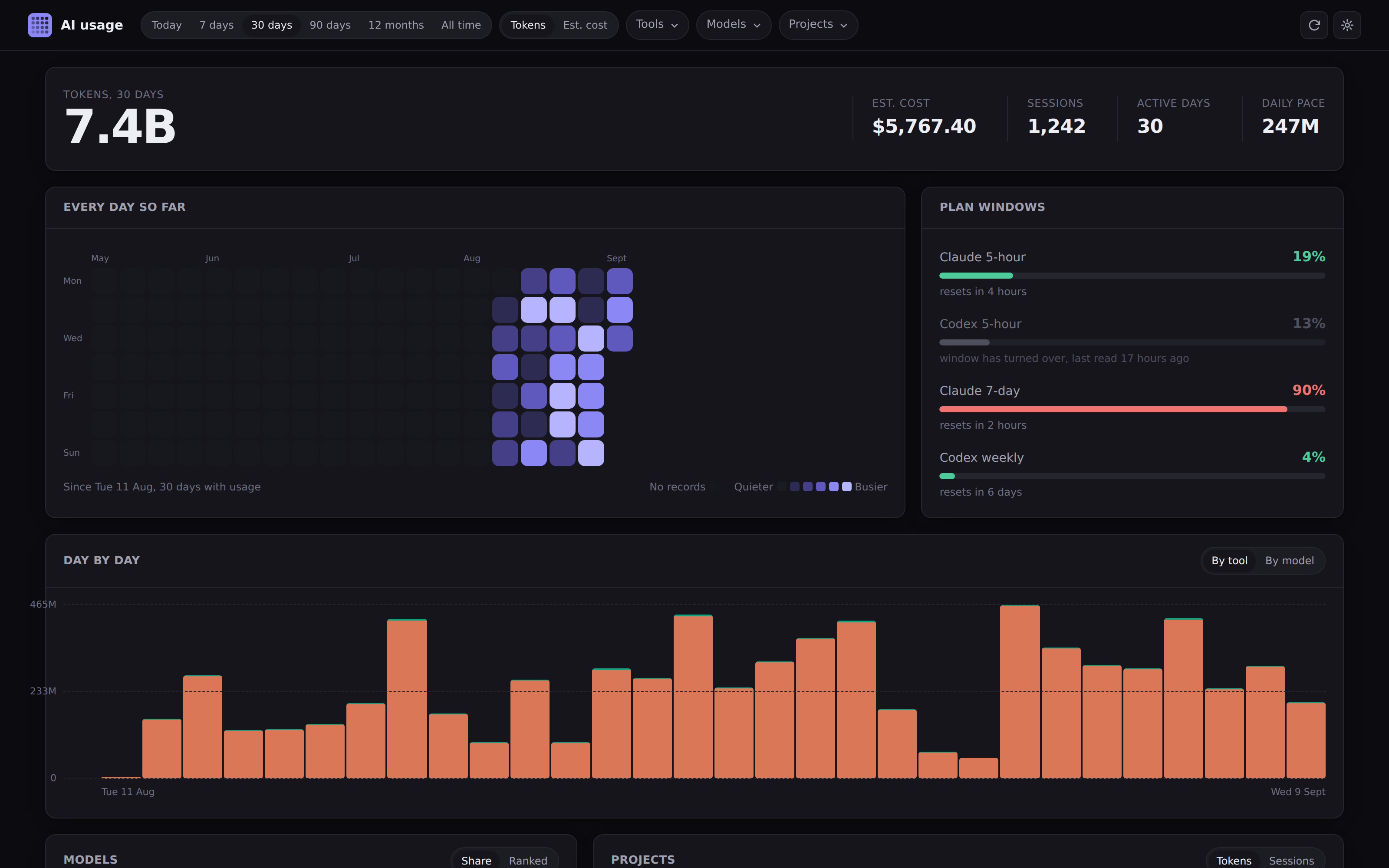
Beautiful dashboard showing a breakdown of where all of your tokens are going
npx token-usage-dashboard
About
Ever wondered where all your tokens are going? Or how much your AI usage is valued at?
This usage dashboard reads your local Claude Code, Codex, Open Code transcripts and builds a beautiful dashboard breaking down your full historical usage.
Everything happens locally, so your data never leaves your device.
Stats are cached in a local SQLite DB, so that you get full history even after Claude and Codex have pruned old transcripts.
Cost estimates come from current published API rates.
The dashboard shows:
- a calendar heatmap of every day since your records start
- daily totals, stacked by tool, model and project
- the split between fresh input, output, cache reads and cache writes
- which projects, AI providers and models the your tokens went to
- Anthropic and OpenAI 5-hour and 7-day windows
- every session, with full token usage breakdown
Usage
npx token-usage-dashboard
That's it. It finds your transcripts, reads them, and opens on
localhost:4747. Install it globally and the command is just aiusage.
Nothing leaves the machine except the one call to Anthropic for your plan windows, which you can
turn off in settings.
| Flag | What it does |
|---|---|
-p, --port <n> |
Port to listen on, or the next free one after it |
-h, --host <ip> |
Address to bind, 127.0.0.1 by default |
--db <path> |
Where to keep the history |
--open / --no-open |
Whether to open a browser |
Configuration
Most of it lives behind the gear icon: theme, default range, how often to rescan, whether to ask
Anthropic for your plan windows, and price overrides for any model we've got wrong or don't know.
Paths are environment variables, since they're needed before the app starts. See.env.example for the full list. The ones you'll actually want areAIUSAGE_DB, AIUSAGE_CLAUDE_DIR and AIUSAGE_CODEX_DIR.
Supported tools
| Tool | Where it reads |
|---|---|
| Claude Code | ~/.claude/projects/**/*.jsonl, subagent transcripts included |
| Codex | ~/.codex/sessions/**/*.jsonl |
| OpenCode | ~/.local/share/opencode/storage/message |
Adding another is one file in src/lib/server/sources/. If a tool writes token counts somewhere
we can read, it can go in - open an issue with a sample and we'll have a look.
Deployment
Option 1: Docker
The image is on DockerHub (notaflightrisk/token-usage-dashboard)
and GHCR. Mount the directories you want read, plus somewhere to keep the database:
docker run -p 127.0.0.1:8080:8080 \
  -v ~/.claude:/home/node/.claude:ro \
  -v ~/.codex:/home/node/.codex:ro \
  -v token-usage:/data \
  notaflightrisk/token-usage-dashboard
There's a compose file in docker/ if you'd rather. The container has
to bind 0.0.0.0 internally, so publish the port to localhost like that unless something in
front of it is checking who's asking.
Option 2: A local service
There's a systemd user unit in scripts/. scripts/install.sh fills in the paths and starts it,
so it comes back after a reboot:
./scripts/install.sh 4747
Option 3: From a release
Grab the tarball from releases,
then npm ci --omit=dev && npm start.
Option 4: From source
Follow Development below, then npm run build && npm start.
Development
You'll need Node 22.12 or newer, plus Git.
It's a SvelteKit app and the build is self-contained so there's no runtime dependencies at all.
git clone [email protected]:NotAFlightRisk/token-usage-dashboard.git
cd token-usage-dashboard
npm install
npm run dev
The dev server is then on localhost:5173.
The other scripts you'll want are npm run check (types), npm test (tests) and npm run format (prettier).

Licensed under MIT, © NotAFlightRisk 2026
Yorumlar (0)
Yorum birakmak icin giris yap.
Yorum birakSonuc bulunamadi