atomcut
Health Warn
- No license — Repository has no license file
- Description — Repository has a description
- Active repo — Last push 0 days ago
- Low visibility — Only 6 GitHub stars
Code Warn
- fs module — File system access in .github/workflows/release.yml
Permissions Pass
- Permissions — No dangerous permissions requested
No AI report is available for this listing yet.
Motion design and video editing for the browser and desktop, with an infinite canvas, keyframes, 3D, and AI agents.

AtomCut Studio
AtomCut is a motion design and video editor for the browser, macOS, Windows, and Linux. Draw on an infinite canvas, edit footage and sound on a multitrack timeline, and animate the same layers with keyframes and Bézier curves. Projects save on your machine, and you can start without an account.


Download AtomCut · Watch on YouTube · Release notes

The black hole film open in AtomCut Studio. The agent, composition, animated properties, and timeline are visible in the same workspace. Watch the film and read the production breakdown.
Animate, edit, and finish in one project
Motion graphics and kinetic typography
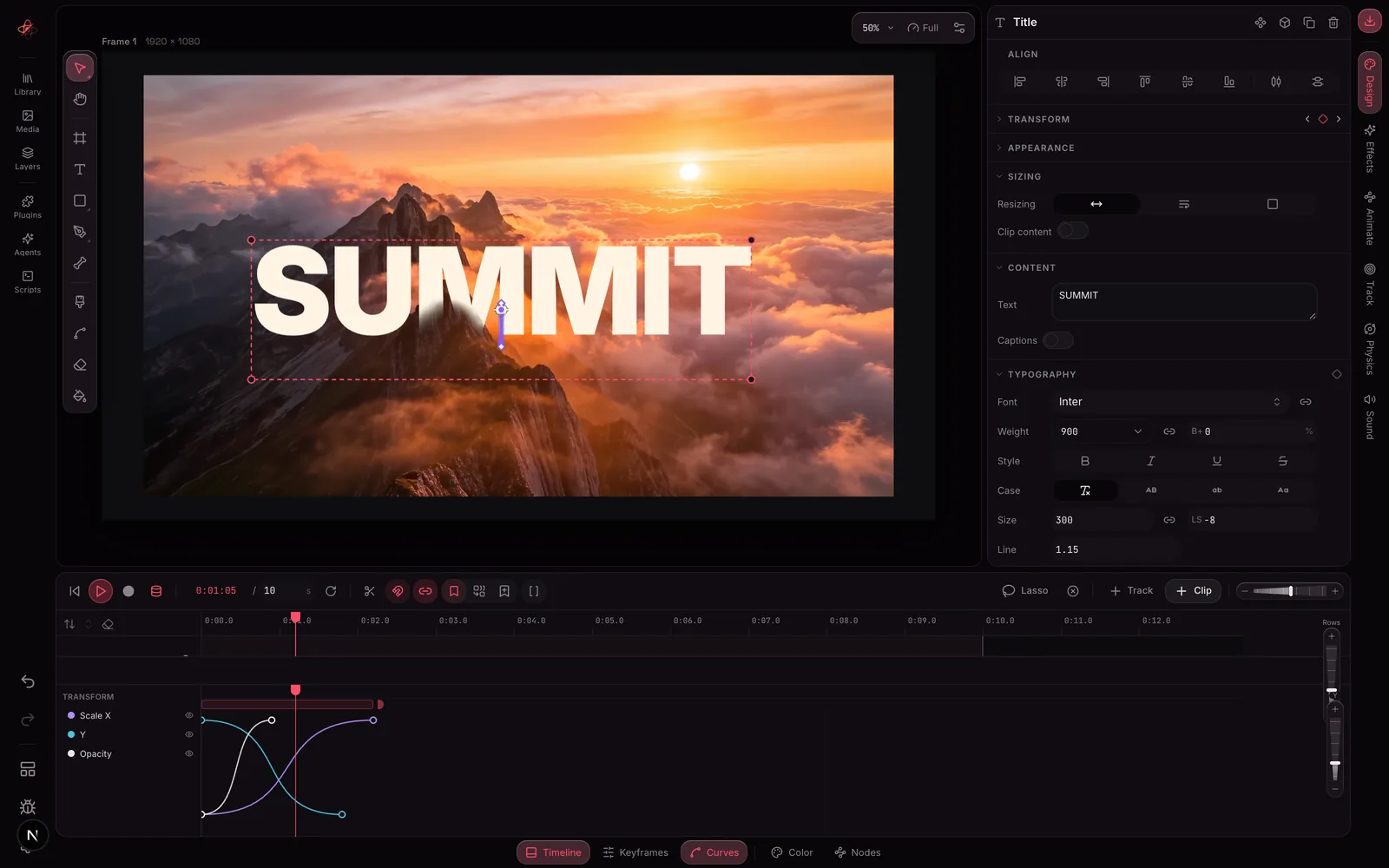
Animate position, color, effects, gradients, or individual points on a vector path. Adjust timing in the dope sheet and shape acceleration in the curve editor. Reveal text by letter or word and give each reveal a synchronized sound. Use nested compositions and synced components to reuse a title, scene, or graphic across a project.
Keyframes · Motion paths and curves · Text animation · Components
Video editing, tracking, and audio
Trim, split, ripple edit, retime, and arrange footage across multiple tracks. Attach a graphic to tracked footage, isolate a subject, or use a chroma key. Grade a clip on the Color page, apply effects across layers with an adjustment layer, and mix audio with waveforms, keyframeable gain, fades, and EQ. Pro can generate word-timed captions from speech.
Timeline · Motion tracking · Color page · Audio effects
Vector drawing, flipbook, and static design
Draw Bézier paths, paint with pressure-sensitive brushes, and animate stroke reveals. Morph a path into another shape or draw frame by frame with onion skinning. Set a frame to static, timeline, or flipbook mode within the same project.
Drawing and brush · Shape morphing · Flipbook · Frame modes
3D worlds, character animation, and physics
Put text, images, video, and vector layers into 3D worlds with meshes, materials, lights, and cameras. Rig characters with bones and pose controls, then drive mouth shapes from audio. Let layers fall and collide on their outlines, add forces or particle emitters, and scrub a simulation on the timeline.
3D worlds · Character rigging · Lip sync · Physics
 |
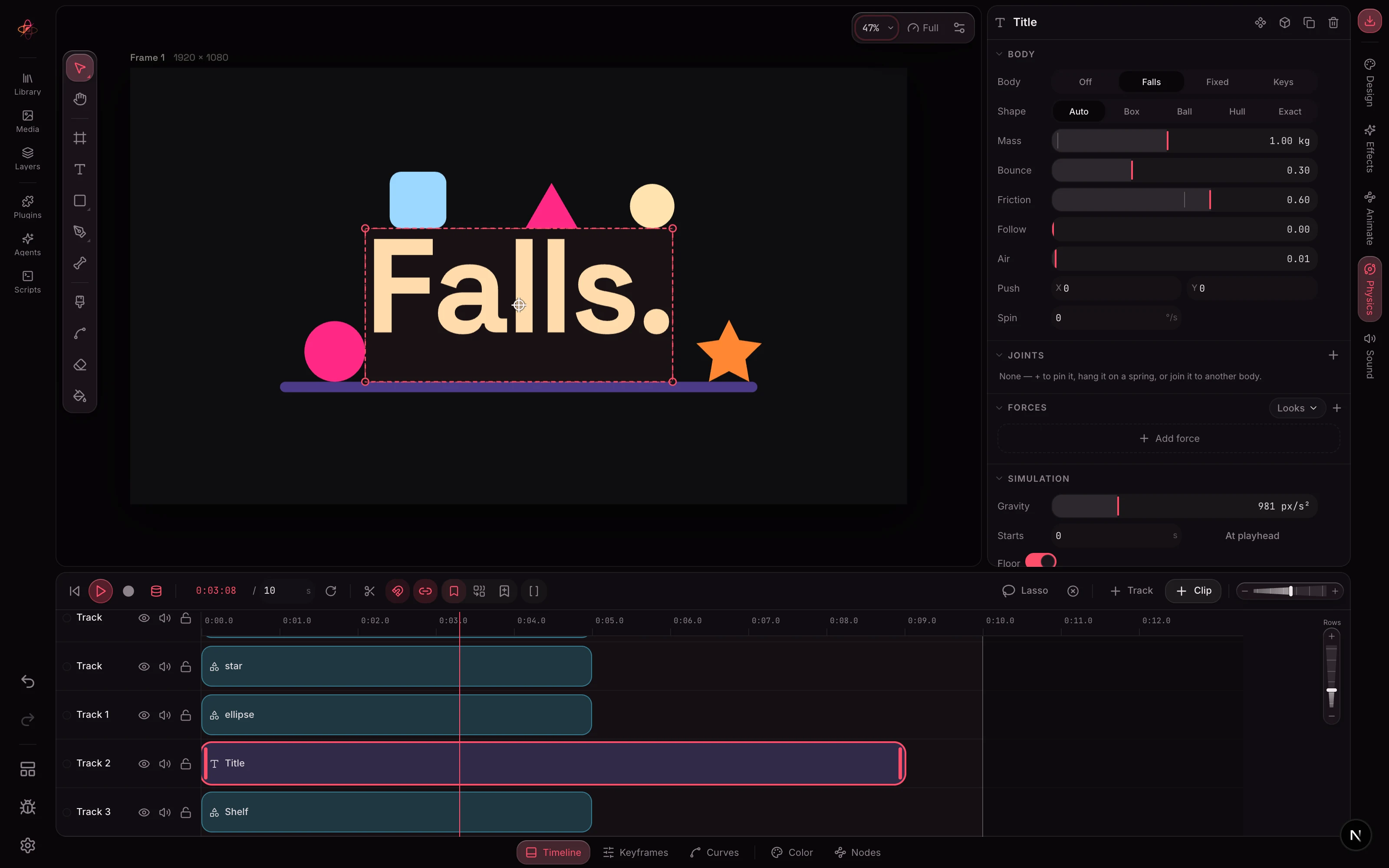 |
| Shape the motion with curves | Build a physics scene |
AI on the canvas, or from your own agent
Ask the built-in AI agent to assemble an edit or animate a graphic. It works with editable layers, clips, and keyframes and can inspect its own renders as it goes. Connect your own model provider or use a local model with Ollama or LM Studio. An external agent such as Claude Code, Codex, or Cursor can drive your open editor through the AtomCut Model Context Protocol (MCP) bridge. Agent features require AtomCut Pro.
AI agents · Connect a model · MCP setup and examples
Export and extend
Export MP4, WebM, GIF, PNG sequences, PDF, SVG, or Lottie. Use the Lottie fidelity report to check which layers and effects carry over. Build repeatable workflows with expressions, project scripts, or plugins that request access to specific editor capabilities.
Export formats · Expressions · Project scripts · Plugin API
Make your first animation
- Open AtomCut Studio and choose New project.
- Press T to add text, or drag a video or image onto the canvas.
- Select a layer, set two position keyframes at different times, and press Space to play.
- Open Export and choose a format.
The free editor supports video export up to 720p without a watermark. Pro adds full-resolution export, AI agents, AI media generation, and auto-captions. Compare Free and Pro.
Follow the quick start · Browse all documentation · See the full feature reference
Put AtomCut on your timeline

Find yourself reaching for AtomCut again? Tap Star at the top of this repository. It gives you a place to find the project again and tells us it belongs in your toolkit.
Post a clip you made with #MadeWithAtomCut. A screen recording of your timeline is welcome too. We’d love to see how you built it.
Share AtomCut on X · Watch projects on YouTube · Report a bug or send feedback
This is the public home for AtomCut releases and documentation. Grab a build for macOS, Windows, or Linux from GitHub Releases, or use the browser studio.
Reviews (0)
Sign in to leave a review.
Leave a reviewNo results found