AgentBuff-Presentation-Skills
Health Uyari
- License — License: MIT
- Description — Repository has a description
- Active repo — Last push 0 days ago
- Low visibility — Only 9 GitHub stars
Code Basarisiz
- rm -rf — Recursive force deletion command in scripts/deploy.sh
- execSync — Synchronous shell command execution in scripts/export-deck.mjs
- rm -rf — Recursive force deletion command in scripts/export-pdf.sh
Permissions Gecti
- Permissions — No dangerous permissions requested
Bu listing icin henuz AI raporu yok.
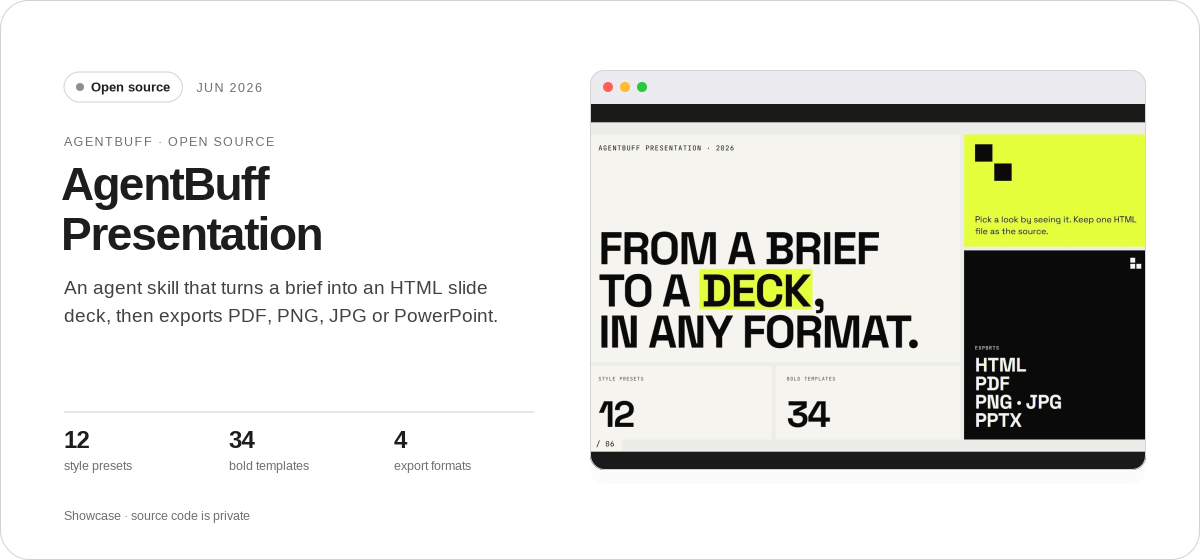
Agent skill for slide decks: see three styles, build one HTML file, export PDF, PNG, JPG or PowerPoint from the same render. Based on Frontend Slides (MIT). Works in any coding agent.
Getting started · More of my work · nugrahalabib.com
Overview
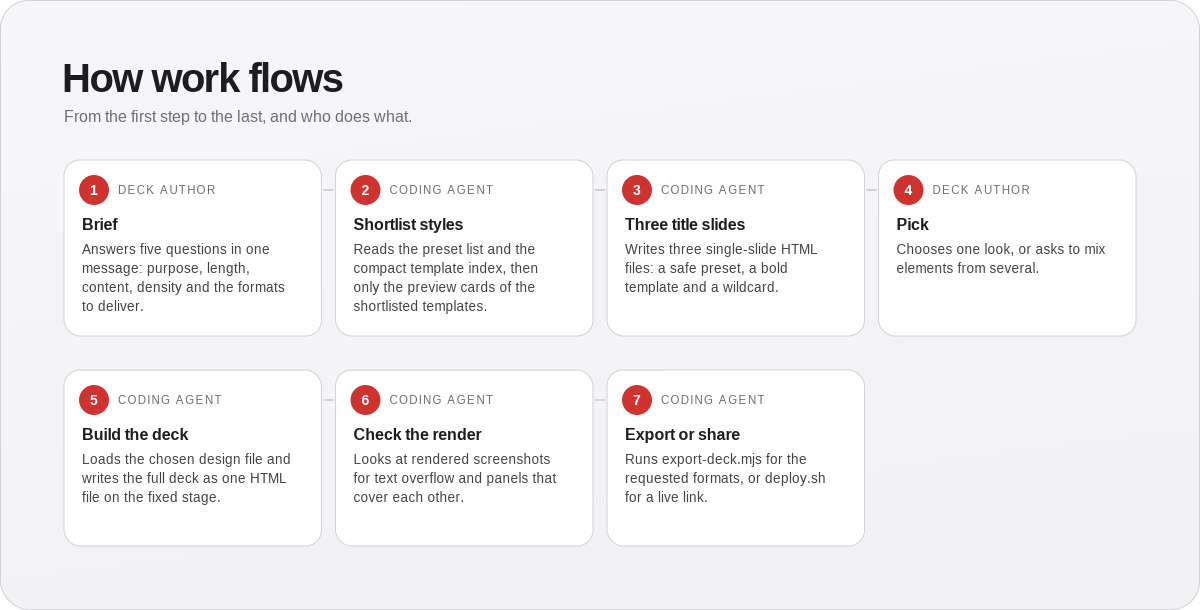
AgentBuff Presentation is a skill folder that a coding agent follows to make presentations. The agent asks about the content, shows three title slides in different styles, builds the chosen one as a single HTML file, and exports it to PDF, PNG, JPG or PowerPoint.
It is a modified version of the open-source Frontend Slides skill by Zara Zhang and bundles the Bold Template Pack from her beautiful-html-templates library, both under the MIT license. The style system, the template pack, PowerPoint import, the PDF script and the Vercel deploy script come from that project.
This repo adds one exporter for every format. Each slide is rendered once at 1920 × 1080 in a headless browser, and the PDF, the images and the PowerPoint file are built from those same pixels, with an optional editable PowerPoint mode.
Why it exists
AgentBuff Presentation is an agent skill: a folder of Markdown instructions, a base stylesheet, a style library and three scripts that a coding agent follows to design a slide deck. It is meant for people who are not designers and for agents that need to deliver a deck in the format the reader asked for. Nugraha Labib Mujaddid reworked it from the open-source Frontend Slides skill by Zara Zhang and added a single exporter that turns the finished HTML deck into PDF, PNG, JPG or PowerPoint from one render.
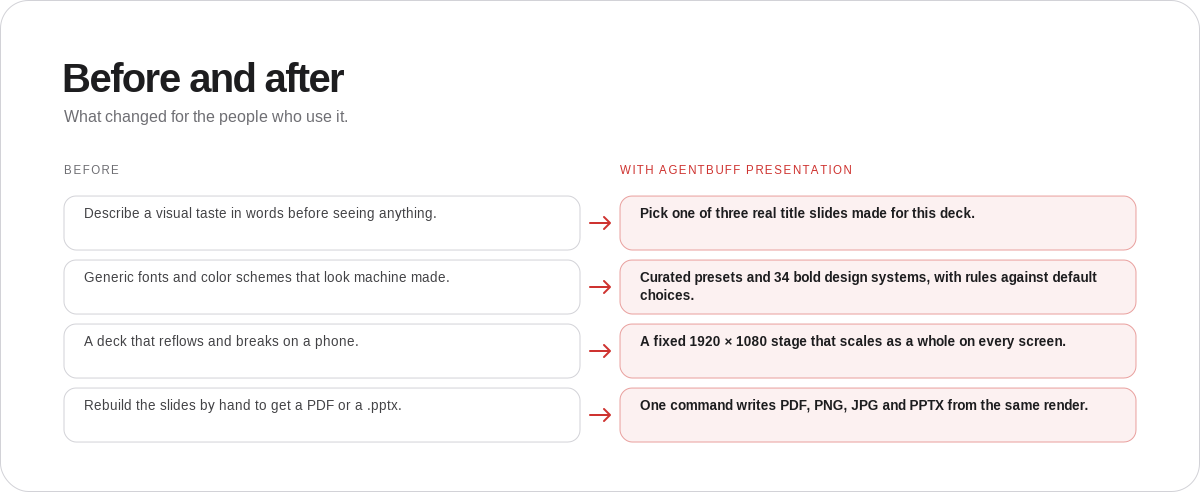
Asking an AI agent for slides usually ends in one of two places. Either the agent writes a generic deck with default fonts and colors, or it asks the user to describe a visual taste in words, which most people cannot do.
The deck also has to leave the browser. People want a PDF for email, images for a document or a .pptx for a colleague who works in PowerPoint. Re-typesetting the content in another tool makes the versions drift apart.
Frontend Slides solved the first problem with visual style discovery and a template library, and it could already export a PDF. This rework adds the other formats from the same render, so every file matches the deck.
| Who | What they do with it |
|---|---|
| Deck author | Answers one round of questions about purpose, length, content, density and formats, then picks one of three title slides by looking at them. |
| Coding agent | Reads SKILL.md, loads only the style files it needs, writes the HTML deck and runs the export or import scripts in a shell. |
| Reader of the deck | Opens the live HTML deck in a browser or receives the PDF, images or PowerPoint file that was exported from it. |
| Developer extending the skill | Adds presets or templates as Markdown and JSON, and changes the exporter, which is one Node script with no build step. |
Tour
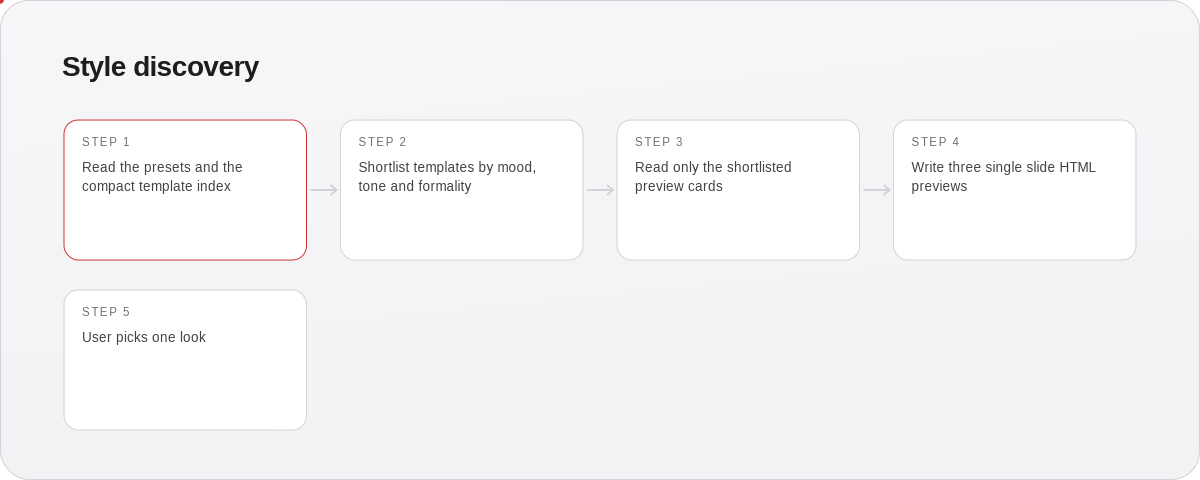
1. Style discovery
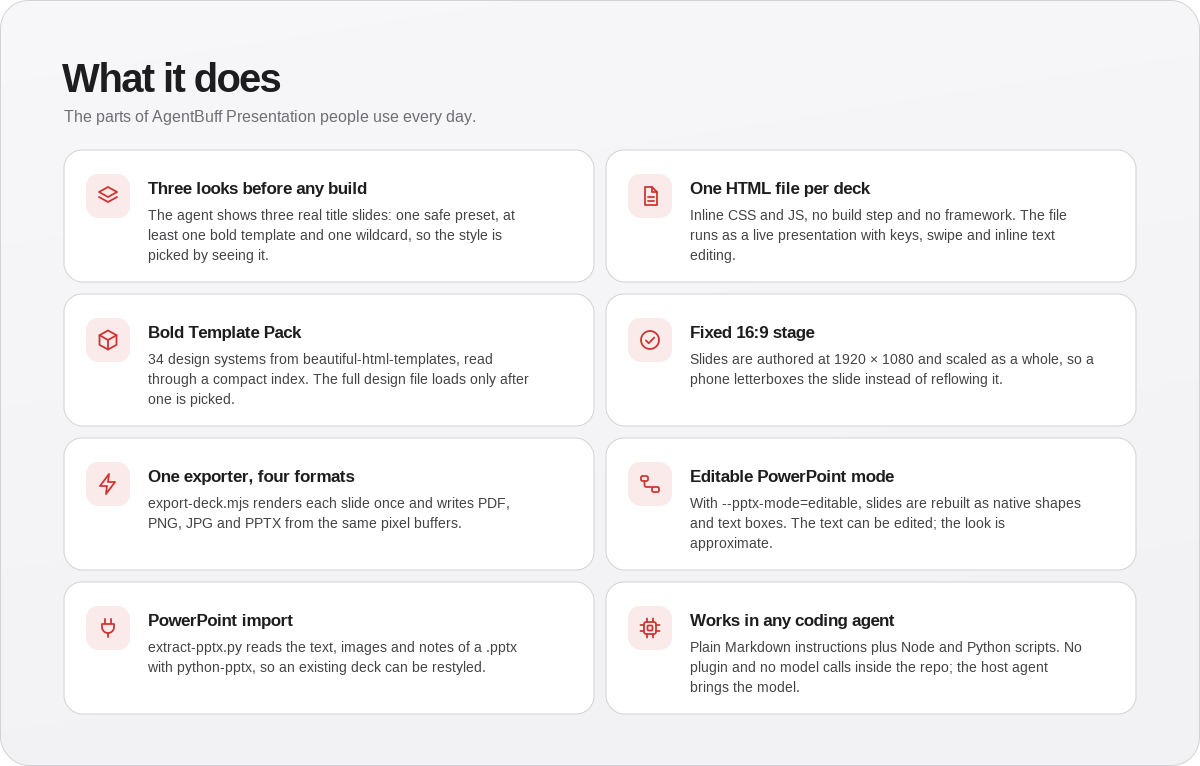
Instead of asking about taste, the agent shows three title slides built for the user's own deck. One comes from the curated presets, at least one from the bold template pack, and one is a wildcard that can be another template or a design made for this brief. The images below come from a local test run with a deck about the skill itself.
- Mood table maps the occasion to presets, for example calm and focused to Swiss Modern or Paper & Ink.
- Bold templates are matched on mood, tone, best_for, avoid_for, formality, density and color scheme.
- Previews must look like a real first slide: no option labels, template names or file paths on the slide.
- For formal decks the safe option is made more restrained and the templates chosen are calmer.
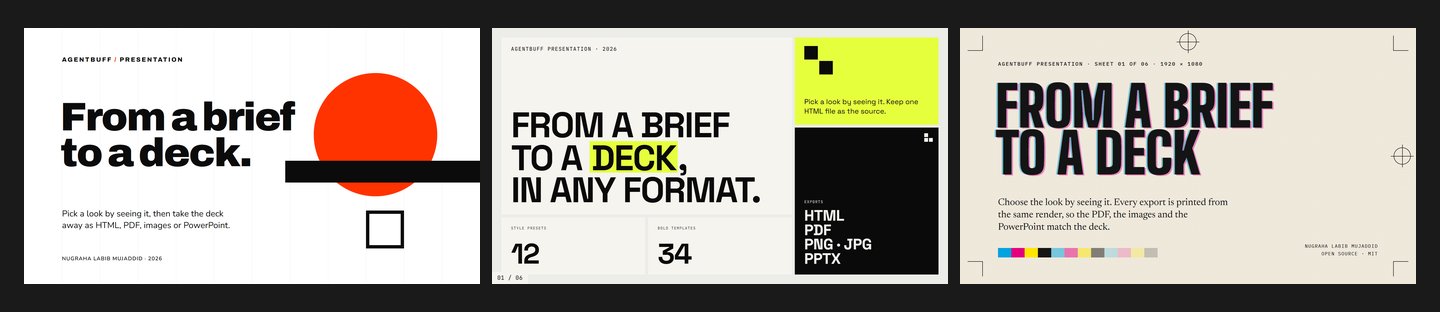
The three title slides from the test run: Swiss Modern preset, a bold template and a custom wildcard.
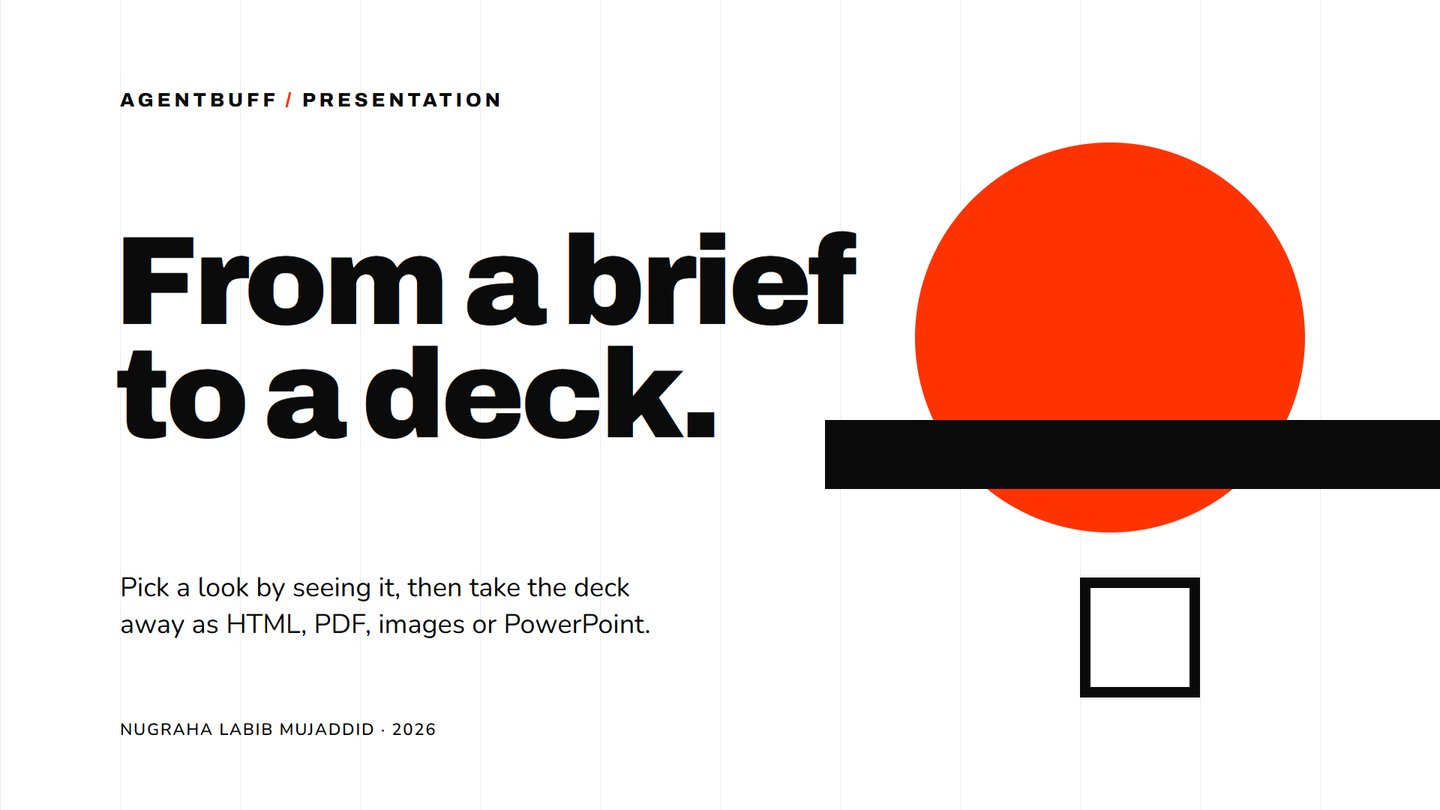
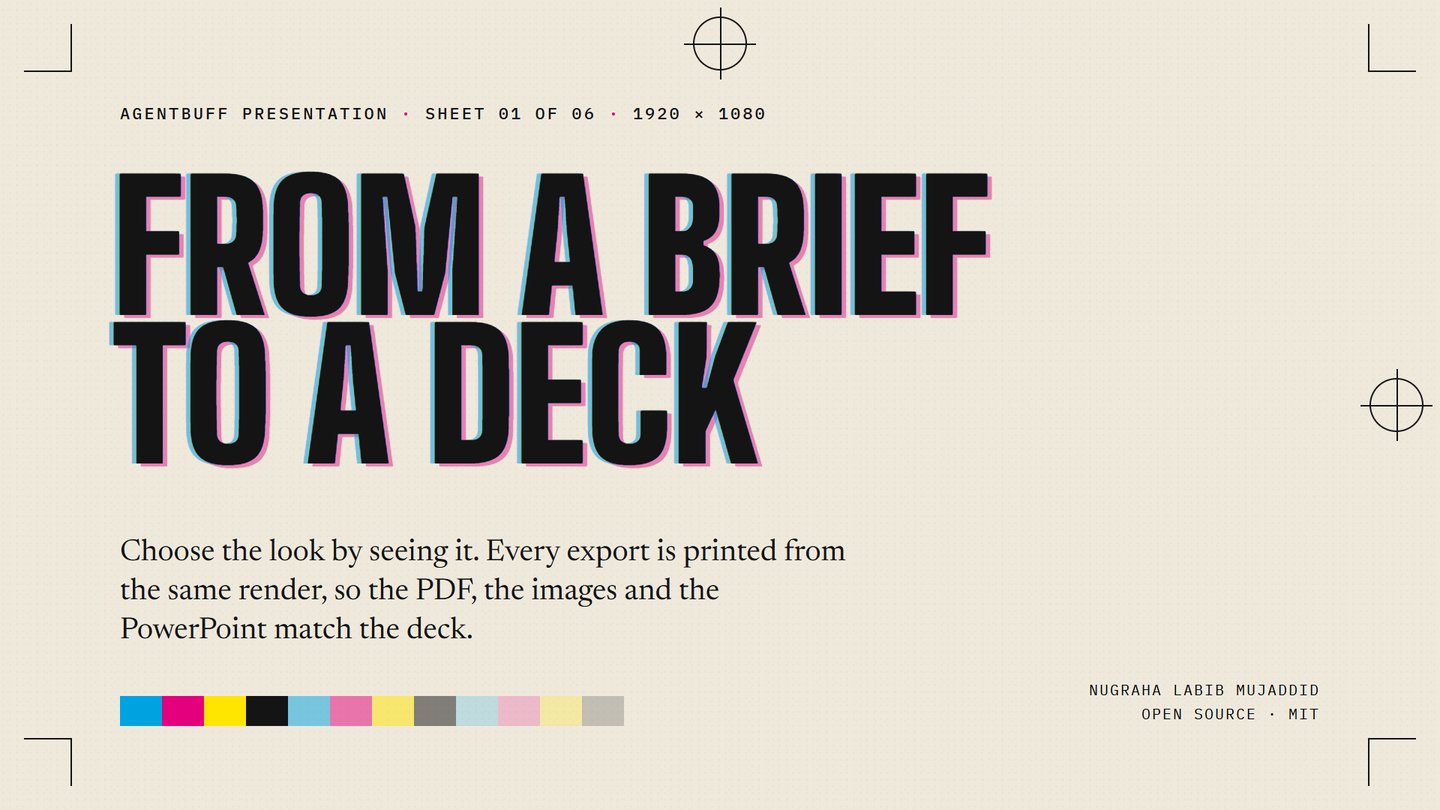
Left: Safe option from the Swiss Modern preset: white, black, one red accent and a visible grid. · Right: Wildcard designed for this brief: a press proof with crop marks, registration targets and a color bar.
2. The HTML deck
After the pick, the agent reads the one full design file for the chosen template and writes the whole deck as a single HTML file. All CSS and JS are inline, fonts come from Google Fonts or Fontshare, and the deck runs in any browser with keyboard, wheel and swipe navigation. Inline editing is on by default after the first draft.
- Every slide is a 1920 × 1080 section inside a stage that scales with one transform.
- Slide switching uses visibility and opacity classes, never display toggles that layout rules could override.
- Density mode, speaker-led or reading-first, changes slide count, type scale and text per slide.
- Press E or hover the top left corner to edit text in the browser, and save the edited file.
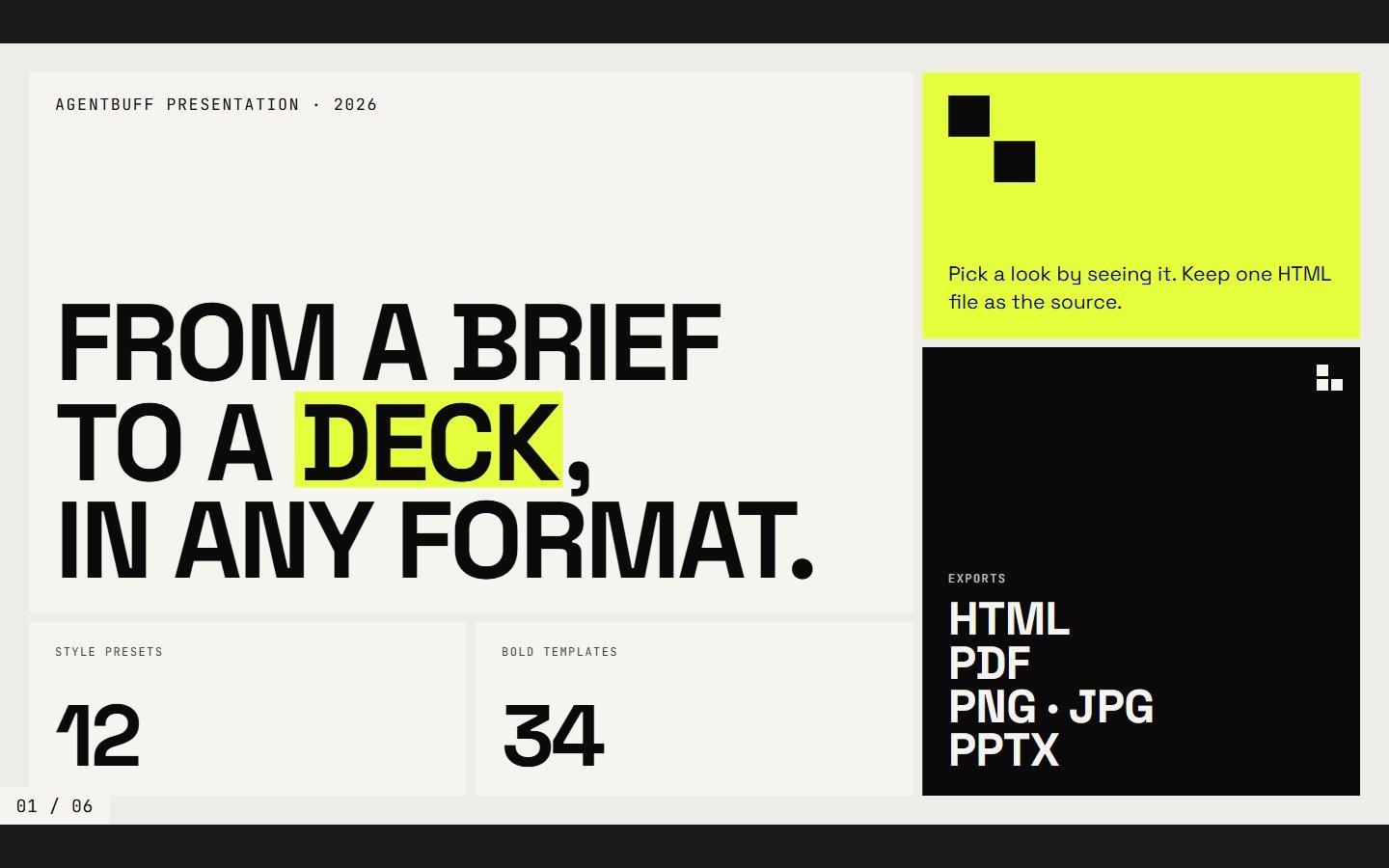
The finished test deck open in a browser at 1440 × 900, letterboxed on the fixed stage.
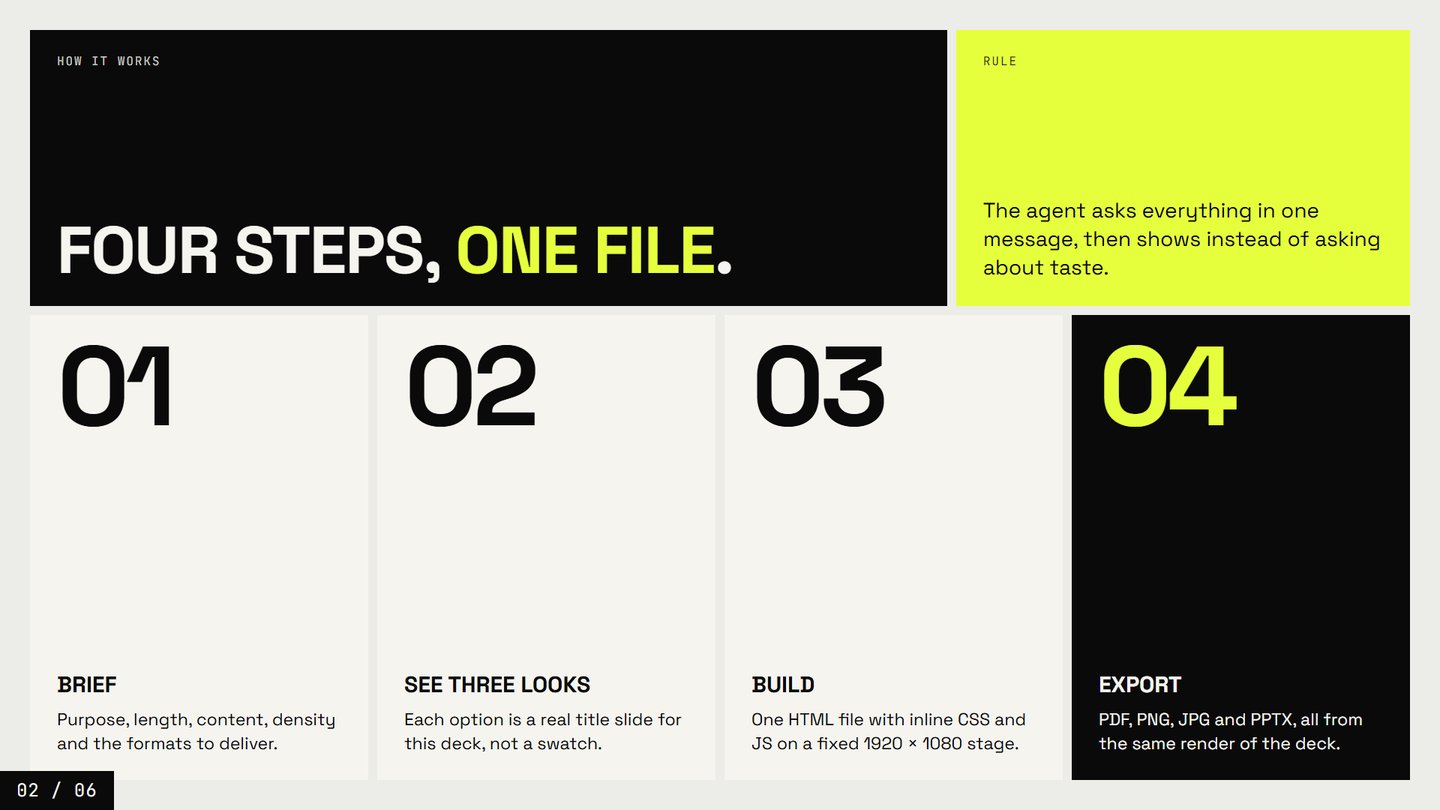
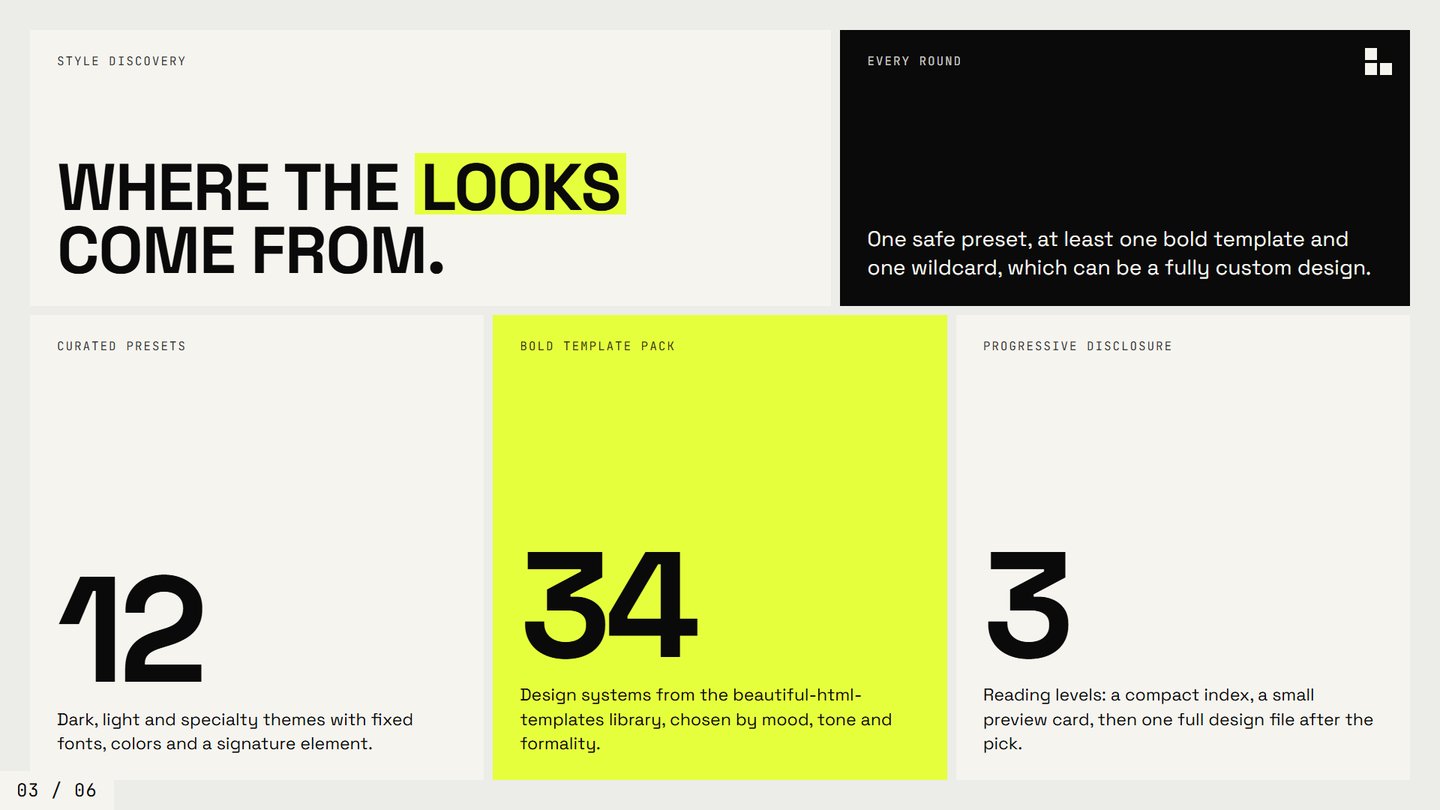
Left: Slide 2 of the test deck in the chosen bold template: the four steps. · Right: Slide 3: where the looks come from.
3. Bold Template Pack
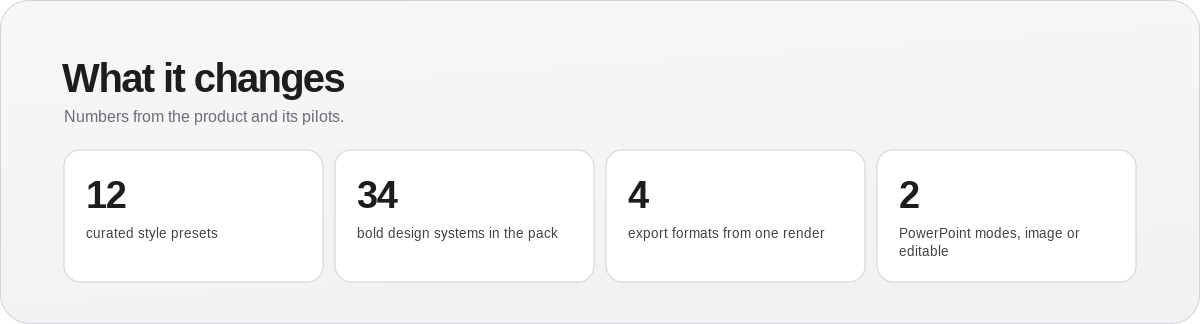
The pack holds 34 design systems from Zara Zhang's beautiful-html-templates library. Each has a short preview card for title previews and a full design file with fonts, palette, grid, components and slide types. The agent reads the index first and opens a full design file only after the user picks that template.
- selection-index.json carries mood, tone, formality, density and scheme for every template.
- Full design files are treated as a recipe: fonts, palette and component grammar are kept, demo content is not copied.
- Source templates that were viewport-fluid are translated into fixed stage coordinates.
- The template slides below are the upstream library's own screenshots, bundled in docs/readme/screenshots.
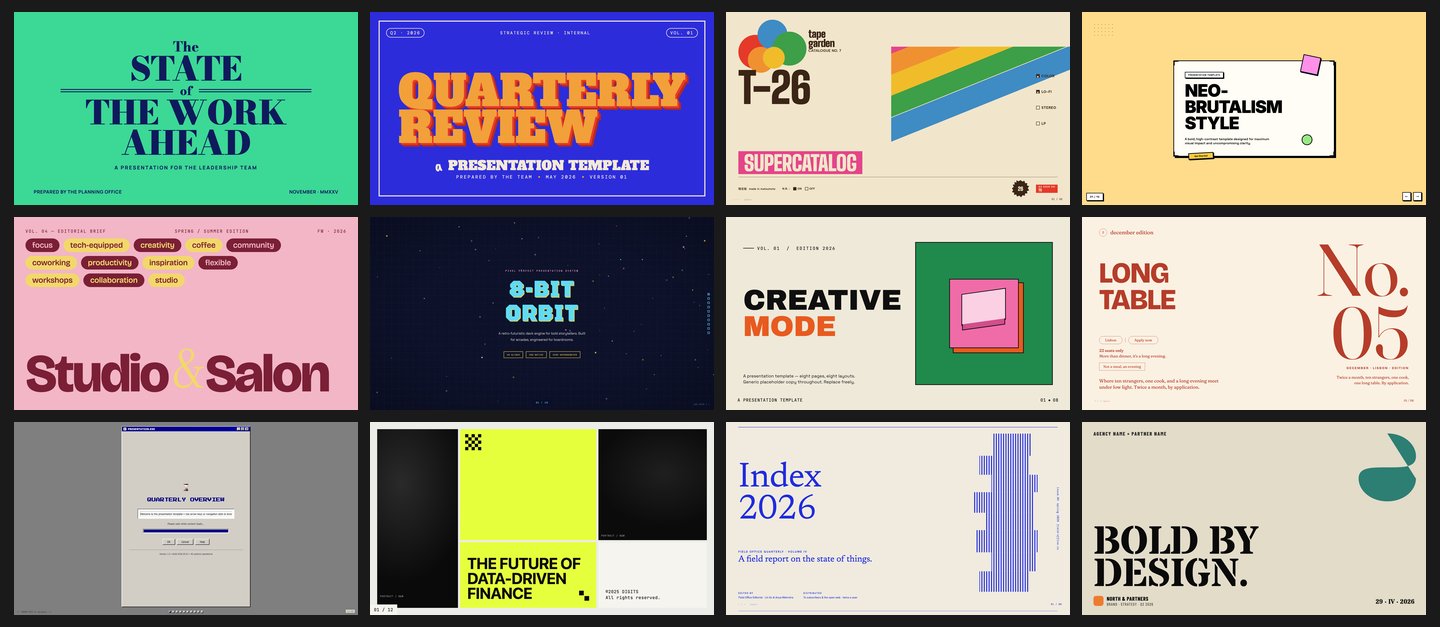
Twelve of the 34 bundled design systems, first slide of each (upstream screenshots).
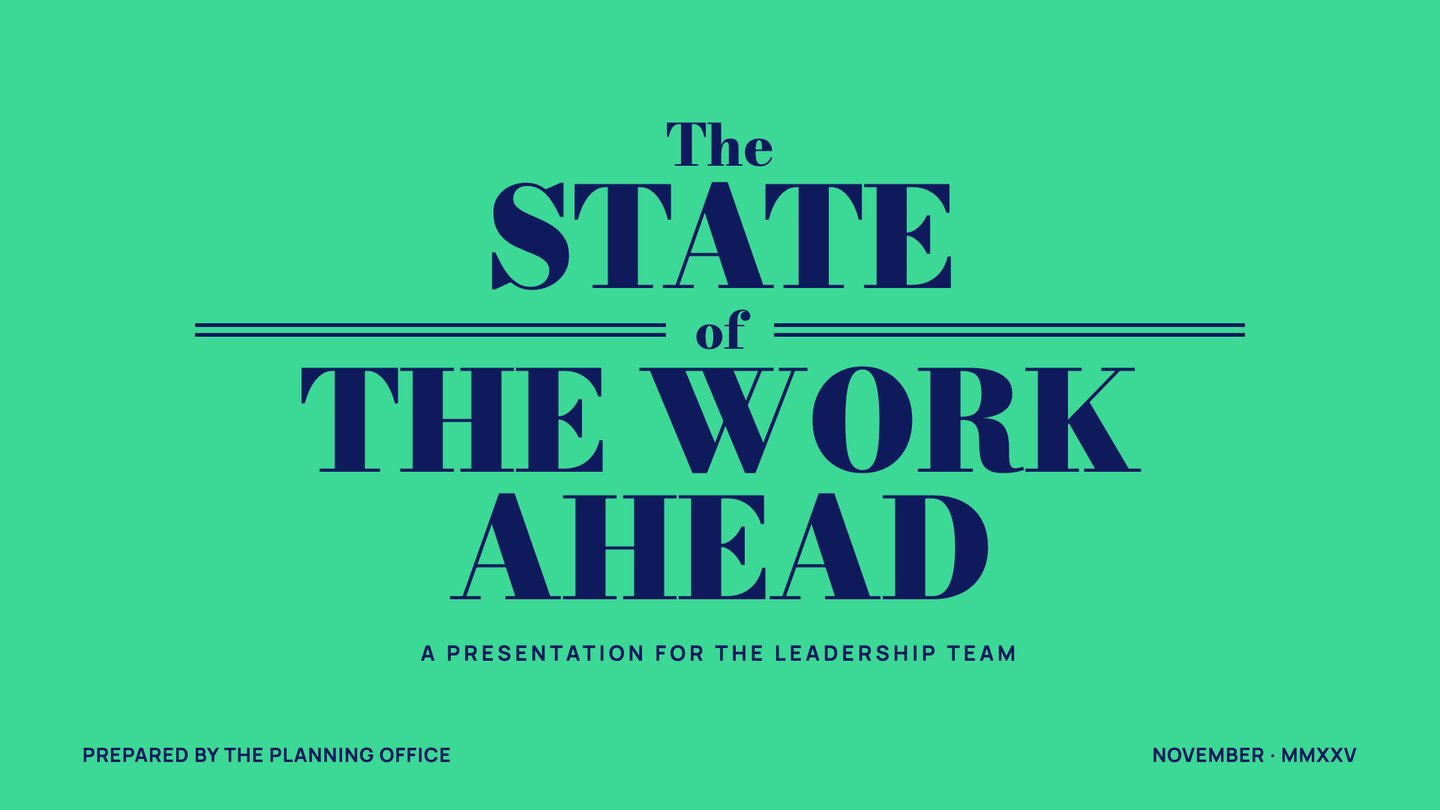
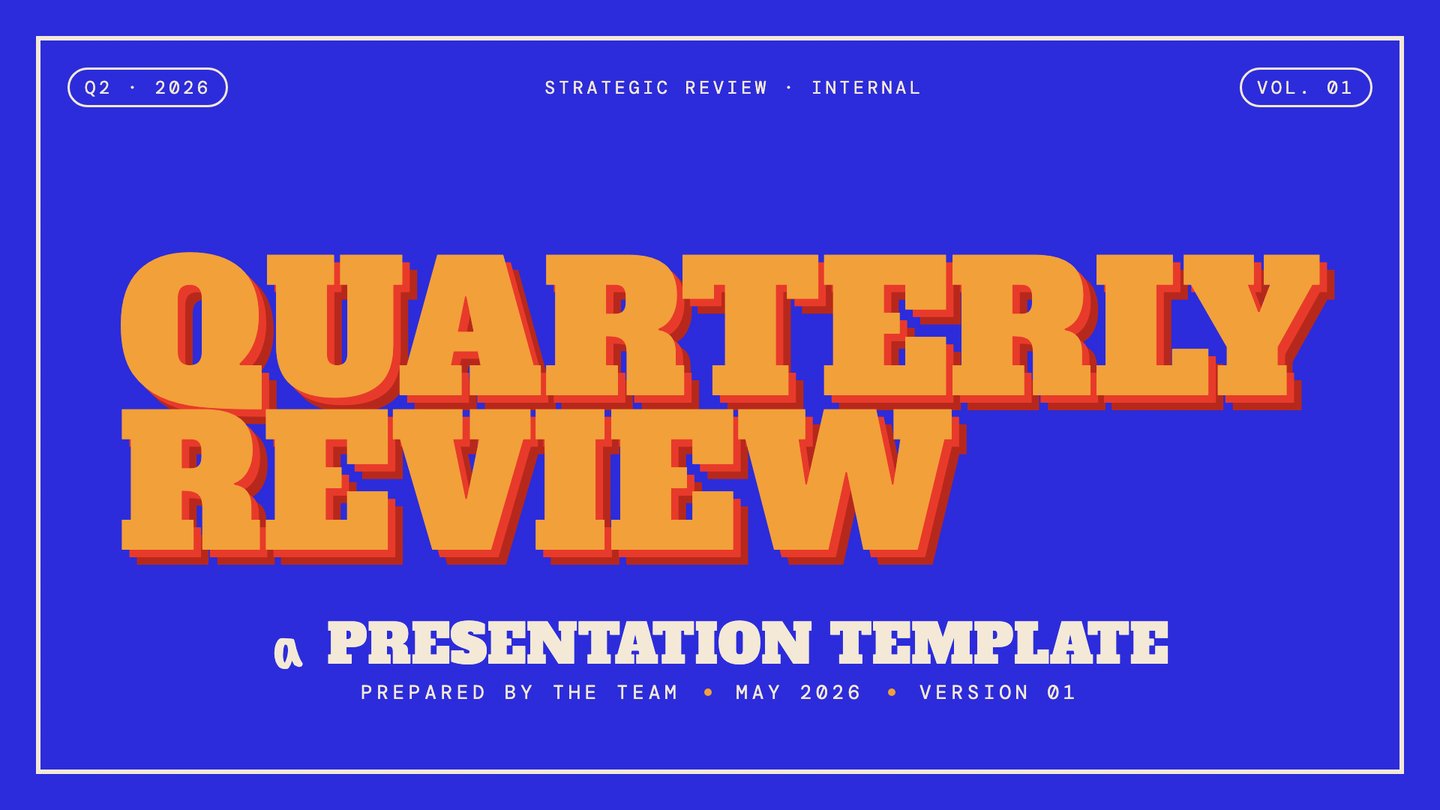
Left: Emerald Editorial: magazine cover style business deck (upstream screenshot). · Right: People's Platform: poster style in blue, orange and red (upstream screenshot).
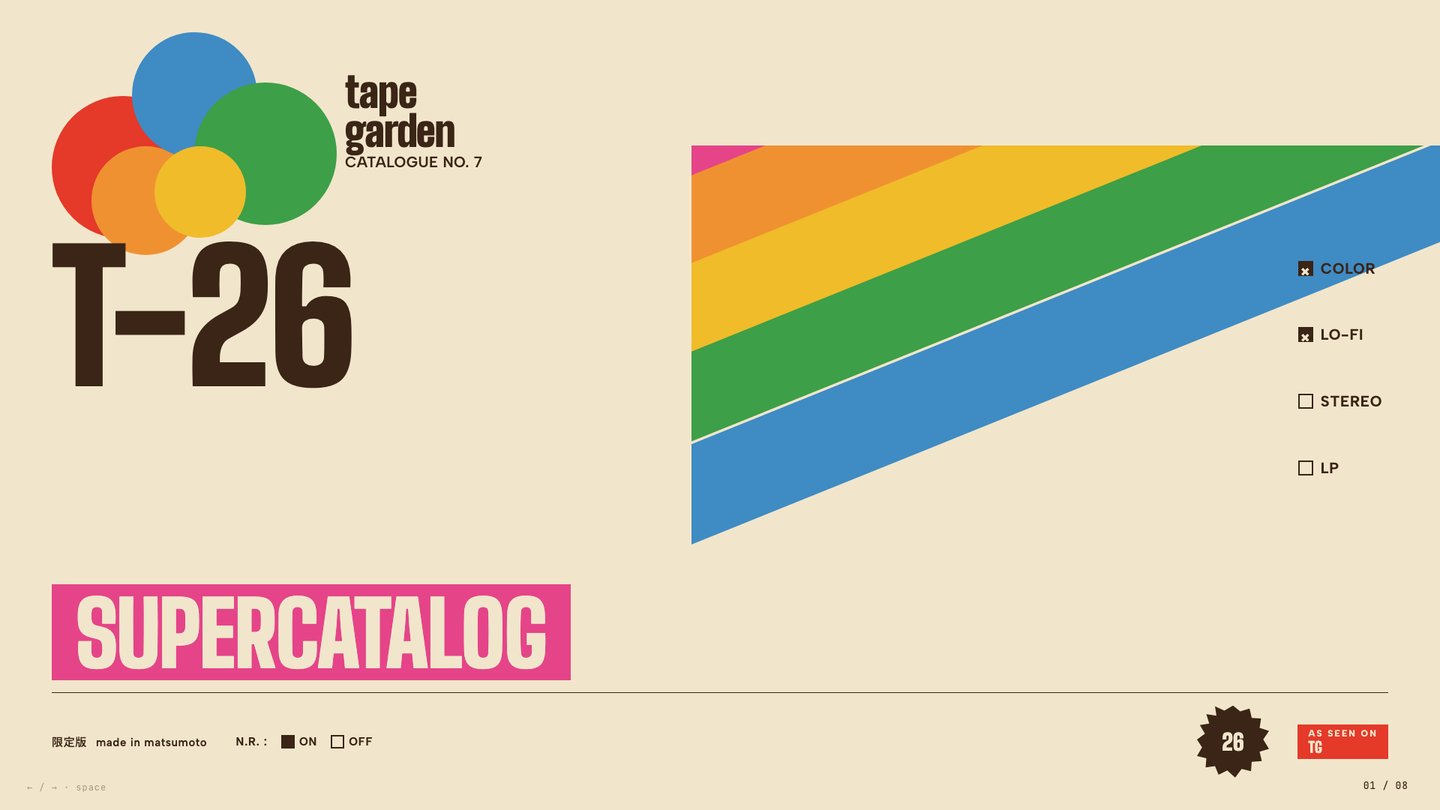
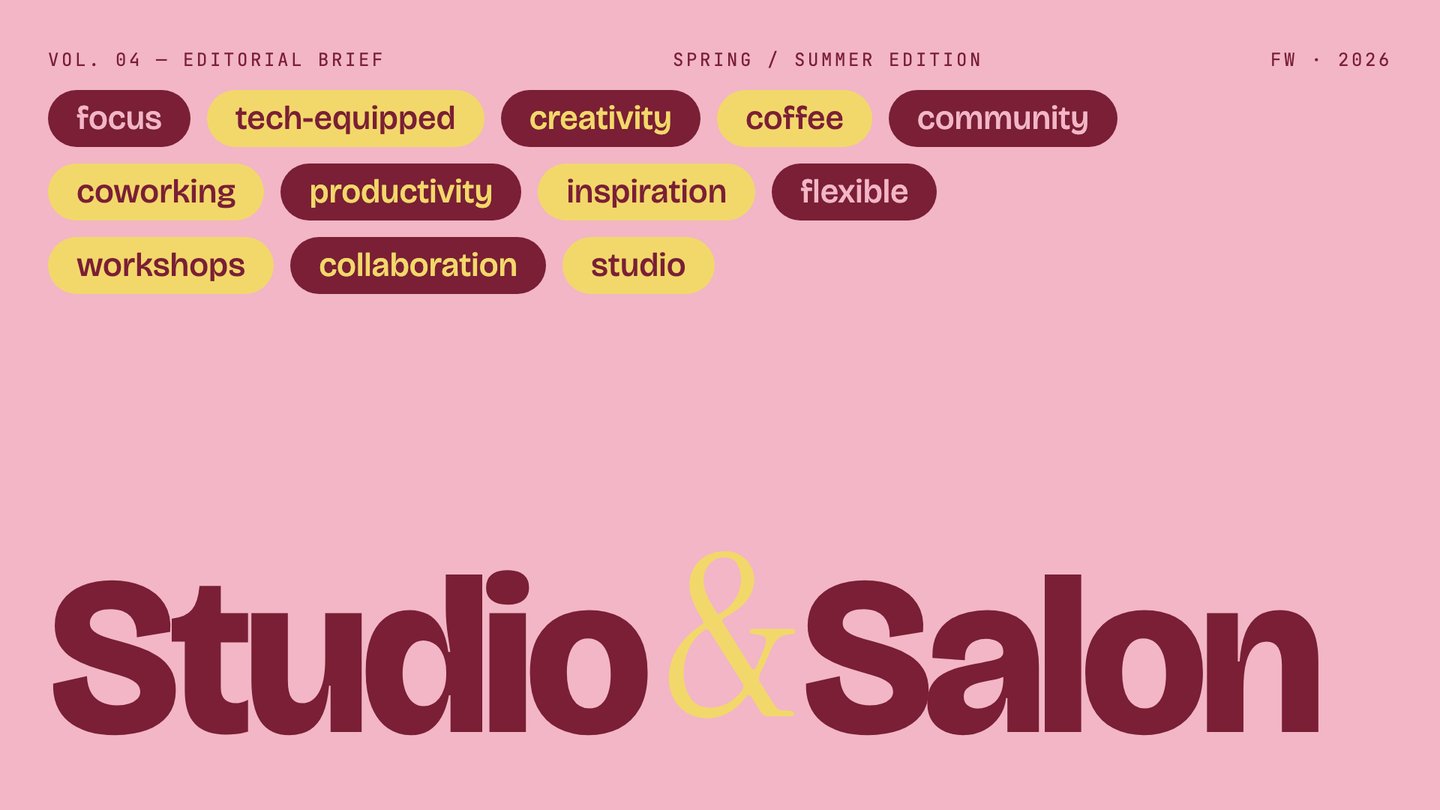
Left: Sakura Chroma: cassette package style product catalogue (upstream screenshot). · Right: Editorial Tri-Tone: dusty pink, mustard and burgundy (upstream screenshot).
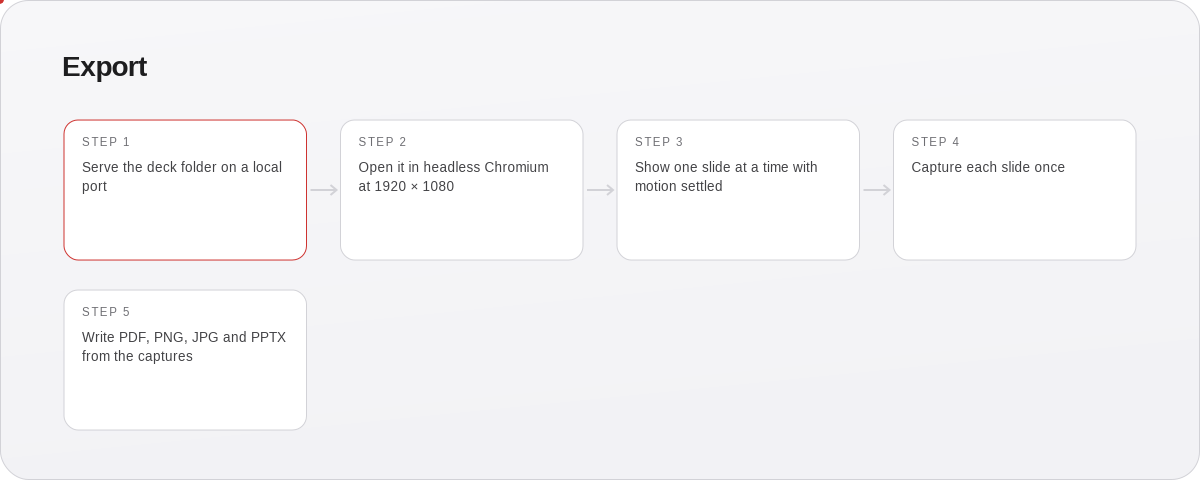
4. Export to PDF, images and PowerPoint
export-deck.mjs is the part this repo adds. It serves the deck folder on a local port, opens it in headless Chromium, shows one slide at a time in its settled state and keeps each 1920 × 1080 capture. The PDF pages, PNG and JPG files and image PowerPoint slides are all made from those captures.
- Formats are chosen with --format=pdf,png,jpg,pptx or all; --out, --compact and --jpeg-quality adjust the output.
- PowerPoint has two modes: image, which matches the deck, and editable, which rebuilds native shapes and text boxes.
- Animations and transitions are frozen in their final state before capture, so no slide is caught mid transition.
- Missing tools are installed once into a shared temp cache, and the Chromium download is reused.
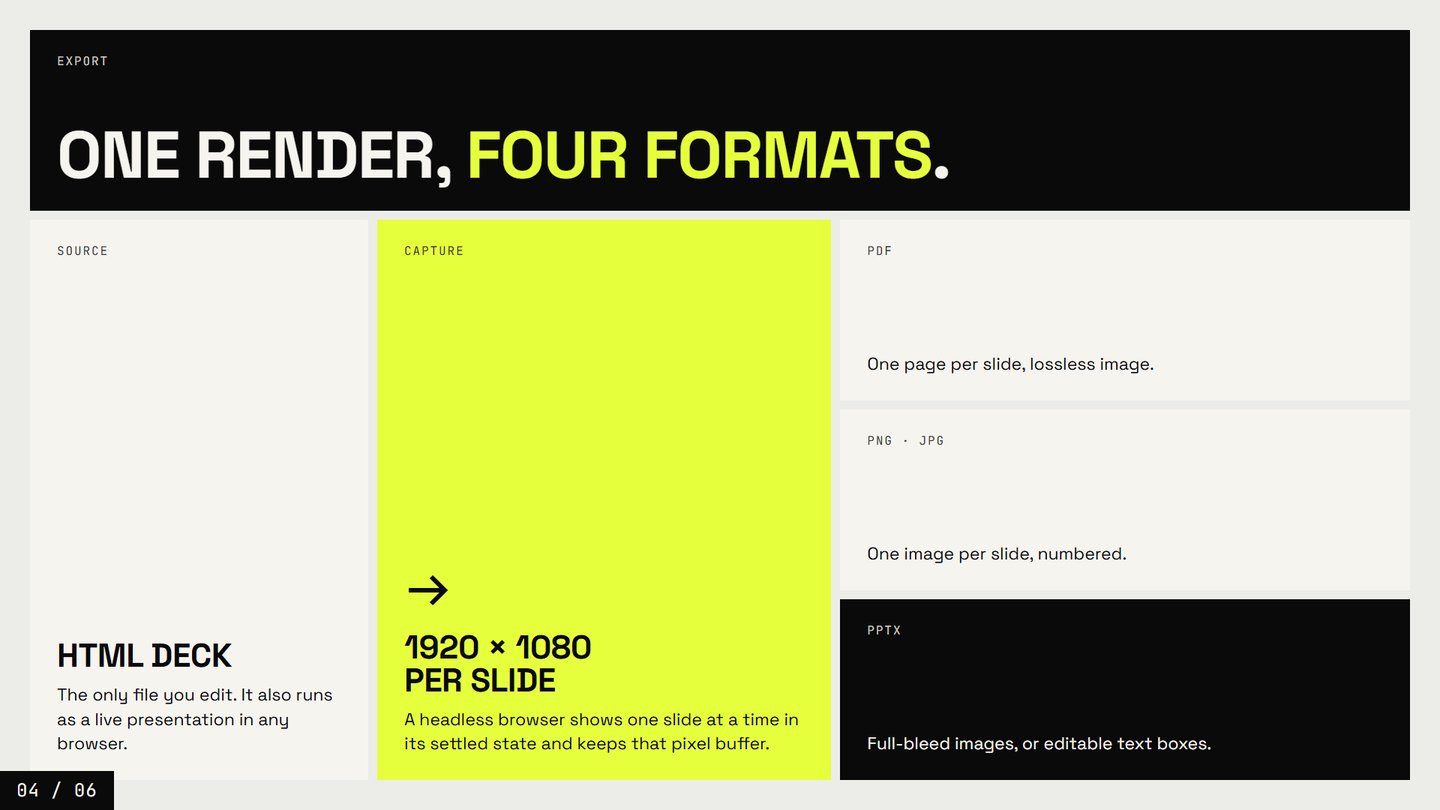
Slide 4 of the test deck: one render, four formats.
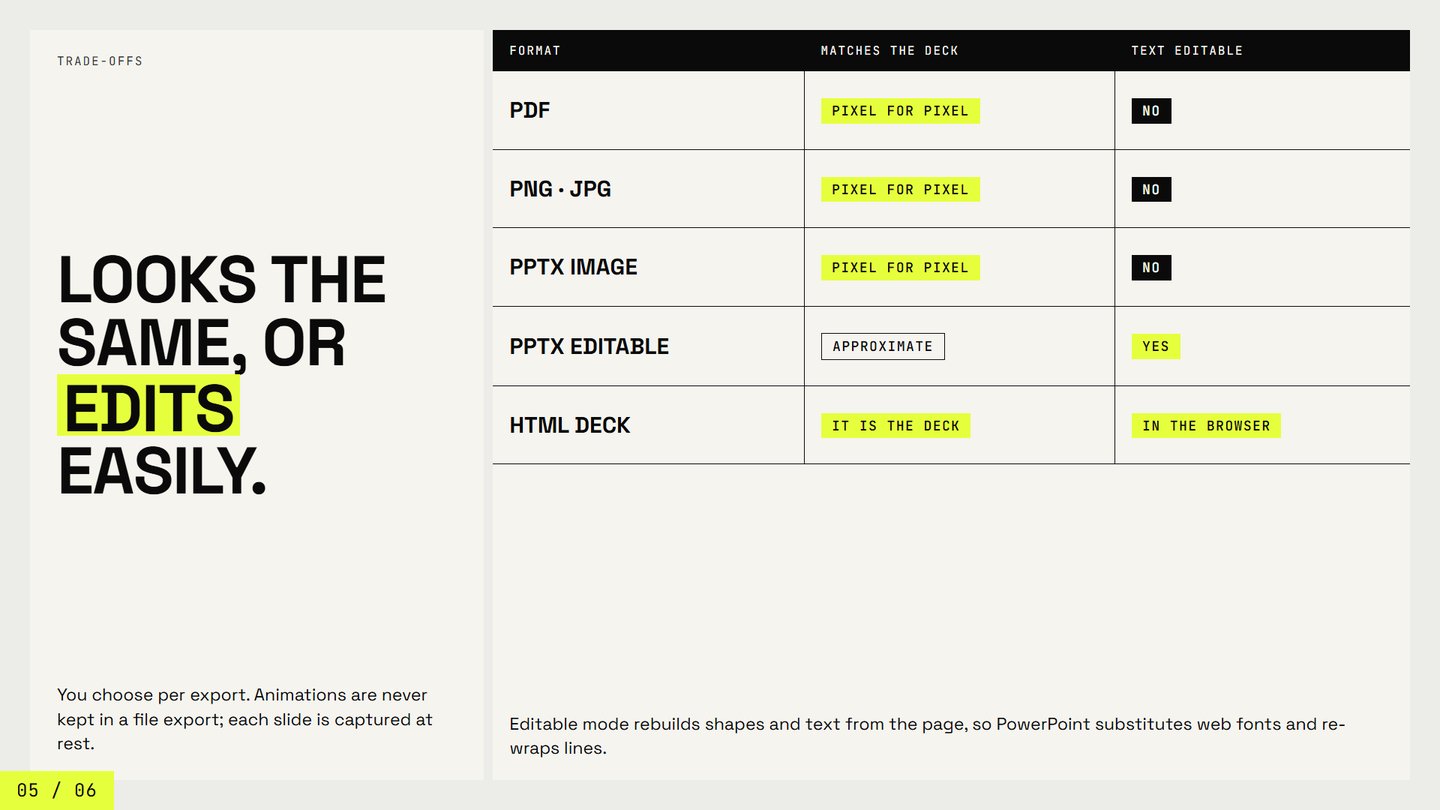
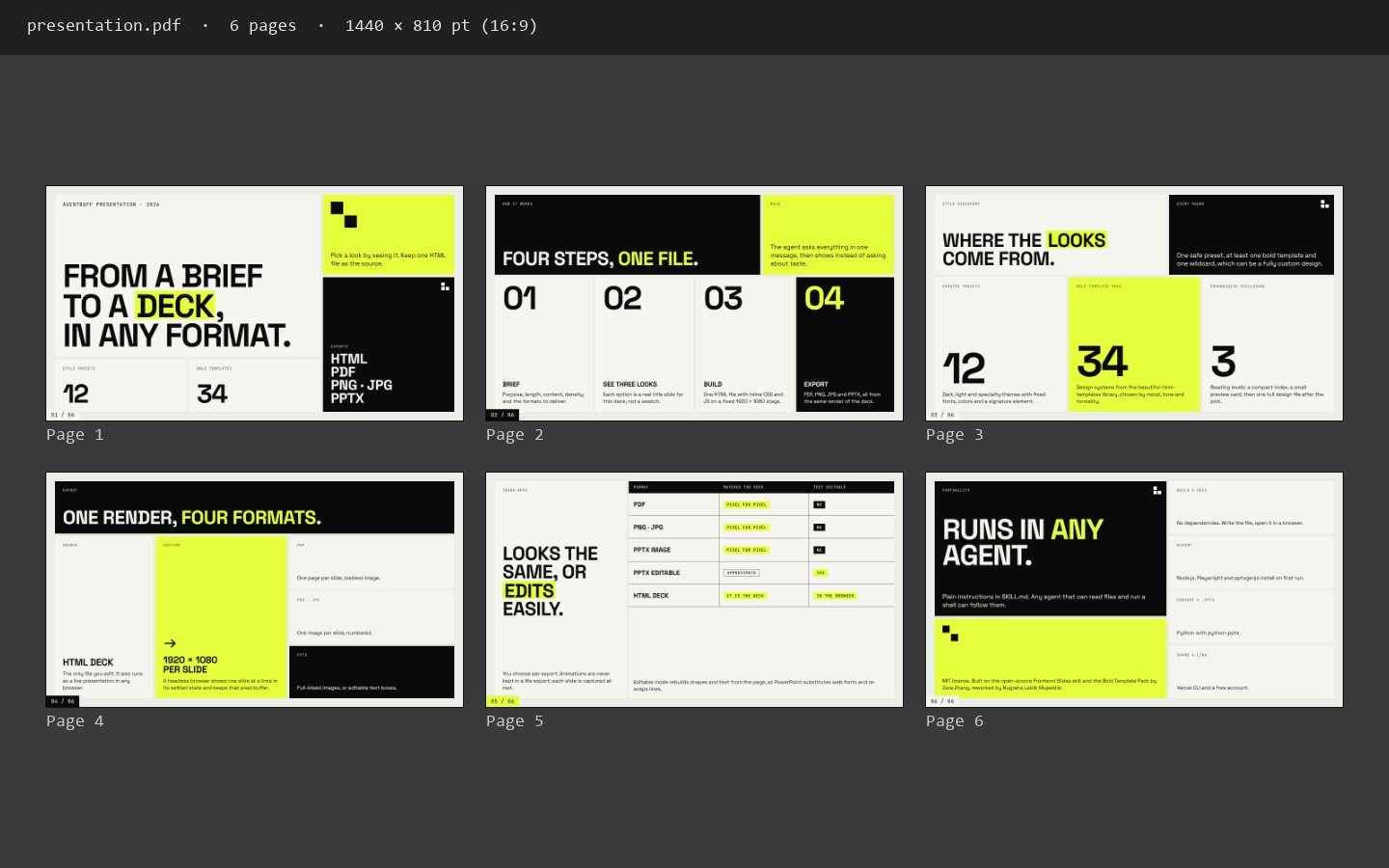
Left: Slide 5: which format matches the deck and which can be edited. · Right: The exported PDF from the test run: six 16:9 pages.
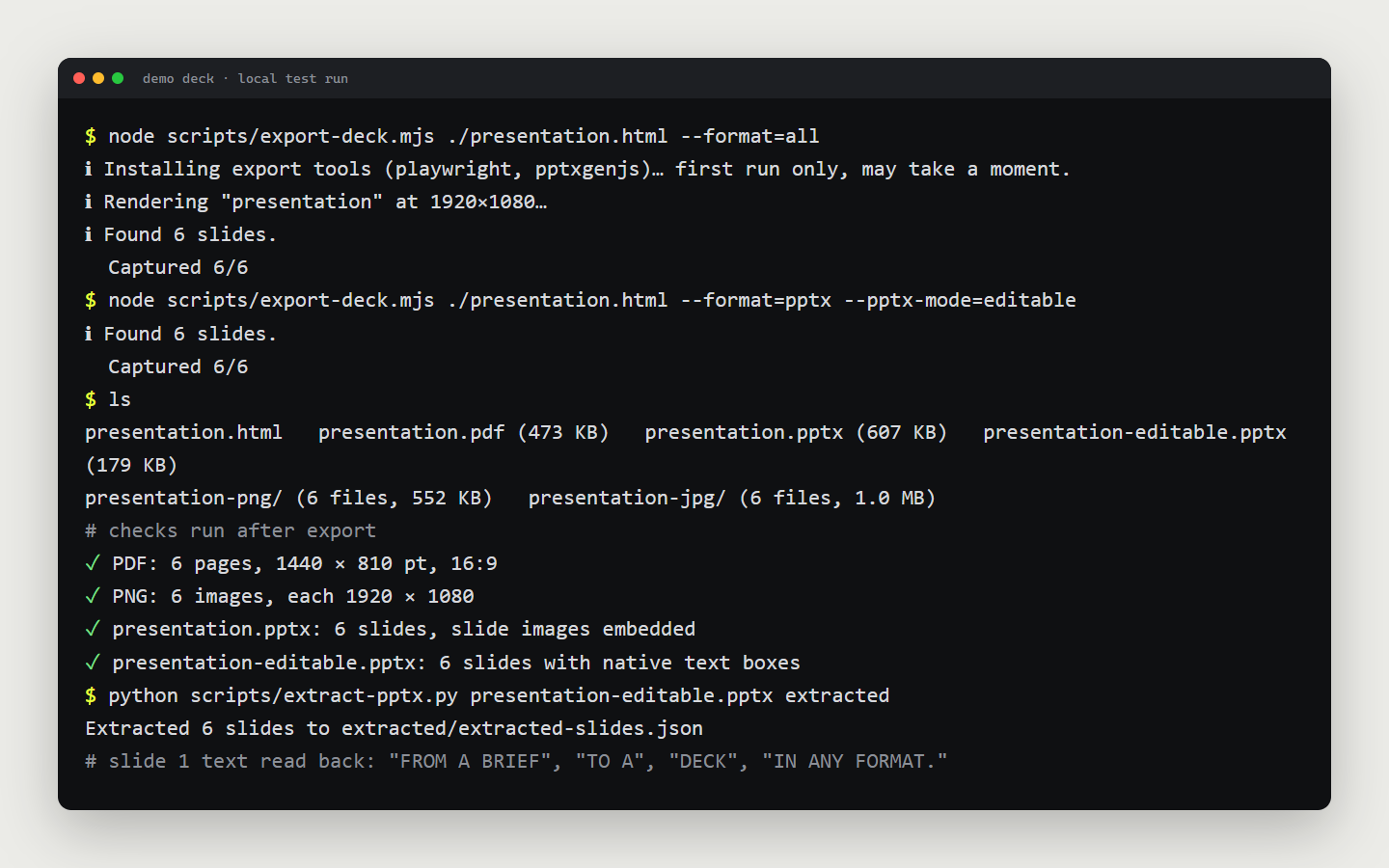
The export commands and the checks run on their output during the test.
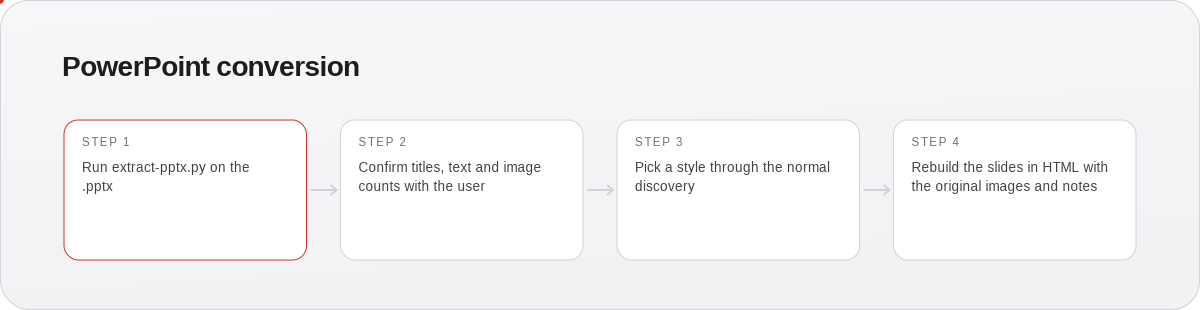
5. PowerPoint import and sharing
An existing .pptx can be converted: extract-pptx.py pulls out text, images and speaker notes, the user confirms the content, picks a style, and the agent rebuilds the deck in HTML. A finished deck can also go online with deploy.sh, which walks a first-time user through the Vercel CLI login.
- extract-pptx.py writes the slides as JSON plus an assets folder for images.
- In the test, it read the editable PowerPoint export back and recovered the slide text.
- deploy.sh accepts a single HTML file or a folder with its images and prints the live URL.
- export-pdf.sh remains as a PDF-only path for backward compatibility.
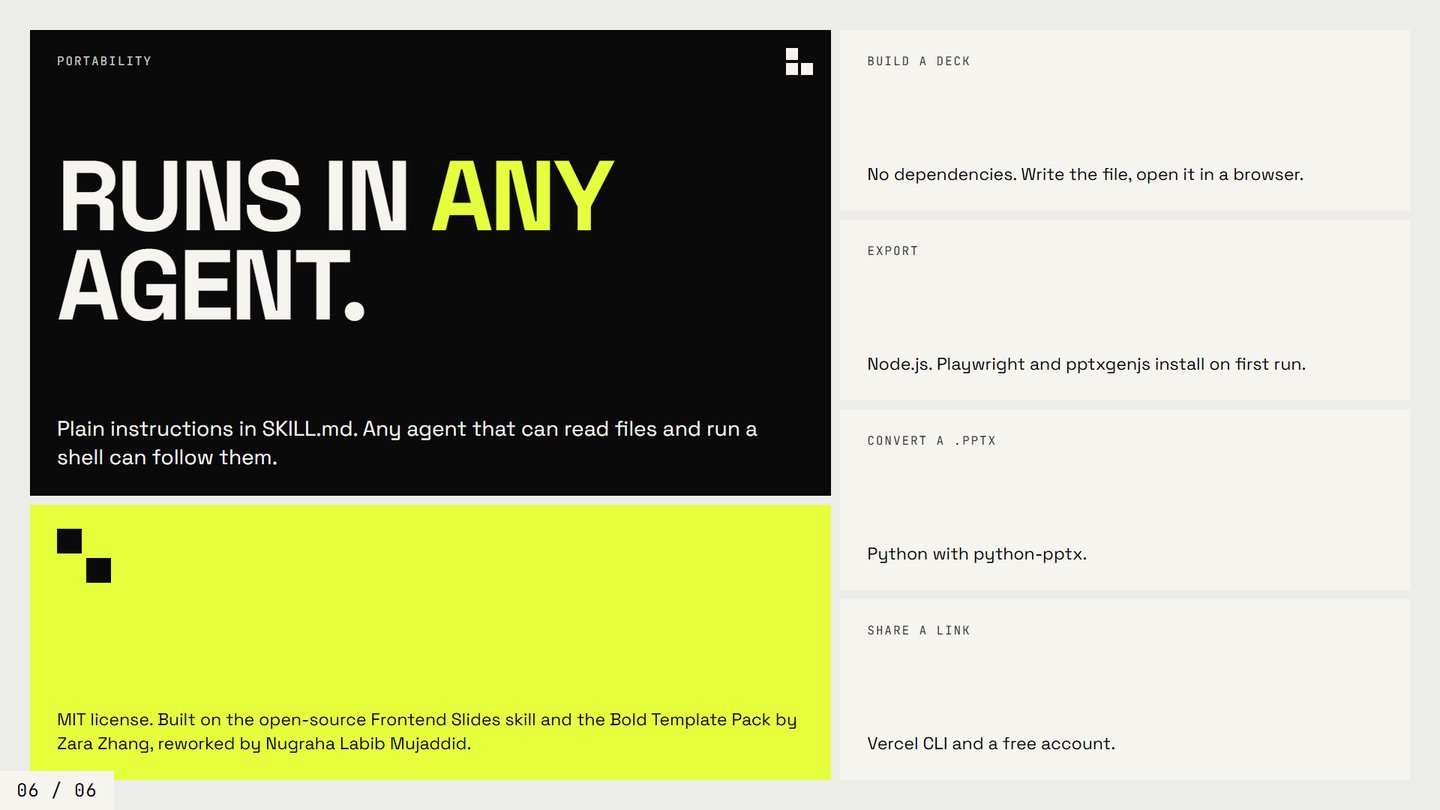
Slide 6 of the test deck: what each capability needs.
6. Fixed stage on every screen
The base stylesheet locks every slide to a 1920 × 1080 canvas that scales as a whole, letterboxing or pillarboxing as needed. This is what keeps the layout intact on a phone, and it is also what makes a pixel-exact export possible.
- viewport-base.css is copied in full into every deck.
- No responsive breakpoints rearrange slide content.
- Print styles put one fixed-size slide on each page.
- Reduced motion preferences shorten animations.
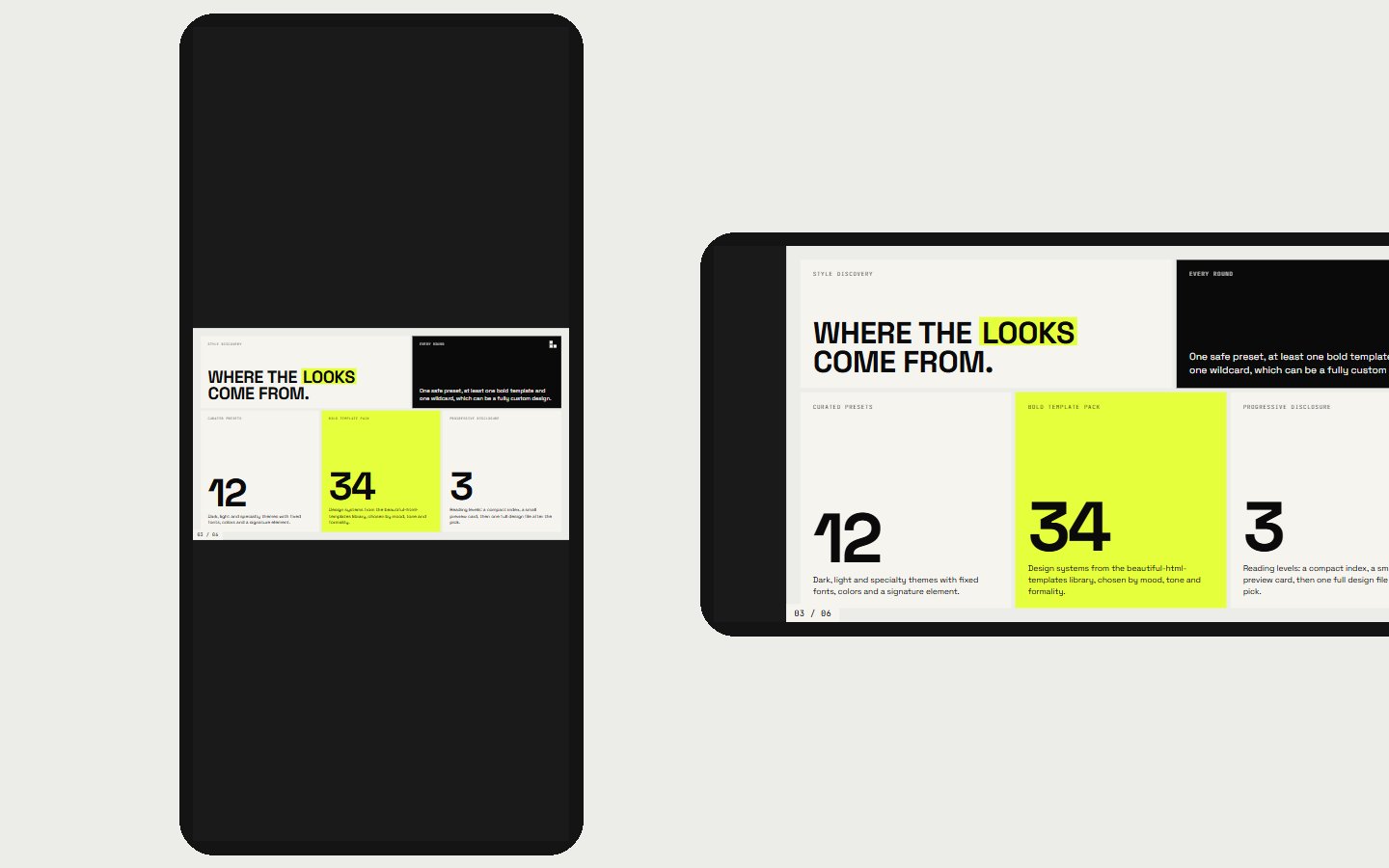
The test deck on a 390 px phone in portrait and landscape: the slide keeps its 16:9 layout.
How it is built
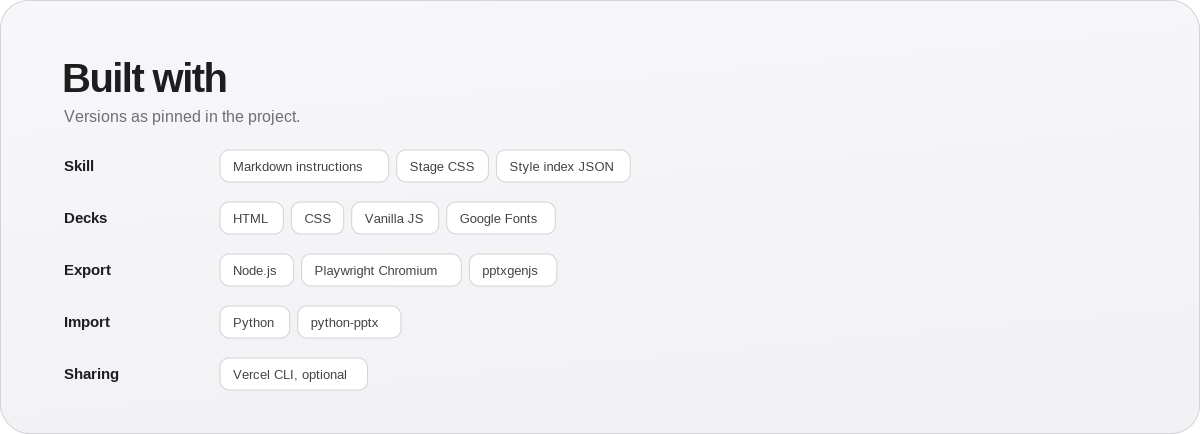
The repository is not an application. SKILL.md is a workflow map that the agent reads first; it points to supporting files that are loaded only when a phase needs them: STYLE_PRESETS.md and the template index in style discovery, viewport-base.css, html-template.md and animation-patterns.md when generating, and the scripts for conversion, export and sharing.
The deck itself has no dependencies. The scripts do: export-deck.mjs needs Node.js and installs Playwright and pptxgenjs on first use, extract-pptx.py needs Python with python-pptx, and deploy.sh uses the Vercel CLI. None of them calls a language model.
Compared with the upstream Frontend Slides skill, the style files, the template pack, the PDF and deploy scripts and the PowerPoint import are the upstream work with the skill renamed. This repo adds export-deck.mjs and the parts of SKILL.md that describe output formats, PowerPoint modes and running in other agents.
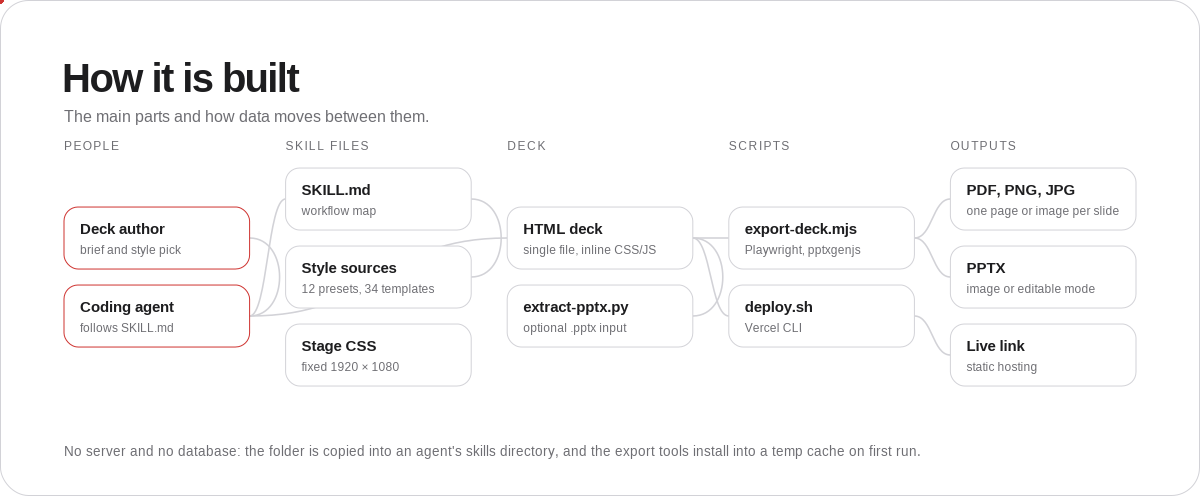
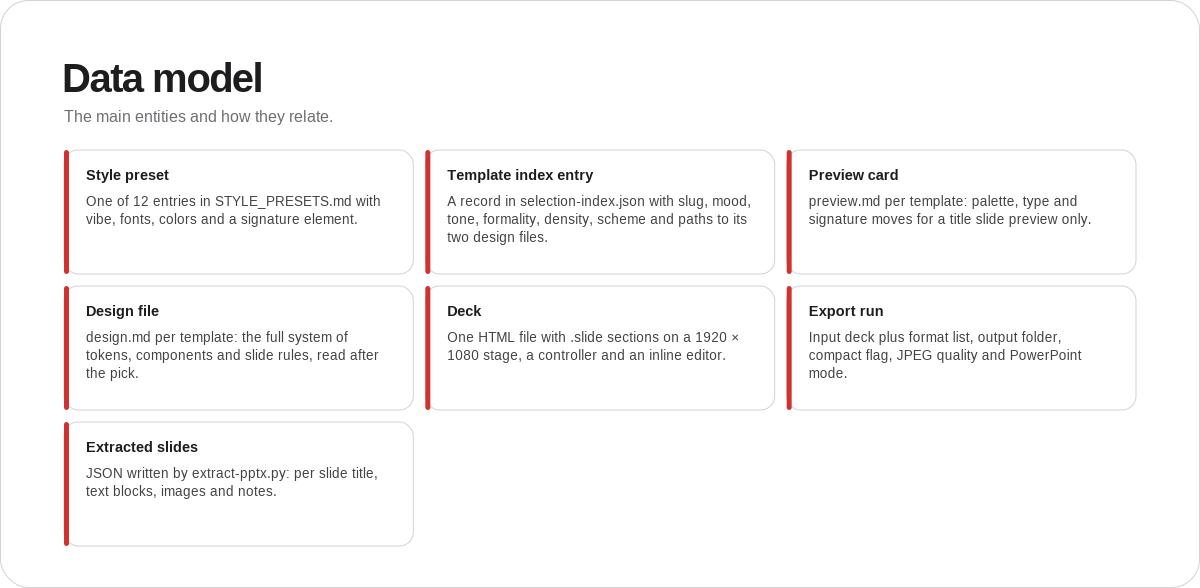
Security
- The repo stores no keys or tokens, and the scripts make no calls to a model provider.
- The exporter serves only the deck's own folder on a random local port while it captures, then closes the server.
- deploy.sh leaves login to the Vercel CLI, so no credential is written into the skill folder.
- The .gitignore keeps export folders and .env files out of the repo.
Decisions
| Decision | Why |
|---|---|
| HTML deck as the single source | All other formats are exported from it, so nothing is typeset twice and the versions cannot drift. |
| Screenshot based export | Capturing the rendered slide is the only way to get PDF, images and PowerPoint that look exactly like the browser. |
| Editable PowerPoint as an opt-in | Rebuilding text boxes lets people edit in PowerPoint, but fonts and wrapping change, so the exact copy stays the default. |
| Fixed 1920 × 1080 stage | A fixed canvas keeps layouts intact on phones and makes pixel-exact capture possible. |
| Progressive disclosure | Reading an index and small cards first keeps the agent's context small while 34 full design systems stay available. |
| No plugin packaging | Plain files and scripts let any agent with file and shell access use the skill. |
Highlights
- Every export is a screenshot of the settled slide at 1920 × 1080, so PDF, PNG, JPG and image PPTX match the HTML deck pixel for pixel.
- The exporter installs Playwright and pptxgenjs into a shared temp cache on first run, so neither the skill folder nor the user's project gets a node_modules folder.
- Progressive disclosure keeps the agent's context small: a compact index, then a small preview card, and one full design file only after the pick.
- Preview rules forbid workflow labels, template names and file paths on a slide, so every option reads as a real first slide.
- Checked in a local run: the exported PDF, image folders and both PowerPoint files each held one page, image or slide per deck slide.
Getting started
AgentBuff Presentation is a skill folder, not an app. There is nothing to build or start. An agent with file access and a shell reads SKILL.md and runs the scripts when it needs them.
Install
Give your agent the repo, or a local copy, and ask it to "use the AgentBuff Presentation skill in SKILL.md". It reads SKILL.md and loads the other files only when a step needs them.
To install it as a named skill, clone it into your agent's skills directory. The folder name must match the skill name agentbuff-presentation. Example for Claude Code:
git clone https://github.com/nugrahalabib/AgentBuff-Presentation-Skills.git ~/.claude/skills/agentbuff-presentation
Then type /agentbuff-presentation in Claude Code. Other agents use their own skills folder, or simply read SKILL.md from wherever the folder is.
Make a deck
Ask for a presentation, for example "a pitch deck for my startup". The agent will:
- Ask about purpose, length, content, density and which formats you want, in one message.
- Save three title slide previews in
.agentbuff-presentation/slide-previews/and open them. - Build the deck you pick as one HTML file, with all CSS and JS inline.
- Open it in your browser. Arrow keys, Space, the mouse wheel and swipe move between slides; press
Eto edit text in place.
To convert a PowerPoint file, ask "convert my presentation.pptx to a web slideshow". The agent runs:
pip install python-pptx
python scripts/extract-pptx.py presentation.pptx extracted
This writes extracted/extracted-slides.json and an extracted/docs/readme/ folder with the images.
Export
node scripts/export-deck.mjs ./presentation.html --format=all
node scripts/export-deck.mjs ./presentation.html --format=pdf,pptx
node scripts/export-deck.mjs ./presentation.html --format=pptx --pptx-mode=editable
node scripts/export-deck.mjs ./my-deck/ --format=png --out=./dist
| Option | Meaning |
|---|---|
--format=LIST |
Any of pdf, png, jpg, pptx, or all. Default pdf. |
--out=DIR |
Output folder. Default: next to the deck. |
--compact |
Render at 1280 × 720 for smaller files. |
--jpeg-quality=N |
JPEG quality from 1 to 100. Default 95. |
--pptx-mode=MODE |
image (default) matches the deck but text is not editable; editable rebuilds text boxes that PowerPoint can edit, with an approximate look. |
Outputs are named after the deck: presentation.pdf, presentation.pptx or presentation-editable.pptx, and the folders presentation-png/ and presentation-jpg/ with slide-01.png and so on. A folder input must contain index.html. Slides must be .slide elements, and local images must use relative paths.
On the first run the exporter installs Playwright and pptxgenjs with npm into a folder named agentbuff-presentation-export-tools in your system temp directory, and downloads Chromium if it is not cached yet. This needs a network connection and can take a few minutes; later runs reuse the cache. The npm versions are not pinned.
A PDF-only alternative is kept for older setups:
bash scripts/export-pdf.sh ./presentation.html ./presentation.pdf
Share a live link
bash scripts/deploy.sh ./my-deck/
bash scripts/deploy.sh ./presentation.html
The script uses the Vercel CLI and guides you through the free sign up and vercel login the first time. Deploy a folder when the deck has images next to it.
Requirements
- An agent, or a person, with file access and a shell. No plugin is needed.
- Export: Node.js. Playwright, Chromium and pptxgenjs are installed on first run.
- PowerPoint import: Python with
python-pptx. - Live link: Node.js and a free Vercel account.
No environment variables are used.
What was run for this page
On 26 Nov 2026, on Windows 11 with Node.js 22 and Python 3.14, in a copy of the repo:
- An agent followed
SKILL.mdto write three title slide previews and a 6-slide deck in one bold template. node scripts/export-deck.mjs ./presentation.html --format=allinstalled its tools on first run and wrote a 6-page PDF, 6 PNG and 6 JPG files at 1920 × 1080, and a 6-slide PPTX.node scripts/export-deck.mjs ./presentation.html --format=pptx --pptx-mode=editablewrote a 6-slide editable PPTX.python scripts/extract-pptx.py presentation-editable.pptx extractedread the 6 slides back, including their text.
deploy.sh and export-pdf.sh were not run.
Project structure
SKILL.md                     workflow map the agent reads first
STYLE_PRESETS.md             12 curated presets
viewport-base.css            fixed 1920 × 1080 stage, copied into every deck
html-template.md             deck HTML structure, controller and inline editing
animation-patterns.md        motion reference
bold-template-pack/
  selection-index.json       compact index of the 34 templates
  templates/<name>/          preview.md and design.md per template
  deck-stage.js              stage helper from the template library
docs/readme/screenshots/          3 slide screenshots per template, from the template library
scripts/
  export-deck.mjs            PDF, PNG, JPG and PPTX export
  export-pdf.sh              PDF-only export
  extract-pptx.py            PowerPoint content extraction
  deploy.sh                  Vercel deploy
License
MIT. Copyright (c) 2025 Zara Zhang for the original Frontend Slides skill, and (c) 2026 Nugraha Labib Mujaddid for the modifications. The Bold Template Pack and the template screenshots come from Zara Zhang's beautiful-html-templates library, also MIT.
Made by Nugraha Labib Mujaddid · nugrahalabib.com · [email protected]
Yorumlar (0)
Yorum birakmak icin giris yap.
Yorum birakSonuc bulunamadi