tunetape
Health Uyari
- License — License: MIT
- Description — Repository has a description
- Active repo — Last push 0 days ago
- Low visibility — Only 7 GitHub stars
Code Basarisiz
- rm -rf — Recursive force deletion command in install.sh
Permissions Gecti
- Permissions — No dangerous permissions requested
Bu listing icin henuz AI raporu yok.
🎧 Terminal music player for YouTube, Spotify, KHInsider, audio links and local files. Plays in the background, with a CLI and a built-in MCP server so AI agents like Claude can DJ for you.

tunetape
Stream music from YouTube, Spotify and KHInsider, right inside your terminal.
Paste a link. Press Enter. Listen. No browser, no tabs, no ads.





Install · How it works · Screens · Keys · Wiki
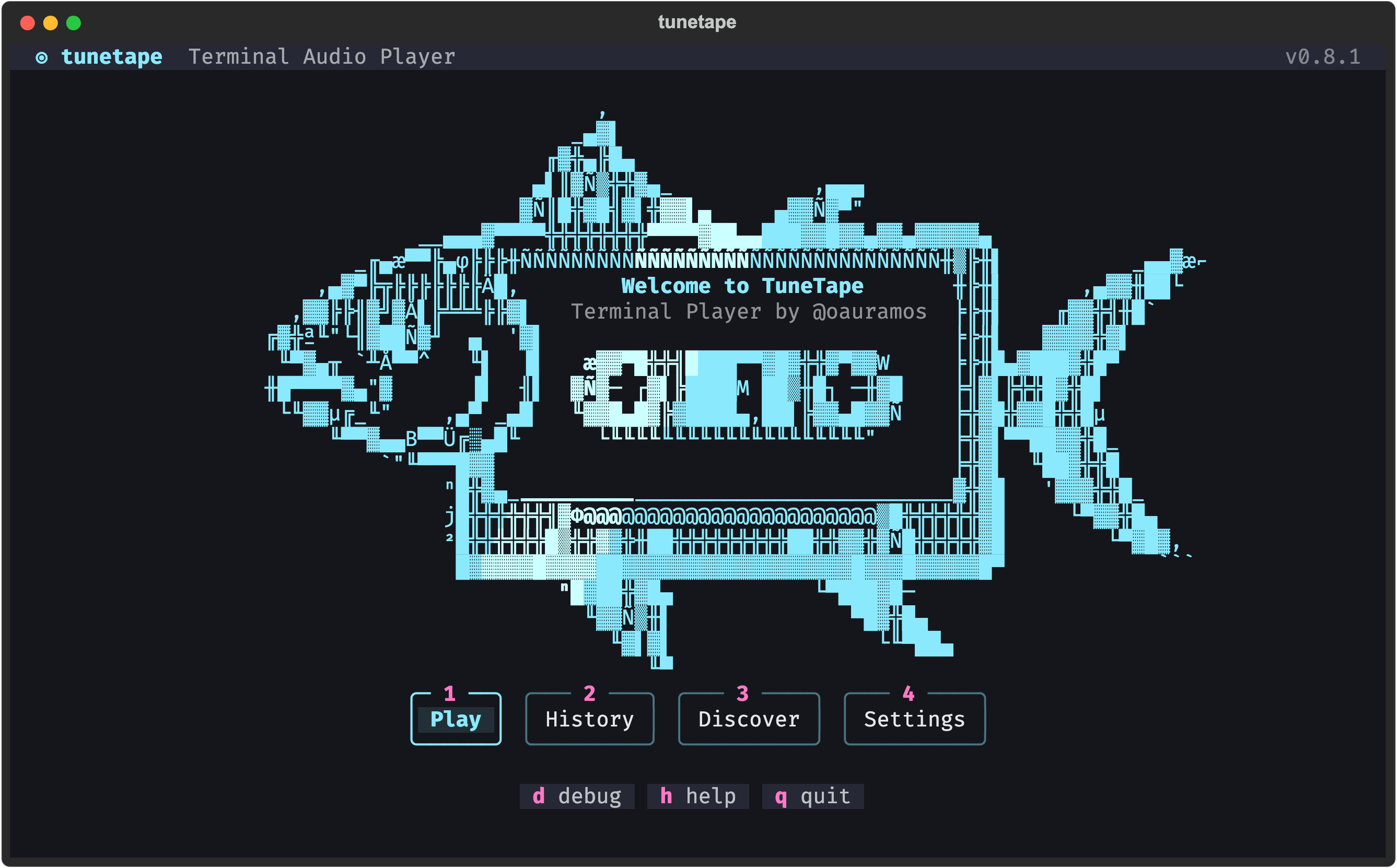
What is tunetape?
tunetape is a small audio player that lives in your terminal. It hands the stream to mpv (audio only) and wraps it in a btop-style interface you can drive with the keyboard or the mouse. Nothing is downloaded or stored; it just plays.
- Three sources. YouTube videos and playlists, Spotify tracks and playlists, and KHInsider video game soundtracks. Paste any link and the source is detected as you type.
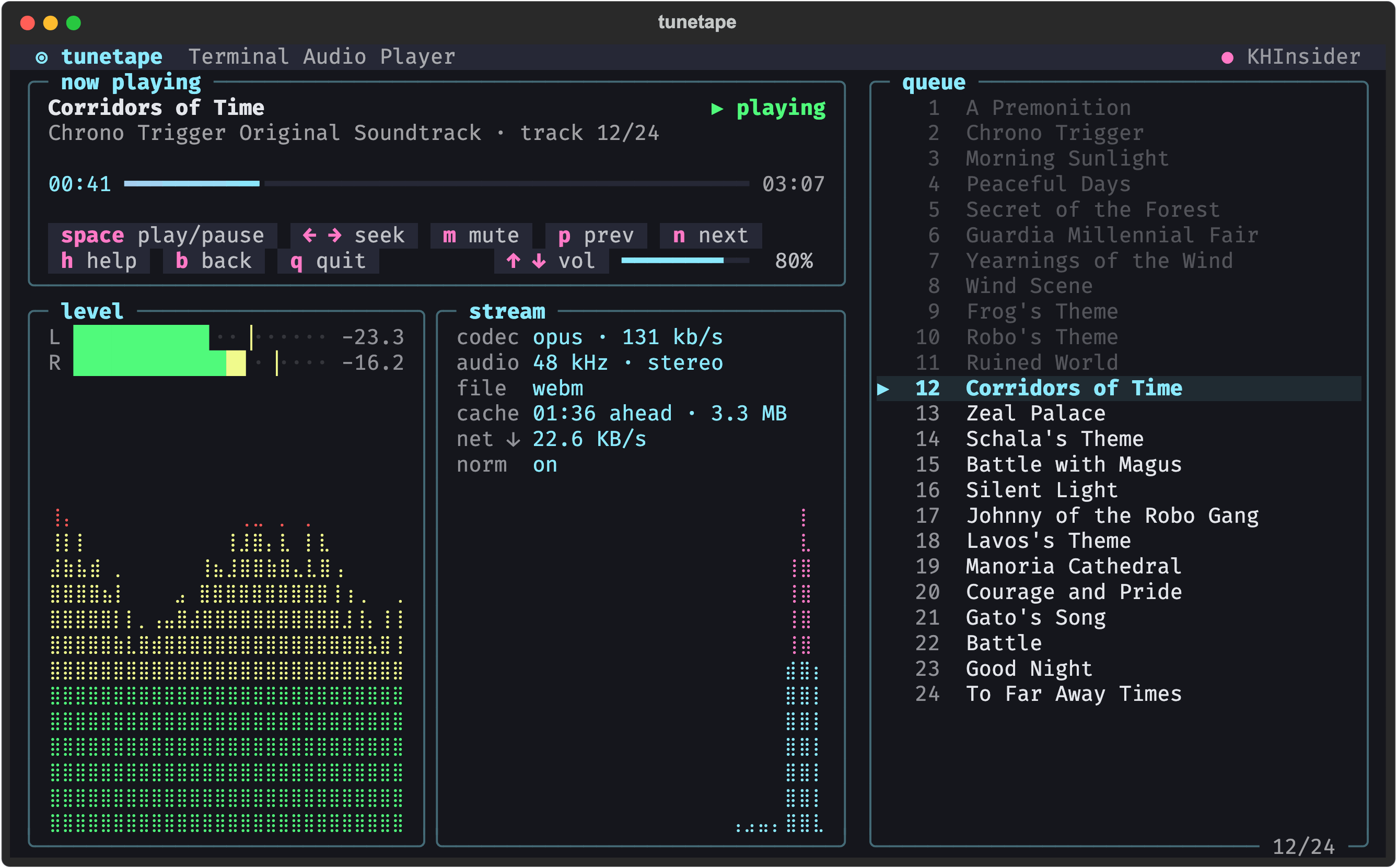
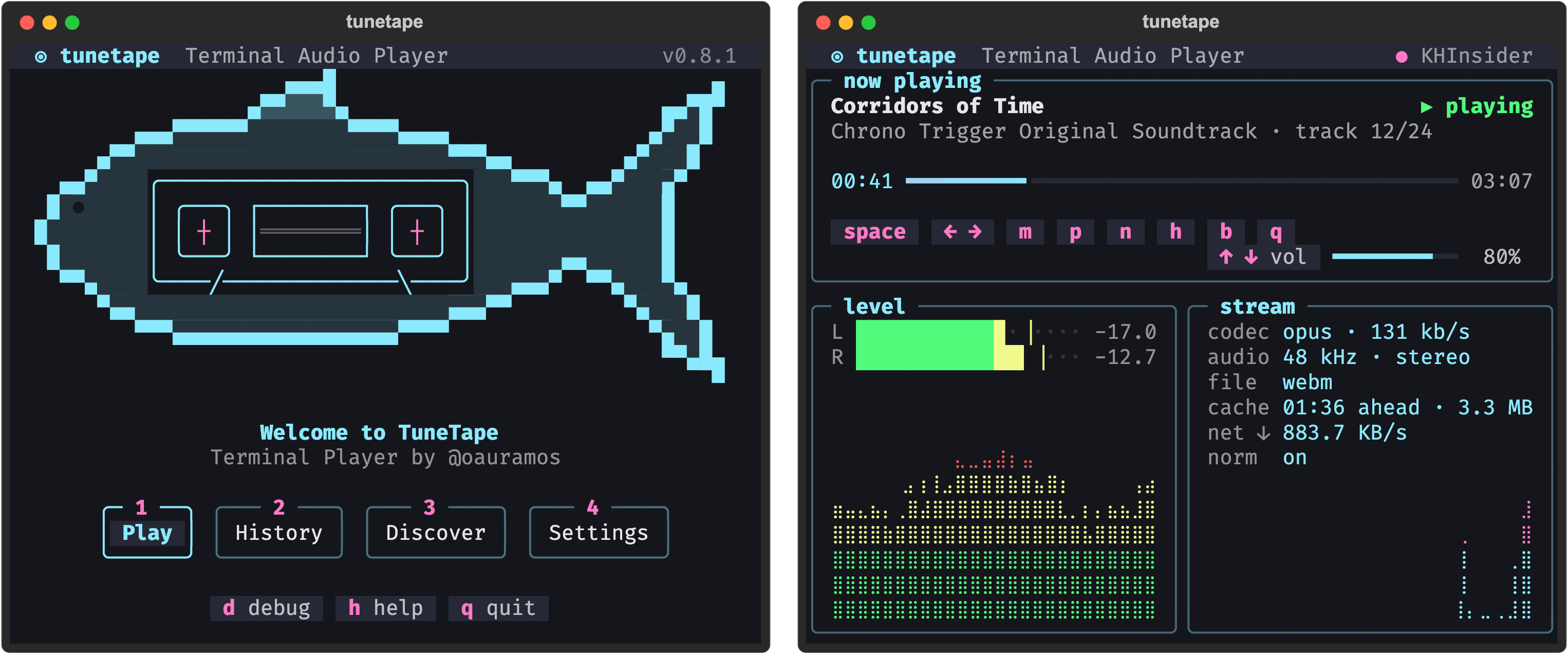
- A player full of live data. Live L/R levels with a loudness graph, plus the stream's codec, bitrate, sample rate, cache and download speed, all next to the track and its controls.
- Playlists and albums. Next and previous, auto-advance, and a queue you can jump around in.
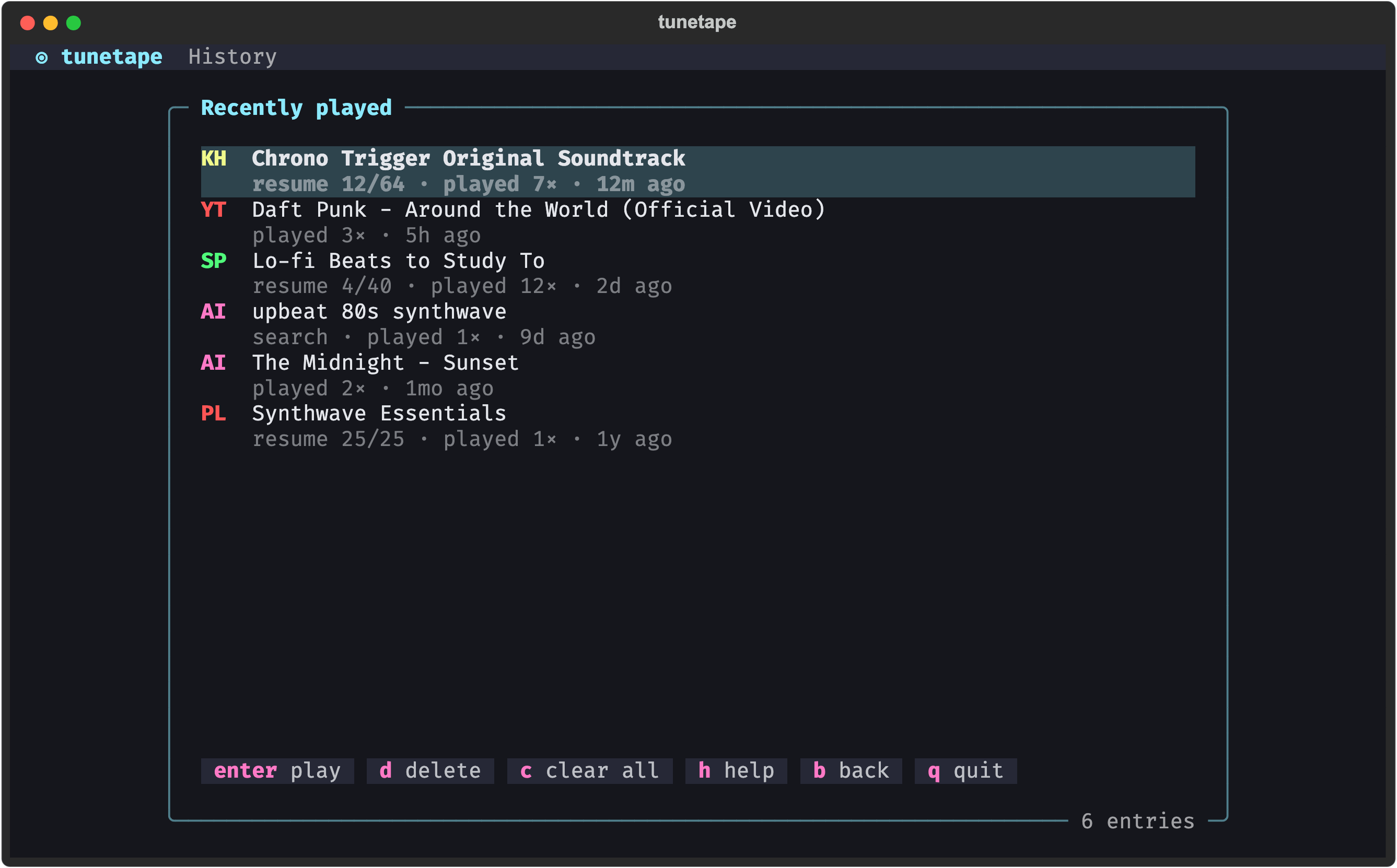
- Recently played. Everything you play is remembered, and playlists resume at the track you left off.
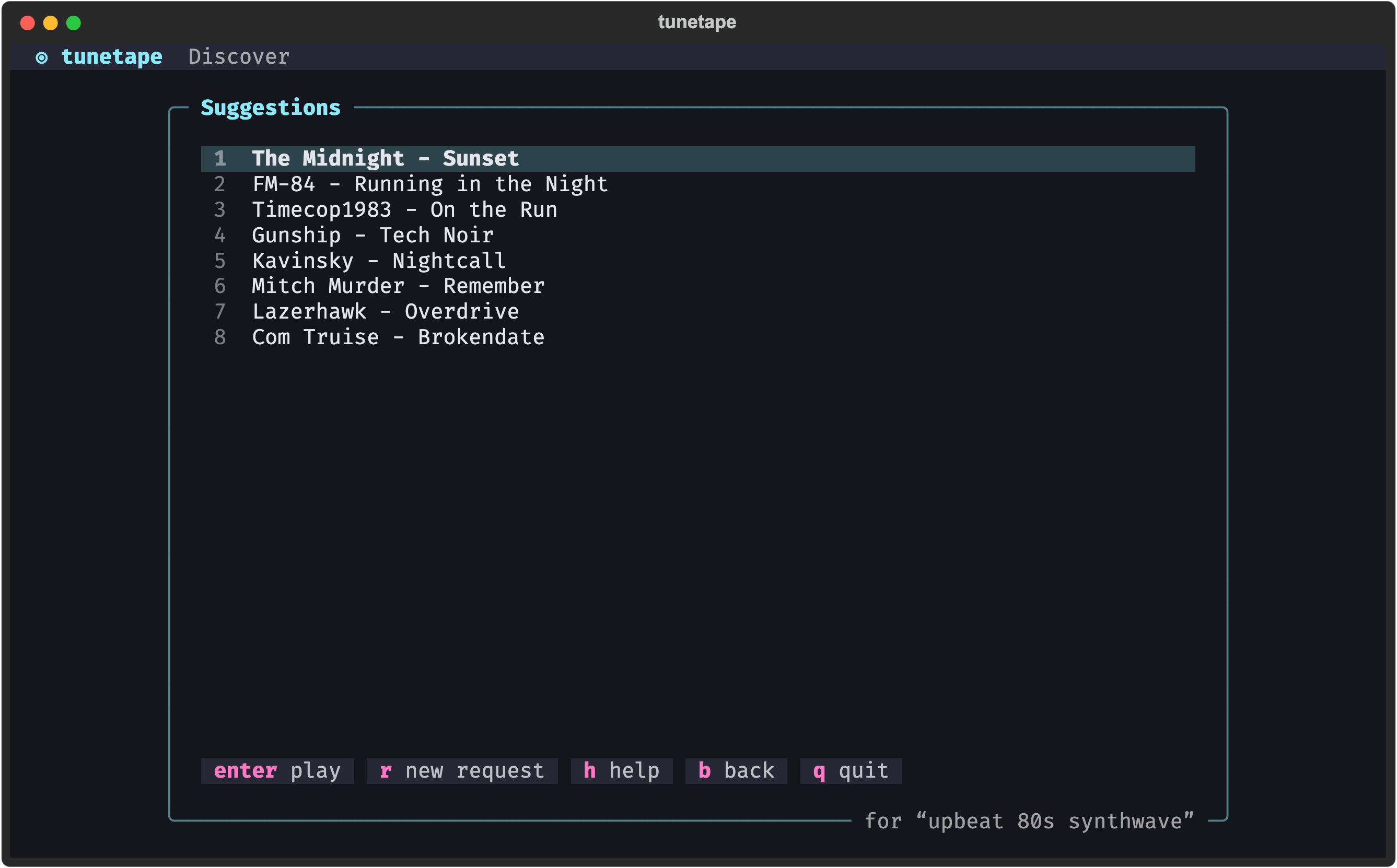
- Discover with AI. Describe a vibe ("calm piano for focus") and get a list of real songs to play. Bring your own API key; the feature stays off until you add one.
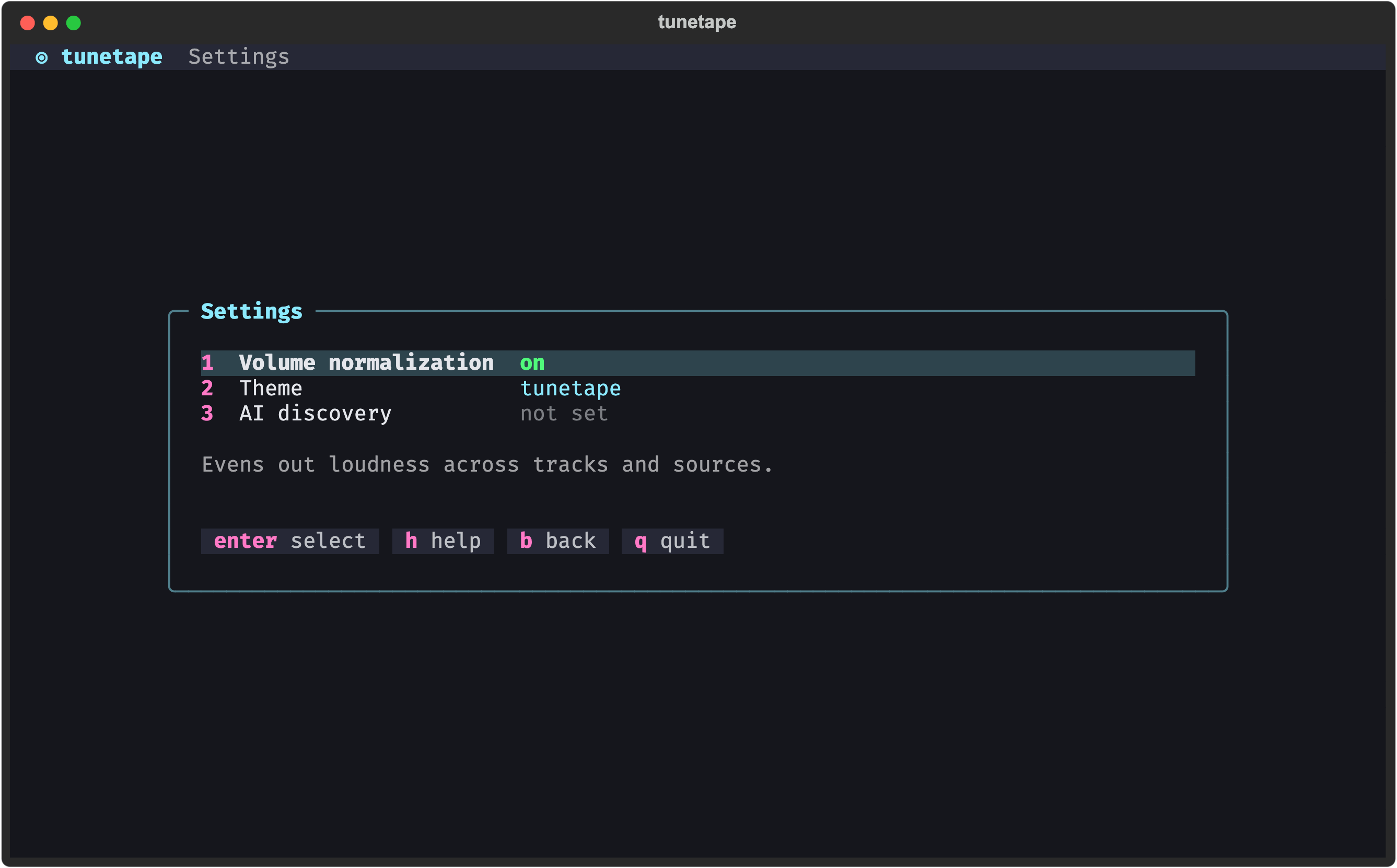
- Sounds even. Optional loudness normalization keeps volume consistent across sources, and your last volume is remembered.
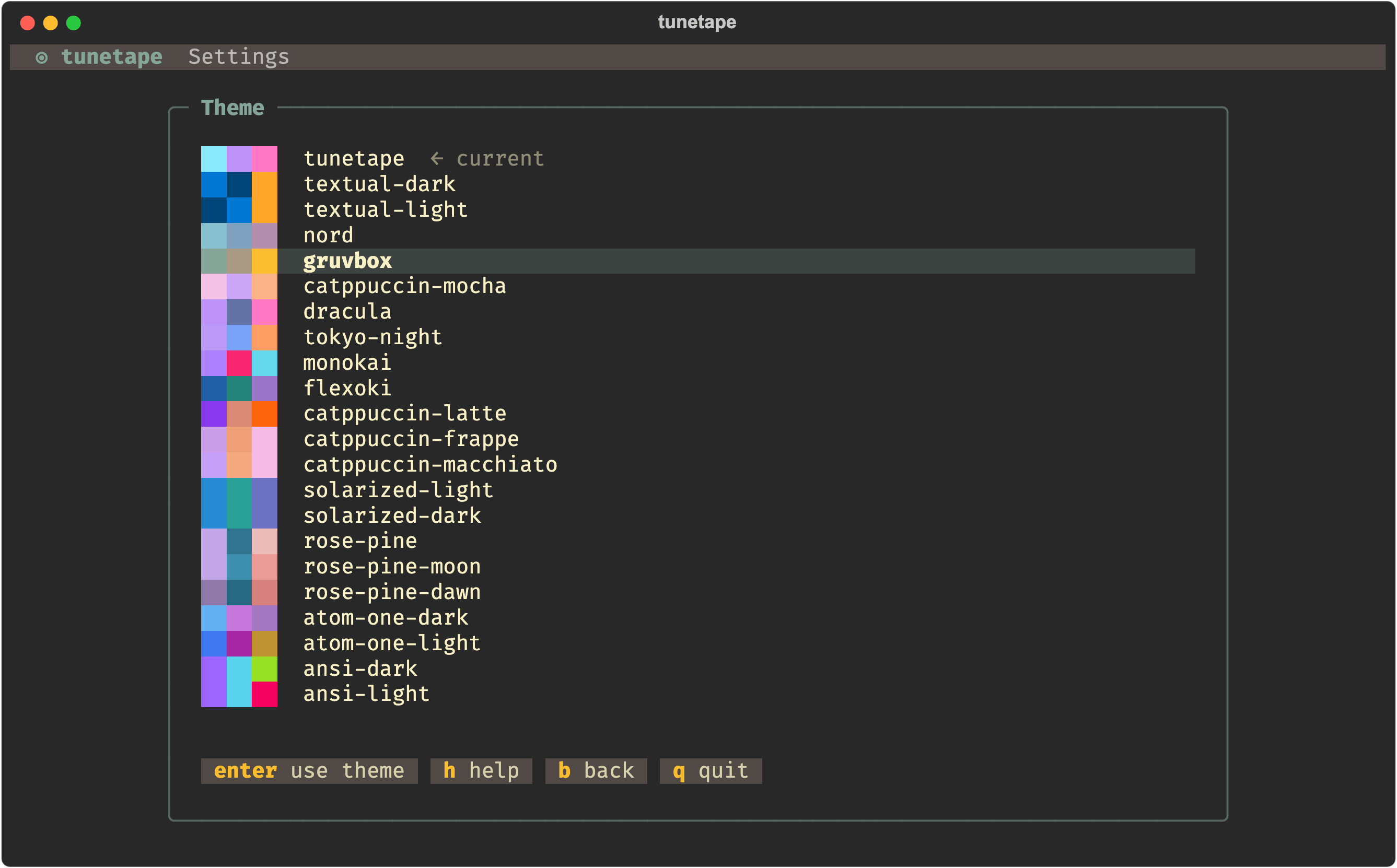
- Themes. More than twenty color themes with a live preview.
- Fits any terminal. macOS, Linux and Windows, down to 60 columns.
Install
You need two tools on your machine, mpv and yt-dlp, plus tunetape itself. Pick your OS:
macOS
One command via Homebrew. It brings in Python, mpv and yt-dlp for you:
brew install oauramos/tunetape/tunetape
Windows
winget install shinchiro.mpv
winget install yt-dlp.yt-dlp
pip install git+https://github.com/oauramos/tunetape.git
Linux
sudo apt install mpv yt-dlp        # or your distro's package manager
pip install git+https://github.com/oauramos/tunetape.git
Run it
tunetape
That's it. Press 1, paste a link, and press Enter.
Want another way in? The install script, manual install,
uv/pipx, upgrading and uninstalling are all covered in the wiki: Installation.
How it works
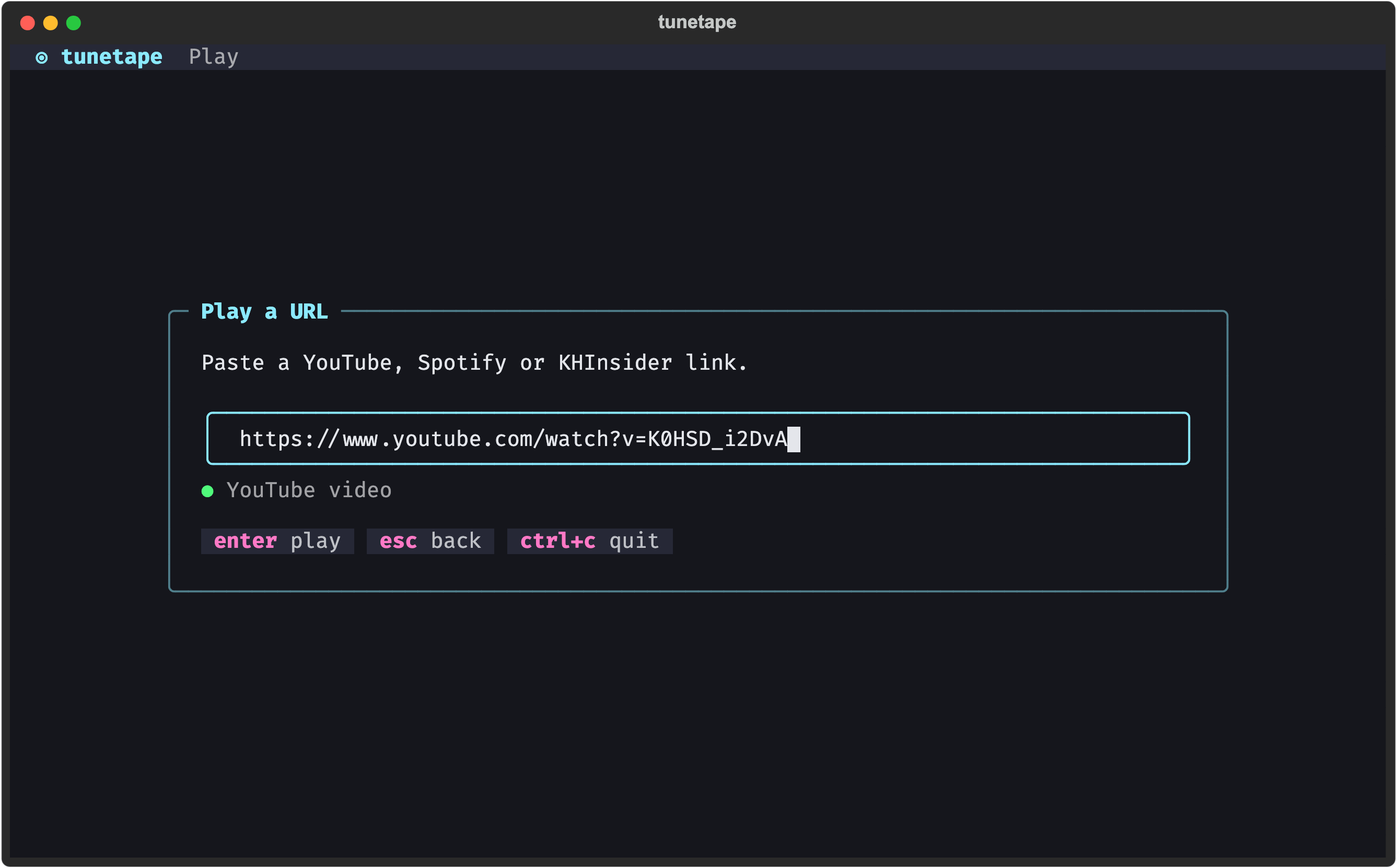
1. Paste a link
Press 1 on the main menu and paste a YouTube, Spotify or KHInsider URL. tunetape tells you which source it found before you press Enter.
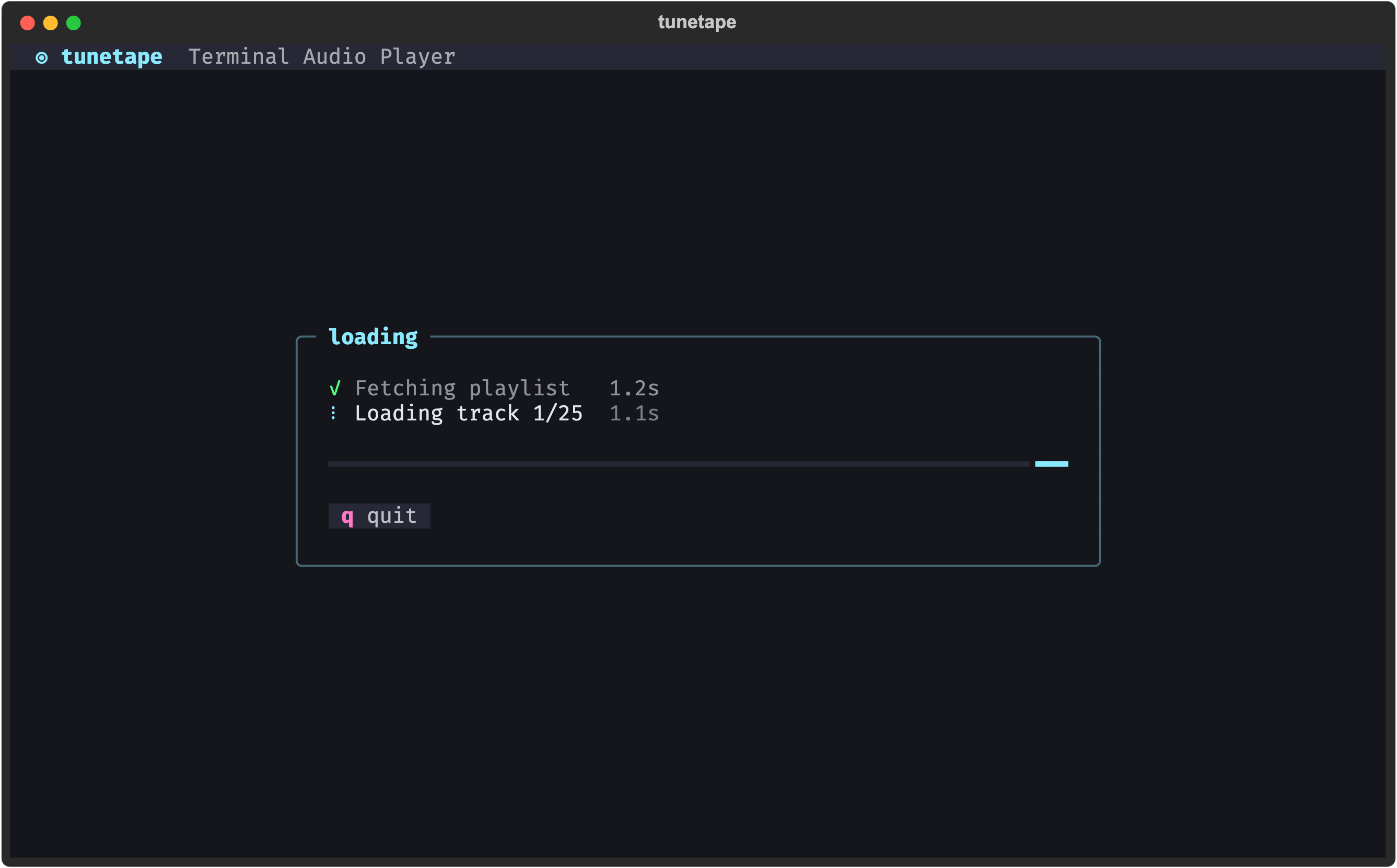
2. It loads
While the stream is fetched, a small box lists each step and how long it took.
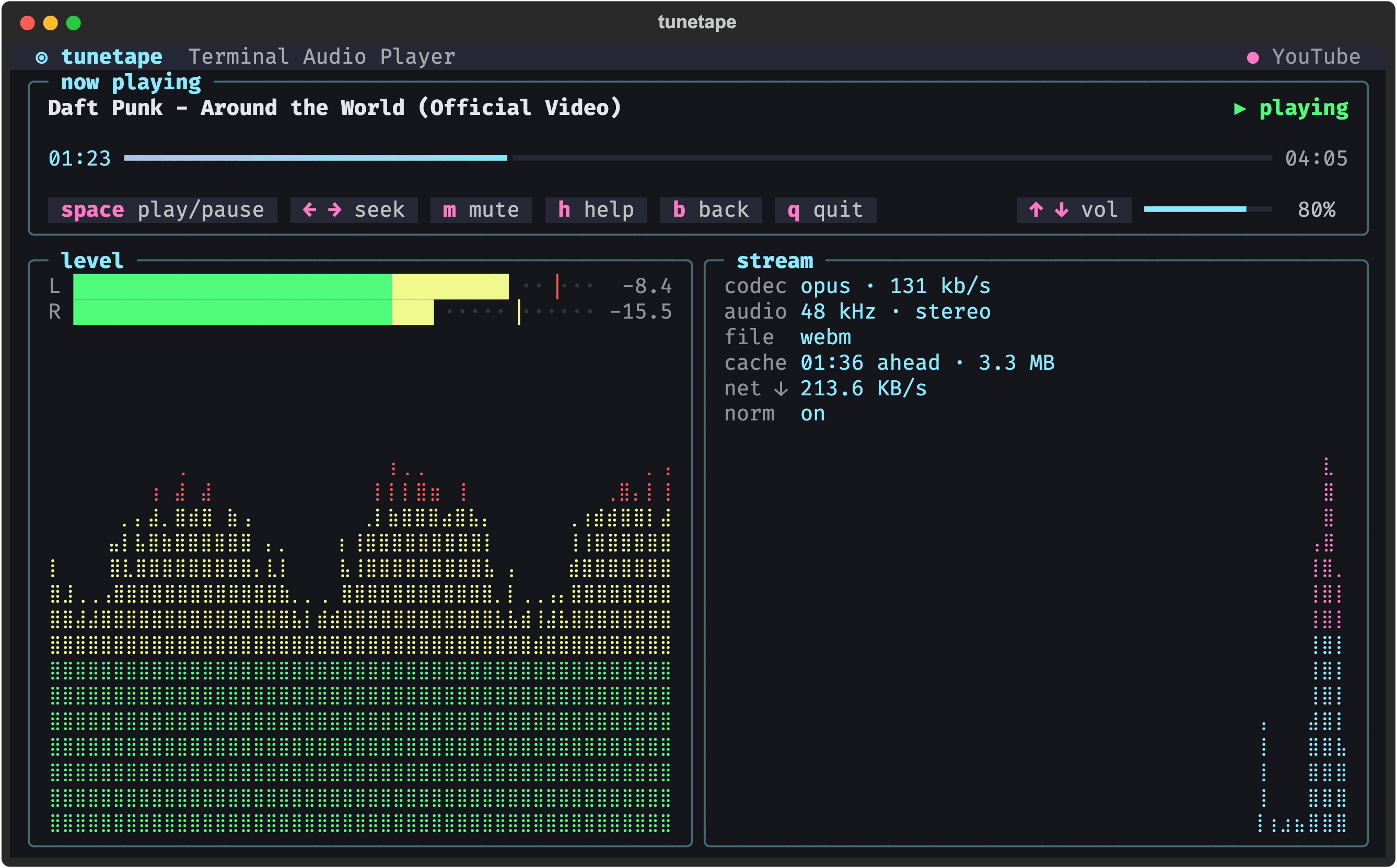
3. It plays
The player is a dashboard:
- now playing: the track, a progress bar (click it to seek), the controls and a volume gauge.
- level: live left and right levels with peak ticks, and a scrolling loudness graph.
- stream: the codec, bitrate, sample rate, cache ahead and download speed.
Long titles scroll across like a car radio display.
4. Playlists just work
Spotify playlists, YouTube playlists and KHInsider albums show the track position and add n / p for next and previous. Tracks advance on their own. On a wide terminal the queue sits alongside: press tab to move into it and Enter to jump to any track.
Screens
Recently played
Jump back into anything you have played. Playlists and albums resume where you stopped.
Discover (AI)
Type what you feel like hearing and pick a song from the suggestions. Each one streams from YouTube.
Settings
Toggle loudness normalization, pick a theme, and set up AI discovery.
Themes
Move through the list and the whole interface recolors as you go. Enter keeps the theme you're on; Esc puts the old one back. You can also switch themes from anywhere with ctrl+p.
Small terminals
Every screen adapts down to 60 columns. The welcome tuna shrinks to a pixel-art version, and below 96 columns the player's buttons keep just their keys.
Keys
The same keys work on every screen, and each screen's row of buttons ends with the same h help, b back and q quit. Buttons can be clicked too.
| Key | Action |
|---|---|
b esc |
Back |
q |
Quit (the music stops too) |
h ? |
Help: every key, on any screen |
ctrl+c |
Quit, even while typing or loading |
ctrl+p |
Command palette (themes) |
On screens with a text box, b, q and h type letters, so use esc to go back and ctrl+c to quit.
In the player:
| Key | Mouse | Action |
|---|---|---|
space |
click the button | Play / pause |
← → |
click the progress bar | Seek 10s |
, . |
Seek 30s | |
↑ ↓ |
scroll the wheel, or click the gauge | Volume |
m |
click the button | Mute |
n p |
click the button | Next / previous track |
tab |
click a track | Browse the queue; Enter (or the click) plays that track |
b esc |
Back to the menu; the music keeps playing, and n on the menu brings the player back |
The full reference is in the wiki: Usage and Controls.
Learn more
The wiki has the details this page leaves out:
- Installation: every install method, upgrading, uninstalling
- Usage and Controls: each screen and every key
- Sources: what links work and how each source is streamed
- AI Discovery: Anthropic, OpenAI-compatible endpoints and local models
- Settings: normalization, themes, where your data lives
- Troubleshooting: playback stalls, missing tools, the Debug screen
- FAQ
Built with
- mpv, the media player doing the actual playback (its audio filters also feed the level meter)
- yt-dlp, which resolves YouTube streams
- Textual, which draws the terminal UI
License
MIT. See LICENSE.
Disclaimer
tunetape does not store, host, download, or redistribute any content from YouTube, Spotify, KHInsider, or any other third-party service. It is a lightweight terminal-based streaming client that relies on publicly available tools (mpv, yt-dlp) to stream audio in real time. For Spotify, only public metadata (track names and artists) is read to locate the matching audio on YouTube; no Spotify audio is accessed.
Yorumlar (0)
Yorum birakmak icin giris yap.
Yorum birakSonuc bulunamadi