fest
Health Warn
- License — License: Apache-2.0
- Description — Repository has a description
- Active repo — Last push 0 days ago
- Low visibility — Only 8 GitHub stars
Code Fail
- rm -rf — Recursive force deletion command in docs/demos/fixtures/fest-list-watch-status/setup.sh
Permissions Pass
- Permissions — No dangerous permissions requested
No AI report is available for this listing yet.
Template Driven Agent Orchestration Loops
Fest CLI
Part of Festival - mission-based AI workspace management. Fest handles hierarchical planning and execution loops; camp handles workspace management. Together they give structure to how you work across multiple projects, contexts, and AI agents.


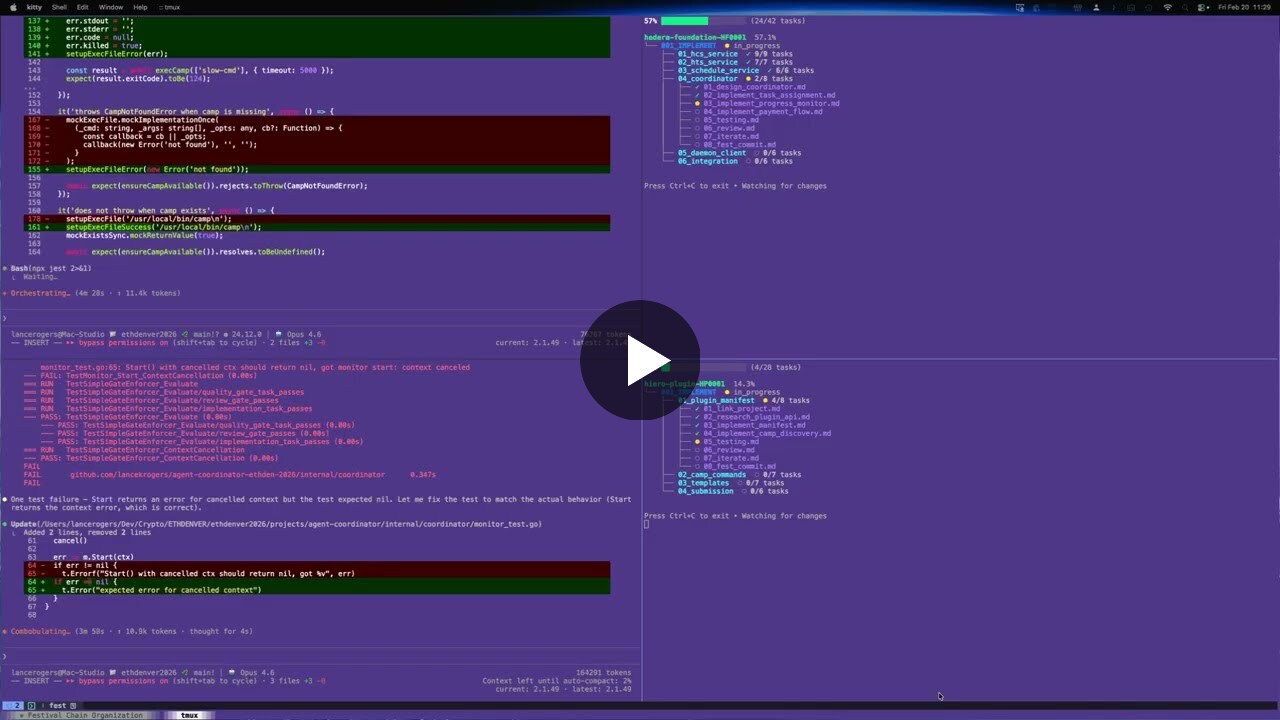
fest next hands the agent its next task; fest watch shows the tree fill in as the work lands.
Browse a complete festival end to end →
Fest is a template-driven agent orchestrator. You describe work as structured documents scaffolded from templates you control, and agents execute them through a tracked loop: fest next hands the agent its next task with full context, quality gates and approval judges check the work, and progress lands in git. Festival Methodology transforms high-level objectives into structured, executable work that AI agents complete autonomously; fest is the CLI that makes it happen.
This practice is loop engineering: instead of babysitting prompts, you design the loop your agents run in (the goals, steps, gates, and feedback) and let them run it. The better your loop, the less you supervise. Fest is a tool for building those loops out of plain markdown.
Install (see the festival repo for all package options):
brew install --cask Obedience-Corp/tap/festival   # macOS/Linux (installs camp + fest)
npm install -g @obedience-corp/festival           # any platform with node
Festivals live within camps (previously called campaigns), isolated workspaces managed by camp. A camp organizes your projects, plans, and context in one place. See the methodology README for the complete guide.
Your Templates, Your Workflow
Fest ships with a complete default methodology, but the methodology is a
template set, not a requirement. Everything fest scaffolds comes from
templates you can inspect and change:
- Camp-level templates - every festival, phase, sequence, and task
document is generated fromfestivals/.festival/templates/in your
camp. Edit them and fest uses your versions. - Custom festival types -
festivals/.festival/festival_types.yaml
defines which phases each festival type auto-scaffolds. Add your own types
for your own workflow shapes. - Quality gates - defaults included; replace or modify them camp-wide
or per festival. - Lifecycle hooks - declare named commands at machine / festivals / festival
layers, bind them to steps, and inspect withfest hooks list. The approval
judge is one hook (approval_judge); see docs/concepts/hooks.md. - Template syncing -
fest system syncpulls templates from a
configurable repository (repository.url,branch, andpathin
configuration), so a team can maintain and
distribute its own template set.
If you can write markdown, you can make fest orchestrate agents your way.
The default templates encode one proven workflow; yours can encode yours.
Steps, Not Time
Festival plans in steps to completion, not time estimates. AI agents work exponentially faster than humans and are improving faster than anyone can predict - a festival that takes a week today might take 10 minutes next month. Time-based estimation is meaningless in this context. What matters is the sequence of steps between where you are and where you need to be.
When to Use a Festival
A festival scales to the work. It can be:
- A complex feature that spans multiple services and needs careful sequencing
- An entire quarter's worth of epics broken into phases with clear milestones
- All the infrastructure for a new initiative from zero to production
- A massive refactor that touches every layer of the stack
If you can describe the task in a single prompt and an agent can finish it in one session, you don't need a festival. If the work has dependencies, requires decisions, spans multiple sessions, or needs to follow specific patterns - that's what festivals are for.
What Makes Festival Different
Hierarchical Goal System
Every level has clear, measurable goals with built-in evaluation frameworks. Festival goals define overall success criteria. Phase goals set stage-specific objectives. Sequence goals ensure granular completion. You always know if you've succeeded.
Context Preservation
CONTEXT.md captures key decisions, rationale, session handoff notes, and open questions. This maintains continuity across AI sessions and human reviews - no more losing context between conversations.
Autonomy Levels
Every task is marked with an autonomy level - high (agent completes independently), medium (may need edge case clarification), or low (expect human collaboration). Agents know when to proceed and when to ask for help.
Just-In-Time Documentation
Agents read templates and methodology docs only when needed, preserving context window for actual work. No upfront context dumps.
For the complete methodology guide, see methodology/README.md.
Three-Level Structure
Festival organizes work into phases, sequences, and tasks - each with its own goal document:
Goal: Build E-Commerce Platform
├── FESTIVAL_GOAL.md                    # Overall success metrics
├── FESTIVAL_OVERVIEW.md                # Project description
├── fest.yaml                           # Configuration
│
├── 001_PLAN/ (type: planning)          # Uses WORKFLOW.md
│   ├── PHASE_GOAL.md
│   ├── WORKFLOW.md                     # Step-by-step planning guidance
│   ├── inputs/                         # Reference materials
│   ├── decisions/                      # Captured decisions
│   └── plan/                           # Resulting plans
│
├── 002_IMPLEMENT/ (type: implementation)  # Uses numbered sequences
│   ├── PHASE_GOAL.md
│   ├── 01_backend/
│   │   ├── SEQUENCE_GOAL.md
│   │   ├── 01_database_setup.md
│   │   ├── 02_api_endpoints.md
│   │   ├── 03_testing.md              # Quality gate
│   │   ├── 04_review.md               # Quality gate
│   │   └── 05_iterate.md              # Quality gate
│   └── 02_frontend/
│       ├── SEQUENCE_GOAL.md
│       ├── 01_components.md
│       ├── 02_state_management.md
│       ├── 03_testing.md              # Quality gate
│       ├── 04_review.md               # Quality gate
│       └── 05_iterate.md              # Quality gate
│
└── 003_VALIDATE/ (type: review)
    └── PHASE_GOAL.md
Key distinction: Planning phases use WORKFLOW.md for guided process. Implementation phases use numbered sequences with task files. This is the most important structural concept in Festival.
Phase Types
Every phase has a type that determines its internal structure:
| Phase Type | Purpose | Structure | When to Use |
|---|---|---|---|
| planning | Design, architecture, requirements | WORKFLOW.md + inputs/ + decisions/ + plan/ |
Breaking down goals into plans |
| implementation | Writing code, building features | Numbered sequences with task files | Executing defined work |
| research | Investigation, exploration, auditing | WORKFLOW.md + sources/ + findings/ |
Exploring unknowns |
| ingest | Absorbing external content, data | WORKFLOW.md + input_specs/ + output_specs/ |
Processing external inputs |
| review | Code review, testing, validation | Freeform with PHASE_GOAL.md |
Verifying completed work |
| non_coding_action | Documentation, process changes | Freeform with PHASE_GOAL.md |
Non-code deliverables |
Workflow phases (planning, research, ingest) use a WORKFLOW.md file with step-by-step guidance and checkpoints. Implementation phases use numbered sequences containing task files. This distinction shapes how agents navigate and execute work.
Quality Gates
Every implementation sequence ends with built-in quality checks:
01_feature_code.md
02_more_code.md
03_testing.md            # Run tests, verify functionality
04_review.md             # Code review checklist
05_iterate.md            # Address feedback, iterate
Defaults are included out of the box but fully customizable: modify them at the camp level via the .festival/ directory, or override per-festival.
What fest Does
Agent Guidance System - Built-in documentation teaches agents the methodology on-demand (fest intro, fest understand). fest next shows exactly what to work on next with layered context - festival, phase, and sequence goals plus complete task content. Agents learn what they need, when they need it.
Planning and Execution Engine - Scaffold festivals with interactive TUI (fest create). Validate structural compliance (fest validate --fix). Navigate between festivals, phases, and sequences (fgo). Track progress across all levels (fest status, fest progress). Execute with festival-aware git tracking (fest commit).
Battle-Tested at Scale
Festival Methodology has been refined through daily production use spanning infrastructure, CLI tools, architecture, web launches, and multi-service platforms.
Complexity tiers with real examples:
| Tier | Phases | Example Festivals |
|---|---|---|
| Focused | 3-4 | fest-improvements, fls-command-implementation, camp-intent-enhancements |
| Standard | 5-6 | obey-daemon-implementation (6 phases, 28 sequences), camp-cli, fest-cli-agent-feedback |
| Complex | 7-9 | guild-scaffold (9 phases, 30 sequences), obediencecorp-website-launch |
These festivals span Go, Rust, Python, and web projects - from simple CLI fixes to building an entire daemon service with gRPC, WebSocket, and SQLite from scratch.
Realistic Expectations
- Festival gets you 90% there autonomously - AI agents handle the bulk of implementation
- Human expertise guides the final 10% - your insight ensures quality and correctness
- Goals evolve as you learn - multiple festivals may be needed as requirements clarify
- Best for complex, multi-session projects - not needed for single-task work
Festival vs Other Approaches
| Aspect | Festival | Traditional PM | Ad-hoc AI |
|---|---|---|---|
| Focus | Goal achievement via tasks | Task tracking | Quick answers |
| Task Detail | Complete executable specs | User stories | Vague prompts |
| Planning Model | Steps to completion | Sprint cycles | One-shot prompts |
| Context | Persists in CONTEXT.md | Meeting notes | Lost between chats |
| AI Autonomy | Guided by autonomy levels | N/A | Constant prompting |
| Collaboration | Human-AI task creation | Human teams | Human directs |
| Success Metrics | Built-in evaluation framework | Retrospectives | Undefined |
| Customization | Template-driven; bring your own workflow | Process imposed by tool | None |
Installation
fest ships bundled with camp as part of the Festival packaging repo, which is the canonical, checksum-verified distributor for prebuilt binaries:
# macOS/Linux, via Homebrew
brew install --cask Obedience-Corp/tap/festival

# or via the Festival installer directly
curl -fsSL https://raw.githubusercontent.com/Obedience-Corp/festival/main/install.sh | bash
See the festival repo for the full package list (npm, deb, rpm, apk, Arch) and published checksums.txt.
To install fest on its own from source:
git clone https://github.com/Obedience-Corp/fest
cd fest
just install
Or with Go:
go install github.com/Obedience-Corp/fest/cmd/fest@latest
This repo's install.sh does not download or install a binary itself; running it prints the install paths above.
Shell Integration (Recommended)
Add to your shell config for quick navigation commands:
# Zsh/Bash
eval "$(fest shell-init zsh)"

# Fish
fest shell-init fish | source
This gives you:
fgo- Quick navigation (fest go)fls- Quick listing (fest list)- Tab completion for all fest commands
Finding the installed binary
Shell integration defines fest as a shell function (so fest go / fgo
can cd in your current shell). That means plain which fest usually prints
the function body, not a filesystem path.
Use these instead:
# zsh — path of the external binary (skips shell functions)
whence -p fest
# or: which -p fest

# bash
type -P fest

# show the function plus every binary on PATH
type -a fest

# resolve symlinks to the real file
realpath "$(whence -p fest)"   # zsh
realpath "$(type -P fest)"     # bash
To run the binary without the wrapper (scripts, debugging): command fest version.
Agent Workflow
The typical workflow for AI agents:
1. Learn the Methodology
fest intro                    # Start here - getting started guide
fest understand methodology   # Core principles
fest understand structure     # 3-level hierarchy
2. Scaffold
Choose a festival type to auto-scaffold the right structure:
| Type | Auto-Scaffolded Phases | When to Use |
|---|---|---|
| standard | INGEST + PLAN | Most projects - gather requirements then plan |
| implementation | IMPLEMENT | Requirements already defined |
| research | INGEST + RESEARCH + SYNTHESIZE | Investigation or exploration |
| ritual | Custom (no defaults) | Recurring processes |
fest init                                          # Initialize festivals directory
fest create festival --type standard --name "my-project"  # Auto-scaffolds phases
fest create phase                                  # Add more phases
fest create sequence                               # Add sequences to phases
3. Review & Refine
Review the full plan before agents start executing:
fest validate                 # Check structure for issues
fest validate --fix           # Auto-fix common problems
fest show --roadmap           # Full execution roadmap with task statuses
fest status                   # Festival progress overview
4. Execute
fest next                     # Get next task with full context
fest task completed           # Mark current task done
fest commit -m "message"      # Git commit with festival tracking
For workflow phases (planning, research, ingest):
fest workflow status           # Current step in the workflow
fest workflow show             # Full details of current step
fest workflow advance          # Complete step, move to next
fest workflow skip --reason "already completed externally" --as skipped
                             # Human-only operator override for externally completed phases
                             # Example: ai-investor-outreach-system-AI0001 backfill phases
5. Verify
Quality gates run at the end of every implementation sequence:
fest progress                 # Track execution progress
fest gates apply --approve    # Propagate quality gates to all sequences
6. Complete
fest promote # Move festival to next lifecycle status
Quick Commands
After shell integration:
| Command | Full Form | Purpose |
|---|---|---|
fgo |
fest go |
Toggle between linked festival and project directories |
fgo <name> |
fest go <name> |
Navigate to a specific festival |
fgo 2 |
fest go 2 |
Go to phase 002 |
fgo 2/1 |
fest go 2/1 |
Go to phase 2, sequence 1 |
fgo active |
fest go active |
Go to active festivals |
fls |
fest list |
List festivals by status |
fls active |
fest list active |
List active festivals |
Smart Navigation: fgo with no arguments toggles between a festival directory and its linked project directory (set up with fest link). This makes it easy to jump back and forth between planning and implementation.
Command Reference
Fest has 40+ commands organized into 7 groups (Learning, Creation, Structure, Workflow, Query, Navigation, System). The most common commands are covered in the Agent Workflow section above.
For the full reference with flags, examples, and JSON output formats, see docs/cli-reference/ or run:
fest --help              # All commands grouped by category
fest [command] --help    # Detailed help for any command
Documentation
| Document | Content |
|---|---|
| methodology/README.md | Complete methodology guide (source of truth) |
| docs/cli-reference/ | Auto-generated command reference |
| docs/configuration.md | Configuration reference |
| docs/lifecycle.md | Status transitions and lifecycle management |
| docs/architecture.md | Internal package structure |
| docs/plugins.md | Extension system |
| docs/templates.md | Template system |
| docs/ritual.md | Recurring festival documentation |
| docs/contributing.md | Development setup and contributing |
Configuration
Config stored at ~/.obey/fest/config.json. See docs/configuration.md for all options, or run fest config show to view.
Development
Uses just for all build/test commands:
just              # List all commands
just build        # Build fest binary
just test         # Testing commands (unit, integration, coverage)
just install      # Install to $GOBIN
just lint         # Format and vet
just clean        # Clean build artifacts
just docs         # Generate CLI reference docs
Subcommand modules:
just build        # Build variants (local, cross-platform, profiles)
just build profile-commands   # Show stable/dev CLI command surfaces
just install      # Install fest (stable, dev, current)
just test         # Testing commands
just release      # Release packaging and versioning
just lint         # Linting (golangci-lint, gopls, vet)
Part of Festival
Fest is one half of the Festival product. The other half is camp, which manages camps: isolated environments for individual missions. Camp creates the workspace (camp init), fest manages the planning and execution within it. Together, camp + fest = Festival. Both tools are built to be customized: camp scaffolds the workspace, fest scaffolds and executes the work inside it, and the templates behind both are yours to change.
- Festival documentation - Full docs, methodology, tutorials
- camp CLI - Camp workspace management
- Festival repo - Distribution hub and releases
Watch
Find fest useful? Star the repo so others can find it.
License
Apache License 2.0 - See LICENSE for details.
Reviews (0)
Sign in to leave a review.
Leave a reviewNo results found