mini-claw-code
Health Gecti
- License — License: MIT
- Description — Repository has a description
- Active repo — Last push 0 days ago
- Community trust — 18 GitHub stars
Code Gecti
- Code scan — Scanned 12 files during light audit, no dangerous patterns found
Permissions Gecti
- Permissions — No dangerous permissions requested
This project is an educational tutorial that teaches developers how to build a basic coding agent from scratch using Rust. It guides users through creating a tool that can interact with language models, read and write files, and execute shell commands.
Security Assessment
Risk: Low (with runtime caveats). The light source code audit scanned 12 files and found no dangerous hardcoded patterns, secrets, or malicious payloads. The base code requires no dangerous system permissions. However, the agent's inherent architecture is designed to execute shell commands (e.g., bash) and perform full filesystem read/write operations. Because the agent acts on outputs from an LLM, running the fully built tool poses an inherent risk of unintended local system changes. As long as you trust the model driving the agent and review the files you are working with, the software itself is safe.
Quality Assessment
The project is fresh and well-documented, featuring a clear, test-driven structure with a dedicated handbook and bilingual README. It uses the permissive MIT license and has an active maintenance history, with the most recent repository push occurring today. Having 18 GitHub stars indicates it is in the early adoption phase and is beginning to build community trust, making it a reliable resource for learning.
Verdict
Safe to use for educational purposes, but exercise standard caution when executing LLM-generated commands on your local system.
Build your own mini coding agent in Rust.

Mini Claw Code
Build your own coding agent from scratch in Rust.
Read the Book · Quick Start · Chapters
English | 中文
You use coding agents every day. Ever wonder how they actually work?
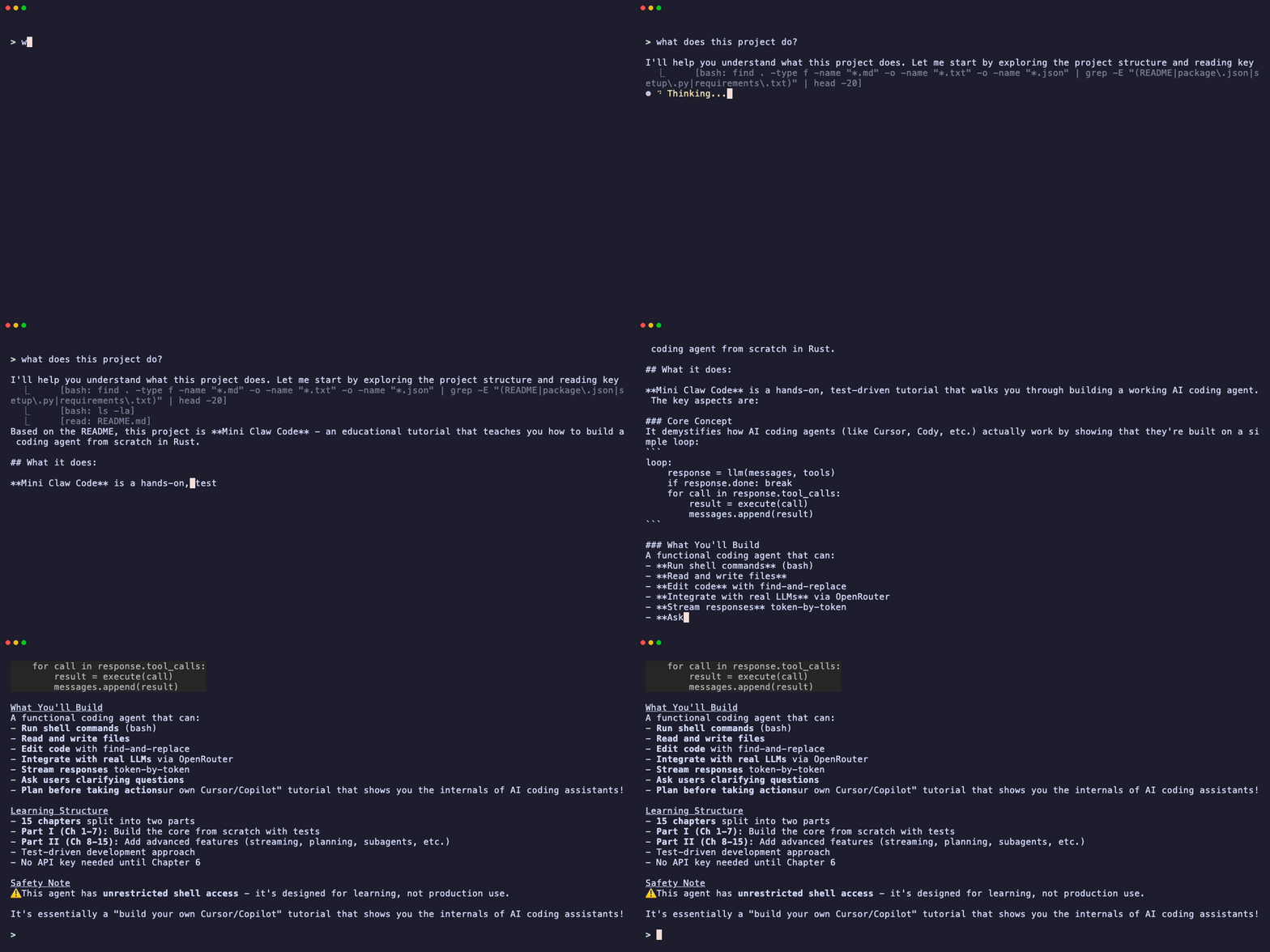
It's simpler than you think. Strip away the UI, the streaming, the model routing — and every coding agent is just this loop:
loop:
    response = llm(messages, tools)
    if response.done:
        break
    for call in response.tool_calls:
        result = execute(call)
        messages.append(result)
The LLM never touches your filesystem. It asks your code to run tools — read a file, execute a command, edit code — and your code does. That loop is the entire idea.
This tutorial builds that loop from scratch. 15 chapters. Test-driven. No magic.
flowchart LR
    U["You: 'Summarize doc.pdf'"] --> A["Your Agent"]
    A <-->|prompt + tool defs| LLM
    LLM -->|"tool_call: read('doc.pdf')"| A
    A --> T["Tools"]
    T --> A
    A -->|final answer| U

    subgraph T["Tools"]
        direction TB
        bash["bash"]
        read["read"]
        write["write"]
        edit["edit"]
    end
What you'll build
A working coding agent that can:
- Run shell commands —
ls,grep,git, anything - Read and write files — full filesystem access
- Edit code — surgical find-and-replace
- Talk to real LLMs — via OpenRouter (free tier available, no credit card)
- Stream responses — SSE parsing, token-by-token output
- Ask clarifying questions — interactive user input mid-task
- Plan before acting — read-only planning with approval gating
All test-driven. No API key needed until Chapter 6 — and even then, the default model is free.
The core loop
Every coding agent — yours included — runs on this:
flowchart TD
    A["User prompt"] --> B["LLM"]
    B -->|"StopReason::Stop"| C["Return text"]
    B -->|"StopReason::ToolUse"| D["Execute tool calls"]
    D -->|"feed results back"| B
Match on StopReason. Follow instructions. That's the architecture.
Chapter roadmap
Part I — Build it yourself (hands-on, test-driven)
| Ch | You build | What clicks |
|---|---|---|
| 1 | MockProvider |
The protocol: messages in, tool calls out |
| 2 | ReadTool |
The Tool trait — every tool is this pattern |
| 3 | single_turn() |
Match on StopReason — the LLM tells you what to do |
| 4 | Bash, Write, Edit | Repetition locks it in |
| 5 | SimpleAgent |
The loop — single_turn generalized into a real agent |
| 6 | OpenRouterProvider |
HTTP to a real LLM (OpenAI-compatible API) |
| 7 | CLI chat app | Wire it all together in ~15 lines |
Part II — The Singularity (your agent codes itself now)
| Ch | Topic | What it adds |
|---|---|---|
| 8 | The Singularity | Your agent can edit its own source code |
| 9 | A Better TUI | Markdown rendering, spinners, collapsed tool calls |
| 10 | Streaming | StreamingAgent with SSE parsing and AgentEvents |
| 11 | User Input | AskTool — let the LLM ask you questions |
| 12 | Plan Mode | Read-only planning with approval gating |
| 13 | Subagents | Spawn child agents for subtasks via SubagentTool |
| 14 | MCP | coming soon |
| 15 | Safety Rails | coming soon |
flowchart LR
    C1["1\nTypes"] --> C2["2\nTool"]
    C2 --> C3["3\nTurn"]
    C3 --> C4["4\nTools"]
    C4 --> C5["5\nAgent"]
    C5 --> C6["6\nHTTP"]
    C6 --> C7["7\nCLI"]
    C7 --> C8["8+\nExtensions"]

    style C1 fill:#2d333b,stroke:#539bf5,color:#adbac7
    style C2 fill:#2d333b,stroke:#539bf5,color:#adbac7
    style C3 fill:#2d333b,stroke:#539bf5,color:#adbac7
    style C4 fill:#2d333b,stroke:#539bf5,color:#adbac7
    style C5 fill:#2d333b,stroke:#539bf5,color:#adbac7
    style C6 fill:#2d333b,stroke:#539bf5,color:#adbac7
    style C7 fill:#2d333b,stroke:#539bf5,color:#adbac7
    style C8 fill:#2d333b,stroke:#e5534b,color:#adbac7
Safety warning
This agent has unrestricted shell access. The BashTool passes LLM-generated commands directly to bash -c with no sandboxing, filtering, or timeout. The ReadTool and WriteTool can access any file your user account can. This is intentional for a learning project, but:
- Do not run this agent on untrusted prompts or files (prompt injection via file contents can execute arbitrary commands).
- Do not run this on a machine with sensitive data without understanding the risks.
- See Chapter 15 (coming soon) for how to add safety rails.
Quick start
git clone https://github.com/odysa/mini-claw-code.git
cd mini-claw-code
cargo build
Start the tutorial book:
cargo install mdbook mdbook-mermaid   # one-time
cargo x book                          # opens at localhost:3000
Or read it online at odysa.github.io/mini-claw-code.
The workflow
Every chapter follows the same rhythm:
- Read the chapter
- Open the matching file in
mini-claw-code-starter/src/ - Replace
unimplemented!()with your code - Run
cargo test -p mini-claw-code-starter chN
Green tests = you got it.
Project structure
mini-claw-code-starter/     <- YOUR code (fill in the stubs)
mini-claw-code/             <- Reference solution (no peeking!)
mini-claw-code-book/        <- The tutorial (15 chapters)
mini-claw-code-xtask/       <- Helper commands (cargo x ...)
Prerequisites
- Rust 1.85+ — rustup.rs
- Basic Rust knowledge (ownership, enums,
Result/Option) - No API key until Chapter 6
Commands
cargo test -p mini-claw-code-starter ch1    # test one chapter
cargo test -p mini-claw-code-starter        # test everything
cargo x check                               # fmt + clippy + tests
cargo x book                                # serve the tutorial
License
MIT
Yorumlar (0)
Yorum birakmak icin giris yap.
Yorum birakSonuc bulunamadi