think-board
Health Warn
- License — License: MIT
- Description — Repository has a description
- Active repo — Last push 0 days ago
- Low visibility — Only 5 GitHub stars
Code Warn
- network request — Outbound network request in compose.yml
- network request — Outbound network request in deploy/compose.yml
- process.env — Environment variable access in e2e/guests.spec.ts
Permissions Pass
- Permissions — No dangerous permissions requested
No AI report is available for this listing yet.
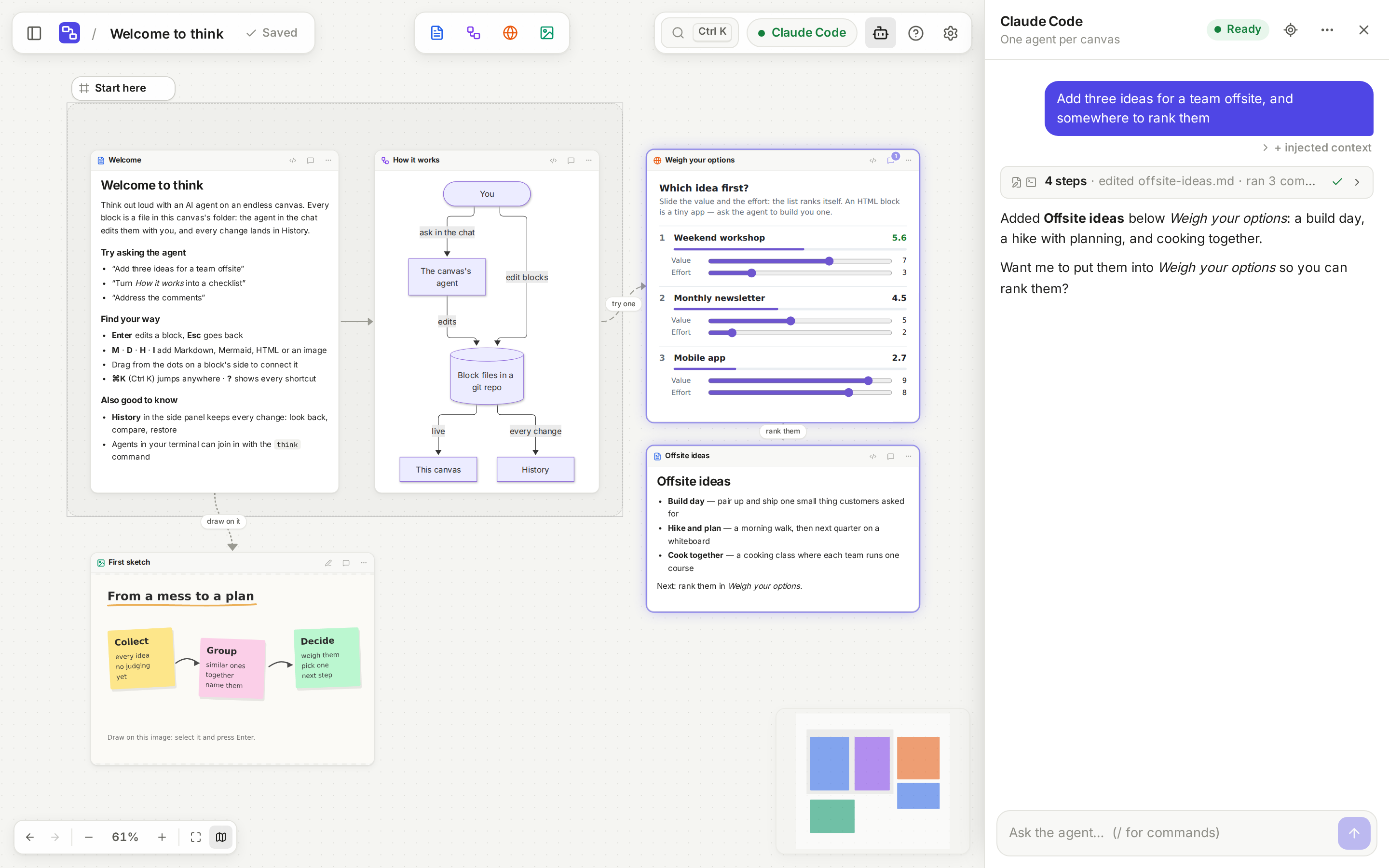
An agentic canvas where the board is just files: every block is a real file, and any coding agent can work on it. Self-hosted.

think
An agentic canvas where the board is just files.


Every block on a think canvas is a real file — Markdown, Mermaid, HTML, images —
and the canvas is a live view of a folder that is a git repository. So any
coding agent can work on it: each canvas has its own (Claude Code or Codex), and
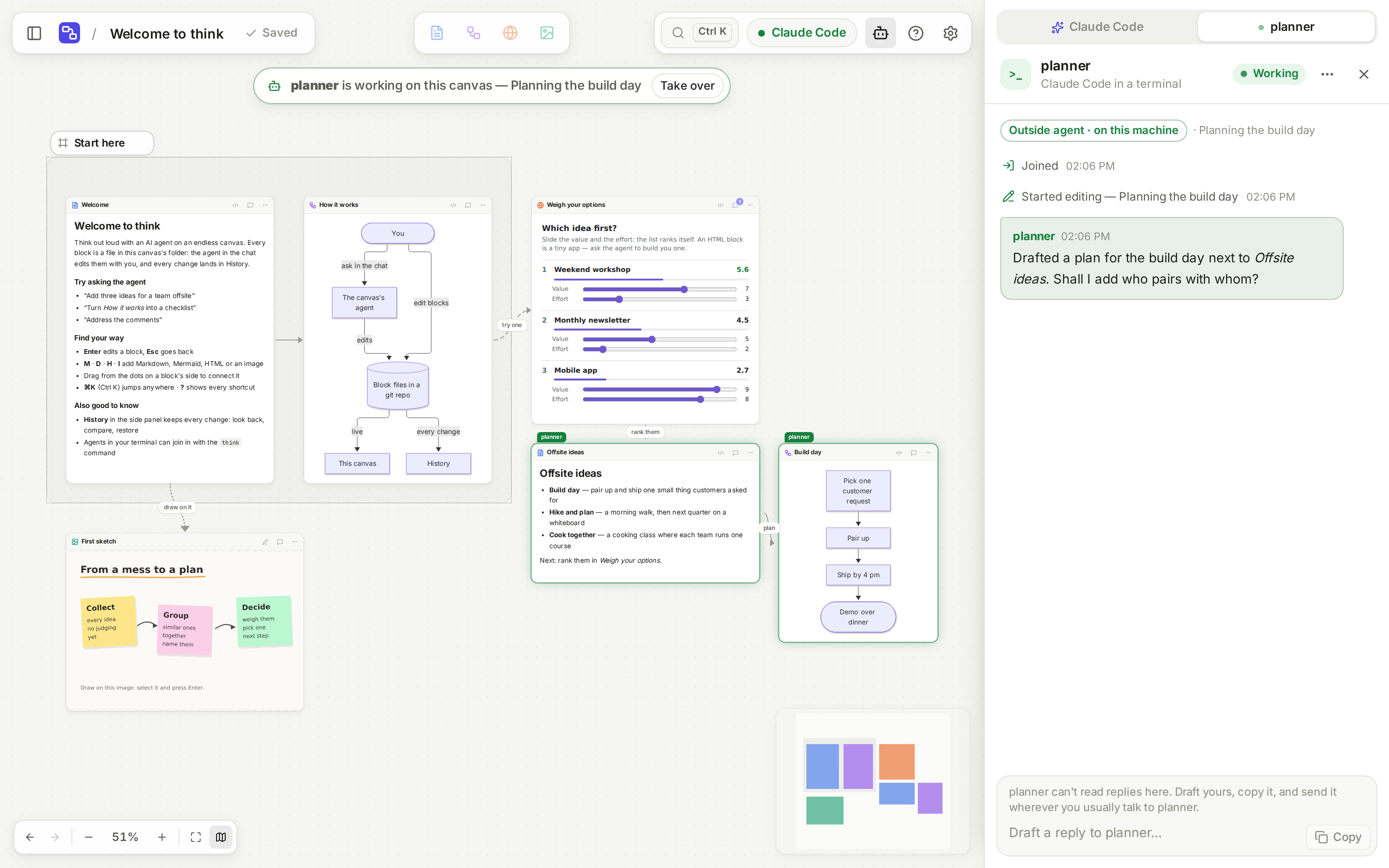
agents in your terminal join with one command. One docker compose up runs it
on your laptop or a server.
[!NOTE]
About the history of this repository: think started as a private project
on my own server, and its early commits were tangled up with that server's
setup. Rather than publish those details, this repository starts from a clean
snapshot.
What it does
- Blocks are files.
trip-ideas.mdis the block “Trip ideas”; the layout iscanvas.json(JSON Canvas). Edit them in the app,
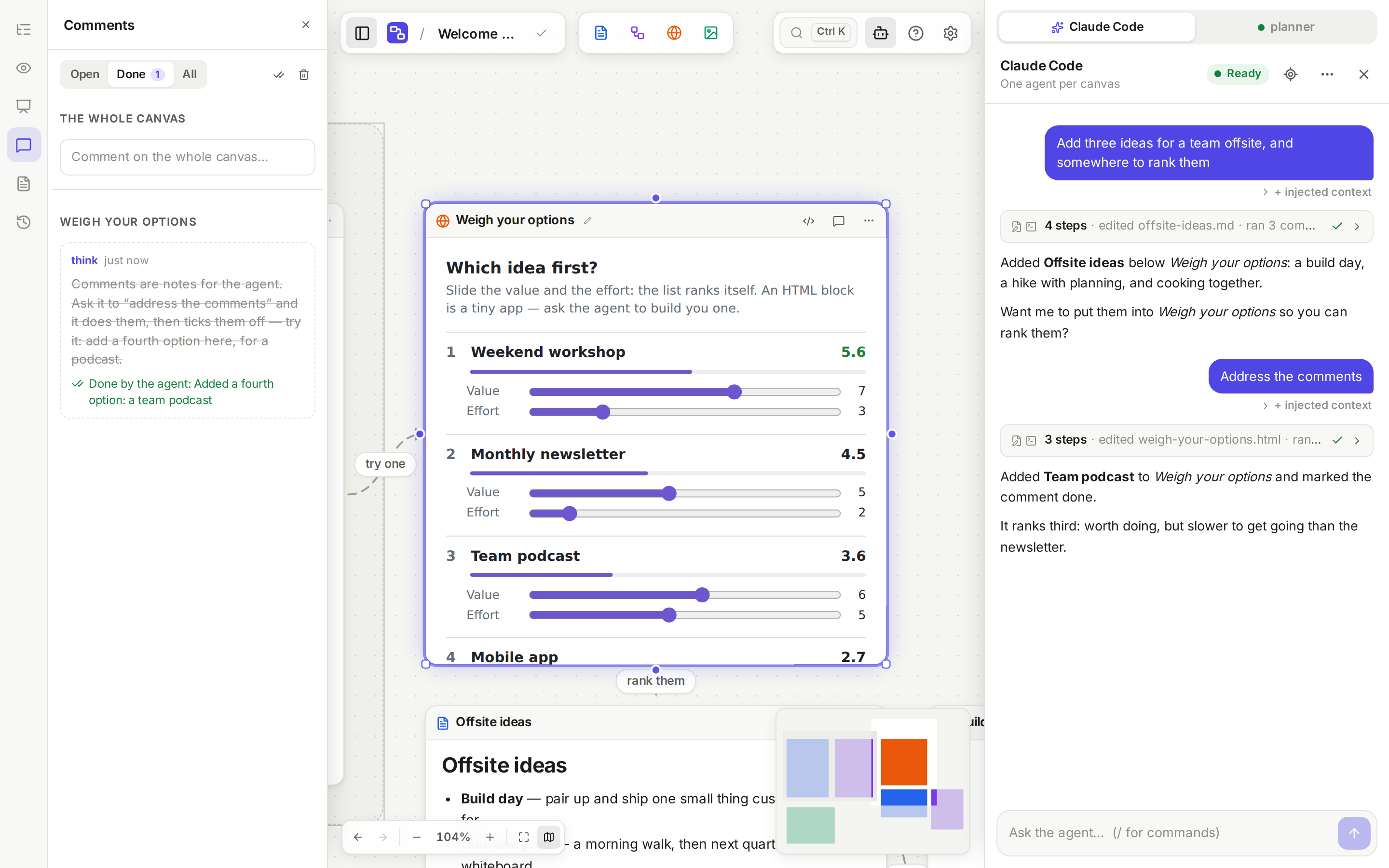
in your editor, or ask an agent — the canvas follows the folder live. - An agent per canvas. Ask in the chat: it edits the files directly and the
canvas updates live. Leave comments on blocks and it works through them. - Any agent can join. An agent that can edit files and run a command —
Claude Code, Codex or another — works on a canvas with thethinkcommand,
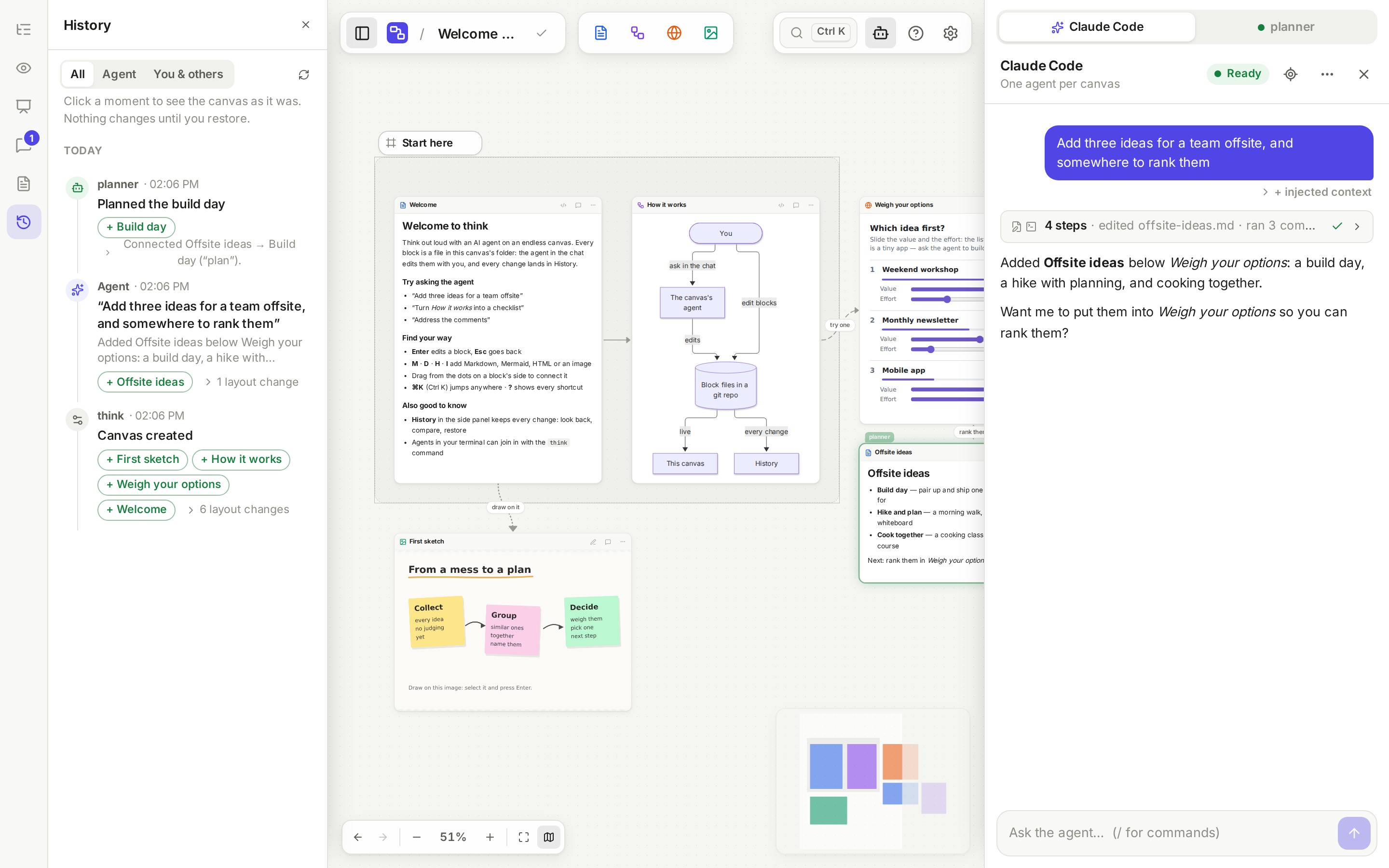
in a tab of its own in the chat. - Every change is kept. Each edit — yours, the agent's, anyone's — is a git
commit. History previews any moment and restores it. - Made for thinking: frames, links, saved views and a presentation mode,
drawing on images, quick jump (⌘K), and a phone layout for reading and
chatting. - Yours to run. Two Docker containers and one data folder. The agents run
isolated in their own container and sign in with your Claude or ChatGPT plan,
or an API key.
A closer look
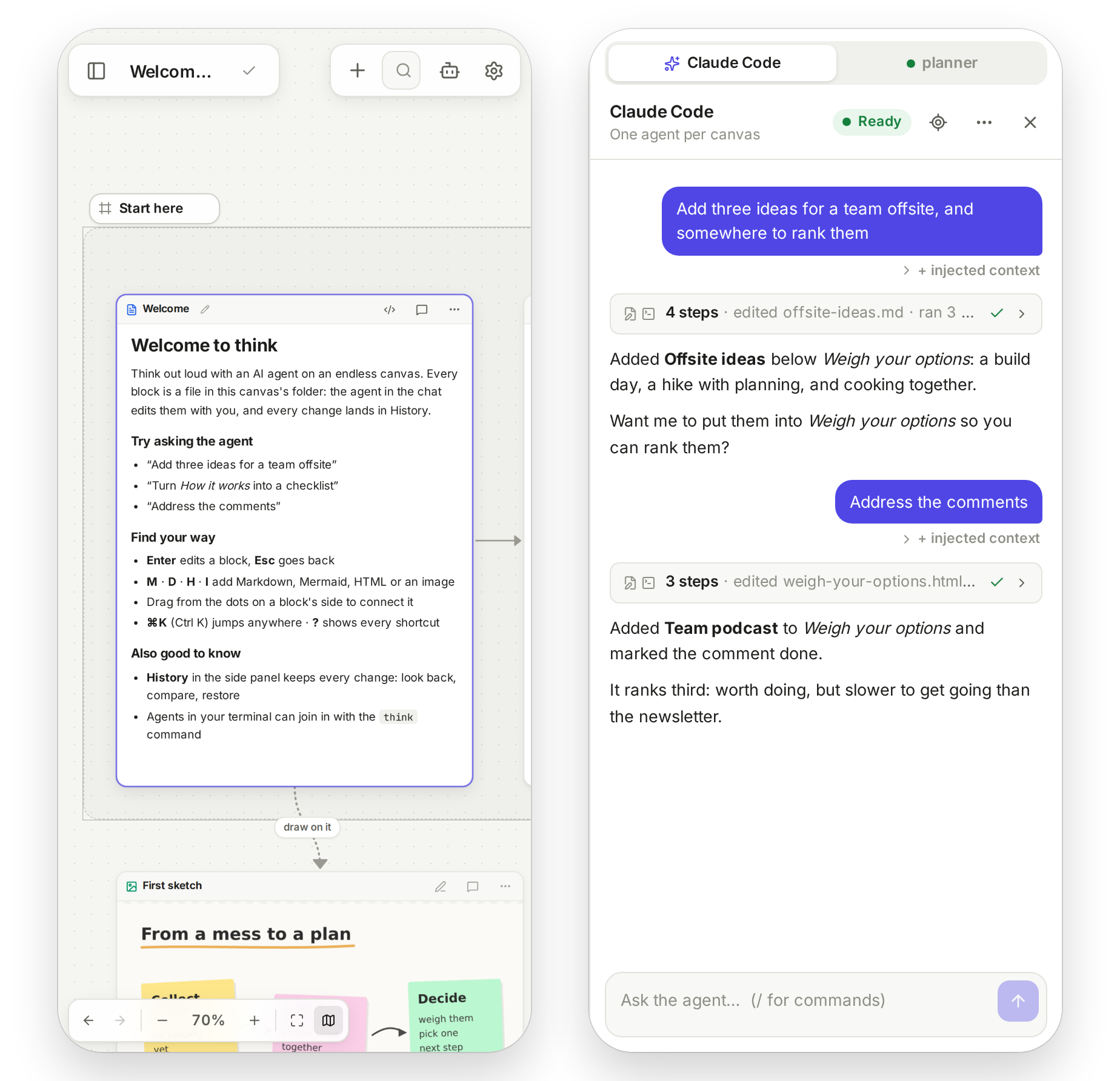
| Agents from your terminal join in | Every change is kept, by whom |
|---|---|
 |
 |
| Comments the agent works through | On your phone |
 |
 |
Quick start
You need Docker with Compose, and a Claude or ChatGPT subscription (or an
Anthropic or OpenAI API key) for the agents.
mkdir think && cd think
curl -fsSLO https://raw.githubusercontent.com/olalha/think-board/main/deploy/compose.yml
docker compose up -d
Open http://localhost:8080 and start with the canvas Welcome to think. To sign
the agent in, open a canvas: the chat shows Log in. Your canvases are plain
folders in ./think-data — back them up.
To build from source instead:
git clone https://github.com/olalha/think-board.git && cd think-board
docker compose up -d --build
On a server, put authentication in front: think has an optional built-in
password, and anyone who can open it can talk to agents that run commands.
docs/install.md covers reverse proxies, Dokploy and
Coolify, the password, API keys and updates.
How it works
flowchart LR
  browser([Browser]) <-->|HTTP and WebSocket| server
  subgraph app [think container]
    server[think server]
  end
  subgraph agents [agents container · internet only]
    agent[Claude Code or Codex,<br/>one per open canvas]
  end
  server <-->|ACP over a Unix socket| agent
  server <--> data[(data/ · one git repo per canvas)]
  agent -->|edits block files| data
  terminal([Agents in your terminal]) -->|think command| server
A turn, from your message to the canvas:
sequenceDiagram
  participant You
  participant think
  participant Agent
  You->>think: a message in the chat
  think->>think: commit your edits, lock the canvas
  think->>Agent: your message, and what changed since its last turn
  Agent->>think: edits block files, places them with the think command
  think-->>You: the canvas updates live
  think->>think: check diagrams and layout, commit as the agent, unlock
Documentation
- Installing and running — Docker, reverse proxies, Dokploy, the password, agents, updates
- Architecture — how the pieces fit, the canvas format, isolation
- Outside agents — the
thinkcommand for agents on your machine - Configuration and prompt templates
- Development — running from source, tests, screenshots, releases
Contributing
Issues and pull requests are welcome — see CONTRIBUTING.md.
To report a security problem, see SECURITY.md.
License
Reviews (0)
Sign in to leave a review.
Leave a reviewNo results found