hermes-mobile-app
Health Pass
- License — License: MIT
- Description — Repository has a description
- Active repo — Last push 0 days ago
- Community trust — 17 GitHub stars
Code Fail
- rm -rf — Recursive force deletion command in android/build.sh
Permissions Pass
- Permissions — No dangerous permissions requested
No AI report is available for this listing yet.
Your agent, on your phone. A native Android app for Hermes Agent, running entirely on-device (Termux).
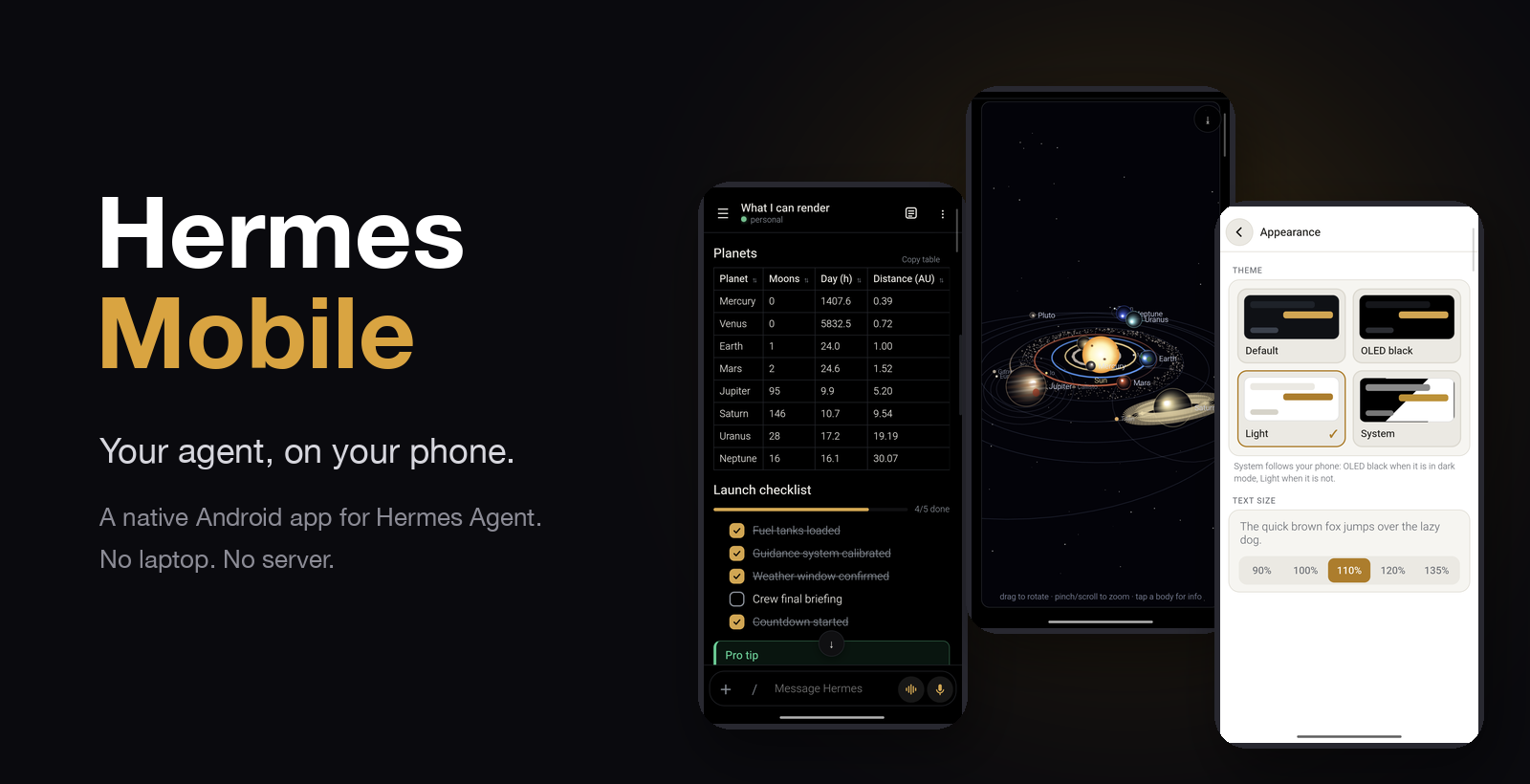
A native-feeling Android app for Hermes Agent, running entirely on your phone.
No laptop. No server.





Unofficial community project. Not affiliated with or endorsed by Nous Research. Hermes itself is never patched.
Why
Hermes Agent is a powerful agent, but it lives in a terminal. Hermes Mobile gives it a proper phone interface: streaming chat,
live tool cards, approvals you can answer from the status bar, a canvas for building things together, and notifications that work
while the app is closed. Hermes runs in Termux on the same phone, so the whole thing is self-contained.
Highlights
Answer from the island
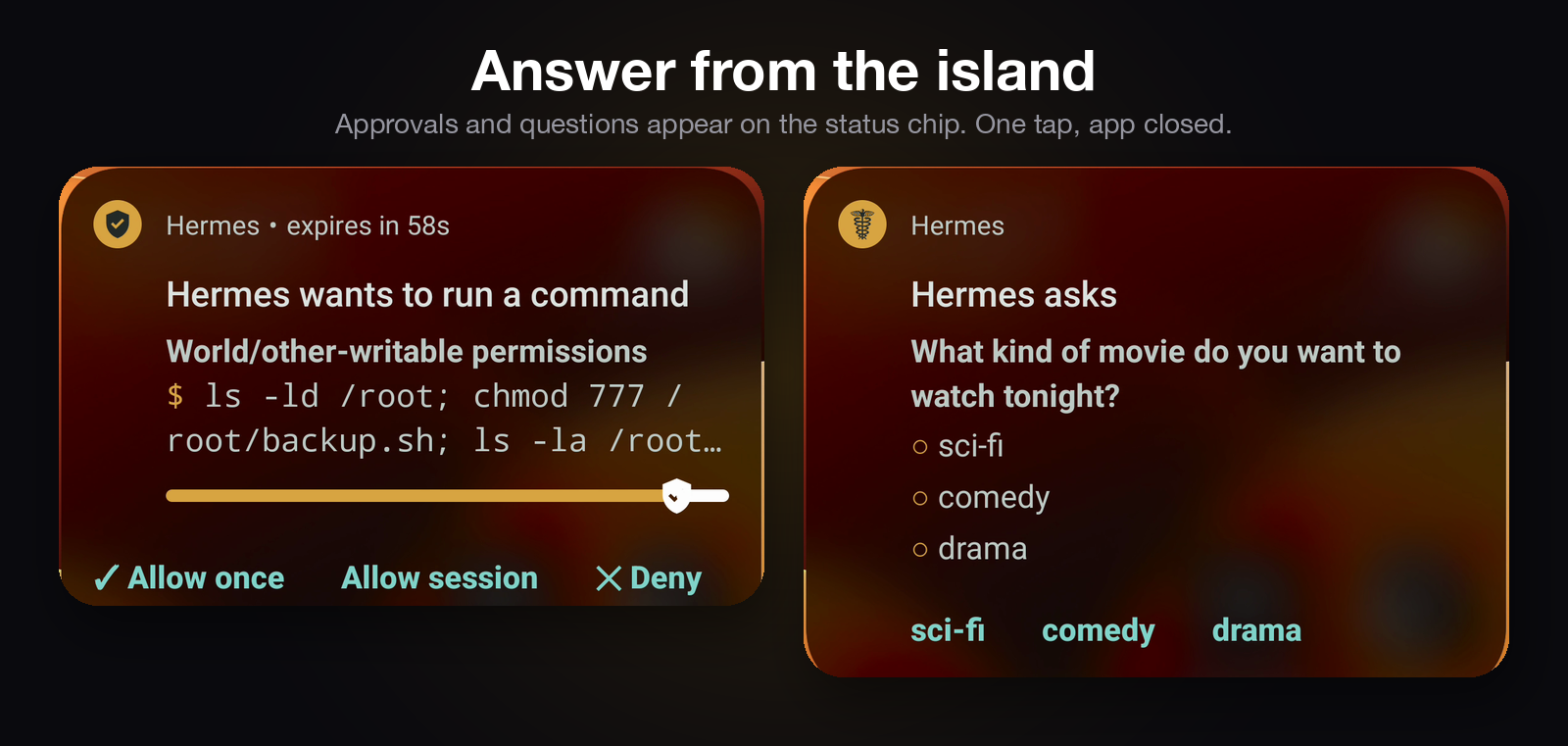
Approvals and questions show up on the status chip (an Android 16 Live Update; older versions get a normal notification).
One tap on the chip, pick an answer, done. The app does not need to be open.
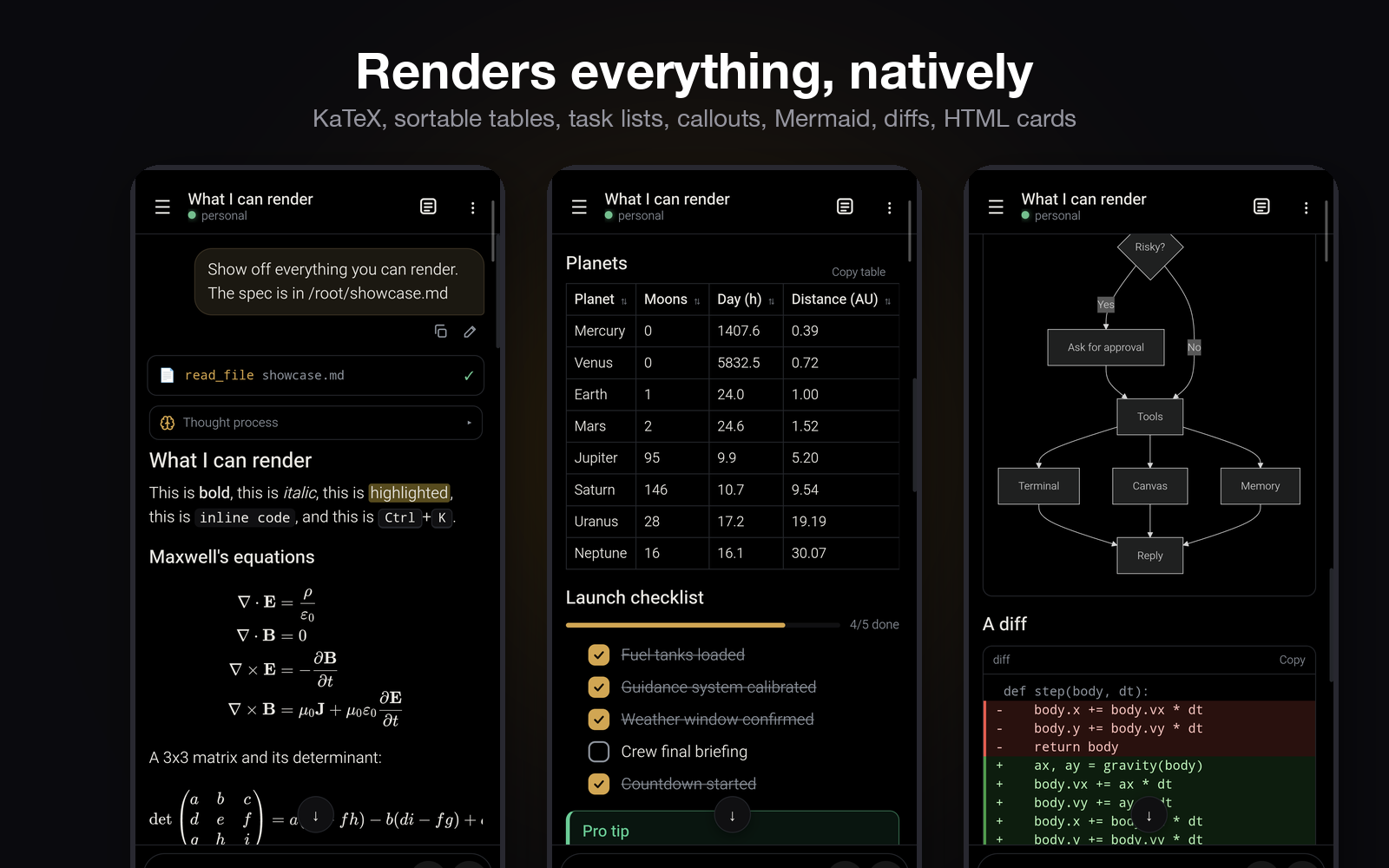
Renders everything, natively
KaTeX equations, sortable tables with "Copy table", tick-able task lists, Obsidian-style callouts, Mermaid diagrams (full screen,
pinch to zoom), coloured diffs, long code that collapses, inline SVG and HTML cards.
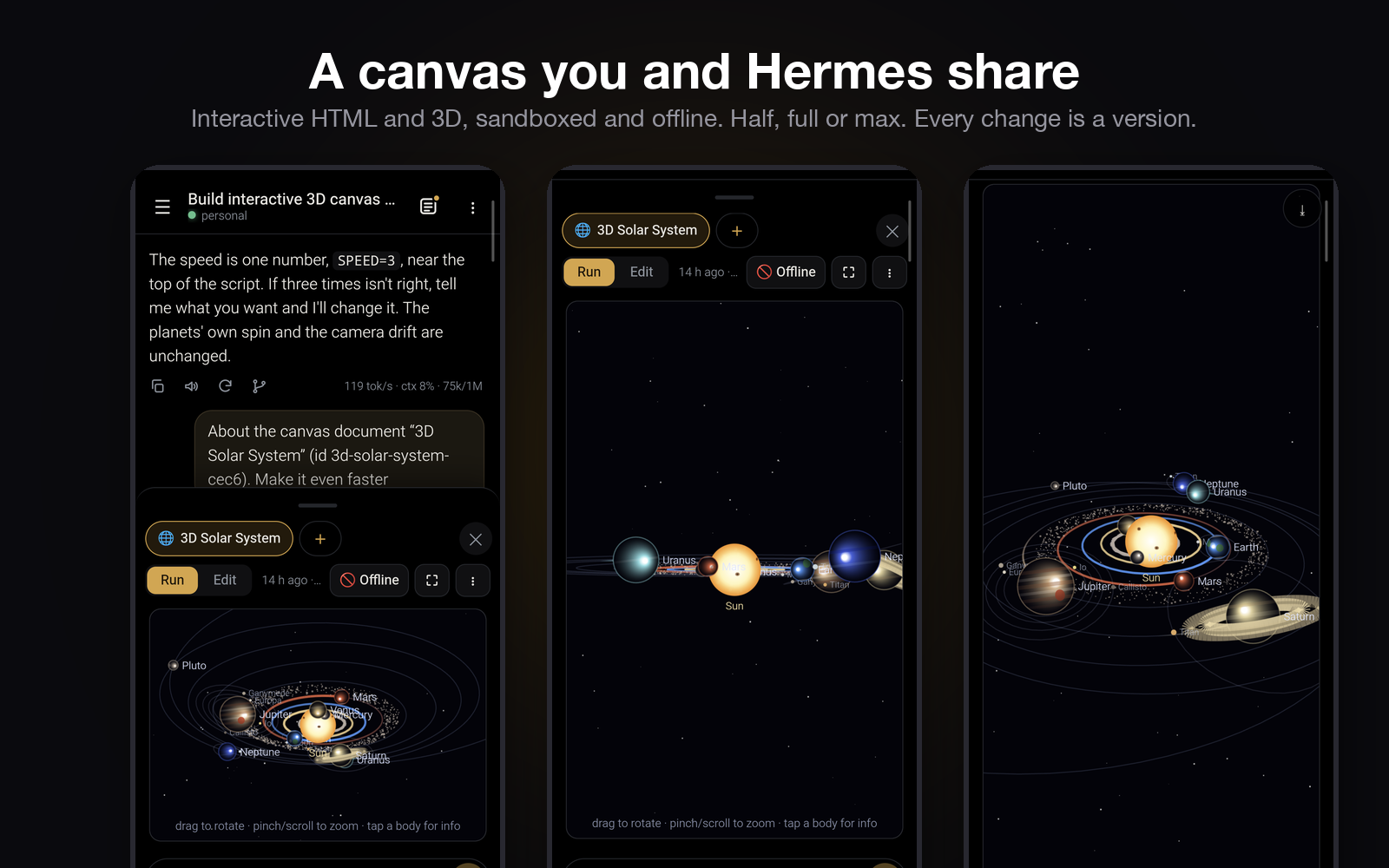
A canvas you and Hermes share
Ask for an interactive page or a 3D scene and Hermes builds it live in a document beside the chat. HTML runs in a sandbox that is offline
unless you allow it. Every change is a version with a diff you can restore.
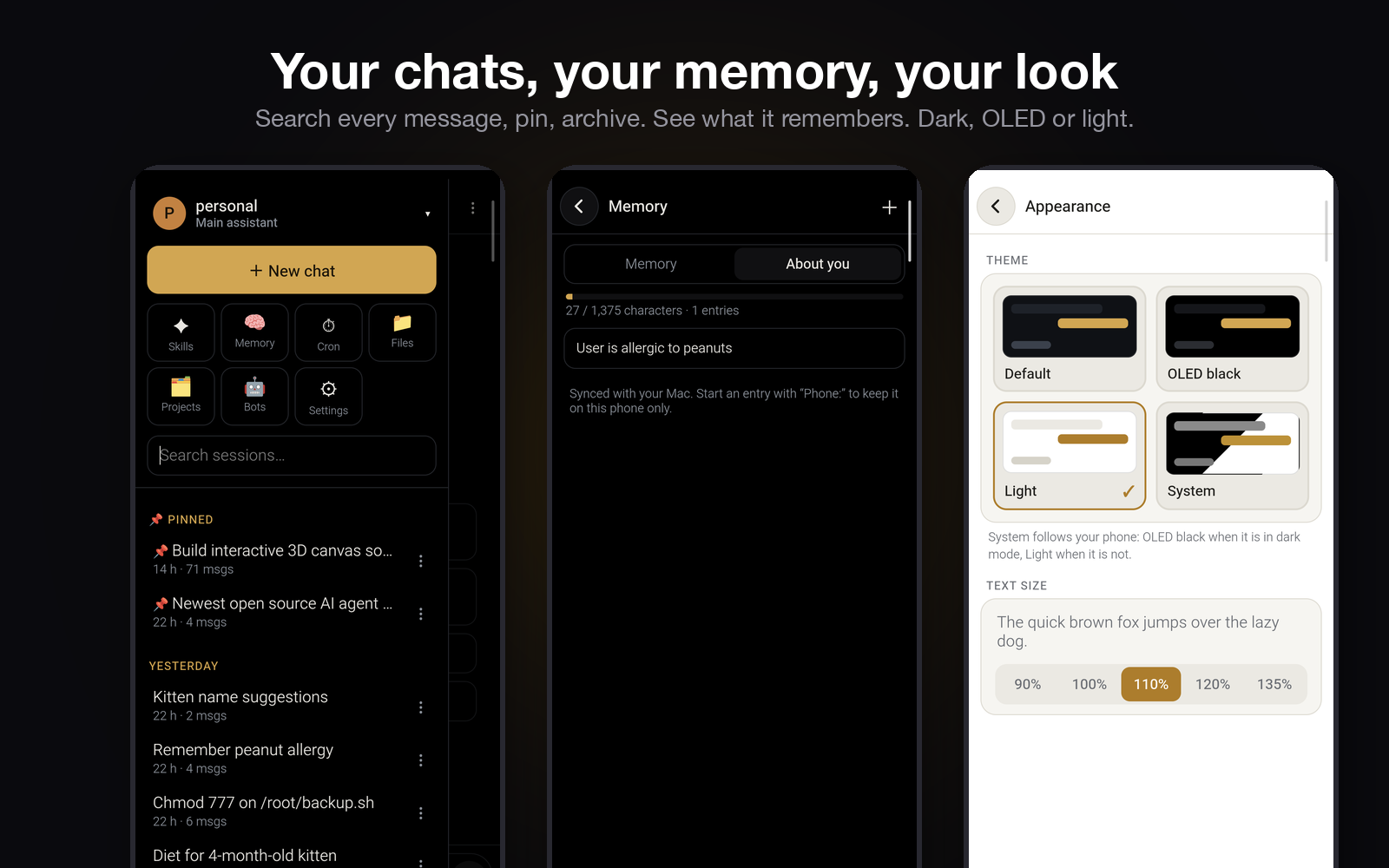
Your chats, your memory, your look
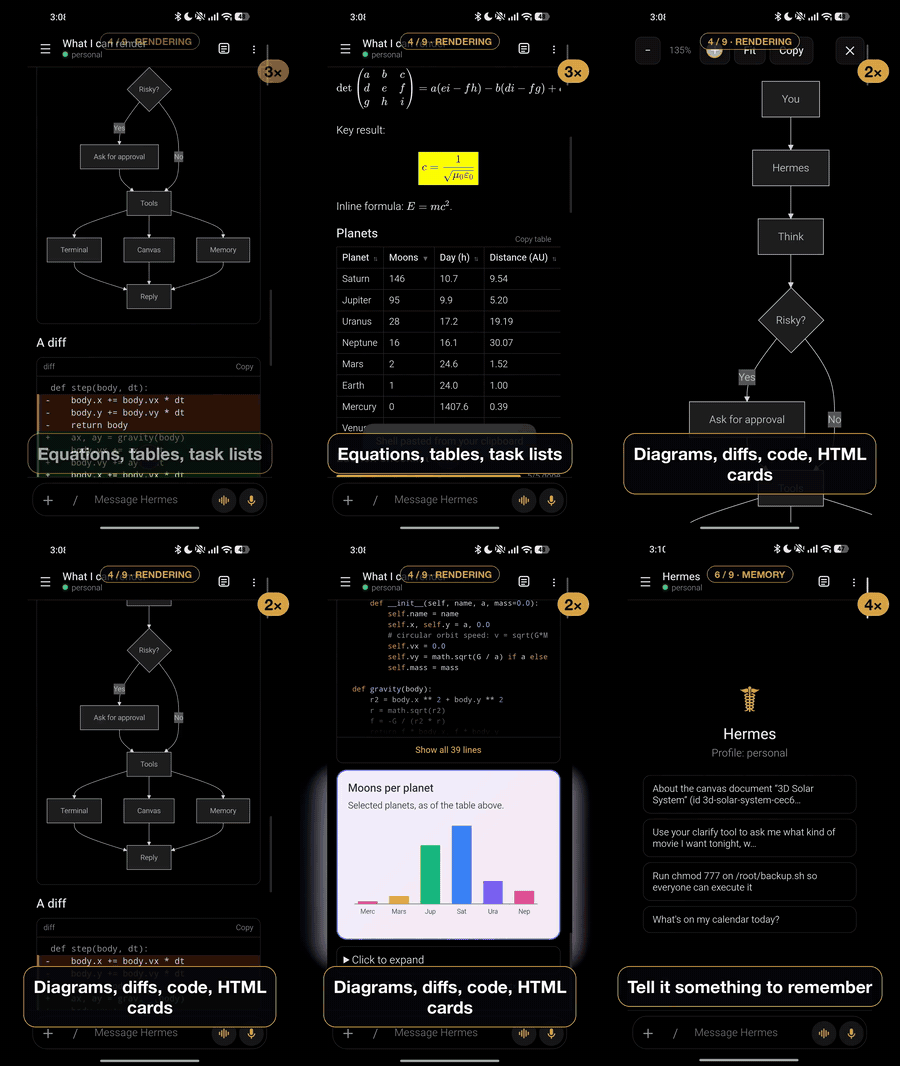
Search inside every message, pin, archive, link chats to chats. Every memory write is shown as a diff, and there is a screen to see
what Hermes remembers. Dark, OLED black or light.
And more
| Voice | Read replies aloud (any installed TTS engine), dictation, and a hands-free Live mode |
| Skills & commands | / autocomplete for every skill and slash command |
| Models | Switch model and reasoning level per chat; defaults per profile |
| Cron & files | Cron jobs (edit, run, results), a file browser and projects |
| Offline-friendly | Messages typed offline send on reconnect; the last chat list is cached |
| Share | "Share to Hermes" from any app, attach photos, camera shots and files |
How it fits together
flowchart LR
  subgraph Phone
    direction LR
    A[Hermes Mobile app<br/>Java shell + React UI] <-->|JSON-RPC over localhost| B[Hermes dashboard<br/>Debian in Termux]
    B --- C[Hermes Agent]
    P[hermes-mobile plugin] -->|status, approvals| S[Foreground service<br/>island chip + notifications]
    C --- P
  end
  C -->|your model provider| M[(LLM API)]
The app talks to the same tui_gateway JSON-RPC connection that Hermes Desktop uses, so it needs no changes to Hermes. A small plugin
sends status and approval events to the app's notification service.
Setup
Time: about 30 minutes. You need: an Android phone (arm64, Android 8+) and a computer (once, to install the app).
There is no ready-made APK yet, so you build the app yourself (step 3). Everything else is copy and paste.
Honest note: this was set up on the author's phone. The pieces were checked there and the installer script was tested on a dummy folder, but the whole path has not been run on a brand-new phone. If something fails, open an issue.
Step 1. On your phone: install Termux and Hermes
Install Termux from F-Droid. (Not from the Play Store, that version is outdated.)
Open Termux and paste:
pkg update -y && pkg install -y proot-distro git
proot-distro install debian
proot-distro login debian
You are now inside Debian (the prompt changes).
Install Hermes Agent there by following Hermes's own install guide, then run:
hermes setupand add your model provider / API key when it asks. When it works, type
exitto leave Debian and get back to the Termux prompt.
Step 2. On your phone, in Termux: run the installer
Still in Termux (not Debian), paste:
git clone https://github.com/omarqaterge/hermes-mobile-app.git ~/hermes-mobile
bash ~/hermes-mobile/phone/install.sh
It tells you what it does in 4 short lines: it allows the app to start Hermes, installs the plugin, and enables it. Safe to run again.
Step 3. On your computer: build and install the app
Install Node 20+, JDK 17 and the Android command-line tools, then:
sdkmanager "platforms;android-36" "build-tools;35.0.0"On the phone turn on Developer options → USB debugging, plug it in, and allow the computer.
In a terminal on the computer:
git clone https://github.com/omarqaterge/hermes-mobile-app.git
cd hermes-mobile-app
(cd web && npm ci)
export ANDROID_HOME=/path/to/your/android-sdk
export JAVA_HOME=/path/to/your/jdk-17
VERSION_NAME=1.0.0 VERSION_CODE=1 android/build.sh
adb install -r android/build/hermes-mobile.apk
The first build makes a signing key in
~/.android/hermes-mobile.keystore. Keep a copy: future updates must use the same key.
Step 4. Open the app
- Open Hermes Mobile and allow the permissions it asks for (notifications, and "run commands in Termux").
- It starts Hermes by itself and connects. The first start can take up to a minute.
- Say hi. Done.
Recommended: in Android settings set battery to "Unrestricted" for both Hermes Mobile and Termux, and on Xiaomi/HyperOS also turn on Autostart. Otherwise Android may kill them in the background.
If something goes wrong
| What you see | Fix |
|---|---|
| "Hermes is offline" for more than a minute | Open Termux, run ~/bin/hermes-services, go back to the app and tap Reconnect |
| Installer says "Debian is not installed" or "Hermes is not set up" | Finish Step 1 first |
| No status chip / canvas / approvals | In Termux run proot-distro login debian -- hermes plugins list and check hermes-mobile says enabled (or re-run the installer) |
| The app can't start Hermes | In Termux run grep allow-external ~/.termux/termux.properties, it must say true. Re-run the installer, then restart Termux |
| Everything stops after a while | Battery is restricted: see the recommended settings above |
Optional: install Termux:Boot and put ~/bin/hermes-services in ~/.termux/boot/10-hermes so Hermes starts after a reboot.
How it works
The app talks to the same engine Hermes Desktop uses. Hermes's dashboard, already running on the
phone at 127.0.0.1:9119, exposes the tui_gateway JSON-RPC connection at /api/ws. The web
interface uses Hermes's own connection client from apps/shared (copied into web/vendor, pinned to
the Hermes commit in web/vendor/hermes-shared/.hermes-commit), so it speaks the protocol
exactly the way Desktop does, including lossless replay after a reconnect.
The Android part (android/) is a thin Java shell around a WebView. It loads the interface from the
app's own files, and does the few things a web page can't: it reads the dashboard's session token
(fresh on every connect, since Hermes mints a new one when it restarts), starts Hermes in Termux
through Termux's RUN_COMMAND service when it isn't running, posts notifications, opens the photo picker and camera, receives shares, streams media files, and
handles the keyboard, screen edges and back button. Hermes itself is not modified.
What it covers (0.7.76)
Chat: streaming replies with Markdown, LaTeX (KaTeX), Mermaid diagrams (full screen, pinch to zoom),
highlighted code (collapse, wrap, copy, open in canvas), sortable tables, tick-able task lists, coloured
diffs, and images, video and audio from MEDIA: paths (streamed with seeking). Reasoning; tool cards
(live while running; old chats load stored output on demand); sub-agent cards; the to-do list and status
line; approvals, questions, and masked secret, sudo and one-time-code prompts; stop and steer a running
turn; edit, retry and branch a turn; slash commands and skills with instant autocomplete; attach photos,
camera shots and any file (PDF, documents, code); "Share to Hermes" from other apps; per-chat drafts;
a message typed while offline is sent on reconnect; turn stats (tok/s, context); a "compress" hint when
the context is nearly full; file checkpoints (see and undo Hermes's file changes); share a chat as
Markdown; tap a message for its time. Long chats draw only what's near the screen.
Voice: read replies aloud (any installed TTS engine, voice, speed, pitch), dictation, and Live mode, a
hands-free conversation (listen, send after a pause, read the reply, listen again).
Canvas: documents Hermes and you share per chat (Markdown, HTML, code, CSV, SVG, Mermaid…), with
version history, diffs, restore, and sandboxed HTML pages that run offline.
Chats: search (titles and full text, jumping to the matching message), unread dots and "time ago",
rename, pin, archive, delete, swipe right to archive and left to delete, long-press and drag to reorder
or to pin, and an Archived section.
Settings: themes (dark, OLED black, light, system), text size, voice, the default model per bot or for
all, every API key and every Hermes option. Bots (profiles): create (blank or cloned), rename, describe,
edit SOUL.md, pick the model, delete. Screens for skills, memory, cron jobs (edit, run, view results),
files and projects. Launcher shortcuts: New chat, Live mode, last chat.
This app is the only front end: it has no messaging-channel (Telegram, Discord…) settings on purpose.
In the background a foreground service keeps a pinned status notification that becomes an Android 16
Live Update in the island / status bar while Hermes works, and posts app-branded notifications for replies
(reply from the notification), questions (answer from the notification), approvals (allow or deny from
the notification), skill and memory learning, and cron results. A small Hermes plugin
(hermes-plugin/) sends those events and serves the canvas, media streaming and a few other endpoints;phone/ holds the scripts that keep Hermes, cron and memory sync running on the phone.
Building
The web interface lives in web/ (React, TypeScript, Vite, built into one self-contained HTML file).VERSION_NAME=x.y.z VERSION_CODE=n android/build.sh builds the web interface, compiles the Java shell with the Android SDK's own tools
(no Gradle), and signs the APK with a local key in ~/.android/hermes-mobile.keystore (created on the first build; never committed). Install withadb install -r android/build/hermes-mobile.apk.
For development in a desktop browser, forward the phone's dashboard withadb forward tcp:9119 tcp:9119, run python3 web/devserver.py, and open http://127.0.0.1:5180.
The dev server hands the page a fresh session token the same way the Android bridge does, so the
token never appears in a URL.
Tests
cd web && npm test: unit tests of the text helpers (vitest).tools/web-e2e/run.sh: the built interface in headless Chromium against a mock Hermes (no phone needed).python3 tools/test_canvas.py,python3 tools/test_media.py: the plugin's canvas storage and media endpoint.tools/java-check.sh: compiles the Java shell without the Android SDK.python3 tools/e2e.py: end-to-end checks against the real phone (notifications, status, approvals).
GitHub Actions runs all but the last on every push.
After a Hermes update
The protocol is internal to Hermes and can change. When the phone's Hermes is updated, copy itsapps/shared/src into web/vendor/hermes-shared, update .hermes-commit, run npm run typecheck
in web/, and rebuild.
License and credits
MIT, see LICENSE. web/vendor/hermes-shared is copied from NousResearch/hermes-agent
(MIT, Copyright Nous Research), see THIRD_PARTY.md. "Hermes" and the Hermes Agent name belong to their owners.
Contributions and bug reports are welcome. The tests in the Tests section run without a phone except tools/e2e.py.
Reviews (0)
Sign in to leave a review.
Leave a reviewNo results found