omnillm
Health Uyari
- License — License: MIT
- Description — Repository has a description
- Active repo — Last push 0 days ago
- Low visibility — Only 5 GitHub stars
Code Uyari
- process.env — Environment variable access in dev.ts
Permissions Gecti
- Permissions — No dangerous permissions requested
Bu listing icin henuz AI raporu yok.
omnillm is the only LLM proxy you need for any api shapes and any LLM providers, one endpoint for all.
OmniLLM
Unified LLM gateway and control plane for OpenAI-compatible and Anthropic-compatible clients.
OmniLLM sits between your apps, agents, coding tools, and upstream model providers. Requests are normalized into a Canonical Intermediate Format (CIF), routed to the right provider or virtual model, then serialized back into the API shape your client expects.
The practical result is simple: point your client at OmniLLM once, then switch providers, add failover, expose a web admin console, manage tool configs, and inspect usage without rewriting client code.
Binaries
This repo currently ships two user-facing entrypoints:
| Binary | Entry point | Role |
|---|---|---|
omnillm |
main.go |
Main server and admin CLI. Starts the gateway, manages providers, models, virtual models, chat, settings, config files, and logs. |
omniproxy |
cmd/omniproxy/main.go |
Proxy-oriented entrypoint that mirrors the OmniLLM command surface for running the gateway. |
If you only need the gateway, start with omnillm. If your workflow expects the proxy-branded binary, use omniproxy. The coding-focused omnicode CLI now lives in its own dedicated repository.
Why This Exists
Most teams end up rebuilding the same glue repeatedly:
- one client per provider API shape
- one-off failover and model alias logic
- ad hoc API key handling for local tools
- limited visibility into request cost, latency, and tool traffic
OmniLLM centralizes that into one gateway with:
- OpenAI-compatible endpoints:
/v1/chat/completions,/v1/models,/v1/embeddings,/v1/responses - Anthropic-compatible endpoints:
/v1/messages,/v1/messages/count_tokens - provider priority and automatic fallback
- virtual models with round-robin, random, priority, and weighted strategies
- an admin UI for providers, logs, chat sessions, metering, access tokens, settings, and tool configs
Screenshots
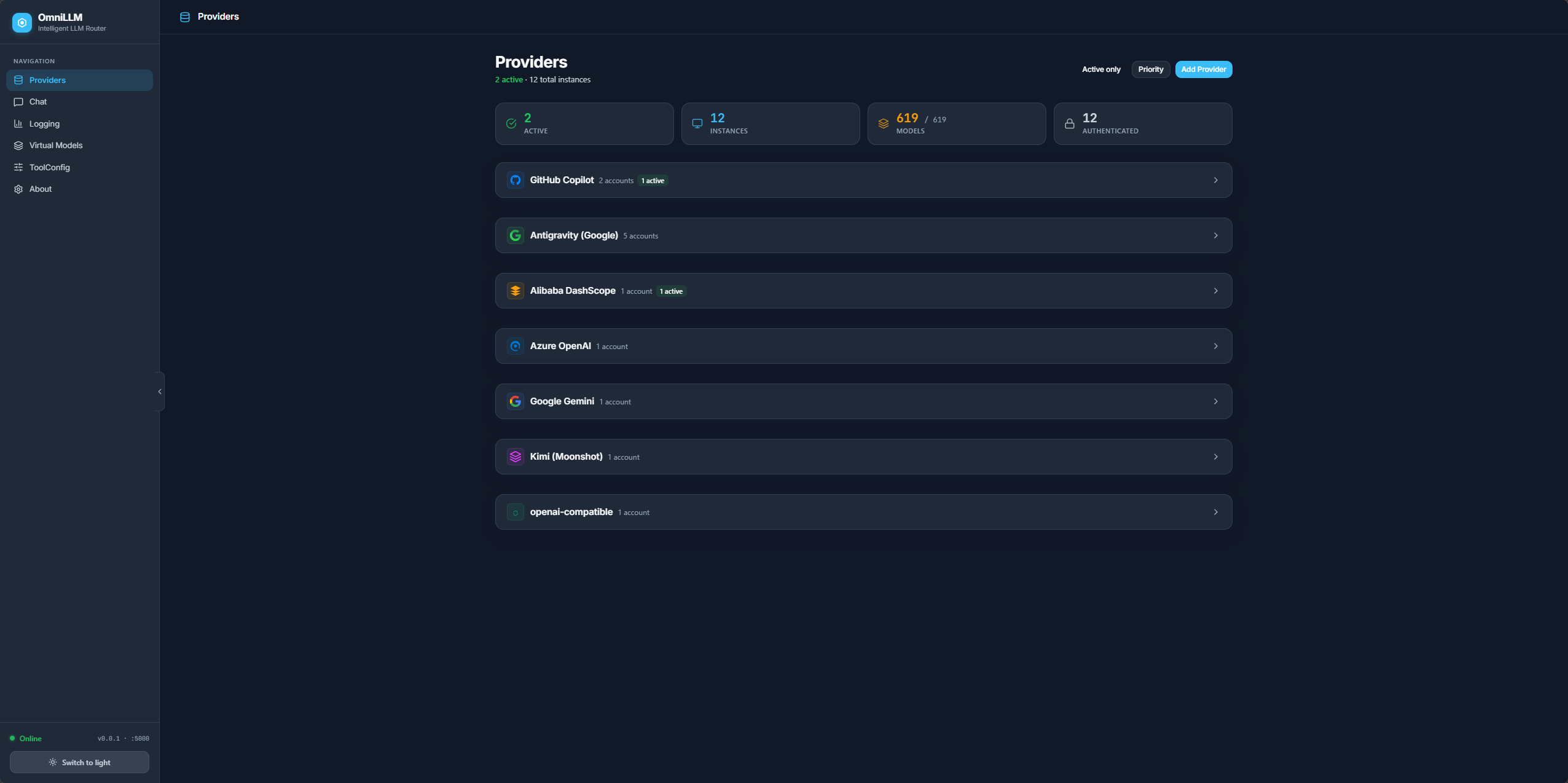
Additional views:
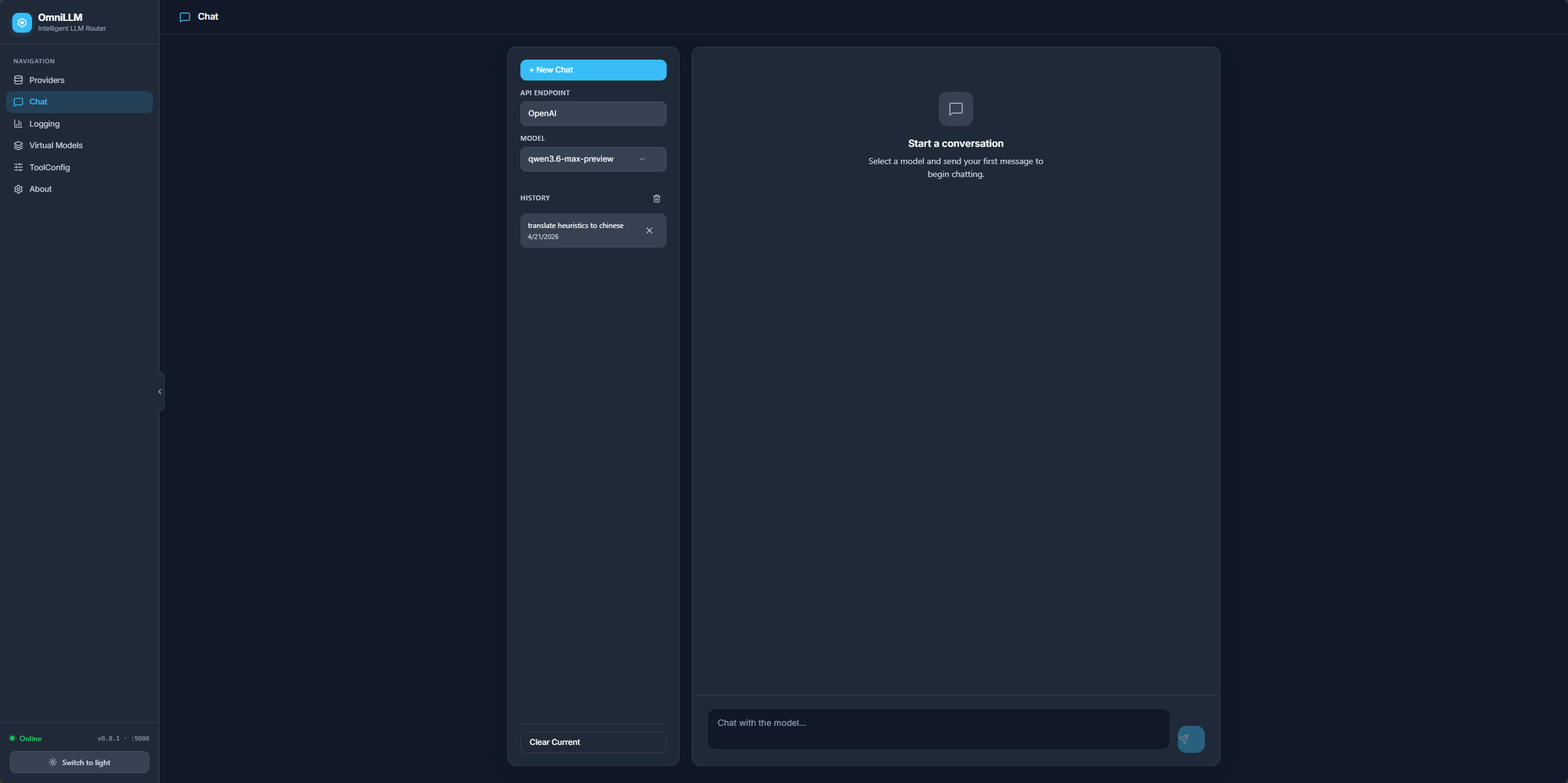
- Chat:
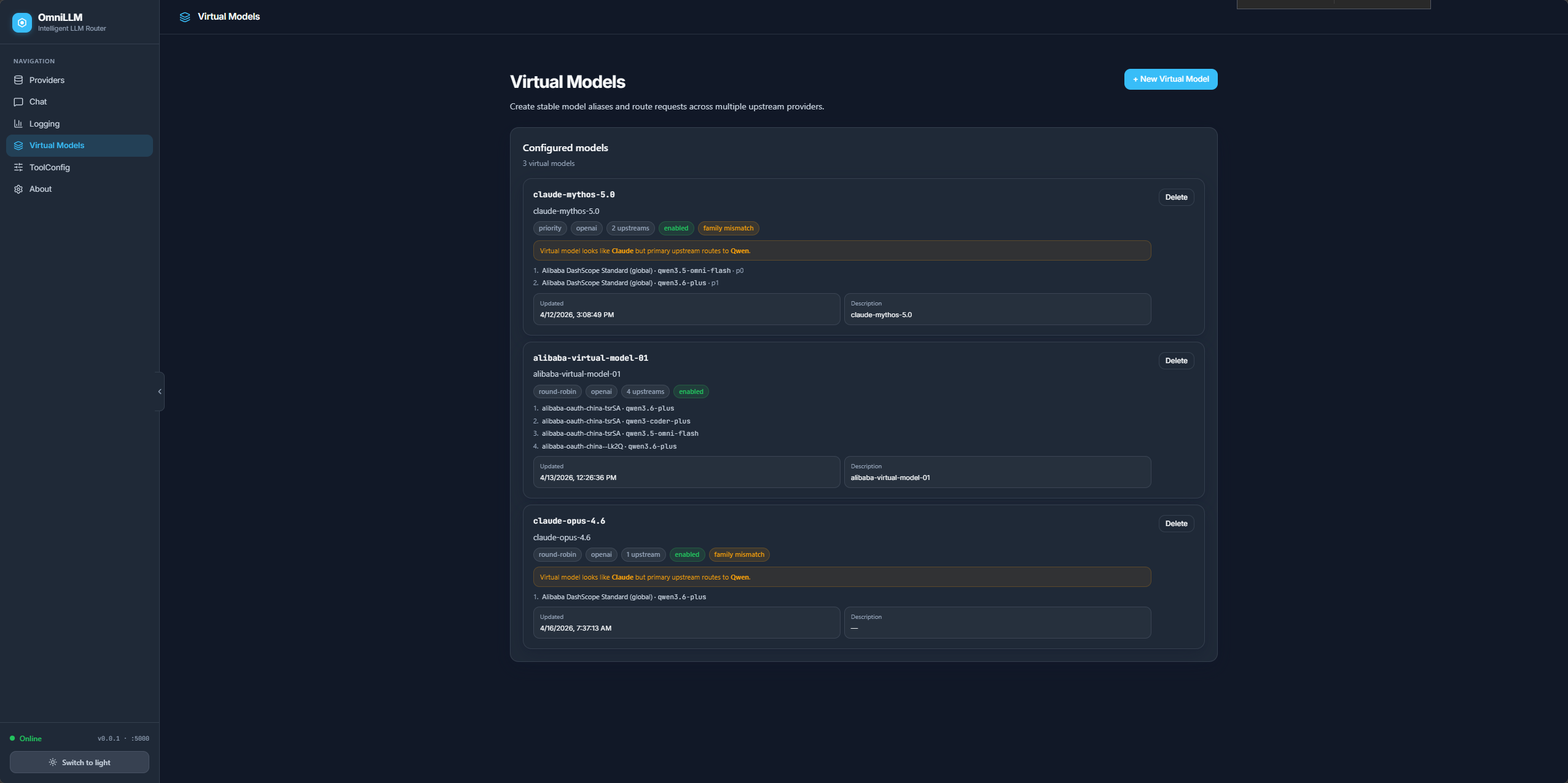
- Virtual Models:
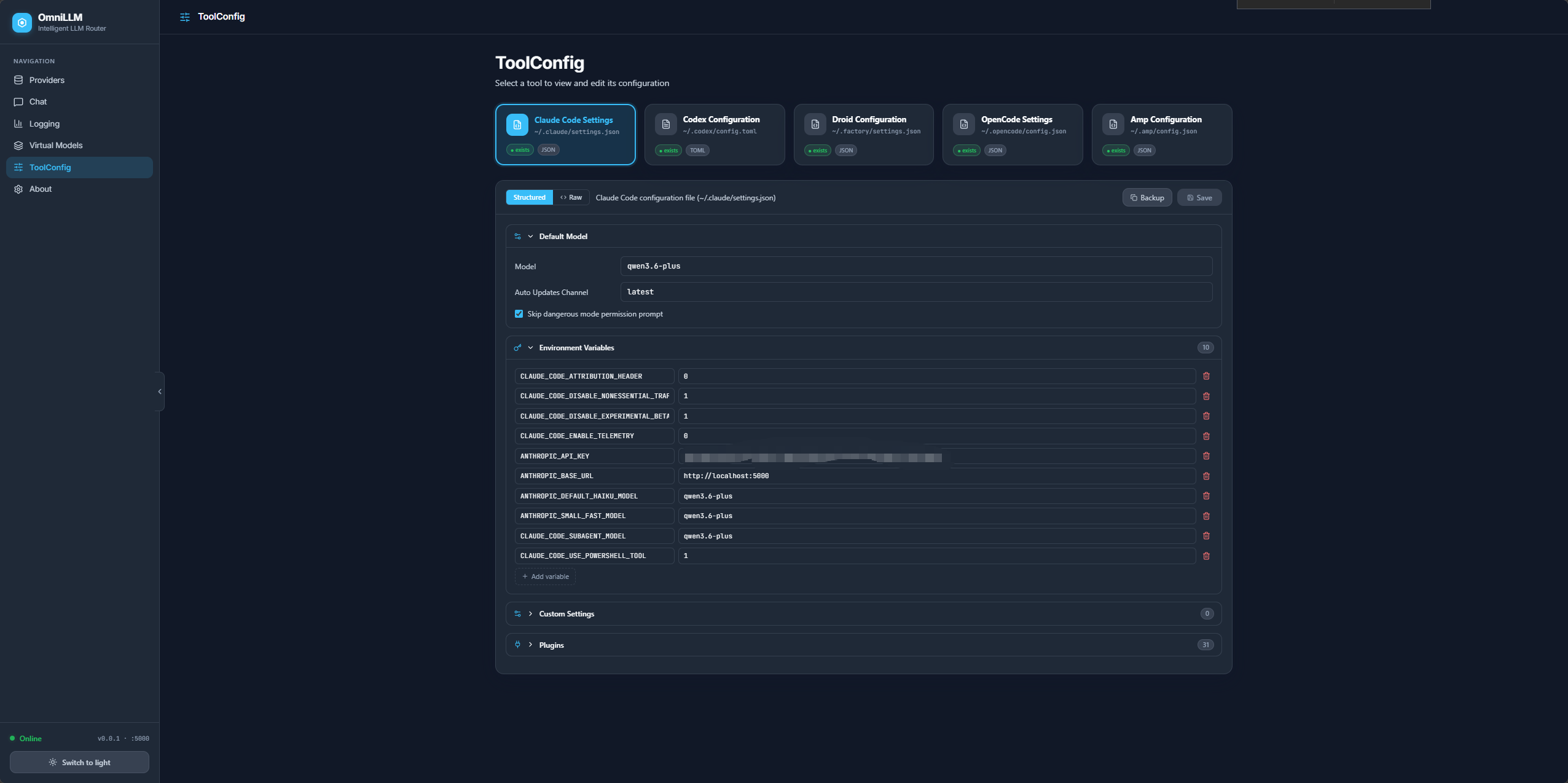
- ToolConfig:
Quick Start
Option 1: Run the published package
bunx omnillm@latest start
Runtime defaults:
- API server:
http://127.0.0.1:5000 - Admin UI:
http://127.0.0.1:5000/admin/
Option 2: Run from source
Prerequisites:
- Bun 1.2+
- Go 1.25+
Build and run the main binary:
make build-go
$HOME/.local/bin/omnillm start
Windows PowerShell:
make build-go
$env:USERPROFILE\.local\bin\omnillm.exe start
For Bun-based workflows such as frontend builds, linting, tests, or dev mode, use make deps to install dependencies explicitly, or just run the relevant make target and let it install dependencies automatically when needed.
Run omniproxy
The repo also includes a dedicated proxy entrypoint:
go run ./cmd/omniproxy start
Use it when you want the proxy-specific binary name without changing the server behavior.
API key behavior
All API and admin routes are protected. OmniLLM resolves the inbound key in this order:
--api-keyOMNILLM_API_KEY~/.config/omnillm/api-key- a newly generated key, persisted to that file
Examples:
omnillm start --api-key my-secret-key
curl -H "Authorization: Bearer my-secret-key" http://127.0.0.1:5000/v1/models
curl -H "x-api-key: my-secret-key" http://127.0.0.1:5000/v1/models
Windows PowerShell:
$env:OMNILLM_API_KEY = "my-secret-key"
omnillm start
Invoke-RestMethod -Uri "http://127.0.0.1:5000/v1/models" -Headers @{ Authorization = "Bearer my-secret-key" }
The admin UI injects the same key via a meta tag, so the browser can call the admin API without manual token entry.
Development Workflow
OmniLLM has two distinct modes.
Packaged/runtime mode
- one Go server
- default port
5000 - serves both the API and
/admin/
Start it with:
omnillm start
Development mode
- Go backend on
5002by default - Vite frontend on
5080by default - admin UI is served from the Vite dev server at
/admin/
Start both with:
bun run dev
Useful scripts:
make help
make deps
make build-go
make build-frontend
make dev
make dev-frontend
make start
make status
make restart REBUILD=--rebuild
The make targets wrap the same Bun-based workflows for Linux and Windows. On Windows, use PowerShell or Command Prompt with make available in PATH. Bun-backed targets automatically run bun install when dependencies are missing or when bun.lock or package.json changes.
The bun run omni wrapper is a development manager around the backend binary and Vite server. It is not the same thing as the production runtime path.
Core Capabilities
Unified API compatibility
Existing OpenAI-style and Anthropic-style clients can target OmniLLM instead of a single upstream. The routing layer and serializers handle the provider-specific differences.
CIF translation
Incoming requests are converted into CIF before dispatch. That avoids pairwise format translation between every provider and every client shape. Adding a provider usually means implementing CIF adapters to and from that provider rather than building a matrix of conversions.
Provider routing and failover
Model resolution supports direct provider selection, provider-prefixed model names, and automatic fallback across candidate providers when one fails.
Virtual models
Virtual models let you expose a stable model ID to clients while mapping it to one or more upstreams. Strategies include round-robin, random, priority, and weighted routing.
Admin surface
The admin API and UI cover:
- provider onboarding, activation, renaming, priorities, and usage
- model discovery, refresh, toggle, and version metadata
- live logs over SSE
- metering and breakdowns by provider, model, and client
- chat sessions for interactive testing
- access token management
- config-file management for external coding tools
ToolConfig and coding-tool integration
OmniLLM can manage configuration files for tools such as Claude Code, Codex, Droid, OpenCode, and AMP. Editing external config files is intentionally guarded behind --enable-config-edit.
Supported Providers
The current codebase supports these provider families in user-facing flows:
| Provider | Auth | Notes |
|---|---|---|
| GitHub Copilot | OAuth device flow or token | Default startup provider in the CLI |
| OpenAI-compatible | API key, optional depending on upstream | Ollama, vLLM, LM Studio, OpenAI, llama.cpp, and similar |
| Alibaba DashScope | API key | Supports region and plan variants |
| Azure OpenAI | API key | Configurable endpoint and deployment-based models |
| API key | Generic Google provider | |
| Kimi | API key | Generic Kimi provider |
| Codex | API key | OpenAI Codex provider integration |
| Antigravity | Google OAuth | Onboarded through the admin OAuth flow |
The admin UI adds providers through auth-first onboarding: credentials or OAuth are validated before the provider instance is registered, so failed setup attempts do not leave unauthenticated placeholder providers behind.
See docs/ADDING_A_PROVIDER.md if you want to add another provider.
API Surface
OpenAI-compatible routes
| Method | Route |
|---|---|
POST |
/v1/chat/completions |
GET |
/v1/models |
GET |
/v1/models/metadata |
POST |
/v1/embeddings |
POST |
/v1/responses |
Anthropic-compatible routes
| Method | Route |
|---|---|
POST |
/v1/messages |
POST |
/v1/messages/count_tokens |
Utility routes
| Method | Route |
|---|---|
GET |
/health |
GET |
/healthz |
GET |
/usage |
GET |
/token |
Admin routes
High-value admin groups include:
/api/admin/providers/api/admin/virtualmodels/api/admin/metering/*/api/admin/chat/sessions/api/admin/access-tokens/api/admin/config/api/admin/settings/log-level/api/admin/logs/stream
CLI Overview
The main omnillm binary includes:
startauthusagecheck-usagesync-namesdebugprovidermodelvirtualmodelconfigsettingsstatuschatlogs
omniproxy mirrors the same server-oriented flow under a proxy-specific binary name.
Selected start flags for the server binaries:
| Flag | Default | Purpose |
|---|---|---|
--port |
5000 |
Server port |
--host |
127.0.0.1 |
Bind address |
--provider |
github-copilot |
Default provider on startup |
--api-key |
generated if absent | Inbound auth key |
--manual |
false |
Manual approval mode |
--rate-limit |
0 |
Minimum seconds between requests |
--wait |
false |
Wait instead of erroring on rate limit |
--allow-local-endpoints |
false |
Allow localhost and private OpenAI-compatible upstreams |
--enable-config-edit |
false |
Enable editing external config files via admin API |
--claude-code |
false |
Print guided Claude Code launch configuration |
Repository Map
| Path | Role |
|---|---|
main.go |
main omnillm CLI entrypoint |
cmd/omniproxy/ |
proxy-oriented CLI entrypoint |
internal/server/ |
server bootstrap, auth, admin UI registration |
internal/routes/ |
OpenAI, Anthropic, Responses, admin, metering, chat, config, and virtual model handlers |
internal/providers/ |
provider implementations and adapters |
internal/cif/ |
Canonical Intermediate Format types |
internal/serialization/ |
response serialization back to client formats |
internal/database/ |
SQLite-backed persistence |
frontend/ |
React 19 + Vite admin frontend source |
pages/admin/ |
built admin frontend served by the Go runtime |
tests/ |
Bun-driven tests for API, frontend, and browser-facing behavior |
docs/ |
migration notes, critical changes, and implementation guides |
Architecture Snapshot
Client or tool
  -> OmniLLM API/auth layer
  -> ingestion into CIF
  -> model resolution and virtual-model routing
  -> provider adapter execution
  -> serialization back to OpenAI, Anthropic, or Responses format
  -> metering, logging, persistence, admin visibility
Back-end stack:
- Go 1.25
- Gin
- Cobra
- zerolog
- modernc.org/sqlite
Front-end stack:
- React 19
- Vite
- TypeScript
- Material UI 7
- Tailwind CSS 4
Security Notes
Current built-in protections include:
- API-key protection for API and admin routes
- SSRF checks for OpenAI-compatible upstream endpoints
- localhost-only style CORS policy for browser use
- masked token output unless
--show-tokenis enabled - explicit opt-in for config-file editing via
--enable-config-edit
For anything beyond local or internal use, put OmniLLM behind your own reverse proxy or gateway and restrict operator access to the admin surface.
Build, Lint, and Test
bun run build
bun run build:go
bun run lint
bun run lint:all
bun run typecheck
bun test
bun run test:frontend
There are also live or environment-dependent scripts in scripts/, including model-matrix and provider integration checks.
Documentation
Useful docs in this repo:
- docs/ADDING_A_PROVIDER.md
- docs/CIF_MIGRATION.md
- docs/CONFIG_TEMPLATES.md
- docs/TOOLCONFIG_FIXES.md
- docs/FRONTEND_TESTS_SUMMARY.md
The docs/ directory also contains a detailed history of critical provider, routing, streaming, and compatibility changes.
Yorumlar (0)
Yorum birakmak icin giris yap.
Yorum birakSonuc bulunamadi