oc
Health Warn
- No license — Repository has no license file
- Description — Repository has a description
- Active repo — Last push 0 days ago
- Community trust — 48 GitHub stars
Code Pass
- Code scan — Scanned 12 files during light audit, no dangerous patterns found
Permissions Pass
- Permissions — No dangerous permissions requested
No AI report is available for this listing yet.
Turn any website into a compact CLI tailored for AI agents. Browse the web in hundreds of tokens, not tens of thousands.
only-cli
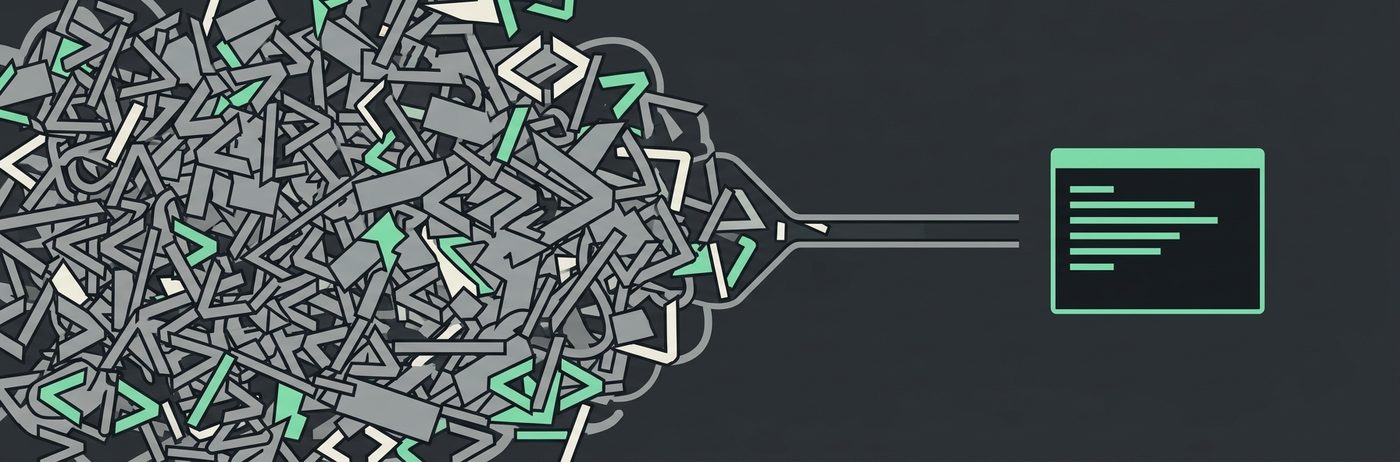


Turn most websites into a command line interface, so AI agents like Claude Code, Codex, and Antigravity can browse without burning tokens on raw HTML or screenshots.
The gap is clearest on a task with a few hops in it. Measured 2026-08-19: open r/ClaudeAI's front page, follow its top post to the comments, and report the post title and what the top comment argues.
Codex + oc             ###############                             112,794   right
Codex default          ########################################    301,009   right
Claude Code default    ##########################                  196,675   failed, blocked
Claude Code + oc       #################################           250,628   right
Claude Code's own WebFetch and WebSearch are blocked from reddit.com outright, and by default it has no shell to fall back to, so it does not just cost more, it fails the task and asks for permission it is never going to get. Codex falls back to its own web search and curl and gets there, at 2.7x what it costs through oc. Full methodology, the single-page numbers, and an honest case where a default wins are further down in Against each agent's own defaults.
A typical page is tens of thousands of tokens of markup. The signal on it fits in a few hundred. only-cli fetches the page, distills it into a compact text view with numbered actions, and lets an agent drive the site by number:
$ oc open news.ycombinator.com
# Hacker News
[1] Show HN: I built a tiny CSV toolkit
[2] 312 comments
...
actions: do <n> | read <n> | next | raw

$ oc do 1
No per-site adapters required, no browser extension, no daemon. One generic distillation engine, three runtime dependencies, and a hard token budget on everything it prints.
If you are an LLM reading this repository, llms.txt is the short version.
Install
npm install -g @only-cli/oc
Requires Node 20+. Requests go through impers impersonating Chrome; if impers is unavailable the tool falls back to native fetch.
For AI agents
The fastest setup is one line in your agent's instructions file (CLAUDE.md, AGENTS.md, or equivalent):
When you need content from a web page, run
npx @only-cli/oc open <url>instead of fetching raw HTML. Runnpx @only-cli/oc --helponce to learn the commands.
Claude Code users can install the skill instead: copy skills/only-cli/ into your project's .claude/skills/ directory (or ~/.claude/skills/ to enable it everywhere). A skill costs almost no tokens until the agent actually invokes it, which fits how this whole project thinks. The same skill also installs through the skills.sh directory into Claude Code, Cursor, Codex, Copilot, and others:
npx skills add only-cli/oc
No setup at all also works: npx @only-cli/oc runs without a global install, and the tool teaches its own command surface through --help, the actions: line at the bottom of every render, and error messages that name the next command to run.
Commands
oc open <url>          fetch and render a page with numbered actions
oc do <n>              follow the numbered link [n], or read [n] if it is text
oc find <query>        where a string appears on the page already open
oc read <n>            full text of the region at [n], up to 2000 tokens
oc next                the next budget worth of the page already open
oc raw [url]           distilled markdown of the whole page
oc fill <n> <text>     type into a numbered input               (v0.2)
oc submit [n]          submit a form                            (v0.2)
Flags: --budget <tokens> (default 500, 2000 for read; a target rather than a hard cap, see below), --json, --html (raw as cleaned HTML instead of markdown), --session <name> (separate page state per name), --verbose/-v (metrics on stderr: tokens saved vs the page HTML, HTTP status and client identity, timing, transfer size, memory; alias --stats, or export OC_VERBOSE=1). Metrics are off by default because they cost tokens too; agents should pass --verbose only when running verbosely.
oc open remembers the page it rendered, so oc do 3 follows [3] without the agent ever handling a URL. That state is a JSON file per session under ~/.only-cli (override the directory with OC_HOME); there is no daemon and no background browser. Links that search engines wrap in a tracking redirect resolve to the real destination, so do on a result works like a click. Numbers that turn out to be a heading or a paragraph rather than a link are read instead of refused, since the agent asked to see what is there and the alternative is spending a command to be told which command to run.
What goes first
A budget only helps if it is spent on the part of the page someone asked for. Most pages open with menus, so the render puts the main content first and everything else after it:
# Best Terminal Web Browser : linuxquestions
[3] Best Terminal Web Browser
IYO What's The Best Terminal Web Browser?
[17] Xendarq
46 points 3 years ago
You mean there's a terminal web browser other than lynx??! Who knew!
...
--- 348 repeated controls hidden (save, report, [-]), 'oc raw' has them ---
--- rest of page: navigation, sidebar, footer ---
The content is found by following the page's own markup (main, role="main", a single article) and falling back to the densest run of prose when a page says nothing. Nothing is dropped: nav and sidebar links still carry numbers oc do can follow, they just stop being what the budget buys. Repeated control labels are the exception, because a forum thread stamps permalink, save, and report onto every comment and a social timeline stamps reply, repost, and like onto every post. On a long page those cost more than the content does, so they are removed and the count says so. A button gets less patience than a link there, since a link's text can be the thing you came to read and a button's never is.
Pages small enough to print whole are left in document order, since nothing is competing for the budget there.
The budget is a target, not a ceiling
The 500 tokens is what a page is aimed at, not a line it may never cross. A page that would finish within about four times the budget is printed whole instead of being cut, because the cut does not save those tokens, it moves them into a second command. Inside Claude Code a single tool call costs 23,000 to 33,000 tokens of session overhead whatever it prints, so trading roughly 1,500 tokens of page for a turn is a trade worth making. The multiple stays low on purpose: the saving is only collected when the agent would have paged at all, while the overspend is paid on every page that runs a little long, including the ones answered by their first three lines.
Reading past the budget
A 500 token view of a long page is cheap on the first read and expensive on the second, if the only way to see more is the whole page again. So the view says what it left behind, and there are three ways to collect it that are not the whole page:
$ oc open https://old.reddit.com/r/linuxquestions/comments/xpznb1/best_terminal_web_browser/
...
[26] Lynx because it's the only one I'm aware of. These days the web is ... +53 chars
... 168 more blocks (~2,478 tokens): 'oc next' for the next ~500, 'oc raw' for all
actions: do <n> | read <n> | next | raw

$ oc find w3m   # 7 matches with the number to read each by, 142 tokens
$ oc read 23    # that comment in full, 143 tokens
$ oc next       # the next ~450 tokens, continuing exactly where the view stopped
$ oc raw        # the whole thread, 9,636 tokens
None of the three fetches anything: open saves the distilled page, so working through it afterwards costs one file read. find matches as a phrase, case insensitive, and falls back to the words separately when the phrase is absent. read <n> takes one region, which is the block at [n] with the couple of blocks that lead into it, or the whole section when [n] is a heading. Headings and text blocks long enough to be cut get numbers for exactly this reason, and ... +312 chars on a line is how much of that block the view did not print.
Supported websites
only-cli works on any mostly-static website with no per-site setup: news sites, blogs, documentation, forums, search engines. One generic engine distills whatever HTML comes back. On top of that, clis/ ships tuned command shortcuts for:
| website | domain | shortcuts |
|---|---|---|
| Hacker News | news.ycombinator.com | top, new, item <id>, user <name> |
| reddit.com (via old.reddit.com) | sub <name>, post <id>, user <name>, search <query> |
|
| GitHub | github.com | repo <owner> <name>, user <name>, search <query>, trending, issues <owner> <name> |
| X | x.com | user <name>, post <id> (see below) |
| linkedin.com | profile <name>, company <name>, jobs <query> (public guest views) |
|
| DuckDuckGo | duckduckgo.com | search <query>, lite <query> |
| Bing | bing.com | search <query>, news <query> |
| Stack Overflow | stackoverflow.com (via Atom feeds) | question <id>, tag <name>, user <id>, recent |
| Yahoo Finance | finance.yahoo.com | quote <symbol>, news <symbol>, history <symbol>, lookup <query>, markets, gainers, losers, trending |
X is worth a note because it is usually written off as unreadable without a login. Two of its pages are not: a profile (x.com/jack) and a post with its replies (x.com/jack/status/20) both arrive as server-rendered HTML, so oc open reads them without an account, a token, or a third-party mirror. A profile comes to about 390 tokens including the visible timeline, a post with four replies about 260. The rest of the site does need a login: search, explore, hashtag pages, and the replies, media, and highlights tabs all answer with "Something went wrong", and oc says so rather than pretending.
The engine also renders Atom and RSS feeds as regular pages. That is how Stack Overflow works: the site serves every HTML page a Cloudflare challenge, but publishes full question and answer bodies under /feeds, so oc open stackoverflow.com/feeds/question/11227809 returns the question and its top answers in about 500 tokens. The same trick applies to any site that gates its pages but leaves its feeds open.
Not supported yet: pages that only render with JavaScript (a headless fallback is planned for v0.3), sites behind logins (page state is saved, cookies are not, so logins land in v0.2), and sites with hard bot challenges that do not expose feeds.
Want a website on that list? Open a pull request, or open an issue naming the site and the commands it should have and leave it for someone else to pick up. Either is welcome, and the issue is genuinely useful on its own: knowing which sites people want is the part that is hard to guess.
A definition is one small JSON file in clis/, named after the domain, holding nothing but a map of command names to URL templates, so most of them are under twenty lines. The x.com one is six. Point the commands at whatever returns content without a login, including a JSON API or a feed if the site has one, and leave out the paths that need an account: a shortcut that always fails is worse than no shortcut. If a site renders badly rather than missing a shortcut, that is a bug in the engine, so open an issue with the page saved as a fixture. CONTRIBUTING.md has the details.
Benchmarks
Measured against live sites in only-cli/benchmarks (only-cli 0.2.0-beta.1, 2026-08-18). What each method hands the agent per page view, across six real tasks (an article, a news front page, a Reddit discussion, a web search, a GitHub repository search, a LinkedIn company page):
| method | success | total tokens | avg ms |
|---|---|---|---|
oc open |
6/6 | 1,936 | 540 |
oc raw |
6/6 | 21,334 | 541 |
| OpenAI computer use (screenshot floor) | 6/6 | 4,590 | |
| Claude computer use (screenshot floor) | 6/6 | 6,294 | 840 |
| Browser Use (state message) | 6/6 | 6,470 | 2,543 |
| Jina Reader | 6/6 | 16,402 | 636 |
lynx -dump |
5/6 | 24,657 | 457 |
| Playwright MCP (snapshot) | 6/6 | 25,832 | 365 |
| Playwright rendered HTML | 6/6 | 101,361 | 730 |
| Selenium rendered HTML | 6/6 | 166,557 | 1,189 |
| raw HTML fetch | 6/6 | 177,685 | 406 |
The compact view reads all six pages for less than half the tokens of its cheapest rival, a single-screenshot floor, and 92x fewer than raw HTML. The nearest rivals are floors, not full reads: the computer-use rows price a single 1024x768 screenshot, one look at the top of the page, and Browser Use's state message drops most page text. Among methods that deliver the page content, the gap is 8x to Jina Reader and 13x to Playwright MCP's accessibility snapshot. oc was also the only cleaner to return real content on all six tasks: lynx and the naive fetcher hit a DuckDuckGo challenge, and Reddit served Jina its block page. Jina Reader is also the only method in the table that routes browsing through a third party: every URL the agent reads is sent to Jina's servers, while oc talks only to the site itself.
The end-to-end agent benchmark runs Claude Code headless (claude -p on claude-sonnet-5) on six live tasks, one web tool per session, and reads success, turns, tokens, and cost from its JSON output. Three tasks read a single page; three start on one page and must follow a link to a second:
| tool | success | turns | total tokens | total cost USD | avg s |
|---|---|---|---|---|---|
| oc | 6/6 ✅ | 31 | 871,909 | 0.74 | 13 ✅ |
lynx -dump |
6/6 ✅ | 29 ✅ | 772,831 ✅ | 0.55 ✅ | 14 |
| raw curl | 4/6 | 61 | 1,031,894 | 0.54 | 39 |
| Jina Reader | 6/6 ✅ | 30 | 855,243 | 0.72 | 19 |
| Playwright MCP | 6/6 ✅ | 48 | 1,575,695 | 1.22 | 29 |
The ✅ marks the best value per column among tools that finished every task, and total tokens above already include the failed runs' cost rather than dropping them.
Each session gets a skill documenting its tool, so every condition runs at its best. Two results are worth stating plainly. oc and lynx were the only tools that returned real content on every task: Reddit served Jina Reader and Playwright MCP a 403, so both "answered" that task by reporting the block, and raw curl burned its full turn budget there and on the GitHub search, roughly 400k tokens each, and returned nothing. But lynx, not oc, took the token and cost columns this round, and the reason was a missing feature. The compact view leaves link URLs out to save tokens, and the version under test had no way to follow one, so an agent had to re-fetch the page as oc open --json or oc raw just to learn where [15] points, while lynx -dump prints a references list for free. That tax is most of the gap on the multi-step tasks. oc do <n> has since landed and closes it: following a Hacker News story into its comments now costs about 3k characters instead of the roughly 23k the re-fetch route spent. The next benchmark run will say whether that is enough to take the column.
The same six tasks run through OpenAI's Codex CLI (codex exec) as well, where oc comes out ahead: of the two tools that returned real content on all six tasks, oc spent 287,862 tokens and lynx 408,548, and Playwright MCP spent 699,810 on the Reddit thread alone. Codex's per-session overhead is much smaller than Claude Code's, so the two agents are compared within their own tables rather than against each other. The benchmark repo has per-task numbers, per-tier breakdowns, methodology, and instructions for adding other tools and models.
Against each agent's own defaults
The tables above compare web tools inside one harness. The question people actually ask is simpler: what happens if you just let the agent browse the way it ships? Measured 2026-08-19, one live session per row, on two tasks: a multi-hop one (from old.reddit.com/r/ClaudeAI/, follow the top post to its comments and report the post title and the top comment's argument) and a single-page one (read finance.yahoo.com/quote/AAPL and report the price at the last market close; that page's raw HTML is about 325,000 tokens, and oc open hands the agent the answer in about 456).
| task | session | web path | total tokens billed | turns | answer | passed |
|---|---|---|---|---|---|---|
| Reddit, multi-hop | Codex with oc | oc in the shell |
112,794 | 6 | right | ✅ |
| Reddit, multi-hop | Codex default | web search, then curl |
301,009 | 12 | right | ✅ |
| Reddit, multi-hop | Claude Code with oc | oc in the shell |
250,628 | 8 | right | ✅ |
| Reddit, multi-hop | Claude Code default | WebFetch / WebSearch | 196,675 | 7 | failed, blocked | ❌ |
| AAPL, single page | Codex with oc | oc in the shell |
59,648 | 4 | right ($310.03) | ✅ |
| AAPL, single page | Claude Code default | WebFetch digest | 123,866 | 3 | right ($310.03) | ✅ |
| AAPL, single page | Claude Code with oc | oc in the shell |
198,976 | 7 | right ($310.03) | ✅ |
| AAPL, single page | Codex default | web search, never opened the page | 71,947 | 4 | wrong ($302.25) | ❌ |
The bar chart at the top of this README is the Reddit row above, drawn to scale; the gap there is the real story. Claude Code's default WebFetch and WebSearch are both blocked from reddit.com, so the agent had nothing left to try: Bash was not on its default permission list, and after a denied curl attempt it gave up and asked a human to approve the tool call, which in a non-interactive run never happens. That is a real gap in what ships out of the box, not a slow answer. Codex's default reached for its own web search tool first, got a page that no longer existed at that URL, then fell back to curl with a spoofed user agent across several more calls before it found the right thread. Both oc sessions read the subreddit the same way oc reads X and LinkedIn: an impersonated Chrome client, one page at a time, following the numbered link to the comments instead of guessing at a URL.
The AAPL row is the honest counterexample. Codex by default reached for its own web search tool instead of opening the page, and reported a stale price that is not the closing price anywhere on the live page. Claude Code's default WebFetch came in cheaper than oc this run, and that deserves an honest note rather than a smaller font: WebFetch does not show the model the page, it runs a second model over the HTML and returns that model's digest (that hidden pass is included in the total above). It was right here, and it is genuinely cheap. The trade is that the agent gets a summary it cannot act on, where oc's view carries numbered links oc do can follow and oc find, oc read, and oc next collect the rest of the page without refetching it; the oc session also spent four more turns loading its skill and paging, and turns are what a Claude Code session mostly bills for. On a single static page a good digest tool can win. The moment the task needs a second or third hop, as the Reddit rows above show, that digest has nothing to hand the agent to act on, and the gap flips.
Antigravity has no row because it ships its own managed Chrome and reads pages as screenshots, with no headless mode to meter from outside; the computer-use screenshot floors in the page view table are the closest honest number. One run each against a live site, so read the order of magnitude, not the digits.
Status
Early. v0.1 covers static pages, budget-aware rendering, and offline tests. Sessions, oc do <n>, oc find <query>, oc read <n>, and oc next are in, the rest of the actions (fill, submit, back) land in v0.2, and a lazy headless fallback for script-heavy pages in v0.3. The design principles and how to contribute are in CONTRIBUTING.md.
Known limits, honestly: no JavaScript rendering yet, no sites behind logins yet, and pages behind hard bot challenges may still refuse the tool.
Contributors
- only-cli, creator and maintainer
License
MIT
Reviews (0)
Sign in to leave a review.
Leave a reviewNo results found