open-connector
Health Warn
- License — License: Apache-2.0
- Description — Repository has a description
- Active repo — Last push 0 days ago
- Low visibility — Only 7 GitHub stars
Code Warn
- process.env — Environment variable access in examples/local-http/client.ts
- network request — Outbound network request in examples/local-http/client.ts
- process.env — Environment variable access in examples/local-http/github.ts
- process.env — Environment variable access in examples/local-http/gmail.ts
- process.env — Environment variable access in examples/local-http/notion.ts
- process.env — Environment variable access in examples/openai-tools/run-hackernews.ts
- network request — Outbound network request in examples/openai-tools/run-hackernews.ts
Permissions Pass
- Permissions — No dangerous permissions requested
No AI report is available for this listing yet.
Open-source auth gateway connecting 1000+ SaaS providers to AI agents through SDK, CLI, MCP, HTTP, and OpenAPI.
OpenConnector





OpenConnector is an open-source auth gateway that connects 643 providers, supports
Cloudflare-compatible deployment, and provides 6,680 prebuilt Actions that AI agents can call
directly through the Connector SDK,
oo CLI, MCP, and HTTP.
OpenConnector does more than store provider credentials. The gateway, provider catalog, and Action
executors are open source, so developers can self-host the runtime, inspect every Action contract,
and give agents a controlled way to work with real SaaS products without rebuilding each integration
from scratch.
Why OpenConnector
- 643 providers and 6,680 prebuilt Actions across SaaS products such as
GitHub, Gmail, Notion, BigQuery, Google Analytics, Supabase, Airtable, Slack, and more. - Open-source auth gateway for API keys, OAuth2, custom credentials, and no-auth providers.
- Open-source Action layer with prebuilt request/response schemas and lazy-loaded executors.
- Cloudflare-compatible runtime for fast self-hosted deployment on Workers, D1, R2, and Static
Assets. - Agent-ready access through the Connector SDK,
oo CLI, MCP, HTTP API, OpenAPI, and a local Web Console. - Runtime controls for connection identity, scopes, runtime tokens, action allow/block policies,
temporary file transit, and redacted run logs.
Developer Tools
| Tool | Use it for |
|---|---|
| Connector SDK | Call connector Actions, proxy upstream APIs, and inspect the catalog from TypeScript apps and agent runtimes. |
| oo CLI | Give local AI agents a command-line entry to discover, inspect, and call connected account capabilities. |
| MCP | Expose app Actions to MCP-capable agent hosts through http://localhost:3000/mcp. |
| HTTP / OpenAPI | Call /v1/actions/* directly or inspect the generated /openapi.json document. |
Connected SaaS Logo Wall
OpenConnector currently supports 643 providers and 6,680 prebuilt Actions. This logo wall is only a
partial preview, not the full catalog. It highlights recognizable SaaS, developer tools,
productivity apps, analytics products, and AI services so readers can immediately see that
OpenConnector reaches far more than the logos shown here.
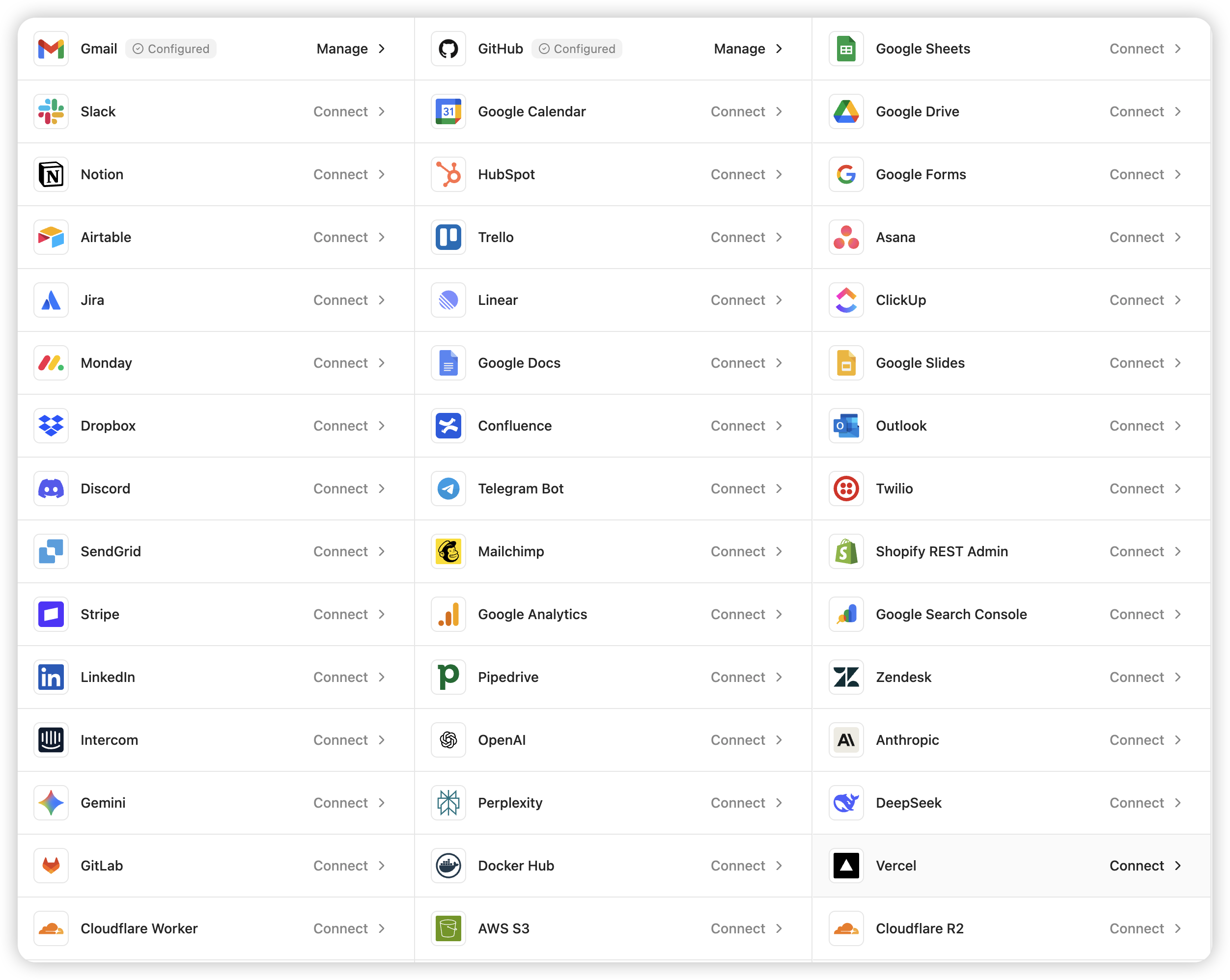
Provider names and trademarks belong to their respective owners and are used only for identification
and interoperability.
How It Works
flowchart LR
  Agent["AI Agent / App"] -->|"SDK / CLI / MCP / HTTP"| Gateway["OpenConnector Gateway"]
  Gateway --> Auth["Credential & OAuth Boundary"]
  Gateway --> Catalog["Provider Catalog"]
  Gateway --> Actions["Open-source Action Executors"]
  Gateway --> Policy["Tokens, Scopes, Allow/Block Policy"]
  Gateway --> Logs["Run Logs"]
  Actions --> SaaS["643 Providers"]
  Console["Web Console"] --> Gateway
  Cloudflare["Cloudflare Workers, D1, R2"] -. deploy .-> Gateway
Agents discover Actions, inspect schemas and scopes, select a connection alias, and execute through
the gateway. Provider secrets stay behind the runtime boundary; agents receive only the metadata,
safe account labels, and execution results they need.
Usage Paths
| Path | Best for | What you get |
|---|---|---|
| OSS self-host | Developers and teams that want full control | Local Docker or Node runtime, SQLite storage, MCP, HTTP, OpenAPI, and Web Console |
| Cloudflare-compatible deploy | Teams that want a lightweight hosted runtime | Workers runtime, D1 state, R2 transit files, and Static Assets for the console |
| oomol | Teams blocked by OAuth approval or launch deadlines | Hosted auth and runtime path, with room to migrate later to private or self-hosted deployment |
Cloudflare Quick Start Video
Coming soon: a YouTube walkthrough for launching a usable OpenConnector deployment on Cloudflare.
Quick Start
Start the runtime with Docker Compose:
docker compose up --build
Open the local console and generated API reference:
http://localhost:3000
http://localhost:3000/docs
Run a no-auth Action to verify the runtime:
curl -s -X POST http://localhost:3000/v1/actions/hackernews.get_top_stories \
  -H 'content-type: application/json' \
  -d '{"input":{}}'
See docs/quickstart.md for the full local setup, first provider connection,
OAuth flow, and runtime settings.
Connect A Provider
GitHub is the simplest credentialed example because it can use a personal access token:
curl -s -X PUT http://localhost:3000/api/connections/github \
  -H 'content-type: application/json' \
  -d '{"authType":"api_key","values":{"apiKey":"github_pat_..."}}'

curl -s -X POST http://localhost:3000/v1/actions/github.get_current_user \
  -H 'content-type: application/json' \
  -d '{"input":{}}'
For OAuth2 apps, named connections, credential encryption, token refresh, and action policies, see
docs/credentials.md and docs/configuration.md.
Give Tools To An Agent
OpenConnector exposes the same Action catalog through multiple agent-friendly surfaces:
- MCP:
http://localhost:3000/mcp - HTTP runtime API:
/v1/actions - OpenAPI document:
/openapi.json - Action guides:
/api/actions/:actionId/agent.md - Web Console examples: cURL, TypeScript, and agent prompt snippets for each Action
See docs/runtime-api.md for endpoint details, response envelopes, auth
headers, MCP tools, and Action guide examples.
Web Console
Open http://localhost:3000 after starting the runtime. The console helps you browse providers,
save API keys or OAuth client configuration, create runtime tokens, inspect Action schemas, run
Actions for debugging, review recent runs, and open the generated OpenAPI and MCP metadata.
Cloudflare Deployment
OpenConnector supports Cloudflare Workers as a metadata and runtime-state deployment target using
Workers, D1, R2, and Static Assets.
See docs/cloudflare.md for resource creation, migrations, secrets, local Worker
preview, and remote deployment.
oomol And Wanta
OpenConnector is the open-source gateway for teams that want to self-host and control the runtime.
If the business needs to go live immediately, oomol provides the SaaS version:
hosted auth and runtime infrastructure first, with room to migrate later to private or self-hosted
deployment.
For small teams or individuals who want to use a desktop Agent directly, Wanta
connects apps through a desktop product experience and adds team app sharing, permission control,
multiple connected accounts, and workspace-specific connections.
Documentation
- Quickstart
- Developer tools
- Provider coverage
- Runtime API and MCP
- Cloudflare deployment
- Configuration
- Credentials and OAuth
- Catalog format
- Verification language
- Contributing
- Code of Conduct
- Security
Development
Use Node.js 22 or newer:
npm install
npm run build:web
npm run dev
Before opening a pull request:
npm run fix-check
npm test
Provider code lives under src/providers/<service>. See
CONTRIBUTING.md for provider contribution rules.
License Scope
Unless otherwise noted, the source code, scripts, generated project scaffolding, tests, and
documentation authored for this repository are licensed under the Apache License, Version 2.0. See
LICENSE.txt.
The Apache-2.0 license for this repository does not grant rights to third-party products,
providers, apps, APIs, trademarks, service marks, trade names, logos, icons, brand assets,
documentation, screenshots, or other copyrighted materials owned by their respective holders.
Provider and app names, metadata, links, scopes, permissions, and optional logos/icons are included
only to identify services and enable interoperability. All third-party brand and product rights
remain with their respective owners. Inclusion in this catalog does not imply endorsement,
sponsorship, partnership, certification, or verification by those owners.
If you contribute provider metadata or assets, only submit material you have the right to submit.
Prefer linking to official public assets instead of copying brand files into this repository.
Community
Please keep issues and pull requests focused, respectful, and actionable. Participation in this
project is governed by CODE_OF_CONDUCT.md.
Reviews (0)
Sign in to leave a review.
Leave a reviewNo results found