OpenACP
Health Pass
- License — License: MIT
- Description — Repository has a description
- Active repo — Last push 0 days ago
- Community trust — 32 GitHub stars
Code Warn
- fs module — File system access in .github/workflows/publish.yml
Permissions Pass
- Permissions — No dangerous permissions requested
No AI report is available for this listing yet.
Self-hosted bridge that lets you interact with AI coding agents (Claude Code, Codex, etc.) from messaging platforms (Telegram, Discord, etc.) via the Agent Client Protocol (ACP).
OpenACP
Control AI coding agents from Telegram, Discord & Slack
Send a message. The agent writes code. You see everything — in real time.



Documentation · Quick Start · Features · Agents · Contributing
What is OpenACP?
OpenACP is a self-hosted bridge that connects AI coding agents to your messaging platforms. You chat with an AI agent through Telegram, Discord, or Slack — it reads your codebase, writes code, runs commands, and streams results back to you in real time.
Built on the open Agent Client Protocol (ACP). Your machine, your keys, your data.
You (Telegram / Discord / Slack)
  ↓
OpenACP (bridge + session manager)
  ↓
AI Agent (Claude Code, Codex, Gemini, Cursor, ...)
  ↓
Your Codebase
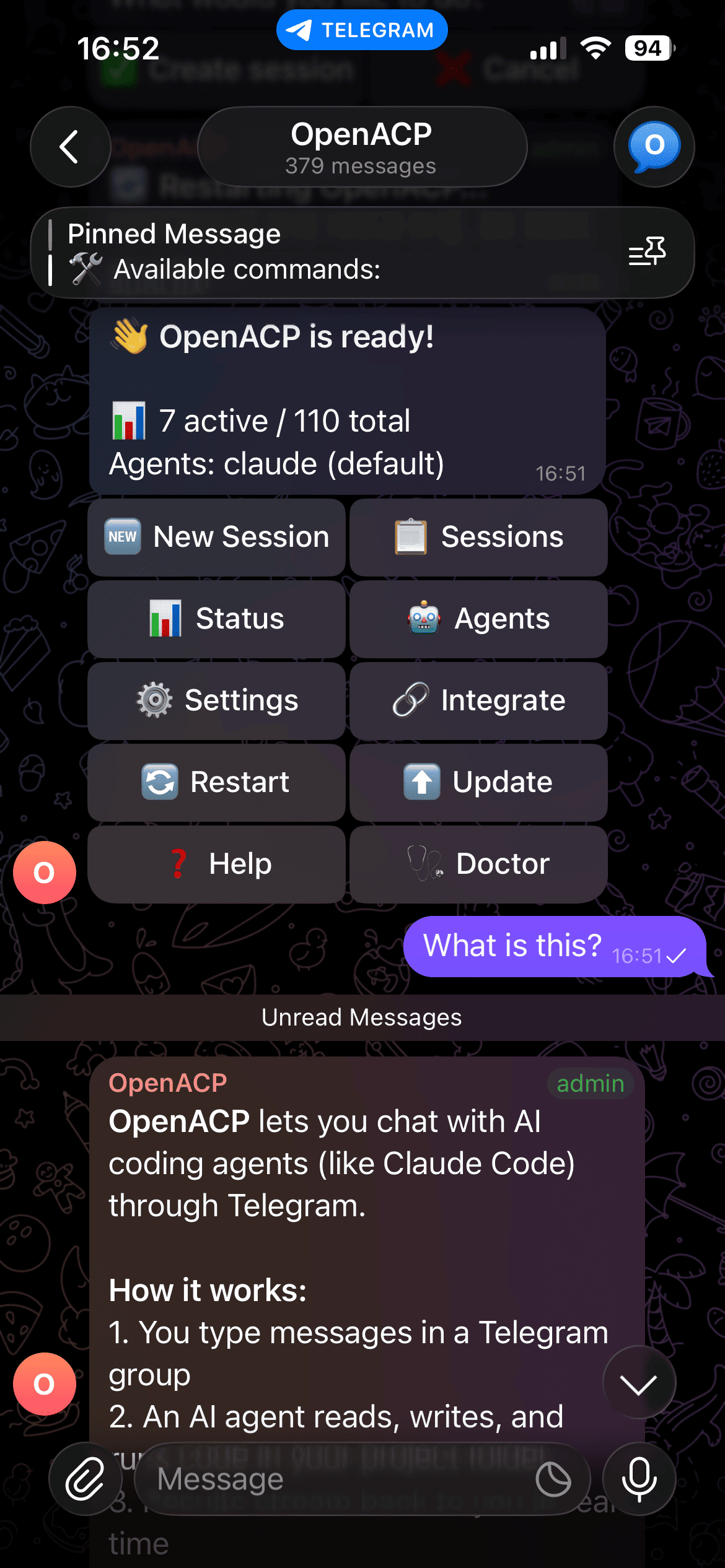 Control Panel Manage sessions, agents, and settings |
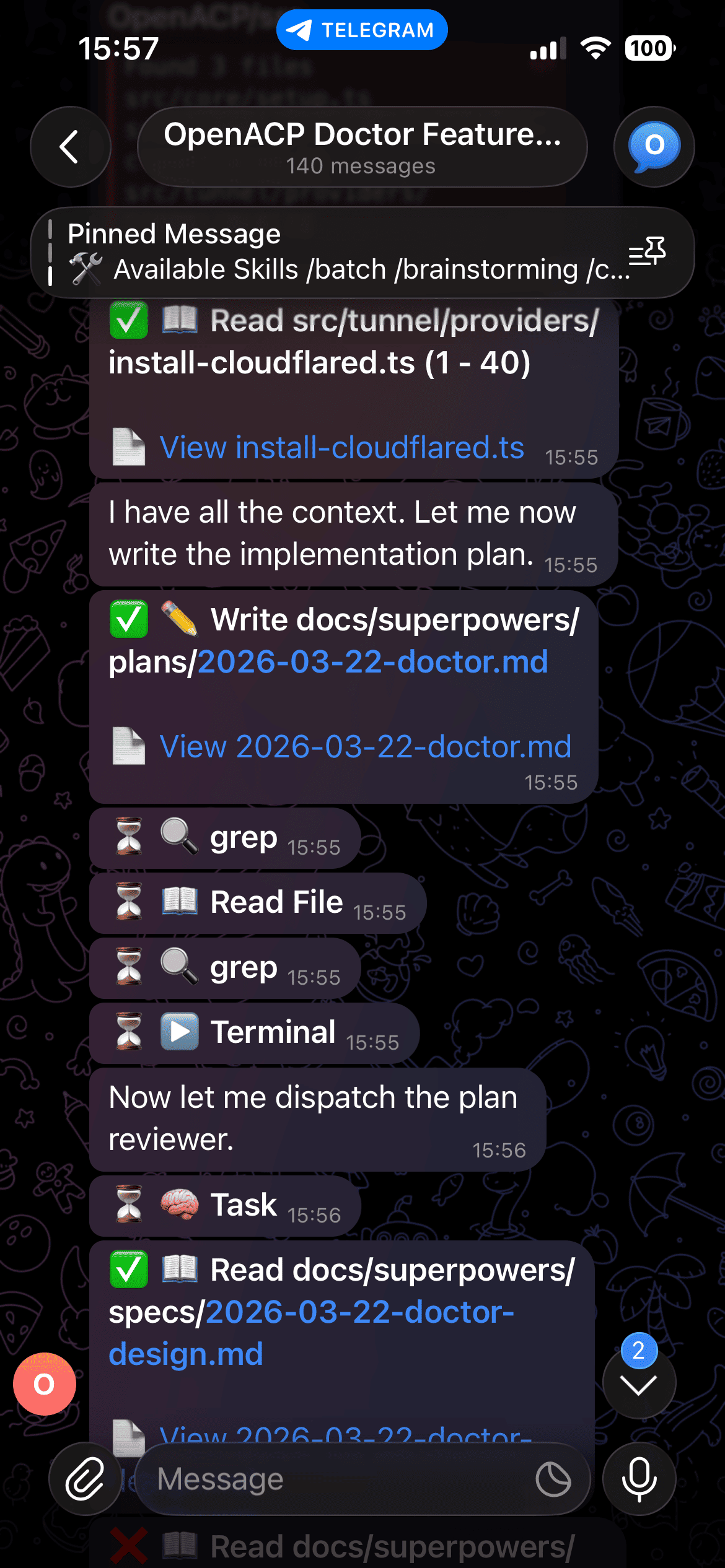 Agent at Work Plans, reads files, writes code |
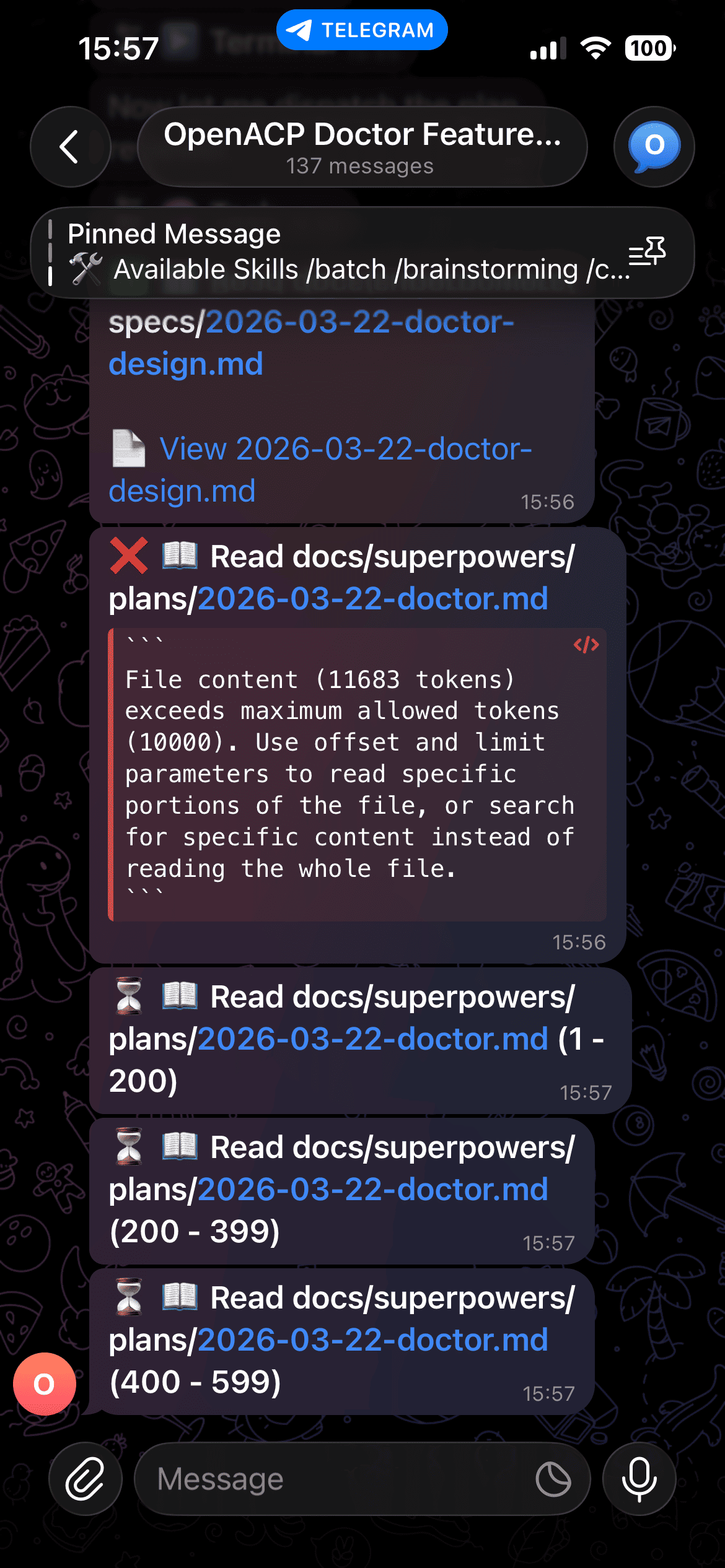 Real-time Tool Calls See every action the agent takes |
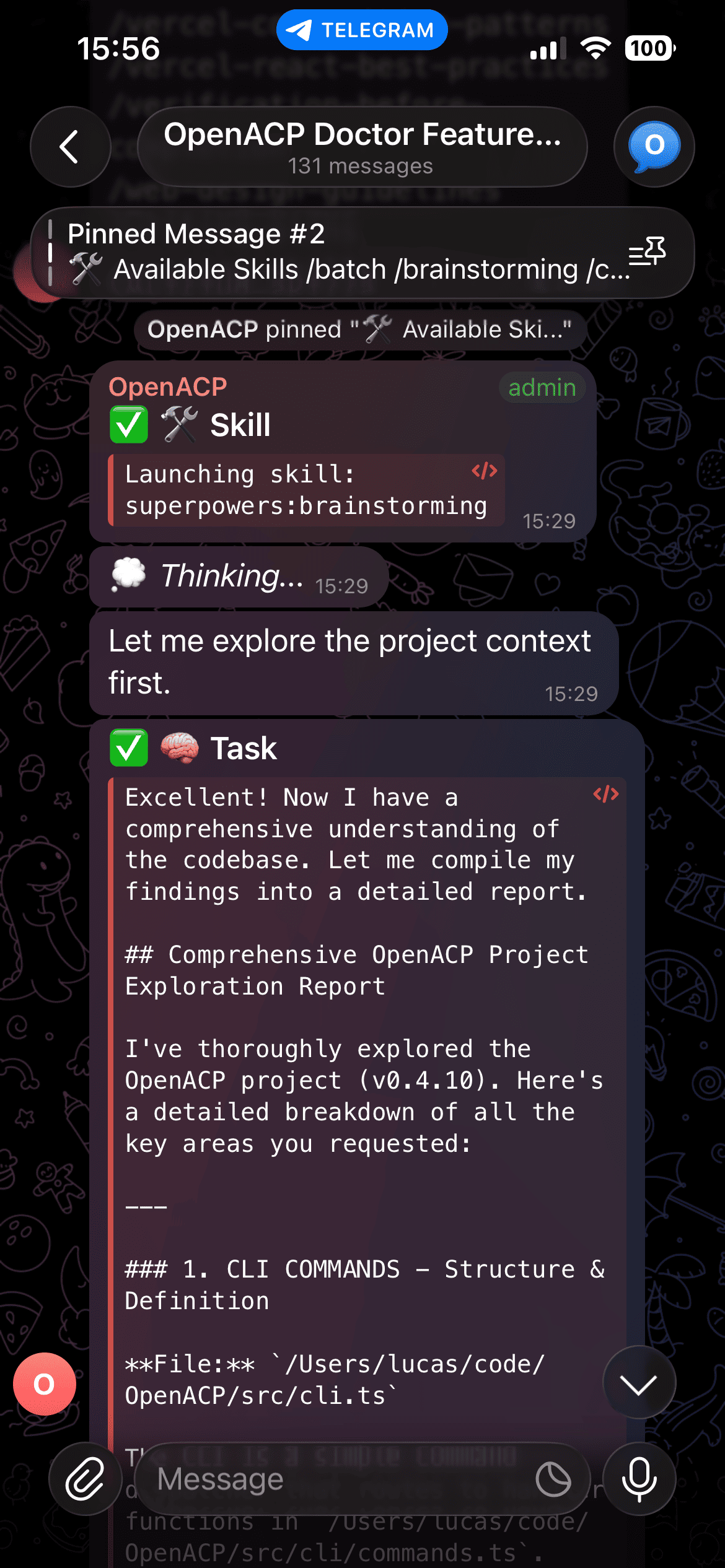 Agent Skills Brainstorming, TDD, debugging & more |
Quick Start
npm install -g @openacp/cli
openacp
The interactive setup wizard walks you through everything:
- Choose your platform (Telegram, Discord, Slack, or multiple)
- Connect your bot (token validation + auto-detection)
- Pick a workspace directory
- Select your default AI agent
- Choose run mode (foreground or daemon)
That's it. Send a message to your bot and start coding.
Need detailed setup for a specific platform? See the Platform Setup guides.
Features
Messaging Platforms
| Platform | Status | Highlights |
|---|---|---|
| Telegram | Stable | Forum topics per session, streaming, permission buttons, voice |
| Discord | Stable | Thread-based sessions, slash commands, button interactions |
| Slack | Stable | Socket Mode, channel-based sessions, thread organization |
Core
- 28+ AI agents — Claude Code, Codex, Gemini, Cursor, Copilot, and more
- Session management — Each conversation gets its own thread/topic with auto-naming
- Session persistence — Sessions survive restarts, with configurable TTL
- Permission control — Approve or deny agent actions via buttons, with optional auto-approve
- Real-time streaming — See agent thinking, tool calls, and output as they happen
Developer Tools
- Tunnel & port forwarding — Expose local ports to the internet (Cloudflare, ngrok, bore, Tailscale)
- Built-in file viewer — Monaco Editor with syntax highlighting, diffs, and markdown preview
- Session transfer — Move sessions between terminal and chat (
/handoff) - Voice & speech — Send voice messages, get spoken responses (Groq STT + Edge TTS)
- Usage tracking — Token counts, cost reports, optional monthly budget limits
- Context resume — Resume sessions with full conversation history
Operations
- Daemon mode — Run as a background service with auto-start on boot
- CLI API — Full REST API for automation (
openacp api ...) - Plugin system — Install adapters as npm packages
- Doctor diagnostics —
openacp doctorchecks everything and suggests fixes - Structured logging — Pino with rotation, per-session log files
Full feature documentation — Documentation
Supported Agents
OpenACP uses the ACP Registry — new agents are available as soon as they're registered.
| Agent | Type | Description |
|---|---|---|
| Claude Code | npx | Anthropic's Claude coding agent |
| Gemini CLI | npx | Google's Gemini CLI |
| Codex CLI | npx | OpenAI's coding assistant |
| GitHub Copilot | npx | GitHub's AI pair programmer |
| Cursor | binary | Cursor's coding agent |
| Cline | npx | Autonomous coding agent |
| goose | binary | Open source AI agent by Block |
| Amp | binary | The frontier coding agent |
| Auggie CLI | npx | Augment Code's context engine |
| Junie | binary | AI coding agent by JetBrains |
| Kilo | npx | Open source coding agent |
| Qwen Code | npx | Alibaba's Qwen assistant |
| ...and more | Full registry → |
openacp agents                     # Browse all agents
openacp agents install <name>      # Install from registry
CLI Overview
# Server
openacp                            # Start (first run = setup wizard)
openacp start / stop / status      # Daemon management
openacp logs                       # Tail daemon logs

# Configuration
openacp config                     # Interactive config editor
openacp reset                      # Re-run setup wizard
openacp doctor                     # System diagnostics

# Sessions & API (requires running daemon)
openacp api new [agent] [workspace]
openacp api status
openacp api cancel <id>

# Tunnels
openacp tunnel add <port> [--label name]
openacp tunnel list
Full CLI reference — CLI Commands
Documentation
| Section | Description |
|---|---|
| Getting Started | What is OpenACP, quickstart for users & developers |
| Platform Setup | Step-by-step guides for Telegram, Discord, Slack |
| Using OpenACP | Commands, sessions, agents, permissions, voice |
| Self-Hosting | Installation, configuration, daemon, security |
| Features | Tunnel, context resume, usage tracking, and more |
| Extending | Plugin system, building adapters, contributing |
| API Reference | CLI commands, REST API, config schema, env vars |
| Troubleshooting | Common issues and FAQ |
Star History
Contributing
We welcome contributions! See the contributing guide for development setup, testing conventions, and PR process.
Follow Us
License
Reviews (0)
Sign in to leave a review.
Leave a reviewNo results found