os-clovy
Health Gecti
- License — License: MIT
- Description — Repository has a description
- Active repo — Last push 0 days ago
- Community trust — 341 GitHub stars
Code Basarisiz
- exec() — Shell command execution in .agents/skills/agent-e2e-qa/scripts/run_background_agent_prompt.mjs
- process.env — Environment variable access in .agents/skills/agent-e2e-qa/scripts/run_background_agent_prompt.mjs
- network request — Outbound network request in .agents/skills/agent-e2e-qa/scripts/run_background_agent_prompt.mjs
- rm -rf — Recursive force deletion command in .agents/skills/os-platform/scripts/install.sh
Permissions Gecti
- Permissions — No dangerous permissions requested
Bu listing icin henuz AI raporu yok.
Private AI on your Mac. Chat, dictation, meeting notes, and a local agent in one open source workspace.

Private AI on your Mac
Clovy brings chat, voice dictation, meeting notes, and a local agent into a single private workspace. Local by default, routed through privacy-preserving AI, and open source so the privacy claims can be checked instead of believed.




Website · Changelog · Verify · Telegram · X
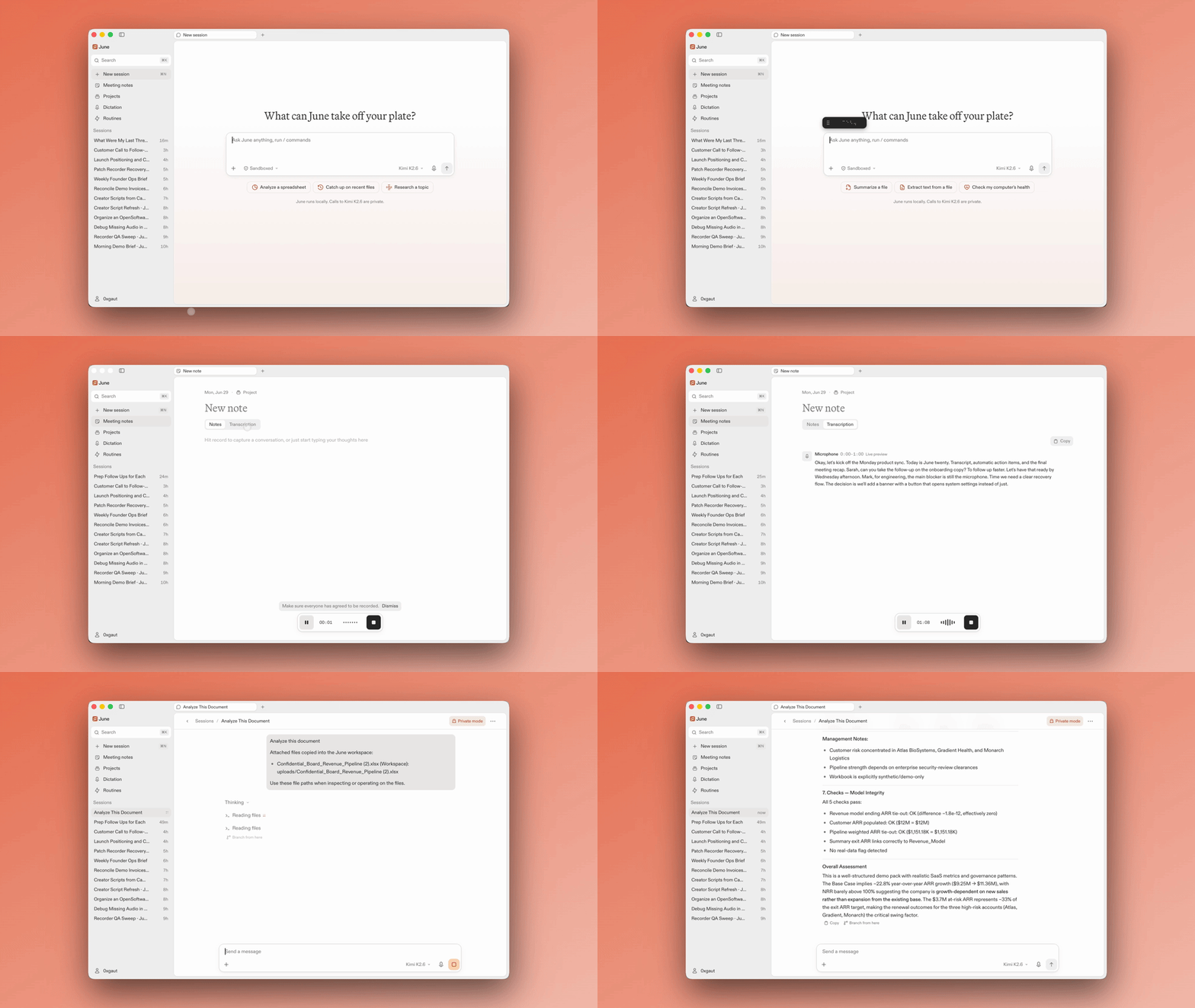
Why Clovy
Most AI apps ask you to hand over your most sensitive data and trust them with
it. Every prompt, file, and meeting reveals something about you, and a cloud
agent with that reach is a remote company's window into your work.
Clovy is built the other way around. The app and the agent run on your Mac.
Notes, recordings, transcripts, files, sessions, and agent memory stay on your
machine by default. When Clovy needs model inference, the request goes through
Clovy API, an open source, TEE-attested service that keeps provider keys
server-side and routes to private models with zero data retention by default.
You do not have to take any of this on faith: the entire product is MIT
licensed, and the exact code serving production is cryptographically
verifiable.
What Clovy does
- Chat. Ask questions, do research, brainstorm, and build plans without
the conversation training someone else's model. - Dictation. Hold a key, talk, release. Clovy turns your voice into clean,
polished writing and pastes it into whatever app you were using, with
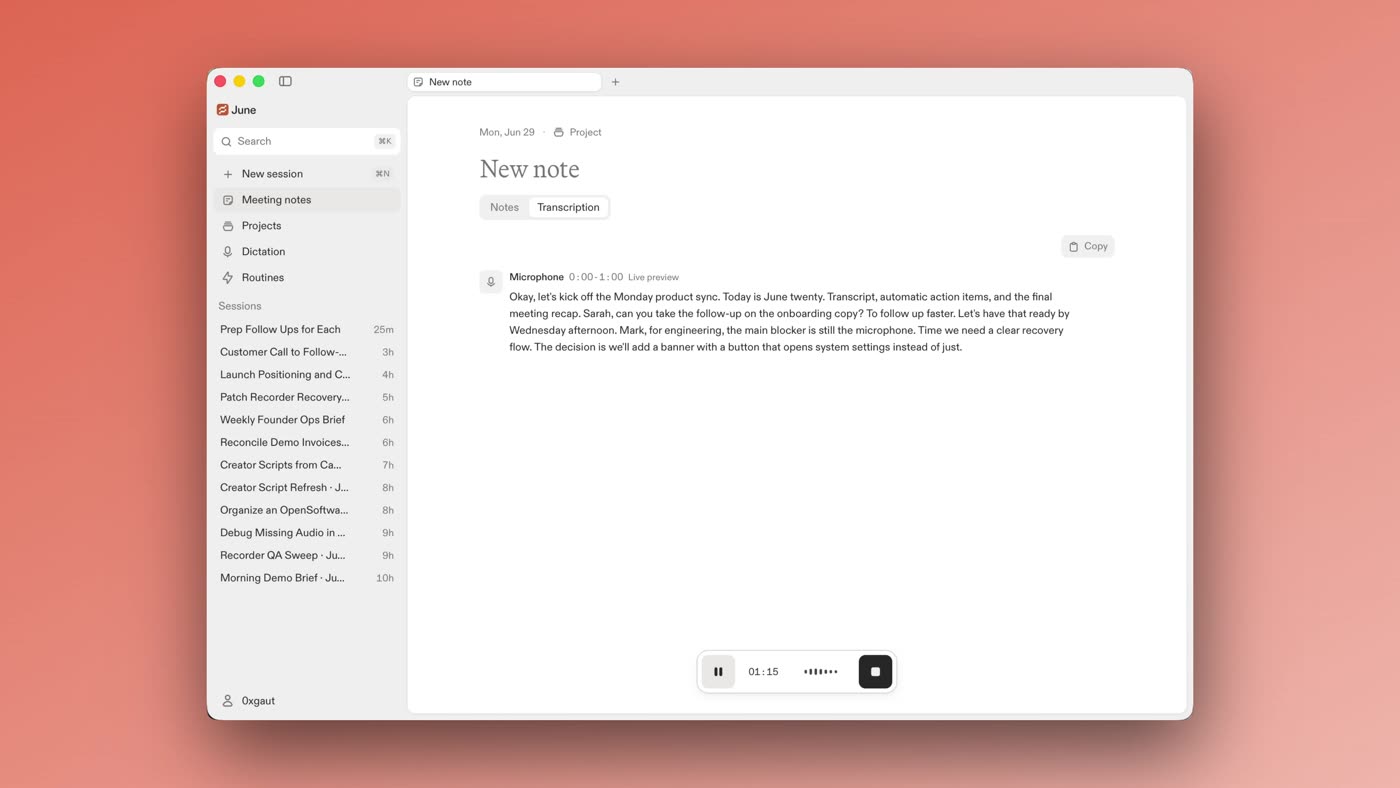
push-to-talk and hands-free modes and selectable writing styles. - Meeting notes. Clovy detects supported meetings and offers to take notes,
without a bot joining the call. It records microphone or microphone plus
system audio, orders the transcript into conversation turns, and generates
editable notes. Saved audio is kept so failed steps can be retried without
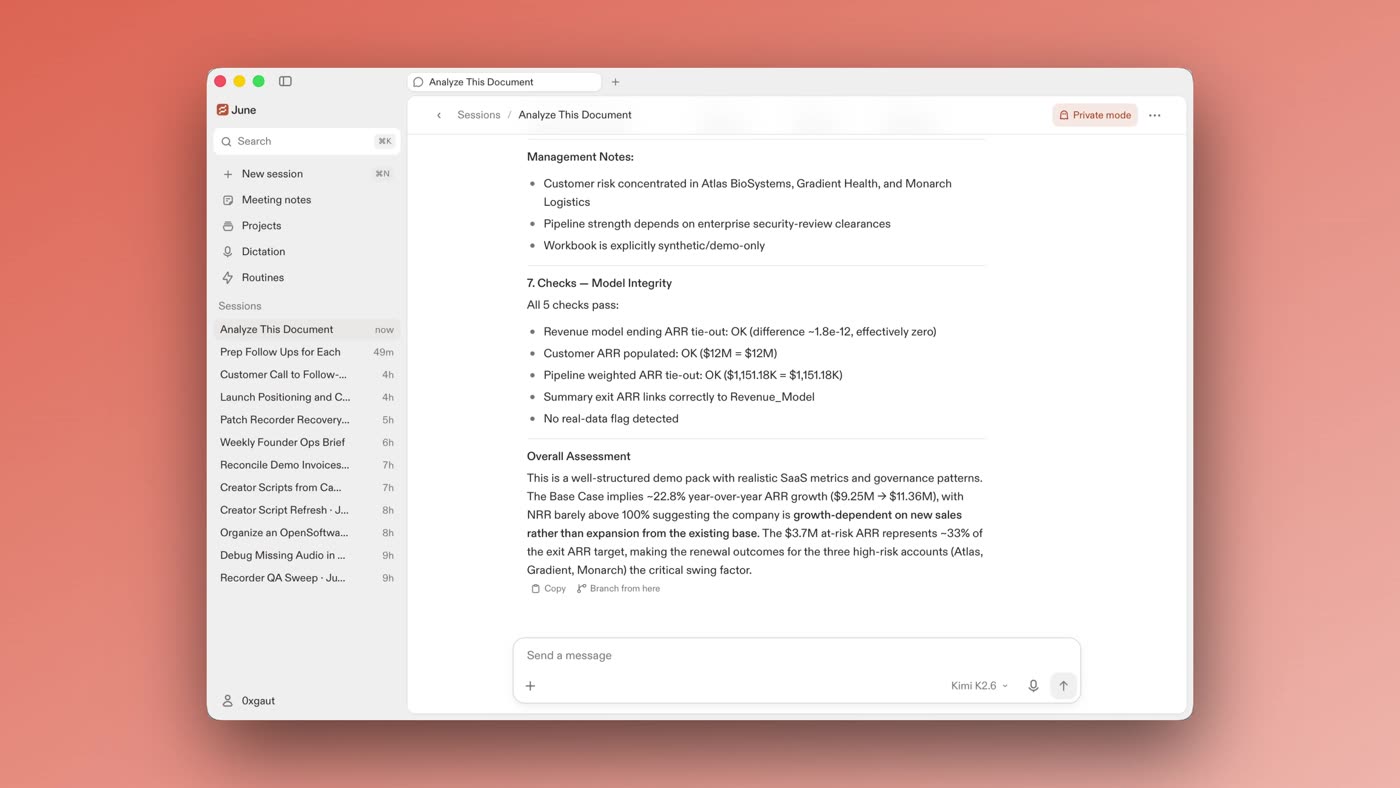
recording again. - Agent. A Clovy-owned local agent built on the OpenAI Agents SDK that
helps with files, research, and drafts. Sessions are sandboxed by default
and risky actions wait for your approval. Extend it with skills. - Image generation. Create images from a prompt, through the same private
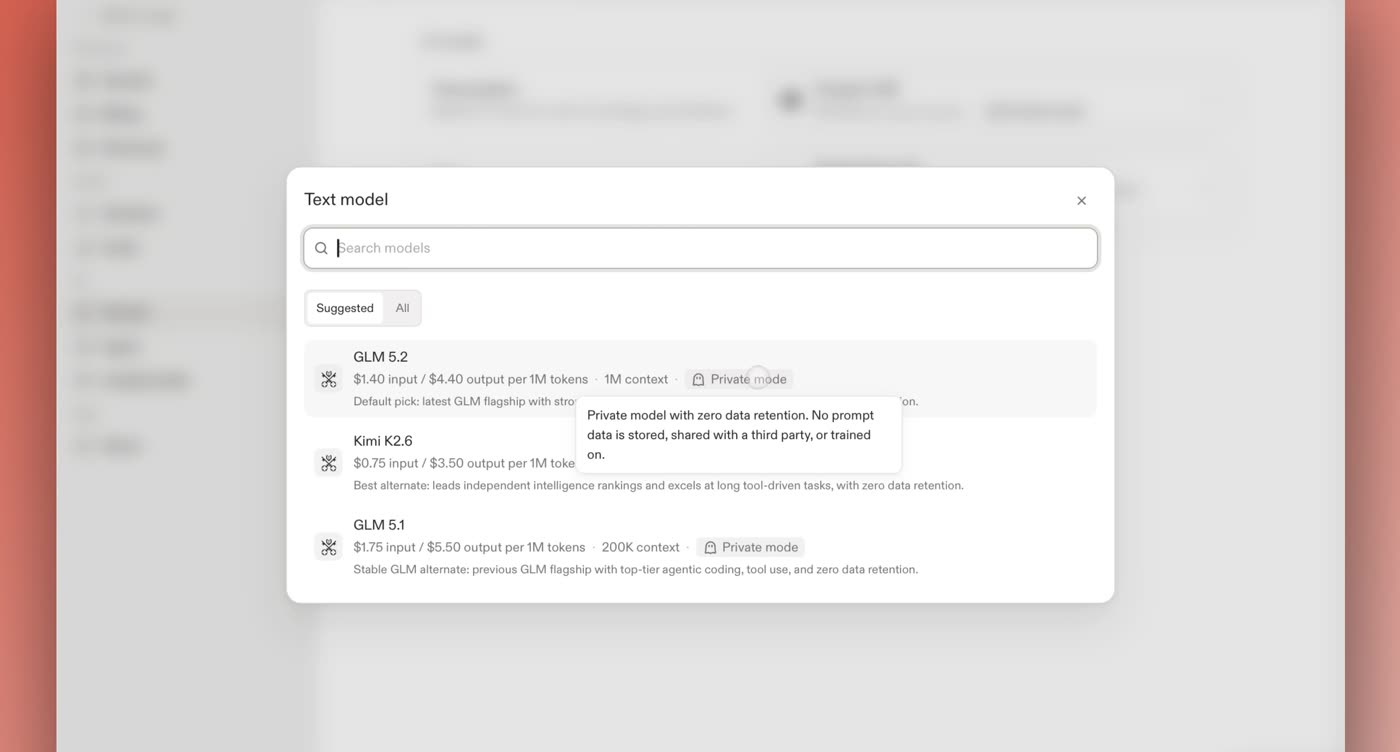
routing as everything else. - Your choice of models. Pick generation, transcription, and dictation
models from the live catalog, each labeled with its privacy tier. Bring your
own Venice API key if you prefer.
|
|
|
| Meeting notes with live transcription, no bot in the call | The agent working through a spreadsheet in private mode | Every model labeled with its privacy tier |
How Clovy keeps it private
Local by default. App state, recordings, transcripts, and agent memory
live on your machine. The agent runs locally inside a macOS write-jail
unless you opt a session out.Private models. Model calls default to private Venice models with zero
data retention: nothing stored, no training. Anonymized third-party models
are opt-in, and those providers may retain what they receive under their
own policies.Minimal retention. Open Software's services store account, login, and
billing records. Prompts, audio, transcripts, and files are not among them.Verifiable, not promised. Clovy and Clovy API can be inspected independently
of any model routing service or Chat. The desktop releases are signed and
notarized, and their source is public. Clovy API runs in an Intel TDX
confidential VM on Phala Cloud and publishes three useful anchors:- Source: this repository. The production image records its source
commit in the OCIorg.opencontainers.image.revisionlabel. - Image:
build-clovy-api.yml
publishesghcr.io/open-software-network/clovy-api;
deploys pin immutable per-commit tags recorded as signeddeploy/<env>/<sha>git tags. - Attestation: the Phala Trust Center report
reports evidence for the image running inside the TEE.
Every deployment serves a self-contained walkthrough at
/verify. This evidence describes
Clovy API only. The Open Software API and Chat publish their own source and
runtime evidence, and Clovy does not need to pin their releases. Model privacy
remains explicit provider evidence, which is why zero-retention private
routing is the default.- Source: this repository. The production image records its source
Download
Clovy runs on macOS 14 or later, Apple Silicon and Intel. Releases are signed,
notarized, and auto-updating, with stable and rc channels switchable
in-app. It is free to start.
If you use Homebrew, this is the recommended way to install:
brew install --cask open-software-network/tap/june
Windows builds cover the app shell, sign-in, microphone recording, notes, and
the bundled agent runtime, but not global dictation paste, system audio
capture, or the macOS sandbox. macOS is the primary target.
Repository layout
This repo contains the full product: the desktop app and the service that
powers its metered AI calls.
src/         React and TypeScript frontend
src-tauri/   Tauri v2 Rust desktop backend and native helpers
clovy-api/    Clovy API: models, transcription, generation, and billing
docs/        Architecture notes, ADRs, subsystem guides, and runbooks
spec/        Enforceable coding rules
specs/       Feature specs, plans, and validation notes
The desktop app never holds provider or OS Accounts App API keys; those live
only in Clovy API. Start with docs/index.md for the full doc
map, CONTEXT.md for the domain glossary, and
AGENTS.md for the contributor guide.
Build from source
You need Node.js with pnpm 11 and a Rust toolchain. The exact pnpm version is
pinned in package.json.
git clone https://github.com/open-software-network/os-june
cd os-june
cp .env.example .env
cp clovy-api/.env.example clovy-api/.env
# Edit clovy-api/.env and set CLOVY__UPSTREAMS__VENICE__API_KEY.
pnpm install
pnpm tauri:dev
The example env files default to open source local mode: no OS Accounts login,
no billing, and a local Clovy API authenticated by a shared bearer token.
Provider keys belong only in clovy-api/.env, never in the root desktop.env. A Venice API key is enough for transcription, generation, and
dictation cleanup.
See docs/development.md for the day-to-day development
guide (ports, onboarding replay, local data, permissions, agent skills, and
test commands) and docs/configuration.md for the full
configuration reference, including exposing your own models and running
against OS Accounts.
Contributing
Clovy ships near-daily releases and development happens in the open.
Clovy is also the canonical technical name for repository-controlled packages,
crates, environment variables, workflows, and release artifacts. Released
June-era inputs and rollback outputs remain compatibility aliases, while the
installed bundle, executable, updater, and permission identities stay stable.
See ADR-0055.
pnpm check         # lint and format (Biome)
pnpm typecheck
pnpm test          # frontend (Vitest)
pnpm test:rust     # desktop Rust
pnpm test:clovy-api # Clovy API
make verify mirrors CI. Start with CONTRIBUTING.md, then
AGENTS.md for the full contributor guide; the enforceable UI
rules live in spec/. Report bugs through GitHub issues, and
report security vulnerabilities privately per SECURITY.md.
- Community: t.me/osjune
- Updates: @OpenSoftwareCo and the
changelog
License
Clovy is MIT licensed. See LICENSE. Bundled third-party runtime
notices are tracked in THIRD_PARTY_NOTICES.md.
OS Platform
Agents and humans share product knowledge (memory, Issues, team timeline) through
the OS Platform. Connect the MCP endpoint https://platform-api.opensoftware.co/mcp
(OAuth via OS Accounts) in your agent client, or export an API key asOS_PLATFORM_API_KEY for REST access (https://app.opensoftware.co/api, keys
under your platform profile → API keys). Conventions agents follow live inAGENTS.md → "OS Platform (shared brain)".
Yorumlar (0)
Yorum birakmak icin giris yap.
Yorum birakSonuc bulunamadi