open-codesign
Health Gecti
- License — License: MIT
- Description — Repository has a description
- Active repo — Last push 0 days ago
- Community trust — 194 GitHub stars
Code Uyari
- process.env — Environment variable access in .github/workflows/codex-pr-review.yml
Permissions Gecti
- Permissions — No dangerous permissions requested
Bu listing icin henuz AI raporu yok.
Open-source Claude Design alternative. One-click import your Claude Code / Codex API key. Prompt → prototype / slides / PDF. Multi-model (Claude, GPT, Gemini, Kimi, GLM, Ollama). BYOK, local-first, MIT.
Open CoDesign
简体中文: README.zh-CN.md
Your prompts. Your model. Your laptop.
Turn prompts into polished artifacts — locally, openly, and with whichever model you already pay for.
Website · Quickstart · Docs · Contributing · Security
Open-source alternative to: Claude Design · v0 by Vercel · Lovable · Bolt.new · Figma AI


claude-code · claude-design-alternative · ai-design · design-to-code · figma-alternative · byok · local-first · multi-model · electron
What it is
Turn a prompt into a polished prototype, slide deck, or marketing asset, locally, with the model you already use.
Open CoDesign is the open-source Claude Design alternative — built for people who want the speed of AI-native design tools without subscription lock-in, cloud-only workflows, or being forced onto a single provider. An MIT-licensed desktop app, local-first from day one, with BYOK for any model (Claude, GPT, Gemini, DeepSeek, Kimi, GLM, Ollama, or any OpenAI-compatible endpoint). One-click import of your existing Claude Code or Codex API key gets you running in under 90 seconds.
See it generate
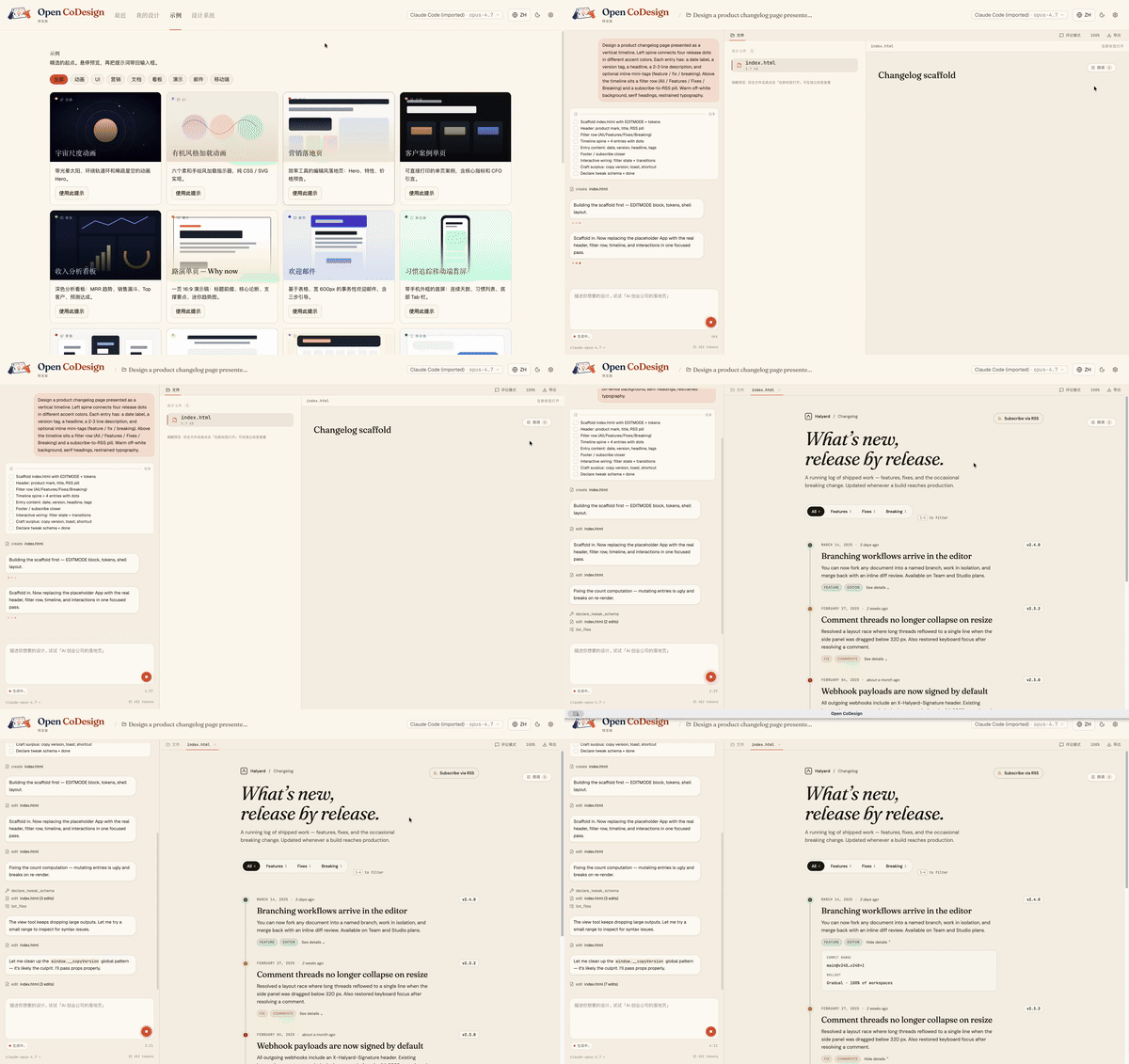
From a blank prompt to a finished artifact, the agent plans, writes, self-checks, and ships something with hover states, tabs, and empty states already wired up:
Why people star it
- Runs on your laptop — no mandatory cloud workspace
- Works with your model — Claude, GPT, Gemini, Ollama, OpenRouter, and more
- Exports real files — HTML, PDF, PPTX, ZIP, Markdown
- Shows its work — live agent activity, visible tool calls, interruptible generation
Why Open CoDesign?
Open source, desktop-native, and built for people who do not want their design workflow locked to one model or one cloud.
| Open CoDesign | Claude Design | v0 by Vercel | Lovable | |
|---|---|---|---|---|
| Open source | ✅ MIT | ❌ Closed | ❌ Closed | ❌ Closed |
| Desktop native | ✅ Electron | ❌ Web only | ❌ Web only | ❌ Web only |
| Bring your own key | ✅ Any provider | ❌ Anthropic only | ❌ Vercel only | ⚠️ Limited |
| Local / offline | ✅ Fully local app | ❌ Cloud | ❌ Cloud | ❌ Cloud |
| Models | ✅ 20+ (Claude, GPT, Gemini, Ollama…) | Claude only | GPT-4o | Multi-LLM |
| Version history | ✅ Local SQLite snapshots | ❌ | ❌ | ❌ |
| Data privacy | ✅ On-device app state | ❌ Cloud-processed | ❌ Cloud | ❌ Cloud |
| Editable export | ✅ HTML, PDF, PPTX, ZIP, Markdown | ⚠️ Limited | ⚠️ Limited | ⚠️ Limited |
| Price | ✅ Free app, token cost only | 💳 Subscription | 💳 Subscription | 💳 Subscription |
Highlights
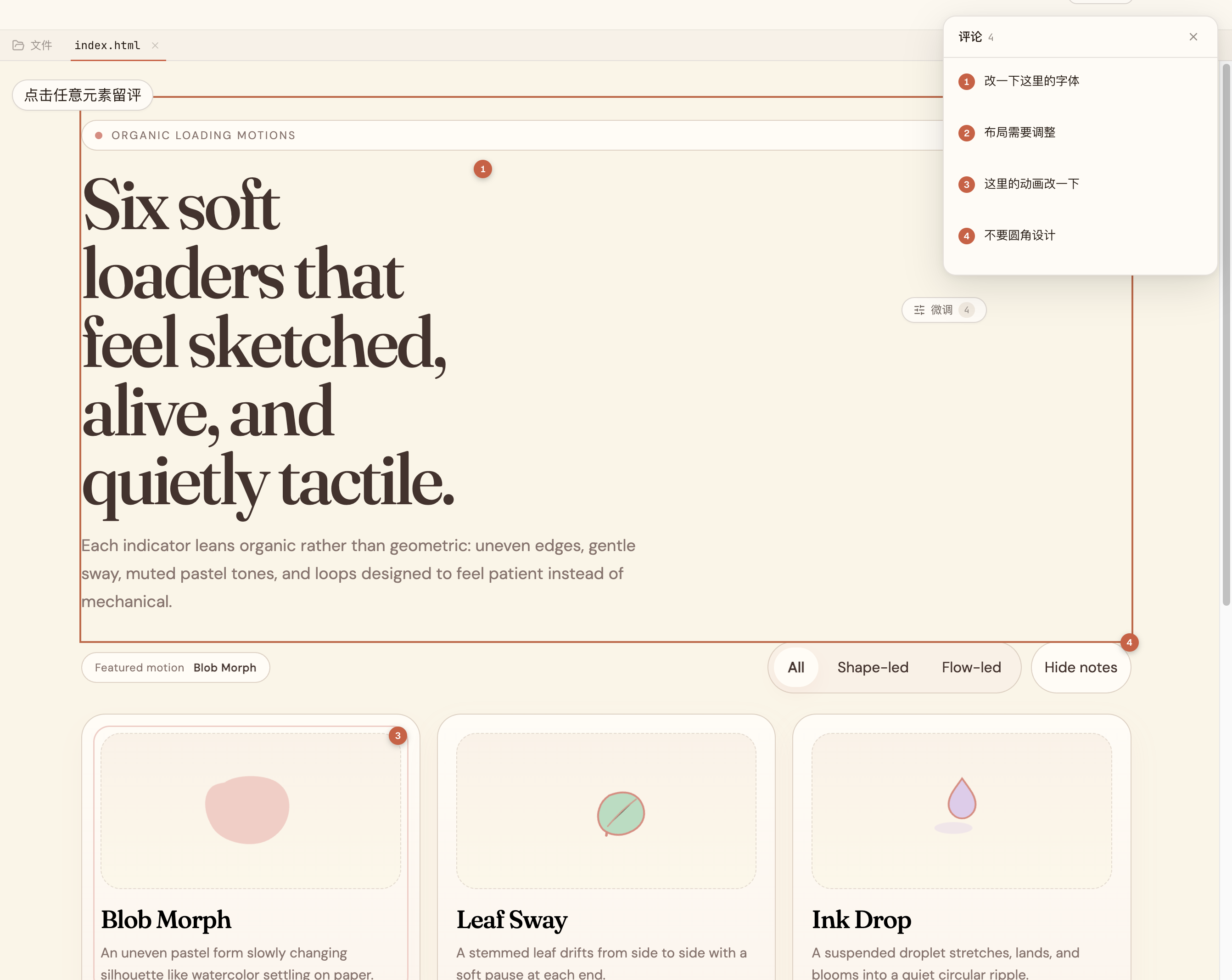
Comment, don’t retype. |
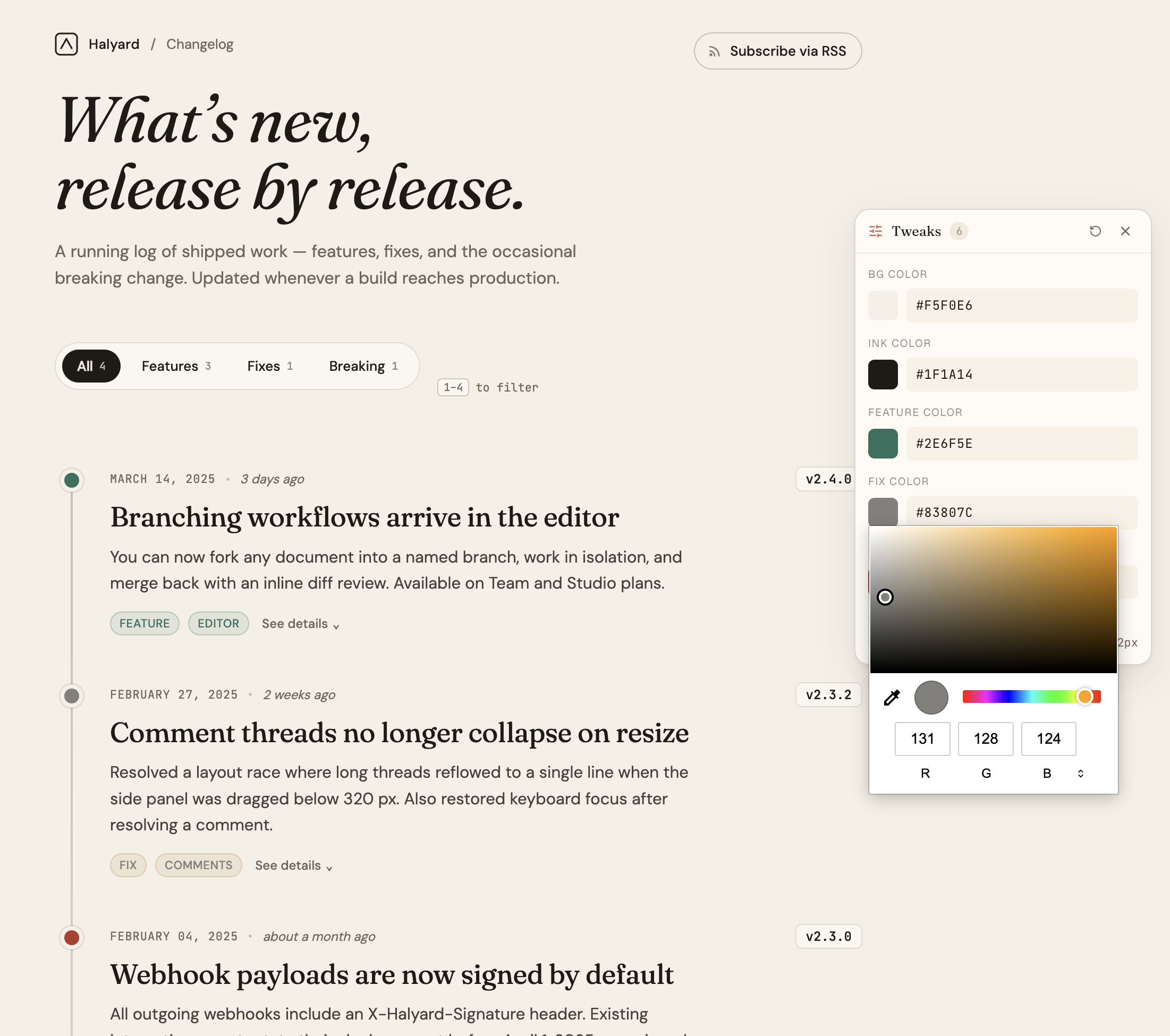
AI-tuned sliders. |
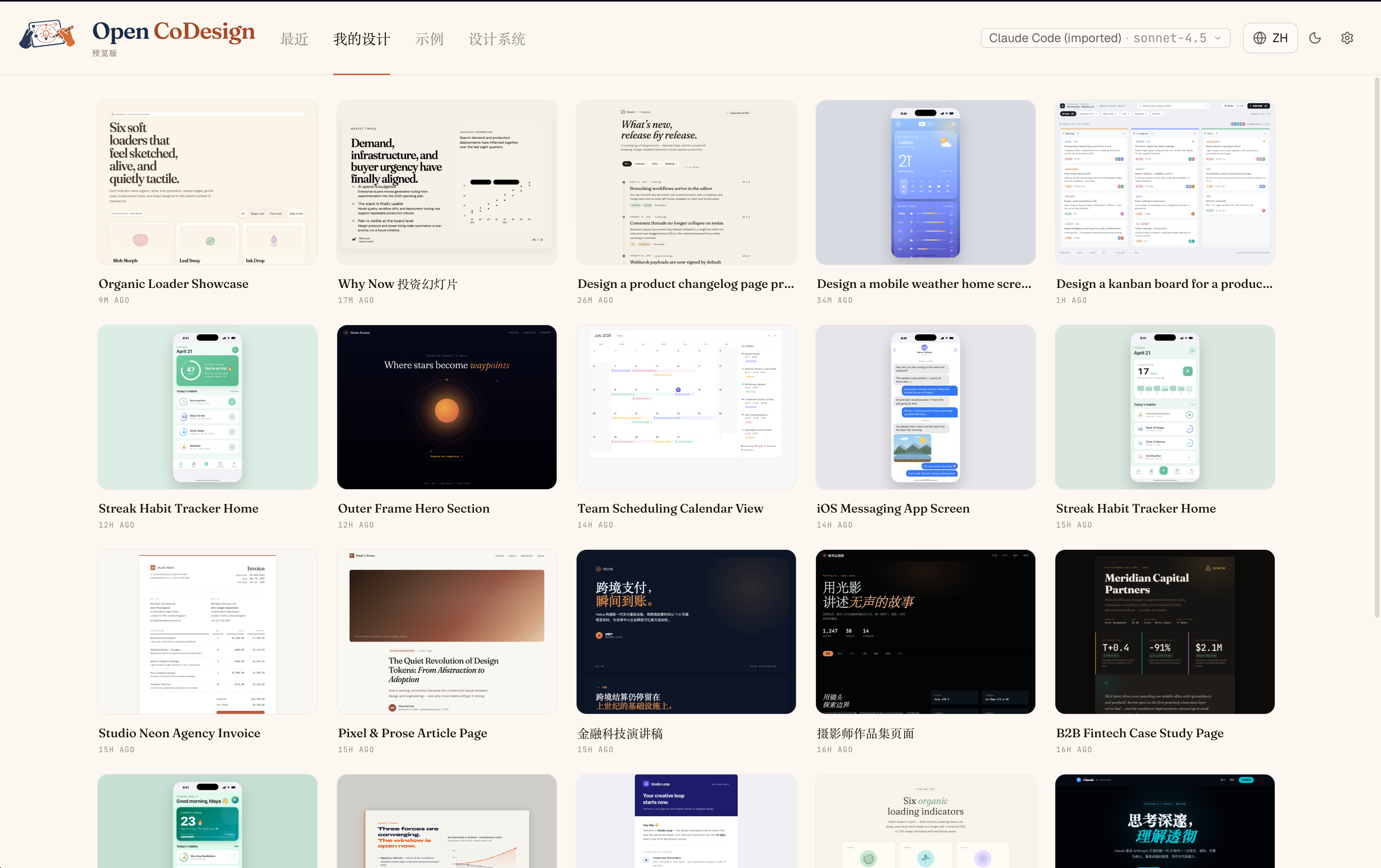
Every iteration, kept. |
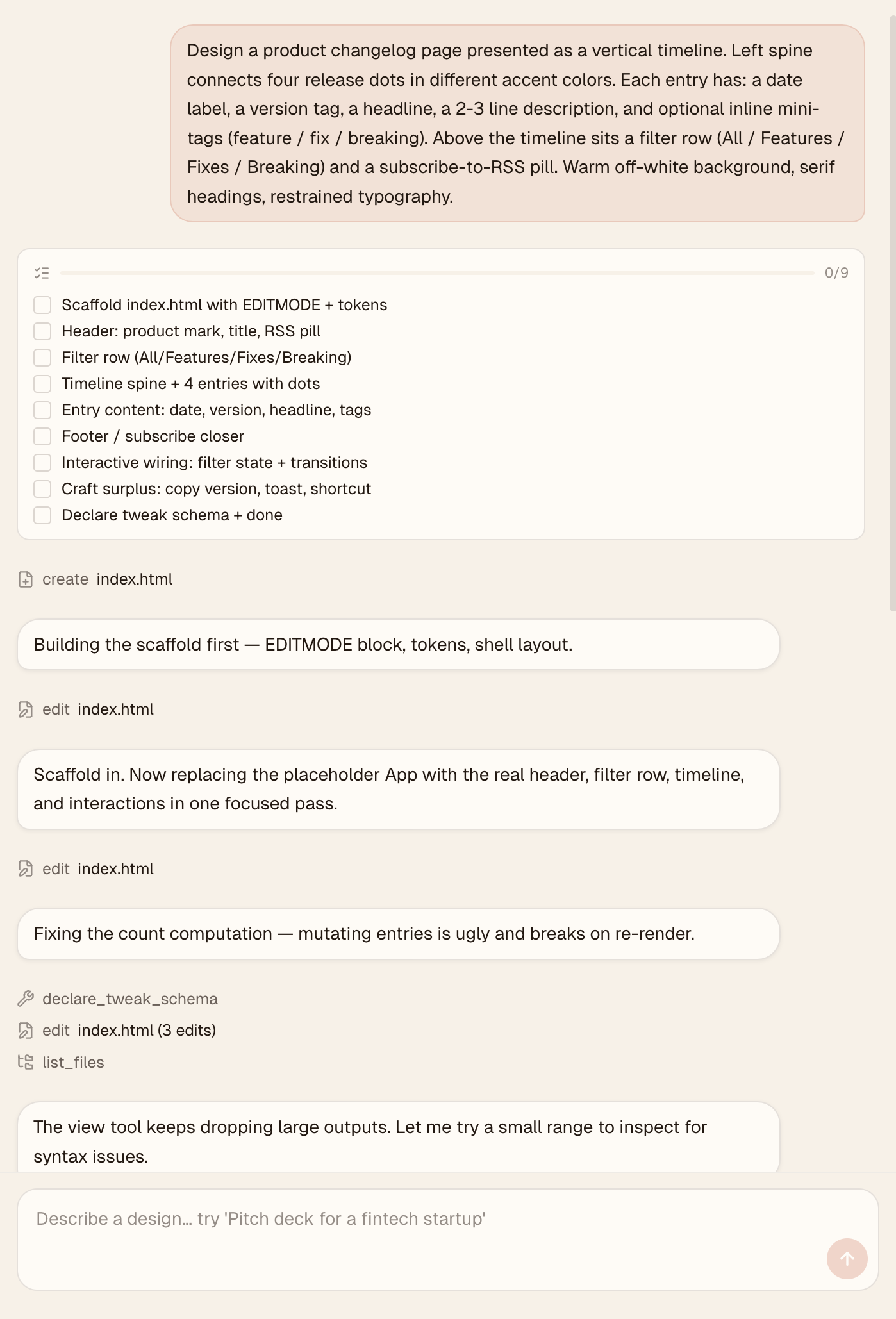
Watch the agent work. |
Quickstart
Time to first artifact: about 3 minutes
Requires: one API key or local Ollama
Runs on: macOS 12+ (Monterey or later), Windows 10+, Linux (glibc ≥ 2.31)
1. Install
Direct download (v0.1.x) from GitHub Releases:
| Platform | File |
|---|---|
| macOS (Apple Silicon) | open-codesign-*-arm64.dmg |
| macOS (Intel) | open-codesign-*-x64.dmg |
| Windows (x64) | open-codesign-*-x64-setup.exe |
| Windows (ARM64) | open-codesign-*-arm64-setup.exe |
| Linux (x64) | open-codesign-*-x64.AppImage |
Each release ships with SHA256SUMS.txt and a CycloneDX SBOM (*-sbom.cdx.json) so you can verify what you downloaded.
| Manager | Command | Status |
|---|---|---|
| Homebrew Cask (macOS) | brew install --cask opencoworkai/tap/open-codesign |
🟢 Live |
| Scoop (Windows) | scoop bucket add opencoworkai https://github.com/OpenCoworkAI/scoop-bucket && scoop install open-codesign |
🟢 Live |
| winget (Windows) | winget install OpenCoworkAI.OpenCoDesign |
🟠 PR #363055 under Microsoft review |
| Flathub (Linux) | flatpak install flathub ai.opencowork.codesign |
⏸ Deferred to v0.2 (needs signed build + AppStream metadata) |
| Snap (Linux) | snap install --dangerous open-codesign-*.snap |
🟡 Attached to releases best-effort; Snap Store publish not yet wired |
After each tag push, CI auto-syncs SHAs back into packaging/ and (once the winget PR merges) auto-opens downstream bumps. Every packaging/*/README.md documents its own mirror flow.
v0.1 note: installers are unsigned. On macOS Sequoia 15+ right-click → Open no longer bypasses Gatekeeper, and "Open Anyway" in System Settings often fails. Reliable one-liner:
xattr -cr "/Applications/Open CoDesign.app"Then double-click normally. (Older 0.1.x builds are installed as
/Applications/open-codesign.app.)
On Windows: SmartScreen → More info → Run anyway.Want a verified build? Compile from source — see CONTRIBUTING.md.
2. Add your API key
On first launch, Open CoDesign opens the Settings page. Paste any supported provider key:
- Anthropic (
sk-ant-…) - OpenAI (
sk-…) - Google Gemini
- Any OpenAI-compatible relay (OpenRouter, SiliconFlow, local Ollama)
Credentials stay in ~/.config/open-codesign/config.toml (file mode 0600, same convention as Claude Code, Codex, and gh CLI). Nothing leaves your machine unless your chosen model provider requires it.
3. Type your first prompt
Pick one of fifteen built-in demos — landing page, dashboard, pitch slide, pricing, mobile app, chat UI, event calendar, blog article, receipt/invoice, portfolio, settings panel, and more — or describe your own. A sandboxed prototype appears in seconds.
Bring your stack
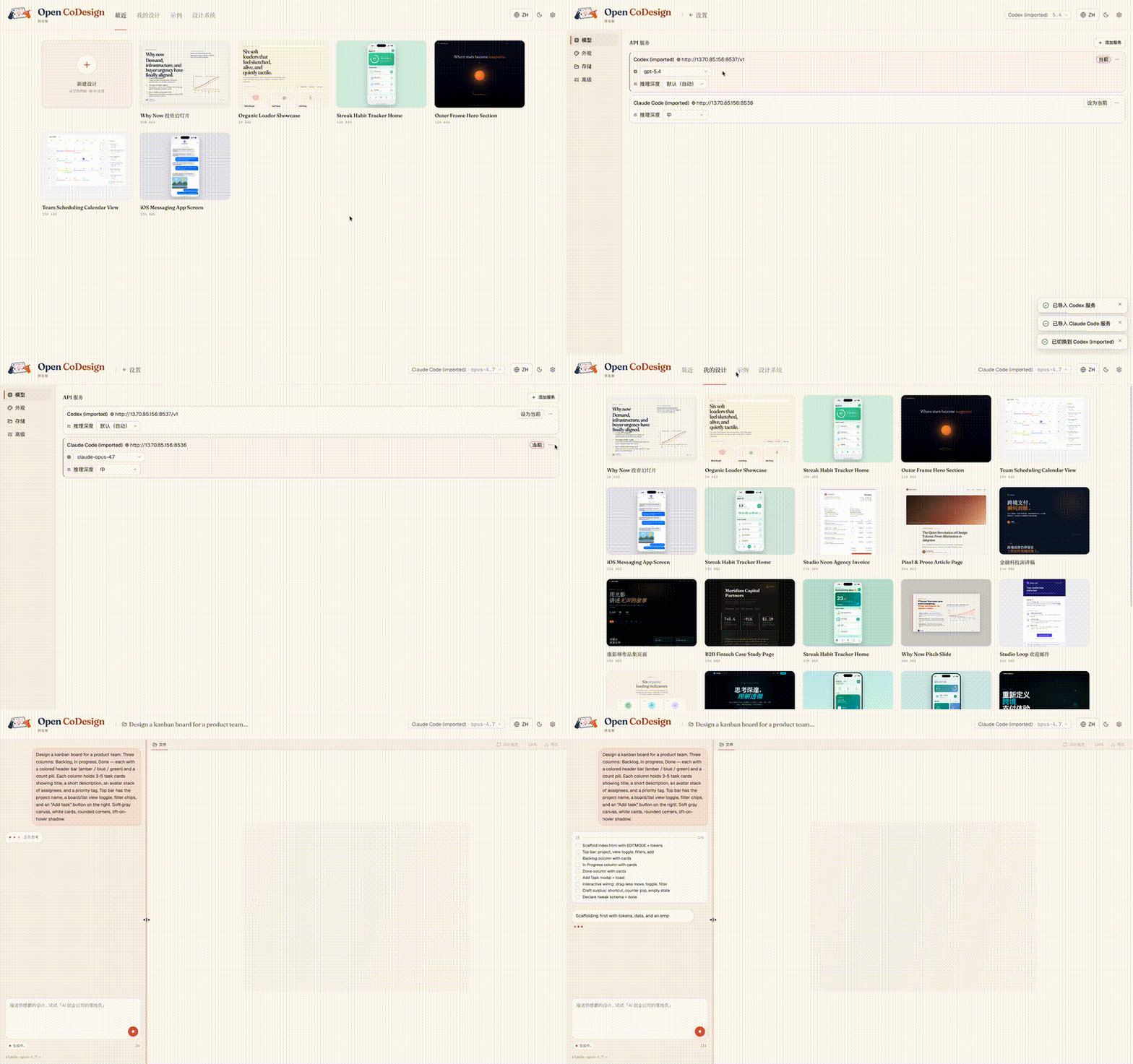
Already using Claude Code or Codex? Your providers, models, and API keys import in one click, with no copy-paste and no need to re-enter settings:
Built-in taste
Generic AI tools tend to produce generic output. Open CoDesign ships with twelve built-in design skill modules — slide decks, dashboards, landing pages, SVG charts, glassmorphism, editorial typography, heroes, pricing, footers, chat UIs, data tables, and calendars — plus a built-in taste layer that steers the model toward considered typography, purposeful whitespace, and meaningful color.
Every skill is available in every generation. Before the model writes a line of CSS, it selects the skills that fit the brief and reasons through layout intent, design-system coherence, and contrast, bringing higher-quality design behavior to whichever model you choose.
Add a SKILL.md to any project to teach the model your own taste.
What you get
Models and providers
- Unified provider model — Anthropic, OpenAI, Gemini, DeepSeek, OpenRouter, SiliconFlow, local Ollama, or any OpenAI-compatible relay; keyless (IP-allowlisted) proxies supported
- One-click import from Claude Code and Codex configs — bring your existing providers, models, and keys in a single click
- Dynamic model picker — every provider exposes its real model catalogue, not a hardcoded shortlist
Generation and editing
- Prompt → HTML or JSX/React component prototype, rendered in a sandboxed iframe (vendored React 18 + Babel on-device)
- Fifteen built-in demos + twelve design skill modules — ready-to-edit starting points for common design briefs
- Live agent panel — watch tool calls stream in real time as the model edits files
- AI-generated sliders — the model emits the parameters worth tweaking (color, spacing, font)
- Comment mode — click any element in the preview to drop a pin, leave a note, and let the model rewrite only that region
- Generation cancellation — stop mid-stream without losing prior turns
Preview and workflow
- Phone / tablet / desktop preview — true responsive frames, switch with one click
- Files panel — inspect multi-file artifacts (HTML, CSS, JS) before export
- Instant design switching — the last five designs keep their preview iframes alive, so Hub ↔ Workspace and sidebar navigation stay zero-delay
- Connection diagnostic panel — one-click test for any provider, with actionable errors
- Per-generation token counter — see exactly how many tokens each run cost in the sidebar
- Settings with four tabs — Models, Appearance, Storage, and Advanced
- Light + dark themes, EN + 简体中文 UI with live toggle
Export and packaging
- Five export formats — HTML (inlined CSS), PDF (local Chrome), PPTX, ZIP, Markdown
- GitHub Release pipeline — unsigned DMG (macOS), EXE (Windows), AppImage (Linux). Code-signing lands in v0.5 along with opt-in auto-update
What’s next
| Feature | Status |
|---|---|
| Cost transparency — pre-generation estimate + weekly budget (per-generation token count already shipped) | 🔜 Coming |
| Version snapshots + side-by-side diff | 🔜 Coming |
| Codebase → design system (token extraction) | 🔜 Coming |
| Three-style parallel exploration | 🔜 Coming |
| Code-signing (Apple ID + Authenticode) + opt-in auto-update | 🔜 v0.5 |
| Figma layer export | 🔜 Post-1.0 |
Star history
Built on
- Electron + React 19 + Vite 6 + Tailwind v4
@mariozechner/pi-ai(multi-provider model abstraction)better-sqlite3,electron-builder
Reporting issues
Found a bug or have a feature request?
- Search existing issues first.
- Generate a diagnostics bundle — Settings → Storage → Export diagnostics (API keys and prompts are redacted automatically).
- Open a new issue using our bug report or feature request template.
- For security vulnerabilities, see SECURITY.md.
Community
Open CoDesign first launched on the LINUX DO community — thanks to everyone there for early feedback and discussion.
- LINUX DO — Chinese-speaking discussion, use tips, and feedback (primary community).
- GitHub Issues — bug reports, feature requests, and async discussion.
- WeChat group (Chinese-speaking users) — scan the QR in README.zh-CN.md#社群. WeChat group codes rotate every 7 days; we refresh the image in-repo on that cadence.
Contributing
Read CONTRIBUTING.md. Open an issue before writing code, sign commits with DCO, run pnpm lint && pnpm typecheck && pnpm test before a PR.
License
MIT — fork it, ship it, sell it. Third-party notices remain in NOTICE.
Cite this project
If you reference Open CoDesign in a paper, article, or product comparison, please cite the repository as:
@misc{open_codesign_github,
  author       = {OpenCoworkAI Contributors},
  title        = {Open CoDesign: An Open-Source Desktop AI Design Tool},
  year         = {2026},
  howpublished = {\url{https://github.com/OpenCoworkAI/open-codesign}},
  note         = {GitHub repository}
}
Or the machine-readable CITATION.cff at the repo root.
Yorumlar (0)
Yorum birakmak icin giris yap.
Yorum birakSonuc bulunamadi