opentabs
Health Gecti
- License — License: MIT
- Description — Repository has a description
- Active repo — Last push 0 days ago
- Community trust — 236 GitHub stars
Code Uyari
- process.env — Environment variable access in .github/workflows/deploy-docs-preview.yml
- fs module — File system access in .github/workflows/publish-platform.yml
- fs module — File system access in .github/workflows/publish-plugins.yml
Permissions Gecti
- Permissions — No dangerous permissions requested
Bu listing icin henuz AI raporu yok.
Browser automation clicks buttons. OpenTabs calls APIs.



Browser automation clicks buttons. OpenTabs calls APIs.
Playwright, Puppeteer, and Stagehand simulate a human — click, type, read the screen. OpenTabs skips all that. It calls the same internal APIs the web app's own frontend calls, through your browser, using your existing session. Exposed as MCP tools.
No screenshots. No DOM scraping. No pixel-guessing.
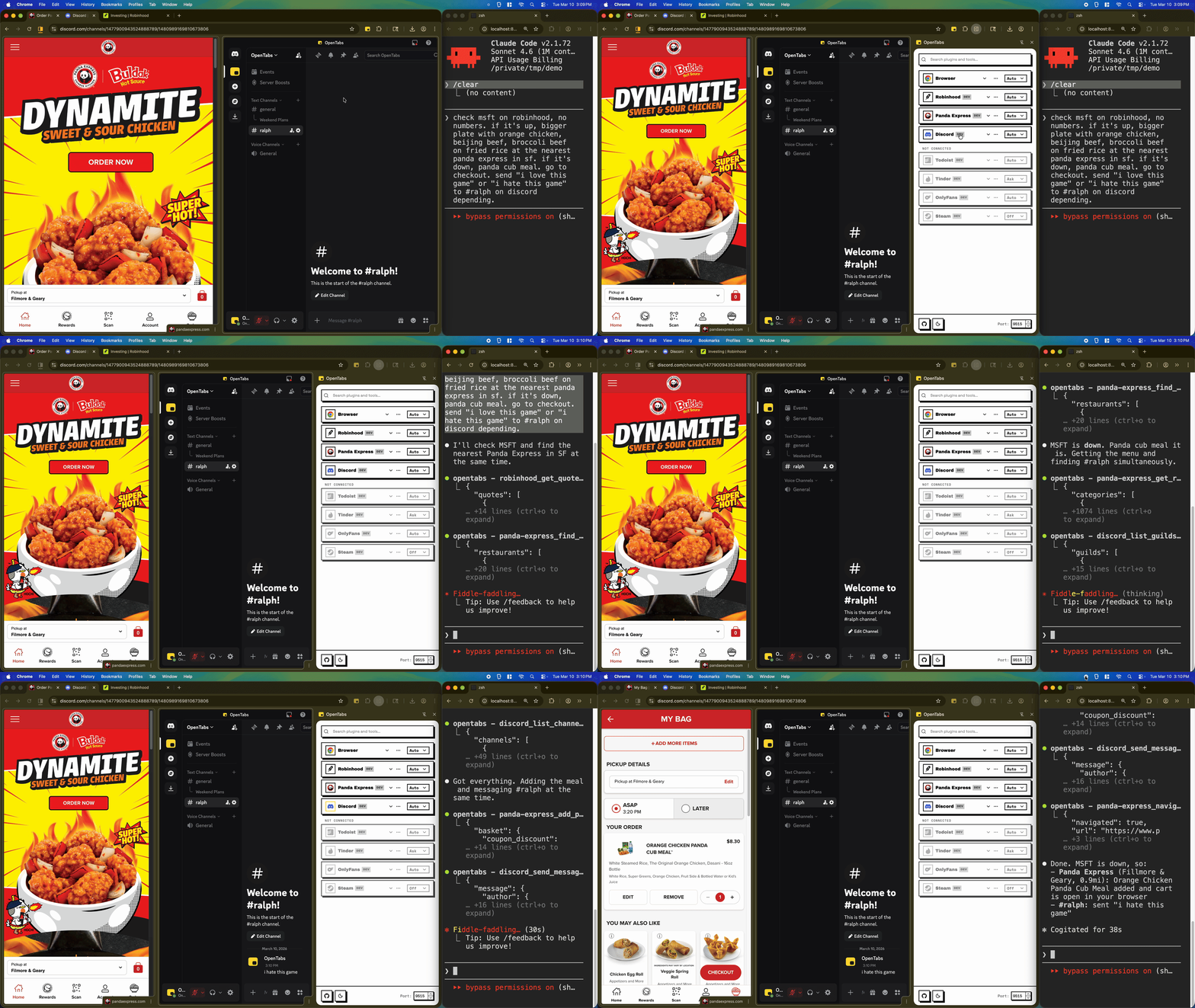
AI checking Robinhood, ordering Panda Express, and messaging on Discord — all through open browser tabs
Quick Start
You need Node.js 22+ and Chrome.
npm install -g @opentabs-dev/cli
opentabs start
First run prints MCP config blocks you can paste into Claude Code, Cursor, or Windsurf.
Load the extension from ~/.opentabs/extension via chrome://extensions/ (Developer mode → Load unpacked).
opentabs plugin install <plugin-name>
Five minutes, start to finish. See the Quick Start guide.
100+ Plugins, ~2,000 Tools
discord_send_message hits Discord's real backend — fast, deterministic, cheap on tokens.
Slack, Discord, GitHub, Jira, Notion, Figma, AWS, Stripe, Robinhood, Panda Express, Airbnb, and a lot more. Plus built-in browser tools (screenshots, clicking, typing, network capture) that work on any tab without a plugin.
Build a Plugin
Point your AI at any website. It analyzes the page, discovers the APIs, scaffolds the code, and registers it.
opentabs plugin create my-app --domain .example.com
cd my-app && npm install && npm run build
Publish to npm and anyone can opentabs plugin install it. See the Plugin Development guide.
Security
- Everything starts off. Every plugin is disabled by default — not "ask," actually off.
- AI-assisted code review. Your AI reviews the adapter source before you enable it.
- Version-aware. When a plugin updates, permissions reset. New code, new review.
- Three permission levels. Off, Ask (confirmation dialog), or Auto. Per-plugin or per-tool.
- Runs locally. No cloud. No telemetry. Everything in
~/.opentabs/. Full audit log.
How This Was Built
Built entirely by AI agents — zero hand-written application code. Hundreds of PRDs executed by Claude Code workers via Ralph. Every PRD is open-sourced: opentabs-dev/opentabs-prds.
Docs · Quick Start · Plugin Development · SDK Reference · Browser Tools · CLI Reference · Architecture
Contributing
git clone https://github.com/opentabs-dev/opentabs.git
cd opentabs && npm install && npm run build
npm run dev       # tsc watch + MCP server + extension
npm run check     # build + type-check + lint + knip + test
See the Development Setup guide.
License
MIT — Not affiliated with or endorsed by any third-party service. See the full disclaimer.
Built with Claude Code, OpenCode, Ralph, and RetroUI.
Yorumlar (0)
Yorum birakmak icin giris yap.
Yorum birakSonuc bulunamadi