skills
Health Warn
- License — License: MIT
- Description — Repository has a description
- Active repo — Last push 0 days ago
- Low visibility — Only 5 GitHub stars
Code Pass
- Code scan — Scanned 12 files during light audit, no dangerous patterns found
Permissions Pass
- Permissions — No dangerous permissions requested
No AI report is available for this listing yet.
Transcribe audio from your coding agent — the Agent Skill, CLI, and SDK for OpenTranscription.
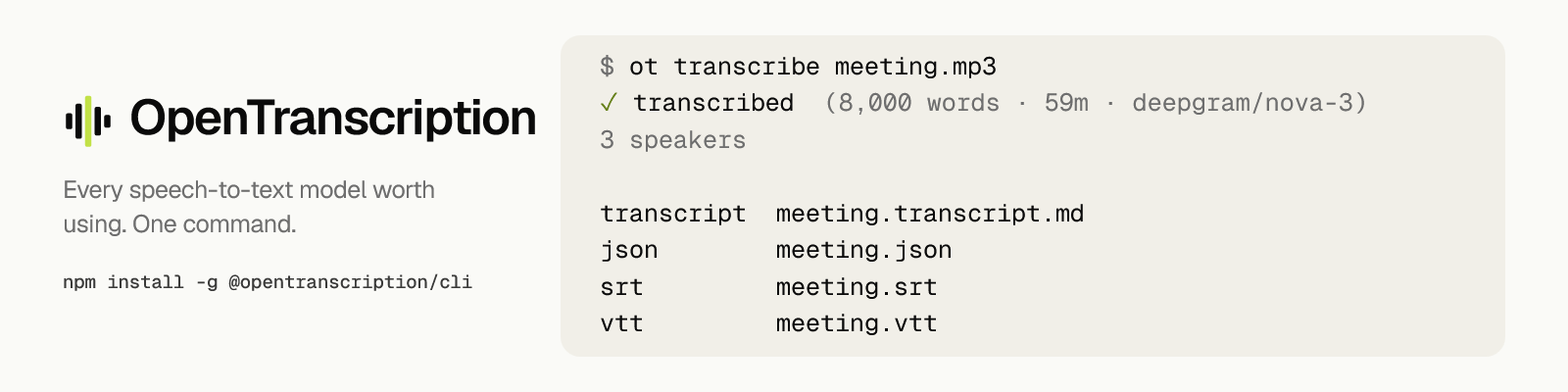
OpenTranscription skills


Give your coding agent the ability to transcribe audio. Agent Skill, CLI, and
typed clients for TypeScript and Python, all for
OpenTranscription.
Works in Claude Code, Codex, Cursor, Gemini CLI, VS Code / Copilot, Windsurf,
Cline, and Zed.
Install
Install the CLI and sign in, then install the skill so your agent knows when to
reach for it.
npm install -g @opentranscription/cli
ot login
ot login prints a code and opens your browser, where you approve the terminal
from a page you are already signed in to. The key it mints goes straight to your
config directory, so it never passes through your clipboard or your shell
history.
npx skills add opentranscription/skills
The installer detects which agents you have and writes the skill where each one
looks for it.
Target agents explicitly with -a:
npx skills add opentranscription/skills -a claude-code
npx skills add opentranscription/skills -a codex
npx skills add opentranscription/skills -a cursor -a cline
Add -g to install for every project instead of just this one, and -y to
skip the confirmation prompt.
Where the files land, per agent:
| Agent | This project | Global (-g) |
|---|---|---|
| Claude Code | .claude/skills/ |
~/.claude/skills/ |
| Cursor | .agents/skills/ |
~/.cursor/skills/ |
| Cline | .agents/skills/ |
~/.agents/skills/ |
| OpenCode | .agents/skills/ |
~/.config/opencode/skills/ |
The skills CLI supports many more agents
than the four above; its README carries the full table.
Requires Node 22 or newer.
Why you need it
If your agent can already transcribe audio, it uses one model you did not pick.
You cannot see that model's error rate, and you cannot swap it when it gets a
recording wrong.
Transcription is not a solved problem, and the gap between models is wider than
most people expect. The same recording can come back clean from one and badly
mangled by another. Names, numbers, and technical terms fail first, and those are
usually the exact reason you wanted the transcript. An agent reading a bad
transcript cannot tell that it is bad, so it reasons confidently over noise and
you find out much later, from a decision nobody ever made.
Price does not sort this out for you either. The most expensive model in the
catalogue is not the most accurate one, and the cheapest is not the worst. Both
directions are guesses until somebody measures.
What ot does about it
ot models --language es
Every model, from every provider we support, with its price per minute and its
accuracy measured on our golden set. --language narrows the list to models
that support that language. The numbers come from the live catalogue, so they
describe what the models do today. Providers upgrade
models in place under the same id, which is why a figure written into a README
ages badly: the id in your notes still resolves, but it now points at a
different model with a different error rate.
Pick one, or state the goal and let it route:
ot transcribe interview.wav --model auto/best      # lowest measured error
ot transcribe interview.wav --model auto/cheapest  # cheapest that still works
A built-in transcriber will usually not do any of this:
- Speaker labels.
--diarizemarks who said what, so a meeting transcript
can tell you who agreed to the Thursday deadline.ot modelsshows which
models support it. - Subtitle files.
.srtand.vttwritten to disk, ready to hand to a video
player. - Long recordings. Hours of audio run through the same command, and the
upload streams straight to storage, so your agent's own limit stops applying.
How it works
Ask your agent to transcribe a meeting and it runs one command:
$ ot transcribe meeting.mp3

✓ transcribed  (8,000 words · 59m · deepgram/nova-3)

3 speakers

transcript meeting.transcript.md
json       meeting.json
srt        meeting.srt
vtt        meeting.vtt

Sections:
  00:00:00  So the migration is the thing I keep coming back to.
  00:01:01  Let me pull the numbers before we decide anything.
  00:15:40  I can have the dashboard ready by Thursday.
The artifacts go to disk. The agent gets the receipt above and leaves the
transcript where it is. That hour of audio would have cost it roughly 10,400
tokens to read, and almost none of them would have earned their place: an agent
asked to find one decision does not need the other fifty-nine minutes in its
context to find it.
Short recordings print inline instead, because a receipt for eight seconds of
audio is worse than the audio.
The section index is what makes the receipt usable. No second model reads the
transcript to produce it: the timestamps come from speaker turns and silence
gaps, so they cost nothing and come back the same every time. That gives the
agent somewhere specific to look:
ot show <job-id> --from 12:30 --to 18:00
The slicing happens in the CLI, not on the server: ot show fetches the job and
prints only the range you asked for. The bytes land in this process instead of in
the agent's context, and re-reading a section never re-transcribes anything. A result the
platform's quality gate flagged (empty, sparse, wrong language) opens with aWarning: line that says why and whether it was charged.
What this is
Four things against one API:
| The skill | skills/transcribing-audio, which teaches an agent when and how to reach for transcription |
@opentranscription/cli |
the ot command, which is what the skill runs |
@opentranscription/sdk |
the typed client for TypeScript, if you would rather write the code yourself |
opentranscription |
the same client for Python, sync and async, on PyPI |
All four release together on one version.
Where it works
The skill follows the Agent Skills spec and bundles no
scripts, so it works anywhere ot is on PATH.
It does not work in hosted sandboxes: Claude on the web or mobile, and
similar environments without outbound network access. The whole job is calling an
API, so there is nothing for it to do there. This is a tool for a terminal or an
IDE.
Commands
ot login [--org <id>]     sign in through your browser
ot whoami                 which workspaces are signed in
ot switch <org-id>        choose which one commands use
ot logout [--org <id>]    forget one workspace, or --all of them

ot models [--language es] every model, with price and measured accuracy
ot jobs [--limit 10]      recent transcriptions
ot show <job-id>          a transcript, or --from 12:30 --to 18:00 of one

ot transcribe <file>      the whole product
  --diarize               label speakers
  --model auto/best       or auto/cheapest, auto/fastest, or a model id
  --language es           skip language detection
  --vocab "Kafka,Sanjay"  names and jargon the model would otherwise miss
  --vocab-list <id>       a vocabulary list saved in the web app
  --out <dir>             write artifacts somewhere else
Each API key belongs to exactly one workspace, so ot stores one key per
workspace. If you have not logged into the workspace a command names, it stops
and says so. It will never quietly fall back to another one.
Using the SDK
TypeScript
import { readFile } from 'node:fs/promises';
import { OpenTranscription } from '@opentranscription/sdk';

const ot = new OpenTranscription({ apiKey: process.env.OT_API_KEY! });

const job = await ot.transcribe({
  file: await readFile('earnings-call.mp3'),
  fileName: 'earnings-call.mp3',

  // Primary plus backups, tried in order when a provider fails.
  models: ['assemblyai/best', 'deepgram/nova-3'],

  diarization: true,

  // The words a general model has the weakest prior for, which are usually the
  // reason you wanted the transcript. Merged with a list saved in the web app
  // when you pass `vocabularyListId` too.
  customWords: ['EBITDA', 'Sanjay Bhattacharya', 'Nasdaq', 'ARR'],
});

const done = await ot.waitForJob(job.id);
Every request field is checked against types generated from the published
OpenAPI document. A field the API renames stops compiling, and a field it adds
that this client does not map fails the build by name. The mapping cannot
silently fall behind the contract.
Python
pip install opentranscription
from opentranscription import OpenTranscription

ot = OpenTranscription(api_key=os.environ["OT_API_KEY"])

job = ot.transcribe(
    "earnings-call.mp3",
    models=["assemblyai/best", "deepgram/nova-3"],
    diarization=True,
    custom_words=["EBITDA", "Sanjay Bhattacharya", "Nasdaq", "ARR"],
)

done = ot.wait_for_job(job["id"])
print(done["transcript"]["text"])
Pass a path, an open binary file, or raw bytes. There is anAsyncOpenTranscription with the same surface for async callers.
Python cannot check the field list at compile time the way TypeScript does, so
the test suite does it instead: it reads the same generated types and fails when
the API has a request field this client neither offers nor explicitly declines.
Requires Python 3.10 or newer.
Contributing
Setup, the test gate, and how releases work are in
CONTRIBUTING.md.
Security
Releases are published by GitHub Actions through npm
trusted publishing. There is no npm
token, in CI or anywhere else: the workflow exchanges a short-lived OIDC token
for publish rights scoped to this repository and one workflow file, so there is
no long-lived credential to leak.
Every release carries a provenance
attestation linking the published tarball to the commit and workflow run that
built it. Check one yourself:
npm view @opentranscription/cli dist.attestations
License
MIT
Reviews (0)
Sign in to leave a review.
Leave a reviewNo results found