open-vetta
Health Uyari
- License — License: Apache-2.0
- Description — Repository has a description
- Active repo — Last push 0 days ago
- Low visibility — Only 6 GitHub stars
Code Basarisiz
- rm -rf — Recursive force deletion command in .github/workflows/desktop-release.yml
- process.env — Environment variable access in .github/workflows/desktop-release.yml
- fs module — File system access in .github/workflows/desktop-release.yml
- rm -rf — Recursive force deletion command in apps/cli-host/package.json
Permissions Gecti
- Permissions — No dangerous permissions requested
Bu listing icin henuz AI raporu yok.
Open-source, local-first AI agent for coding and real work. BYOK models, MCP, skills, plugins, workflows, and private knowledge bases.
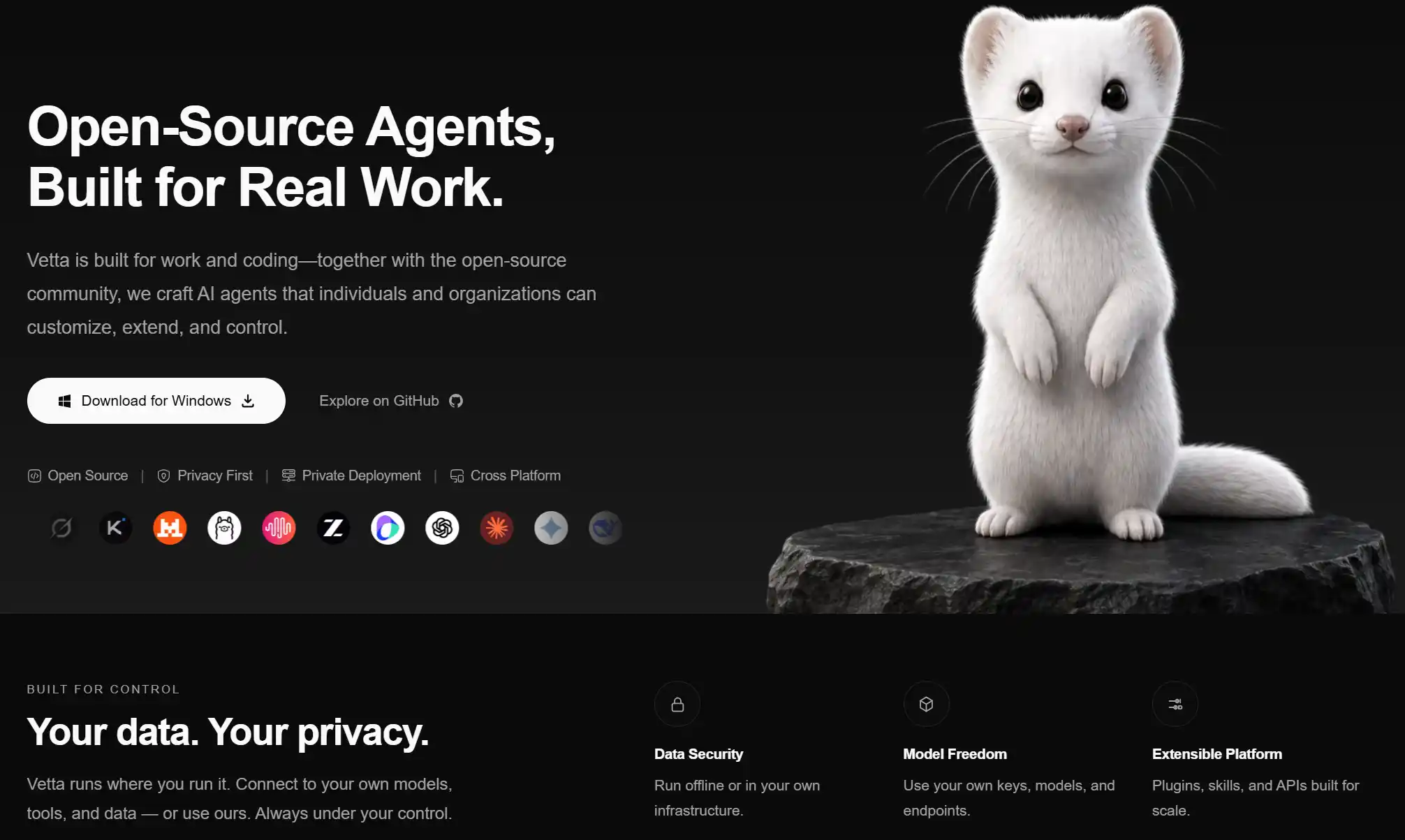
Open Vetta
An open-source AI agent built for real work — local, extensible, and under your control.




English · 简体中文 · Website · Download
What This Is
Your local-first AI agent for real work.
Open Vetta is an open-source desktop AI agent for coding, documents, data, workflows, and creative tasks. Bring your own models and tools through BYOK, MCP, skills, and plugins — with your data kept under your control.
Designed for professional and coding workflows, it helps individuals and teams build AI agents
that are customizable, extensible, and under their control. Whether you are working with
documents, analyzing data, writing code, building workflows, or connecting your own models,
tools, and knowledge, Open Vetta is designed to participate in real work and deliver results.
Open Vetta runs in the environment you choose. Connect your own models, tools, and data, and use
or extend its agent core through the desktop app, CLI, and SDK.
We chose open source because the future of AI-powered work should not be defined by only a few.
Developers, creators, and real users can contribute code, develop skills, integrate new models
and tools, and shape an agent around the way they actually work.
Your Data, Under Your Control
The default build depends on no Vetta-operated backend: no login, no account, no subscription
billing, no remote admin console. You bring your own API keys; requests go directly to the model
provider you choose, and keys stay in your local keychain. Every outbound request is explicitly
triggered by your own configuration (see Network Behavior).
That is the lite build, and it is what you get by cloning and building. A second, opt-in build
(VETTA_CLOUD_ENABLED=true) links the app to a Vetta Serv instance for accounts, subscriptions
and a hosted marketplace — that is how our official installers are produced. Both shapes and
every environment variable are documented in
Build Modes (中文).
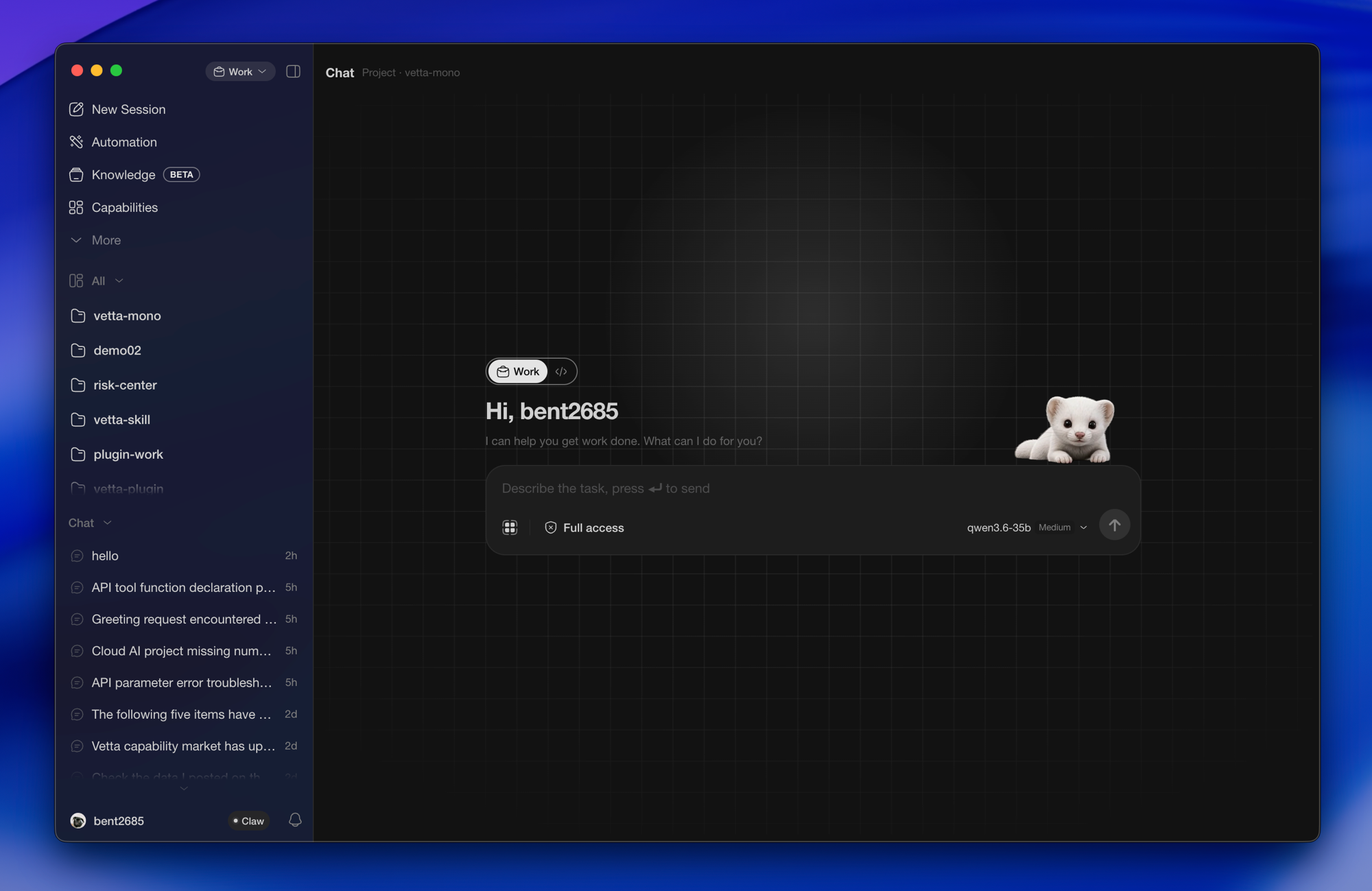
Desktop Features
An index of what's there and how to use it. Full guides live on the website.
Conversation & Workspace
| Feature | What it does |
|---|---|
| Chat | The main surface: message stream, artifact rendering, visible tool calls, auto-follow and jump-to-bottom. |
| Projects & sessions | Sessions organized by project in the sidebar. Projects come in three kinds — regular, batch, and scheduled — each with its own execution shape. |
| File browser & preview | Built-in local file tree. PDFs, Office documents, spreadsheets, images, audio and video preview in-app; scanned PDFs can be OCR'd offline. |
| Activity panel | A resizable side panel showing tool calls, request history, batch progress and debug output in real time. |
| Execution isolation | Pick an isolation level per session to constrain which directories the agent can touch and whether it may reach the network, with stray processes reaped on exit. Backed by system-level isolation on all three platforms. |
Automation
| Feature | What it does |
|---|---|
| Batch tasks | One prompt across many target directories, run in parallel at a concurrency you set, with pause, per-item retry, and full rerun. |
| Scheduling | Set a cron expression and tasks fire on time. Leave the app in the tray; you don't have to sit there. |
| Webhook notifications | Push completions and failures to Feishu or DingTalk bots. Credentials are stored encrypted, locally. |
| IM bridge | Once credentials are set, hand work to the agent on your machine from IM on your phone and get results back — useful when you're away from the desk. Feishu today; early stage. |
Extensions
| Feature | What it does |
|---|---|
| Marketplace | Browse and install skills, MCP servers, plugins and bundles. A marketplace source is just a GitHub repository — add as many as you like, or none at all. There is no central server. |
| Skills | Turn a way of working into something reusable. A set ships built in; more can be installed from a marketplace. |
| MCP | Full MCP server support. Once connected, the tools are automatically visible to the agent. |
| Plugins | Most of the app's workspace surfaces are plugins, and can be enabled or removed as you like. See Plugin System. |
| Themes | The entire look of the app is replaceable, including third-party themes. |
Local Data
| Feature | What it does |
|---|---|
| Knowledge base | Put local documents into a knowledge base; the app organizes them in the background into something searchable that the agent can draw on. Nothing leaves your machine. |
Native Desktop Integration
| Feature | What it does |
|---|---|
| Quick panel | A global hotkey brings up an input panel from anywhere, so you can start a task without switching windows. |
| Appshot (macOS) | One gesture captures the frontmost window along with the text on screen and hands both to the agent — no screenshotting and then describing it again. |
| Desktop pet | A desktop mascot that reacts to session state. Can be hidden. |
| Runtime management | When Node or Python is needed, the app provisions it — without polluting your system environment or requiring you to install anything first. |
| Setup wizard | Walks you through model configuration, permissions, and runtime preparation on first launch. |
| System integration | Tray residency, customizable shortcuts, native notifications, automatic updates. |
| Bilingual UI | Full English and Chinese coverage, switchable at any time. |
Plugin System
Plugins aren't decoration around the edges. The design canvas, the content workspace, Git,
charts, the various file previewers — those surfaces are plugins. The same extension points
are fully open to third parties.
A plugin is a React package that registers contributions in activate(ctx), or declares them
in plugin.json. It can extend the interface, and it can extend what the agent is capable of.
Design Stance
A plugin is part of Vetta, not a bolt-on beside it.
Plugins in most agent tools stop at "add a few tools, a few commands, a few MCP servers" —
the capability is attached from outside and the product is still the same product.
A Vetta plugin can inject system prompts, skills, tools and MCP servers into the agent,
declare which work modes it applies to, take over the entry point of a new session, and decide
whether a turn continues automatically. Install a set of plugins and you don't get "Vetta with
extra buttons" — you get Vetta rearranged around how you actually work.
The interface and the conversation run both ways.
A plugin doesn't only give the model new abilities; it can drive the conversation back.
Select an element on the canvas, click an item in the file tree, and a turn starts carrying
exactly that context. That return path — from interface back into the session — isn't something
a CLI-shaped extension mechanism can offer.
Bundled features and third-party plugins use the same API.
The preinstalled plugins in this repository are built on the public extension points documented
here. There are no private backdoors. System plugins differ from ordinary ones only in how they
ship — bundled with the app, permissions granted automatically, not removable — never in what
they're allowed to do. What you can build is the same kind of thing we build.
Vetta writes plugins.
The plugin workbench packages this developer handbook and a checklist into a skill, hands it
to the agent with a dedicated work-mode prompt, and hard-isolates those contributions inside
workbench mode so they never leak into everyday sessions. So going from "I want a panel that
does X" to having it installed can happen entirely in conversation — and the handbook Vetta
reads while building it is the one you're about to read.
Extension Points
Interface
| Extension point | What you can do |
|---|---|
| Activity tab | Open your own workspace in the activity panel — the most common landing spot for a plugin |
| Global overlay | Mount overlay UI across the whole app |
| File preview | Take over rendering for a file type, with streamed URLs for large files |
| File explorer | Add context menus, toolbar buttons and status decorations to the file tree; reveal and refresh |
| Message cards | Register custom card renderers for structured agent output, with cross-turn deduplication |
| Tool call rendering | Replace how a given tool call appears inline in the message stream |
| Turn card | Pin a persistent card above the current turn |
| Input action | Add a toggle-style action to the composer |
| Notifications | Raise toasts and error notices — no permission required |
| Shortcut scopes | Plug into the host's shortcut scope stack without fighting global bindings |
Conversation & agent
| Extension point | What you can do |
|---|---|
| Read the conversation | Subscribe to session state and the event stream |
| Drive the conversation | Send prompts, insert text, abort the current run on the user's behalf |
| Register agent tools | Expose plugin capability as a tool the model can call |
| Register app actions | Contribute app-level actions with a JSON Schema, approval flow and cancellation |
| Ship skills | Distribute skills with the plugin; they take effect on install |
| Bundled MCP servers | Ship an MCP server inside the plugin, aggregated alongside the user's own |
| Dynamic system prompts | Inject a system prompt into the turn based on context |
| Continuation strategy | Decide whether a turn continues automatically once it ends |
| Guiding words | Offer entry points in an empty session |
| Work-mode gating | Declare which work modes the plugin applies to, and react when the mode changes |
System capabilities
| Extension point | What you can do |
|---|---|
| Filesystem | Read and write workspace files |
| Commands | Run one-off commands, or spawn long-lived processes such as your own dev server |
| Network | Make requests through the host, sidestepping renderer CORS constraints |
| Private storage | Persistent storage scoped to the plugin |
| Settings | Declare and read your own settings; the host renders the settings UI |
| Plugin i18n | Ship locale catalogs that follow the app's language |
Permission Model
Every capability must be declared explicitly in plugin.json, granted individually by the host,
and checked again at runtime; anything undeclared is denied. Plugins share a single React runtime
with the host, which means they are positioned as reviewed first-party / curated extensions
rather than a sandbox for arbitrary untrusted code. That tradeoff and its boundaries are spelled
out in permissions.md.
Getting Started
import { definePlugin } from "@vetta-org/plugin-sdk";

export default definePlugin({
  activate(ctx) {
    ctx.ui.registerActivityTab({ id: "my-tab", label: "My Panel", component: MyPanel });
  },
});
{
  "id": "my-plugin",
  "name": "My Plugin",
  "version": "0.1.0",
  "pluginApiVersion": "^1.0.0",
  "permissions": ["ui.slot.activity-tab"]
}
Rather not hand-write scaffolding? Use the
plugin workbench — describe the panel you want
in conversation, let Vetta create it, build it, and install it locally.
Developer Handbook
| Document | Contents |
|---|---|
| getting-started.md | Environment, scaffolding, building, installing, debug loop |
| manifest.md | Every plugin.json field, work-mode allowlist, i18n, settings, agent-side contributions |
| permissions.md | Full permission list, gating points, declaration and grant flow |
| ui-slots.md | Global overlays, activity tabs, file preview, input actions, turn cards, tool slots, shortcuts |
| message-cards.md | Card renderers and cross-turn deduplication |
| file-explorer.md | Context menus, toolbars, decorations, reveal and events |
| conversation-and-agent.md | Conversation read/write, tool registration, commands, fs, network, storage, settings, i18n |
| app-actions.md | App action schemas, approval, lifecycle, independent releases |
| mcp.md | Three-source MCP aggregation and plugin-bundled MCP |
| system-plugins.md | System plugins (presets) and tenant packaging |
| styling-and-pitfalls.md | Styling conventions, common pitfalls, caching and versioning |
Full index at docs/plugin/README.md;
the SDK and build tooling live in packages/plugins.
Bundled Plugins
| Plugin | Description |
|---|---|
| vetta-ui-design | Infinite-canvas UI design workspace — see below |
| content-creation | Node canvas, asset production and multi-track composition |
| plugin-workbench | Build plugins by conversation, from creation to installation, all in-app |
| git | Git status tree and file diffs in the activity panel |
| image-gen | Image generation |
| chart-renderer | Render agent-produced data as charts inline in the conversation |
| office-viewer · media-viewer · svg-viewer | Offline preview for PDF/DOCX/PPTX/spreadsheets, images and media, and SVG |
| vetta-actions | A set of official built-in actions the agent can call directly |
A few more plugins under packages/plugins/externals (Cowart infinite canvas, mobile device UI
preview, and others) are not bundled with the app — they exist as source examples and
reference material for writing your own.
Vetta UI Design
Design UI on an infinite canvas. A frame isn't a static layer — it's a real, running,
interactive interface, and what you see is what it is.
- Create a design document from the "Design" tab in the activity panel, or just ask Vetta
to make one in conversation. - Select a frame, several frames, or one specific element inside a frame, hit "ask Vetta"
and say what you want changed. The canvas updates live — no explaining which button you meant. - One shared color system across the whole document; change it once and every frame follows.
- Export frames as rendered images with adjustable corner radius, border, shadow, background
and output scale, or copy straight to the clipboard. - Package an entire design as a read-only share bundle that opens in-app on the other end,
with nothing to set up.
The design runtime is provisioned automatically on first use — no need to install Node or
configure anything.
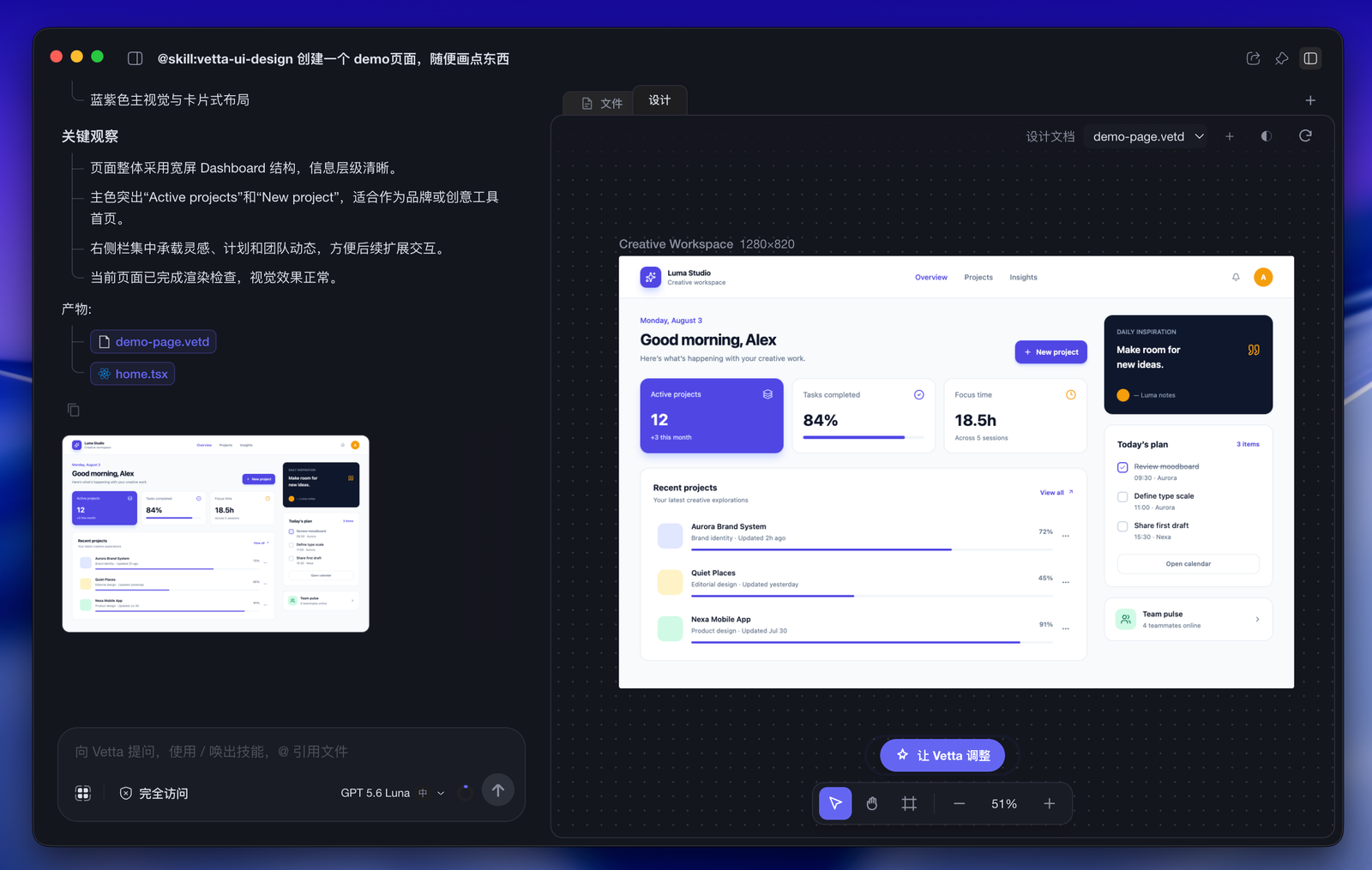
Ask once and Vetta builds the page: conversation and outputs on the left, canvas on the right — select any frame or element to keep refining
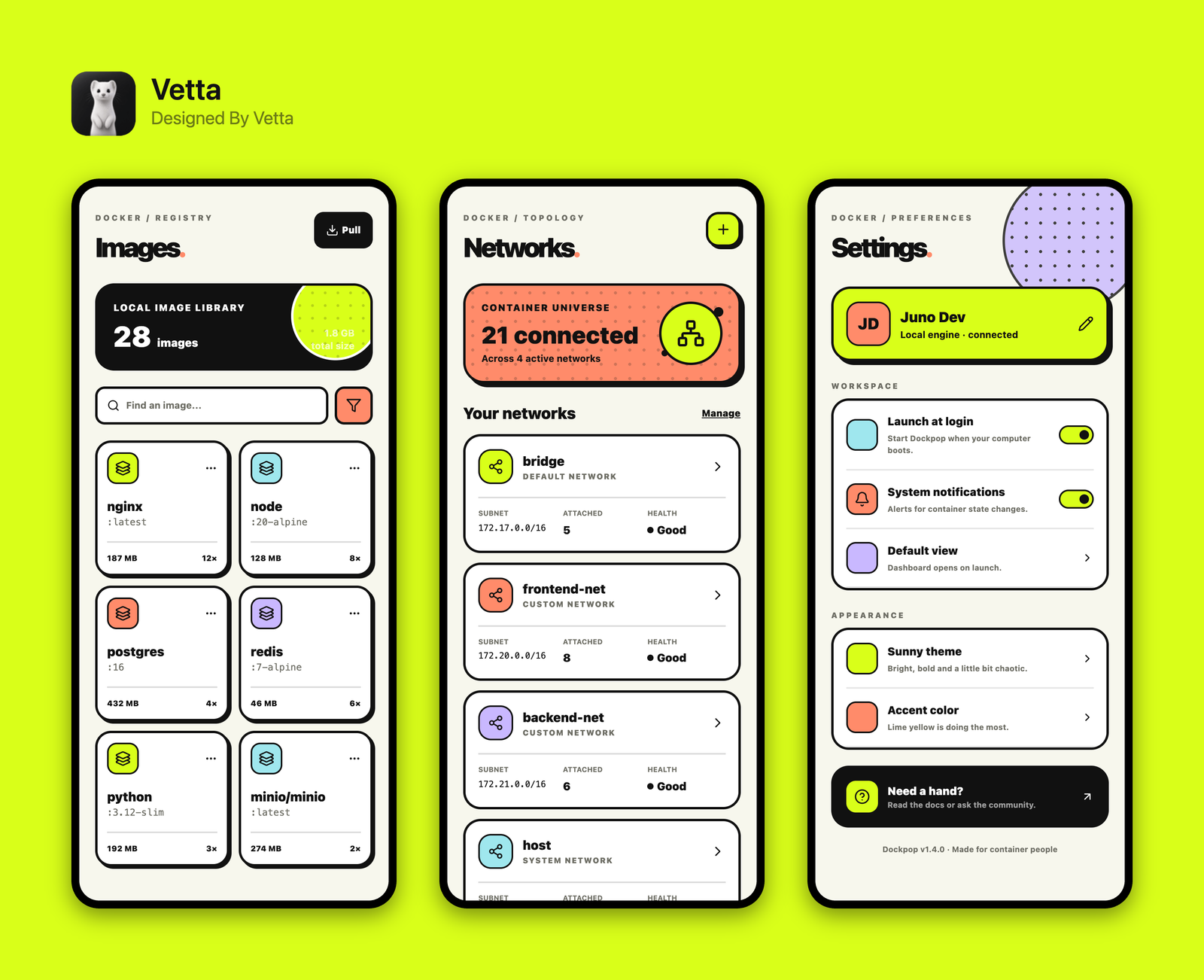
Select frames and export a render — background, corner radius, shadow and branding are all adjustable, ready to hand off or share
Installation
Download
Grab macOS, Windows and Linux installers from Releases. All three platforms
are built and published by .github/workflows/desktop-release.yml.
Build from Source
Requires Bun 1.3+ and Node 20+.
bun install                # install all workspace dependencies
bun run build              # build the core libraries
bun run build:desktop      # build the desktop app
bun run build:cli          # build the CLI app
bun run build:docs         # build the documentation site
This produces a lite build: no account system, no subscription, marketplace served from a
GitHub repository you choose. See Build Modes to build against a
Vetta Serv instance instead.
The IM bridge gateway (Go):
cd apps/im-gateway && make build
Architecture
The monorepo has four layers, with dependencies pointing one way:
apps → runtime-* → coding-agent / agent / ai. The core libraries know nothing about
their host, which is why the same core runs inside Electron and in a terminal alike.
Apps
| Package | Role | Stack |
|---|---|---|
| desktop | Electron desktop host, home to everything above | Electron · React · Vite · Jotai · TanStack Router · shadcn/ui · Tailwind v4 |
| coding-agent | Coding agent core, with interactive / print-JSON / RPC / SDK modes | TypeScript |
| cli-host | A pure CLI wrapper around coding-agent | TypeScript |
| im-gateway | IM bridge sidecar, talking to the desktop main process over NDJSON IPC | Go |
| mobile | Android client | Kotlin Multiplatform |
| docs-site | The documentation site — community contributions welcome | Next.js |
Core Libraries
| Package | Owns | Does not own |
|---|---|---|
| ai | Multi-provider LLM API, model registry, provider adapters, token and cost accounting | Agent loop, UI, session persistence |
| agent | Stateful agent loop, tool calls, event stream | Terminal/desktop UI, business rules |
| ui · theme-ui · theme-sdk | Reusable UI primitives, theme view layer and theme SDK | Host lifecycle |
Runtime Layer
Adapter packages shared by host apps: runtime-core (RuntimeHost and
the session facade), runtime-tools (built-in tool re-exports),
runtime-storage (session and settings storage),
runtime-mcp (MCP manager bindings), and
runtime-telemetry (local logging abstraction — disk only).
Layout
open-vetta/
├── apps/
│   ├── desktop · cli-host                          # Electron host and CLI
│   ├── im-gateway                                  # IM bridge (Go)
│   ├── mobile                                      # Android (Kotlin Multiplatform)
│   └── docs-site                                   # documentation site (Next.js)
├── packages/
│   ├── ai · agent · coding-agent                   # core libraries
│   ├── runtime-core · runtime-tools · runtime-mcp · runtime-storage · runtime-telemetry
│   ├── ui · theme-ui · theme-sdk · markdown        # UI and theming
│   ├── plugins · themes · skill-presets            # extension ecosystem
│   └── capability-sdk · capability-runtime         # capability and permission layer
├── docs/                                           # architecture docs and ADRs
├── scripts/                                        # build, release and quality guards
├── AGENTS.md                                       # development and AI collaboration rules
└── CONTEXT.md                                      # domain glossary
Model Configuration (BYOK)
The client ships a preset provider catalog (Claude, OpenAI, DeepSeek, Z.ai (GLM), Kimi, Gemini,
Grok, Qwen) containing only baseUrl and API type — no keys. Once you add your own key:
- it immediately queries that provider's
/modelsfor what your account can actually use,
then re-syncs in the background every 12 hours; - pricing and capability metadata are filled in from the public models.dev
catalog, with a bundled snapshot as fallback; - requests go straight to the provider. This app does not proxy, relay, or bill.
Any OpenAI-compatible endpoint works too, including local inference via Ollama, vLLM or LM Studio.
Background in ADR-0050.
Marketplace
Capabilities — skills, MCP servers, plugins and bundles — come from GitHub repository archives:
the client downloads the repo tarball, reads .vetta/marketplace.json inside it, and does all
searching and filtering against the local snapshot. Add as many sources as you like, or none.
Manifest format in docs/open-marketplace.md; the unified model is
described in ADR-0049.
The above is how a lite build works. A full build serves its marketplace from Vetta Serv and
does not bundle a GitHub source, so that the same ability never arrives through two channels with
disagreeing versions — you can still add GitHub sources by hand there.
MCP configuration example:
// ~/.vetta/agent/mcp.json
{
  "mcpServers": {
    "filesystem": {
      "command": "npx",
      "args": ["-y", "@modelcontextprotocol/server-filesystem", "/path/to/directory"]
    }
  }
}
Use /mcp in interactive mode to check status. Details in
packages/coding-agent/docs/MCP.md.
Network Behavior
The app makes network requests only in the following cases, all of them driven by your configuration:
| Purpose | Destination | Can it be turned off |
|---|---|---|
| LLM inference | The provider you configured | Doesn't happen without a key |
| Model metadata | The public models.dev catalog |
Falls back to the bundled snapshot |
| Marketplace | GitHub repositories you added | Doesn't happen without a source |
| Portable runtime download | Official Node / Python distributions (regional mirrors preferred) | Skipped if a system runtime is available |
| Automatic updates | VETTA_UPDATE_URL or GitHub Releases, as you configure |
Not checked if unconfigured |
| MCP / plugins / IM / webhooks | Determined by the extensions you install and the credentials you enter | Doesn't happen if not installed |
| Error and product analytics | Sentry / PostHog, only if a DSN or project key was set at build time | Absent from the binary when unconfigured |
Telemetry is opt-in at build time. The Sentry and PostHog integrations are no-ops unless a
DSN / project key is supplied when building — a build with none configured reports nothing at all,
which is what you get from a source build. Our official installers are built with them
configured; if that matters to you, build from source.
Contributing
bun run check              # Biome + typecheck + architecture guards (required before a PR)
bun run check:quick        # fast feedback on changed files (no typecheck)
bun run test:unit          # core library unit tests
bun run test:pkg ai        # single-package tests; test:pkg --list shows what's testable
bun run test:changed       # only packages affected by your changes
Conventions worth knowing:
- Bun (
bun/bunx) is the package manager, everywhere. - No
anyin TypeScript unless genuinely necessary, and no inlineimport()used to obtain
types. On the Go side, runmake checkafter changes. - All user-facing copy goes through i18n. Never hardcode strings.
- Commit messages are written in Chinese; reference issues with
fixes #N/closes #N. - Do not run
bun run dev/bun run build/bun testdirectly.
Full rules in AGENTS.md; the layered quality gates are described in
docs/dev/quality-gates.md.
Versioning and Releases
All packages share one version (lockstep), sourced from @vetta/coding-agent. There are no
major releases:
bun run release:patch    # fixes and new features
bun run release:minor    # API breaking changes
Each package keeps its own CHANGELOG.md (under apps/* or packages/*). New entries go under ## [Unreleased];
released sections are never edited.
Documentation
- docs/plugin/README.md — plugin developer handbook (11 documents)
- docs/adr/ — architecture decision records
- docs/capabilities/README.md — foundation/domain capabilities and the permission layer
- docs/open-marketplace.md — open marketplace manifest format
- docs/desktop/README.md — desktop packaging and the auto-update path
- docs/desktop/build-modes.en.md — build modes and every environment variable
- docs/adr/README.md — how ADR numbering works, including the deliberate gaps
- CONTEXT.md — domain glossary (check existing naming before writing code)
Credits
This project stands on a good deal of other people's work. The following go directly into the
code or the distributed artifacts:
| Project | Where it's used | License |
|---|---|---|
| pi · Mario Zechner | ai / agent / coding-agent / ecosystem-adapter were rewritten and iterated on top of it; the agent loop, provider abstraction and extension mechanism trace back here |
MIT |
| Codex CLI · OpenAI | The execution sandbox design draws on theirs; on Windows we ship their sandbox host binary directly | Apache-2.0 |
| bubblewrap | The Linux sandbox backend, distributed with the installer | LGPL-2.0+ |
| PP-OCRv5 · PaddlePaddle | Detection and recognition models for offline PDF OCR | Apache-2.0 |
| python-build-standalone · Astral | Distribution source for the portable Python runtime | See upstream |
| Node.js | Distribution source for the portable Node runtime | MIT |
| Cowart | plugins/externals/cowart-vetta is adapted from it. That plugin lives in externals/ and is not bundled with the app — it exists as a source example only |
See upstream |
We're likewise indebted to the Model Context Protocol
specification, the public model catalog at models.dev, and to Electron,
React, Vite, Tailwind CSS, shadcn/ui, Jotai, TanStack Router, Biome and Bun.
The complete third-party inventory and original copyright notices are in NOTICE.
License
Yorumlar (0)
Yorum birakmak icin giris yap.
Yorum birakSonuc bulunamadi