openvurp
Health Uyari
- License — License: MIT
- Description — Repository has a description
- Active repo — Last push 0 days ago
- Low visibility — Only 5 GitHub stars
Code Gecti
- Code scan — Scanned 12 files during light audit, no dangerous patterns found
Permissions Gecti
- Permissions — No dangerous permissions requested
Bu listing icin henuz AI raporu yok.
A wallet of AI agents that use real tools and ask each other when a question isn't theirs. Runs on your computer; the model is your choice, local or not.
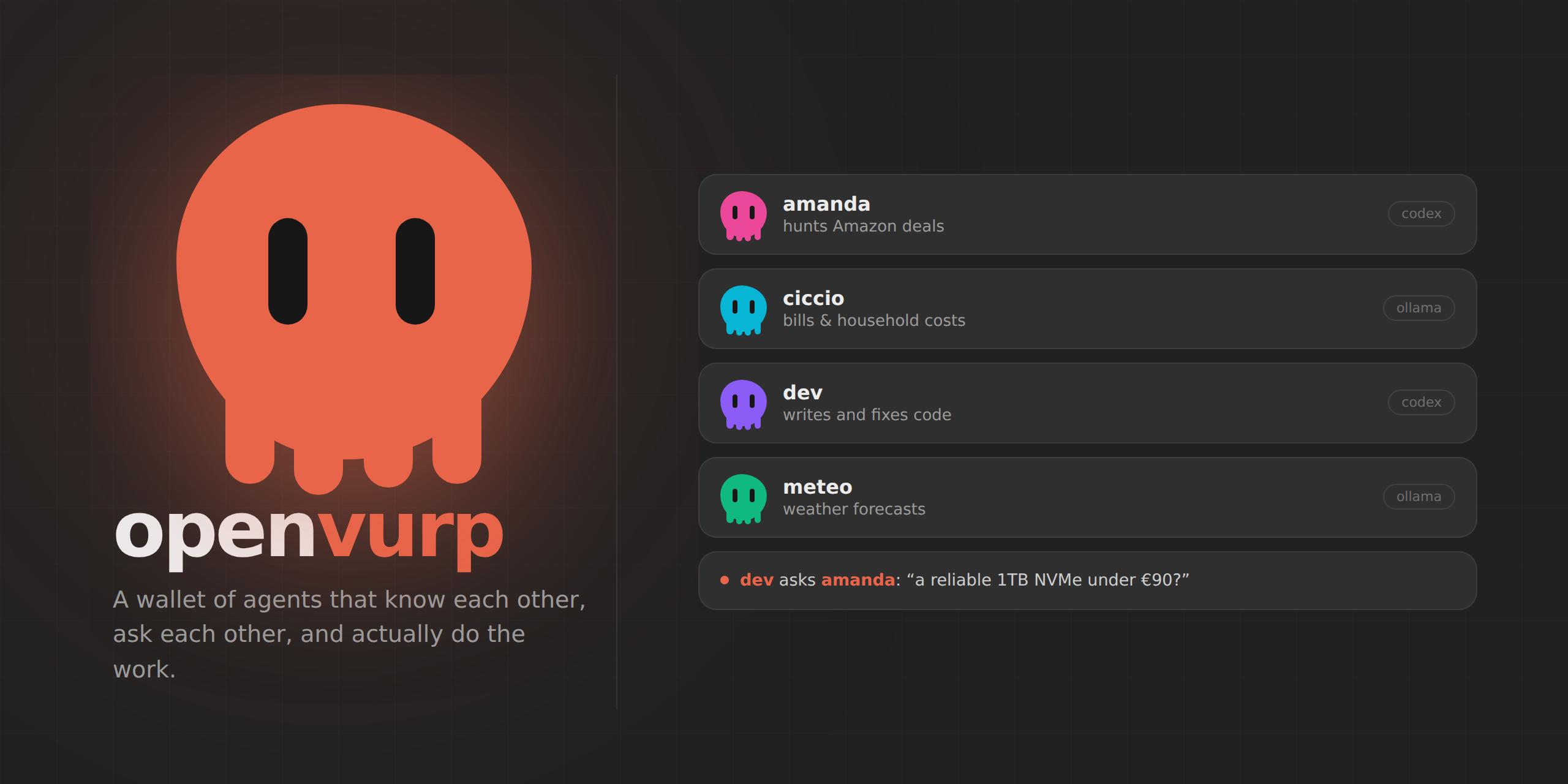




openvurp
openvurp is where you keep your AI agents.
You create them. Each one gets a name, a job, and an engine. They can run
commands on your computer, read and write files, search the web, drive a
browser — and they know about each other, so one can ask a colleague instead of
guessing.
openvurp runs on your computer and the agents live there: conversations,
lessons and memory are files under memory/, yours to read and to delete.
The model is a separate choice, and it is yours. It can run on your own
hardware, or on somebody's servers — and that line does not follow the provider:
Ollama serves local models and cloud ones alike, and the default here
(qwen3-coder-next:cloud) is one of the cloud ones. What decides is the model
you pick, not the name in front of it.
Whatever you pick, its prompts go where that model runs, like with any other
client. openvurp does not pretend otherwise: the engine is written next to every
agent, and PRIVACY_MODE can keep private turns on a local model even when the
main one is remote — a rule the runtime applies by reading the model name, so a:cloud model counts as cloud however it is served.
git clone https://github.com/openvurp/openvurp && cd openvurp
python3 -m pip install -e .
openvurp
That opens http://localhost:8420. The page is empty: make your first agent.
How it works
Five ideas. That is the whole thing.
1. openvurp is the place, not a character.
It has no name, no personality, no memory of its own. It runs the agents, keeps
their conversations, and enforces the rules. Nobody talks to openvurp.
2. An agent is a name, a job, and an engine.
The job is a sentence — "hunts Amazon deals", "watches the bills". That
sentence is what the other agents read when they need to decide who to ask. The
engine is which model it runs on, and each agent can have a different one.
3. They see each other.
Every agent carries the list of colleagues — names and jobs — inside its own
tools. When a question isn't its field, it asks the right one itself. You never
route anything.
you   → my SSD is dying, what should I get?

dev   ⚙ shell   smartctl -A /dev/nvme0n1
      → 187 reallocated sectors. Back up today.
      ⇉ asks amanda: a reliable 1TB NVMe under €90?

amanda → Crucial P3 Plus 1TB, €74.

dev   → So: Crucial P3 Plus, €74. Back up before you swap it.
4. Tools are real, so you watch them work.shell runs a real command. write_file writes a real file. You see each one
as it happens, and anything sensitive stops to ask you first — in the browser,
where you asked for it.
5. One conversation, many doors.
The page, Telegram, Discord, Slack, WhatsApp: they all call the same code. Ask
amanda something from your phone and it is in her conversation on the screen.
What you see
The roster, on the left — the agents you made. It starts empty on purpose.
A conversation each, kept on disk, still there after a restart.
"All together" — a room where they answer each other, not you in parallel.
Whoever you call by name is in and speaks first. It ends when a round goes by
with nobody adding anything, or when you press Stop. Then whoever opened it
writes what was agreed, what wasn't, and who thinks otherwise. Making up a
consensus is not allowed, and neither is speaking in a colleague's name. If
someone is left out by the cap, or cannot answer, the room says so.
What they are doing, while they do it — the commands, the searches, and two
avatars walking over to each other when one consults the other. While the
colleague works you see his commands and his answer as it arrives, in the
conversation you are looking at. A file an agent makes opens in a card next to
the chat.
Settings, on their own page (the gear, bottom left) — engine, channels,
local servers. Everything is a menu built from what is actually installed, not
a box where you type a model name from memory.
Running it
openvurp is the page — there is no second interface. A terminal chat and a
full TUI used to sit beside it; they were two more doors onto the same house,
and nobody walked through them. What stays in the terminal is what a page
cannot do: configure the thing before it can answer, and tell you what is
broken when it will not start.
| command | what it does |
|---|---|
openvurp |
the page in your browser |
openvurp --headless |
services only, no interface |
openvurp --setup |
redo the setup wizard |
openvurp --doctor |
check what's broken |
The first launch asks you three things — engine, model, and optionally a
Telegram token — and writes .env for you. It will not start half-configured.
Docker. docker compose up -d gives you the same page on :8420.memory/ is a volume, so restarting the container costs you nothing.
Always on. sudo bash scripts/install-service.sh installs a systemd
service. Close the terminal, reboot: the agents are still there.
Engines
Each agent runs on whichever you pick.
- Servers you run yourself — Ollama, or anything speaking the OpenAI API
(LM Studio, llama.cpp, vLLM, Jan, koboldcpp, Colibri). openvurp knocks on the
usual local ports: whatever answers shows up in Settings with its models
listed. Note that "your own server" is not the same as "your own hardware" —
Ollama also serves cloud models, marked:cloud, and those run on its
servers like any other remote model. - Subscription CLIs —
codex loginorclauderun on the plan you already
pay for. openvurp removesOPENAI_API_KEYfrom their environment so they can
never quietly switch to paid API calls. - APIs — Anthropic, OpenAI, Groq, or any OpenAI-compatible endpoint.
Costs are capped on purpose: TURN_TOKEN_BUDGET, CONTEXT_MAX_TOKENS,DAILY_LLM_BUDGET.
Channels
Reach the same agents from your phone. Turn them on withCHANNELS_IN=telegram,discord.
@amanda find me an SSD     ask one agent
amanda                     just the name: now you're talking to her
/agents                    who's in the roster
/all what do you think?    ask the whole room
/stop                      stop the discussion
/help                      this list
Every channel needs its own allow-list (TELEGRAM_ALLOWED_USERS,DISCORD_ALLOWED_USERS, …). An empty one means nobody, and the channel refuses
to start — opening a door onto your own computer cannot be the default.
Strangers get silence, not a refusal.
Telegram needs no extra package. Discord needs openvurp[discord] and the
message-content intent. Slack needs openvurp[slack] over Socket Mode.
WhatsApp goes through Baileys (scan a QR from Settings, needs Node) — and
it is unofficial: Meta can ban the number, so use a spare one.
Separately, set TELEGRAM_TOKEN and TELEGRAM_CHAT_ID and openvurp writes to
you: a job finished, a permission waiting.
What keeps you safe
- Sandbox — file tools stay inside the workspace. Destructive shell
commands (rm -rf /,dd,mkfs) are refused in every mode. - Approvals —
safeasks,autopre-approves the harmless,planonly
proposes. Always grants a lease for that one tool, for eight hours. - Pacts — a rule you set once (never touch that folder) that the runtime
checks on every single tool call. - The page is local — bound to
127.0.0.1. Exposing it requires a token,
generated for you if you don't set one. - Nothing leaves quietly — web and document content is marked as data, not
instructions, and secrets are blocked from outbound text. - Audit — every command, search and file is logged.
python3 scripts/secret_scan.pyfails on anything you shouldn't commit.
What each agent learns
A correction you give an agent becomes a test case, replayed later to check it
does not come back. Those lessons are its own: memory/agents/<id>/. What
you teach the one who hunts deals does not end up with the one who writes code.
Agents can also build tools they are missing (the Forge: draft, test, then
promote to a reusable plugin — and adopting one is always your call).
Layout
main.py          startup, setup wizard, services
dashboard.py     the page: HTML, HTTP API, live activity

core/            agent loop · swarm (the roster, and how they consult each
                 other) · multiplayer (the room) · conversation (the single
                 core every channel goes through) · chat_store · approvals ·
                 learning · mirror · forge · pacts · heartbeat · sentinel ·
                 memory · privacy · safety · RBAC/audit · subagents ·
                 model router · MCP · LLM client
tools/           shell · files · search · web · browser · processes · media ·
                 voice · notifications
channels/        telegram · discord · slack · whatsapp — transport only
skills/          markdown skills, loaded on demand
plugins/         drop-in tools
memory/          the agents' conversations, lessons and state
Development
python3 -m pip install -e ".[dev]"   # adds pytest
python3 -m pytest -q
python3 scripts/secret_scan.py       # before any push
[dev] is a group of optional dependencies declared in pyproject.toml, not a
branch. Plain pip install -e . is all you need to run openvurp; the extras add
things you may not want: [dev] pytest, [discord] and [slack] those
channels, [pdf] PDF preview, [voice] speech, [browser] Playwright,[all] everything.
Where it's going: ROADMAP.md. Reporting a vulnerability:
SECURITY.md.
The name
Vurp means octopus in the dialect of Taranto — my hometown, and its sea.
License
Yorumlar (0)
Yorum birakmak icin giris yap.
Yorum birakSonuc bulunamadi