vibemon-app
Health Pass
- License — License: MIT
- Description — Repository has a description
- Active repo — Last push 0 days ago
- Community trust — 23 GitHub stars
Code Fail
- eval() — Dynamic code execution via eval() in .claude/skills/run-desktop/driver.mjs
- process.env — Environment variable access in .claude/skills/run-desktop/driver.mjs
- network request — Outbound network request in .claude/skills/run-desktop/driver.mjs
- process.env — Environment variable access in .github/workflows/build-release.yml
- fs module — File system access in assets/generators/generate-icons.js
- child_process — Shell command execution capability in bin/cli.js
Permissions Pass
- Permissions — No dangerous permissions requested
No AI report is available for this listing yet.
AI Agent Monitoring Dashboard
VibeMon Desktop



Monitor selected resources and coding accounts from your desktop. VibeMon combines cloud summaries with local coding-agent activity, a floating character, and a speech bubble.
- Monitor custom resources, servers, DGX Spark hosts, and Kubernetes clusters.
- Select multiple Codex, Claude, Kiro, or other provider accounts independently.
- Choose visible metrics and view recent-hour trends. Web edits to resource labels, ranges, and order appear on the next poll.
- Receive local tool events without a cloud connection. Hooks support Claude Code, Codex, Kiro, OpenClaw, and OpenCode.
Install and start
On macOS:
brew install opspresso/tap/vibemon
For Windows or a direct macOS installer, download the matching package from Releases. With Node.js 24, you can also run:
npx vibemon
The App starts in the system tray and listens locally on http://127.0.0.1:19280. vibemon --version and vibemon --help exit without opening the App.
Connect cloud sources
- Sign in to VibeMon Account with Google.
- Create a Read token and select Show token to copy it. Tokens can be retrieved again; deleting one stops its API access.
- Open Monitoring… in the App tray menu. Enter the Web origin and read token, then select Save and connect.
- Select resources, provider accounts, and metrics under Connection and display settings, then Apply display selection.
A source appears after its collector or hook sends the first report. Follow the connection guide to set up separate write tokens, custom resources, or several accounts for one provider. Provider credentials remain on the source machine.
The App keeps its read token in OS secure storage. Disconnect removes the local credential; deleting the token on Web invalidates it for every client using it. See cloud monitoring for selection, missing data, stale sources, and troubleshooting.
Connect local coding tools
Open Settings → AI Tools → Install for the tool you use, then restart that tool. Local character updates do not require Google login. Sending the same activity to Web requires a separate write token in the hook configuration; the App's read token is never reused for hooks.
Tool detection honors CLAUDE_CONFIG_DIR, CODEX_HOME, KIRO_HOME, and OPENCODE_CONFIG_DIR. These variables must reach both the tool and App processes. OpenClaw installation is supported on macOS/Linux. See the hook installation guide for headless/Windows setup and hook reference for event mappings.
Character display
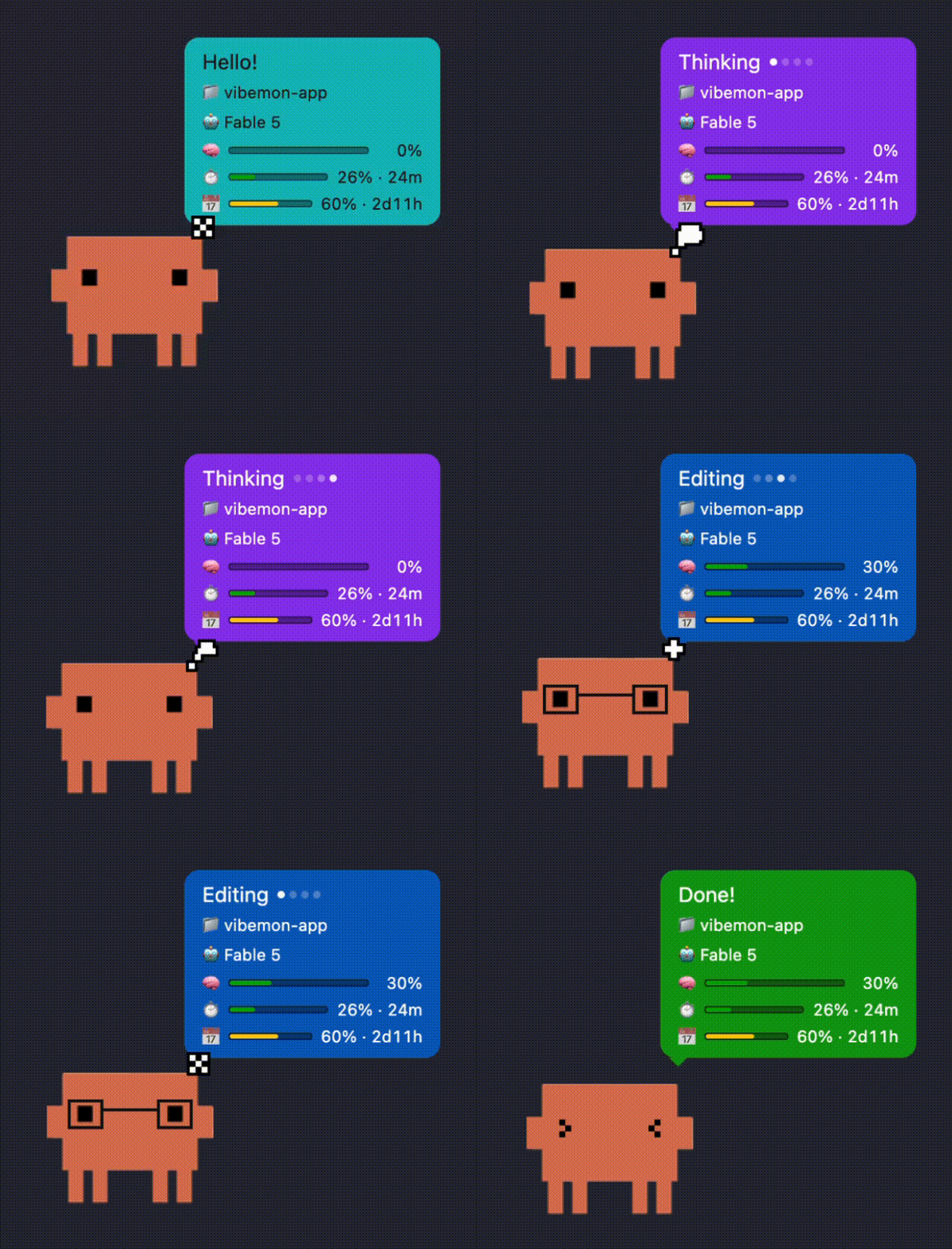
One character window follows the active local or selected cloud project. Drag the character or bubble to move them together; use Character Lock to choose a fixed character. See desktop features for states, characters, settings, and interaction details.
Develop
Use Node.js 24 (nvm use) and the pnpm version pinned in package.json:
pnpm install --frozen-lockfile
pnpm start
Web development normally runs on http://localhost:3030; the unpackaged App accepts that loopback origin. Packaged apps require HTTPS. Build and validation commands are in build and packaging.
Documentation and related projects
- Documentation index — Desktop user and developer guides.
- Local HTTP API — Loopback status, window, and health endpoints.
- Web Monitoring API — Cloud tokens, summaries, settings, and trends.
- Web service — Login, source configuration, and browser dashboard.
- Hooks and collector source — Public installers, collector, shared schema, registries, and rendering assets live in this repository.
- Web source — Private service implementation; App installation, builds, and CI do not require access.
- ESP32 firmware — Separate hardware project; its legacy cloud WebSocket transport is unavailable.
License
MIT
Reviews (0)
Sign in to leave a review.
Leave a reviewNo results found