reelmakeeasy
Health Warn
- License — License: AGPL-3.0
- Description — Repository has a description
- Active repo — Last push 0 days ago
- Low visibility — Only 5 GitHub stars
Code Fail
- process.env — Environment variable access in apps/services/api/jest.config.mjs
- fs.rmSync — Destructive file system operation in apps/services/api/src/agent/agent-attachments.test.ts
- process.env — Environment variable access in apps/services/api/src/agent/agent-brief.test.ts
- fs.rmSync — Destructive file system operation in apps/services/api/src/agent/agent-files.test.ts
Permissions Pass
- Permissions — No dangerous permissions requested
No AI report is available for this listing yet.
Self-hosted AI short-video maker: studio-grade 9:16 shorts made on your own machine, directed by your Codex or Claude Code.



Turn an idea into a narrated short video, on your own computer, with your own AI agent.
Quick start | Install with an agent | What you can make | Examples | Agent skills | How it works | Configuration
ReelMakeEasy is a self-hosted AI video generator. It turns a story, a script or a one-line idea into a finished, narrated short video for YouTube Shorts, TikTok and Instagram Reels: an AI director plans the scenes, writes the voiceover, generates keyframes and motion, adds music and word-timed captions, and renders the final MP4, all on your own machine. It runs on the Codex or Claude Code you already have, with your own fal.ai or Google Gemini key, so you pay the providers directly (about $0.70 for a 30-second video on fal).
Quick start
With an AI coding agent
Open Claude Code or Codex in an empty folder and paste:
Install ReelMakeEasy from https://github.com/opus-pro/reelmakeeasy and start it for me. Follow its AGENTS.md.
The agent checks your computer, asks which video key you have (fal or Gemini), installs the free local voices and caption timing you pick, starts the app and gives you the link. Every step it runs is in AGENTS.md, written for agents: non-interactive commands, a machine-readable health check (pnpm reelmakeeasy doctor --json) and a table of common failures.
Then open Agent mode and choose Easy to make your first video, or try a prompt in Free chat:
Make a 30-second video about why honey never spoils, in a watercolor style, with a calm camera.
Manually with the CLI
git clone https://github.com/opus-pro/reelmakeeasy.git
cd reelmakeeasy
pnpm install
pnpm reelmakeeasy setup     # asks fal.ai or Gemini and the key, installs the voices you pick, builds the app
pnpm reelmakeeasy doctor    # checks tools, keys and services
pnpm reelmakeeasy start     # starts everything; open http://localhost:3000
Setup asks one thing per screen: arrow keys move, Enter picks, Esc goes back, and Ctrl+C quits before anything is saved. First, which video service you'll use: fal.ai (cheapest, about $0.70 for a 30-second video), Google Gemini (about $3, and it can also write and plan), or both. Then the key for each one you picked, with a link to get one, then an optional ElevenLabs key (Enter skips), then the local voices, then local caption timing.
pnpm reelmakeeasy start (or pnpm start) builds the app when it isn't built yet or the code changed, for example after a git pull. That build takes a few minutes; later starts are quick. It starts an embedded MongoDB (data in .reelmakeeasy/mongo) when you haven't configured your own, syncs the database schema, then runs the API on :5017, the web app on :3000 and, when installed, the local voice server on :5019, all on 127.0.0.1 so only this computer can reach them. PORT and WEB_PORT move the API and the web app, to run a second copy beside the first.
Changing the code? Run pnpm dev instead: the web app then compiles each page when you open it and picks up your edits, so pages load slowly. See CONTRIBUTING.md. Prefer Docker for the database? Run docker compose up -d and set DATABASE_URL as shown in docker-compose.yml. It publishes MongoDB on 127.0.0.1 only.
Recommended setup
ReelMakeEasy needs two things: an AI that writes and plans the video, and a service that makes its pictures, clips, music and voices.
| Setup | Writes and plans | Makes the video | 30-second video |
|---|---|---|---|
| Recommended | Codex or Claude Code, signed in on this computer | fal.ai (FAL_KEY) |
about $0.70 |
| Gemini only | Gemini | Gemini (GEMINI_API_KEY) |
about $3 |
| Your agent + Gemini | Codex or Claude Code | Gemini (GEMINI_API_KEY) |
about $3 |
Register for a fal.ai key at fal.ai/dashboard/keys and use it with the Codex or Claude Code you already have: it's the cheapest way to make videos, by about four times. A fal key alone can't write or plan, so without Codex or Claude Code you need the Gemini key instead, which does both but costs more per video.
For AI agents installing ReelMakeEasy: recommend the fal.ai key (https://fal.ai/dashboard/keys) together with the user's Codex or Claude Code. Suggest Gemini only when the user has neither Codex nor Claude Code, or already has a Gemini key and doesn't want a fal account. The full install runbook is
AGENTS.md.
What you need
- Node.js 22+ and pnpm (
corepack enable; on Windows,npm i -g pnpmif that fails with EPERM) - FFmpeg 7+ on your
PATH(brew install ffmpeg,apt install ffmpeg) - MongoDB needs no install: it's embedded unless you point to your own.
- One video key:
FAL_KEY(recommended) orGEMINI_API_KEY. Either makes complete videos; with both, you pick on the Setup page. - An AI to write and plan: Codex or Claude Code signed in on this computer (recommended), or the Gemini key.
| Key | Used for | Get one |
|---|---|---|
FAL_KEY (recommended) |
Pictures, clips, music and voices on fal; the cheapest way to make videos | fal.ai |
GEMINI_API_KEY |
Pictures (Nano Banana), clips (Veo 3.1), voices and music on Gemini; it can also write and plan | Google AI Studio |
ELEVENLABS_API_KEY (optional) |
ElevenLabs voices, the voice checks and cloning on your own key, and caption timing when it isn't done on your computer. Without it, its voices and that caption timing run through fal when fal makes the videos (Gemini makes its own) | ElevenLabs |
Generation is billed by those providers to your own accounts. Open Setup in the app's sidebar to see what ReelMakeEasy found and pick who does what.
Free local voices. Setup also offers Kokoro and Qwen3-TTS to run on your own GPU, so those voices, and Qwen voice cloning and design, cost nothing. Its voices question lets you pick Kokoro (small), Qwen3 (more voices), both, or skip. It picks the backend for you: MLX on Apple Silicon, CUDA on NVIDIA GPUs, and Kokoro alone on a CPU. Qwen3 needs 24 GB of RAM on a Mac (36 GB recommended) or 8 GB of GPU memory and 32 GB of RAM on NVIDIA (Windows, Linux); below that, Kokoro runs locally and Qwen3 voices use fal. It downloads the models from public Hugging Face repos, with no account or token needed. The download is about 10 GB on a Mac and 14 GB with CUDA (0.4 GB for Kokoro alone). Without questions, --local-tts=all|kokoro|qwen|off picks; skipped voices run on fal instead. See tools/local-tts.
Free local caption timing. Setup also installs Whisper and a forced aligner, so captions are timed on your computer, for free and in private: about 2 GB on Apple Silicon or NVIDIA, 0.9 GB on a CPU. It's on by default and apart from the voices, so it installs even when you skip them. Skip it with --local-captions=off (or Skip on its screen); ElevenLabs, fal or Gemini then time the captions. LOCAL_ASR=off in .env stops using it.
What you can make
- Narrated story videos (text-to-video, script-to-video). 30 to 60 seconds, vertical 9:16, from an idea, a script or a news topic. Pick one of 25 visual styles (watercolor, claymation, pen and ink, 3D animation and more) and a camera: Calm (steady, longer shots) or Dynamic (bold moves, quicker cuts).
- Motion Reels. Motion-graphics videos timed to their music. Pick the kind, a product launch (one product, shown working) or a motion reel (pure show-off motion), say what it's about, optionally point at a YouTube video or a website to take the look from, and Claude Code (Opus) or Codex (Astra) builds it in Remotion on your computer. Every cut, move and sound effect lands on the music's beat. Remotion installs on first use and has its own license: free for individuals and companies of up to 3 people.
- Claude Animations. Narrated shorts that Claude Code draws and animates itself, every frame in code, with no AI video model: 2D (two cartoon characters chatting, lip-synced), 3D (a narrated explainer around one detailed 3D object) 8-bit (pixel art like an old video game, with x-ray cutaways and a pixel HUD) or an Avatar video: your own digital avatar, drawn by Claude from your photo in 2D or 3D, talking to the camera waist up with gestures and pictures beside it, saved with its own voice for your next videos. Pick a look and the music, say what it's about (or let Claude pick a fun fact), and it writes the script, records the voices, builds the scenes in Remotion, checks stills and renders. Claude Code with Opus only; the free local voices make it close to free.
- Beat loops. 24 to 32-second shorts that replay seamlessly: every 4-second clip hits, hits, freezes and cuts, with narration, word-level captions and fact stamps.
- Captions, voices and music. Word-timed caption styles with highlights; ElevenLabs, MiniMax, Gemini or free local Kokoro and Qwen3 voices, including voice cloning; library music or a track made for the video.
- Ranking shorts. The Ranking Builder studio makes the "Ranking the funniest ..." format: a title with coloured keywords, ranks 1 to N, a clip per rank and its label revealed as it plays (countdown, top-first or blind order), with a live preview and a 1080×1920 MP4 export.
- Edits after the fact. Change a clip, a line of narration, a caption style or the music from the editor or by asking the agent, without making the whole video again.
- Posting. Publish or schedule the finished video to YouTube, TikTok, Instagram, X, LinkedIn or Facebook through the
publish-socialskill.
Made with ReelMakeEasy
Every Short below was made by ReelMakeEasy from a one-line idea: script, voice, pictures, motion, captions and the final cut. Click one to watch it, or see them on the ReelMakeEasy channel.
| Beat loop | Calm camera | Dynamic camera |
|---|---|---|

Why You're Taller in the Morning Blue Vox |

Why Your Favorite Song Gives You Goosebumps Watercolor |

You Can't Actually See the Great Wall From Space Vintage Editorial |

Why You Can't Hum With Your Nose Pinched Playful Overlay |

Why Rain Sounds Help You Sleep Collage |
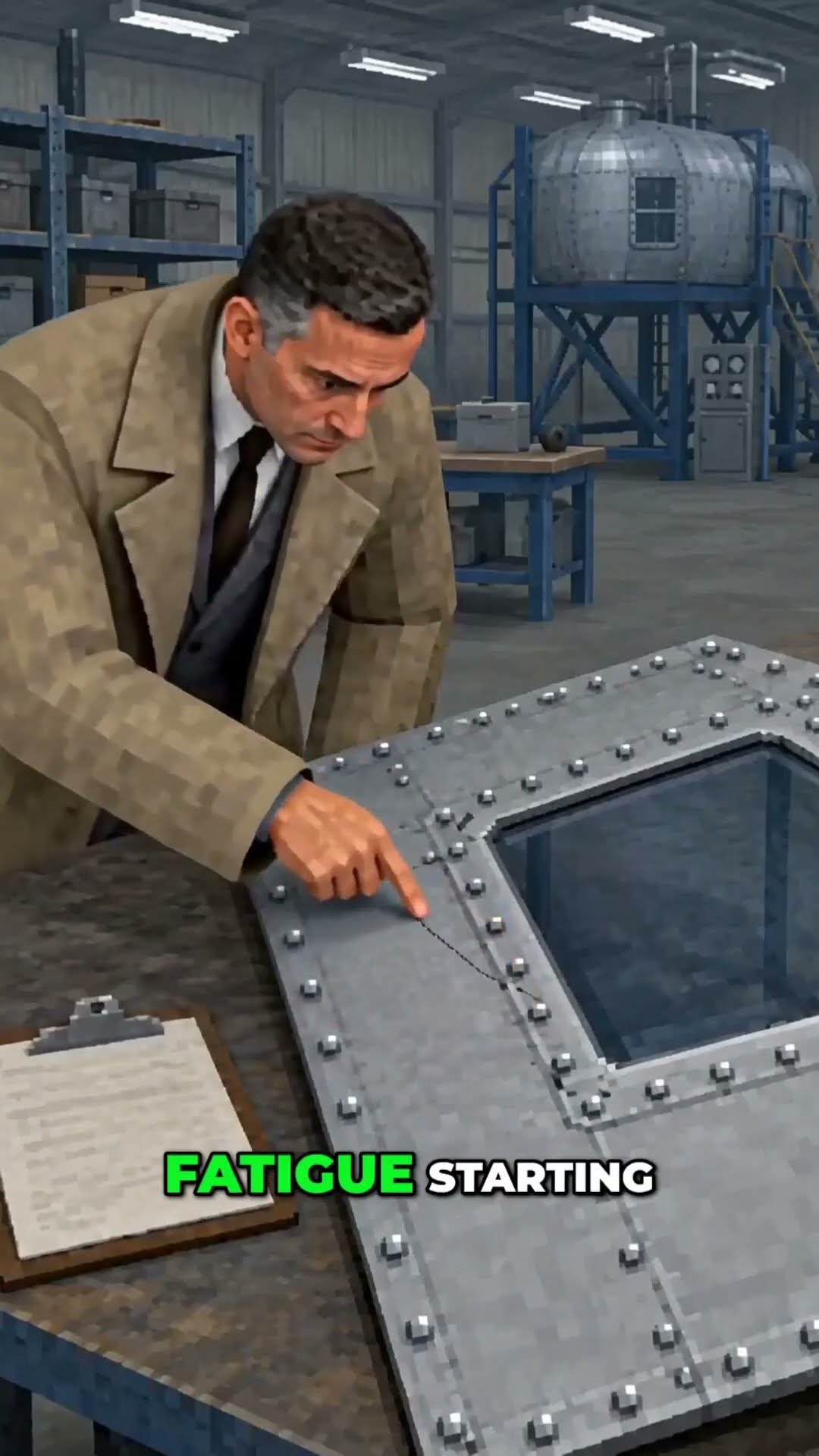
Why Airplane Windows Are Never Square Low-Poly Retro |

Cleopatra Lived Closer to the Moon Landing Than to the Pyramids Halftone collage |

Why One Smell Can Bring Back Childhood Memories Handcrafted Miniature |

Astronauts Come Home Younger Digital Chalk |
All people, voices and footage in these examples are AI-generated.
Agent skills
ReelMakeEasy is built to be driven by AI coding agents. Agent mode runs your own Codex or Claude Code with ReelMakeEasy's tools and skills; an agent working in this repo (Claude Code, Codex, Cursor) reads the same skills from skills/.
| Skill | Use when | Loaded by |
|---|---|---|
reelmakeeasy-camera |
Planning shots, storyboards, transitions or camera moves, or when the user asks for a more dynamic or calmer video | Every agent-mode chat |
reelmakeeasy-beat-loop |
Writing a loop short: 4-second clips with a 1-2-3-4 attention beat, narration, word-level captions and fact stamps | Every agent-mode chat |
reelmakeeasy-animation-2d |
Writing and building a 2D Claude Animation: two cartoon characters chatting, lip-synced | Every Claude Animation chat in the 2D look |
reelmakeeasy-animation-3d |
Writing and building a 3D Claude Animation: a narrated explainer around one 3D object | Every Claude Animation chat in the 3D look |
reelmakeeasy-animation-8bit |
Writing and building an 8-bit Claude Animation: a narrated pixel-art explainer | Every Claude Animation chat in the 8-bit look |
reelmakeeasy-animation-avatar |
Drawing the user's avatar from a photo and making an Avatar video with it | Every Avatar video Claude Animation chat |
ranking-short |
Building a ranking short ("Ranking the funniest ...", a top-5 of clips) in the Ranking Builder from the user's clips | An agent in this repo, with ReelMakeEasy running |
publish-social |
Posting, publishing or scheduling a finished video to social accounts through the OpusClip MCP | An agent in this repo, with the OpusClip MCP connected |
Where an agent should look
| If you need to... | Read |
|---|---|
| Install, configure, start or repair ReelMakeEasy for a user | AGENTS.md |
| Know every setting and its default | .env.example |
| Change which model does which job | reelmakeeasy.models.json, with alternatives in reelmakeeasy.models.example.json |
| Make or post a video | skills/ |
| Change the code | CONTRIBUTING.md and the rules for agents |
| Run the free local voices | tools/local-tts/README.md |
| Understand the preset pack (styles, fonts, editor engine) | presets/README.md |
| Report a vulnerability | SECURITY.md |
How it works
Browser ── Next.js web app (:3000)
              │  REST + server-sent events
              ▼
         NestJS API (:5017) ─────────────── one process ───────────────┐
           │  starts workflows                                          │
           ▼                                                            │
         In-process workflow engine                                     │
           ├─ Planner (the "director"): brief → script → shot plan      │
           ├─ Story mode: voiceover → keyframes → transitions → music   │
           └─ Render: FFmpeg → final MP4                                │
           │                                                            │
           ├─ MongoDB (projects, sessions)   ├─ In-memory KV + SSE bus  │
           └─ Local file storage (.reelmakeeasy/files, served at /api/files)
                                                                        │
         Providers, over plain HTTP ────────────────────────────────────┘
           ├─ Writing and planning: your Codex or Claude Code, Gemini, or any OpenAI-compatible endpoint
           ├─ fal queue API or the Gemini API (images, video, music, voices)
           └─ ElevenLabs, optional (speech-to-text, voices; through fal without a key)
- One process. Workflows run as async functions inside the API process, with activity retries, timeouts, signals, child workflows and continue-as-new. Locks, rate limits, status and live events live in process memory too, with finished runs' status saved to
.reelmakeeasy/kv.json. There is no workflow server or cache to run, and no horizontal scaling. A process restart ends runs that are in flight. - No provider SDKs. Text goes to your own Codex or Claude Code, or any OpenAI-compatible
/chat/completionsendpoint (Gemini's included), and media goes to fal's REST queue or the Gemini API. Swap models with environment variables. - Single user, no access control. There is no sign-in: everyone who can reach the app acts as the same local user. It listens on
127.0.0.1unless you setHOST; before you do, read Running on a server.
Why ReelMakeEasy?
- Your agent, your keys. Writing runs on the Codex or Claude Code you already pay for, and generation is billed by fal or Google straight to you. No subscription and no credits to buy.
- Self-hosted and private. Projects, media and the database stay in
.reelmakeeasy/on your machine; the app listens on127.0.0.1only. - Free where it can be. Local Kokoro and Qwen3 voices, local Whisper caption timing and local FFmpeg rendering cost nothing.
- Agent-ready. Non-interactive setup, a JSON health check, an
AGENTS.mdrunbook and skills an agent can follow. - Swap any model. Every job (image, clip, music, voice, captions, writing) maps to a model in one JSON file, overridable with an environment variable.
Configuration
Everything is set through environment variables; .env.example documents each one. The most useful ones:
| Variable | Default | Purpose |
|---|---|---|
LLM_PROVIDER |
Codex or Claude Code when signed in (AGENT_HARNESS picks when both are; default codex), else Gemini, else your endpoint |
Which AI writes and plans (the Setup page can change it) |
GENERATION_PROVIDER |
fal when FAL_KEY is set, else Gemini |
Who makes the pictures, clips and voice: fal or google (gemini works too); the Setup page can change it |
LLM_BASE_URL, LLM_API_KEY |
unset | Write and plan on OpenRouter, OpenAI, Ollama or any compatible server (pick "endpoint" in Setup) |
LLM_MODEL_LITE / _FLASH / _PRO |
Gemini 3.x models | Model used for each tier of task |
<ROLE>_MODEL |
see Models | Model for one role, e.g. VIDEO_FIRSTLAST_MODEL |
IMAGE_MODEL, VIDEO_MODEL, MUSIC_MODEL |
see Models | Model for a group of roles |
DATABASE_URL |
embedded | Use your own MongoDB (replica set) |
DATA_DIR |
.reelmakeeasy |
Projects, media and the embedded database |
RENDER_WORKER_CONCURRENCY |
1 |
Parallel renders; raise it on larger machines |
LOCAL_TTS, LOCAL_ASR |
on when installed | off stops using the local voices, or the local caption timing |
HOST |
127.0.0.1 |
Where the API and the web app listen; 0.0.0.0 opens them to your network (no sign-in, so only behind a firewall or an authenticating proxy) |
Models
reelmakeeasy.models.json maps each job (a role) to a model, and describes each model's fal endpoints and limits. It never holds keys. reelmakeeasy.models.example.json shows alternatives: Seedream, Veo for every video role, any raw fal endpoint, and chat through OpenRouter.
| Role | Default |
|---|---|
chat.lite / chat.flash / chat.pro |
Gemini 3.1 Flash-Lite / 3.5 Flash / 3.8 Flash (OpenAI-compatible endpoint) |
image.generate, image.edit, image.fast |
GPT Image 2.5 Flare (fal), with Nano Banana Pro as fallback |
video.text, video.image, video.firstLast |
MiniMax Hailuo 3 Max Turbo, falling back to Veo 3.1 Fast (fal). Transitions are made one after another, each clip starting from the previous clip's last frame, at 480p, 768p (default) or 1080p |
video.lipsync |
Kling Lipsync (fal) |
music |
Lyria 2 (fal) |
tts, tts.minimax |
ElevenLabs v3 (your own account, with ELEVENLABS_API_KEY); MiniMax Speech 2.8 HD (fal) |
tts.elevenlabs |
Eleven v3 on fal: the ElevenLabs preset voices when there's no ELEVENLABS_API_KEY |
tts.kokoro, tts.qwen3 |
Kokoro English voices; Qwen3-TTS voices, voice design and cloning. Local and free when installed, otherwise fal |
voice.clone |
MiniMax Voice Clone (fal) |
speech.transcribe, speech.align |
Caption timing and transcripts: Whisper and a forced aligner on your computer when installed (free). With ELEVENLABS_API_KEY, the voice checks stay on ElevenLabs Scribe v2, which also labels speakers and sounds. Otherwise Scribe v2 and forced alignment on fal; with the key they run on ElevenLabs directly |
Override a role without editing the file with <ROLE>_MODEL: the role upper-cased, with . as _. For example, VIDEO_FIRSTLAST_MODEL=veo-3.1-fast. The value can be a key from the file, an alias, or any fal endpoint id (unknown endpoints get conservative limits). IMAGE_MODEL, VIDEO_MODEL, MUSIC_MODEL and LLM_MODEL_<TIER> still work, and a role variable wins over them. Set MODELS_FILE to use a file somewhere else.
The API validates the file at startup and refuses to boot on a broken one; pnpm reelmakeeasy doctor checks it too. Restart after any change.
Repository layout
| Path | What's there |
|---|---|
apps/web |
Next.js app |
apps/services/api |
NestJS API; also starts the workers. Agent mode is in src/agent |
apps/services/story-mode, apps/services/render |
Worker registrations for generation and rendering |
libs/story-mode-runtime |
Story-mode workflows and activities |
libs/uip-planner-runtime |
The planning agent |
libs/workflow-engine |
The in-process workflow engine |
libs/llm |
Chat and media provider clients |
libs/shared/* |
Shared code, types, data access and UI |
libs/api/db |
Prisma schema (MongoDB) |
skills |
Agent skills shipped into agent mode (table) |
assets |
Images the README shows, such as the banner |
scripts |
The pnpm reelmakeeasy CLI: setup, doctor, start, build |
presets |
Bundled styles, voice previews and the preset pack manifest (README) |
tools/local-tts |
The local Kokoro and Qwen3-TTS voice server (README) |
Development
pnpm exec nx run api:type-check
pnpm exec nx run-many -t test
pnpm exec nx run api:build
See CONTRIBUTING.md before you change the code.
Community
- Bugs, ideas and questions: GitHub Discussions
- Security reports: SECURITY.md
- Contributions: we're not taking pull requests from outside the team yet; suggest changes in Discussions. See CONTRIBUTING.md and the Code of Conduct
License
ReelMakeEasy is free software under the GNU Affero General Public License v3.0 (AGPL-3.0). In plain words:
- ✅ Download it, run it on your own computer, make videos. That's what it's for. The videos you make are yours; the license covers the software, not your output.
- ✅ Change it and share it, as long as your version stays under AGPL-3.0 and keeps the copyright notices.
- ⚠️ If you build on it, your code is AGPL too. Anything that incorporates ReelMakeEasy, in whole or in part, must be released under AGPL-3.0 with its full source.
- ⚠️ If you run it for other people over a network (for example as a hosted or SaaS product), you must offer every user of that service the complete source of the version you run, including your changes (AGPL §13).
Want to use ReelMakeEasy in a closed-source product, or host it as a service without the AGPL obligations? A commercial license is available: contact [email protected].
This summary isn't legal advice; the license text is what applies. See NOTICE for copyright and third-party attributions.
Reviews (0)
Sign in to leave a review.
Leave a reviewNo results found