reacher
Health Gecti
- License — License: MIT
- Description — Repository has a description
- Active repo — Last push 0 days ago
- Community trust — 23 GitHub stars
Code Basarisiz
- process.env — Environment variable access in docker-compose.yml
- process.env — Environment variable access in index.js
- rm -rf — Recursive force deletion command in reacher.config.example.yaml
- process.env — Environment variable access in src/lib/config.js
- network request — Outbound network request in src/lib/tailscale-client.js
- process.env — Environment variable access in src/mcp-server.js
- process.env — Environment variable access in src/tools/browser.js
- process.env — Environment variable access in src/tools/fetch_external.js
- network request — Outbound network request in src/tools/fetch_external.js
Permissions Gecti
- Permissions — No dangerous permissions requested
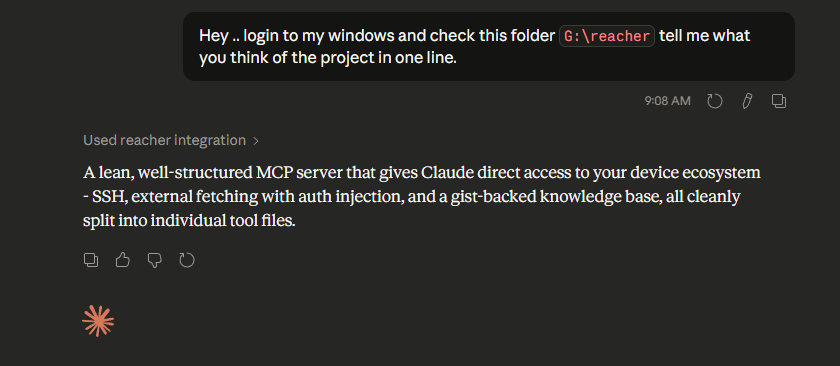
This MCP server connects Claude to your infrastructure, providing authenticated access to your APIs, a persistent knowledge base, a headless browser, and remote machines via SSH.
Security Assessment
Risk: Medium to High. The tool acts as a sensitive gateway to your infrastructure by design. It makes outbound network requests to proxy external APIs and relies heavily on environment variables to handle authentication tokens and credentials securely. While this is a solid security practice and there are no hardcoded secrets or dangerously broad permissions, there are notable risks in the execution capabilities. The presence of a recursive force deletion command (`rm -rf`) in an example configuration file is a red flag. Furthermore, granting an AI system the ability to execute remote shell commands via SSH requires extreme caution.
Quality Assessment
The project is actively maintained, with its most recent push occurring today. It is openly licensed under the standard MIT license, which is great for adoption. However, community trust and overall visibility are currently quite low, with only 23 GitHub stars. This means the codebase has not been widely scrutinized by the broader security community yet.
Verdict
Use with caution — the concept is powerful and credentials are handled properly, but giving an AI remote shell access and automated API proxying carries inherent risks, especially in a project with limited community oversight.
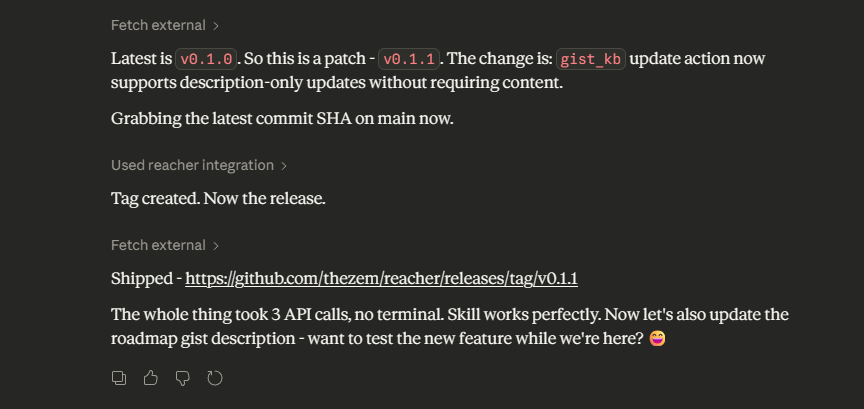
Securely connect Claude.ai to your machines (SSH), APIs, browser, and memory , your infra, your control.
Reacher
Give Claude authenticated access to your APIs, a persistent knowledge base, a headless browser, and optionally your machines — on infrastructure you control.


 |
 |
What it does
Most MCP connectors give you one tool per API action. Reacher's fetch_external tool takes a different approach: it proxies any HTTP request to any domain you allowlist, injecting your auth token automatically. Claude already knows REST APIs — it doesn't need a bespoke github_list_prs tool. It just needs a way to call api.github.com with your token, without you pasting credentials into every prompt.
PROXY_ALLOWED_DOMAINS=api.github.com,api.linear.app,api.notion.com
FETCH_EXTERNAL_TOKEN_MAP={"api.github.com":"GITHUB_TOKEN","api.linear.app":"LINEAR_TOKEN"}
Three APIs. One tool. New service = one line in .env.
Why self-hosted?
Your credentials never leave your server. When Claude calls fetch_external, the token injection happens server-side — Claude sees the response, never the key. When it calls ssh_exec, commands run through a server you own, authenticated with a key you control, over your Tailscale mesh. The whole chain is yours, not a third-party sandbox.
This also means Reacher persists across conversations. Your knowledge base, your device map, your allowed domains — they're all still there next session without any re-setup.
Pick your path
You don't need a VPS. Start with whatever matches where you are.
| I want... | I need | Time |
|---|---|---|
| Claude to call my APIs + remember things across conversations | Node.js + GitHub token | ~5 min |
| + control a headless browser | Above + a browser with CDP | ~10 min |
| + SSH into my servers and machines | Above + Tailscale + SSH key | ~30 min |
Tools
| Tool | What it does |
|---|---|
fetch_external |
Proxy HTTP requests to allowlisted domains with automatic auth injection |
browser |
Control a headless browser via CDP — scrape, click, fill forms, snapshot |
gist_kb |
Persistent private knowledge base backed by GitHub Gists |
github_search |
Search PRs and commits by author and date range |
ssh_exec |
Run shell commands on any machine in your Tailscale mesh |
tailscale_status |
List all your devices with online/offline status and IPs |
The server only registers tools you have credentials for. No GITHUB_TOKEN = no Gist or search tools. No TAILSCALE_API_KEY = no SSH tools. Start small, add more when you need it.
Docs
| Setup guide | Three paths: local, Cloudflare Tunnel, or VPS |
| Configuration | All env vars and reacher.config.yaml reference |
| Tool reference | Parameters, examples, and behavior notes per tool |
| Safety | Command blocklists, domain allowlists, audit log |
| Deployment | Docker, EasyPanel, Railway, PM2, HTTPS setup |
| Extending | Adding your own tools |
Already set up and want Claude to orient itself? Drop AGENT.MD into your session — Claude will discover your devices, probe SSH access, and save a persistent map to your knowledge base.
Want Claude to walk you through setup interactively? Point it at docs/skill.md — it's a step-by-step setup guide written for AI agents to follow with you.
License
MIT
Yorumlar (0)
Yorum birakmak icin giris yap.
Yorum birakSonuc bulunamadi