viber
Health Uyari
- License — License: MIT
- Description — Repository has a description
- Active repo — Last push 0 days ago
- Low visibility — Only 8 GitHub stars
Code Basarisiz
- rm -rf — Recursive force deletion command in .claude/settings.json
Permissions Gecti
- Permissions — No dangerous permissions requested
Bu listing icin henuz AI raporu yok.
A development workflow for Claude Code that takes an idea to committed code.
VIBER for Claude Code

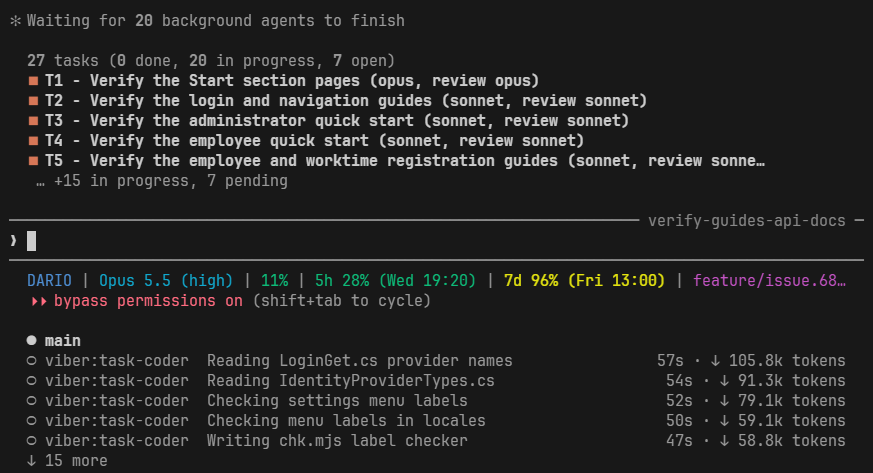
A development workflow for Claude Code that takes an idea to committed code: it interviews you,
writes a reviewed plan, builds it task by task and remembers what it learned.
Coding agents tend to jump straight into code and fill the gaps with guesses. viber writes no code
until you approve a plan that a reviewer has already checked against your codebase.
How it works
You describe what you want with /viber:intent. viber asks one question at a time, each with
concrete options and a recommendation, and says so when an answer is weak. It turns your answers
into a plan, and a reviewer checks that plan against your code before you see it. Approve it and
walk away: viber builds the plan task by task, commits each task and finishes on your own test
suite. Then it writes down what it learned, so the next run starts from there.
| Step | You run | You get |
|---|---|---|
| Understand | /viber:intent, or /viber:fixer for a bug |
A confirmed summary of the change |
| Plan | nothing, it follows the interview | A plan reviewed against your code, waiting for your yes |
| Build | nothing, it starts on your yes | One commit per task, a final review, a green test run |
| Remember | nothing, it closes the build | Updated CLAUDE.md files and .claude/rules/ |

Install
claude plugin marketplace add https://github.com/p2p2sp/p2p2.claude --scope user
claude plugin install viber@p2p2 --scope user
Then, in your project:
/viber:setuponce: it writes the config, the ignore rules and the permissions./viber:intentto start your first change.
/viber:help opens the full usage guide in your browser. --scope user makes the plugin available
in all your projects; drop it to install for the current repository only.
Why viber
- It asks before it guesses. One question at a time, with options and a recommendation. Add
--proveand every recommendation is checked against your code before you see it. - Every step is checked. The plan is reviewed before you approve it, each task before its
commit, and the whole build before it ends. - It runs without you. A failed task retries up to five times, one model tier up each time.
Where a build would stop to ask, an arbiter agent picks a way forward and records why. - It saves tokens. Each task gets the cheapest model that can do it, between a floor and a
ceiling you set, so your usage limits last longer. - It learns your project. Conventions go to
.claude/rules/, area knowledge to that area'sCLAUDE.md. You explain less with every run. - Nothing gets lost. The plan and its progress are committed, so an interrupted build resumes
in a new session or on another machine. - It fits your stack. Build and test commands and conventions come from your own
CLAUDE.md
and.claude/rules/, whatever language you work in.
Beyond the core loop, viber talks a topic through with you against trusted sources, triages issues,
opens GitHub issues and pull requests, mocks up UI changes, writes Playwright tests, audits large
codebases and hands a session over to the next one.
The viber guide lists every command.
Good to know
- viber runs in Claude Code only.
- A small change to existing code gets a
shorter path, a design in chat, and is still built only on your yes. - Issue and pull request steps work with GitHub, through the
ghCLI. - It changes fast, and a release can change how it behaves. Run
/viber:setupagain after an
upgrade.
Also in this marketplace
Each installs on its own, and none needs viber.
| Plugin | What it does |
|---|---|
| superui | Holds every interface Claude builds to professional design standards, so it does not look AI-generated. Fires on its own. |
| supercc | Writes, audits and tunes your own Claude Code skills and agents, for the model they run on. |
| superbiz | Checks whether a side-project idea is worth building, with sourced research and a Go / Pivot / No-Go report. |
claude plugin install superui@p2p2 --scope user
claude plugin install supercc@p2p2 --scope user
claude plugin install superbiz@p2p2 --scope user
Requirements
| Plugin | Needs |
|---|---|
| viber | the gh CLI for its GitHub steps; optional: node for /viber:setup's settings merge, Playwright for /viber:e2e |
| superui | optional: Node.js 22.6 or newer, only for the contrast check |
| supercc | nothing |
| superbiz | web access and Node.js 18 or newer |
Contributing
These plugins are opinionated and their maintainers set the direction, so pull requests are not
accepted. Bug reports and ideas are welcome:
open an issue. More in
CONTRIBUTING.md.
License
Built and maintained by P2P2.
Yorumlar (0)
Yorum birakmak icin giris yap.
Yorum birakSonuc bulunamadi