youtube-niche-finder
Health Uyari
- License — License: MIT
- Description — Repository has a description
- Active repo — Last push 0 days ago
- Low visibility — Only 5 GitHub stars
Code Basarisiz
- rm -rf — Recursive force deletion command in .github/workflows/ci.yml
Permissions Gecti
- Permissions — No dangerous permissions requested
Bu listing icin henuz AI raporu yok.
Self-hosted YouTube niche & outlier-video research tool (NexLev/vidIQ alternative) — MCP server + HTTP API + worker on YouTube Data API v3 and PostgreSQL, with a zero-build ES-modules dashboard
niche-finder
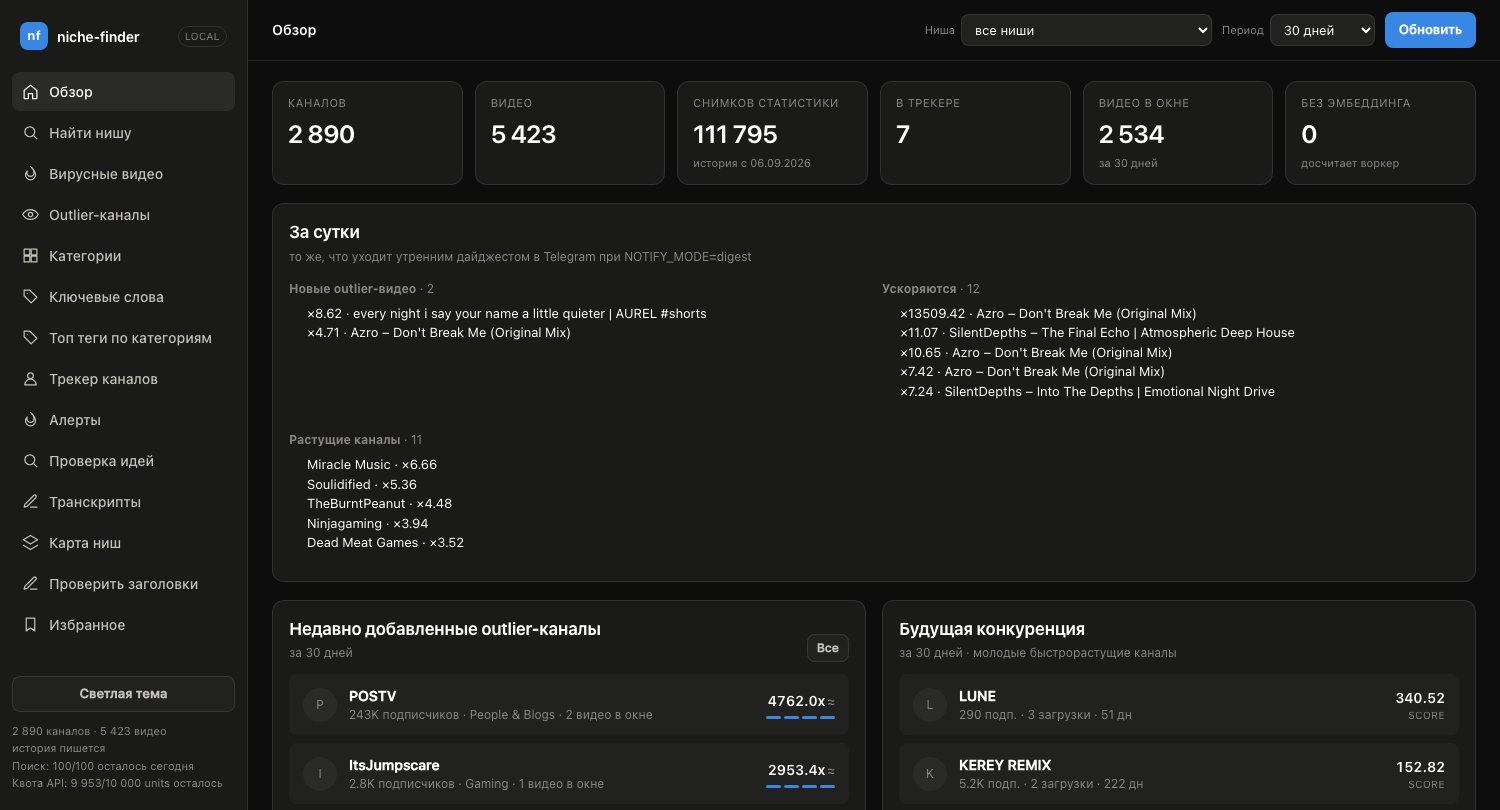
A self-hosted YouTube research tool — your own NexLev / vidIQ / ViewStats, running on the free YouTube Data API and a local PostgreSQL.







Find niches, viral videos from small channels, outlier channels, trending
categories and keywords over any period (24 hours to 90 days and beyond);
track channels and watch their growth; check a title, hook or idea against
what actually worked in a niche — and get the same numbers in three places:
- Claude Desktop (or any MCP client) — 80 tools and 7 ready-made scenarios;
- a web dashboard on
localhost:8080; - a Chrome extension that puts the metrics on top of YouTube itself.
No subscription and no paid LLM key: semantic judgement ("is this channel
faceless?", "is this on topic?") is done by the model calling the tools, not
by the server. An LLM is optional and off by default.
Contents
- Why niche-finder
- Features
- Screens
- Quick start
- How it works
- Documentation
- Repository layout
- Privacy and security
- Contributing
- License
Why niche-finder
- Yours, end to end. Your key, your database, your machine. No telemetry;
by default the app talks to exactly two hosts —www.googleapis.comandwww.youtube.com(RSS feeds). - History the API doesn't give you. The YouTube API only ever says "how
many views right now". A background worker writes the numbers down on a
schedule, so views per hour, acceleration, subscriber growth and title or
thumbnail swaps actually exist. - Honest numbers. RPM and revenue come as a range, not one invented
figure; every signal carries its sample size; below a minimum sample you
get "not enough data" instead of a guess; there is no single opaque
"SEO score". - Quota-aware. Reading is cheap, searching is scarce. Every collector
reports what it spent, uploads are walked through playlists (1 unit per 50
videos), and new uploads are spotted through free RSS feeds. - One codebase, three doors. The MCP server, the HTTP API and the worker
call the same use cases, so Claude and the dashboard can never disagree.
Features
Find a niche
- Viral videos from small channels and outlier channels (a video against its
own channel's median), over any period, with subscriber, length, Shorts,
RPM and YouTube Partner Program threshold filters. - Trending categories and keywords with lift and momentum; best time to
publish; title phrases that correlate with breakouts. - Niche trend — growing / stable / cooling / saturated — from the last 30
days against the 90 before: supply, demand (views projected to day 30), new
channels and whether newcomers break out. - A niche map (k-means over channel embeddings) and semantic similarity of
channels and videos via pgvector. - Idea checker: is a topic free, recently covered, proven or a flop in this
niche? - Export a niche's videos to TSV or CSV.
Study channels and videos
- Channel tracking: growth by window, views-per-hour of every upload, a
revenue range, which YPP thresholds it visibly meets, and a "gone" mark
when a channel disappears from YouTube. - Repackaging: title and thumbnail swaps after publishing, before and after
side by side, with views per hour around the swap. - Template risk: how much a channel's (or a niche's) recent uploads look like
one template repeated — the pattern behind "inauthentic content"
demonetisations. A heuristic, not a verdict. - Sponsor map: which brands pay creators in a niche, read from descriptions;
promo codes and affiliate links kept apart. - Similar thumbnails with local CLIP vectors: thumbnails that look like an
outlier's, search by description ("red arrow, shocked face"), and a niche's
thumbnail styles with how each performs. Opt-in.
Plan your own video
- Outlier to brief: one call turns a video that beat its channel into a
working brief — hook, niche title patterns, whether the topic is already
covered, title candidates and thumbnail references. - Metadata review: a draft's title, description and tags checked against
your corpus, signal by signal, with near-duplicate topics; drafts can be
linked to the published video to see whether the review held up. - Hook score: the first ~30 seconds of a transcript or your draft intro,
rated 0–100 in English and Russian; compared with a niche's outliers. - Content gaps: questions and requests from a niche's comments that no
video answers yet, ranked by demand. - Title scoring and suggestions, transcripts with hybrid (keyword + semantic)
search, comment insights and "why did it take off" explanations (the last
ones need the optional LLM).
Stay on top of it
- Alerts for your watchlist: a new outlier, view acceleration, a title change,
a channel breaking its silence, a channel or video that vanished — on the
dashboard, in the extension's badge, and to Telegram or a webhook (one by one
or as a morning digest). - A swipe file for videos and channels you want to come back to.
- Your own channels: connect them through Google OAuth (your own client,
read-only) and see real YouTube Analytics numbers — views, retention,
revenue, RPM — next to a niche, and your real RPM against niche-finder's
estimate.
Optional extras
- An LLM via OpenRouter (free models rotate on their
own) or a local Ollama for background labelling,
comment insights, title generation and explanations — with a daily budget. - Multi-user mode (experimental): invited accounts, each with their own
watchlist, drafts, alerts and a share of the quota.
Screens
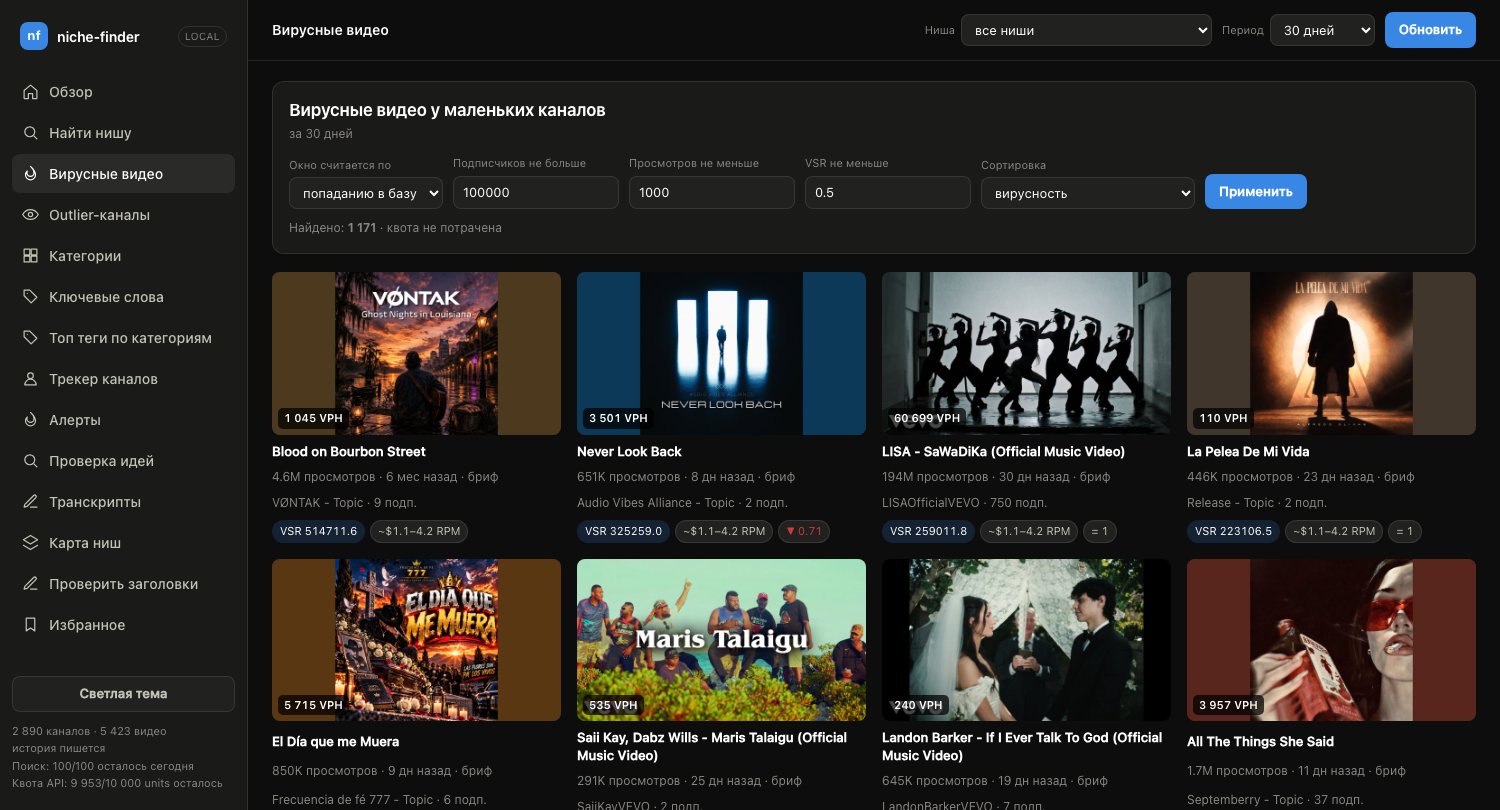 Viral videos — small channels that beat their expectations |
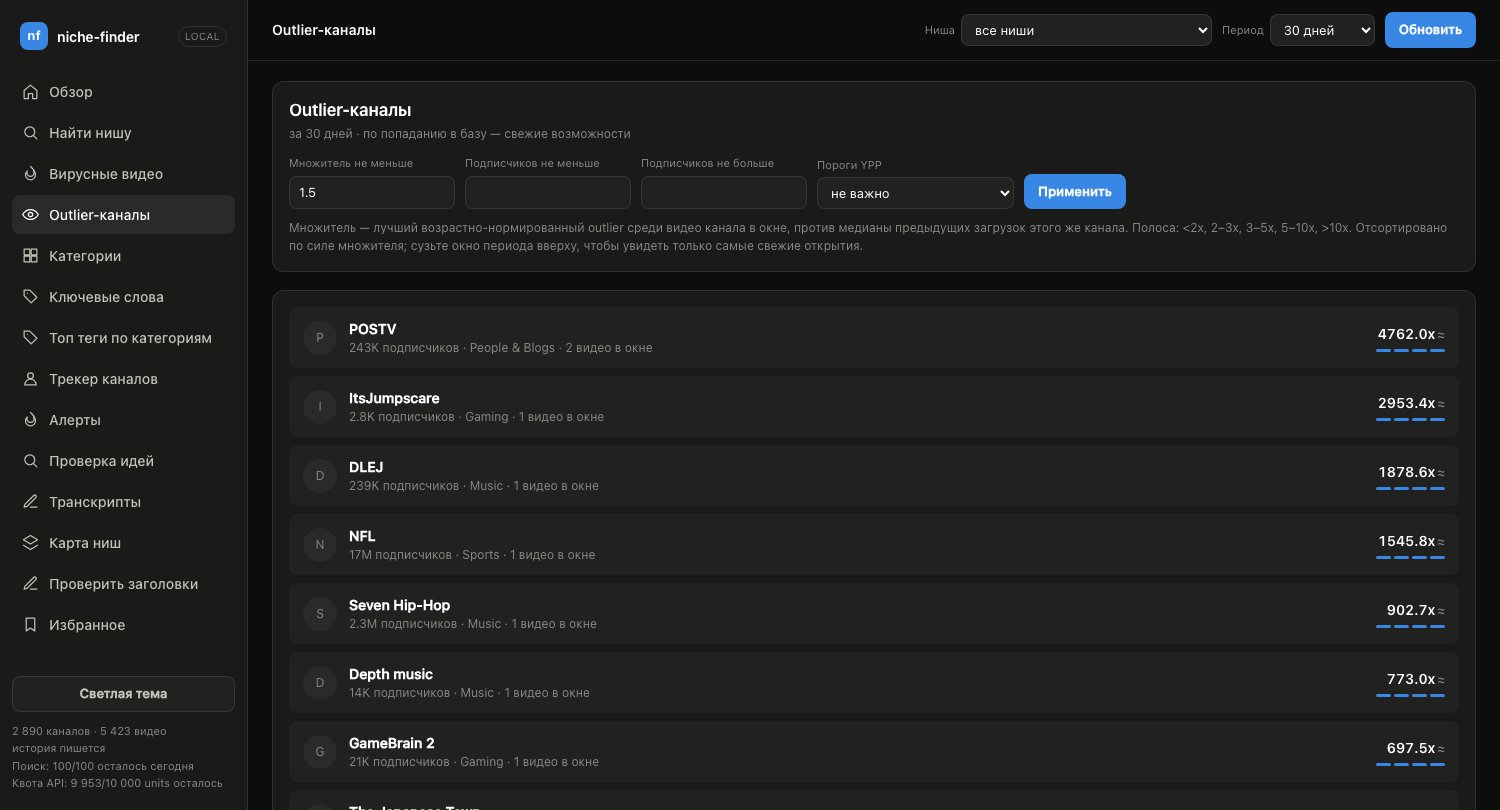 Outlier channels — best video's multiplier against the channel's median |
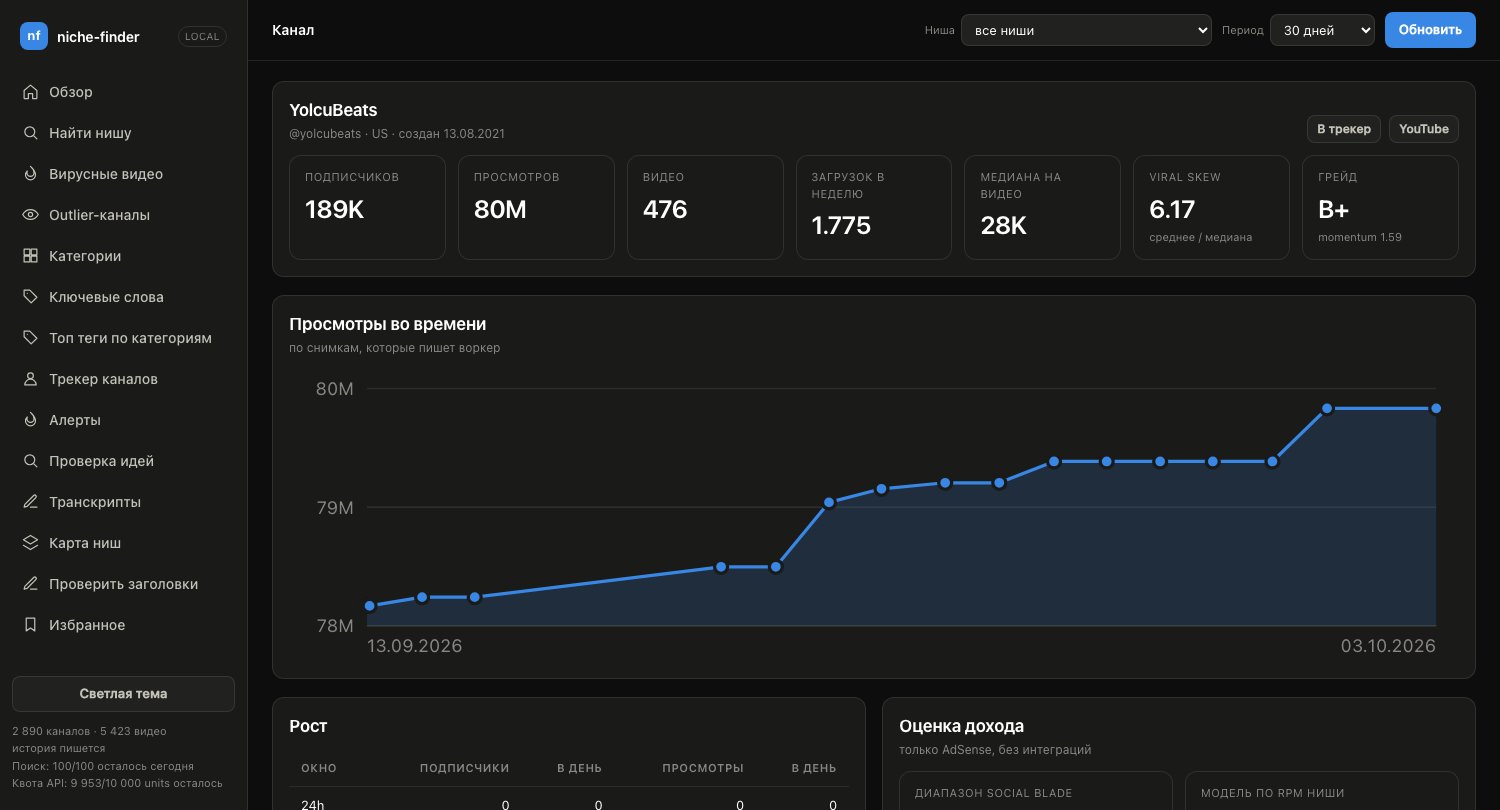 Channel — growth, snapshots, revenue range, similar channels |
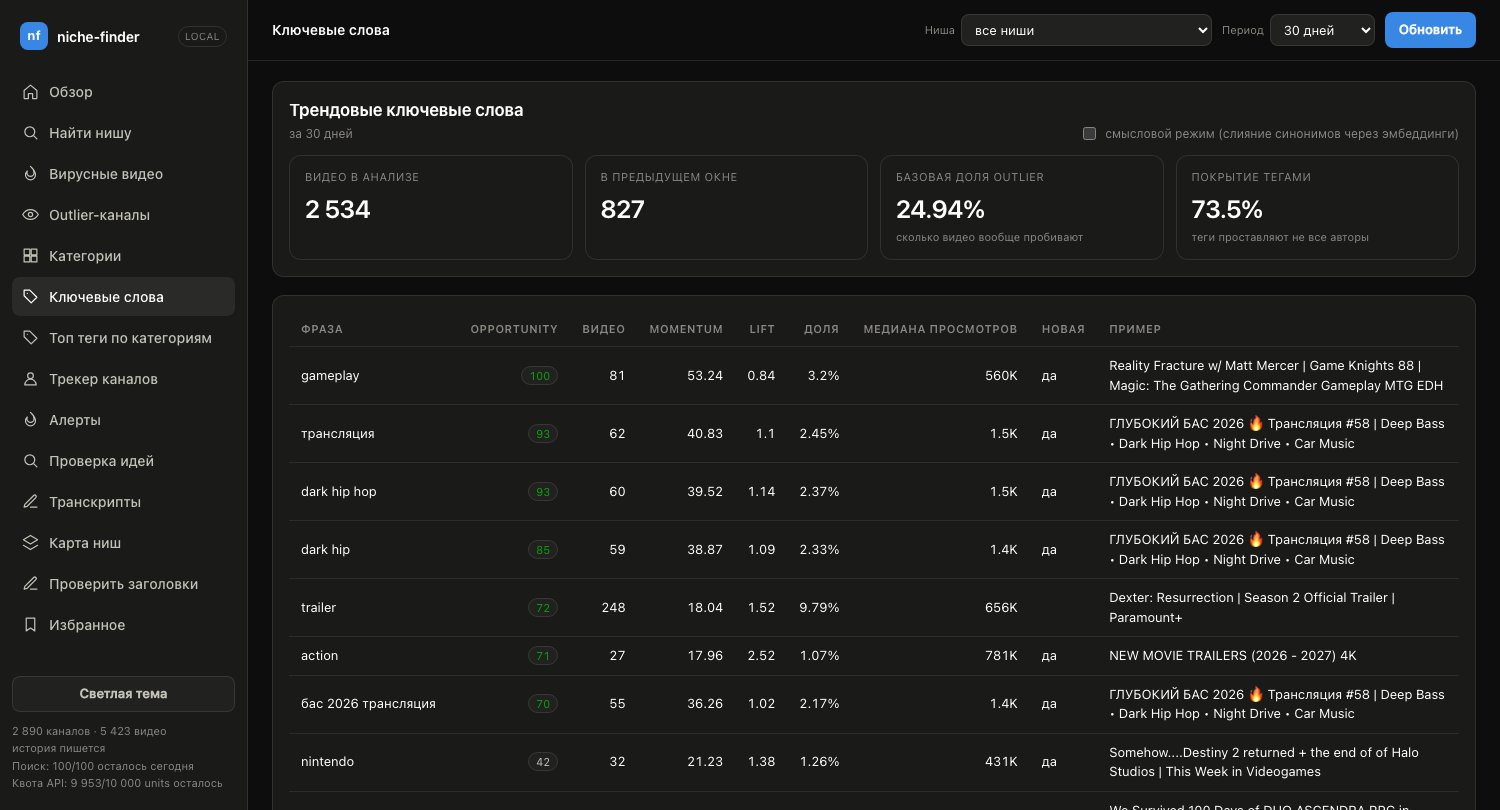 Keywords — trendScore, lift, momentum |
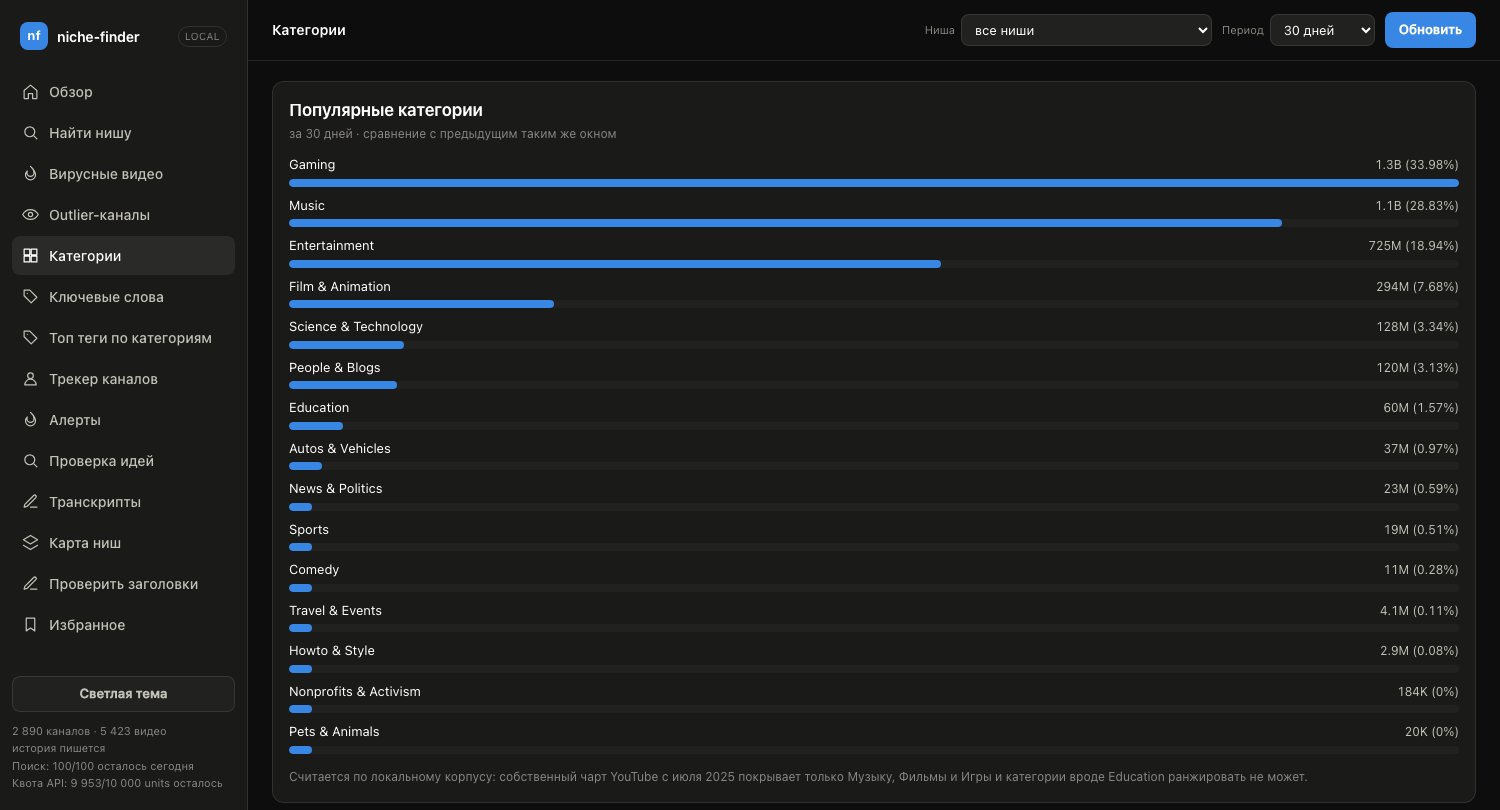 Categories — share and growth across YouTube niches |
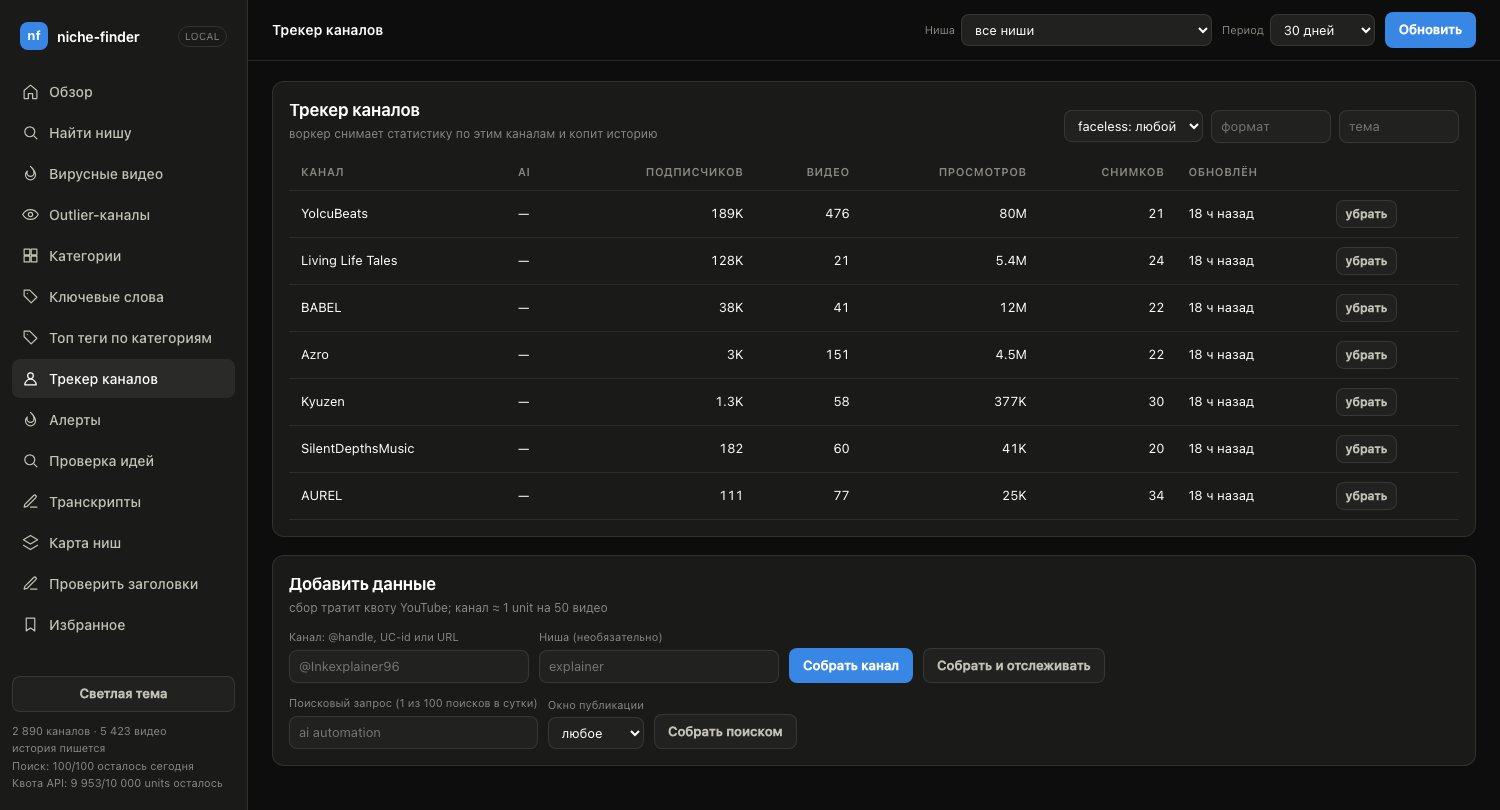 Tracker — collect and follow specific channels |
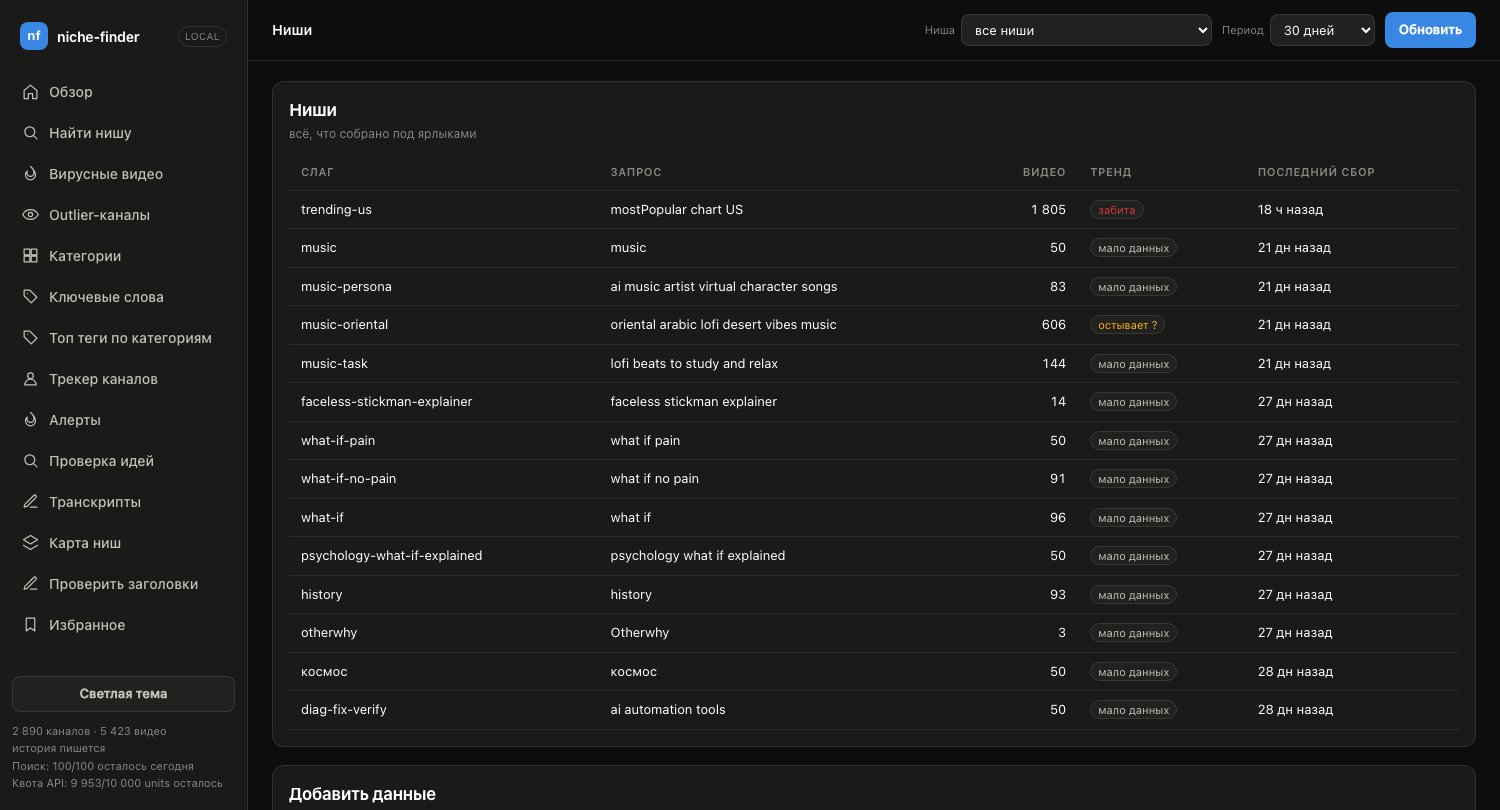 Niches — everything collected under your own labels |
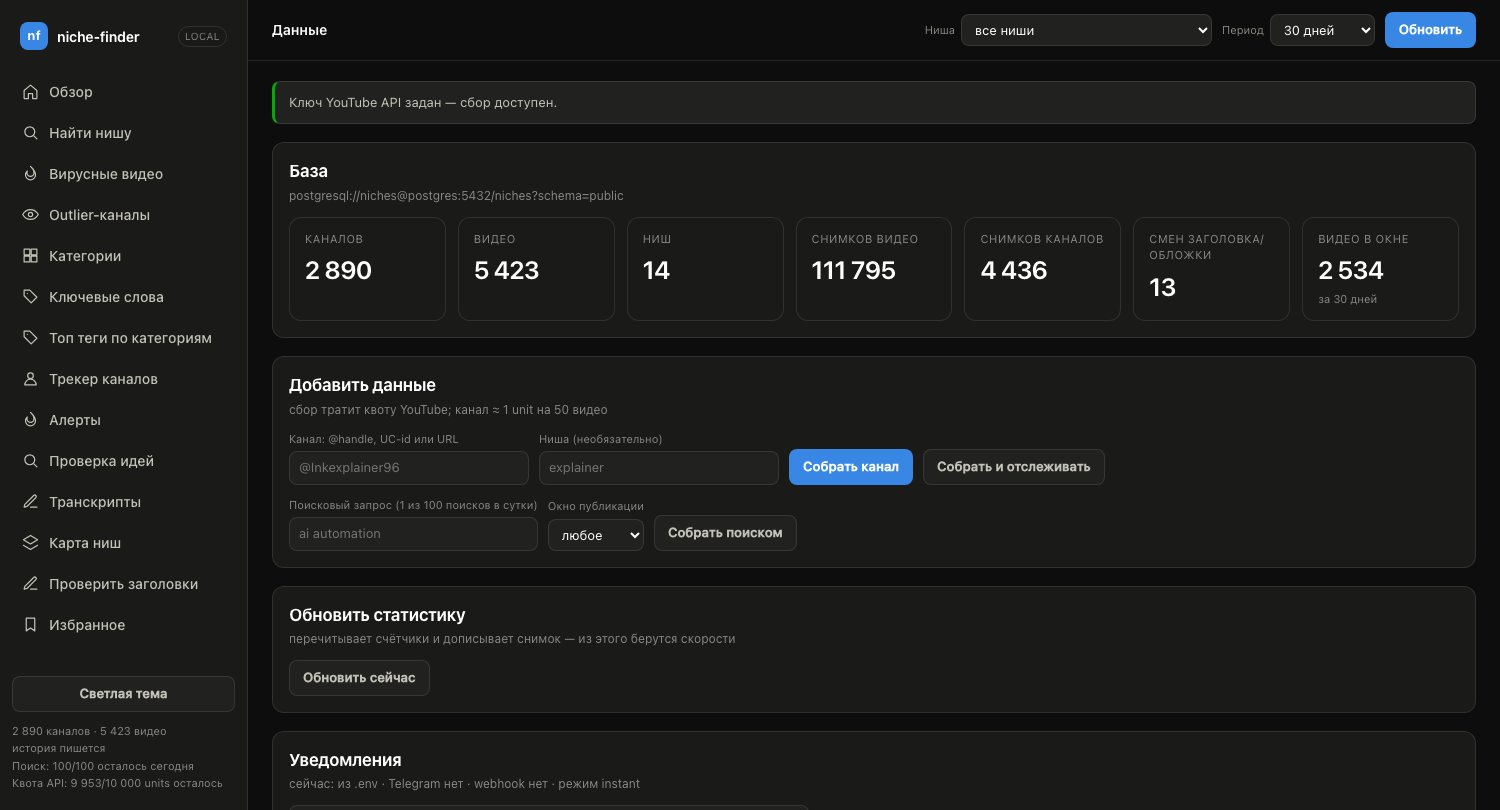 Data — database state and manual collection |
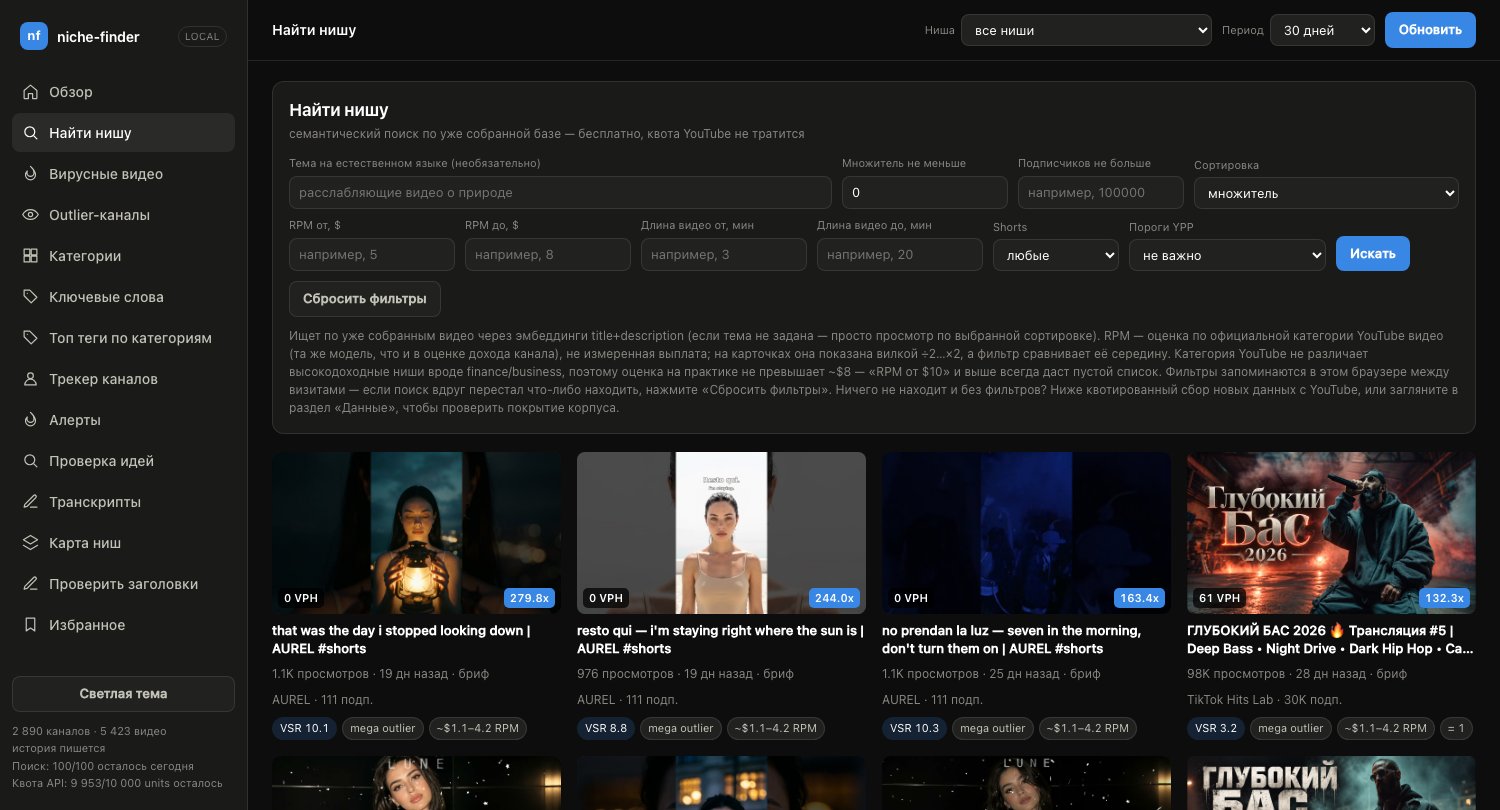 Find a niche — semantic search over the collected corpus, no quota |
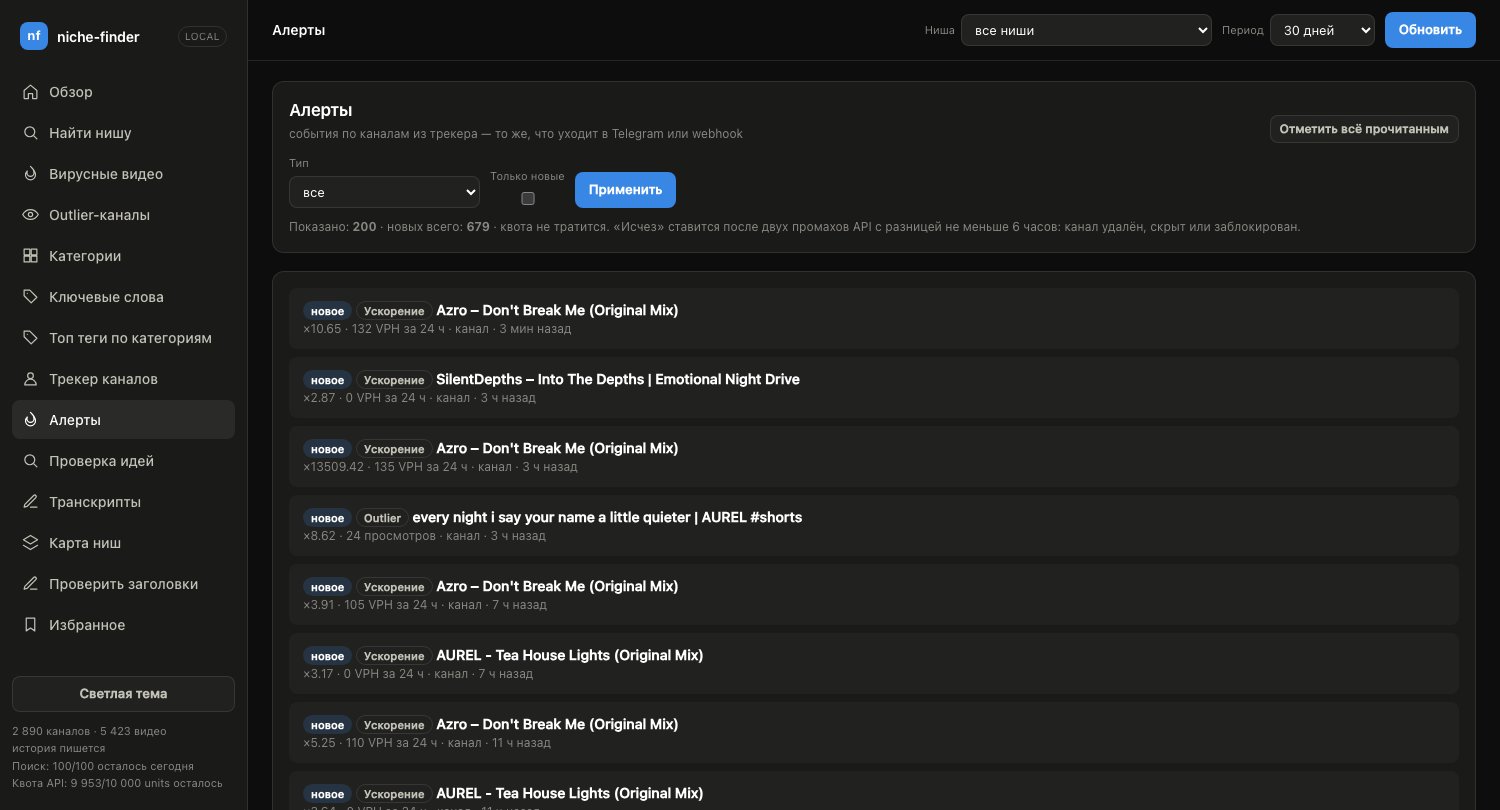 Alerts — new outliers and accelerating videos on tracked channels |
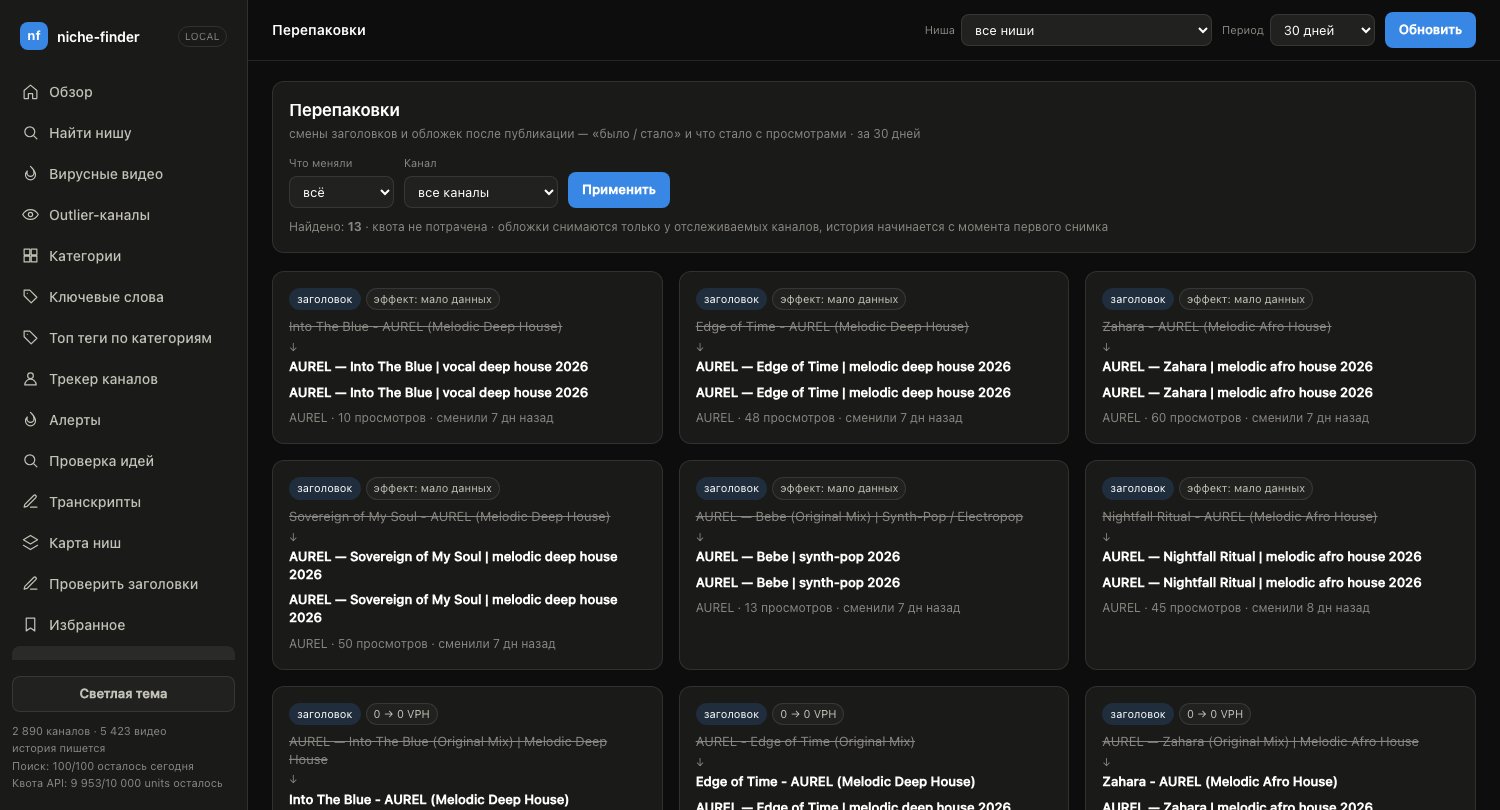 Repackaging — title and thumbnail changes, before / after |
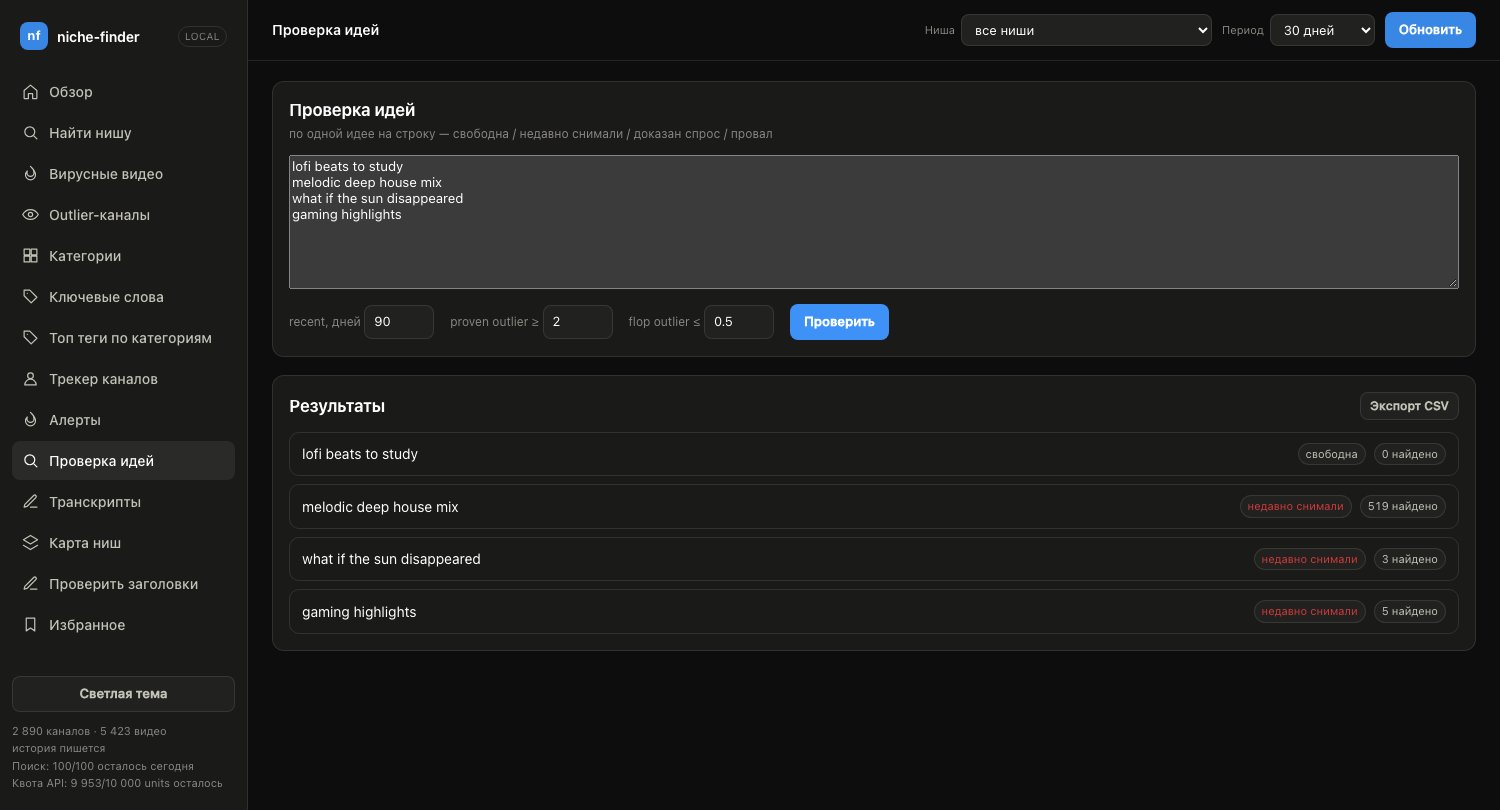 Idea checker — free, recently covered, proven demand or flop |
The dashboard has 21 sections in the sidebar plus niche, channel and brief
pages — alerts, idea checker, transcripts, niche map, title check,
repackaging, metadata review, your own channels and more;
frontend/README.md walks through each one.
Quick start
You need Docker and a free
YouTube Data API v3 key
(Google Cloud Console → enable the API → Credentials → API key; 10,000 units
a day at no cost).
git clone https://github.com/pandich93/youtube-niche-finder.git
cd youtube-niche-finder
cp .env.example .env          # put your key into YOUTUBE_API_KEY (no quotes)
docker compose build
make up                       # Postgres + dashboard + background worker
make doctor                   # checks the key, the network and the database
open http://localhost:8080
On the dashboard, collect a channel or a niche from the Data screen and
the sections fill in. make help lists every command.
No key yet? make up-db && make seed && make web fills the database with
synthetic demo data so you can click around first.
Connect Claude Desktop
Add the MCP server to claude_desktop_config.json — the exact docker run
config is in backend/README.md,
and the dashboard's MCP connection screen walks you through it and checks
the connection. Then try one of the scenarios under "+" in Claude Desktop,
for example find a niche.
Install the Chrome extension
- Download
niche-finder-extension-<version>.zipfrom the
latest release
and unzip it (or use theextension/folder of your clone). - Open
chrome://extensions, turn on Developer mode, click Load
unpacked and pick the folder. - Open any YouTube video — the panel appears in the right-hand column.
Details: extension/README.md.
Without Docker
make local-install            # venv + backend dependencies, once (Python 3.10+)
make dev                      # dashboard on http://localhost:8080
make local-run                # or: the MCP server on the host
You need your own Postgres; with the compose database, addNICHE_DATABASE_URL=postgresql://niches:niches@localhost:5433/niches to.env. Why, and the other pitfalls:
backend/README.md.
How it works
flowchart LR
    CD["Claude Desktop<br/>any MCP client"] -->|MCP| MCP["MCP server<br/>backend/server.py"]
    BR["Dashboard<br/>frontend/"] -->|HTTP| API["HTTP API<br/>backend/api.py"]
    EXT["Chrome extension<br/>on youtube.com"] -->|"HTTP, localhost only"| API
    W["Worker<br/>backend/worker.py"]
    MCP --> APP["Use cases<br/>backend/application/"]
    API --> APP
    W --> APP
    APP --> PG[("PostgreSQL<br/>+ pgvector")]
    APP <-->|"quota-aware"| YT["YouTube Data API v3<br/>+ channel RSS"]
    APP -.->|optional| LLM["LLM: OpenRouter<br/>or local Ollama"]
    APP -.->|optional| YA["YouTube Analytics API<br/>your channels, OAuth"]
    W -.->|optional| TG["Telegram / webhook<br/>alerts"]
The MCP server, the HTTP API and the worker are three entry points into the
same code in backend/application/, so a number in Claude Desktop and on the
dashboard is literally the same calculation. The worker runs on a schedule:
free RSS checks for new uploads, view-count refreshes, channel snapshots,
alerts and the optional background jobs. The backend follows DDD layers —domain (pure formulas) → infrastructure (Postgres, YouTube, embeddings) →application (use cases) → interfaces (MCP, HTTP, CLI, worker); see
backend/README.md.
Documentation
| Document | What's inside |
|---|---|
| backend/README.md | YouTube quota, running with and without Docker, the CLI, all 80 MCP tools and 7 scenarios, configuration, formulas, code structure |
| frontend/README.md | every dashboard screen, where its data comes from, what costs quota |
| extension/README.md | what the extension shows on each YouTube page, installation, quota cost |
| docs/http-api.md | all 103 HTTP routes with parameters, costs and MCP twins (generated from the code) |
.env.example |
every setting, commented in place |
| SECURITY.md · PRIVACY.md | reporting a problem, what protects each mode, what is stored and where traffic goes |
| CONTRIBUTING.md · CHANGELOG.md | dev setup and tests; what changed in each release |
A map of all of it: docs/README.md.
Repository layout
| Path | What's inside |
|---|---|
backend/ |
MCP server, HTTP API, worker and CLI — all logic and storage (Python, FastAPI, psycopg2) |
frontend/ |
the dashboard: plain ES modules, no npm, no build step |
extension/ |
Chrome extension (Manifest V3): panels and badges on top of YouTube |
docs/ |
documentation map and the HTTP API reference |
scripts/ |
MCP-in-Docker launcher, diagnostics, the API-docs generator, benchmarks |
infra/caddy/ |
HTTPS reverse proxy for MCP over HTTP (mcp-https service) |
assets/ |
screenshots |
docker-compose.yml |
postgres, worker, web, mcp, mcp-http, mcp-https, and an optional ollama (profile llm-local) |
Makefile |
every command, via Docker or straight on the host (make help) |
Privacy and security
Self-hosted, no telemetry, no account. Everything stays in your Postgres;
comments are read live and not stored as themselves (only derived questions
and LLM summaries are cached); the dashboard and the extension talk only to127.0.0.1. The optional LLM adds openrouter.ai only when you
turn it on — or nothing at all with a local Ollama.
PRIVACY.md has the full picture, including how to delete
everything.
niche-finder is a single-user tool by default. NF_MULTI_USER=1 turns on
invited accounts with per-user data, quota shares, personal API tokens and
alert settings — read SECURITY.md (HTTPS, NF_COOKIE_SECURE,OWN_TOKENS_KEY, backups, YouTube's 30-day storage rule) before giving
anyone an account.
Contributing
Bug reports, fixes and documentation PRs are welcome. For anything bigger —
a new MCP tool, API route or dashboard screen — please open an issue first to
agree on the shape. CONTRIBUTING.md explains the dev
setup, the tests (make local-test, no YouTube key needed) and the style.
Changes are listed in CHANGELOG.md.
License
MIT. niche-finder is not affiliated with YouTube, Google, NexLev,
vidIQ or ViewStats; you use your own API key under
YouTube's API Terms of Service.
Yorumlar (0)
Yorum birakmak icin giris yap.
Yorum birakSonuc bulunamadi