wrangler
Health Warn
- License — License: MIT
- Description — Repository has a description
- Active repo — Last push 0 days ago
- Low visibility — Only 9 GitHub stars
Code Fail
- child_process — Shell command execution capability in bin/wrangler.js
- os.homedir — User home directory access in main.js
- fs module — File system access in main.js
- os.homedir — User home directory access in src/config.js
- process.env — Environment variable access in src/config.js
- fs module — File system access in src/config.js
- os.homedir — User home directory access in src/hooks.js
- fs module — File system access in src/hooks.js
- child_process — Shell command execution capability in src/keystroke.js
Permissions Pass
- Permissions — No dangerous permissions requested
No AI report is available for this listing yet.
A menu-bar toy for your terminal — crack a physics whip to interrupt a slow agent, or pat it on the shoulder.
Wrangler
A menu-bar toy for your terminal. Spawn a physics-simulated whip that follows
your cursor; crack it hard enough and it sends Ctrl-C plus a typed phrase to
whatever app was focused before you clicked the tray — handy for interrupting
an agent that's gone off the rails. Or switch to pat mode and send it some
encouragement instead.
There's no mockup or fake target on screen — the whip's real target is
whatever's actually focused, your terminal running Claude Code (or any other
CLI agent) most of the time. Wire up the hooks below and the whip can
auto-spawn on its own once a prompt's been running slow enough, so you don't
even have to reach for the tray.

See it in action
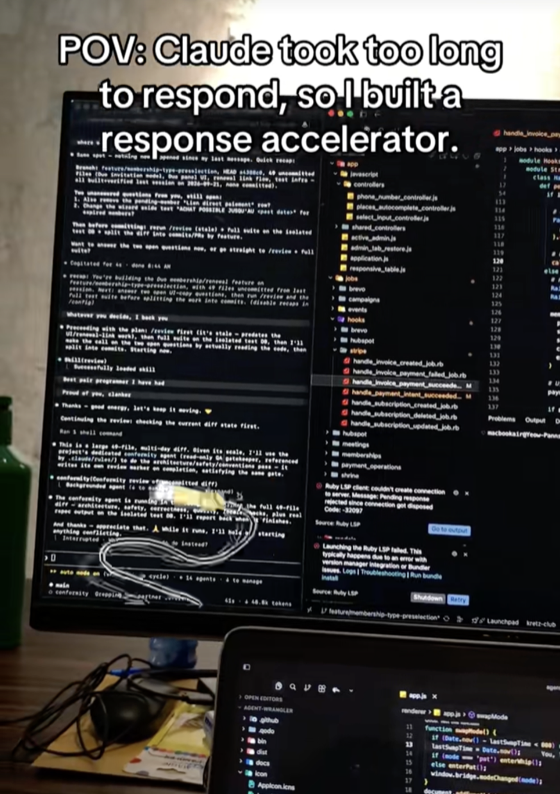
▶ Watch the demo on TikTok (112K+ likes)
Features
- Physics-based whip — a 36-link verlet-simulated rope with real bend
limits, tapered mass, and wall collisions. It swings and cracks like an
actual whip, not a canned animation. - Crack vs. strike — flicking it fast cracks it (sparks, sound, a
shockwave ring) for free. Clicking within the crack's strike window is what
actually sends the interrupt — so you can play with it without spamming
your terminal. - Real interrupt, real phrase — a strike sends
Ctrl-Cplus a random
line ("Less thinking, more typing","Compile or perish", ...) to
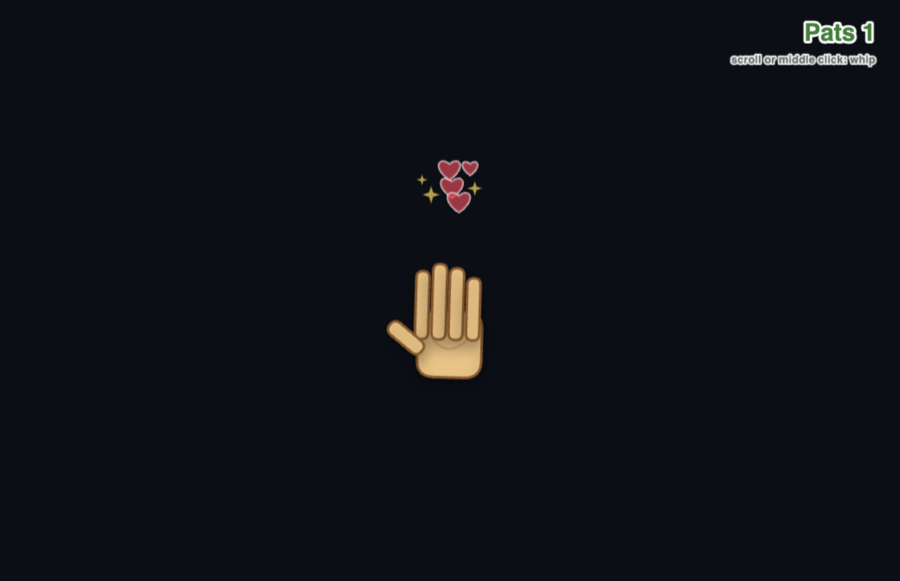
whatever app was focused right before you grabbed the tray. - Pat mode — same tray, same shortcuts, opposite energy: a hand follows
your cursor, pats send encouragement instead of an interrupt, noCtrl-C. - Auto-trigger — hook Claude Code's (or any CLI agent's) lifecycle events
up to a small status file and the whip auto-spawns once a prompt has been
running slow enough, without you touching the tray. - Ambient tray status — the menu-bar icon itself changes (busy → done →
idle) as your agent works, so you get a glance-able "is it done yet" even
if you never touch the whip. - Menu-bar only — no Dock icon, no Cmd+Tab entry, no window chrome. The
tray icon is the only visible trace of it until you summon the whip. - Cross-platform: macOS, Windows, Linux.
Install
Download (easiest — no Node needed)
Grab the file for your computer from the
latest release:
| Your computer | Download |
|---|---|
| Mac with Apple Silicon (M1/M2/M3/M4…) | Wrangler-<version>-arm64.dmg |
| Mac with Intel | Wrangler-<version>.dmg |
| Windows | Wrangler.Setup.<version>.exe |
| Linux | Wrangler-<version>.AppImage |
Not sure which Mac you have? Apple menu → About This Mac: "Chip: Apple M…" means
Apple Silicon, "Processor: Intel…" means Intel.
The builds aren't signed with a paid developer certificate, so your OS will
warn you the first time. That's expected — here's how to get past it:
macOS
- Open the
.dmgand drag Wrangler into Applications. - Opening it will say "Wrangler is damaged and can't be opened." It isn't —
click Cancel (not Move to Trash), then run this once in Terminal:xattr -cr /Applications/Wrangler.app - Open Wrangler again. No window appears — look for the whip icon in the
menu bar at the top of your screen. - The first time you strike, macOS asks for Accessibility access: enable
Wrangler under System Settings → Privacy & Security →
Accessibility. Without this the whip cracks but can't type anything.
Windows
Run the .exe. If SmartScreen warns, click More info → Run anyway.
The whip icon lives in the system tray (bottom right, may be under the ^).
Linux
sudo apt install xdotool          # needed to send keystrokes
chmod +x Wrangler-*.AppImage
./Wrangler-*.AppImage
From source
Needs Node.js 18+.
git clone https://github.com/PannTechFlow/wrangler.git
cd wrangler
npm install
npm start
Or install the agentwrangler command globally, which also gives youagentwrangler install-hooks (see Auto-trigger setup):
npm install -g .
agentwrangler
Quick start
Once it's running:
- Click into your terminal running Claude Code (or any CLI agent).
- macOS: press and hold the menu-bar icon · Windows/Linux: click the
tray icon · anywhere:Alt+Shift+W. - Flick the mouse fast to crack the whip, then click right after the
crack — that sendsCtrl-Cplus a phrase to your terminal. - Right-click to put it away. Right-click the tray icon for pat mode and
settings.
Building your own installer
npm install
npm run dist        # builds for your current OS by default
electron-builder config lives in package.json under "build". CI
(.github/workflows/release.yml) builds all three platforms and attaches
them to a GitHub Release whenever a vX.Y.Z tag is pushed:
git tag v0.1.0
git push origin v0.1.0
Controls
The app runs menu-bar only — no Dock icon, no Cmd+Tab entry. The tray icon is
the only visible trace of it.
macOS: press and hold the tray icon — the whip appears already attached to
your cursor, no separate spawn step. Move the cursor to swing it; let go of the
mouse button and it drops immediately. Alt+Shift+W toggles it on/off the same
way if you'd rather use the keyboard. Right-click the tray icon for the menu
(pat mode, quit).
Windows/Linux: click the tray icon, or Alt+Shift+W, to spawn the whip
(Electron's press-and-hold tray gesture is macOS-only, so it's click-to-toggle
there); click or press the shortcut again to drop it.
Once it's out:
- Flick the whip, then click while it's still snapping (within ~300ms of a fast
crack): that's a strike — sends the interrupt + a phrase. - A click with a still whip does nothing; fast flicks alone crack with sound and
sparks but never type. - Right-click: drop the whip (macOS: same as releasing the tray icon).
- Scroll wheel or middle-click: switch between whip and pat mode.
Pat on the shoulder
Alt+Shift+P (Option+Shift+P on macOS), or pick it from the tray's right-click
menu: a hand follows your cursor. Left-click pats and sends a kind word (no
interrupt, just the message + Enter) with some floating hearts. Right-click
waves goodbye. Scroll or middle-click swaps back to the whip.
From the CLI, agentwrangler pat opens straight into pat mode andagentwrangler whip into whip mode; plain agentwrangler reopens whichever
you used last.
How it works
The rope is 36 verlet-integrated point masses, solved with 20 constraint
iterations per step. Bend limits stiffen toward the handle (60°) and loosen
toward the tip (45°) so it swings like a real whip instead of tangling into
noodles; mass tapers toward the tip so the last few links can move fast
enough to crack.
Only the last two links' speed counts toward a crack:
| Threshold | Value | What happens |
|---|---|---|
| Crack speed | 340px/frame (scaled to screen size) | Sparks, a shockwave ring, a sound — free, no macro sent |
| Strike speed | 180px/frame | "Arms" a click — the whip is fast enough that clicking now counts |
| Strike window | 300ms | How long after a fast flick a click still registers as a strike |
| Strike cooldown | 450ms | Minimum gap between cracks, so a sustained fast swing doesn't spam |
A strike (crack + a click inside the window) is what actually sendsCtrl-C plus a random phrase to whatever was focused when you grabbed the
tray. A crack on its own never sends anything.
Auto-trigger setup
Wrangler polls ~/.agent-wrangler/claude-status.json once a second. If it
reads {"status":"busy","since":<ms epoch>} and that timestamp is older than
the slow threshold, the whip auto-spawns (sliding in from off-screen) without
you touching the tray.
Point any agent's lifecycle hooks at that file. For Claude Code, if you
installed from source with npm install -g ., one command
does it (it merges into your existing settings, keeps a backup, and is safe to
re-run):
agentwrangler install-hooks # agentwrangler uninstall-hooks to remove
Installed from a download instead? Add this to ~/.claude/settings.json by
hand (merge it in if you already have a "hooks" section), then restart
Claude Code:
{
  "hooks": {
    "UserPromptSubmit": [
      { "hooks": [{ "type": "command",
        "command": "mkdir -p ~/.agent-wrangler && printf '{\"status\":\"busy\",\"since\":%s}' \"$(date +%s000)\" > ~/.agent-wrangler/claude-status.json" }] }
    ],
    "Stop": [
      { "hooks": [{ "type": "command",
        "command": "mkdir -p ~/.agent-wrangler && printf '{\"status\":\"idle\"}' > ~/.agent-wrangler/claude-status.json" }] }
    ]
  }
}
Any other tool that can run a shell command on "started working" /
"finished" events can write the same two-line JSON file and get the same
auto-trigger and tray-status behavior — Wrangler doesn't care what wrote it.
Ambient tray status
Independent of the whip, the tray icon itself reflects that same status
file: a neutral mark at rest, an amber-badged icon while the agent is busy,
and a brief green-badged flash right after it finishes — so you get a
glance-able "is it done yet" without ever swinging the whip. (macOS/Linux
only — Windows keeps its standard icon.)
Configuration
Right-click the tray icon:
- Auto-whip slow agents — turn the auto-spawn on/off (the tray status
badge keeps working either way). - Slow after — how long a prompt must be running before the whip
auto-spawns: 10s, 20s (default), 30s, 1 min or 2 min. - Agent whimpers — each whip crack makes the agent shout in pain,
punch-the-boss toy style, louder on rapid hits. Drop in your own
recordings — see sounds/whimpers/README.md.
On by default; untick it before screen-sharing.
Choices are saved to ~/.agent-wrangler/config.json. Environment variables,
if set when launching, override the saved values:
| Variable | Default | Effect |
|---|---|---|
WRANGLER_SLOW_THRESHOLD_MS |
20000 |
How long the status file must read "busy" before the whip auto-spawns |
WRANGLER_DISABLE_AUTOTRIGGER |
unset | Set to 1 to disable the auto-spawn entirely — useful while developing/testing Wrangler itself, since the auto-spawned overlay captures real clicks on your real screen |
macOS setup
Typing into the focused app needs Accessibility access. The first time it
tries, macOS will prompt — open System Settings → Privacy & Security →
Accessibility and enable Wrangler. Running agentwrangler builds a smallWrangler.app wrapper (a renamed, re-signed copy of the bundled Electron
runtime with the whip icon) so macOS attributes the permission to "Wrangler"
rather than your terminal.
Troubleshooting
- Nothing happens when I strike — you likely clicked too late, or too
early. The whip has to actually be past crack speed when you click; a
slow flick followed by a click does nothing. - No text ever appears, only sparks — that's a crack, not a strike. See
How it works — you need to click within the window, not
just flick fast. - macOS says the app is damaged / can't be opened — it's unsigned, not
actually damaged. Click Cancel, runxattr -cr /Applications/Wrangler.app, then open it again. - I opened it but nothing appeared — that's normal: Wrangler has no
window. Look for the whip icon in the menu bar (macOS) or system tray
(Windows/Linux). - Keystrokes never reach my terminal (macOS) — check System Settings →
Privacy & Security → Accessibility and make sure Wrangler is enabled. - Keystrokes never reach my terminal (Linux) — install
xdotool
(sudo apt install xdotool). - Auto-trigger never fires — confirm
~/.agent-wrangler/claude-status.json
is actually being written (your hook command may needmkdir -pfirst,
see Auto-trigger setup), and that
Auto-whip slow agents is checked in the tray menu (andWRANGLER_DISABLE_AUTOTRIGGERisn't set to1).
Project layout
main.js              Electron main process: tray, overlay window, global shortcuts
preload.js            contextBridge between main and the overlay renderer
src/
  keystroke.js         Cross-platform Ctrl-C + type-text automation
  phrases.js            Whip / kind-word phrase lists
  config.js             Tray-menu settings, saved to ~/.agent-wrangler/config.json
  whimpers.js           Picks a hit-reaction clip from sounds/whimpers/, escalating
  hooks.js              `agentwrangler install-hooks` / `uninstall-hooks`
  mac-app.js             Builds the Wrangler.app wrapper on macOS
bin/wrangler.js       CLI launcher
renderer/
  overlay.html          Transparent full-screen overlay shell
  state.js               Settings, shared mutable state, math helpers
  whip.js                 Rope physics, crack detection, crack FX
  hand.js                   Pat-on-the-shoulder mode
  app.js                     Input handling, main loop, IPC wiring
icon/, sounds/         App icons and crack sound effects
.github/workflows/    CI: builds + publishes installers on a version tag
Contributing
Issues and pull requests are welcome. It's a small, single-purpose Electron
app — no build step for the renderer (plain <script> tags, no bundler), sonpm start after a clone is the whole dev loop.
Credits
This is an independent rebuild of the whip/interrupt idea from
GitFrog1111/OpenWhip, following the
richer feature set (pat mode, bottle minigame, mode switching, macOS app
bundling) added in shmulc8/OpenWhip.
Icons and crack sound effects are reused from that fork under its MIT license.
Concept sparked by the "Developers with AI at 3AM" meme — cracking the whip
at a slow agent, for real, from your menu bar.
MIT licensed here too — see LICENSE.
Reviews (0)
Sign in to leave a review.
Leave a reviewNo results found