Power-Ai-Ranger-Skill
Health Uyari
- No license — Repository has no license file
- Description — Repository has a description
- Active repo — Last push 0 days ago
- Low visibility — Only 5 GitHub stars
Code Basarisiz
- rm -rf — Recursive force deletion command in scripts/capture_demo.sh
- network request — Outbound network request in scripts/team.py
Permissions Gecti
- Permissions — No dangerous permissions requested
Bu listing icin henuz AI raporu yok.
Claude Code skill: make Claude the Head of a multi-AI team (DeepSeek, Nemotron, Qwen, any OpenAI-compatible API) with maker/reviewer flow, safety boundary and live dashboard. 中文 · ไทย · English
Power AI Ranger — a Claude Code skill that turns Claude into the Head of a multi-AI team
Let Claude Code act as the Head of an AI team: it plans the work, splits it into briefs, sends them to other models (DeepSeek, NVIDIA Nemotron, Qwen, gpt-oss, or any OpenAI-compatible API), reviews the results, and reports back. A safety boundary filters what leaves your machine, and a live dashboard shows who is doing what.
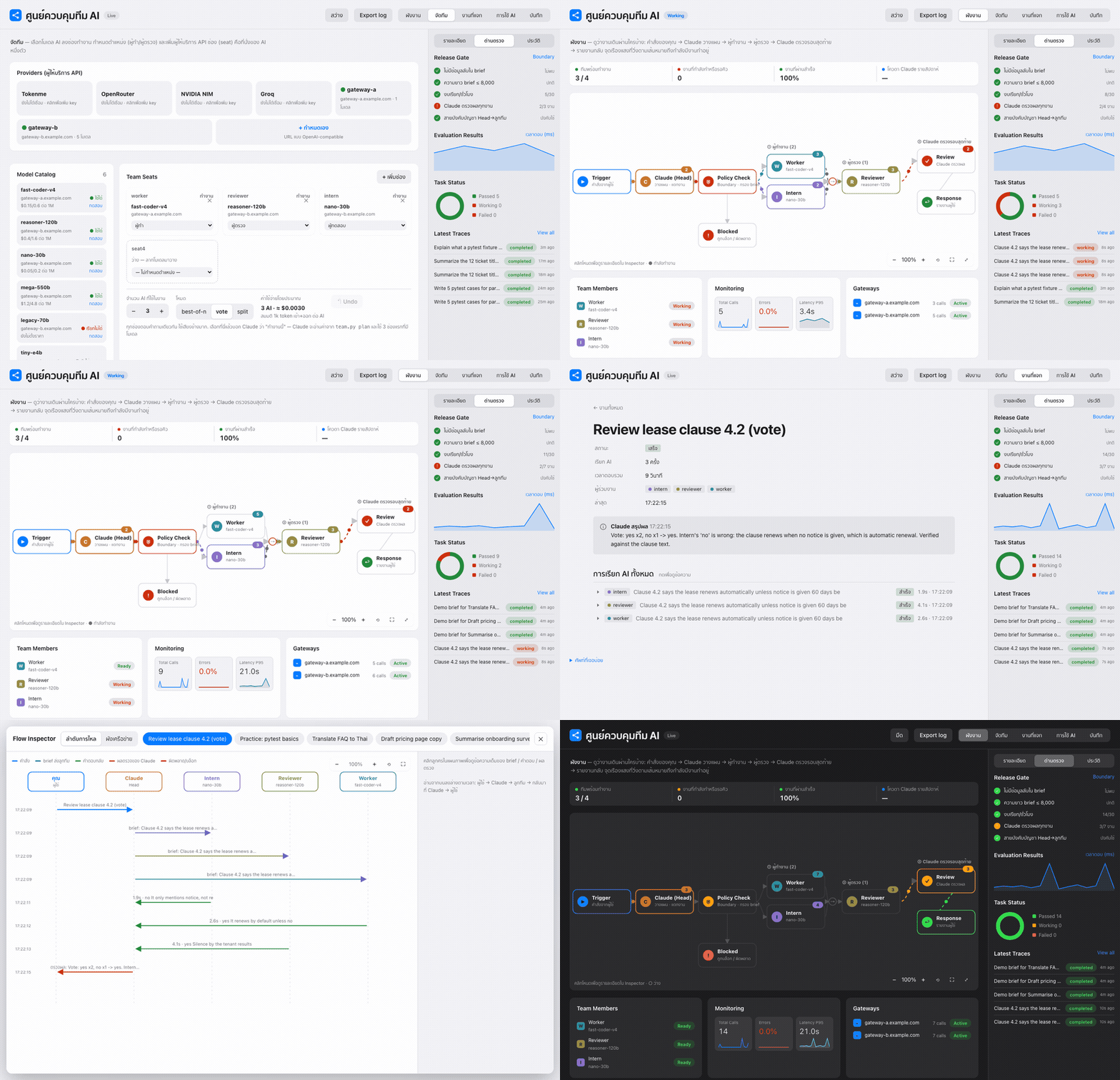
Screenshots and the GIF are generated from made-up demo data (
scripts/demo_seed.py). No real keys or gateways are shown. Regenerate withscripts/capture_demo.sh docs.
Screenshots
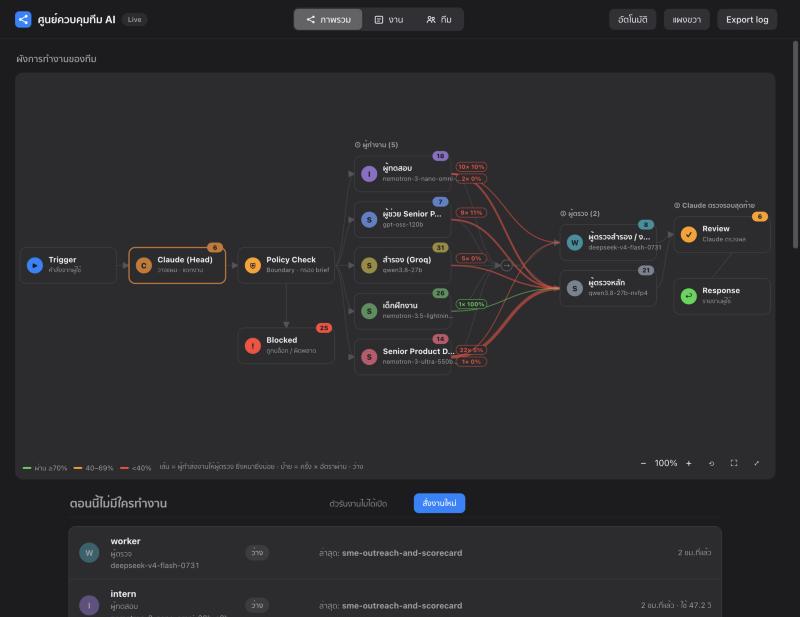
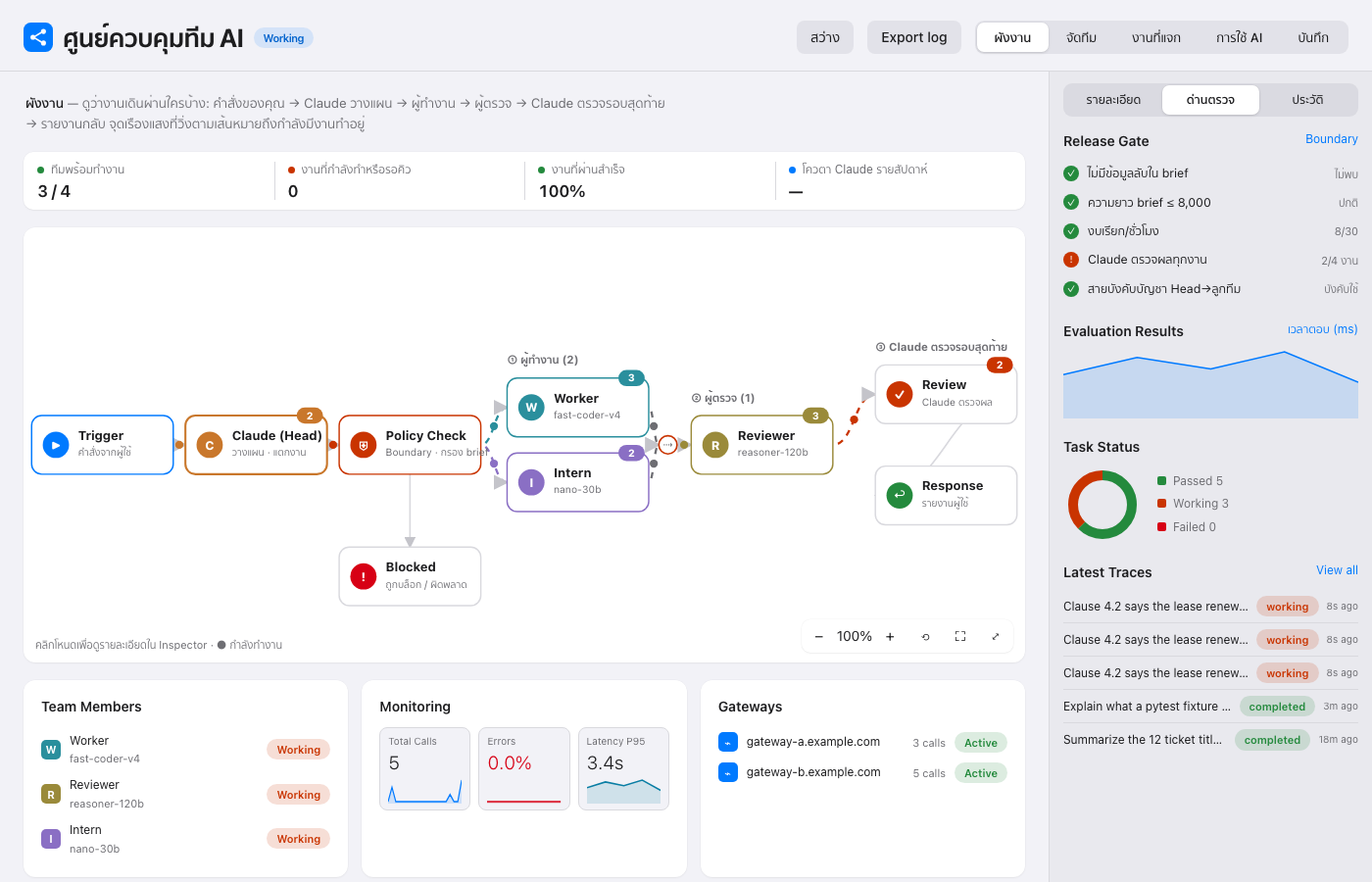
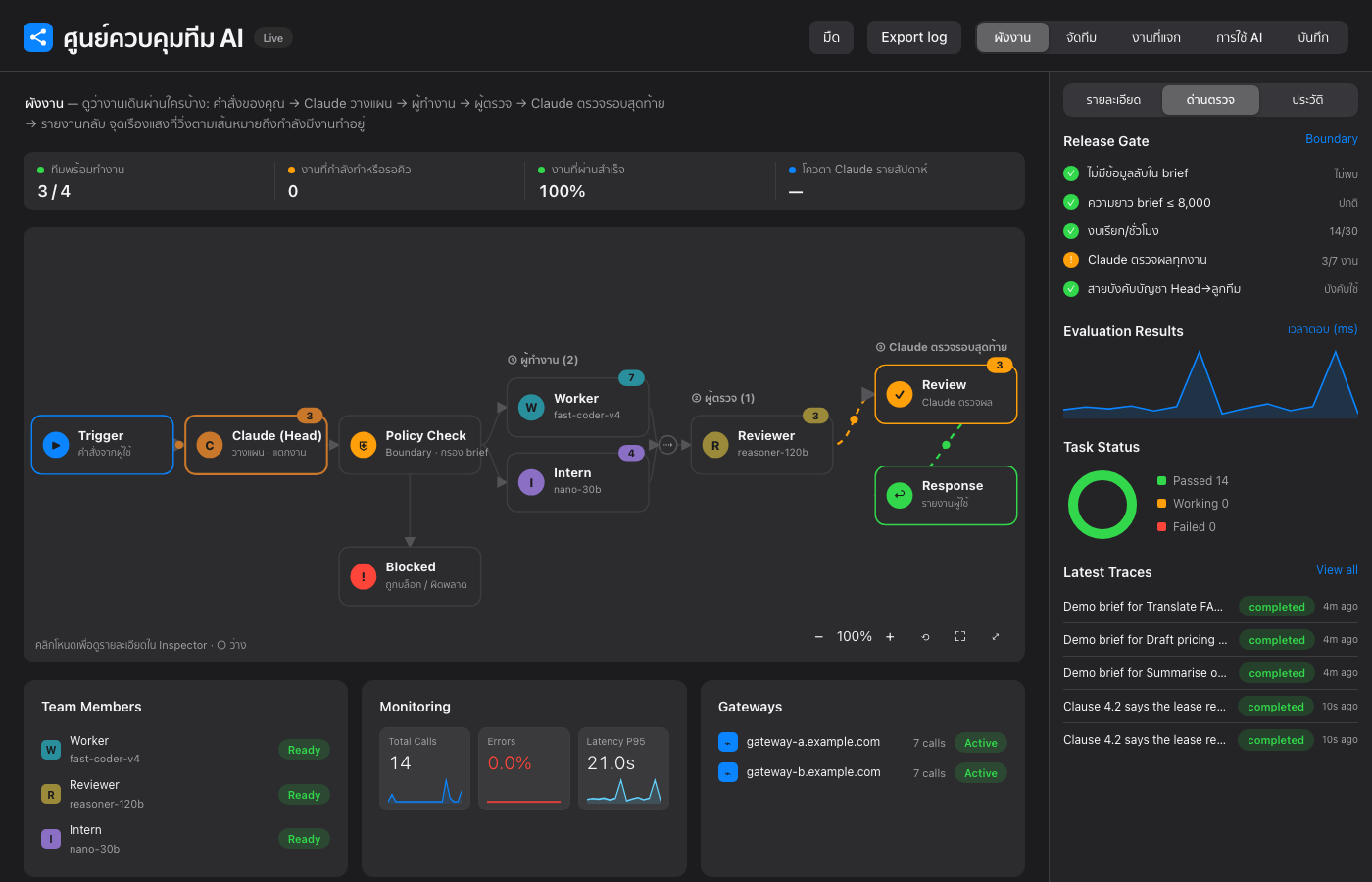
Overview: live team flow map — who sent work to whom, pass rate per pair
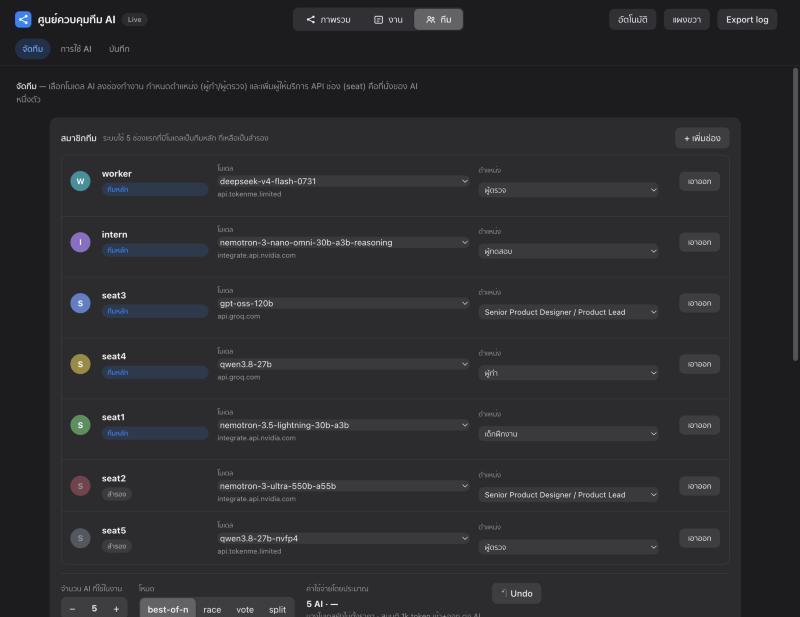
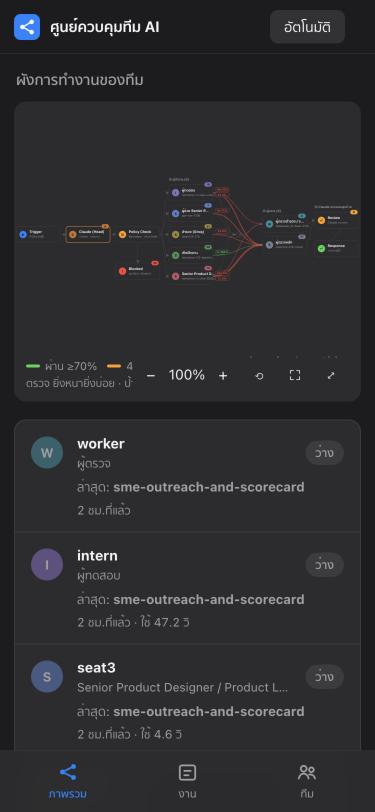
Team page: pick a model and role per seat from dropdowns · Mobile
Why use it
- You already pay for or have access to several models (free tiers, API gateways, local servers) but run them one at a time.
- You want a maker → reviewer workflow, parallel jobs, and an audit trail without writing an orchestration framework.
- You want guardrails: no API keys or ID numbers in prompts, call limits, and a log of every request.
Features
- Claude as Head — you talk to Claude in chat; it breaks the task down, writes briefs, checks results, and reports.
- Team Builder — drag models from a catalog into team seats, choose roles (maker, reviewer, tester, editor, Senior PD…), how many AIs per job, and the mode (
best-of-n,vote,split). Add providers (Tokenme, OpenRouter, NVIDIA NIM, Groq, or custom) from the web UI. - Parallel queue + maker→reviewer flow — reviewers sit in a different seat (ideally a different gateway) and can send work back for several rounds, with automatic checks (JSON, regex, code run in a sandbox).
- Skill-based routing — every seat has per-skill scores (
team.py skills ls);--pool @auto --needs <skill>picks the best seat, and scores update from real results. - Race mode (speed) —
team.py race on --n 2 --hedge 6: the fastest seat starts first; if it is slow or fails, the next seat starts and the first valid answer wins. Reviewers that return malformed JSON are skipped automatically. Ties in skill score go to the faster seat. - Boundary — filters keys/passwords, limits length and calls per hour, refuses placeholder URLs, logs everything.
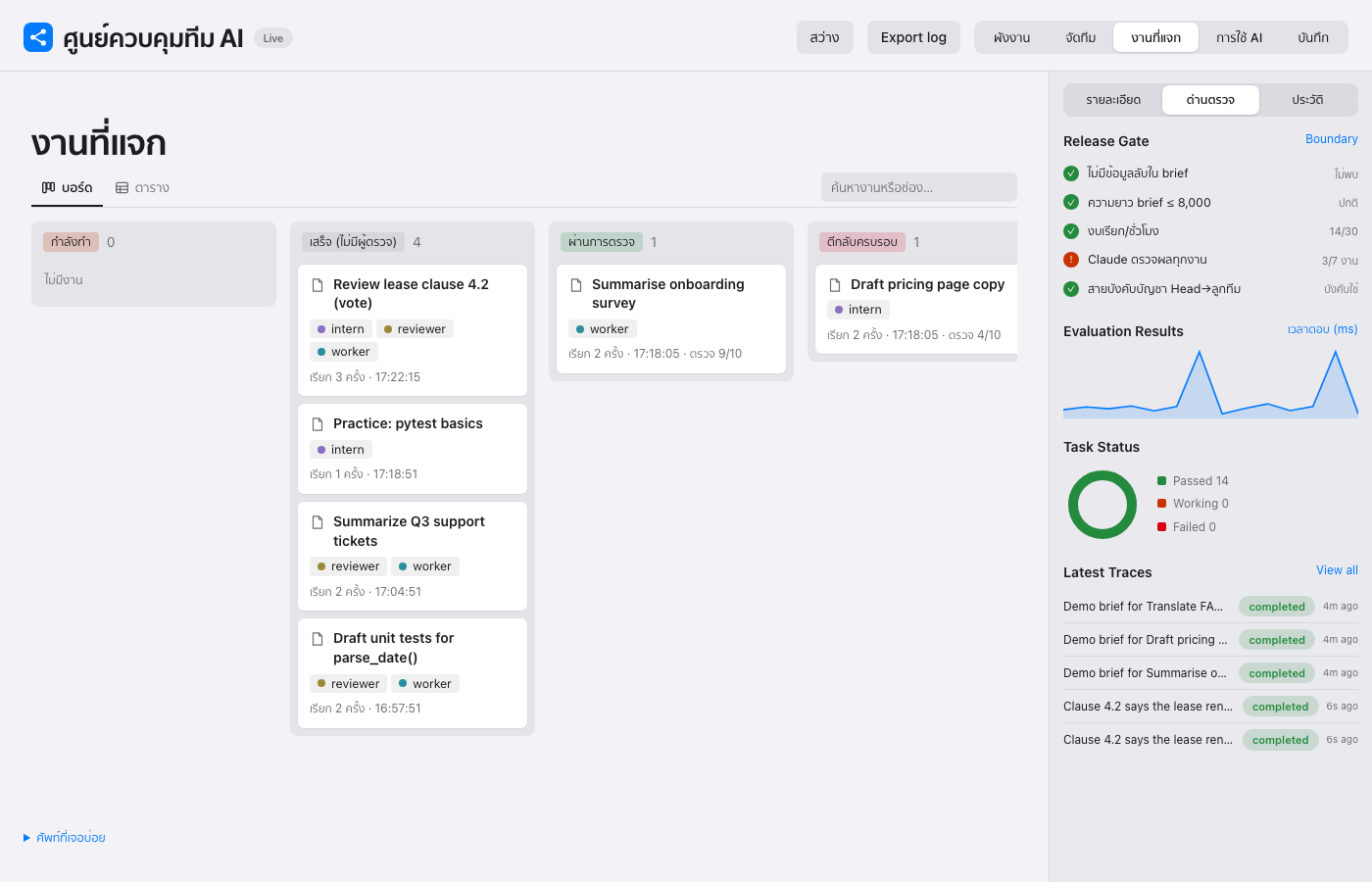
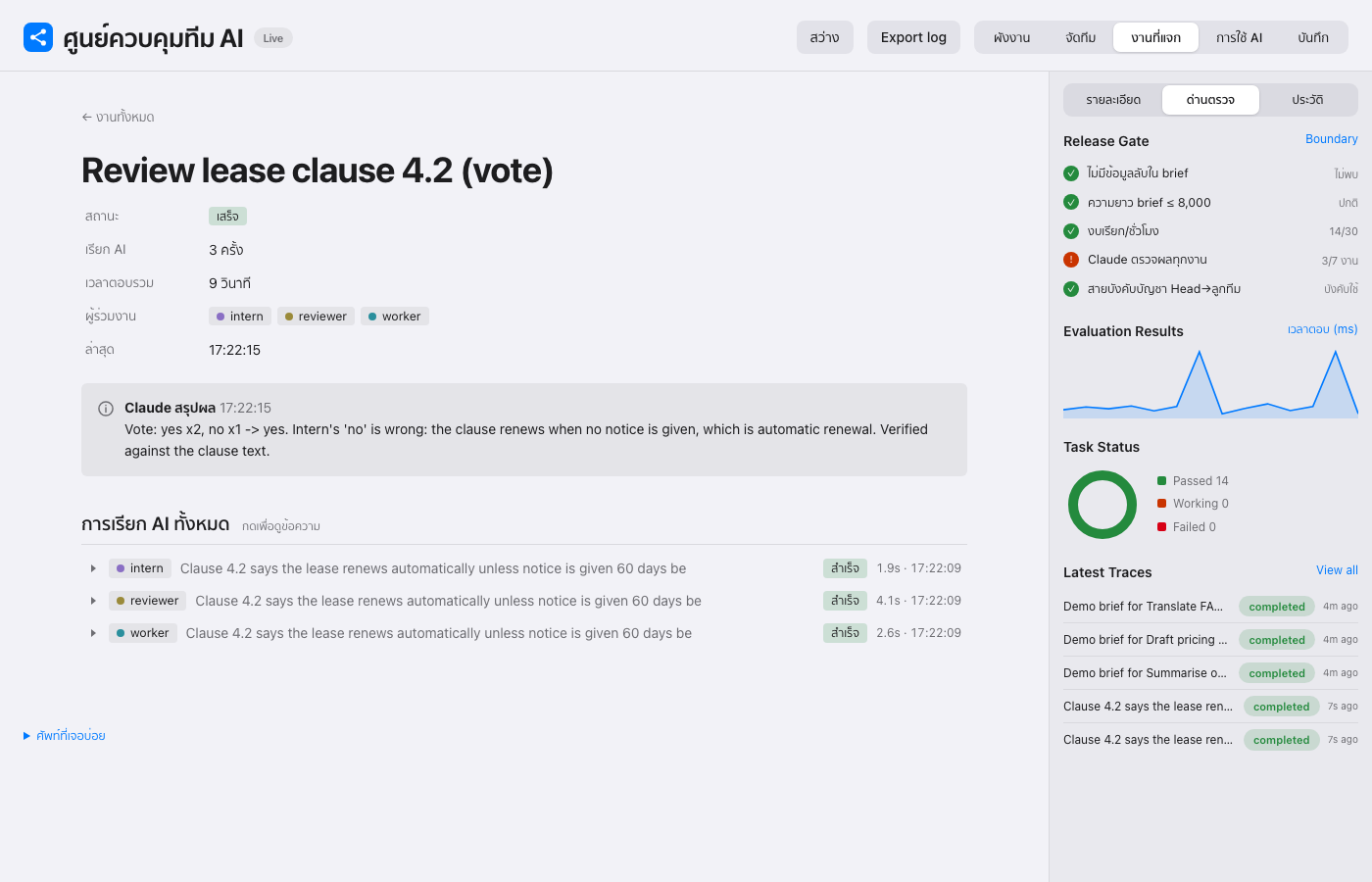
- Live dashboard — flow diagram of who works on what, with a glowing frame on every AI that is working right now; a Notion-style job board; usage and latency; audit log; light/dark mode.
- Web search for the team —
team.py web search|fetch(TinyFish) feeds sourced facts to the models without exposing your key. - Merge + research pipelines — an
editorrole merges multi-part work;team.py researchruns a problem-first research flow. - Training and per-member guides —
scripts/train.pymeasures each member on held-out tasks, writes coaching prompts, and generates portable per-member instruction files (docs/team/) you can reuse in other projects or sessions. Seedocs/TEAM-GUIDE.md.
| Flow (light) | Flow (dark) |
|---|---|
 |
 |
| Job board | Job page |
 |
 |
| Team builder | Flow inspector |
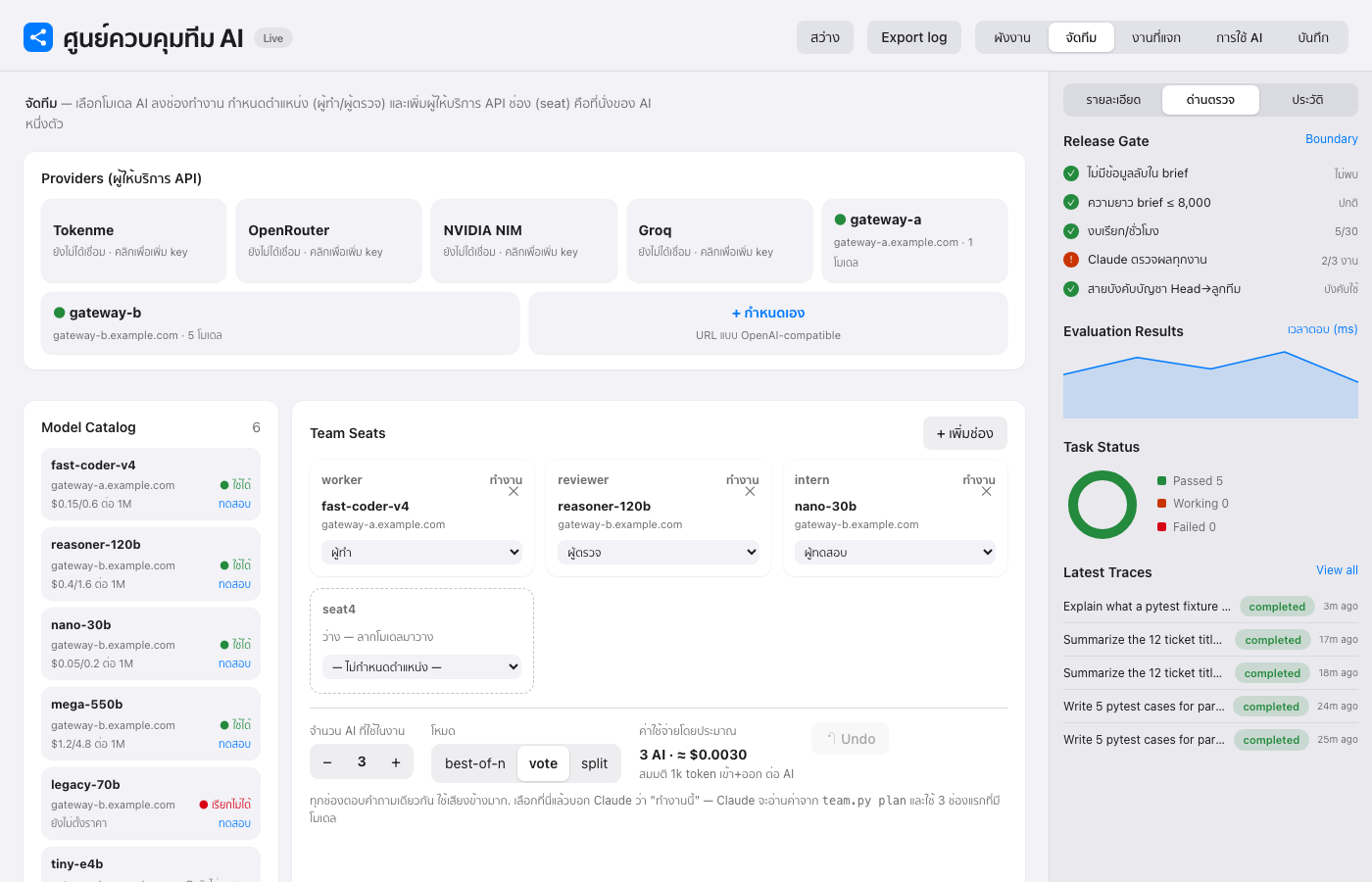 |
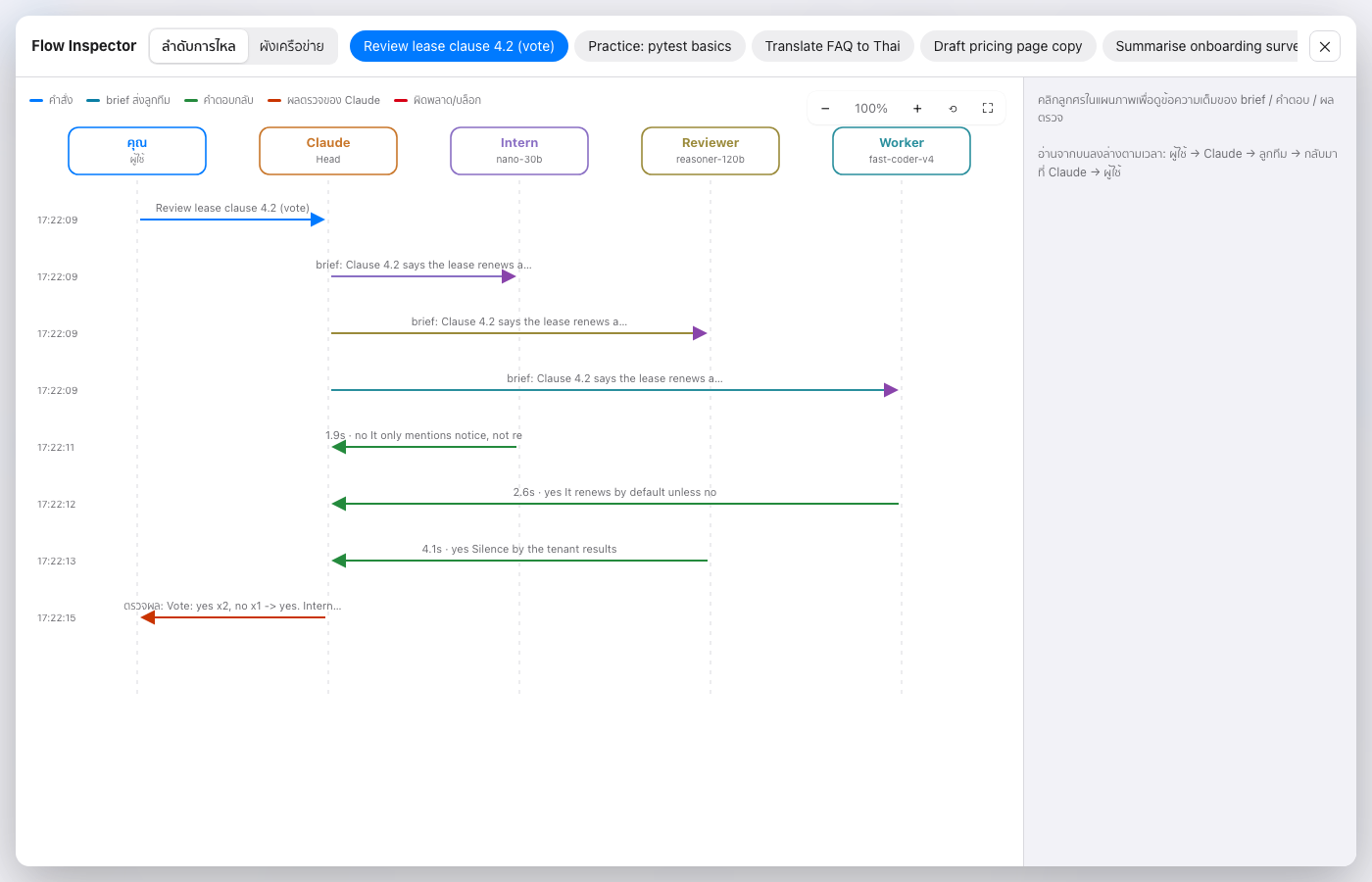 |
Use ChatGPT, Gemini or Grok as team members
Any OpenAI-compatible provider works. Seven presets are built in:
python3 scripts/team.py presets                    # list presets and their key env var names
python3 scripts/team.py connect gemini             # asks for the key silently, imports Gemini models
python3 scripts/team.py connect openai --seat seat6  # ChatGPT models, put the first one in seat6
AI_TEAM_KEY_XAI=... python3 scripts/team.py connect xai   # Grok, key from env (for scripts/CI)
| Preset | Provider | Key env var |
|---|---|---|
openai |
ChatGPT (OpenAI) | AI_TEAM_KEY_OPENAI |
gemini |
Gemini (Google AI Studio) | AI_TEAM_KEY_GEMINI |
xai |
Grok (xAI) | AI_TEAM_KEY_XAI |
groq, openrouter, nvidia, tokenme |
others | AI_TEAM_KEY_<NAME> |
A key that fails is not saved. Keys stay in your local team.db and are never printed.
Use the AI subscriptions already on your computer (no API key)
If you're logged in to an AI coding CLI, the team can use that login as a seat. Calls count against your monthly plan instead of per-token API billing.
python3 scripts/team.py connect codex-cli --seat seat6     # ChatGPT plan via Codex CLI (models from your Codex cache)
python3 scripts/team.py connect agy-cli                    # Antigravity CLI (agy)
python3 scripts/team.py connect claude-cli                 # Claude Code
python3 scripts/team.py connect gemini-cli                 # Gemini CLI
Each call runs in an empty temp folder in plan/read-only mode with no saved session, so a seat can only return text and can't edit files. A short task per call is cheaper than one long shared session, because a session re-sends its whole history every turn. Known limits: Google no longer lets personal accounts use Gemini CLI and points them to Antigravity. If your agy uses a custom modelProvider, set the env var that provider needs.
Drive it from any agent CLI (Antigravity, Gemini CLI, Codex…)
The team is a plain CLI, so any agent that can run shell commands can lead it. Point the agent at AGENTS.md.
Quick start
# 1. Install as a Claude Code skill
git clone https://github.com/panusbodee-owen/Power-Ai-Ranger-Skill.git ~/.claude/skills/ai-team

# 2. Register team members (you type the key in your own terminal; it is asked silently)
python3 ~/.claude/skills/ai-team/scripts/team.py add worker --base-url https://GATEWAY/v1 --model MODEL --role "Diligent worker"
python3 ~/.claude/skills/ai-team/scripts/team.py add intern --base-url https://GATEWAY/v1 --model MODEL --role "Intern"

# 3. Open the dashboard
python3 ~/.claude/skills/ai-team/scripts/dash.py   # http://localhost:8790
Then open Claude Code and just ask, e.g. "have worker write tests for this function". Claude plans, briefs the team, reviews, and reports.
API keys are stored in ~/.ai-team/team.db on your machine only (not in this repo; *.db is git-ignored).
Per-member guides and training
docs/TEAM-GUIDE.mdanddocs/team/<name>.md— system prompt, coaching text, example briefs and a runnablecurl/Python call for each member. No API keys.docs/performance-*.md— before/after results with their limits. The models are hosted, so nothing is fine-tuned: "training" here means a coaching prompt plus measurement.- Rebuild:
python3 scripts/train.py run && python3 scripts/train.py apply && python3 scripts/train.py report docs/performance-<date>.md && python3 scripts/train.py guide docs/team
Security
- Claude never reads or prints your API keys; they are used by the scripts only.
- Briefs are filtered for keys, passwords and 13-digit numbers; length and hourly call counts are limited; every call is logged.
- The dashboard binds to 127.0.0.1 only and never reads the key column. It can edit seats and submit jobs, so do not expose that port to a network.
- Briefs and keys are sent to the gateways you configure. Pick providers you trust.
Status
Early-stage and used daily by its author. Issues and pull requests are welcome.
If it is useful to you, a ⭐ on the repo helps others find it.
Keywords
Claude Code skill · multi-agent orchestration · LLM team · maker/reviewer workflow · OpenAI-compatible API · DeepSeek · NVIDIA Nemotron · Qwen · Groq · OpenRouter · AI dashboard · prompt boundary
Yorumlar (0)
Yorum birakmak icin giris yap.
Yorum birakSonuc bulunamadi