scan-to-practice
Health Warn
- License — License: MIT
- Description — Repository has a description
- Active repo — Last push 1 days ago
- Low visibility — Only 5 GitHub stars
Code Warn
- Code scan incomplete — No supported source files were scanned during light audit
Permissions Pass
- Permissions — No dangerous permissions requested
No AI report is available for this listing yet.
Scan-to-Practice: a field-tested AI skill and methodology for turning scanned learning materials into structured practice products.
Scan-to-Practice
English | 中文说明
Turn scanned learning materials into structured, testable, and reusable practice products.
Scan-to-Practice is a field-tested methodology and AI skill for transforming image-based learning materials into structured exercises and delivering them as desktop, web, or mobile products. It covers visual transcription, data assembly, product design, visual systems, animation, cost control, and end-to-end validation.
Public-content boundary: This repository contains only original methodology, workflow summaries, and general technical documentation. It does not include third-party exam PDFs, original page scans, complete proprietary questions or answers, transcribed question banks, application installers, or local working data. Names such as Cambridge and IELTS appear only as project context. This project is not affiliated with, sponsored by, or endorsed by the respective rights holders.
What this repository is
This repository is not an application source-code release or a question-bank download. It is a knowledge base, implementation methodology, and AI skill. You can use it as an operating guide for agents that support SKILL.md, or as a practical blueprint for product managers, designers, and engineers building similar systems.
It provides:
- A nine-stage pipeline from source audit to product delivery
- Decision cards for vision-model selection, batch transcription, and cost estimation
- Validation rules that prevent alignment errors, truncation, and AI-generated content drift
- Information architecture, interaction, and visual-design lessons for desktop practice products
- A troubleshooting guide organized as symptom → root cause → fix → verification
Problems it addresses
- How do I turn photographs or scanned PDFs into an interactive practice product?
- How should I select a visual transcription approach, control cost, and preserve source fidelity?
- What makes a practice application feel polished and coherent?
- How can I use AI for batch processing without silently introducing fabricated or misaligned content?
Results
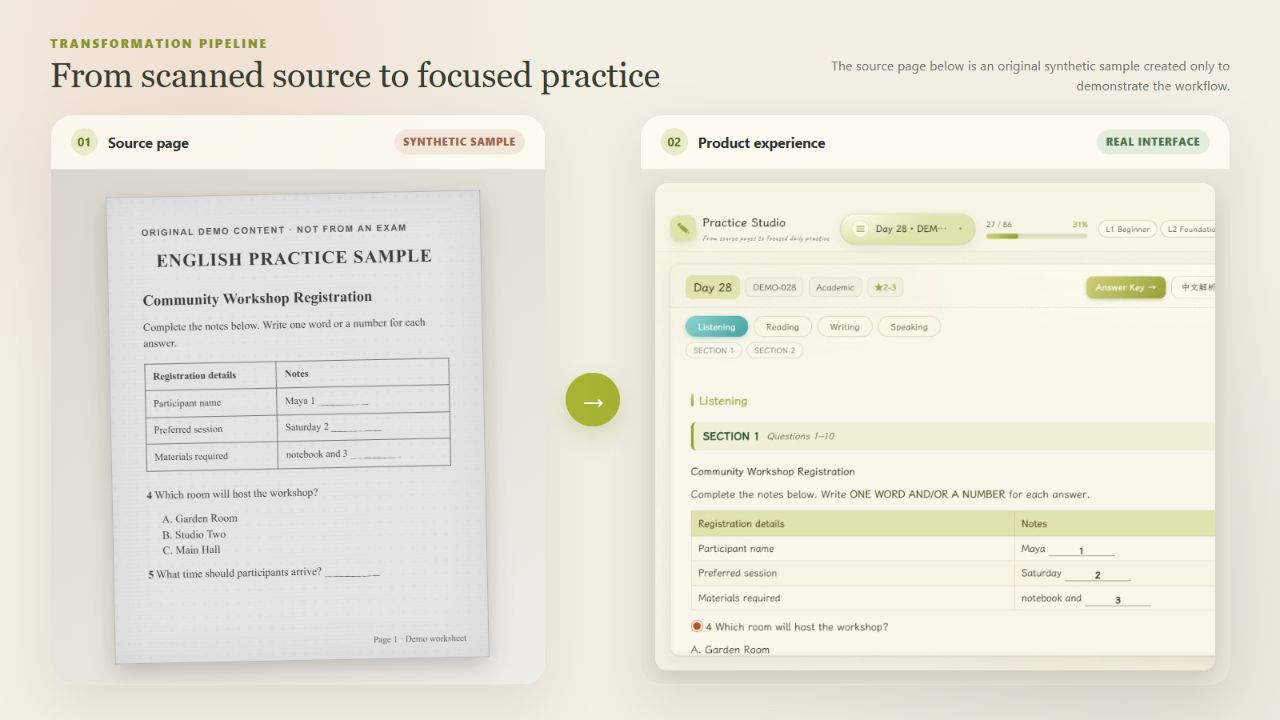
From a simulated source page to the application
The left side below is an original simulated scan; the right side is the real application interface loaded with matching demonstration data. This makes the structural and product-design transformation easy to inspect without redistributing third-party material.
Real practice interface
The application page below shows the real rendering implementation, including calendar progress, difficulty levels, subject switching, section navigation, answer access, explanations, and mistake marking.
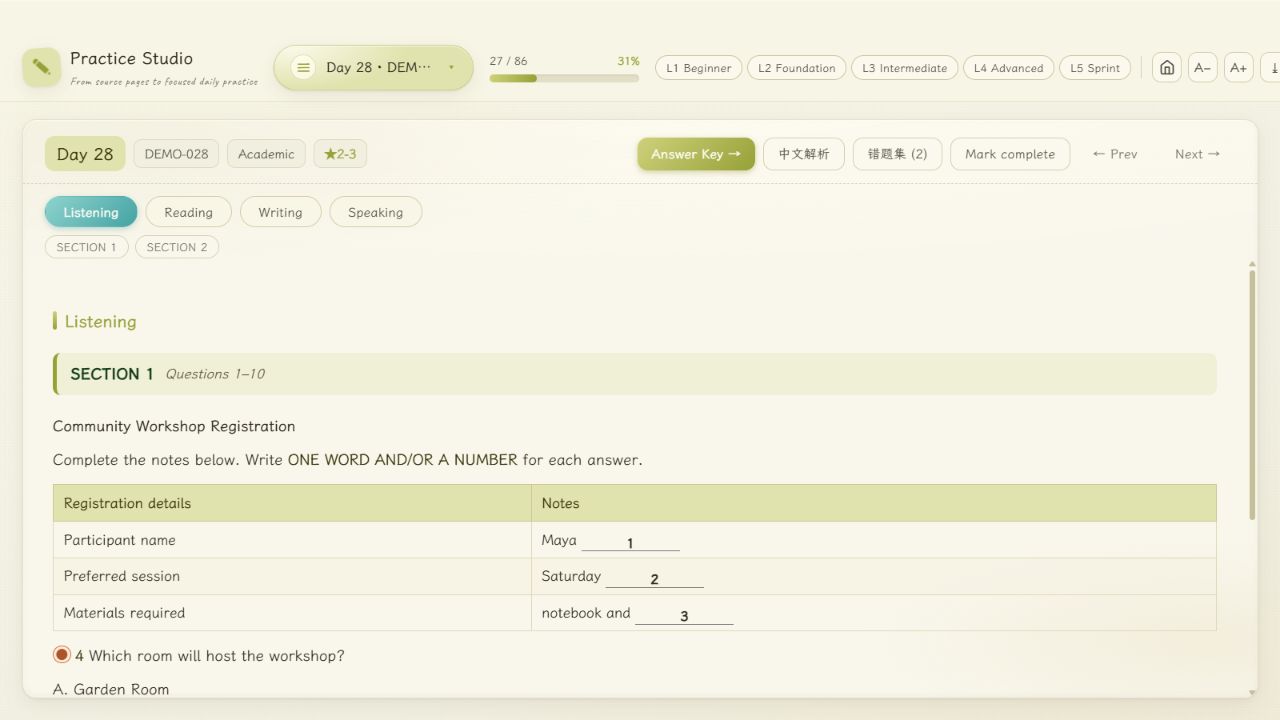
All questions, names, answers, and page content shown in the public images are original synthetic demonstration data. Product names and brand elements have been removed from the screenshots.
Repository structure
scan-to-practice/
├── .gitignore                        # Keeps local datasets, secrets, and build output out of Git
├── SKILL.md                          # AI skill: triggers, decision cards, and common pitfalls
├── docs/
│   ├── 01-project-journey.md         # End-to-end project journey in 12 stages
│   ├── 02-troubleshooting.md         # Troubleshooting handbook across eight problem domains
│   ├── 03-methodology.md             # Reusable nine-stage implementation methodology
│   └── assets/                       # Project images using original demonstration data only
├── LICENSE                           # MIT License
└── README.md                         # English overview with a Chinese section
Documentation guide
All detailed documents and the AI skill are written in English. The main README contains both an English overview and a Chinese section.
| Document | When to use it |
|---|---|
01-project-journey.md |
Follow the complete 12-stage path from source audit to final delivery |
02-troubleshooting.md |
Diagnose implementation problems through symptom, cause, fix, and verification |
03-methodology.md |
Reuse the nine-stage pipeline, decision cards, cost model, and tool checklist |
Key lessons
| Area | Practical conclusion |
|---|---|
| OCR vs. vision models | Conventional OCR can be unreliable on complex scanned exam layouts; validate a capable vision model on representative pages before scaling |
| Cost control | A 2,584-page reference project cost approximately CNY 23–42 in model usage and ran for 8–12 hours with resumable processing |
| Fidelity | Prompts must explicitly preserve question numbers, answer spaces, tables, and section boundaries |
| Content integrity | Split long documents by complete test or section boundaries and scan the full output for reasoning traces or invented content |
| Data assembly | Segment only on structural anchors such as SECTION, READING PASSAGE N, and WRITING TASK N |
| Product format | A self-contained file can serve as storage, export, and import when content sections are marked explicitly |
| Visual design | A restrained paper-inspired system, low-chroma OKLCH colors, and deliberate motion produced the most coherent result |
| Animation | Animate transform and opacity whenever possible; avoid expensive filters during motion |
| Validation | Use layered checks: syntax, smoke tests, source-consistency assertions, browser-level interaction tests, and screenshot review |
Usage
Load it as an AI skill
Give this repository to an agent that supports SKILL.md:
cp -r scan-to-practice /path/to/skills/
# Or ask the agent to read SKILL.md directly.
The agent can then follow the nine-stage pipeline in SKILL.md and consult docs/02-troubleshooting.md when a problem appears.
Use it as a human project blueprint
- Read
docs/03-methodology.mdto understand the complete workflow and cost model. - Follow the stages in
docs/01-project-journey.md. - Use
docs/02-troubleshooting.mdwhen implementation issues arise.
Project background
This methodology was developed during a real language-learning project involving 18 image-based PDFs and approximately 2,584 useful pages. The goal was to organize the material into a Windows desktop application with one structured practice set per day, progressive difficulty, and a focused interface.
The completed private product included:
- An 86-day structured training library
- Visual transcription, assembly, parsing, and source-consistency checks for 2,584 pages
- An Electron desktop application with a paper-inspired visual system, opening animation, mistake collection, persistent progress, import/export, and installer plus portable builds
The reusable lessons from transcription, assembly, rendering, quality assurance, and collaboration are documented in this public repository without publishing the private source material or dataset.
License
Original content contributed to this repository is available under the MIT License.
Third-party names, trademarks, and works remain the property of their respective owners. The MIT License does not apply to third-party source material that is not included in this repository and does not grant redistribution rights for such material.
中文说明
把扫描版学习资料转化为结构化、可检验、可复用的练习产品。
Scan-to-Practice 是一套经过真实项目验证的方法论与 AI Skill,用于将图片型 PDF、练习册扫描件或题库照片整理成结构化练习内容,并进一步制作成桌面端、网页端或移动端产品。
本仓库公开的是通用方法、实施流程和故障排查经验,不是应用源码或题库下载站。
公开内容边界
本仓库不包含第三方原始 PDF、真实页面截图、完整题目与答案、转录题库、应用安装包、私有源码、密钥或本地工作数据。公开展示图片中的题目、姓名、答案和页面内容均为原创模拟数据。
文中出现的第三方名称仅用于说明项目背景。本项目与相关权利方不存在隶属、赞助或官方认可关系。
你可以获得什么
- 从素材盘点到产品交付的九阶段实施管线
- 视觉模型选型、批量转录和成本估算方法
- 防止错位、截断和 AI 自行编写内容的验证规则
- 桌面练习产品的信息架构、视觉系统和交互经验
- 按“现象 → 根因 → 修复 → 验证”整理的英文故障手册
- 可直接提供给支持
SKILL.md的 AI 助手使用的英文 Skill
九阶段流程
1. 版权与素材盘点
2. 题库结构、难度与日历设计
3. 图片到文字的视觉转录
4. 数据组装与全量验证
5. 自包含内容文件格式
6. 应用架构
7. 视觉设计体系
8. 动画与素材处理
9. 打包、验证与长期维护
效果展示
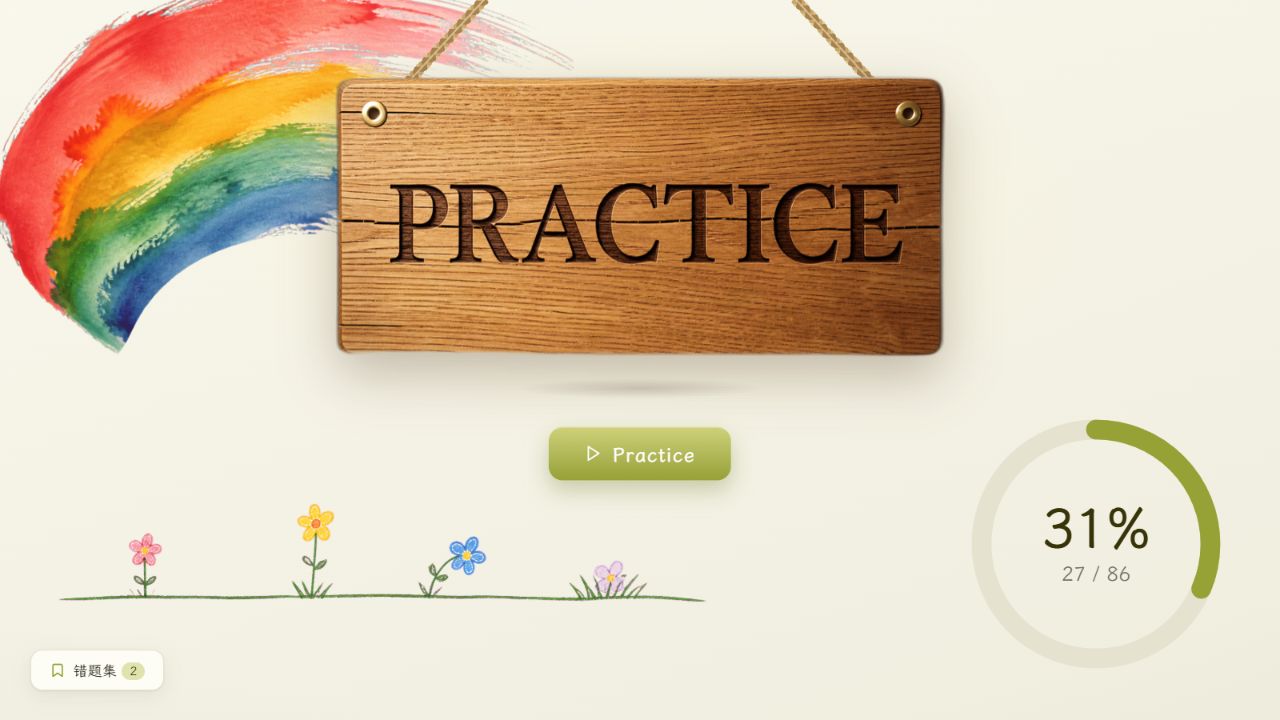
仓库中的展示图包括:
- 真实软件主页
- 真实软件练习功能页
- 自制模拟原稿与软件转换效果对比
所有界面均使用原创模拟数据,不对应任何真实考试材料。
文档导航
除本 README 外,仓库中的公开文档均为英文:
| 文件 | 用途 |
|---|---|
SKILL.md |
AI Skill 入口、快速决策卡和实施原则 |
docs/01-project-journey.md |
从素材审计到最终交付的完整项目路径 |
docs/02-troubleshooting.md |
转录、组装、渲染、交互和验证问题的修复手册 |
docs/03-methodology.md |
可复制的九阶段方法论、成本模型和工具清单 |
使用方法
作为 AI Skill 使用:
cp -r scan-to-practice /path/to/skills/
# 或让支持 SKILL.md 的 AI 助手直接读取本仓库。
作为人工实施蓝图:
- 先阅读
docs/03-methodology.md了解全貌与成本。 - 按
docs/01-project-journey.md的阶段推进。 - 遇到问题时查询
docs/02-troubleshooting.md。
项目背景
这套方法论来自一个真实语言学习项目:18 本图片型 PDF、约 2,584 个有效页面,被整理为 86 天结构化训练库,并制作成 Electron Windows 桌面应用。
私有产品包含难度分级、学习进度、错题集、导入导出、纸张主题、开场动画以及安装版和便携版。本公开仓库只保留可复用的方法与工程经验。
许可
仓库贡献者原创的公开内容采用 MIT License。第三方名称、商标与作品的权利归各自权利人所有;MIT License 不适用于仓库中未包含的第三方材料,也不代表获得了相关材料的再分发授权。
Reviews (0)
Sign in to leave a review.
Leave a reviewNo results found