decks
Health Pass
- License — License: MIT
- Description — Repository has a description
- Active repo — Last push 0 days ago
- Community trust — 35 GitHub stars
Code Warn
- network request — Outbound network request in static/boot.js
- network request — Outbound network request in static/clientcopy.js
- network request — Outbound network request in static/pictures.js
- network request — Outbound network request in static/shell.js
Permissions Pass
- Permissions — No dangerous permissions requested
No AI report is available for this listing yet.
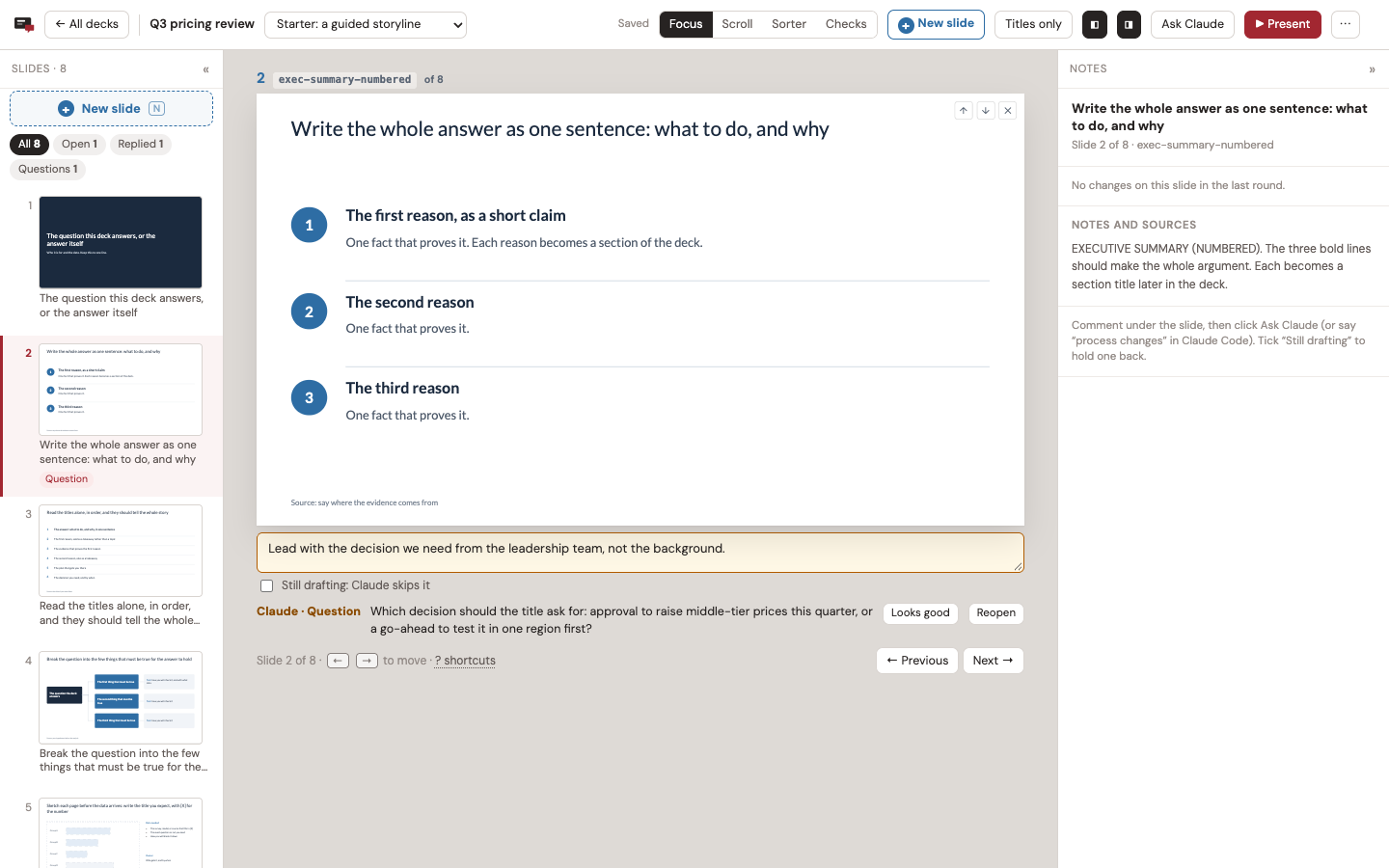
Agent-first slide decks: comment under a slide, and your coding agent (Claude Code or Codex) makes the change and replies on the slide.
Decks
Make slides by commenting on them. You leave a comment under a slide, your coding agent
(Claude Code or Codex) changes the deck, and it replies on the slide: what it did, a
question for you, or why it left something alone.
Why I built this
I teach people consulting skills and a big part of my work is getting people to make
better and more compelling decks in PowerPoint. I made most of my slides in PowerPoint
too. Of course I did, I'm a former consultant.
With Astra and Opus 5.5, we've reached a tipping point. I think that bulky software like
Google Slides and PowerPoint increasingly doesn't make sense, especially for a solo
operator like me. Handling basic formatting is trivial now and you can play project
manager or partner, with the latest models as your Senior Associate. While I assume this
may continue to evolve and I'm sure Claude's slide project may eventually kick my ass,
for now, I am putting this out there as a simple harness that you can open in Claude or
Codex and work in iteratively.
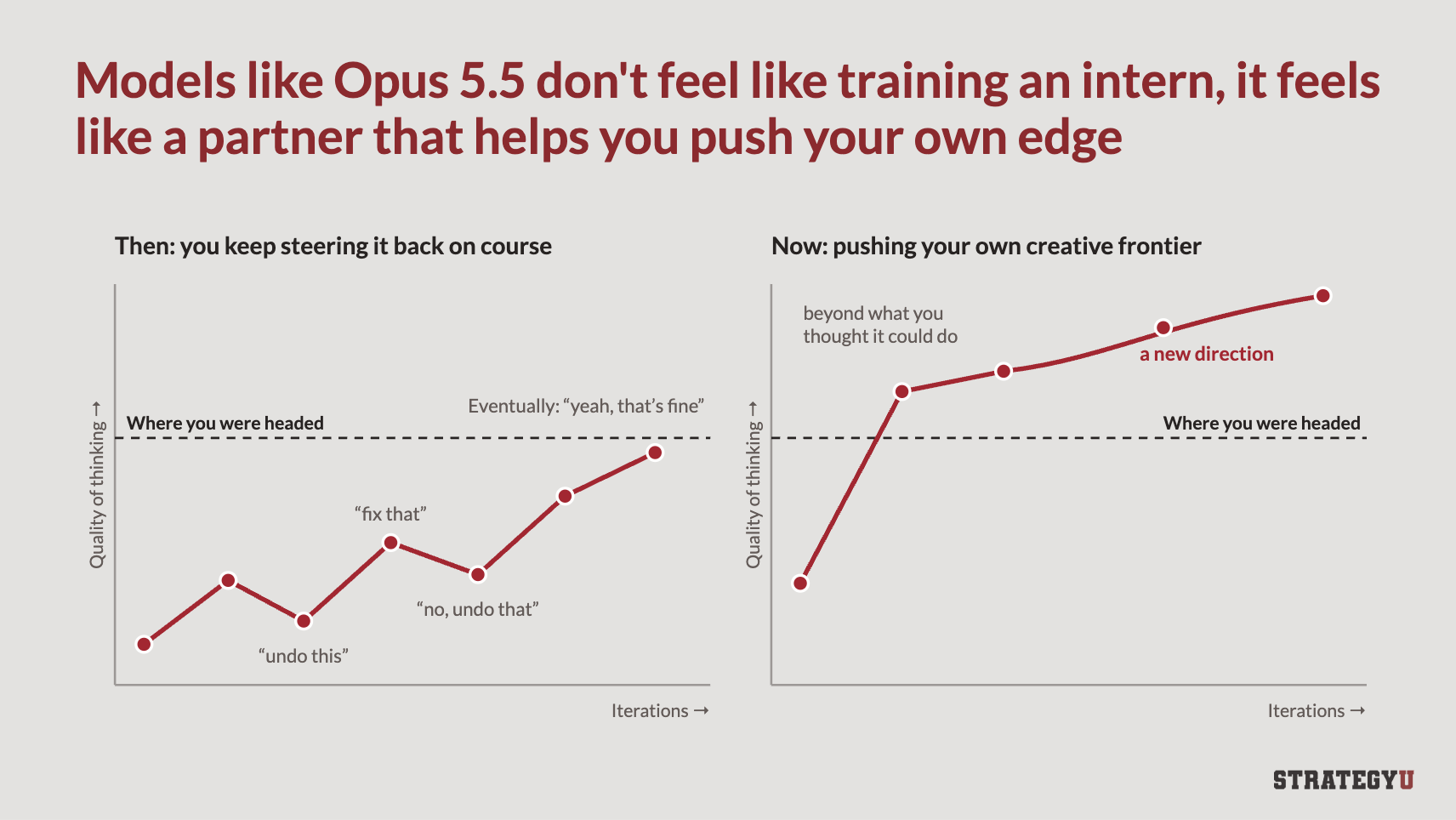
Decks is built that way. You say what should change, your agent changes it, and it tells
you on the slide what it did and why. I have a tab, Checks, that offers some of the
tests I teach to teams and also still run on my own slides: five- and ten-second tests,
title tests, and horizontal and vertical flow. You can use AI as both a doer and a
teacher, so you learn the method and apply it at the same time, on your own work.
When I make slides now, this is my daily driver and harness. I'm not sure I'll ever align
boxes in PowerPoint again.
A builder with a strong opinion
Decks is built on the ideas I teach at StrategyU, and the agent follows them every time it
writes or fixes a slide:
- Answer first. Lead with the recommendation, then the evidence. Build up to it only
when the audience is skeptical. - Ghost deck first. Write every title, in order, before building a single slide. It's
the cheapest moment to fix the story. (Ghost decks) - Action titles. Every title is a full sentence that says the point: "Q3 revenue grew
22%, driven by enterprise expansion", not "Q3 Revenue".
(Action titles) - Vertical flow. The title matches the content: the body proves the title, and there's
no takeaway box at the bottom.
(The principles of flow) - Horizontal flow. Read only the titles, in order, and they tell the whole story.
- The five-second test. For a slide you present: glance at it for five seconds, and
the one point comes through. - The ten-second test. For a slide people read: they can take it in within ten
seconds. One point, a clear hierarchy, a chart that reads without study.
(The ten-second test) - "So what?" A slide can be easy to read and still say nothing. Every slide tells the
audience what to think. (Pretty slide syndrome) - One idea per slide. If it needs "and also", it's two slides.
- Charts prove the title. Bars, columns, and lines; the number that matters stands
out; never a pie chart. - Draw the relationship. No grids of identical boxes. Show the process, the spectrum,
or the chart instead.
Most of these are one keypress away in Checks. The agent's version of the method is
in .claude/skills/decks/SKILL.md, and the full one is in my
strategy-slides skill.
Recommended setup
I use Decks in the Claude and Codex apps, with the deck open in the app's built-in
browser, so the agent and I look at the same page. Models: Opus 5.5 or Sol 6.1. I haven't
tried others yet.
Each deck is one file on your machine
Each deck is one HTML file in its own folder, with its own git history. It opens in any
browser, presents full screen, and prints to PDF. Decks runs on your machine and keeps
nothing anywhere else (your agent sends what it reads to its model provider, as it does
with any file). When you need to send a deck, Client copy gives you one file with
only the slides.
Install
You need Python 3.9 or newer, Node.js 18 or newer, and git (optional, but decks get
version history with it). macOS and Linux.
git clone <this repository> decks
cd decks
./setup.sh
python3 server.py
Open http://localhost:8790/. The first start makes ~/slide-decks/ with the deck
registry (decks.json) and a demo deck to practice on.
The server needs only Python. Screenshots, the audit, PDF export, and dashboard
thumbnails use Node.js and a headless Chrome. setup.sh installs playwright-core intotools/ and, if it can't find a usable Chrome, Playwright's Chromium (about 150 MB, in~/Library/Caches/ms-playwright on macOS or ~/.cache/ms-playwright on Linux). On
Linux, if screenshots or PDFs fail, Chrome is missing system libraries:(cd tools && sudo npx playwright-core install-deps chromium).
Settings
Defaults: port 8790, listening on 127.0.0.1, decks in ~/slide-decks. To change them,
copy config.example.json to config.json, or set environment variables (they win):
| Setting | config.json |
Environment |
|---|---|---|
| Port | port |
SB_PORT |
| Address to listen on | host |
SB_HOST |
Decks folder (also holds decks.json and settings.json) |
decks_dir |
SB_DECKS_DIR |
| A different config file | SB_CONFIG |
|
Where sb finds the server |
SB_URL |
|
| Chrome for the headless jobs | SB_CHROME |
python3 server.py --port 8799 changes the port for one run.
How a round works
- You comment. Write what should change in the box under a slide, or click any text
on the slide and fix it yourself. It saves to disk next to the deck as you type. - You hand it to the agent. Click Ask Claude in the top bar. It copies a prompt
with the deck file and the steps; paste it into Claude Code or Codex. With thedecks
skill installed, you can just say "process changes". - The agent edits and replies. It reads your comments and edits with
sb comments
andsb edits, changes the deck file, and answers each comment on its slide withsb reply. You see "Claude working" on the slide while it goes. - The agent checks its work. It screenshots the slides it touched, runs the audit,
exports the next numbered PDF, records the round, and commits the deck folder. - You review. The page reloads once you stop typing. Replies sit under their slides,
and changed slides carry a badge. Looks good clears a comment; Reopen sends it
back.
Each slide keeps its history in the side panel: every comment, the agent's reply, and
how it ended.
Checks: the tests I teach, one key each
Press C, or a number key from any view to run that check on the slide you're on.
5-second test. Can you get the point of the slide at a glance?
10-second test. Can a reader take it in, in the time they'll give it? A miss on
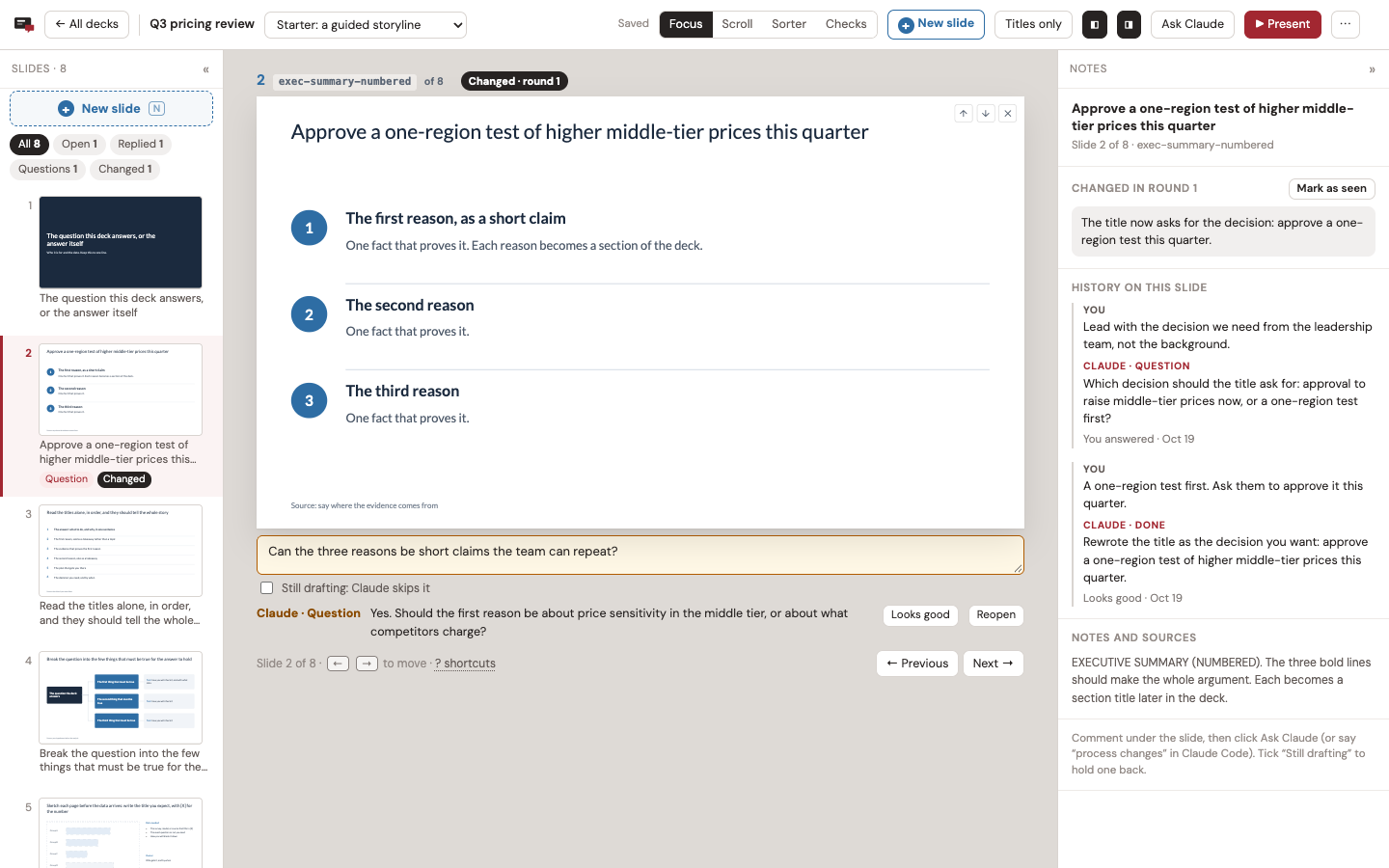
either timed test (M) leaves a comment on the slide for the next round.Horizontal flow. The titles alone, in order, as paragraphs or one per line. They
should tell the whole story. You can edit them right there.Vertical flow. The title first, with the body hidden. Say what the slide has to
prove, then press Space and check that it does.Guides. Four basic rules drawn on every slide, with a list of the slides that
break one:- the protected border, kept for the logo, source line, and page number;
- titles of two lines at most (title, section, closing, and statement slides are
exempt); - no text under 12 px on the 1000 px slide;
- no more than four text sizes on a slide.
They're guidelines. They flag problems and never block you. Ask Claude to fix adds
what a slide breaks to its comment (Comment on all does every flagged slide), and
the agent fixes it next round.sb auditruns the same check, plus overflow and
overlapping labels.
You can comment from any check except the timed tests: the comment box stays under the
slide.
Working in a deck
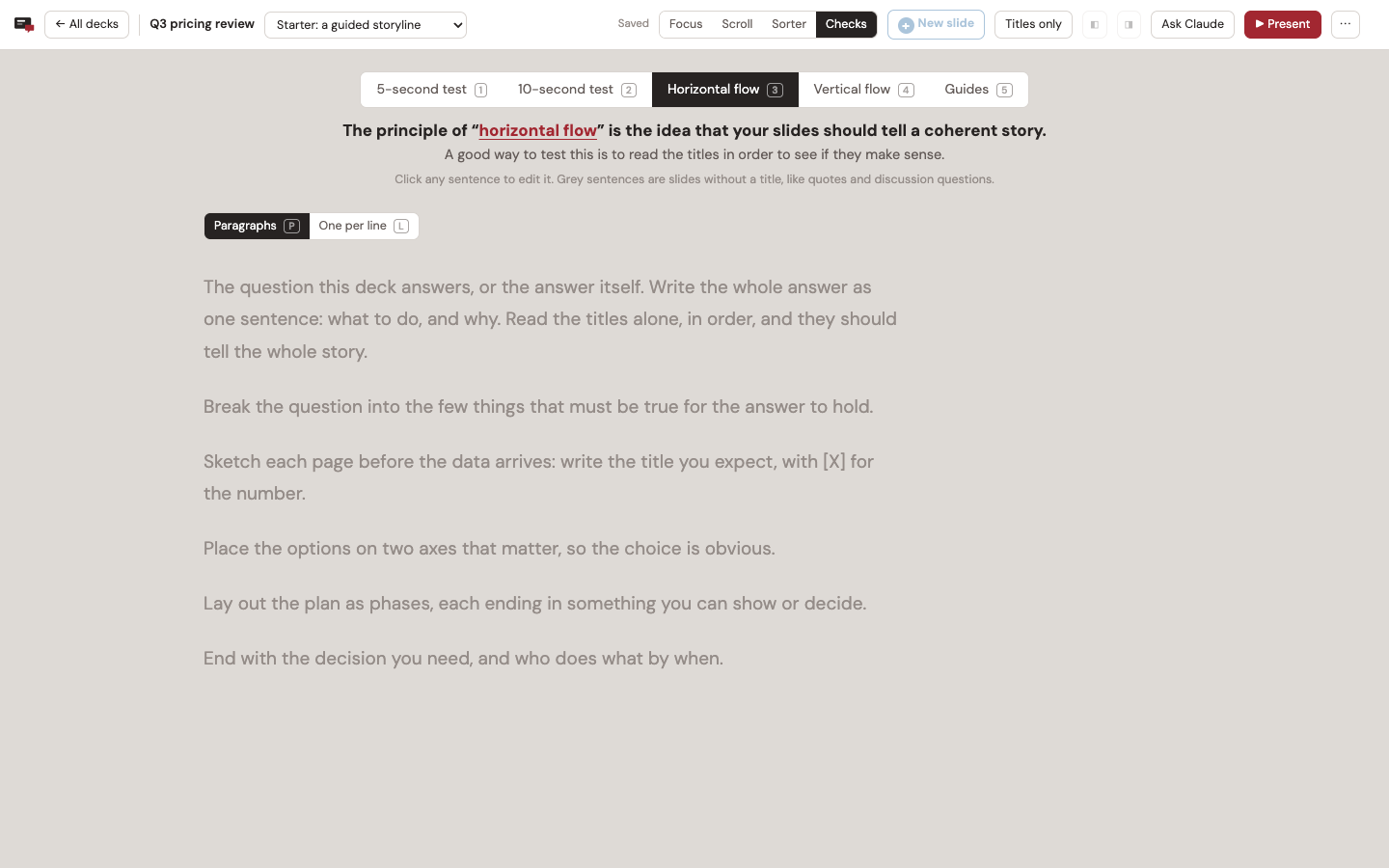
Four views, each with the slides on the left and the notes on the right:
- Focus (F): one slide, its comment box, and the agent's reply.
- Scroll (S): the whole deck, with comments and replies under each slide.
- Sorter (G): drag thumbnails to reorder, × to leave a slide out, and a shelf to bring
slides back. - Checks (C): above.
Titles only (H) hides everything but the titles, in any view. ? lists every
shortcut. The version menu switches between a deck's versions (say, the full deck, a
short cut, and a facilitator pack), which share slides.
Add a slide
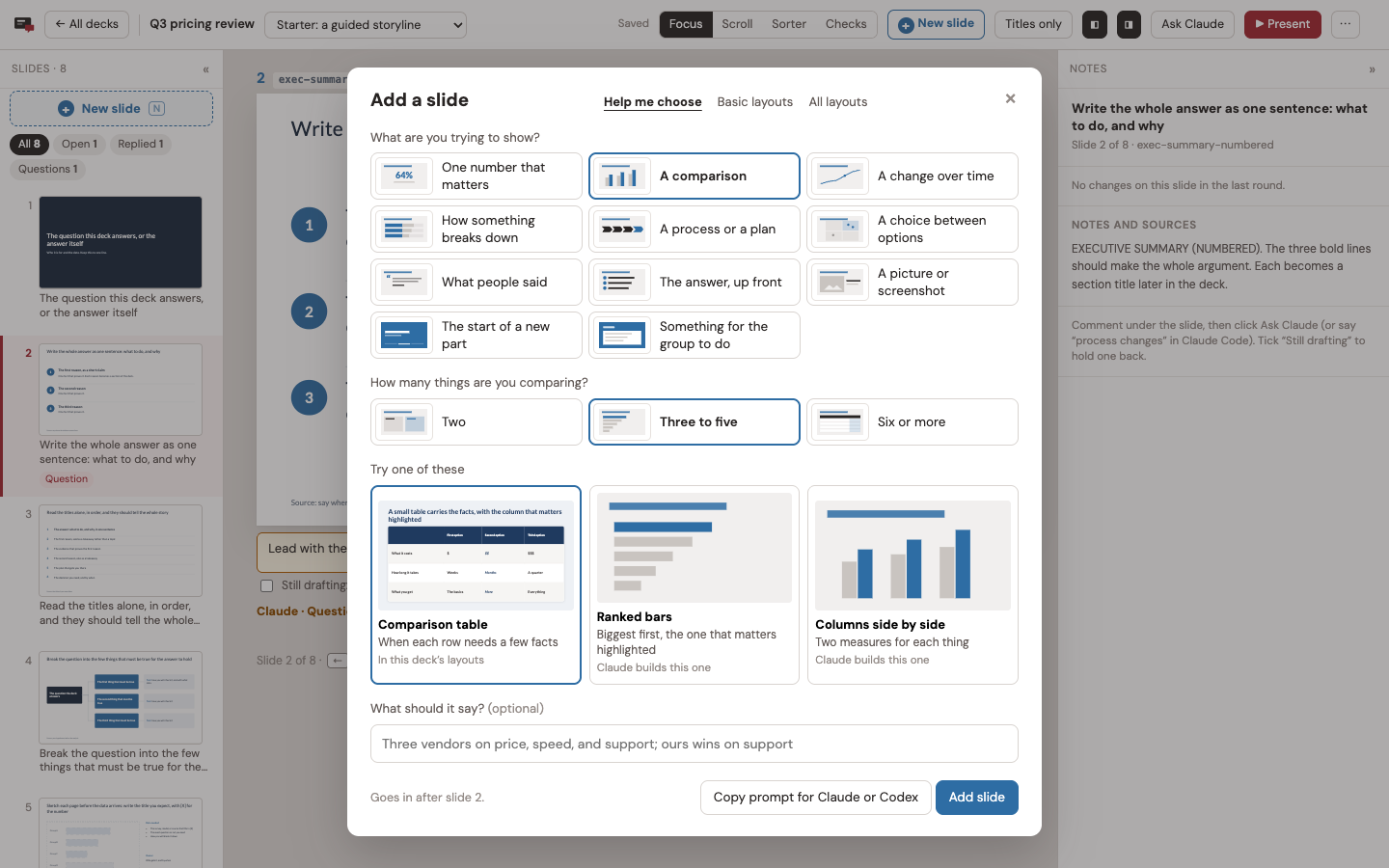
Press N, click New slide in the top bar or the filmstrip, or click the + between two
slides. Help me choose asks what you're trying to show and suggests layouts. Basic
layouts and All layouts show what the deck carries. Add slide puts one where you
clicked; Copy prompt hands your agent a layout the deck doesn't have yet.
Every deck carries guided basic layouts (templates/_engine/basics.js): a big number,
points, two columns, a process, a table, quotes, a section divider, a question, an
exercise, and three picture layouts. Click a picture, or drop an image file on it, to put
your own in. It's saved next to the deck.
Send a client only the slides
The ⋯ menu in the top bar has two copies:
- Client copy: the version on screen, slides only, as they look now. Notes, comments,
facilitator slides, other versions, and editing are left out, so they aren't in the
file's source either. It's one file with its pictures inside. It scrolls, prints one
slide per page, and presents full screen (P). - Editable copy: the whole deck with its notes and comments, for you.
sb export prints the deck file to PDF. If the browser holds edits that aren't in the
file yet, it says so; --with-edits prints what the browser shows instead.
Two tabs and a dropped connection don't lose your work
Each save carries what the page started from, and the server merges it with anything
another tab saved in the meantime. Two tabs on the same deck keep both sets of changes,
and the other tab offers a reload. A save that fails stays in the browser and is retried
until the server answers.
Starting a deck
Click New deck on the dashboard. First, a name, what you're making (a presentation, a
training, a talk, a proposal, or a blank deck), and any pieces to build alongside it, like
a facilitator pack or a short version. Then who it's for, what they know, and the one
point they should leave with, plus optional length, structure, density, colors, title
font, logo, and notes.
Create deck sets up the folder and its git history, writes your brief to BRIEF.md,
copies a prompt for your agent, and opens the deck. Paste the prompt, and the agent builds
the first draft from your brief.
From the command line:
./sb templates
./sb new "Q3 pricing review" --template consulting --audience "The leadership team" \
  --point "Raise prices on the middle tier first." --style Navy
Templates (templates/<id>/):
| Template | What it is |
|---|---|
consulting |
A guided storyline in eight slides: cover, executive summary, storyline, hypothesis tree, ghost chart, 2x2, plan, and next steps. Every line says what goes there. Built from my free consulting PowerPoint templates (100+ slides). |
talk |
An opening, three parts with dividers, and a close |
workshop |
A training day: agenda, modules, practice, breaks, and a facilitator pack |
proposal |
Situation, approach, team, fees, and next steps |
blank |
A title, one part, two slides, and a close |
Colors: Navy, Dark, Minimal, Forest, Teal, or Plum, with serif or sans serif titles.
They're written into the deck as one <style id="deck-theme"> block, so you can restyle
the whole deck in one place. Upload a logo and it goes in the corner of every slide.
The dashboard
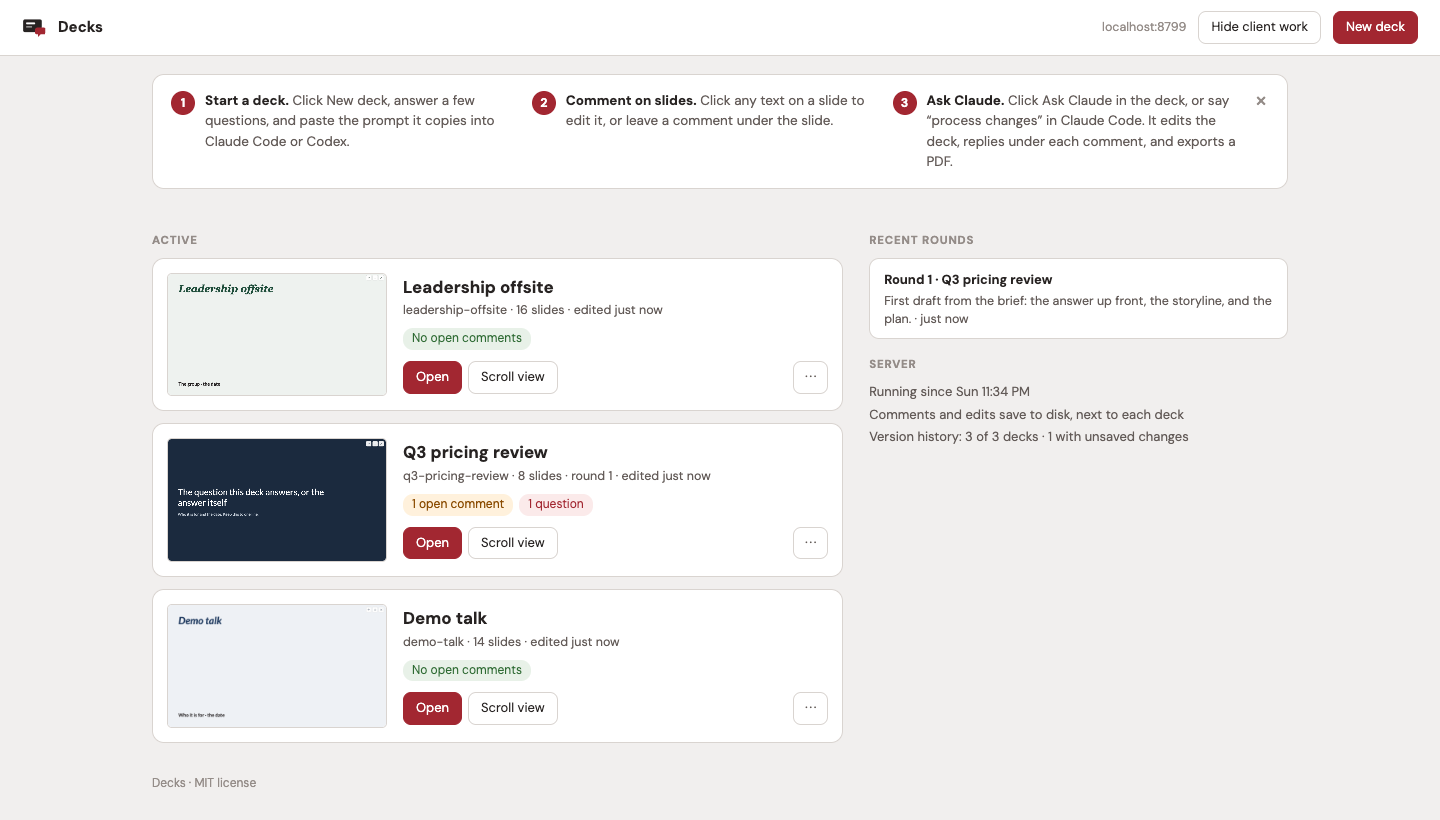
Every deck with its open comments, latest PDF, and recent rounds. The ⋯ on a deck hides
it (Show brings it back from the Hidden list at the bottom) or deletes it. Delete moves a
deck this app made to the Trash. A deck you registered from a folder of your own only
leaves the dashboard; its files stay where they are.
Use it with your agent
The agent's instructions are in .claude/skills/decks/SKILL.md: the round procedure, thesb commands, how a deck file is organized, and the slide style rules.
- Claude Code finds the skill when you start it in this folder. To use it from
anywhere, copy it to your user skills:mkdir -p ~/.claude/skills && cp -r .claude/skills/decks ~/.claude/skills/ - Codex and other agents read
AGENTS.mdin this folder, which points to the same
file.
The Ask Claude prompt works without the skill, because it lists the sb steps itself.
sb
Run it from this folder (or by its full path). It talks to the running server.
| Command | What it does |
|---|---|
sb decks |
Every deck, with open comments and questions |
sb comments <deck> [--all] |
Comments to act on, numbered like the deck (--all adds drafts) |
sb edits <deck> [--version v] |
Text the reviewer edited on the slides, and slide moves |
sb working <deck> <slide> |
Show "Claude working" on a slide |
sb reply <deck> <slide> done|question|skipped "<text>" |
Reply on a slide |
sb status <deck> "<text>" [--done N --total M] |
The live line in the top bar; sb idle <deck> clears it |
sb shot <deck> [--version v] [--out DIR] <slide> ... |
Screenshots of slides |
sb audit <deck> [--version v] |
Overflow, overlapping labels, and the Guides |
sb export <deck> [--version v] [--with-edits] |
The next numbered PDF; older ones move to _archive/ |
sb round <deck> --summary S [--changed slide="what changed" ...] [--export vN] |
Record a round |
sb commit <deck> "<message>" |
Commit the deck folder |
sb thumb <deck> / sb url <deck> |
Refresh the dashboard thumbnail / print the deck's address |
sb templates / sb new "<name>" [--template id] ... |
Templates, and a new deck |
sb hide <deck> / sb show <deck> |
Take a deck off the dashboard, or put it back |
sb delete <deck> --yes |
Delete a deck (a deck this app made goes to the Trash) |
Run it at login (optional)
macOS (launchd):
sed -e "s|__APP__|$PWD|g" -e "s|__HOME__|$HOME|g" contrib/decks.plist > ~/Library/LaunchAgents/local.decks.plist
launchctl load ~/Library/LaunchAgents/local.decks.plist
Restart it with launchctl kickstart -k gui/$(id -u)/local.decks. The log is~/Library/Logs/decks.log.
Linux (systemd user service):
mkdir -p ~/.config/systemd/user
sed "s|__APP__|$PWD|g" contrib/decks.service > ~/.config/systemd/user/decks.service
systemctl --user enable --now decks
How it works
| File | What it does |
|---|---|
server.py |
Serves the dashboard and the decks, saves state, and runs the JSON API sb uses (Python standard library only) |
sbconfig.py |
Port, address, and decks folder, from config.json and SB_* variables |
sb |
The agent's command line |
newdeck.py |
Themes, templates, and new decks (used by the server and sb new) |
templates/ |
_engine/engine.html (the deck engine), _engine/basics.js, and one folder per template |
static/ |
The browser shell: boot.js, shell.js, shell.css, guides.js, addslide.js, pictures.js, clientcopy.js, and dashboard.html |
tools/browser.mjs |
Headless Chrome jobs behind sb: titles, edits, shots, audit, PDF, and thumbnails |
tools/pptx2native.py |
Converts PowerPoint slides into editable native slides (how the consulting starter was made) |
When the server serves a deck page, it adds a small boot script that loads the deck's
saved state and mirrors later saves back to disk, then removes its own tags before the
deck runs. The deck file itself never changes, so a saved copy is still a clean file.?raw=1 serves the file without the shell around it. (In a browser that has edited the
deck, it still shows those saved edits.)
Saved next to each deck, in .slidebuilder/:
state.json: the reviewer's edits, comments, and slide order, mirrored from the page.review.json: the agent's replies, rounds, history, and "changed" badges, written
throughsb.
Hide client work (dashboard) is for recording or screen sharing. Mark a deck"client": true in decks.json, or list client versions in "clientVersions". With
the switch on, the server leaves them out of everything it serves.
API (what sb uses):
GET /api/decks,GET /api/decks/<slug>: summaries.GET /api/decks/<slug>/comments: open comments, with the agent's reply if there is one.GET|PUT /api/decks/<slug>/state: the deck's saved browser state.GET /api/decks/<slug>/review,POST /api/decks/<slug>/review: replies, live status,
and rounds. The agent posts{op: 'reply' | 'claude' | 'round'}; the page posts{op: 'comment-state' | 'resolve' | 'reopen' | 'seen'}.GET /api/decks/<slug>/pulse: modified times, polled by the page for live updates.GET /api/templates,POST /api/new-deck: templates and new decks.POST /api/decks/<slug>/manage:{op: 'hide' | 'show' | 'delete'}.POST /api/decks/<slug>/bundle: a copy of the deck with its pictures and scripts embedded.POST /api/decks/<slug>/upload: a picture for a slide, saved in the deck'simg/uploads/.
License
The code is MIT (LICENSE). The template content (the slides, their wording, and their
notes) is CC BY 4.0 (LICENSE-templates). Decks you make are yours, and you can send
them to anyone: each deck file carries a copy of the deck engine with its MIT notice.
Fonts: NOTICE.
Contributing
Issues and ideas are welcome. I'm not taking outside code yet.
Reviews (0)
Sign in to leave a review.
Leave a reviewNo results found