tocket
Health Pass
- License — License: MIT
- Description — Repository has a description
- Active repo — Last push 0 days ago
- Community trust — 36 GitHub stars
Code Fail
- execSync — Synchronous shell command execution in src/commands/doctor.cmd.ts
Permissions Pass
- Permissions — No dangerous permissions requested
No AI report is available for this listing yet.
Tocket Transmition Protocol



Tocket
The Context Engineering Framework for Multi-Agent Workspaces
AI agents forget everything between sessions. When multiple agents work on the same codebase, they re-read files, duplicate work, and make conflicting decisions. Tocket fixes this with shared context files that any agent can read — no vendor lock-in, no special integrations.
The idea in 30 seconds
Tocket is a file convention. It adds a .context/ directory to your repo with markdown files that describe your project's current state, architecture, and progress. Any AI agent that can read files — Claude, Gemini, GPT, Cursor, Copilot — can pick up where the last session left off.
your-project/
  .context/
    activeContext.md      # What's happening right now
    systemPatterns.md     # How the codebase is organized
    techContext.md        # Stack and build tools
    productContext.md     # What the product is and why
    progress.md           # What's done, what's next
  TOCKET.md               # Protocol rules (agent-agnostic)
  CLAUDE.md               # Executor instructions (auto-detected per agent)
  GEMINI.md               # Architect instructions (auto-detected per agent)
All files are plain markdown, committed to git, and readable by any tool.
You don't need the CLI
The protocol is just files. You can adopt it manually:
- Create a
.context/directory withactiveContext.mdandsystemPatterns.md - Add a
TOCKET.mdto your repo root - Tell your agents to read
.context/before acting
The CLI automates the scaffolding, provides smart defaults, and adds quality-of-life tooling around the protocol.
Quick Start
# Scaffold a new workspace
npx @pedrocivita/tocket init

# Or just the essentials (3 files)
npx @pedrocivita/tocket init --minimal

# Configure your agents (optional — defaults to Claude Code + Gemini)
npx @pedrocivita/tocket config --architect "Gemini" --executor "Claude Code"

# Or open the interactive dashboard
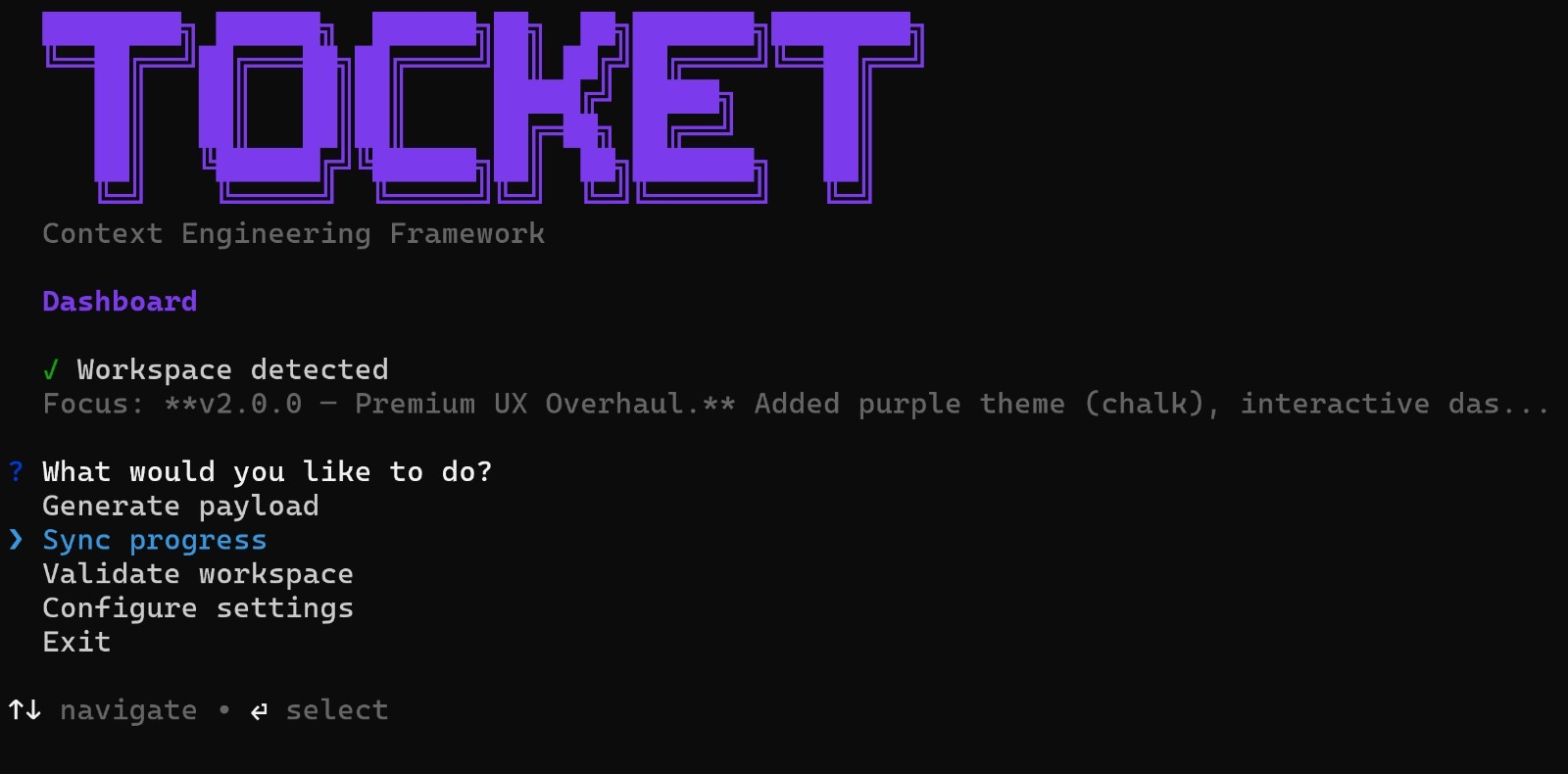
npx @pedrocivita/tocket
That's it. Your repo now has a Memory Bank. Every AI session starts by reading .context/activeContext.md.
Safe testing — use a branch
Tocket writes files to your repo, but you can try it risk-free on a branch:
git checkout -b test/tocket-setup
npx @pedrocivita/tocket init
git add .context/ TOCKET.md CLAUDE.md GEMINI.md
git commit -m "chore: scaffold Tocket workspace"

# Try it out — run some AI sessions, see if you like it
# Don't like it? Clean up:
npx @pedrocivita/tocket eject     # removes all Tocket files
# Or just delete the branch:
git checkout main && git branch -D test/tocket-setup
See the Developer Guide for detailed safe-testing workflows.
Commands
| Command | What it does |
|---|---|
tocket |
Interactive dashboard with guided menu |
tocket init |
Scaffold .context/, TOCKET.md, and agent configs (auto-detects stack + agents) |
tocket generate |
Build structured payload XML (auto-fills scope from git, saves to .tocket/) |
tocket diff |
Compare payload targets against actual git changes (verify executor compliance) |
tocket sync |
Append session summary + git log to .context/progress.md |
tocket handoff |
Generate clipboard-ready context summary for a new agent conversation |
tocket validate |
Check if the workspace has a valid Memory Bank |
tocket focus |
Update the Current Focus in activeContext.md |
tocket status |
Quick overview: workspace health, branch, focus, agents |
tocket doctor |
Deep workspace diagnostics (content health, git tracking, staleness) |
tocket lint |
Audit .context/ content quality and suggest improvements |
tocket config |
Manage global settings: agent roles, author, priority (~/.tocketrc.json) |
tocket eject |
Remove all Tocket files (with confirmation) |
CI-friendly flags
Every interactive command has flags for non-interactive use:
# Minimal init (3 files instead of 9)
tocket init --minimal --name myproject --description "My app" --force

# Sync without prompt
tocket sync --summary "Fixed auth bug and added tests"

# Generate to stdout or file instead of clipboard
tocket generate --to stdout
tocket generate --to payload.xml

# Verify executor followed the payload
tocket diff
tocket diff --json

# Handoff context to a new session
tocket handoff --to stdout
How it works
Memory Bank
The .context/ directory is the project's shared memory. Agents read it before acting and update it after completing work. Context lives in files, not in chat history.
| File | Purpose | Updated |
|---|---|---|
activeContext.md |
Current focus, recent changes, open decisions | Every session |
systemPatterns.md |
Architecture patterns and conventions | When patterns change |
techContext.md |
Stack, build tools, critical rules | When stack changes |
productContext.md |
What the product is and why | Rarely |
progress.md |
Milestones and completed work | Per milestone |
Triangulation
For complex tasks, Tocket separates planning from implementation:
Architect (any planning AI)         Executor (any coding AI)
     |                                   |
     |  1. Reads .context/               |
     |  2. Analyzes task                 |
     |  3. Generates <payload> XML       |
     |-------- structured handoff ------>|
     |                                   |  4. Reads .context/ + payload
     |                                   |  5. Implements tasks
     |                                   |  6. Updates .context/
     |<-------- tocket diff report ------|
The Architect doesn't write code. The Executor doesn't make architecture decisions. The payload XML is the contract between them. After execution, tocket diff verifies compliance — did the Executor touch the right files? Are done criteria met? For simple tasks, a single agent can fill both roles.
Closing the loop
# After the Executor finishes work:
tocket diff                    # compare payload targets vs actual git changes
tocket diff --json             # machine-readable output
tocket diff --since HEAD~3     # diff against a specific ref

# Starting a new session (next day, new chat):
tocket handoff                 # copies context summary to clipboard
tocket handoff --to stdout     # print instead
tocket handoff --commits 10    # include more history
tocket handoff --since 1d      # files modified in last day
Who is this for?
- Developers using multi-agent setups (Gemini + Claude, Cursor + Copilot, etc.)
- Teams that want reproducible AI-assisted development across sessions
- Anyone tired of re-explaining project context to AI every time they open a chat
- Open-source maintainers who want contributors' AI agents to follow project conventions
How is Tocket different?
| Tool | What it does | How Tocket differs |
|---|---|---|
.cursorrules |
Single-agent instructions for Cursor | Tocket defines inter-agent protocol, not just single-agent rules |
CLAUDE.md |
Instructions for Claude Code | Tocket generates agent configs as part of a broader multi-agent system |
AGENTS.md |
Codex agent instructions | Same idea for one agent; Tocket coordinates multiple agents |
| Prompt templates | Static prompts for LLMs | Tocket's Memory Bank evolves with the project; payloads are structured, not freeform |
| Vendor-locked tools | Tied to one provider | Tocket works with any LLM/tool — configure via tocket config |
Configuration
Configure your preferred agents and defaults:
# Configure your agent roles
tocket config --architect "Gemini" --executor "Claude Code"

# Set payload defaults
tocket config --author "Your Name" --priority medium --skills "core,lsp"

# Or use the interactive setup (sections: Identity, Agent Roles, Payload Defaults)
tocket config

# View current config
tocket config --show
Config is stored at ~/.tocketrc.json.
Supported Agents
Tocket auto-generates the correct instruction file for each agent:
| Agent | Role | Generated File |
|---|---|---|
| Claude Code | Executor | CLAUDE.md |
| Cursor | Executor | .cursorrules |
| Windsurf | Executor | .windsurfrules |
| Copilot | Executor | .github/copilot-instructions.md |
| Gemini | Architect | GEMINI.md |
| (any other) | Executor | EXECUTOR.md |
| (any other) | Architect | ARCHITECT.md |
Don't see your agent? It still works — unknown agents get generic files, and you can override any template via ~/.tocket/templates/.
Documentation
| Guide | Description |
|---|---|
| Getting Started | Set up your first Tocket workspace in 5 minutes |
| Developer Guide | How to run the Tocket protocol safely in any project |
| Tocket Rules | Complete reference for all protocol rules |
| Protocol Spec | The agent-agnostic protocol specification |
| Walkthrough | End-to-end payload exchange example |
Contributing
We welcome contributions! Visit tocket.ai for an overview of the framework, then read our Contributing Guide to get started.
This project follows a Code of Conduct.
License
MIT
Reviews (0)
Sign in to leave a review.
Leave a reviewNo results found