Threedog.js-Game-Engine
Health Uyari
- License — License: MIT
- Description — Repository has a description
- Active repo — Last push 0 days ago
- Low visibility — Only 5 GitHub stars
Code Gecti
- Code scan — Scanned 12 files during light audit, no dangerous patterns found
Permissions Gecti
- Permissions — No dangerous permissions requested
Bu listing icin henuz AI raporu yok.
A 3D game engine for the web, built on three.js and made to be used by AI coding agents.

Threedog.js
An engine for AI agents to build web games on three.js.

English · 中文
What it is
Threedog.js is a game engine built for AI agents. It sits on three.js and handles everything a game needs besides its own rules and look: a fixed time step, input, saves, physics, content, large-world streaming, an in-browser editor, and the tools an agent uses to check its own work.
Everything is still three.js. Engine objects are ordinary three.js objects, scene.add, materials and shaders work as usual, and a value the game writes directly takes effect. The engine keeps the systems in agreement: a save restores the weather, a cutscene stops the player, a newly streamed stretch of world appears in the physics.
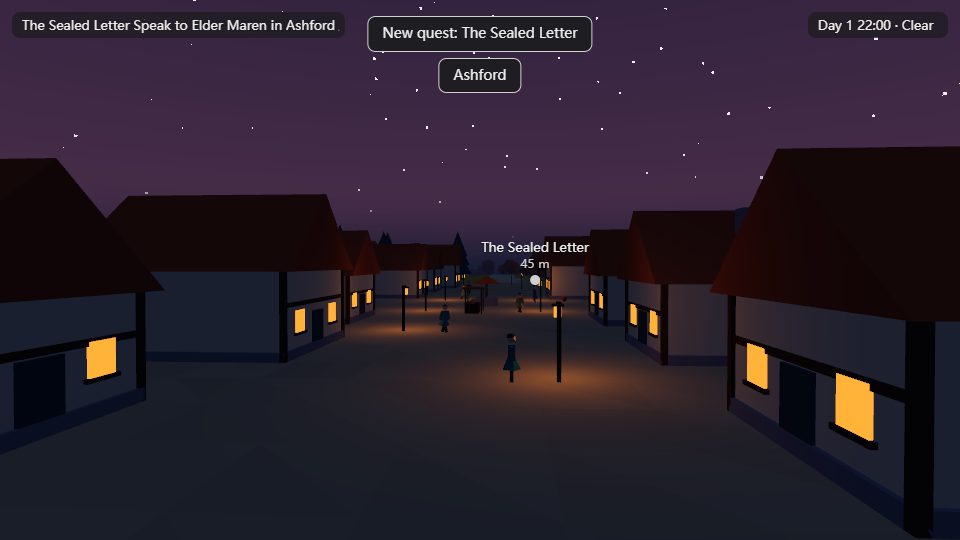
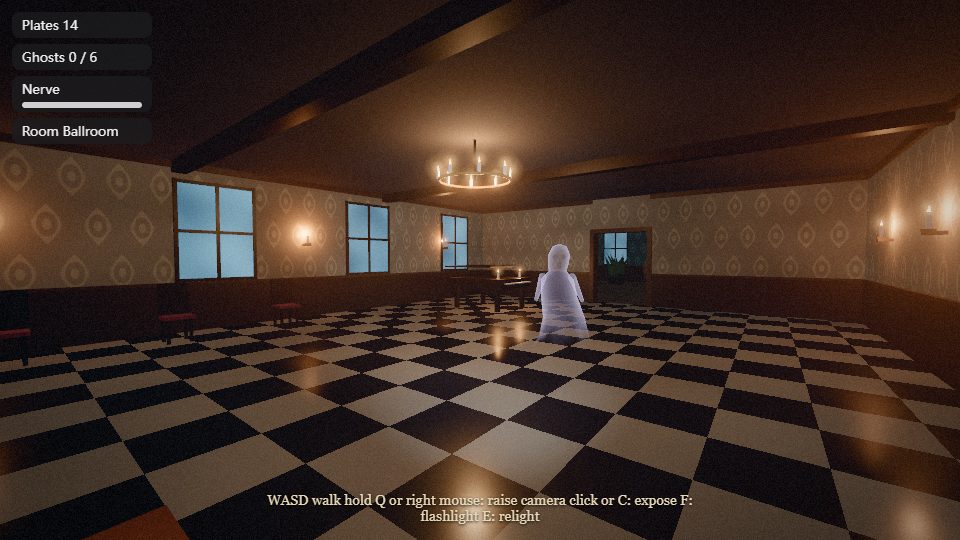
The look and feel belong to the game. The engine has no default style. A new game starts as neutral gray placeholders, and its picture/ folder draws it in plain three.js. Every game below runs on the same engine.
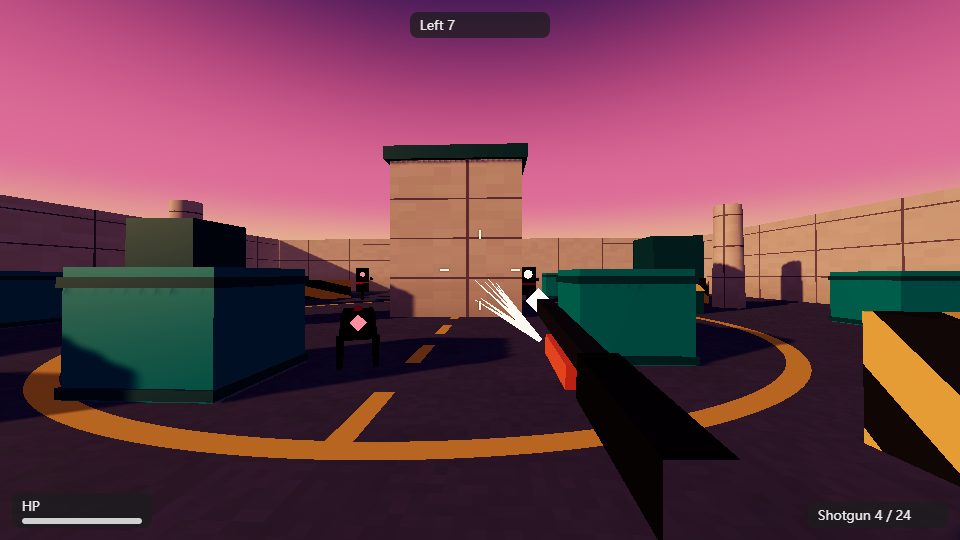
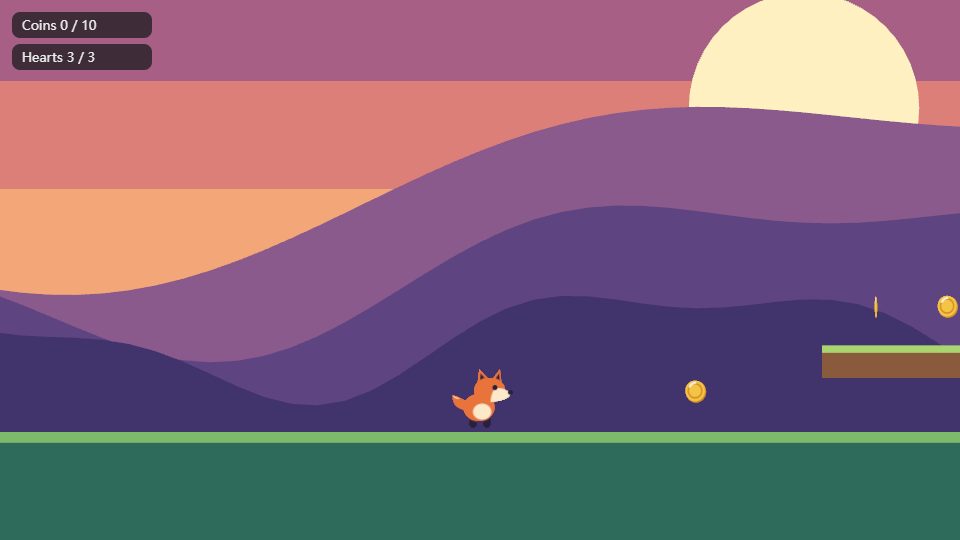
Seven test games and the editor
 |
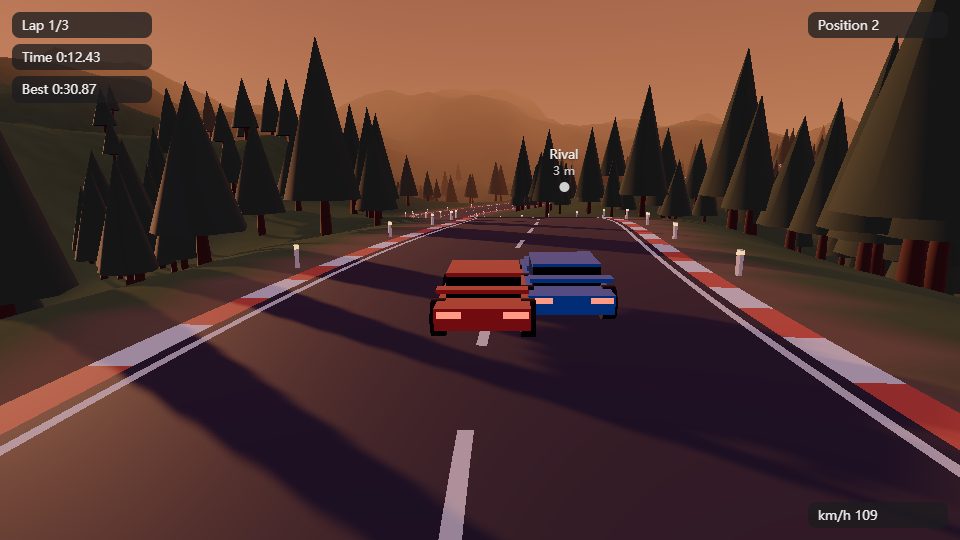 |
| First-person shooter | Racing |
 |
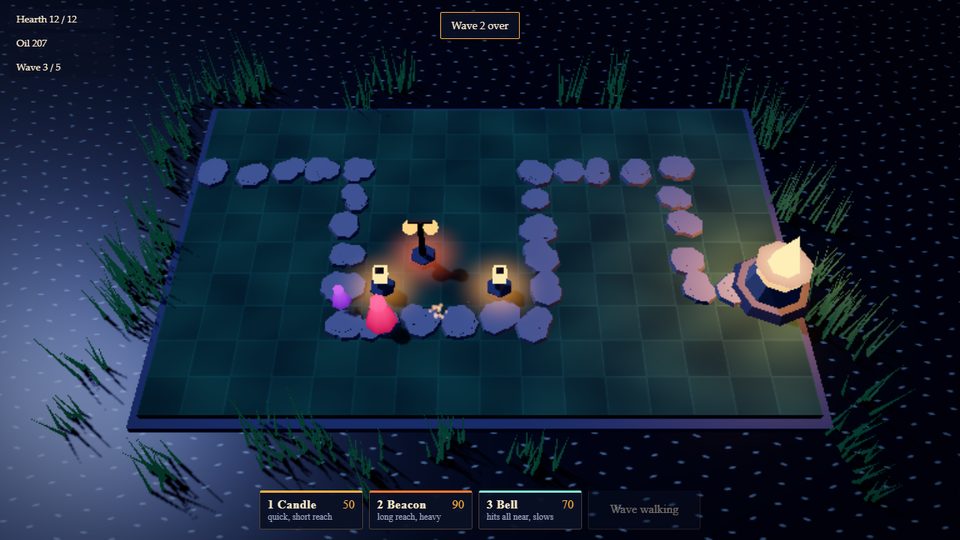 |
| 2D side-scroller | Tower defense |
 |
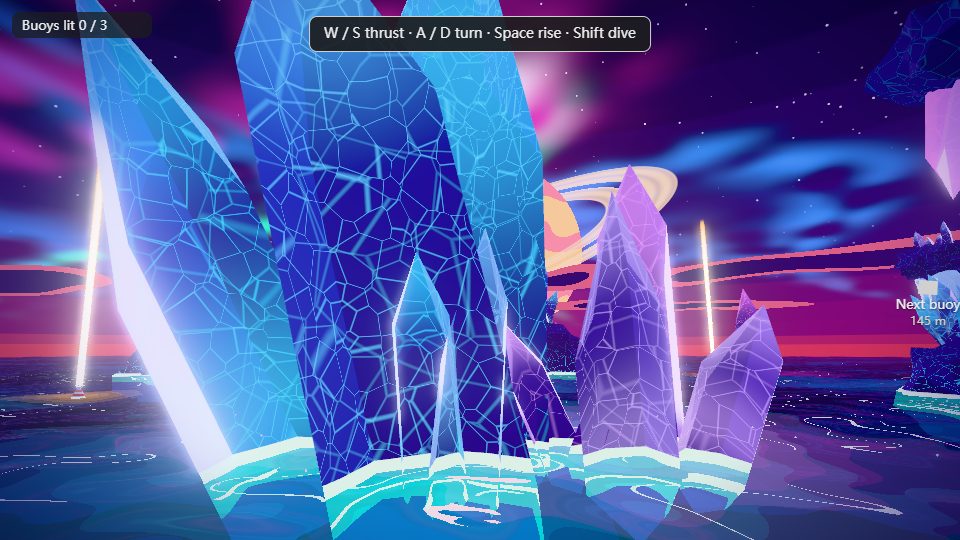 |
| Open world | Stylized shaders |
 |
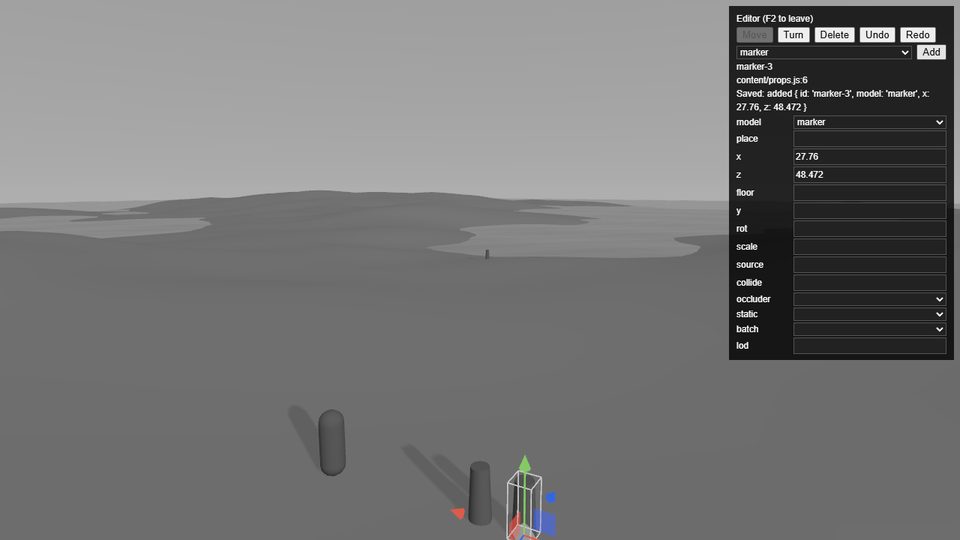 |
| Horror | In-browser editor |
AI agents built each game from a short brief in about 30 to 60 minutes, art included, and played it through by script. Every picture comes from code the agent wrote.
How an AI builds a game
threedog init writes a folder the agent can find its way around, along with its instructions and the connection to the tools:
main.js      wires modules and systems together
game/        the rules, one file per system (weapons, enemies, waves)
content/     what stands where, items, NPCs, quests: data that saves can read
picture/     the look, in plain three.js
plugins/     one-file three.js pieces, picked up when dropped in
CLAUDE.md    how to work in this game; .mcp.json connects the tools
Game time runs on a fixed step in engine.onFixed, which is where damage, cooldowns and enemy AI belong. Animation, the camera and the HUD run per frame. The picture code never asks the engine to draw anything. Each frame the engine offers plain values such as the time of day or how hard it is raining, and the game turns them into ordinary three.js:
engine.onRender(() => {
  sun.intensity = palette.sun * engine.uniforms.uDaylight.value;
});
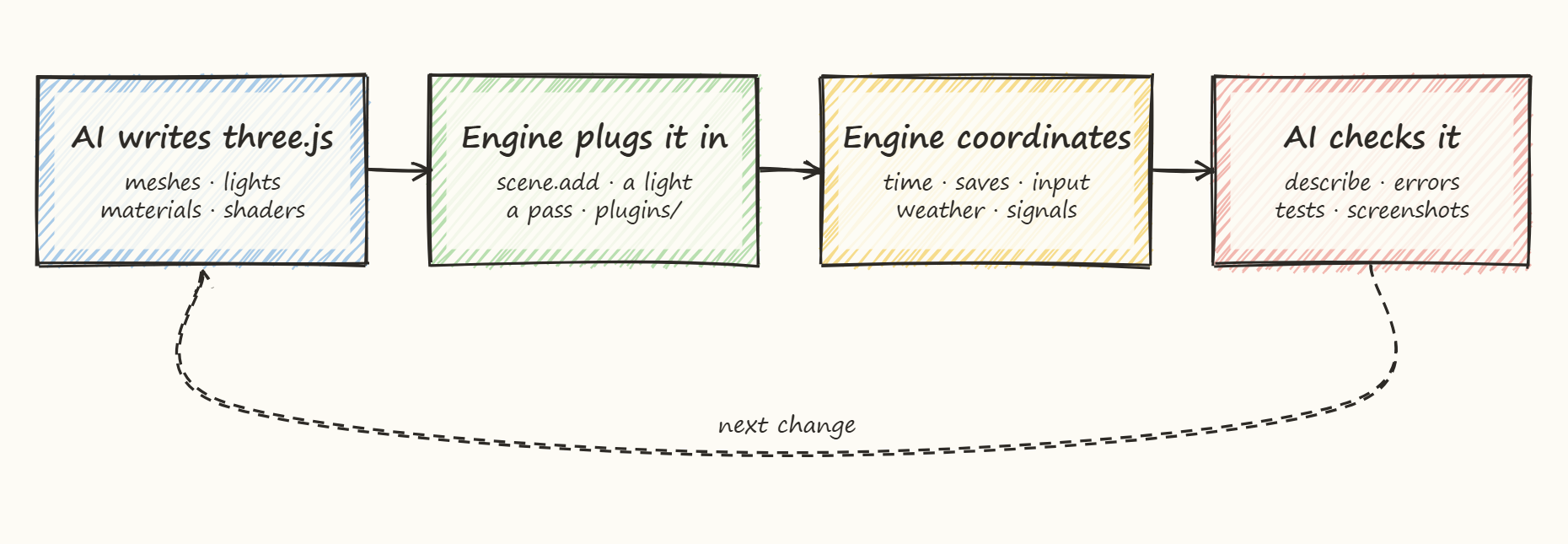
The agent works through the threedog command line, or the same tools over MCP (Model Context Protocol, which tools such as Claude Code and Cursor use):
| Command | What the agent gets |
|---|---|
threedog how "rain at night" |
The one section of the docs that answers the task, so it does not have to read them all |
threedog check |
Rules, types, content and misuse of the engine API, ending in one line: passed or failed |
threedog play |
The game running in a page the agent can drive; press, step and op work on it |
threedog describe |
The running game's state as short text: player, time, weather, camera, open windows |
threedog shot --play |
A screenshot and a picture check that reports facts, such as which areas are blown out and which light is the likely cause |
threedog verify <scenario> |
A scripted run from tests/scenarios/, with PASS or FAIL, what was tested and what was not |
These tools close the loop. An agent presses keys, advances game time, runs a player action and reads the outcome as text, with no person at the keyboard. Errors name the rule that was broken and the line to copy, and verify lists the actions it never ran next to the ones it did. The picture check reports facts and never suggests a target value, because the picture belongs to the game.
What is in it
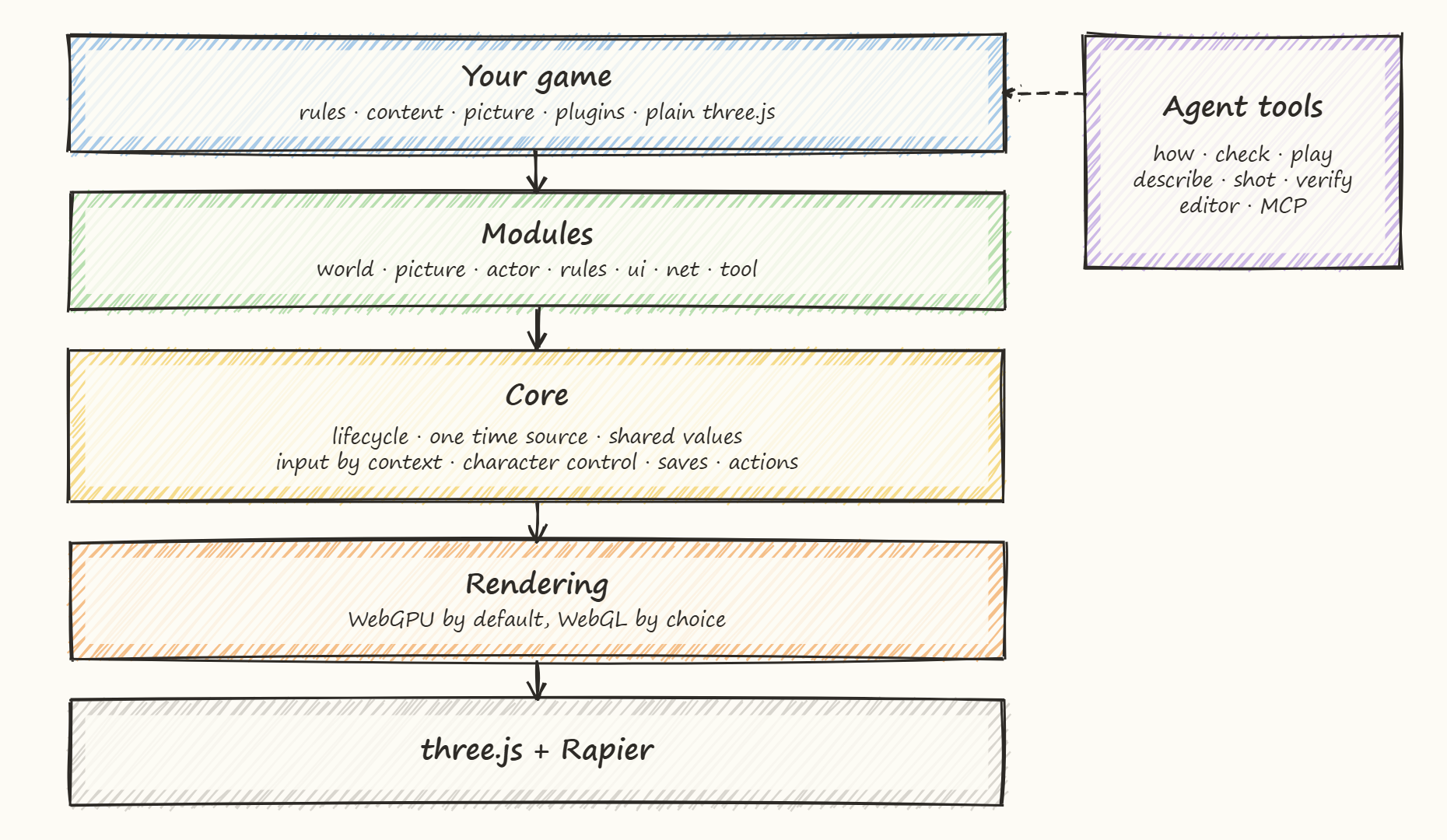
A game installs only the modules it uses, and a module of its own is treated the same as a built-in one.
| Area | Parts |
|---|---|
| Game flow | Fixed-step loop, one time source (slow motion and pause are views of it), saves and autosave that roll back when a load fails, scene flow, cutscenes |
| Input and cameras | Actions grouped by context, rebinding, gamepad; follow, first-person, fixed, strategy and side-view cameras |
| World | Content as data, templates, streaming, terrain, grid placement, vegetation, water, sky, weather, calendar, navmesh and pathfinding |
| Physics | Rapier bodies and joints, ragdolls, vehicles, collision, ray and mouse picking |
| Gameplay | Checked player actions, NPCs, dialogue, quests, inventory, shops, pickups, and engine.swarm for hundreds of same-kind moving things |
| Picture helpers | Cascaded shadows, a pool for many lights, a post-effect chain, baked light probes, lightmaps, occlusion culling |
| Interface and sound | HUD, menus, settings, languages, photo mode, audio, music, ambience |
| Tools | Command line, MCP server, in-browser editor that writes back to content files, asset optimizing, stress and performance runs |
A new game starts on WebGPU with TSL, the node shader language of three.js. In a browser without WebGPU the same game runs on the WebGL2 backend of three.js, more slowly. --webgl starts a game on GLSL shaders instead. The choice comes first, because picture code is written differently for each route and changing later means rewriting it. A few effects (voxelGI, temporalAA, sunShafts, lightVolumes) exist only as TSL.
Results
Whole games. Seven games from short briefs, each in about 30 to 60 minutes. The latest three (shooter, racing, 2D platformer) were built from the shipped docs and tools with no engine changes, and each put its rules into one file per system. Notes on the first round.
Single tasks. 85 tasks cover the engine's modules and command groups, each judged by a script or a stated screenshot. 76 passed in the first round, and the rest went into the engine fixes that followed.
A large city. On one RTX 5060 laptop with WebGPU at 1280×720, a city 1.9 km across (about 6,400 buildings and 72,000 meshes) runs at about 60 fps with 14,000 moving cars and people, 200 NPCs and 8 real lights, measured with the machine under full load from other tests. Moving objects set the limit: 28,000 of them run at 26 to 35 fps, while a map four times the size holds the same frame time. A 10-minute walk showed no leak, and 12 rounds of save and load came back correct. Full report (in Chinese).
Test suite. 6,830 checks in 906 items, all passing. CI runs the static checks, a browser group and a build on every push.
Status
1.0 is close. npm holds 0.9.0 and this page describes it, including the editor and engine.swarm. Names can still change until 1.0.
Threedog runs in desktop browsers on Windows and Linux. Mac support comes after 1.0. Multiplayer is not a goal.
Quick start
You need Node.js 20.19+ or 22.12+. These steps install 0.9.0 from npm:
mkdir my-game && cd my-game
npm init -y
npm install threedog three@~0.187.0
npm install -D @threedog/tools
npx threedog init --open-world   # ground, sky, follow camera and a player; never overwrites a file
npm install                      # installs what the new files need
npm run dev                      # open the address it prints
In a folder whose name npm refuses, a Chinese one for example, npm init -y stops with "Invalid name": skip that line, and the next one writes package.json.
Without --open-world the game starts as a blank scene with a camera and a gray picture/ folder. Open Claude Code in the folder and it finds the engine's docs and MCP server by itself; it asks once to trust the server. Then ask it for a game, or try the tools yourself:
npx threedog how "day and night cycle"   # which recipe answers a task
npx threedog play                        # start the game for the tools
npx threedog describe                    # read its state
npx threedog shot --play                 # a screenshot and the picture check
npx threedog play --stop                 # stop the dev server
To work from main, where a new game is linked to the engine source and F2 opens the editor on the dev server:
git clone https://github.com/penstic123-code/Threedog.js-Game-Engine.git
cd Threedog.js-Game-Engine
npm install
npm run new-game -- my-game --open-world
npm run dev -- my-game
Packages
| Package | What it is |
|---|---|
threedog |
The engine |
@threedog/tools |
The threedog command line, the MCP server and the tools that drive a running game |
@threedog/post-effects |
Optional post effects: color grading, film grain, vignette, depth of field and more |
@threedog/terrain-noise |
Optional noise-based terrain: hills, islands, canyons, rivers |
Read more
| File | Content |
|---|---|
| docs/philosophy.md | Why the engine works this way, who does what, how separate code shares a frame |
| docs/faq.md | Common doubts, including what the engine cannot do |
| docs/evolution.md | How the design changed, wrong turns included |
| packages/engine/docs/AI.md | Where an agent starts: one line per task, pointing to the detail |
| packages/engine/docs/recipes/ | Guides by task, from a new game to vehicles and performance |
| packages/engine/docs/COMMANDS.md | Every command |
| packages/engine/docs/API.md | API index, generated from code comments |
| packages/engine/docs/THREE.md | Using three.js directly next to the engine |
| packages/engine/CHANGELOG.md | What changed in each version |
License
MIT. The logo is AI-generated, and the screenshots are rendered by the engine. Asset details are in ASSETS.md.
Yorumlar (0)
Yorum birakmak icin giris yap.
Yorum birakSonuc bulunamadi