pepe
Health Uyari
- License — License: MIT
- Description — Repository has a description
- Active repo — Last push 0 days ago
- Low visibility — Only 6 GitHub stars
Code Uyari
- process.env — Environment variable access in assets/js/app.js
- fs module — File system access in assets/vendor/heroicons.js
Permissions Gecti
- Permissions — No dangerous permissions requested
Bu listing icin henuz AI raporu yok.
An Elixir/OTP AI agent runtime: define agents, connect any OpenAI-compatible model, and run a tool-calling loop. CLI, HTTP API, web dashboard, Telegram, WhatsApp.

Pepe
An Elixir/OTP AI agent runtime. Define agents, connect to any model, and run a tool-calling loop.
Web dashboard · OpenAI-compatible HTTP · WebSocket · Telegram · WhatsApp · CLI
Website · Documentation · Quickstart · Sponsor
Where Pepe comes from. Pepe was born out of solving real problems across
a range of companies I provided development services to: some needed a
simple way to run their marketing without expanding headcount; others
wanted to connect their ERP and database to an agent capable of answering
their team's questions, without compromising on security. The project
didn't start as open source: it was internal, proprietary tooling,
custom-built for each client. But the results proved consistent enough,
across different enough businesses, that I decided to give it a name, an
identity of its own, and release it as open source, for anyone to use and
contribute to.
Why "Pepe"? The name nods to Chespirito's comedy universe, loved across
Latin America generations grew up with. The character's whole thing? He
did exactly what he was told. No arguing, no improvising beyond the
order. Which, funnily enough, describes an AI agent runtime perfectly.
The project was once called Cortex; now it's Pepe. Same engine, better name. 🫡
Under the hood, it leans on what Elixir is good at: a lightweight process per
conversation (so many run side by side), supervision that isolates crashes (one
conversation failing never takes the rest down), and a small streaming HTTP stack.
It exposes those core capabilities several ways:
| Surface | Endpoint | Use it for |
|---|---|---|
| Web dashboard | GET / (Phoenix LiveView) |
Browse sessions and chat from the browser |
| OpenAI-compatible HTTP | POST /v1/chat/completions, GET /v1/models |
Point any OpenAI SDK / LangChain / curl at Pepe |
| Usage HTTP API | GET /v1/usage, /usage/events, /usage/runs, /usage/runs/:id |
Read what was spent, per message, from a client's billing system |
| WebSocket | ws://.../socket/websocket, topic agent:<name> |
Live, token-streamed conversations |
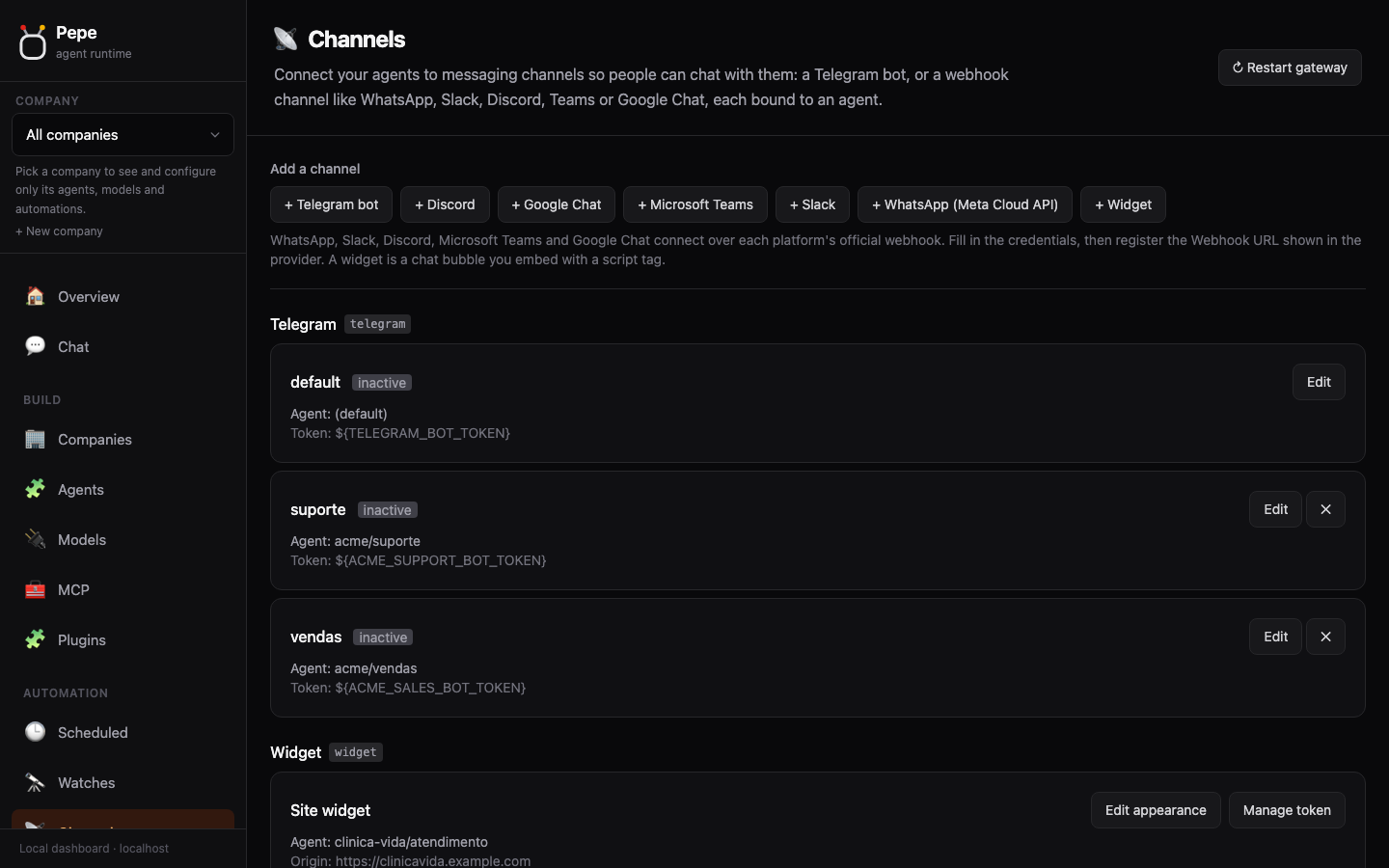
| Telegram | a Telegram bot | Chat with your agent from your phone |
| Terminal console | mix pepe tui |
An interactive console that remembers the conversation |
| CLI | mix pepe ... |
Create agents & model connections, run, serve |
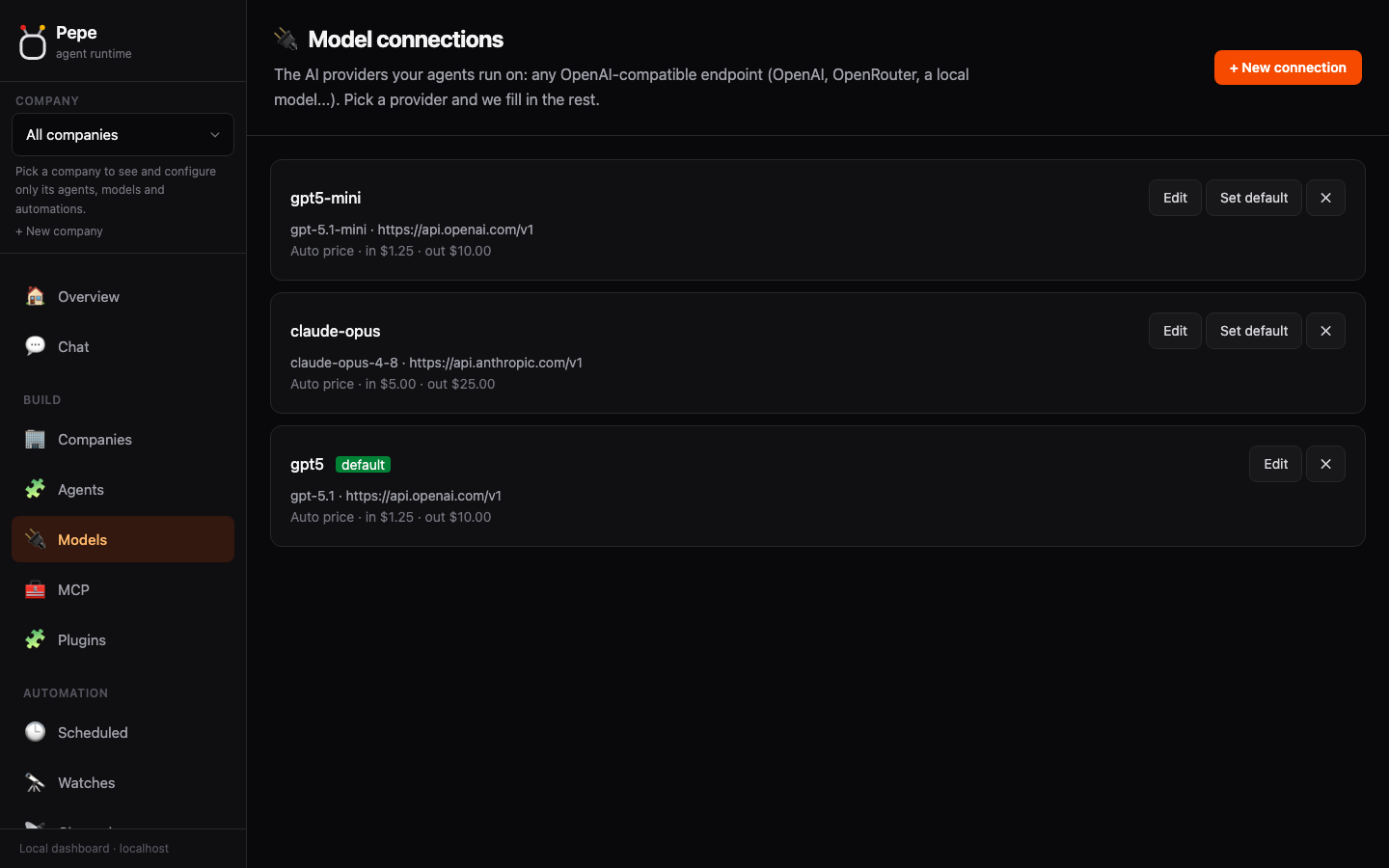
Everything talks to providers over the OpenAI Chat Completions protocol, so
OpenAI, OpenRouter, Together, Groq, DeepSeek,
Mistral, z.ai/GLM, Kimi/Moonshot, MiniMax, NovitaAI, Ollama, LM Studio, vLLM,
llama.cpp and any other compatible endpoint work with zero code changes.
Quick start
Install and use
Grab the self-contained pepe binary (macOS, Linux, Windows; no root, no runtime to install):
curl -fsSL https://pepe-agent.com/install.sh | sh

# 1) scaffold ~/.pepe/config.json (guided, interactive)
pepe setup

# 2) add a model connection (any OpenAI-compatible provider; openrouter is a
#    known provider, so its base URL is filled in automatically)
pepe model add openrouter --api-key '${OPENROUTER_API_KEY}' --model openai/gpt-5-chat

# 3) define an agent (defaults to all built-in tools; the first model/agent
#    you add becomes the default automatically)
pepe agent add assistant --prompt "You are Pepe, a helpful assistant."

# 4) run it
export OPENROUTER_API_KEY=sk-...
pepe run "summarize what this project does"

# 5) or run it toward an outcome: it works, an independent reviewer checks the
#    result against your criterion, and it retries until that criterion is met
pepe goal "write release notes for this version" \
  --criteria "mentions every change in CHANGELOG's Unreleased section, in one line each"
See the quickstart guide for the full walkthrough.
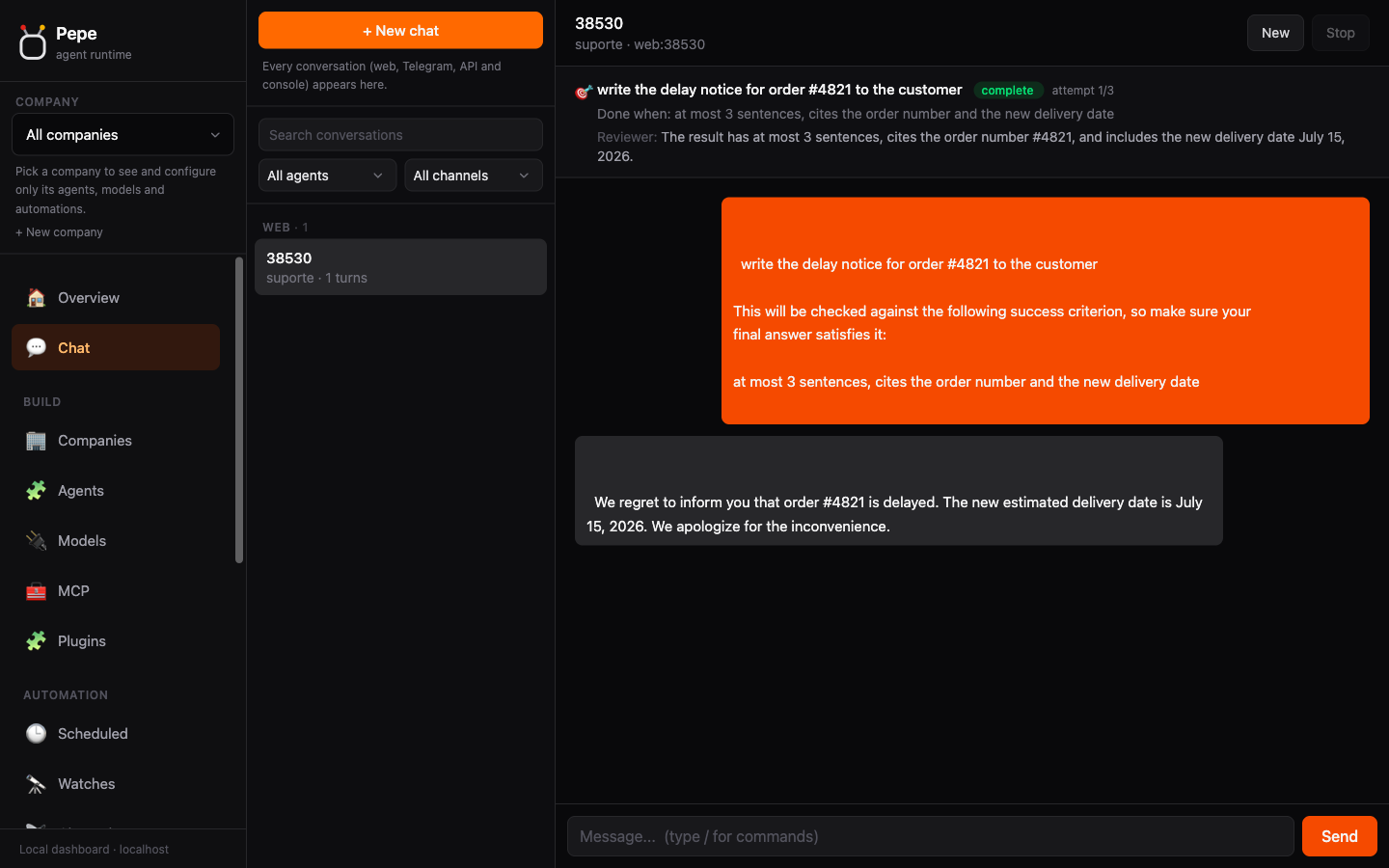
Run toward a goal, not just a prompt
A prompt gets you one turn: the agent answers, and you decide whether it's good
enough. A goal gets you an outcome: you state what "done" means, and Pepe keeps
working until an independent reviewer (a separate model call that only sees your
criterion and the result, never the working conversation) agrees it's met, or the
attempt cap is reached.
pepe goal "OBJECTIVE" --criteria "how we know it's done" \
  [--max-attempts 3] [--judge MODEL] [--agent NAME]
Also on the dashboard: /goal <objective> | <success criterion> in any chat. The
panel above the conversation shows the criterion, the attempt count, and the
reviewer's last verdict as it runs.
Talk to it out loud
A voice note sent to a Telegram bot arrives as text: transcribed on the way in,
before the agent runs, so slash commands and mention rules work by voice too. Needs no
configuration if you already have a model connection to OpenAI or Groq, or point at a
local command to keep audio on the machine:
mix pepe media audio --model groq --language en
mix pepe media audio --command "whisper-cli -f {file}"   # keep audio on the machine
Replies can come back as voice too (media.tts), and a photo goes to a vision-capable
model as the actual image, not a filename. Full detail (flags, fallback chains, image
caps) in the Voice messages docs.
Docker
docker run -d --name pepe -p 4000:4000 \
  -v pepe-data:/data -v pepe-tools:/tools \
  -e PEPE_DASHBOARD_PASSWORD=a-strong-password \
  ghcr.io/pepe-agent/pepe
Open http://localhost:4000. Images are published for amd64 and arm64 from the
same release tag, so docker pull resolves to the right one on an M-series Mac or a
server.
Two things are not optional, and both fail quietly if skipped:
- The volumes.
/dataholds config, agents and conversations, and is what you
back up./toolsholds single-file CLIs the agent installs for itself, kept apart
so a backup carries state rather than regenerable, architecture-specific binaries. - The dashboard password. A container is not loopback, so Pepe's network guard
treats it as public: with no password, every request gets a 403.
To give the agent a tool inside the container, a single-file CLI (op, gh,kubectl) goes in /tools, which is on the PATH, so it survives a new container
without root or a rebuild. A system package (psql, imagemagick) has to go in the
image, either through the PEPE_IMAGE_APT_PACKAGES build argument or a derived
image, because anything apt installs dies with the container. ffmpeg is
deliberately not in the image: neither transcription route needs it, and Debian's
package pulls 204 packages to serve a GPU video stack a headless container never
touches, which is what keeps the image at 408 MB rather than 945 MB. See the
Docker docs, anddocker-compose.yml if you'd rather docker compose up -d.
From source (development)
Clone the repo and drive it with mix instead of the binary: same steps as above,
with mix pepe in place of pepe.
git clone https://github.com/pepe-agent/pepe.git && cd pepe
mix deps.get
mix pepe setup
mix pepe model add openrouter --api-key '${OPENROUTER_API_KEY}' --model openai/gpt-5-chat
mix pepe agent add assistant --prompt "You are Pepe, a helpful coding agent."
export OPENROUTER_API_KEY=sk-...
mix pepe run "list the files here and summarize the project"
Documentation
The docs live at pepe-agent.com/docs, in English,
Portuguese and Spanish. One topic per page; open just what you need.
Start Install · Docker · Quickstart
Configure Models · Agents · Configuration · Secrets & vaults · Usage & billing · Projects
What an agent can do Skills · PepeHub (skill/plugin marketplace) · Learning (memory search included) · Agent-to-agent routing · Delegation · Admin agents · Session search · Browser · Fetch URL
Talk to it Dashboard · HTTP API · Usage API · WebSocket · Telegram · WhatsApp · Slack, Discord, Teams, Chat · Widget
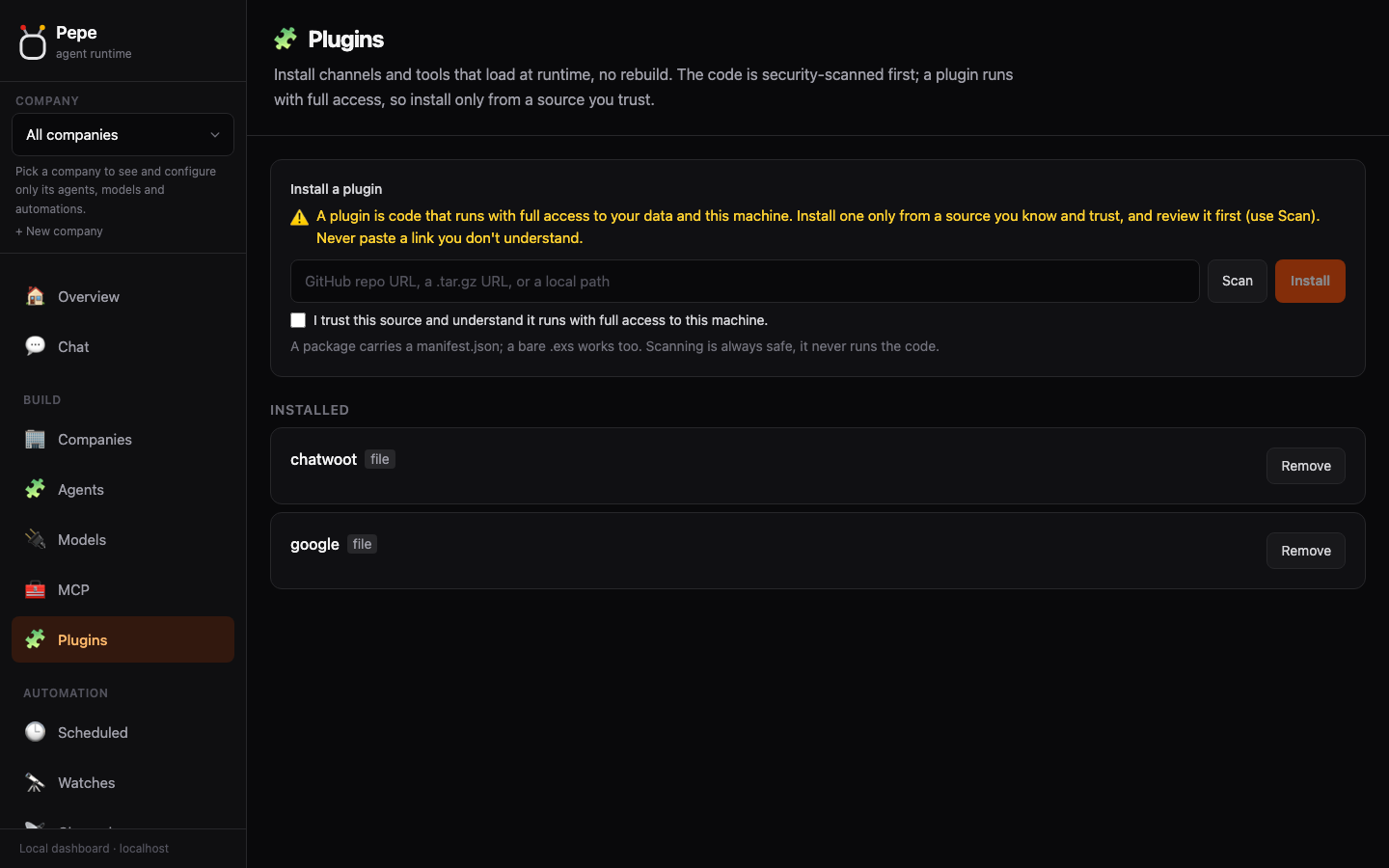
Automate & operate Goals · Scheduled tasks · Flows · Board · Watches · MCP servers · Plugins · Security · Privacy hooks · Traces · Evals
In this repository
Only what you read when you are working on Pepe rather than with it. Everything a
user reads lives on the site, once, so the two cannot drift apart, which is precisely
what they did while there were two copies.
Architecture · CLI reference · Adding a tool · Tests · Migrating from another runtime · Contributing & help wanted
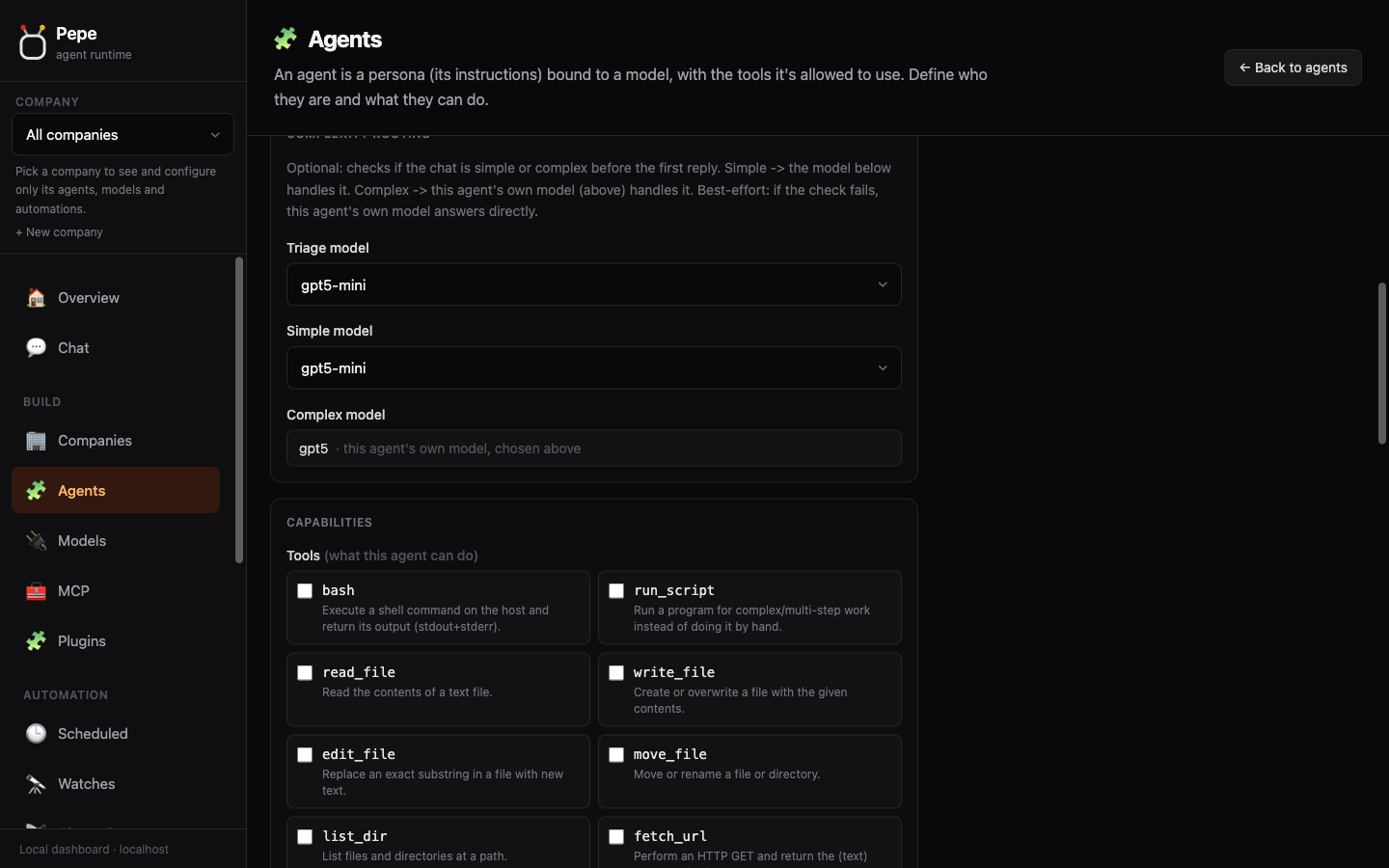
More screenshots
 |
 |
 |
 |
Put it in your product
Pepe is meant to be embedded. A few common paths:
- Behind your web app / SaaS: point any OpenAI SDK at the HTTP API, scope access with per-project tokens, and keep tenants isolated with Projects.
- Customer support on WhatsApp: connect a number and bind it to a support agent; see WhatsApp. Redact PII before it reaches any model with Privacy hooks.
- Bill your clients: every model call is metered per project; export invoices from Usage & billing, or let their own system read the figures over HTTP with a read-only token via the Usage API.
- Automate: recurring jobs with Scheduled tasks, one-shot "notify me when X" with Watches, durable multi-step handoffs with Board.
Contributing: help wanted 🙌
Help is genuinely welcome: bug reports, docs fixes, features, and especially
confirming providers work. Small, focused PRs are the easiest to review and merge.
Get set up in a minute (no database, no API keys needed for the test suite):
git clone https://github.com/pepe-agent/pepe.git && cd pepe
mix deps.get
mix test          # the whole suite, over real TCP - no DB, no keys
Then fork the repo on GitHub, clone your fork, branch off master, make your change
(match the style in AGENTS.md), run mix precommit, and push:
git checkout -b my-fix
# ... make your change ...
git push -u origin my-fix
Open a PR against pepe-agent/pepe:master from your fork (GitHub shows a "Compare &
pull request" button after the push). Adding a tool? Follow
Adding a tool.
The single most useful thing you can do: I run Pepe day-to-day on one setup
(the ChatGPT/Codex OAuth subscription), so most providers are unverified. If you use
OpenRouter, Groq, DeepSeek, Together, Mistral, Ollama, LM Studio, the Claude Pro/Max
sign-in, or anything else, run mix pepe model test, try one prompt, and open an
issue saying whether streaming and tool-calling worked. That feedback is worth
a lot.
Full guide, including everything that needs testing: Contributing & help wanted.
Support
If Pepe is useful to you, sponsoring helps cover the real cost of keeping it working
across providers: verifying new models, testing streaming/tool-calling against paid
APIs (OpenRouter, Groq, DeepSeek, Together, ...), and the time spent maintaining it.

License
Yorumlar (0)
Yorum birakmak icin giris yap.
Yorum birakSonuc bulunamadi