OpenFlow
Health Uyari
- License — License: MIT
- Description — Repository has a description
- Active repo — Last push 0 days ago
- Low visibility — Only 6 GitHub stars
Code Basarisiz
- new Function() — Dynamic code execution via Function constructor in crates/desktop/e2e/ipcMocks.ts
Permissions Gecti
- Permissions — No dangerous permissions requested
Bu listing icin henuz AI raporu yok.
An AI agent harness built for workflows.

OpenFlow
Compose and run AI agent workflows, visually.
A Rust desktop app for building DAG-based agent pipelines with tools, subagents, and live conversation.


Screenshots · Features · Architecture · Quick Start · Development · Contributing
Screenshots
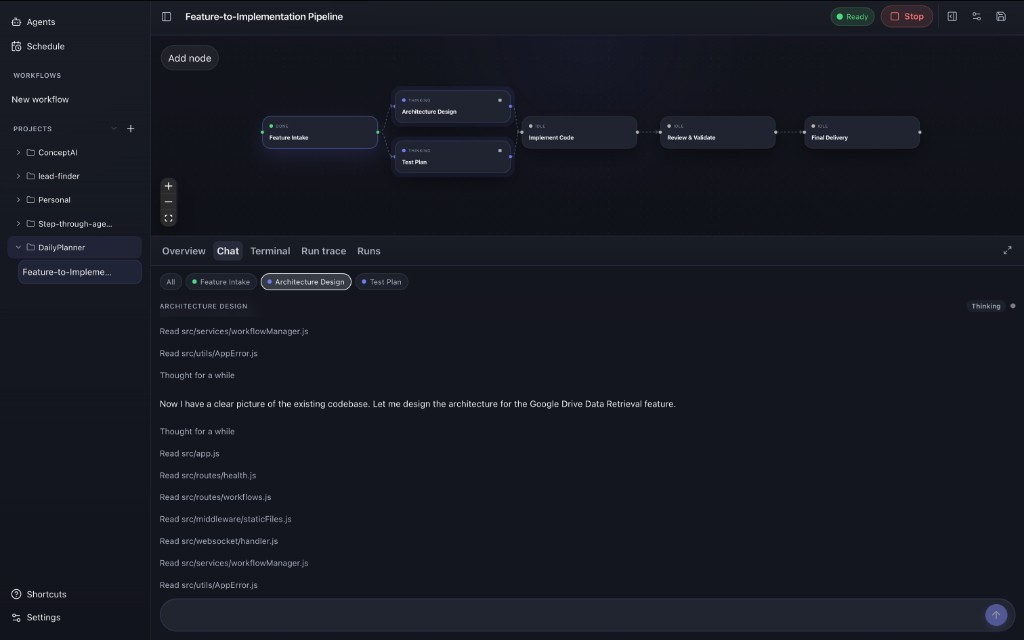
Run a multi-agent pipeline — parallel layers, live status, and per-node conversation.
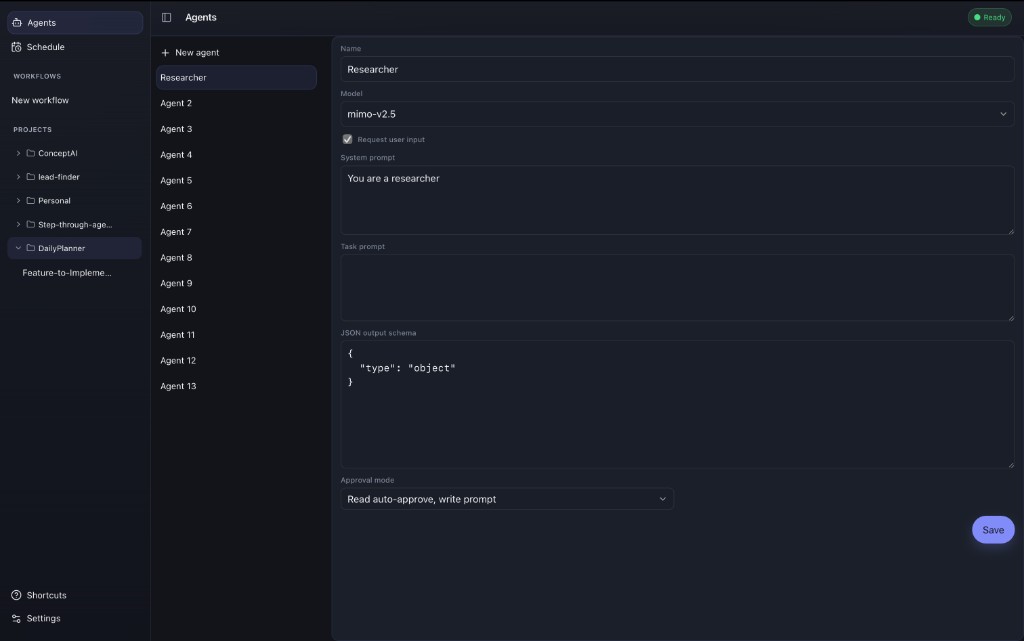
Configure reusable agents — model, prompts, JSON schema, and tool approval.
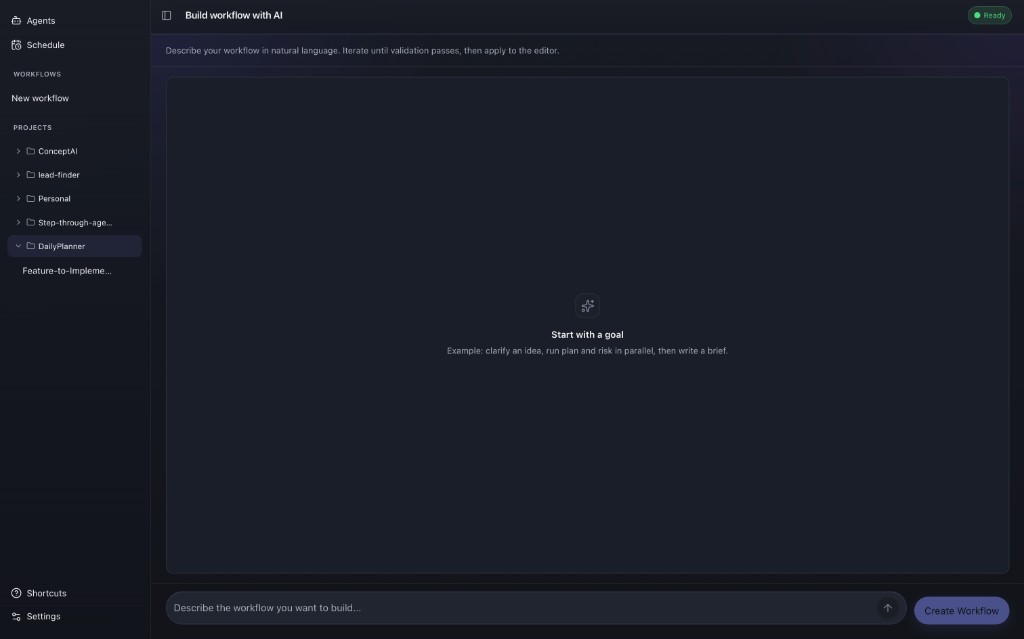
Describe a workflow in natural language, iterate, then apply to the editor.
Features
Visual workflow editorDrag nodes onto a canvas, wire them into a DAG, and configure each agent in an inspector panel. Validation runs before every run: cycles and broken edges never reach execution. |
Parallel agent layersNodes in the same topological layer run concurrently. Downstream agents receive upstream output automatically, with no manual plumbing. |
Tools & subagentsBuilt-in filesystem, shell, and search tools with tiered approval policies. Nodes can invoke saved agents as subagents mid-run. |
Multi-provider LLM supportOpenAI-compatible and Anthropic adapters behind a single |
Project-aware persistenceWorkflows live in the app store or in-repo under |
Interactive runsPause, resume, approve tools, and chat with individual nodes. Per-node conversation panels stream thinking, tool calls, and results in real time. |
Architecture
OpenFlow uses nested hexagonal architecture: five layers, dependencies pointing strictly inward, enforced in CI.
┌─────────────────────────────────────────────────────────┐
│  UI (React + TypeScript)          crates/ui             │
├─────────────────────────────────────────────────────────┤
│  Desktop adapter (Tauri IPC)        crates/desktop      │
├─────────────────────────────────────────────────────────┤
│  Orchestration (runs, storage)      crates/orchestration│
├──────────────────────────┬──────────────────────────────┤
│  Engine (I/O-free core)  │  Providers (LLM transport)   │
│  crates/engine           │  crates/providers            │
└──────────────────────────┴──────────────────────────────┘
| Crate | Responsibility |
|---|---|
| engine | Workflow model, DAG validation, run state machine, ports |
| orchestration | Persistence, run coordination, tool execution, composition root |
| providers | OpenAI-compatible and Anthropic wire adapters |
| desktop | Tauri commands and IPC boundary |
| ui | Canvas, conversation panels, settings, workflow editor |
Deep dive: docs/architecture/technical-overview.md
Quick Start
Prerequisites
Setup
./scripts/setup.sh          # install dependencies
./scripts/setup.sh --dev    # setup + launch dev app
./scripts/setup.sh --build  # setup + build release bundle
Run from source
npm --prefix crates/desktop run start -- dev
The compiled app lands in crates/desktop/target/release/bundle/.
macOS gatekeeper: Unsigned local builds may be blocked on first launch. Right-click OpenFlow → Open, or run
xattr -cr /path/to/OpenFlow.app.
Development
# Full verification gate (fmt, clippy, test, arch, UI typecheck, …)
./scripts/verify.sh

# Frontend only (hot reload, no Tauri shell)
npm --prefix crates/ui run dev

# Frontend typecheck
npm --prefix crates/ui run typecheck

# Workflow acceptance tests
cargo test -p orchestration --test workflow_acceptance -- --nocapture
| Resource | Path |
|---|---|
| Repo map & change paths | AGENTS.md |
| Coding patterns | docs/contributing/coding-patterns.md |
| Testing workflows | docs/contributing/testing-workflows.md |
| Domain glossary | docs/glossary.md |
| Layer contract | docs/architecture/contract.md |
Contributing
See CONTRIBUTING.md for the PR checklist. Classify your change with docs/contributing/development-lanes.md, run ./scripts/verify.sh, and update CHANGELOG.md for user-visible changes.
License
Yorumlar (0)
Yorum birakmak icin giris yap.
Yorum birakSonuc bulunamadi