PiWright
Health Uyari
- License — License: MIT
- Description — Repository has a description
- Active repo — Last push 0 days ago
- Low visibility — Only 8 GitHub stars
Code Basarisiz
- exec() — Shell command execution in resources/ask-question/src/questionnaire.ts
Permissions Gecti
- Permissions — No dangerous permissions requested
Bu listing icin henuz AI raporu yok.
Open-source desktop GUI for the pi coding agent — AI chat, agent-driven kanban, git branch graph, Monaco editor and terminal in one native Windows app. WSL support, MCP, Telegram notifications, remote access from a phone.
PiWright



PiWright is an open-source desktop GUI for the pi coding agent — a native Windows app (Electron + React) that turns pi into a full IDE-like workspace: AI chat, agent-driven kanban, git branch graph, Monaco editor, terminal and remote access from your phone — in one window.
Highlights
- Windows + WSL — two pi backends, native and WSL, auto-detection per project
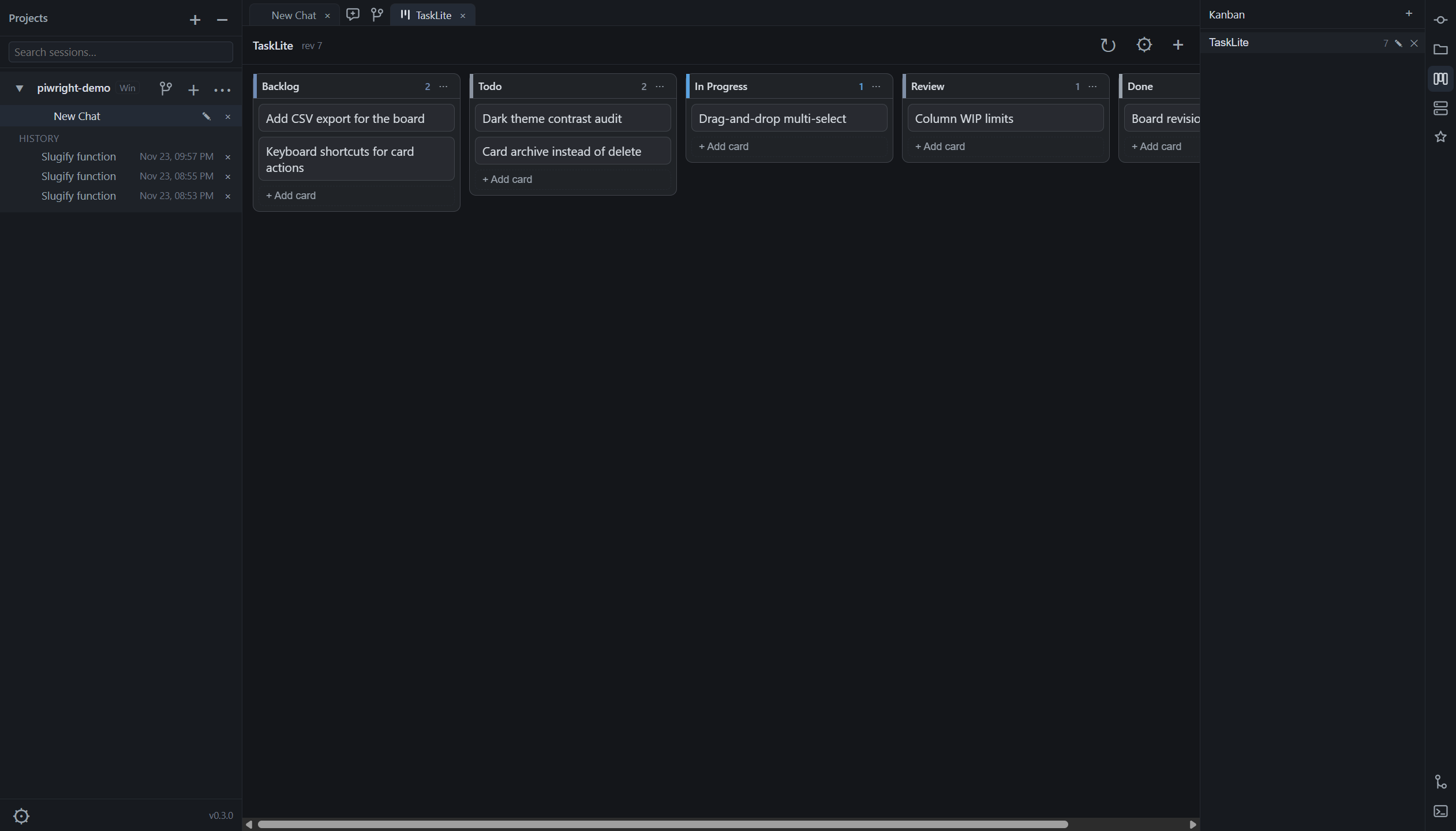
- Agent-driven kanban — the agent picks tasks, moves cards, reports via comments
- Everything in one window — chat, git branch graph, diffs, editor, terminal
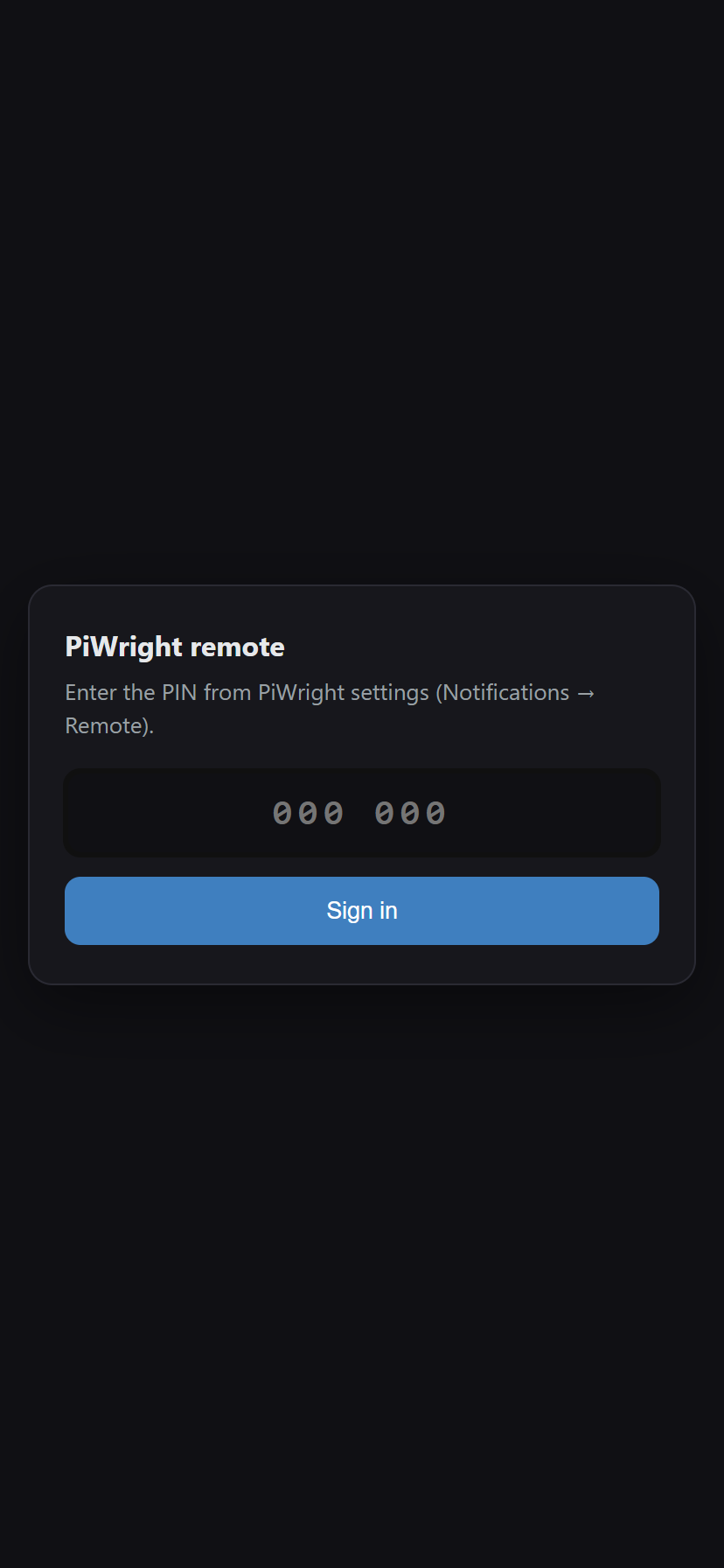
- Remote access — Telegram notifications and a PIN-protected web UI from a phone
Features
Chat
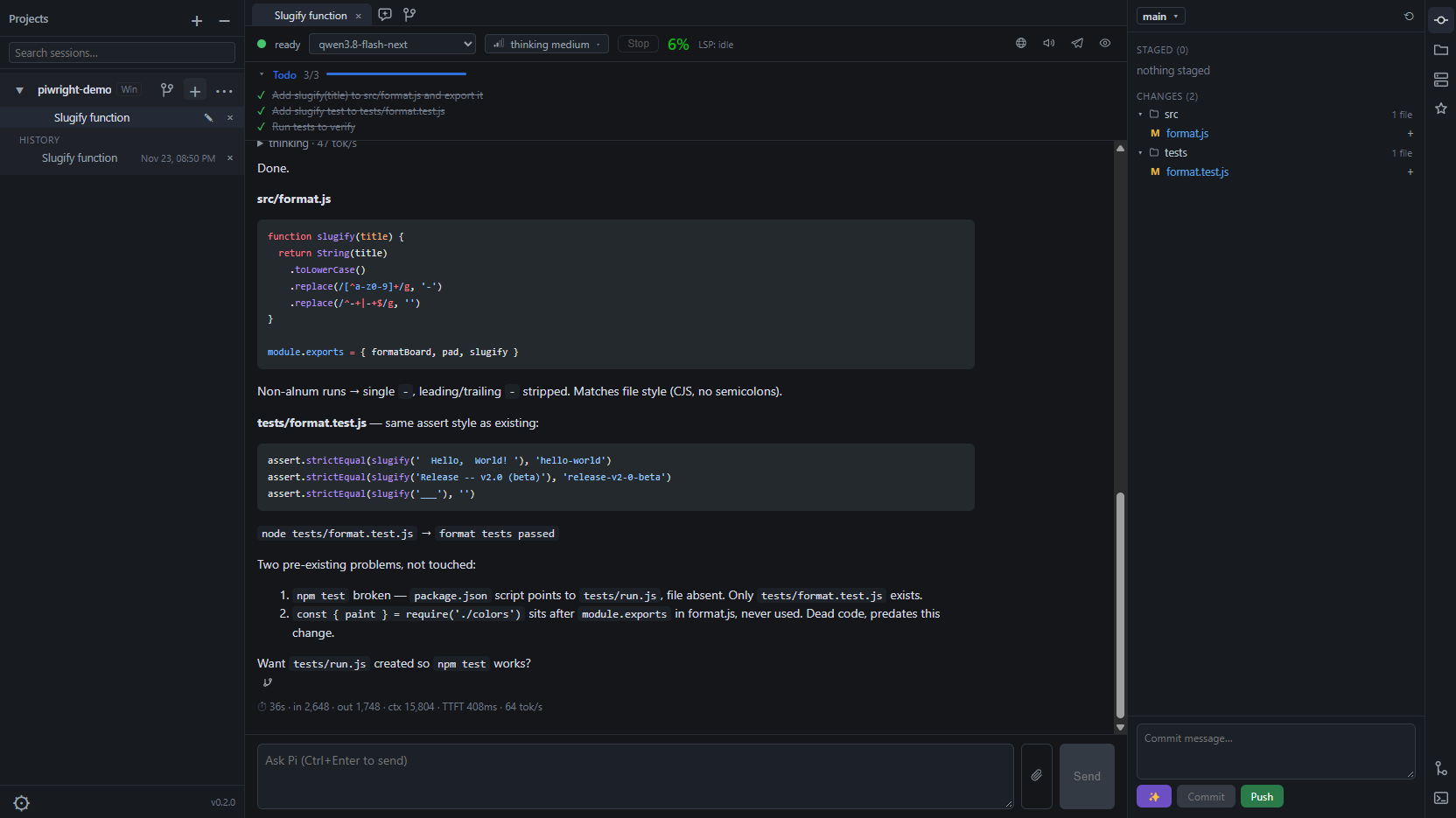
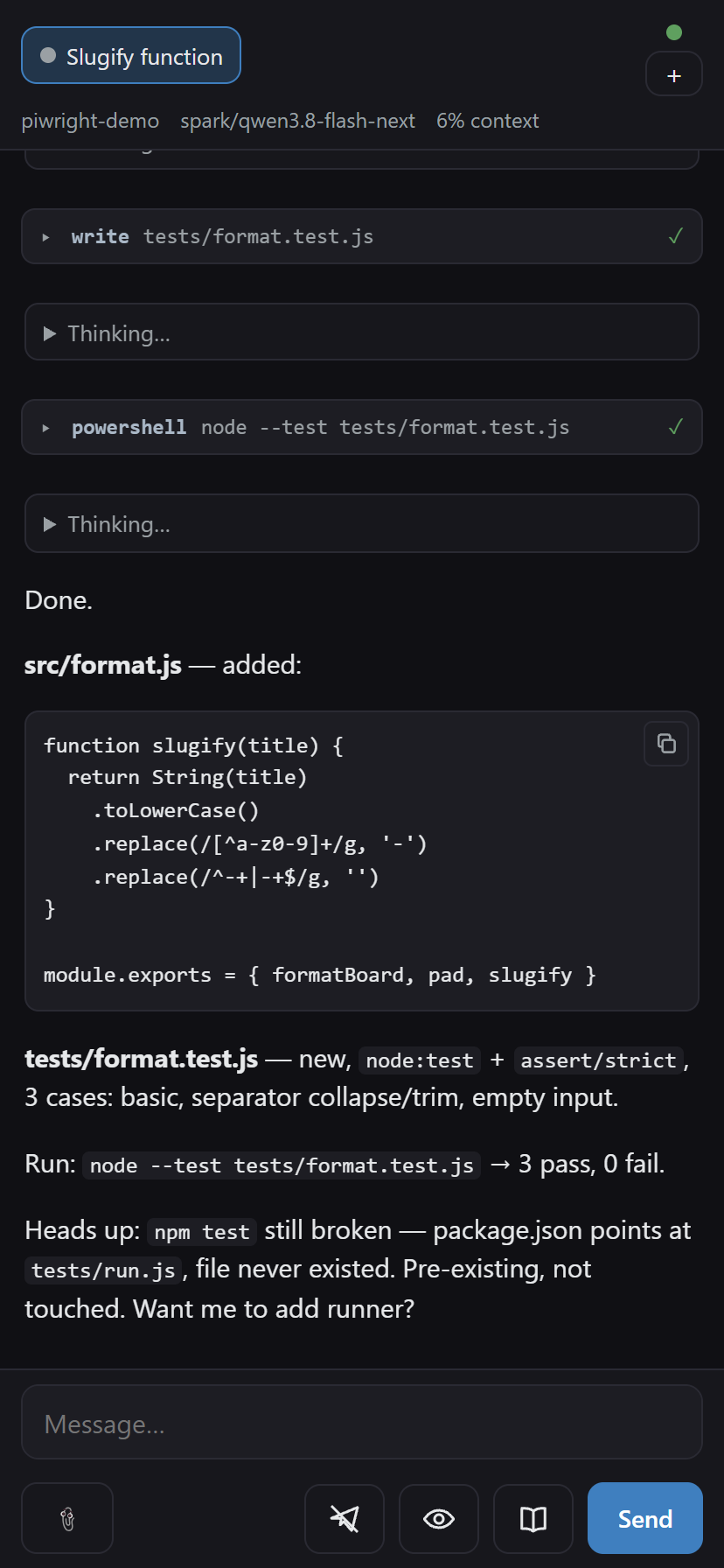
- Streaming chat with pi over RPC, markdown rendering with syntax highlighting
- Collapsible tool-call blocks (optional single-line mode), nested subagent tool calls as a tree
- Steer and queued messages: send follow-ups mid-turn or queue them for the next turn; convert a queued message between steer and follow-up, pull it back into the composer to edit
- Scheduled prompts: right-click Send to run a prompt after another session's turn ends or at a set time, with loop iterations and exit condition; cancel from the Scheduled panel
- Live tok/s during streaming, turn timer, per-bucket context token breakdown popover
- Prompt editing with fork: edit a sent prompt and fork the session from that point, after any agent reply
- Built-in
/loop: run the agent in iterations with an exit condition,loop_stoptool, loop flags in session names and icons - Interactive question cards (ask_question) with options, free-text answers and multi-select
- Todo widget pinned above the chat, live context-usage indicator with color grading and cache stats
- Paste images and attach files (copied to
.pi/attachmentsin the repo root so worktree sessions share them and survive worktree removal), with image previews and lightbox in the chat feed - Resizable composer: auto-growing prompt field, drag handle on the top edge, double-click to reset
- Session history with subagent sessions nested under their parent, unread dots and busy badges per project; rename sessions via dialog, search across history
- Live tok/s during streaming, turn timer, per-bucket context token breakdown popover
- Copy button on code blocks, view-diff button for write tool blocks, full command shown when a tool block is expanded
Kanban
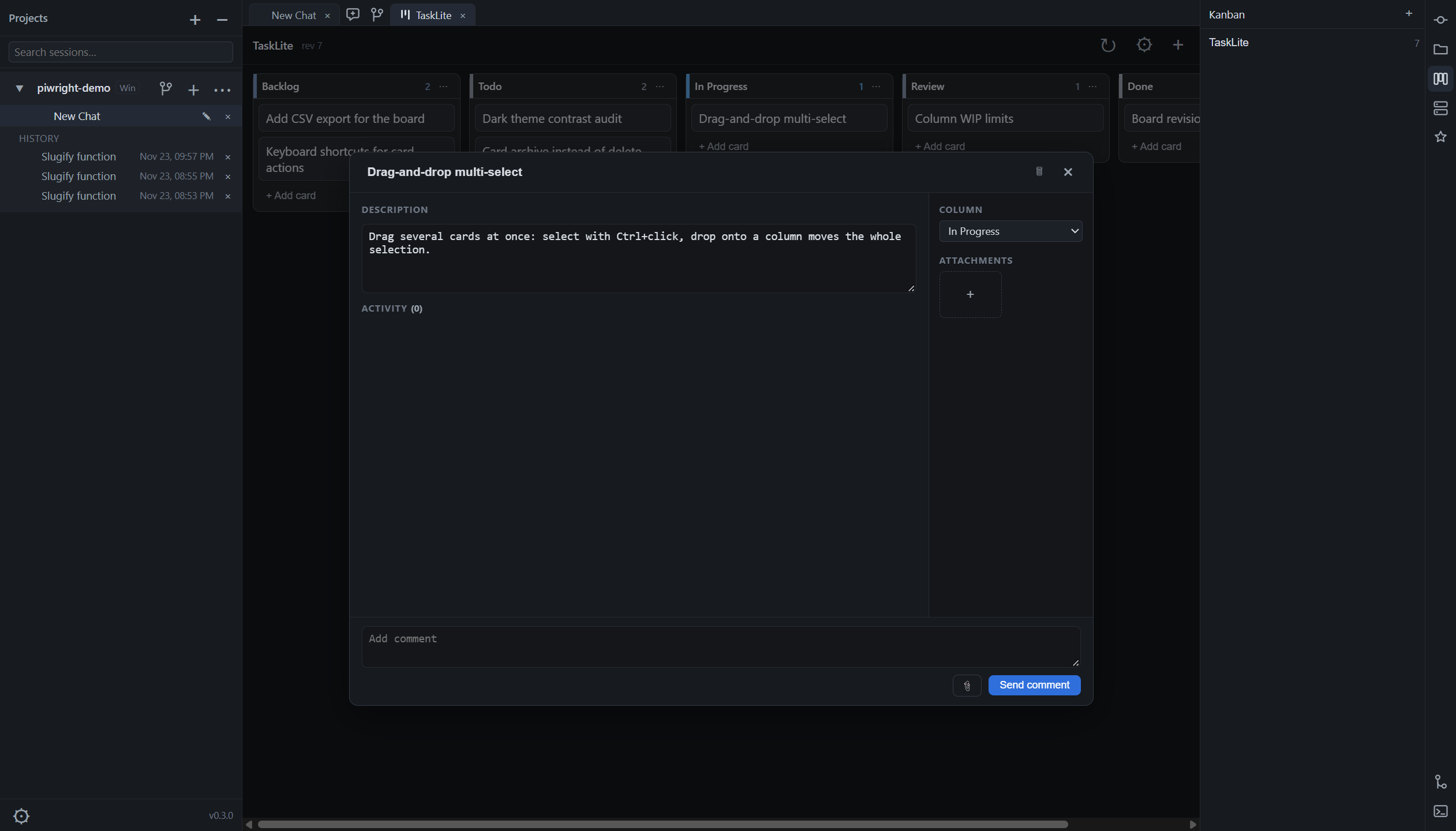
- Kanban boards in a right-rail panel as a task tree: board → columns → tasks with theme accents, counters and collapsible columns; card modal with properties rail and activity feed
- Session status dots on cards (busy, waiting for answer, unread turn) survive session close until the card is opened; live board updates without manual refresh
- Card comments with images and clickable session/commit chips; agent tools for cards, columns and workflow — the agent picks tasks, moves them and reports via comments
- Board themes (built-in + custom via Appearance manager, JSON import/export)
- Durable board storage: cross-process file locking, atomic writes, corrupt-file quarantine
Projects and backends
- Multiple projects in a sidebar, each with its own sessions, git repo and settings; drag to reorder projects
- Project and branch in the app header (IDE style): project switcher, branch popup, ahead/behind arrows with automatic fetch
- Two pi backends: native Windows and WSL (per-project choice, auto-detection)
- Git worktree support: create, reuse and delete worktrees, sessions grouped under the project
Git panel
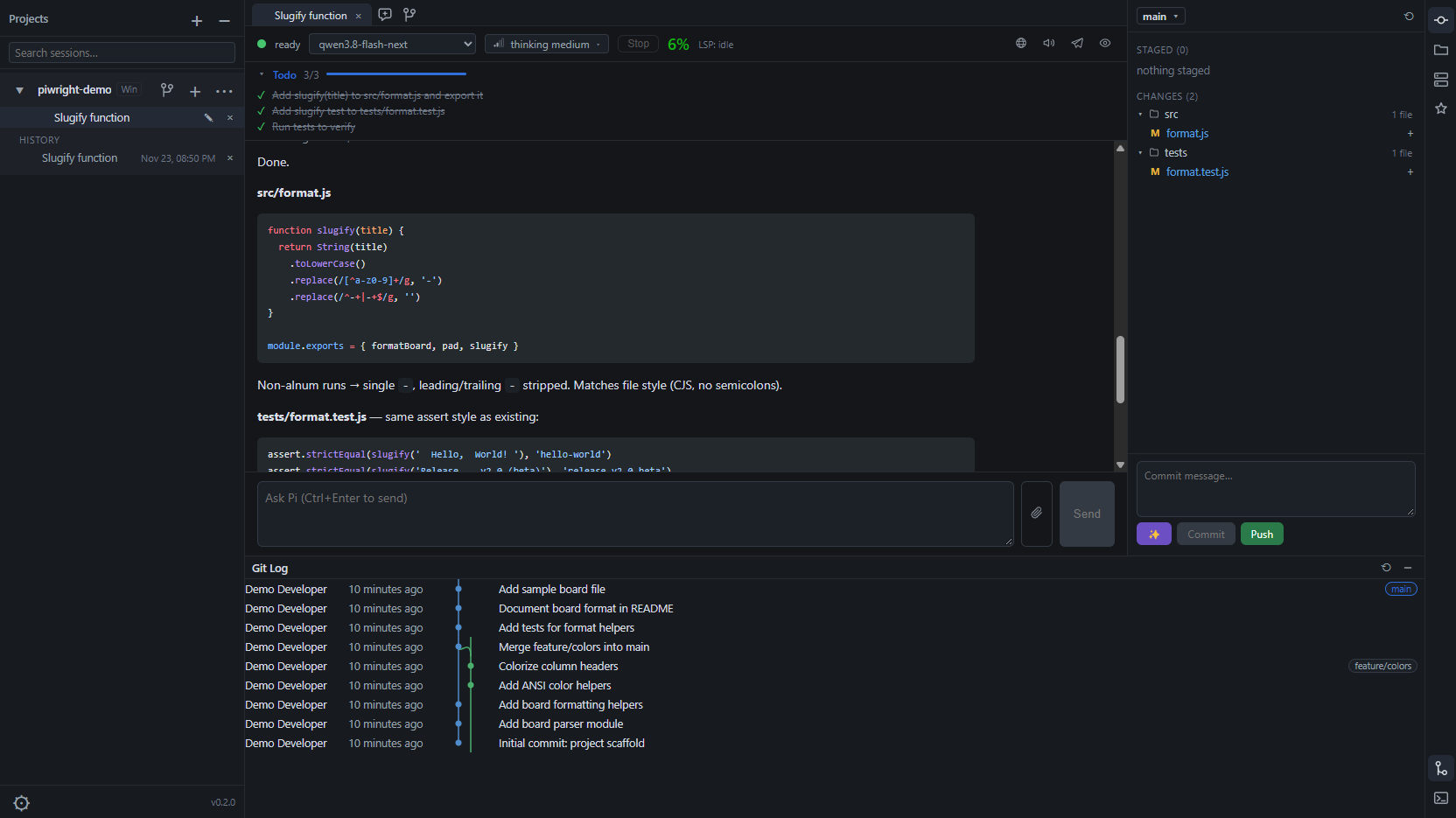
- Status with color-coded files (modified / staged / untracked / deleted) grouped into a folder tree
- Git Log dock: PHPStorm-style branch graph with side branches shown by default, converging lanes, search by message or hash, branch filter
- Commit context menu: cherry-pick, checkout revision, reset soft/mixed/hard, revert, edit commit message, squash, drop commit, interactive rebase from here, new branch/tag
- Stage / unstage / commit, unified and split diffs; arrow keys step through the files of a commit diff
- Branch popup in IDE style: search, create, checkout, rename, delete, pin branches to the top
Files and editor
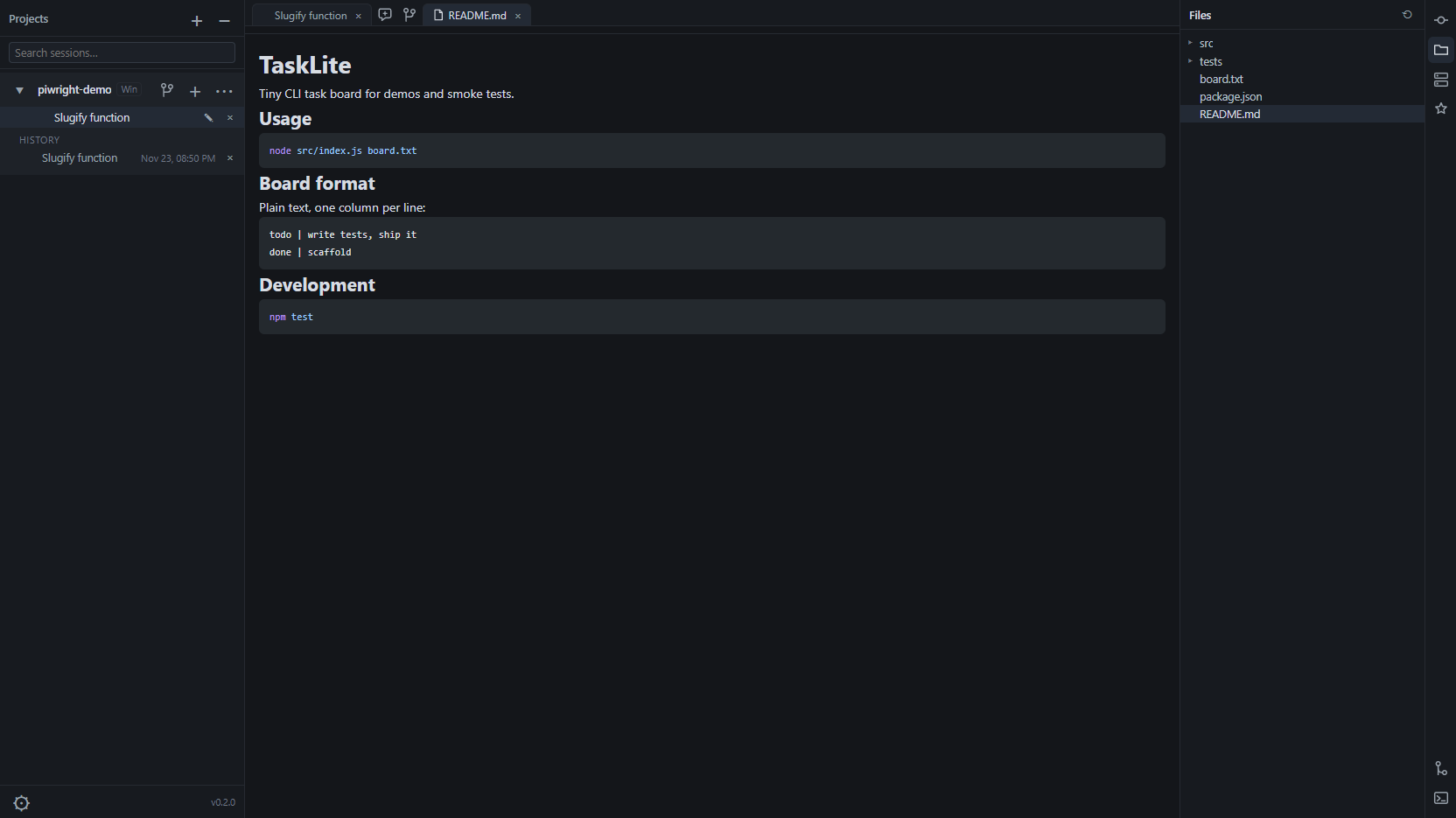
- File browser with Monaco editor, soft wrap toggle
- Markdown files: Obsidian-style live preview — click a block to edit the source, everything else renders
Terminal
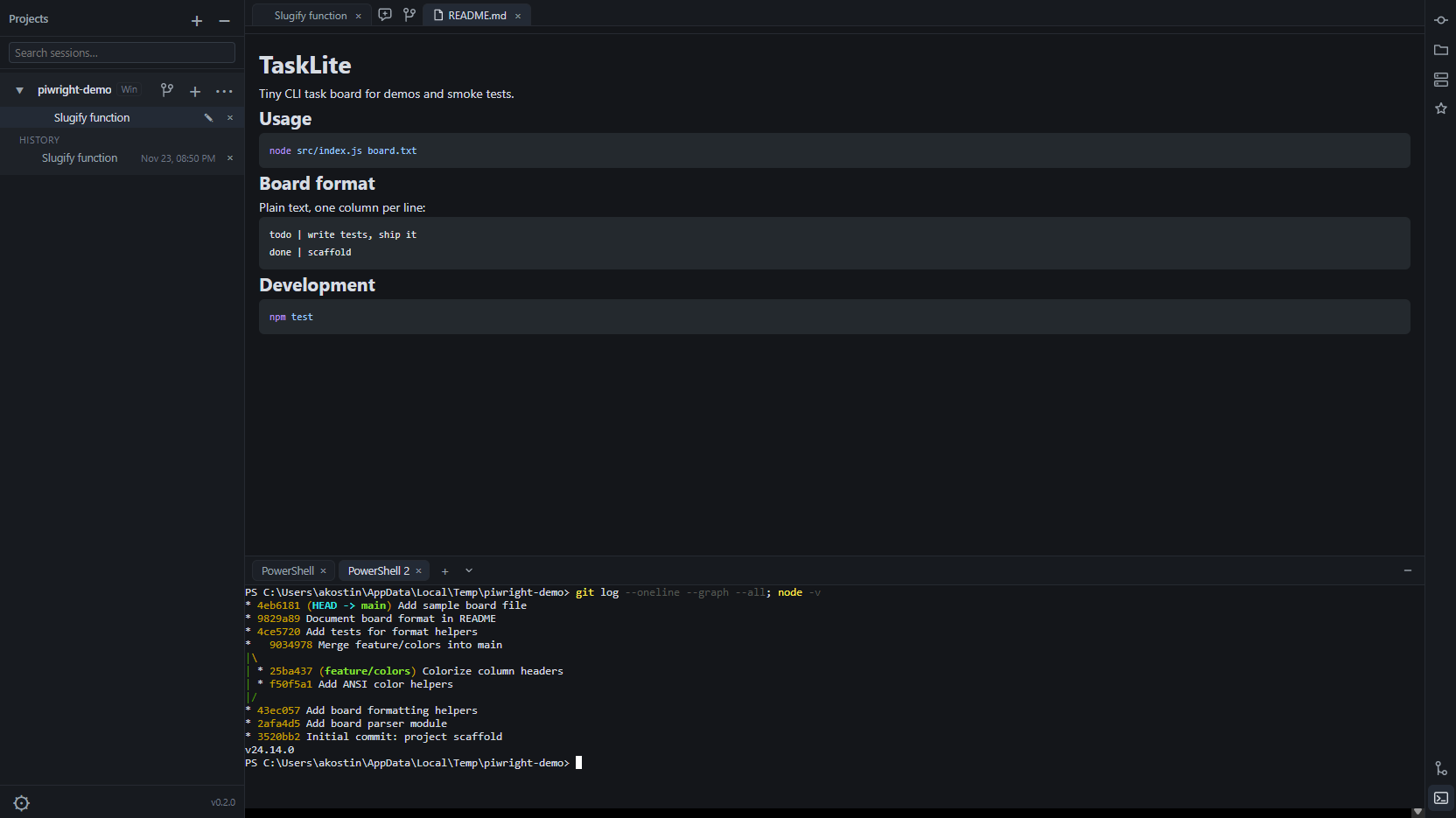
- Docked terminal at the bottom (node-pty / ConPTY, native and WSL)
- Multiple tabs, renameable, restored after restart; cmd profile, copy selection to clipboard
Models, MCP and skills
- Manage pi providers and models (
models.json) for both backends: add, edit, copy between backends - MCP servers: user-level and per-project, enable/disable, exposure toggles, JSON import, live connection check
- Skills: user-level and per-project directories with toggles
Notifications and remote access
- Sound notifications for completed turns, questions and errors (system sounds or custom wav), with a play button to preview the selected sound
- Telegram bot notifications with per-event checkboxes and per-session toggle
- Remote control from a phone: built-in WebSocket bridge with PIN auth (static PIN option) serves the web UI — session list, chat with images, abort, dialog answers, session creation; web UI follows the app language, failed server start retries with backoff
Interface
- Project tabs: sessions, files, diffs, kanban boards, MCP and skills open as tabs in a single window; MRU tab restore on close and Ctrl+Tab switcher, type icons per tab
- Search Everywhere overlay on double Shift
- Resizable/collapsible projects sidebar, new-session and new-worktree buttons in the tab bar
- Dark and light themes, adjustable chat font size
- Settings in the application File menu (Ctrl+,)
- English and Russian UI
- Configurable send key (Enter / Ctrl+Enter), Enter by default; model/thinking selector placement
Requirements
- Windows 10/11
- Node.js ≥ 22.19 and Git for Windows
- pi CLI: native (
irm https://pi.dev/install.ps1 | iex) and/or inside WSL — selectable per project in settings
Installation
Download the latest installer from Releases. The app checks this feed for updates automatically (configurable in Settings → Launch → Update feed URL).
Building from source
npm install
npm run build          # compile to out/
npm run dist           # build the NSIS installer (release/)
Development
npm install
npm run dev            # electron-vite dev (window + HMR)
npm test               # vitest
npm run typecheck      # tsc (node + web configs)
npm run lint           # eslint
Settings
App settings live in %APPDATA%\PiWright\settings.json and are editable from the in-app settings window: backends, WSL distro, pi path, update feed, appearance, notifications, remote access.
Project structure
src/main— Electron main process: pi RPC client, backends (native/WSL), settings, git, files, terminal, MCP, notifications, remote bridgesrc/preload— contextBridge, the only IPC boundarysrc/shared— IPC contracts and pi protocol types, no side effectssrc/renderer— React UI (zustand stores, views)tests— vitest
License
Yorumlar (0)
Yorum birakmak icin giris yap.
Yorum birakSonuc bulunamadi