no-sleep
Health Warn
- License — License: MIT
- Description — Repository has a description
- Active repo — Last push 0 days ago
- Low visibility — Only 7 GitHub stars
Code Fail
- rm -rf — Recursive force deletion command in scripts/build-app.sh
- rm -rf — Recursive force deletion command in scripts/package-dmg.sh
- rm -rf — Recursive force deletion command in scripts/signing-identity.sh
Permissions Pass
- Permissions — No dangerous permissions requested
No AI report is available for this listing yet.
Native macOS menu bar app that keeps your Mac awake, lid closed included. Toggle, timers, and auto-awake while Claude Code / Codex / T3 Code agents work.
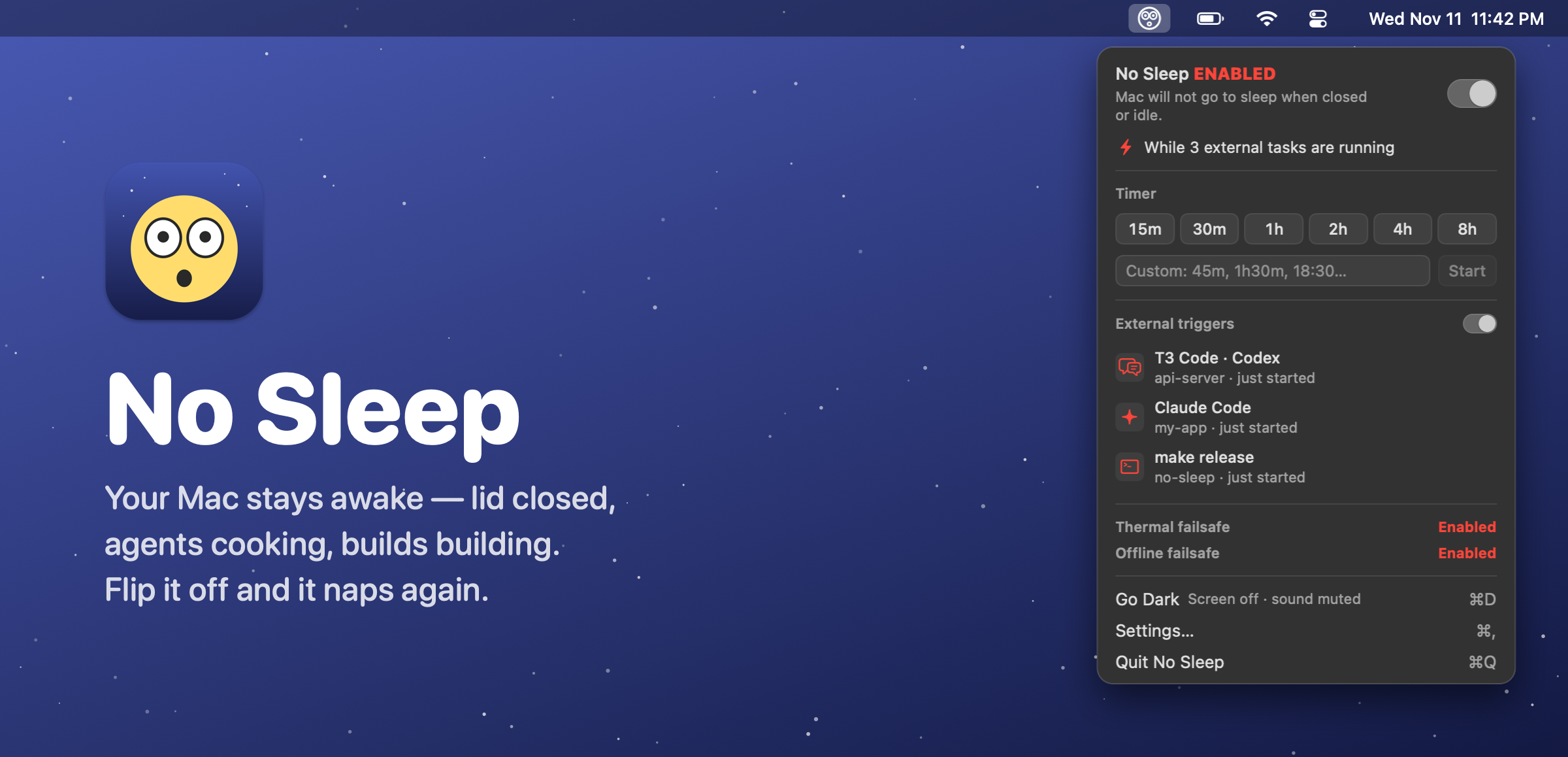




No Sleep is a tiny native menu bar app that keeps your Mac awake, even with the lid closed, until you say otherwise. Flip the toggle, set a timer, or let your AI agents keep it up while they're working. The icon tells you what's going on: z z z means it can nap, 😳 means it's staying up.
It's 100% SwiftUI + AppKit with zero dependencies, and it's under 1 MB.
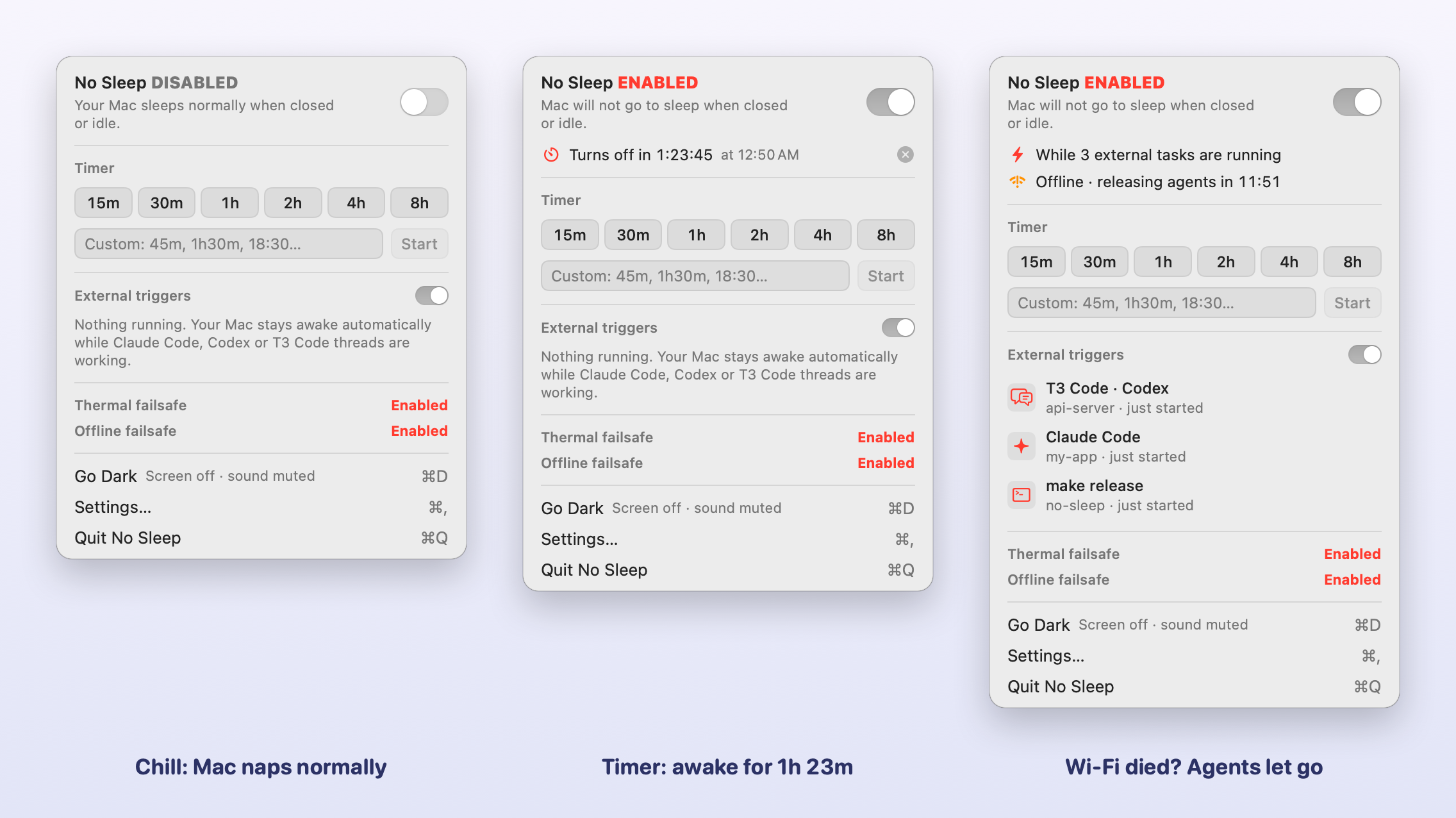
What it does
- One toggle.
No Sleep ENABLED= your Mac won't sleep when it's idle or when you close the lid (same trick assudo pmset disablesleep 1, minus the typing). - Timers right in the menu. 15m, 30m, 1h, 2h, 4h, 8h, or type whatever:
45m,1h30m,18:30,9am. - Agent mode. It stays awake while Claude Code, Codex or T3 Code threads are working, then goes back to normal when they're done, interrupted or crash.
- Thermal failsafe. If your Mac runs hot for 20 minutes straight, No Sleep switches itself off. That's what you want when it's closed in a backpack.
- Offline failsafe. Agents keeping your Mac up but the internet's been dead for 15 minutes (configurable)? No point staying awake, so it lets go. If the lid is closed, the Mac goes to sleep right then.
- Go Dark. One click dims the screen to black and mutes the sound. Any key or mouse move brings it back. It dims instead of sleeping the display, so macOS never locks the session and agents can keep clicking through dialogs overnight.
- Low-battery guard. It also lets your Mac sleep once the battery gets low (10% by default).
- Updates itself. It checks GitHub Releases, grabs the build for your macOS, makes sure it's signed by the same developer, swaps itself and restarts. No server, no nagging.
- Plays nice. Quitting always gives your Mac its normal sleep back.
Installation - Releases
- Grab the latest
.dmgfor your macOS from Releases →:…-macos14-…for Sonoma and Sequoia,…-macos26-…for Tahoe,…-macos27-…for macOS 27 (all Apple Silicon). - Open it and drag No Sleep into Applications.
- It isn't notarized by Apple yet, so macOS won't open it on the first try. Run this once:
…or try to open it once, then hit Open Anyway in System Settings → Privacy & Security.xattr -dr com.apple.quarantine /Applications/NoSleep.app
The first time you enable it, macOS asks for your password once so lid-closed mode works. That adds a sudoers rule that only allows pmset -a disablesleep 0/1, nothing else. You can revoke it any time from Settings.
On macOS 14–15 or an Intel Mac? Build it from source, it takes about a minute.
Setup your agents
No Sleep listens to your agents through their hooks. While a turn is running (prompt sent, tools firing) the agent holds a lease that keeps your Mac awake. When the turn ends, gets interrupted, or the agent dies, the lease goes away and your Mac can nap again.
Fastest way: open No Sleep → Settings… → Agent integrations and hit Connect All. That's Claude Code, Codex and T3 Code done in one click. Want the details per agent? Read on.
Claude Code
- Open No Sleep → Settings… → Agent integrations and hit Connect next to Claude Code.
Terminal person?/Applications/NoSleep.app/Contents/Helpers/nosleep connect claude - That's it. Claude Code picks up hooks live, so even sessions that are already open start reporting.
- Send a prompt and open the menu. You'll see Claude Code · your-project under External triggers.
It adds UserPromptSubmit, PreToolUse, PostToolUse, Stop and SessionEnd hooks to ~/.claude/settings.json. Your other hooks stay put, and the first time it saves a backup next to the file.
Codex
- Settings… → Agent integrations → Connect next to Codex (or
nosleep connect codex). This writes~/.codex/hooks.json. - Restart Codex. It asks you to review the new hooks. Approve them, since Codex won't run hooks you haven't reviewed.
- Run something and check the menu. Hitting Esc to interrupt a turn releases the lease too.
T3 Code
T3 Code threads run on Claude Code and Codex under the hood, so connect those two and you're done. No extra setup. Threads show up in the menu as T3 Code · Claude Code / T3 Code · Codex.
Is it working?
/Applications/NoSleep.app/Contents/Helpers/nosleep list
# claude-3f2a…   T3 Code · Claude Code — my-app   (expires 1:42 AM)   [pid 48705]
Safety nets: if an agent goes quiet for an hour (configurable), its lease expires. If the internet's down for 15 minutes, the Offline failsafe lets go too. To undo everything, hit Disconnect in Settings or run nosleep disconnect all.
CLI
nosleep run -- make release      # stay awake while this runs
nosleep for 1h30m                # stay awake for a bit
nosleep acquire backup --pid 42  # stay awake until a process exits
nosleep list                     # who's keeping the Mac up?
nosleep dark                     # Go Dark: screen black + mute (brightness keys bring it back)
You can install it into ~/.local/bin from Settings.
Build from source
You just need the Xcode Command Line Tools:
git clone https://github.com/pi-na/no-sleep && cd no-sleep
scripts/build-app.sh --install        # universal build → /Applications
scripts/package-dmg.sh 27.0 macos27   # Apple Silicon DMG for a given minimum macOS
Got an Apple Developer account? Set DEVELOPER_ID="Developer ID Application: You (TEAMID)" and NOTARY_PROFILE=<notarytool profile>, and package-dmg.sh signs, notarizes and staples the DMG for you.
Otherwise, builds get signed with a local self-signed identity (scripts/signing-identity.sh creates it once, in its own keychain). That keeps the signature stable between builds, so macOS doesn't treat every update as a brand-new app and Open at login stays on. It also means the auto-updater only accepts builds signed with that same key, so ship releases from the same Mac (or carry the keychain over).
Shipping an update: bump CFBundleShortVersionString in Resources/Info.plist, then scripts/package-dmg.sh 14.0 macos14 && scripts/package-dmg.sh 26.0 macos26 && scripts/package-dmg.sh 27.0 macos27, then gh release create vX.Y.Z build/NoSleep-X.Y.Z-macos*.dmg --latest. Installed copies pick it up within a few hours. Keep the NoSleep-<version>-macos<NN>-apple-silicon.dmg naming, because that's how the updater finds the right file.
License
MIT. Do whatever, just keep the notice. See LICENSE.
Reviews (0)
Sign in to leave a review.
Leave a reviewNo results found