flowdit
Health Gecti
- License — License: MIT
- Description — Repository has a description
- Active repo — Last push 0 days ago
- Community trust — 15 GitHub stars
Code Uyari
- network request — Outbound network request in backend/eslint.config.js
- process.env — Environment variable access in backend/src/app.js
- process.env — Environment variable access in backend/src/db/index.js
- process.env — Environment variable access in backend/src/index.js
Permissions Gecti
- Permissions — No dangerous permissions requested
Bu listing icin henuz AI raporu yok.
Self-hosted pentest engagement management.
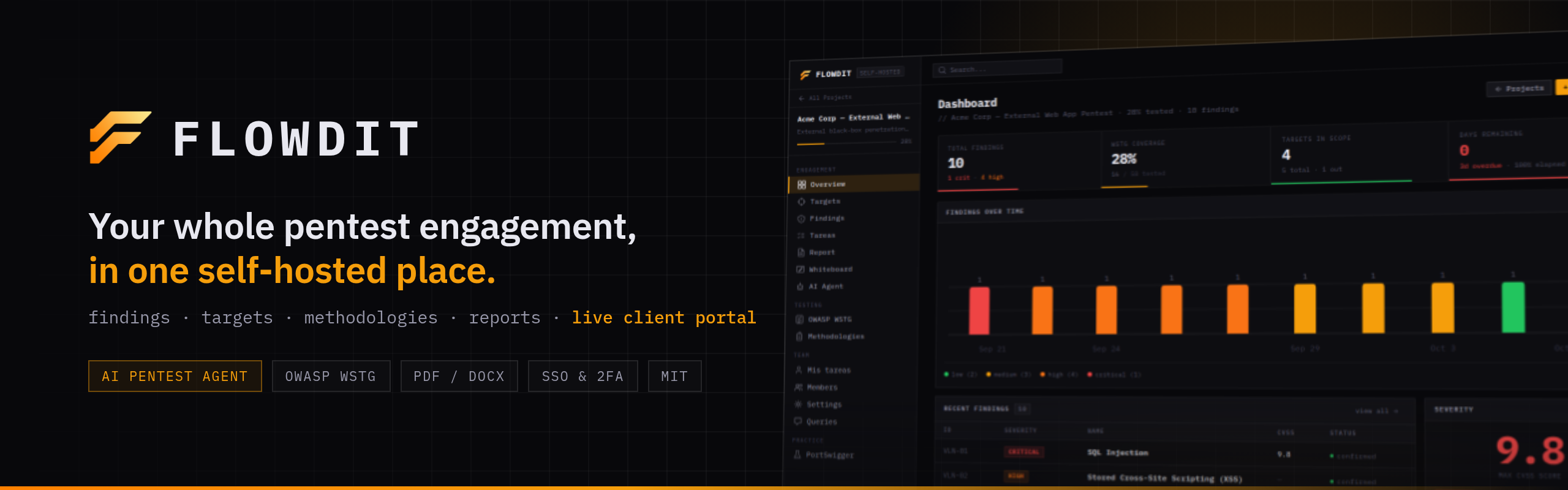
Self-hosted pentest engagement management platform: findings, targets, methodologies, an autonomous AI scanner, client portal, and professional reports in one place.



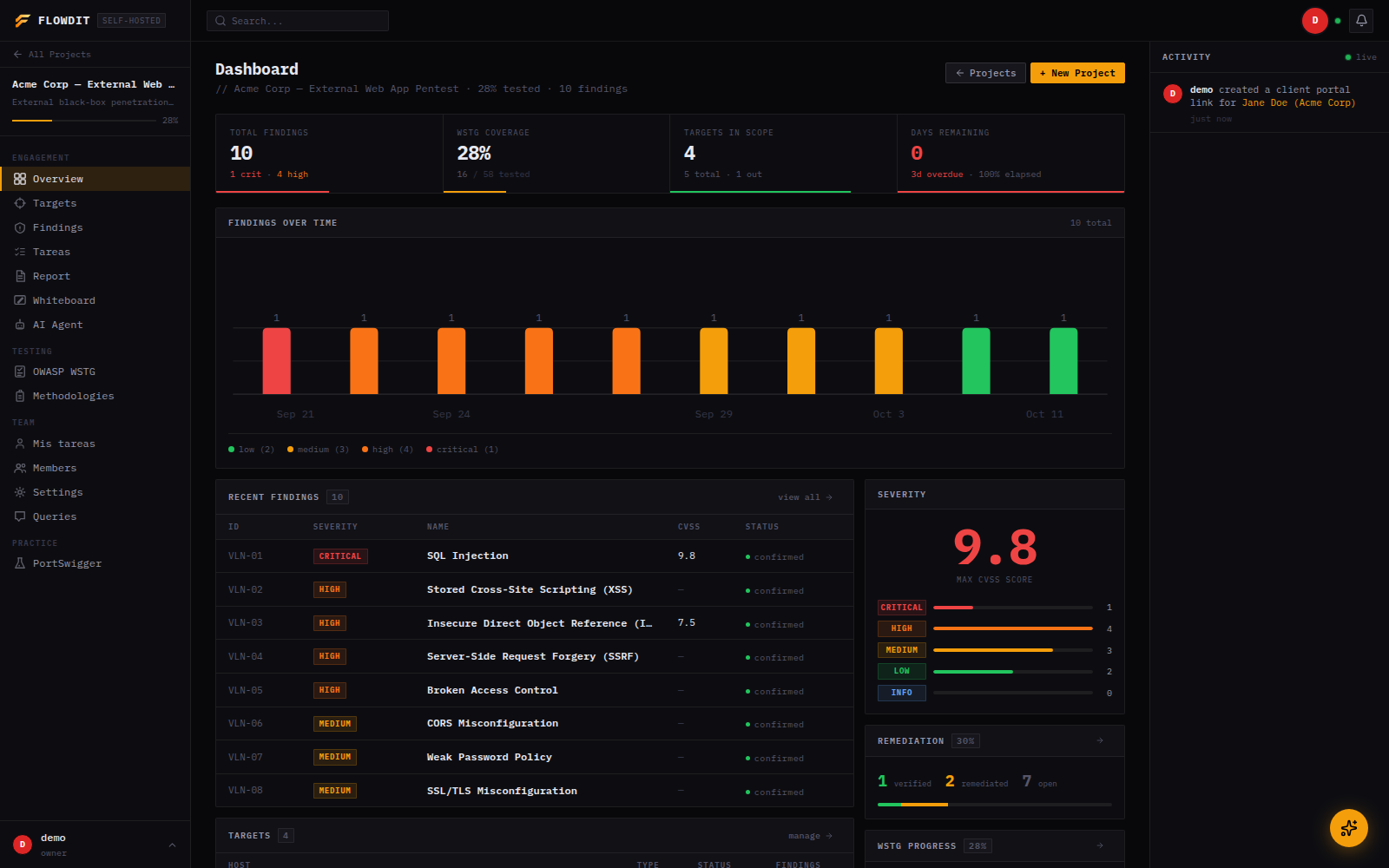
What is Flowdit?
Flowdit is a self-hosted platform for penetration testers and security consultants. It centralizes everything that happens during an engagement (findings, targets, methodology checklists, team activity) and exposes a live read-only portal so clients can follow the project as it progresses, instead of waiting for a PDF at the end.
It also ships an autonomous AI agent that can run a scan session on its own: enumerating, testing, and proposing findings for a human to approve. It scales from a single freelancer to a multi-tenant organization with SSO.
Language: the product UI and AI-generated reports are Spanish-only (built for the LatAm/Spain pentest market). This documentation is in English for reach, but expect Spanish strings throughout the app itself.
Features
AI Pentest Agent
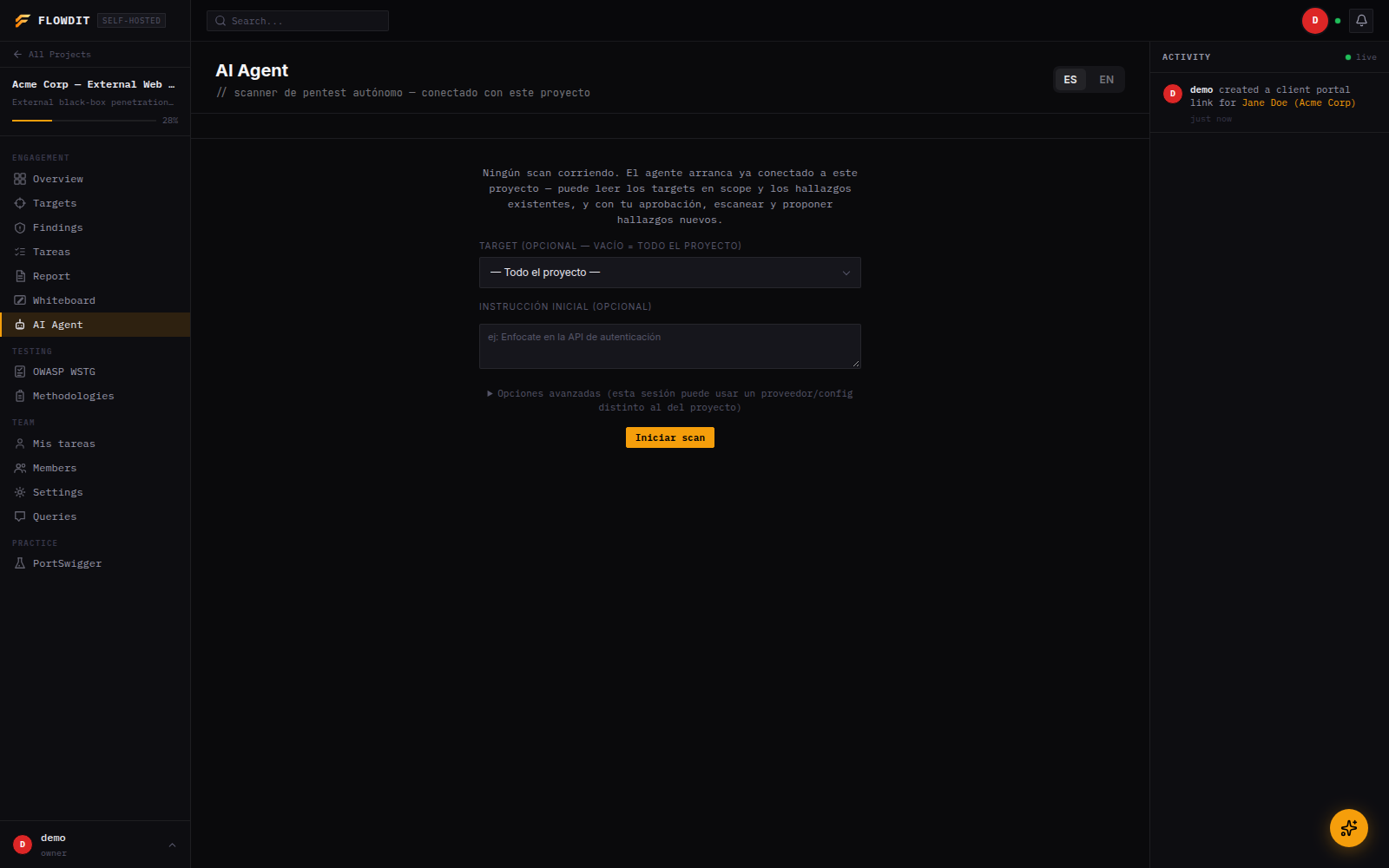
An autonomous scanning agent, run per-project from its own chat-style session view. It works through recon and testing tools on its own, gates riskier actions (HTTP requests, exploit PoCs, proposing a finding) behind human approval, and checkpoints itself instead of running unattended forever.
- Multi-provider: Groq, Anthropic (Claude), DeepSeek, Kimi (Moonshot), or any local/OpenAI-compatible server (Ollama, LM Studio, vLLM)
- Per-session cost cap (
$) and iteration checkpoints, on top of the existing per-project spend tracking - Session profiles (standard pentest, CTF, HTB/THM-style lab) change how aggressively it works and what it reports
- Optional multi-agent orchestration: a coordinator thread can delegate to sub-agents that run in parallel
- Survives a backend restart mid-session; orphaned scan threads resume automatically
Findings & Vulnerability Tracking
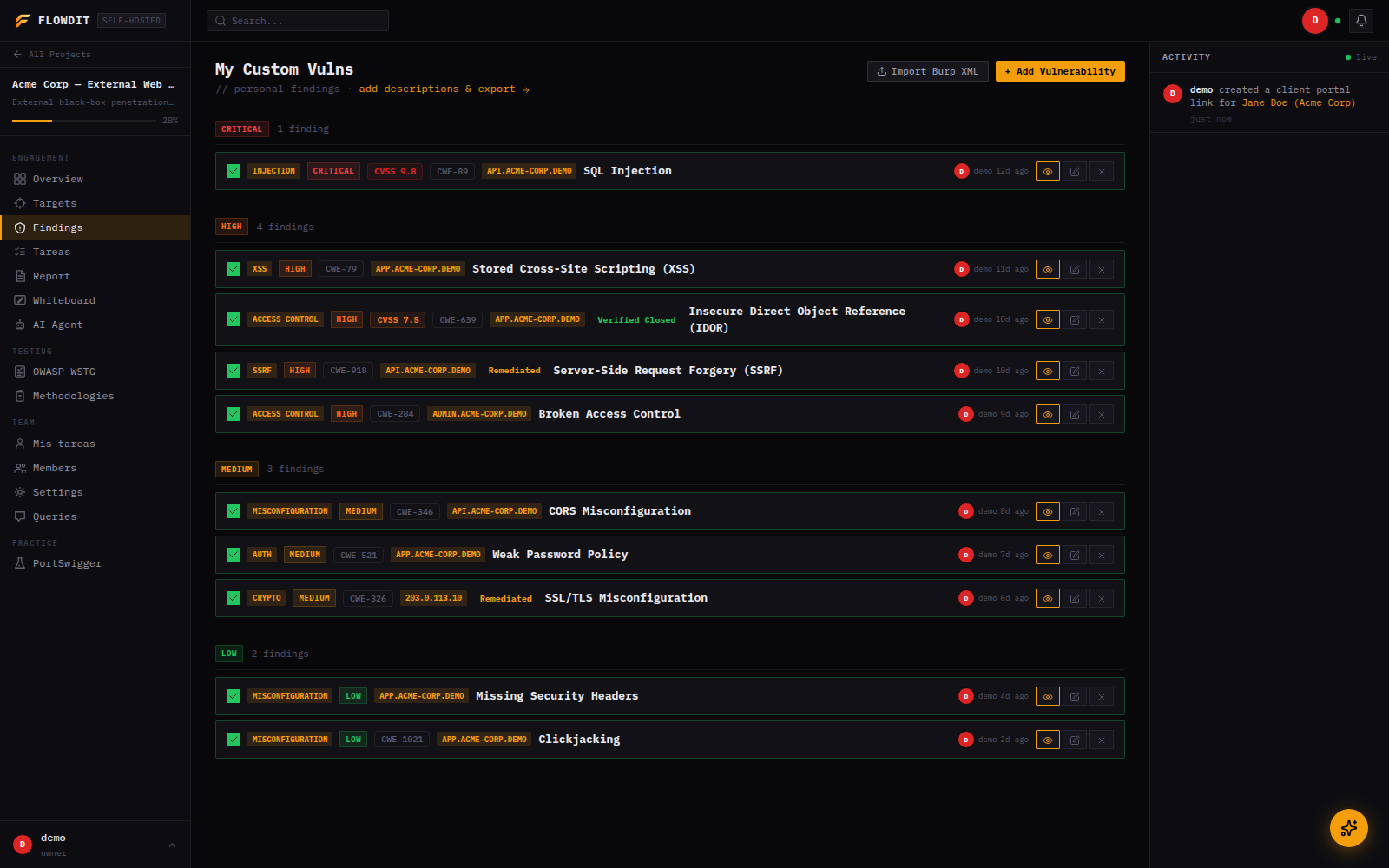
- Custom vulnerability library with severity, CVSS v3.1 scoring, CWE, checklist items, payloads, and notes
- Built-in interactive CVSS v3.1 calculator with vector string generation
- Reusable vulnerability templates for common findings (SQLi, XSS, IDOR, SSRF, etc.), with pre-written description and remediation
- Remediation workflow: finding, remediated, retest, verified closed, with an audit trail of who and when
- PCI-DSS compliance tagging per finding, surfaced in both PDF and DOCX reports
- Evidence attachments (screenshots) per finding
- HTTP Proofs: import request/response pairs from Burp Suite, annotate with markdown, include selectively in reports
- Findings can be marked as AI-generated when they came from the AI Agent
Scan Imports
Auto-detected by file content, all sharing one endpoint:
- Burp Suite XML
- Nessus (
.nessus) - OWASP ZAP XML
- Nmap XML (
nmap -oX), which populates targets and open ports directly
Targets & Scope
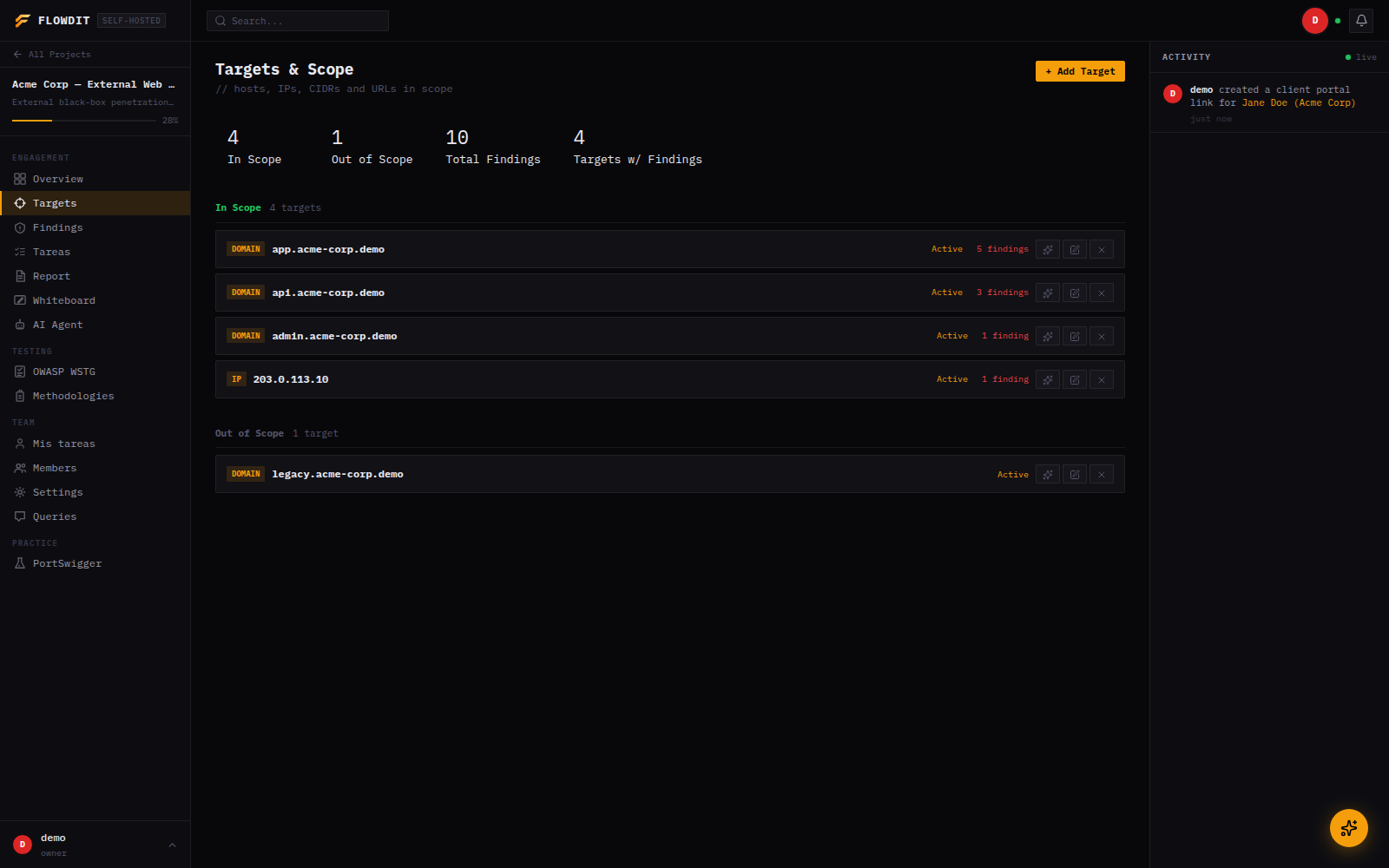
- Track hosts, IPs, CIDRs, URLs with in/out-of-scope status
- Port and service inventory per target
- Endpoint tracking with HTTP method, status code, and notes
Methodologies
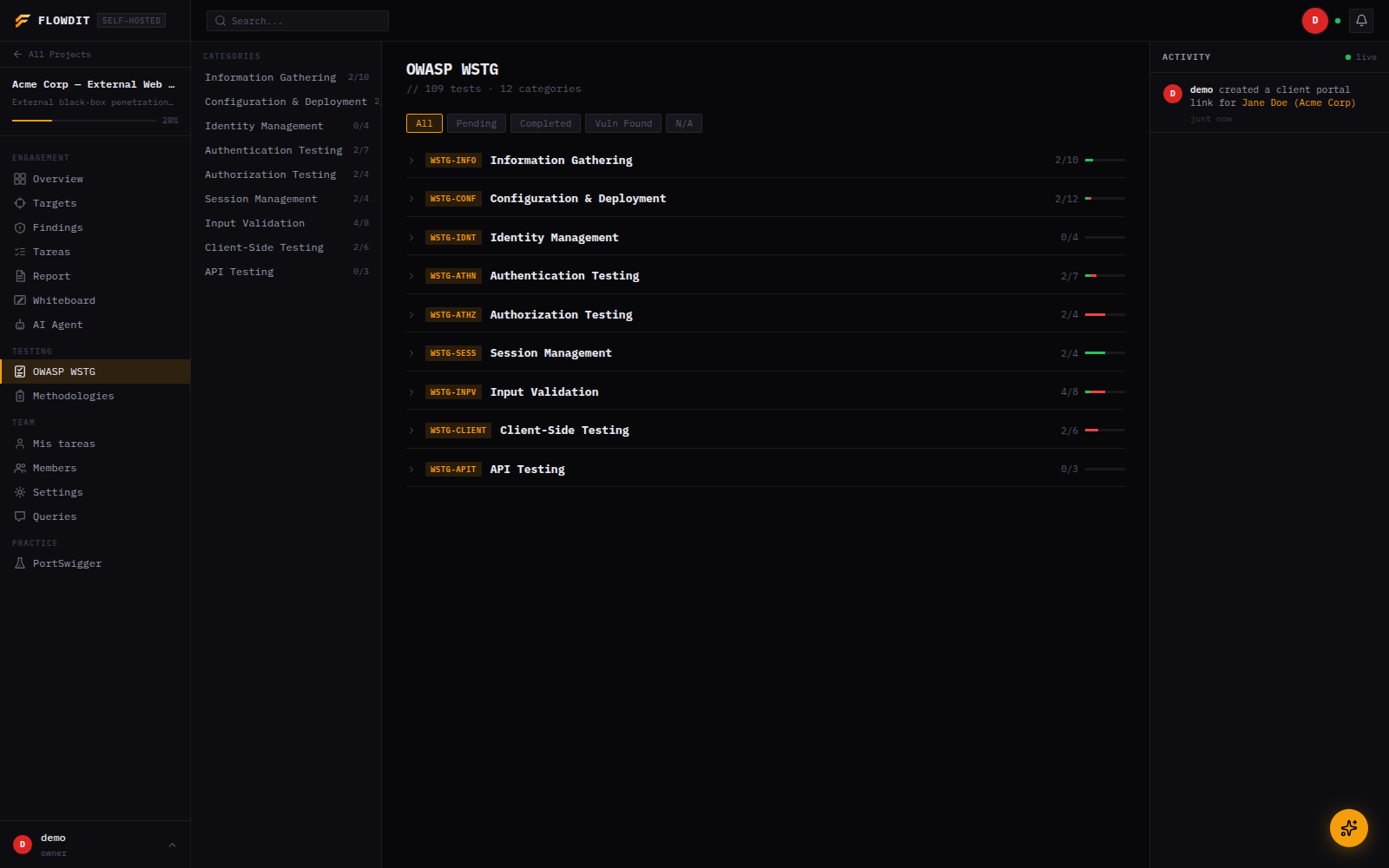
- Full OWASP WSTG checklist with per-test notes and status
- PortSwigger Web Security Academy lab tracker
- Custom methodology builder to create reusable test libraries for your team
Reporting
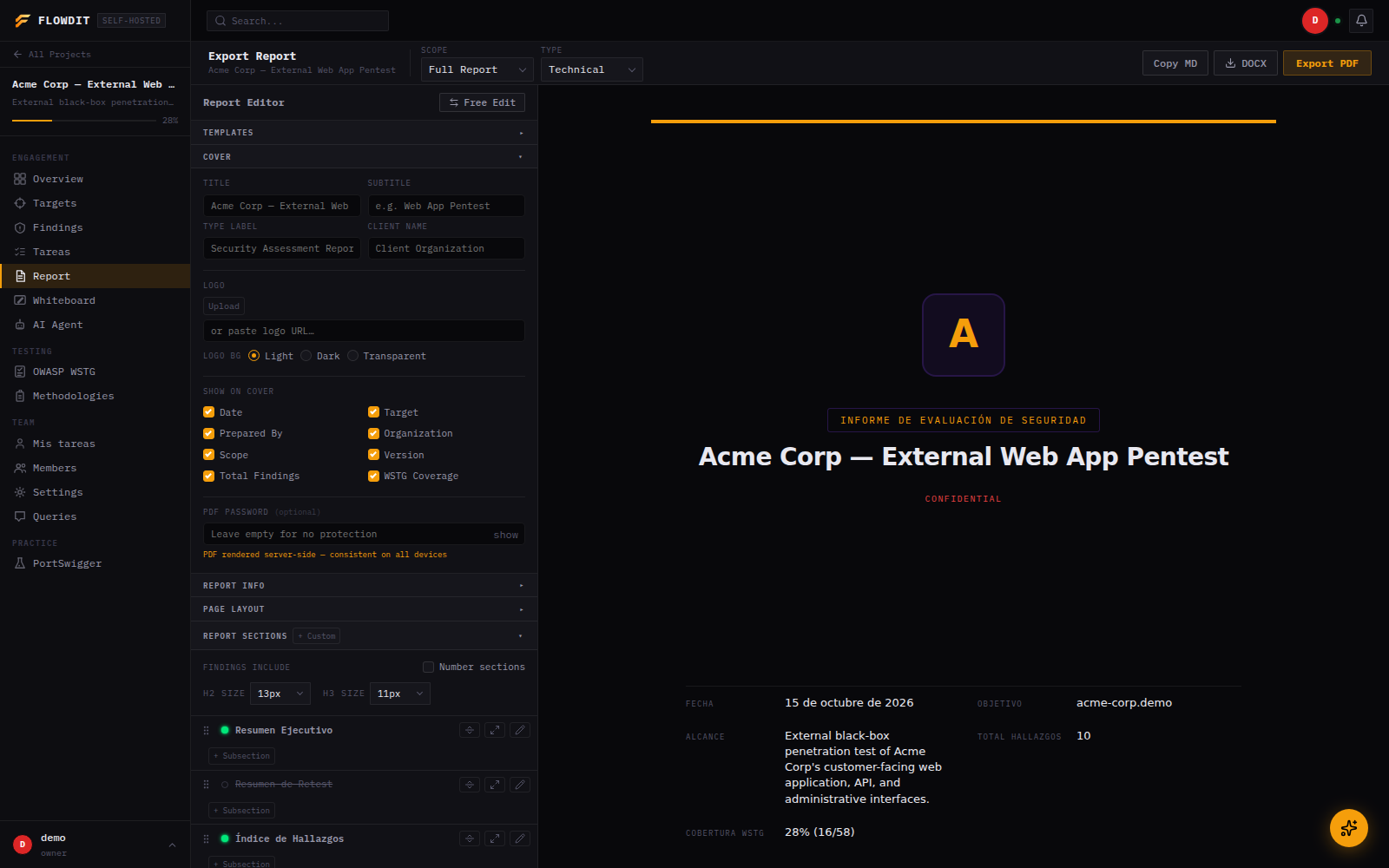
- PDF export: professional report with executive summary, findings, risk breakdown, evidence, HTTP proofs, WSTG results, PCI-DSS coverage, and targets table. Configurable sections, fonts, accent color, watermark, page header/footer, and password encryption
- DOCX export: full Word document generated server-side, no LibreOffice required
- Report builder configuration is persisted per project (not just in the browser), and reusable as saved templates
Client Portal
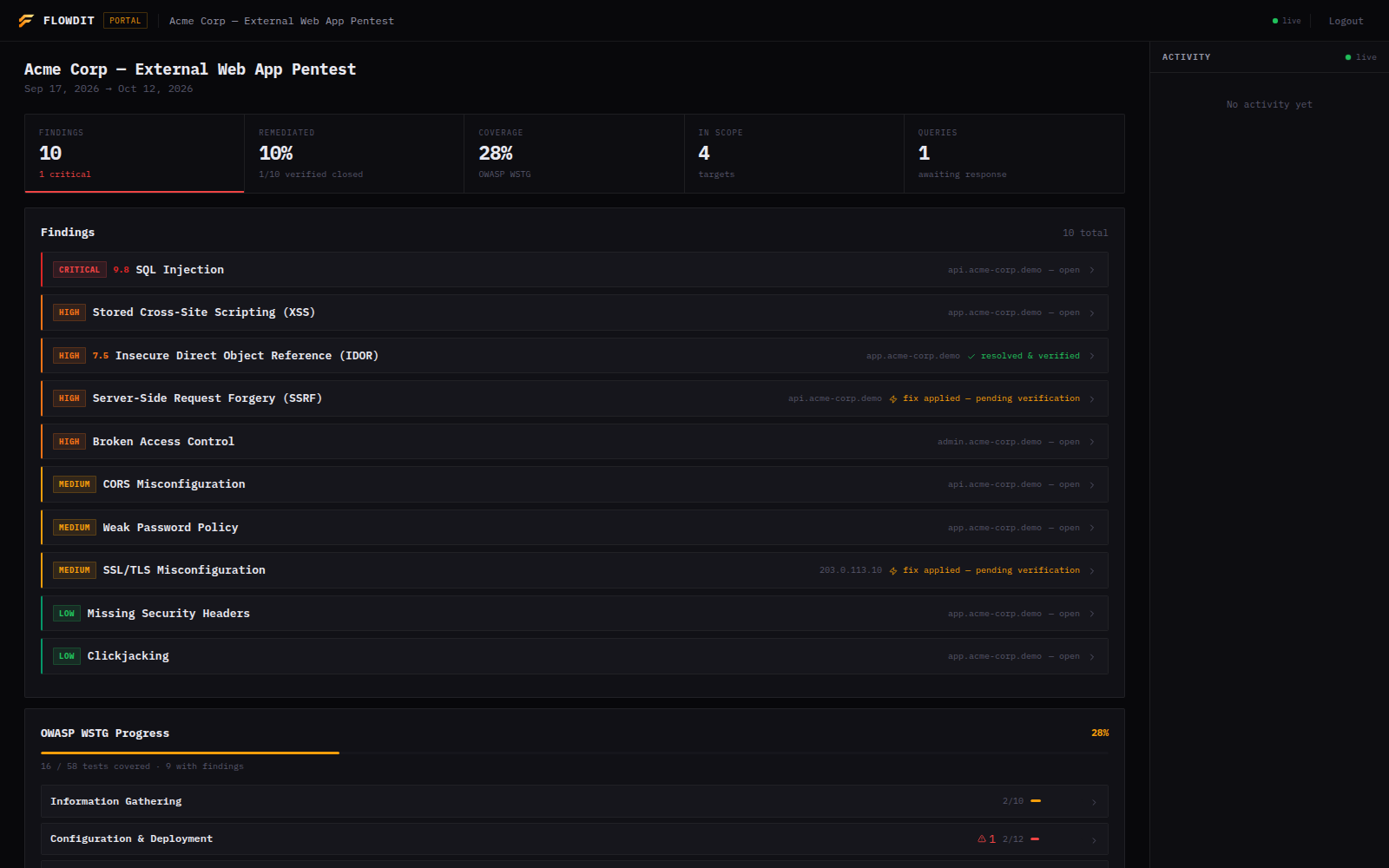
- Read-only view for clients, with one link per client contact: each link can expire, is revoked on its own without affecting other contacts, and shows when it was last used. An optional project password adds a second factor
- Clients only see findings the team explicitly publishes; drafts stay internal
- Configurable visibility: findings, WSTG progress, targets, activity feed
- Ticket system: clients can open queries linked to specific findings, and the team responds in thread. Each query is attributed to the contact whose link opened it
- Push a ticket to GitHub Issues with one click (per-project repo + token, see GITHUB_INTEGRATION.md)
Organizations & Access
- Multi-tenant organizations: group projects under a company account with owner/admin/member roles, where owners and admins see every project without per-project invites
- Team members with per-project roles: owner, editor, pentester, viewer. Pentesters work on findings and testing, while client-facing actions (publishing findings, answering queries, exporting reports) stay with leads
- Projects can be moved between organizations
- Accounts are provisioned by an operator through a CLI; public self-registration is off by default
- SSO via Microsoft Entra ID (OIDC), configured per organization, with JIT user provisioning and optional enforcement per email domain
- Two-factor authentication (TOTP), opt-in per user, independent of SSO
Collaboration & Platform
- Real-time activity feed via WebSockets, membership-checked per project
- Task board per project with assignees, status and comments, plus a "My tasks" view across projects and live in-app notifications
- Collaborative whiteboard per project
- Project branding, upload a logo per engagement
- Timeline tracking with start, end, and report dates
- Dark and light theme, compact density mode
- Hardened by default: CSP headers, sanitized Markdown rendering, no third-party scripts at runtime
Stack
| Layer | Technology |
|---|---|
| Backend | Node.js + Express |
| Database | PostgreSQL 15+ |
| Auth | JWT (access + refresh tokens), OIDC SSO, TOTP 2FA |
| Realtime | WebSockets |
| AI providers | Groq, Anthropic, DeepSeek, Kimi, or any local/OpenAI-compatible model |
| Frontend | Vanilla JS, HTML, CSS |
| Reverse proxy | Nginx |
| Process | PM2 |
| PDF export | Puppeteer (Chromium headless) |
| DOCX export | docx (native, no LibreOffice) |
Self-hosting
Requirements
- Ubuntu 22.04 LTS (or similar)
- Node.js 18+
- PostgreSQL 15+
- Nginx
- PM2 (
npm install -g pm2) - A domain with DNS pointed to your server
- Chromium or Google Chrome (for PDF export)
Try it in one command (Docker)
Spins up Postgres, backend (with Chromium/Ghostscript for PDF export), and Nginx, with no manual setup:
git clone https://github.com/pirrandi/flowdit.git
cd flowdit
docker compose --profile full up -d --build

# Create your first account (public registration is off by default)
docker compose exec backend npm run user:create -- --username admin --email [email protected]
Then open http://localhost and sign in with the password the last command printed. This is meant for trying Flowdit locally, not for production. See DEPLOY.md for a real deployment (systemd/PM2, SSL, hardened env).
Manual setup
# 1. Clone the repo
git clone https://github.com/pirrandi/flowdit.git
cd flowdit

# 2. Configure environment
cp .env.example .env
# Edit .env with your values (DB credentials, JWT secret, domain)

# 3. Install backend dependencies
cd backend && npm install && cd ..

# 4. Run database migrations
cd backend && node src/db/migrate.js && cd ..

# 5. Create your first account (prints a generated password once)
cd backend && npm run user:create -- --username admin --email [email protected] && cd ..

# 6. Start the backend with PM2
cd backend && pm2 start src/index.js --name flowdit-backend
pm2 save && pm2 startup

# 7. Configure Nginx
# Point your domain root to frontend/
# Proxy /api and /ws to the backend port (default: 4000)
# See DEPLOY.md for the full Nginx config and SSL setup
Environment variables
| Variable | Description | Required |
|---|---|---|
PORT |
Backend port (default: 4000) | No |
DB_HOST |
PostgreSQL host | Yes |
DB_PORT |
PostgreSQL port (default: 5432) | No |
DB_NAME |
Database name | Yes |
DB_USER |
Database user | Yes |
DB_PASSWORD |
Database password | Yes |
JWT_SECRET |
Secret for JWT signing (min 64 chars) | Yes |
CORS_ORIGIN |
Allowed frontend origin(s) | Yes |
FRONTEND_URL |
Frontend URL, used in email links | Yes |
SSO_ENCRYPTION_KEY |
Encrypts per-org OIDC client secrets, 2FA secrets and client portal link tokens at rest | Only if using SSO/2FA or the client portal |
PUBLIC_API_URL |
This backend's externally-reachable origin, for the SSO redirect URI | Only if using SSO |
INTERNAL_APP_URL |
Internal URL Puppeteer uses to reach the frontend for PDF export | Yes (falls back to FRONTEND_URL) |
ALLOW_PUBLIC_REGISTRATION |
true re-enables self-registration; off by default (use npm run user:create) |
No |
DEMO_MODE |
Blocks a few destructive actions on a shared demo account | No |
SMTP_HOST/SMTP_USER/SMTP_PASS |
SMTP server for client-portal email notifications | No |
GROQ_API_KEY / ANTHROPIC_API_KEY / DEEPSEEK_API_KEY / KIMI_API_KEY |
Keys for the AI providers you plan to use, picked per project | No |
CUSTOM_API_URL/CUSTOM_API_KEY/CUSTOM_MODEL |
Local/OpenAI-compatible model server (Ollama, LM Studio, vLLM…) | No |
See .env.example for the full list with descriptions.
Project structure
flowdit/
├── backend/
│   └── src/
│       ├── db/           # PostgreSQL client + migrations (idempotent)
│       ├── middleware/   # Auth guards, project/org access control
│       ├── routes/       # REST API endpoints
│       └── services/
│           ├── ai/       # Multi-provider AI clients + the scan agent loop
│           └── ...       # WebSocket hub, activity log, DOCX renderer, mailer, SSO
├── frontend/
│   ├── css/              # Global styles (Signal design system)
│   ├── img/              # Logo, favicon
│   ├── js/
│   │   ├── views/        # Page-level JS (dashboard, vulns, targets, ai-agent…)
│   │   ├── services/     # API client, state, WebSocket client, utils
│   │   ├── components/   # Shared UI (activity feed)
│   │   └── vendor/       # Vendored, sanitized markdown/DOMPurify (no CDN)
│   └── *.html            # One HTML file per view
└── nginx/                # Nginx config reference
Roadmap
- Public demo instance deployed (seed script and demo-mode guard are done, see ROADMAP.md)
- Email notifications for ticket replies
- CVSS v4.0 support
- SSO for Okta, Google Workspace, and pure SAML
- Managed hosting (paid tier)
- White-label branding
See ROADMAP.md for the full adoption/product/monetization plan and what's already shipped.
Contributing
Contributions are welcome. See CONTRIBUTING.md for guidelines.
License
MIT, see LICENSE for details.
Yorumlar (0)
Yorum birakmak icin giris yap.
Yorum birakSonuc bulunamadi