effective-html
Health Gecti
- License — License: MIT
- Description — Repository has a description
- Active repo — Last push 0 days ago
- Community trust — 1442 GitHub stars
Code Gecti
- Code scan — Scanned 10 files during light audit, no dangerous patterns found
Permissions Gecti
- Permissions — No dangerous permissions requested
Bu listing icin henuz AI raporu yok.
Agent skills for useful HTML artifacts, wireframes, interactive prototypes, plans, and diagrams.
Effective HTML
Five focused skills for creating useful, self-contained HTML artifacts, from low-fidelity wireframes to working interactive prototypes.
The collection is opinionated about clarity, accessibility, and verification. It is not tied to one palette, typography stack, component system, or diagram style. Each artifact follows the user's direction first, then the project's established language, then the subject itself.
Choose a skill
| Skill | Use it for |
|---|---|
html |
Broad HTML requests, mixed artifacts, reports, explainers, presentations, landing pages, tools, and routing to a specialist |
html-wireframe |
Low-fidelity layout directions that test content, hierarchy, navigation, flows, and responsive structure |
html-prototype |
Styled mockups and working prototypes with realistic states, interaction, keyboard support, and responsive behavior |
html-plan |
Plans, roadmaps, rollouts, and implementation sequences that preserve source commitments |
html-diagram |
Architecture, sequence, process, state, hierarchy, timeline, and system diagrams |
A mockup is a noninteractive fidelity mode inside html-prototype. There is no separate html-mockup skill.
One brief, three stages
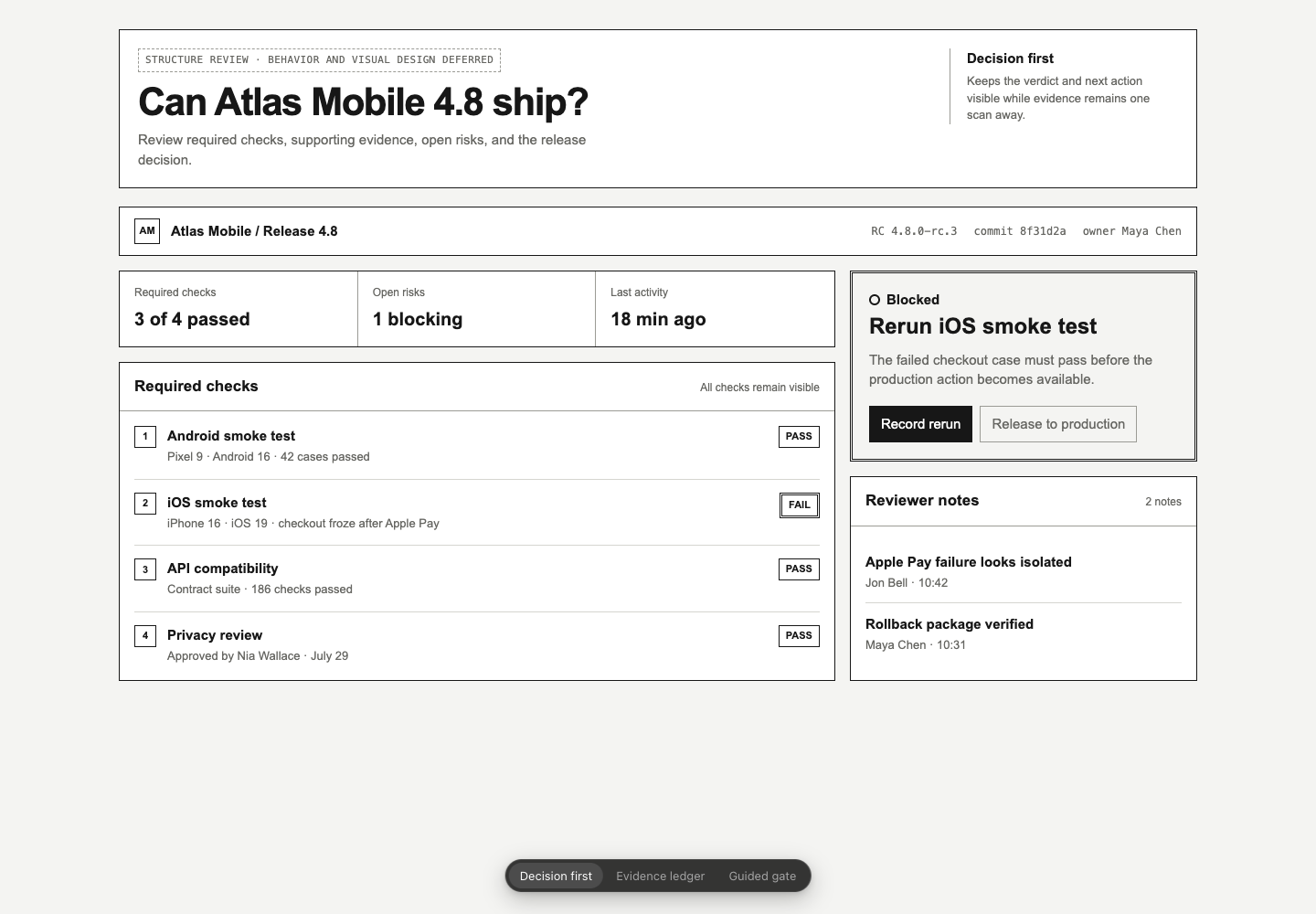
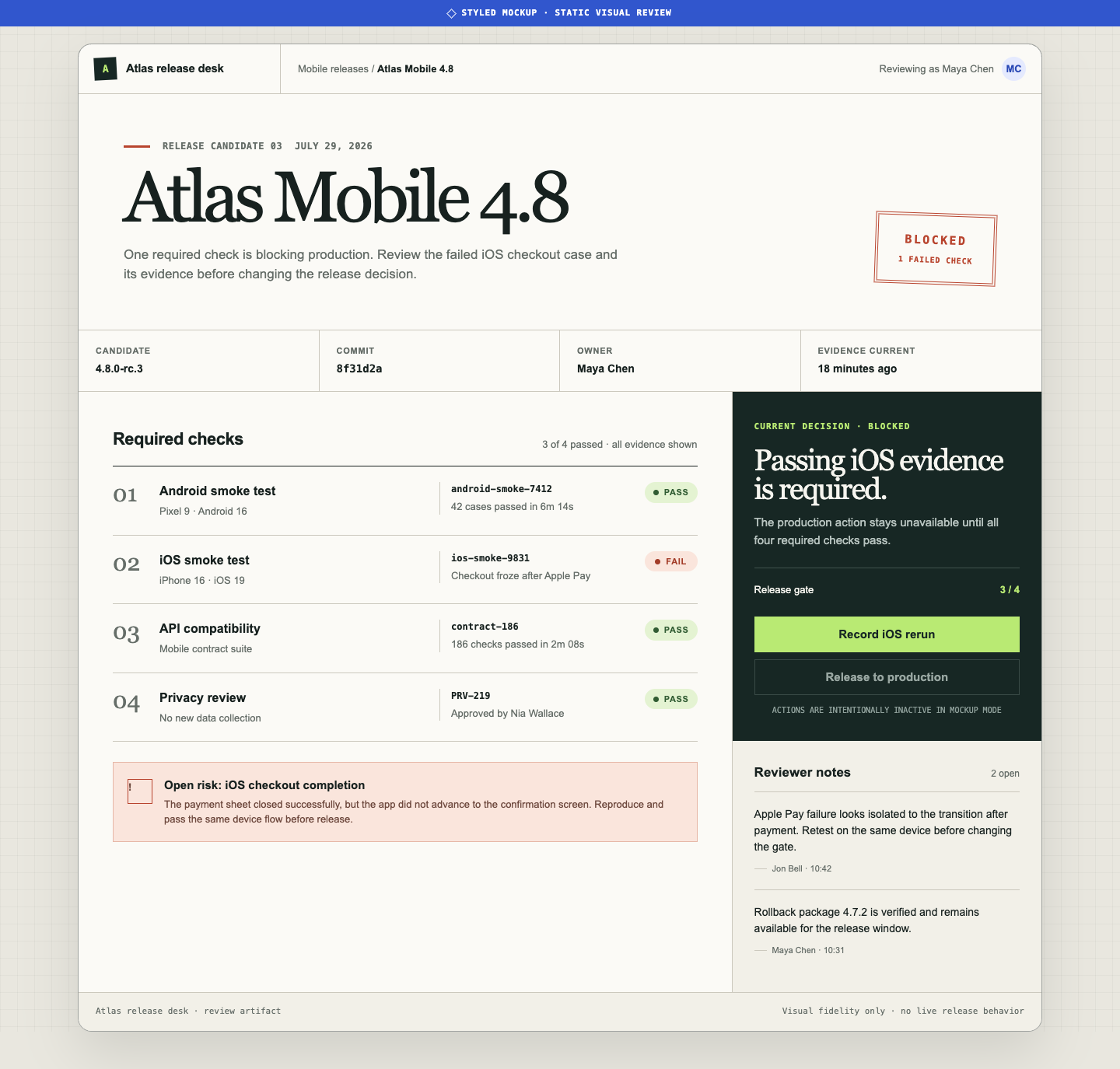
The release-readiness example carries the same product brief through structure, visual fidelity, and interaction. Every stage is preserved as a standalone HTML file that opens without build tooling.
| Wireframe | Mockup | Prototype |
|---|---|---|
 |
 |
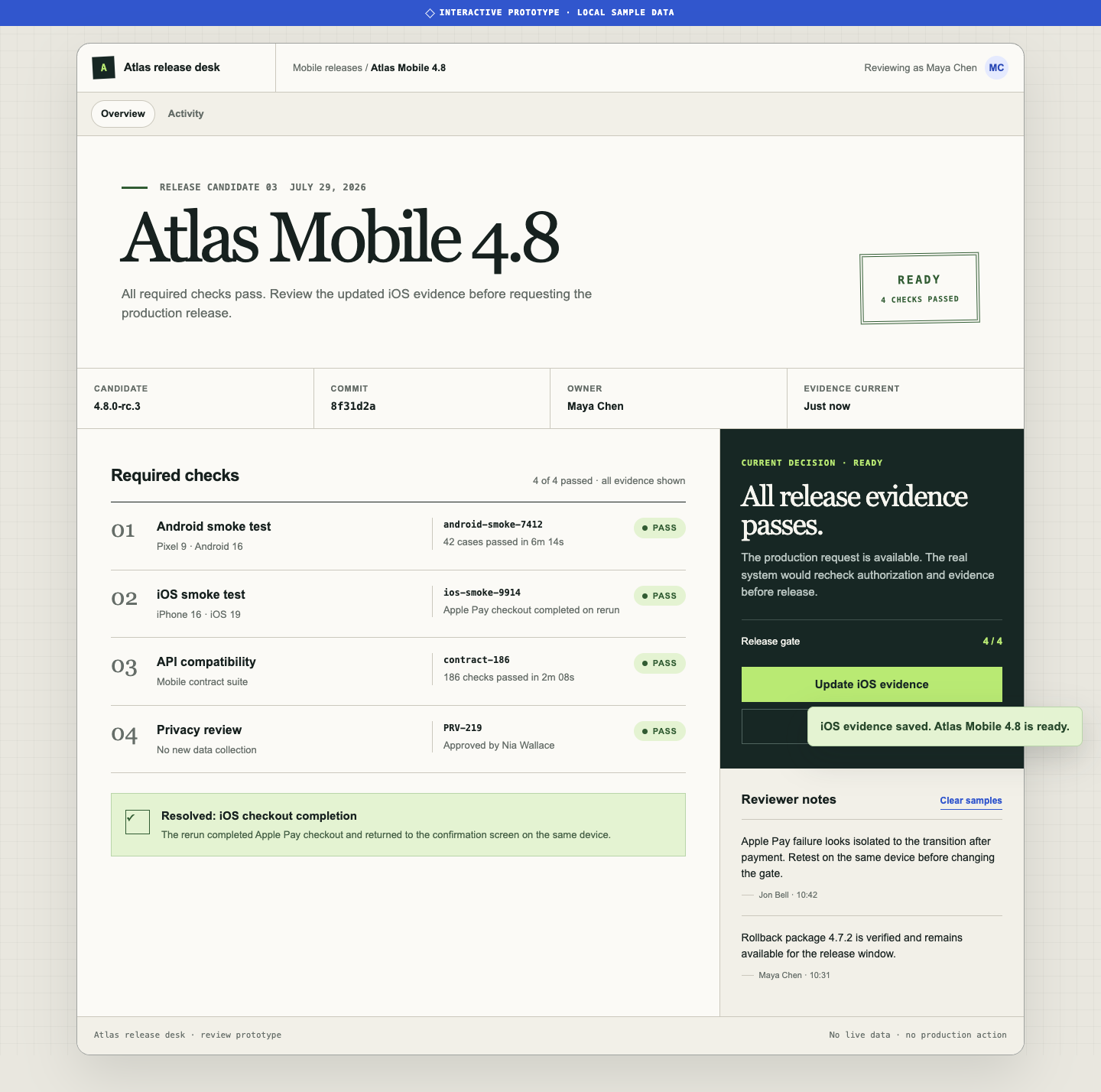 |
| Decide what belongs on the screen and compare structural directions. | Judge hierarchy, visual language, and responsive composition. | Test the blocked-to-ready flow, feedback, recovery, and product boundary. |
Read the canonical Plannotator guide, HTML wireframes and prototypes for coding agents, for the review questions that belong at each stage.
Install
Install the collection:
npx skills add plannotator/effective-html
List or install individual skills:
npx skills add plannotator/effective-html --list
npx skills add plannotator/effective-html --skill html-wireframe
npx skills add plannotator/effective-html --skill html-prototype
Invoke a skill directly:
Use $html-wireframe to explore three responsive layouts for this checkout brief.

Use $html-prototype in mockup mode to apply our existing design system to the approved wireframe.

Use $html-prototype to make the checkout flow work, including validation, loading, failure, success, keyboard, and mobile states.
Only $html is eligible for implicit invocation. Call a specialist directly when you know the artifact type, or use $html to route a broad request. Each specialist remains independently usable when invoked directly.
Claude Code plugin
/plugin marketplace add plannotator/effective-html
/plugin install plannotator-effective-html@effective-html
Codex plugin
codex plugin marketplace add plannotator/effective-html
codex plugin add plannotator-effective-html@effective-html
How the skills work
The skills separate creative freedom from reliability:
- Visual direction comes from the conversation, project, audience, and subject.
- Wireframes stay intentionally unfinished so reviewers focus on structure.
- Mockups add a visual system without pretending to test behavior.
- Prototypes implement one credible flow and its relevant states.
- Plans preserve source commitments.
- Diagrams choose a visual model and rendering method that fit the relationship being explained.
- Every artifact is responsive, accessible, self-contained, and verified in a browser.
Detailed guidance lives only where it is needed. The broad html skill keeps shared references for creative direction, documents, interfaces, diagrams, charts, and data. The specialist skills remain concise and independently usable.
Repository shape
skills/
├── html/
│   ├── SKILL.md
│   ├── agents/openai.yaml
│   └── references/
├── html-wireframe/
├── html-prototype/
├── html-plan/
└── html-diagram/

examples/
└── release-readiness/
    ├── brief.md
    ├── states.md
    ├── wireframe.html
    ├── mockup.html
    ├── prototype.html
    └── screenshots/
This project was inspired by Thariq Shihipar's The unreasonable effectiveness of HTML.
Render and annotate local HTML with Plannotator.
Create a shareable link for an HTML file with tot.
Yorumlar (0)
Yorum birakmak icin giris yap.
Yorum birakSonuc bulunamadi