platypus-db
Health Gecti
- License — License: AGPL-3.0
- Description — Repository has a description
- Active repo — Last push 0 days ago
- Community trust — 11 GitHub stars
Code Basarisiz
- spawnSync — Synchronous process spawning in .claude/hooks/rustfmt.mjs
- process.env — Environment variable access in .claude/hooks/rustfmt.mjs
- child_process — Shell command execution capability in .vscode/tasks.json
- execSync — Synchronous shell command execution in .vscode/tasks.json
- fs module — File system access in .vscode/tasks.json
Permissions Gecti
- Permissions — No dangerous permissions requested
Bu listing icin henuz AI raporu yok.
Fast, lightweight SQL client for PostgreSQL, MySQL, SQL Server, SQLite, DuckDB and more, with an MCP server for AI agents. Rust + Tauri.
A fast, small SQL client for people who work with many databases.




English · Italiano
PlatypusDB™ is a desktop SQL client for developers, DBAs and analysts who work with several
databases in a day. One small app runs queries, browses and edits data, designs tables,
explains slow statements and documents schemas, and keeps production connections clearly apart
from the others. A Rust core with a Tauri 2 + React interface: an installer of about 20 MB, a
window ready in under a second, and a results grid that scrolls through millions of rows.
Why PlatypusDB
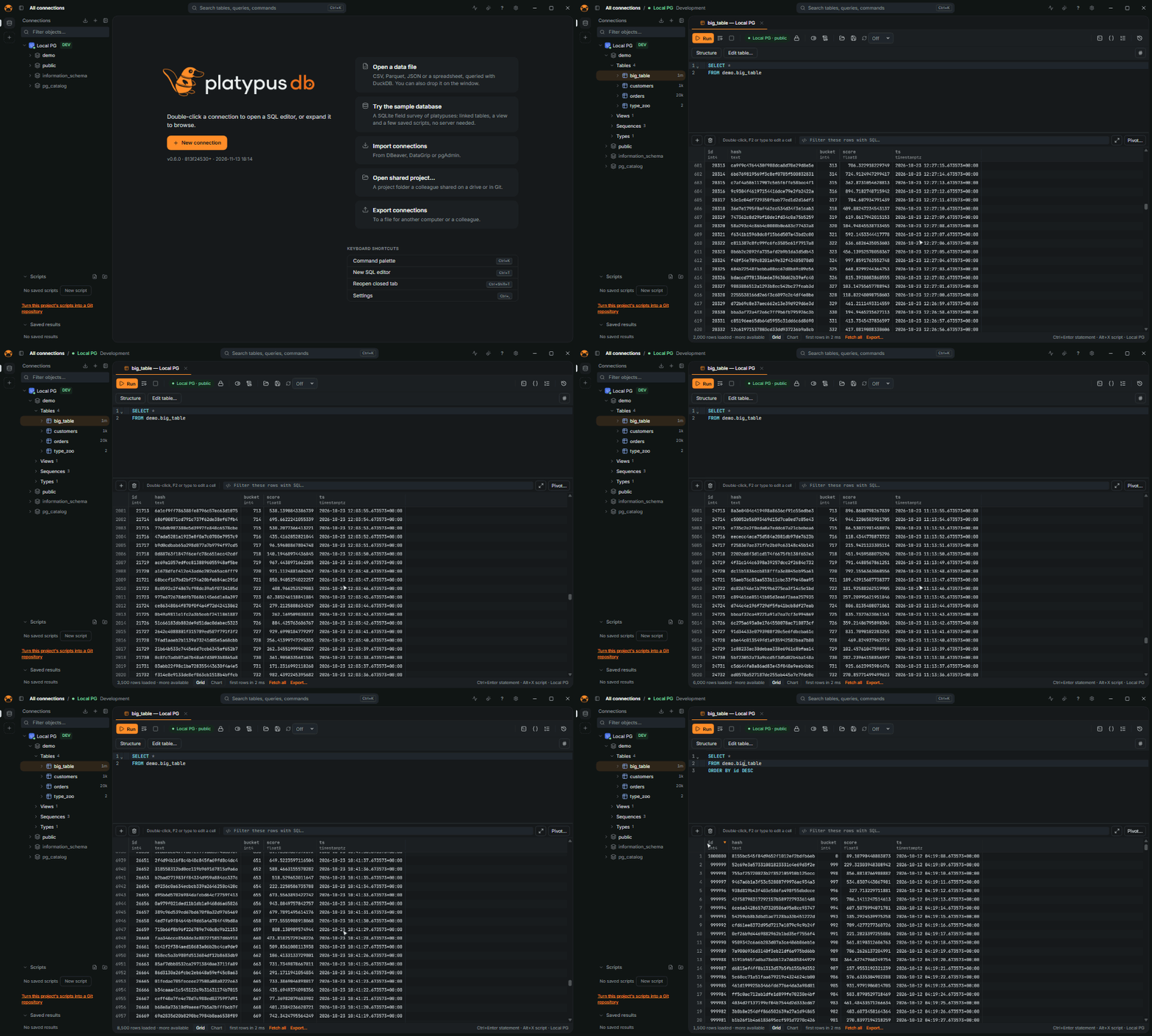
- Light. A 20 MB installer on Windows and a 30 MB download on Linux, against 122 MB for
DBeaver, 346 MB for Beekeeper Studio and about 1 GB for DataGrip; a window in under a second. - Safe with production. Connection types color the window frame, risky statements ask
first, production opens in manual commit, and every save of edited rows leaves an undo script. - Many databases, one app. PostgreSQL, MySQL, MariaDB, SQL Server, Oracle, ClickHouse,
SQLite, DuckDB, MongoDB, Redis, Elasticsearch, Cassandra, Snowflake, BigQuery and more, with the same editor and grid. - Ready for agents. Claude Code, Codex, Cursor and other MCP clients use your saved
connections with the access you give each one, and their changes wait for your OK. - Open source. AGPL-3.0, no account, no telemetry.
Install
Download the installer for your system from the
releases page: .exe/.msi for
Windows, .dmg for macOS, .AppImage/.deb/.rpm for Linux. The app updates itself.
- Open PlatypusDB and click New connection, or paste a connection URL
(postgres://…,mysql://…, a JDBC URL or an ADO.NET string). - No database at hand? Try the sample database on the welcome screen: a SQLite field
survey of platypuses, with linked tables, a view and saved scripts. - Press
Ctrl+Kfor the command palette: every action, connection and table is a few letters
away.
Portable copy: put the executable in a folder with an empty data folder beside it.
Connections, settings, history and scripts then live in data, and the folder can move to
another machine or a USB stick (more).
The user guide goes on from here, task by task: getting
started, connecting, queries, safety, troubleshooting.
Databases
PostgreSQL, MySQL, MariaDB, SQL Server, Oracle, ClickHouse, SQLite, DuckDB, libSQL, MongoDB,
Redis, Elasticsearch, Cassandra, Snowflake, BigQuery, Databricks, Trino, IBM Db2, ODBC and the
databases that speak the PostgreSQL protocol. How each one connects, its oldest supported
version and what works on it are in the databases guide.
Features
| Write SQL | Edit data safely |
|---|---|
 |
 |
| Find slow steps | Browse the data |
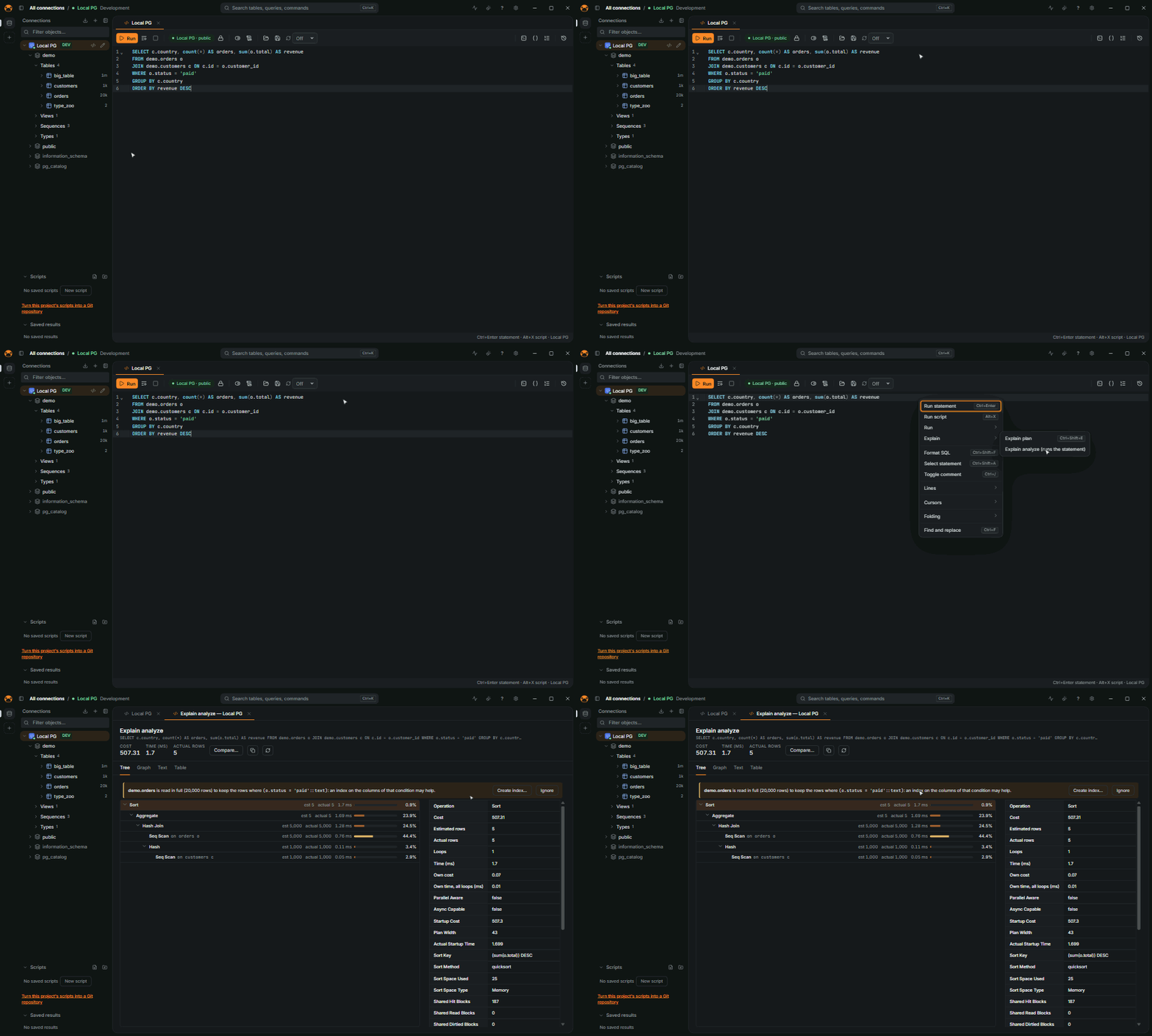 |
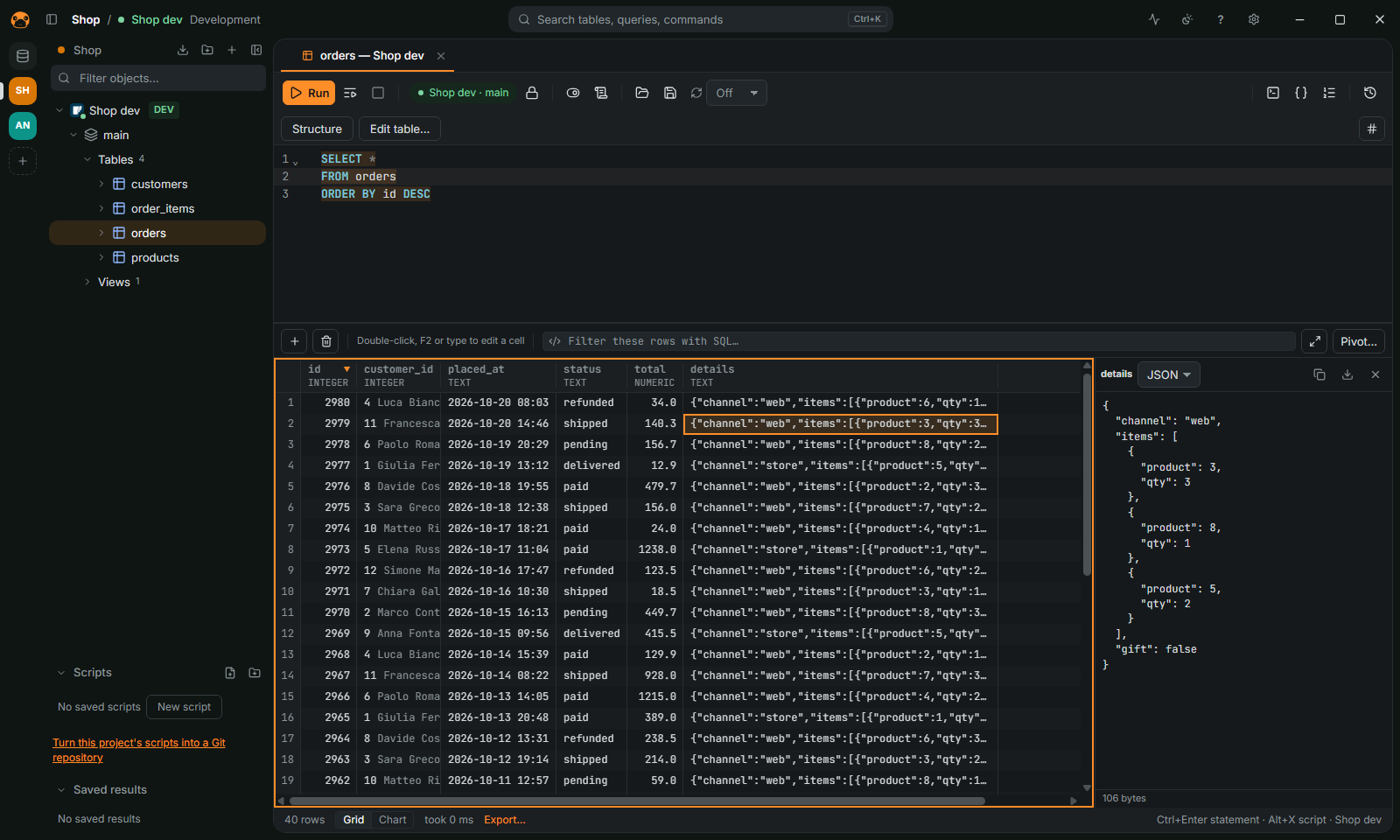 |
| Design tables | Find anything |
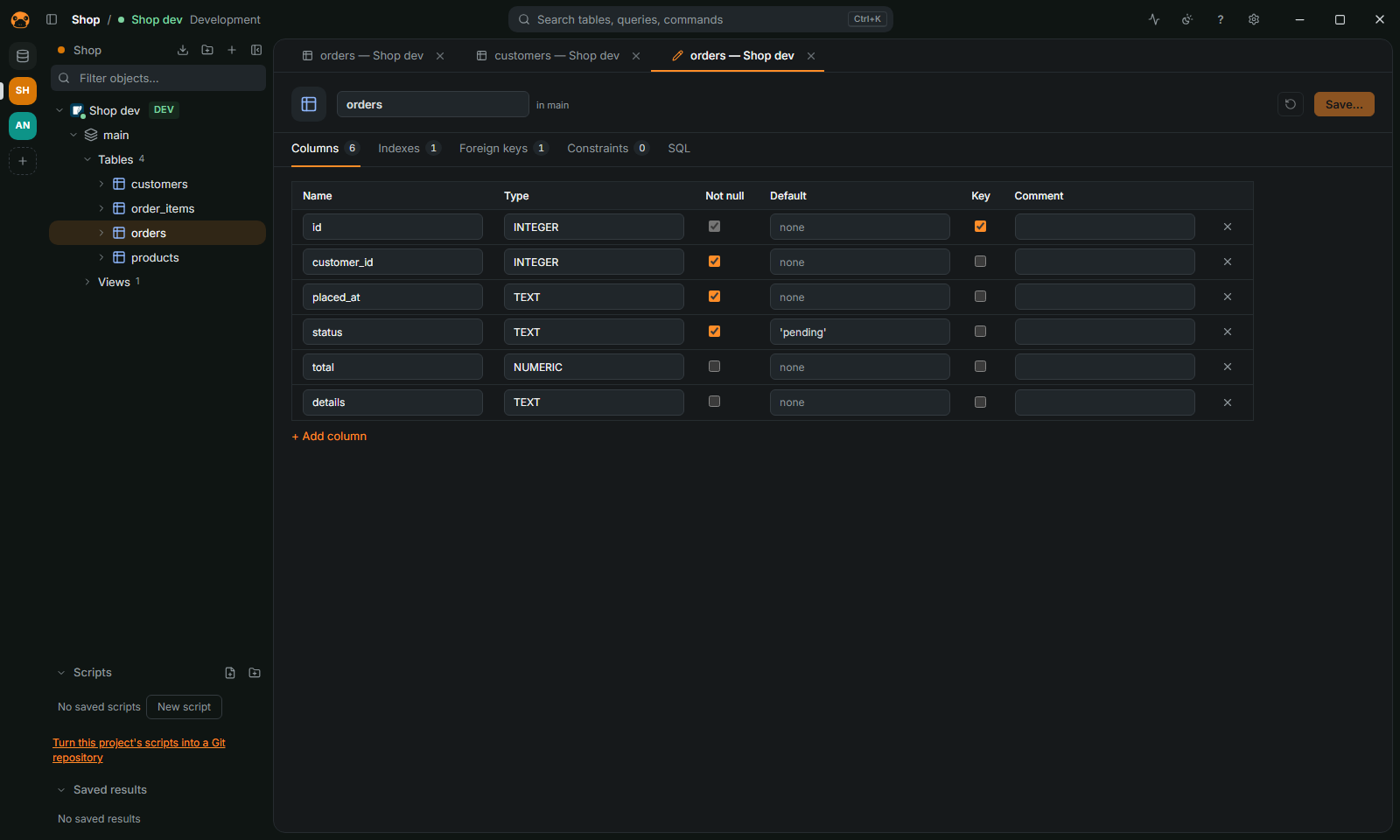 |
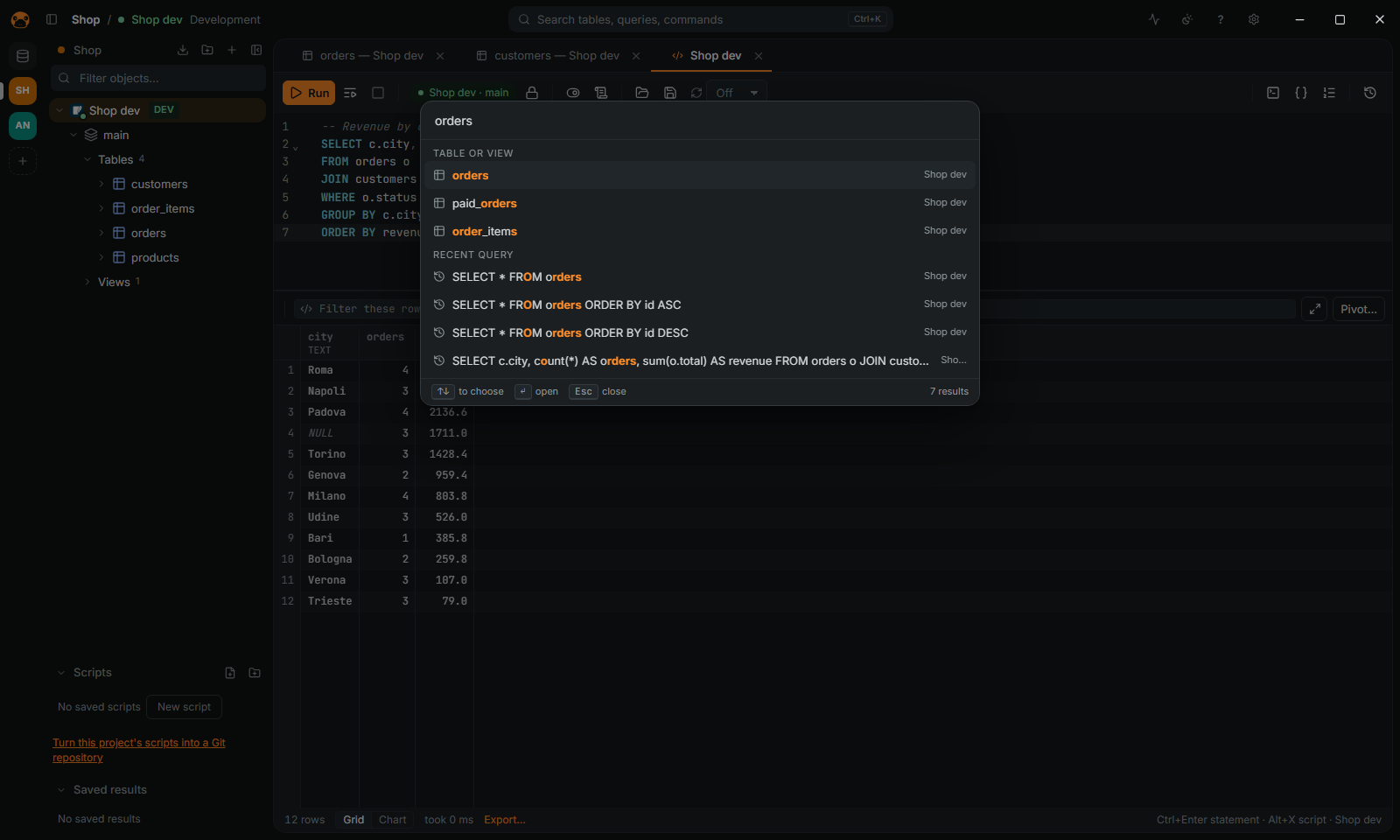 |
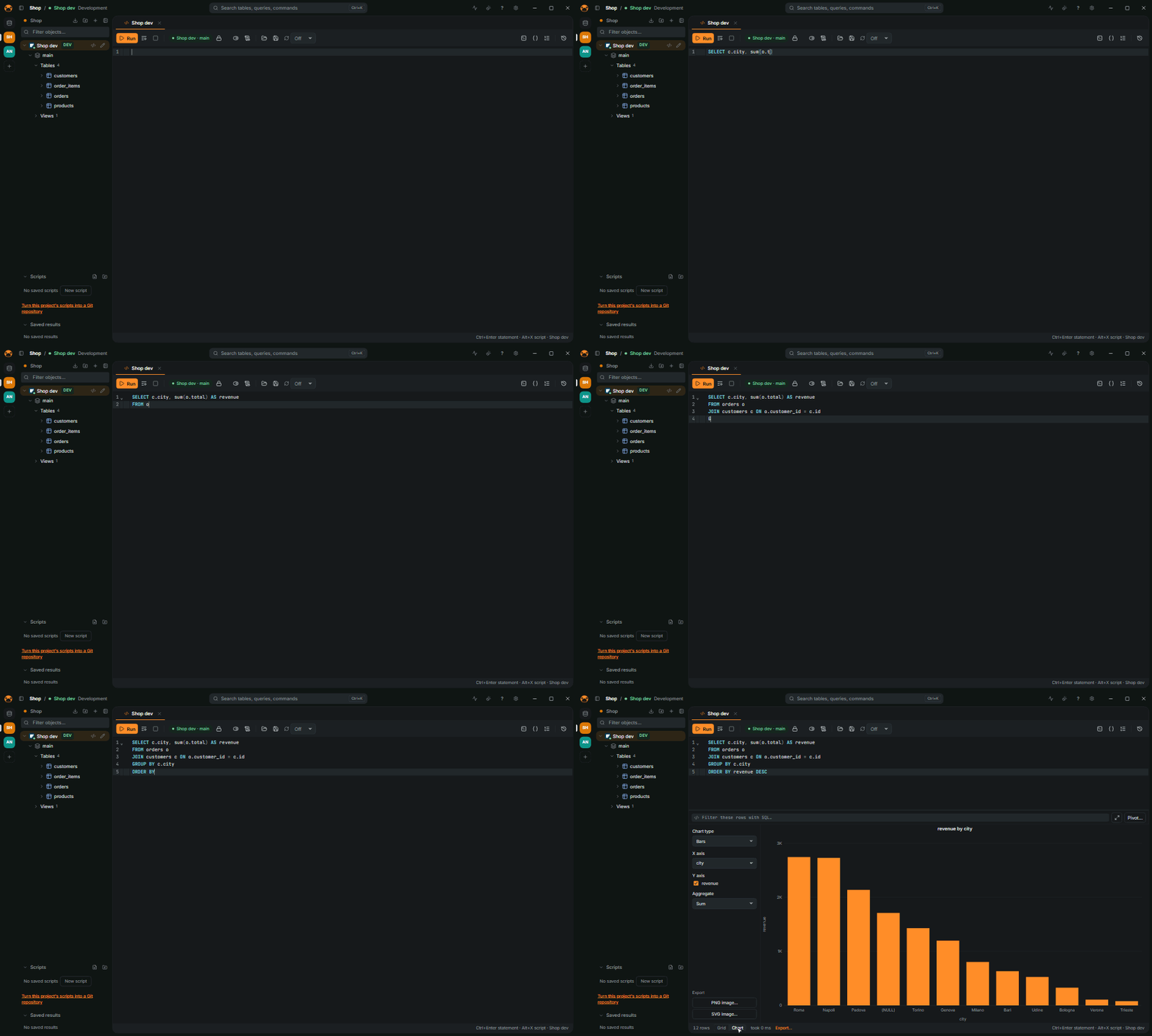
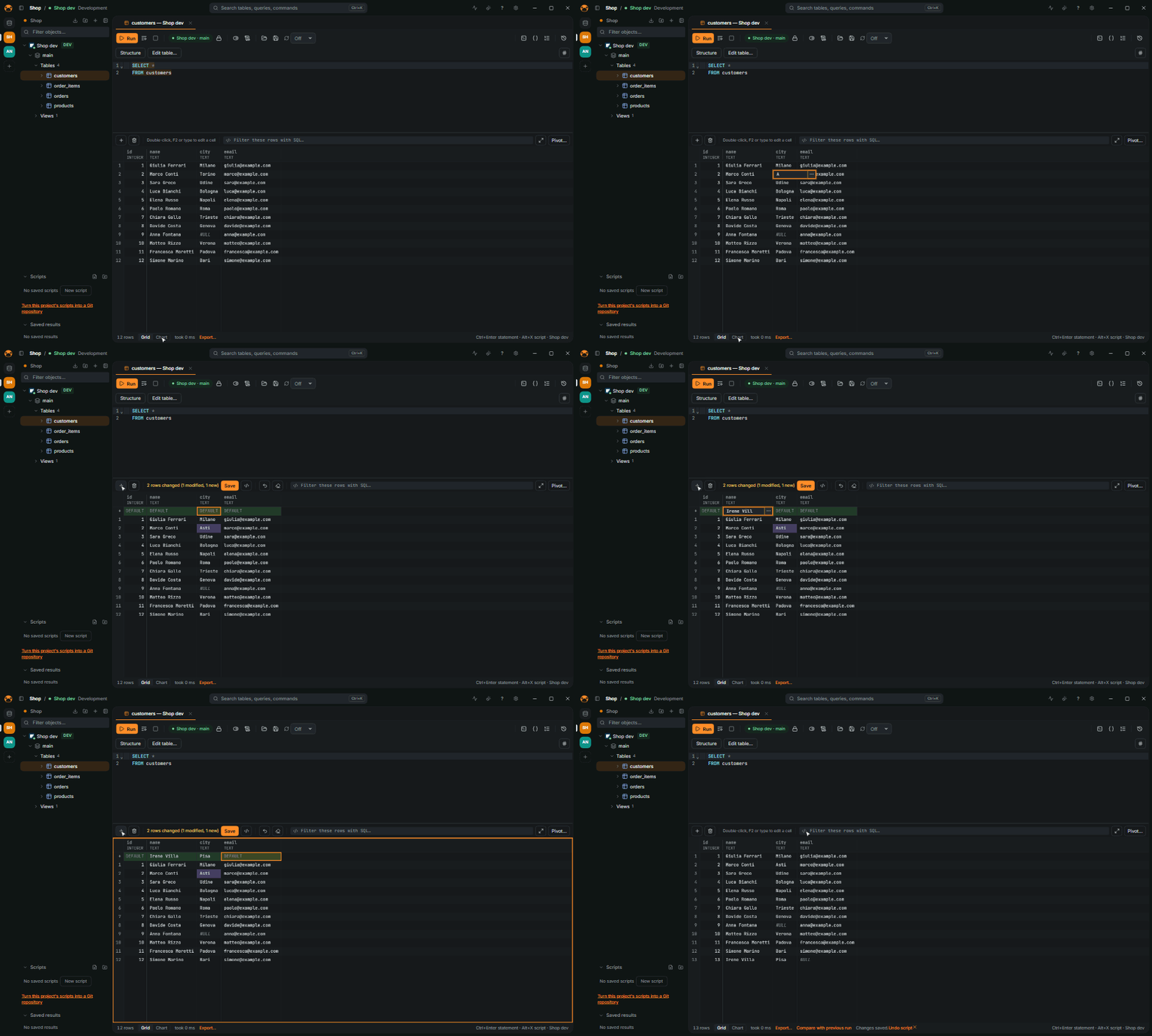
Connections over SSH, proxies and cloud sign-in; a SQL editor with completion; a data viewer and
editor; charts and notebooks; table design, ER diagrams and schema comparison; query plans;
server activity; import, export and transfer; projects and seven languages. Every feature, area
by area: docs/user/FEATURES.md. Task by task: the
user guide. Keyboard shortcuts: docs/user/SHORTCUTS.md.
Agents (MCP) and the CLI
Claude Code, Codex, Cursor and other MCP clients can use your saved connections, with the access
you give each one: none, read only (the default) or read and write. A change an agent wants to
run opens a dialog in the app first. Setup, tools, limits and the platypus CLI:
docs/user/AGENTS.md.
Performance
PlatypusDB 0.6.0 on Windows 11 (Ryzen 7 9700X, 32 GB):
| PlatypusDB 0.6.0 | |
|---|---|
| Start, until the window has finished drawing | 0.7 s (0.8 s the first time) |
| Memory at rest, the app and its web view | 170 MB |
| A million rows from SQLite | first page in 0.3 s, the rest 0.3 s later; the window never stalls |
| Windows installer | 20 MiB |
Next to DBeaver on the same machine, both started five times without a connection, DBeaver on a
profile already set up:
| PlatypusDB 0.6.1 | DBeaver CE 26.2.3 | |
|---|---|---|
| Start, until the window has finished drawing | 0.7 s | 5.2 s |
| Memory at rest | 170 MB | 488 MB |
Next to other SQL clients, by the size of their official Linux downloads:
| PlatypusDB 0.6.0 | DBeaver CE 26.2.3 | DataGrip 2026.2.6 | TablePlus 2.2.0 | Beekeeper Studio 6.2.0 | |
|---|---|---|---|---|---|
| Runtime | Rust and the system's web view | Java, JRE bundled | Java, JetBrains Runtime bundled | Native (GTK) | Electron |
| Download | 30 MiB (.deb) |
122 MiB | 1,047 MiB | 60 MiB | 346 MiB |
| On disk | 68 MiB, plus the system's WebKitGTK | 206 MiB | not published | 180 MiB | 1,105 MiB |
| License | AGPL-3.0 | Apache 2.0 | Proprietary | Proprietary | GPLv3 |
How each number is taken, the scale tests and the Linux measurements: docs/dev/BENCHMARKS.md.
Development
Build, test, project layout and the dev databases: docs/dev/DEVELOPMENT.md.
What comes next is in docs/dev/ROADMAP.md (in Italian); every document is listed in
docs/README.md, and the changes of each release in
CHANGELOG.md.
Contributing
Bug reports, ideas and pull requests are welcome: open an
issue first for anything larger than a small
fix. CONTRIBUTING.md explains how to build, test and submit a change. Everyone
taking part follows the Code of Conduct.
Security
Please report vulnerabilities privately, not in a public issue: see SECURITY.md.
License
PlatypusDB is licensed under the GNU Affero General Public License v3.0 or later
(AGPL-3.0-or-later). You can use, study, change and share it freely; if you distribute it, or
run a changed version as a service for others, you must release your source code under the
same license. Third-party code and assets keep their own licenses:
see THIRD-PARTY-NOTICES.md.
The name and the logo are not part of that license. PlatypusDB™ and the PlatypusDB logo are
trademarks of the PlatypusDB maintainers: as AGPL section 7(e) allows, no rights are granted
under trademark law, and the logo and icon files listed in NOTICE are © 2026
PlatypusDB maintainers, all rights reserved. You can name the project, link to it and
redistribute the official builds unchanged; a fork must ship under its own name and icons. The
details are in TRADEMARKS.md.
Yorumlar (0)
Yorum birakmak icin giris yap.
Yorum birakSonuc bulunamadi