ha-enabot
Health Uyari
- License — License: NOASSERTION
- Description — Repository has a description
- Active repo — Last push 0 days ago
- Low visibility — Only 6 GitHub stars
Code Basarisiz
- Hardcoded secret — Potential hardcoded credential in docker-compose.yml
Permissions Gecti
- Permissions — No dangerous permissions requested
Bu listing icin henuz AI raporu yok.
Manage your Enabot EBO robots in Home Assistant — sidebar panel, entities & live camera for every robot on your account (cloud family: Air 2, X, Max). Free, unofficial, not affiliated with Enabot.
EBO for Home Assistant (unofficial)
Drive your Enabot EBO robot from Home Assistant — see through it, talk through it, and put it
in your automations. No phone app needed.


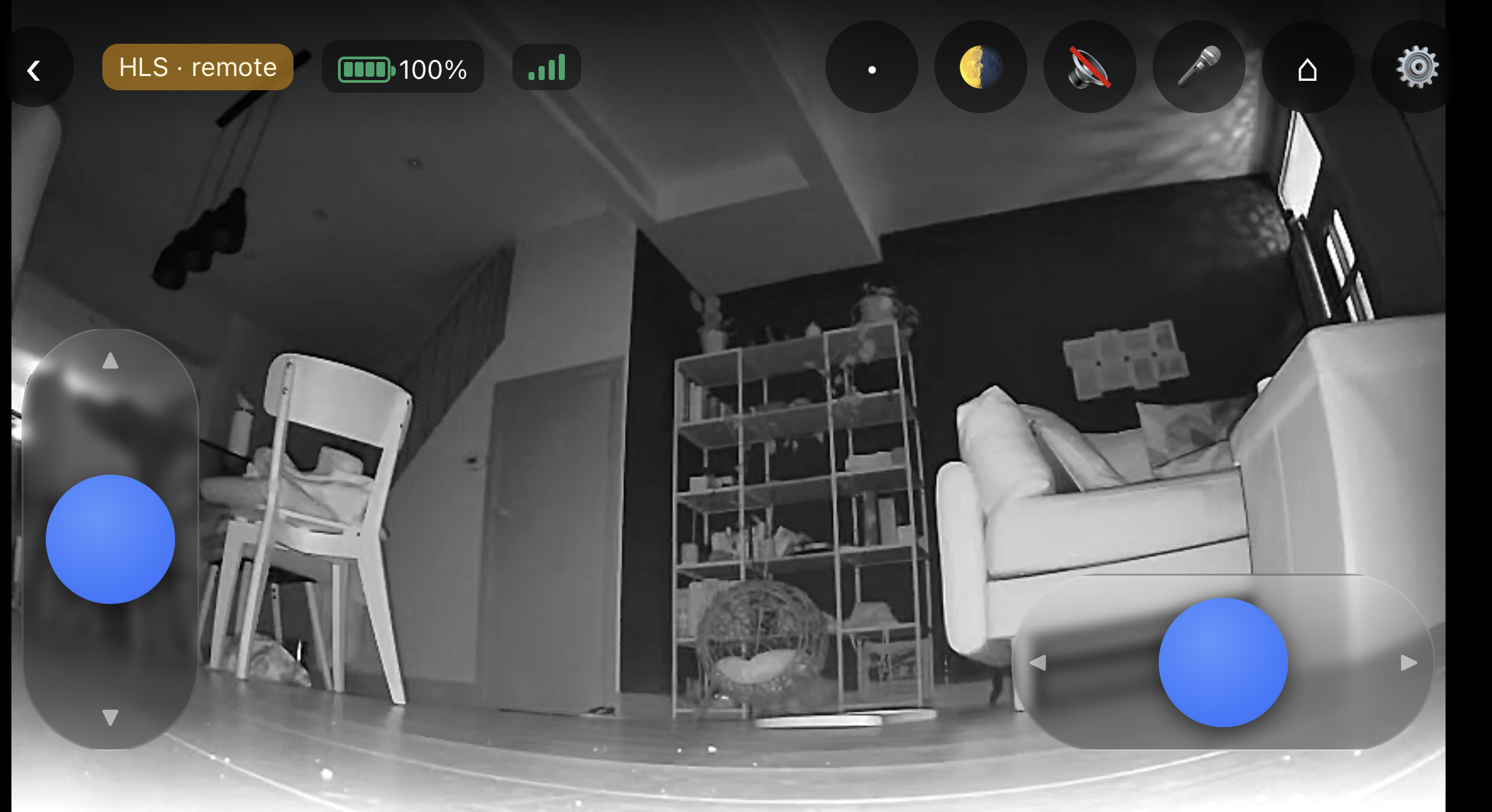
Full-screen driving: two sticks, ~200 ms video on your LAN, and two-way audio.
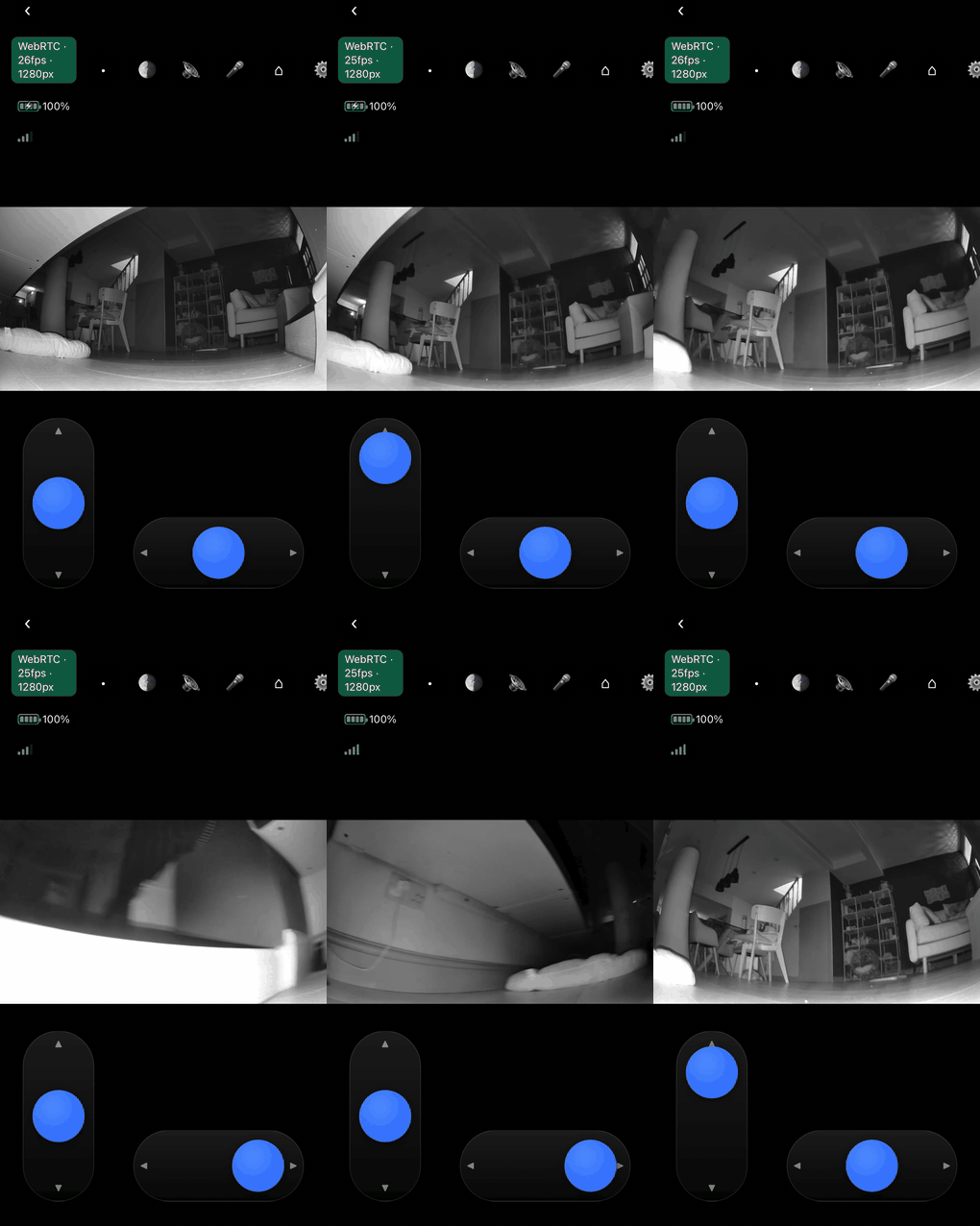 Driving it from a phone — the badge shows the live WebRTC feed at 720p. |
|
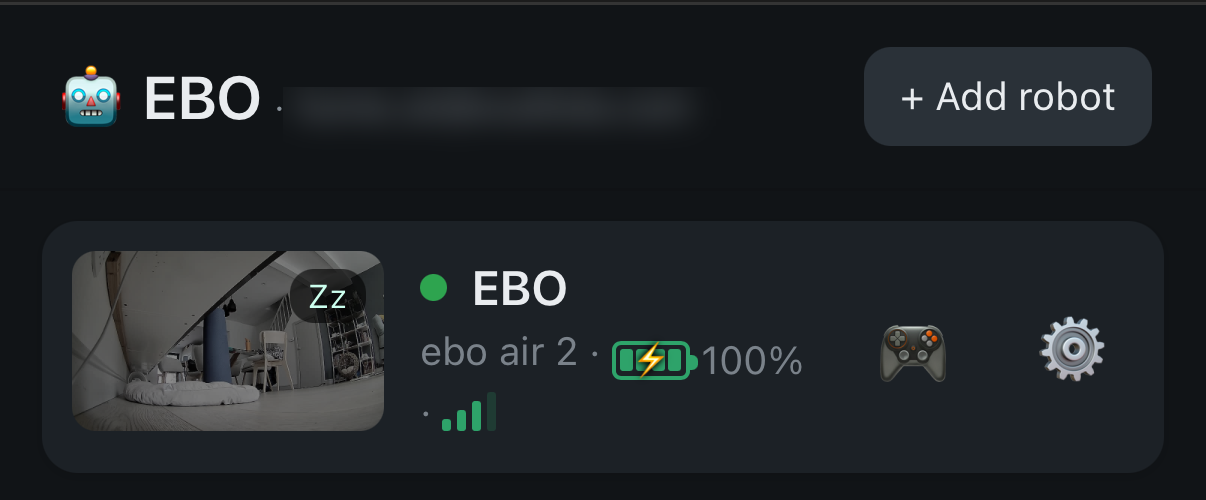
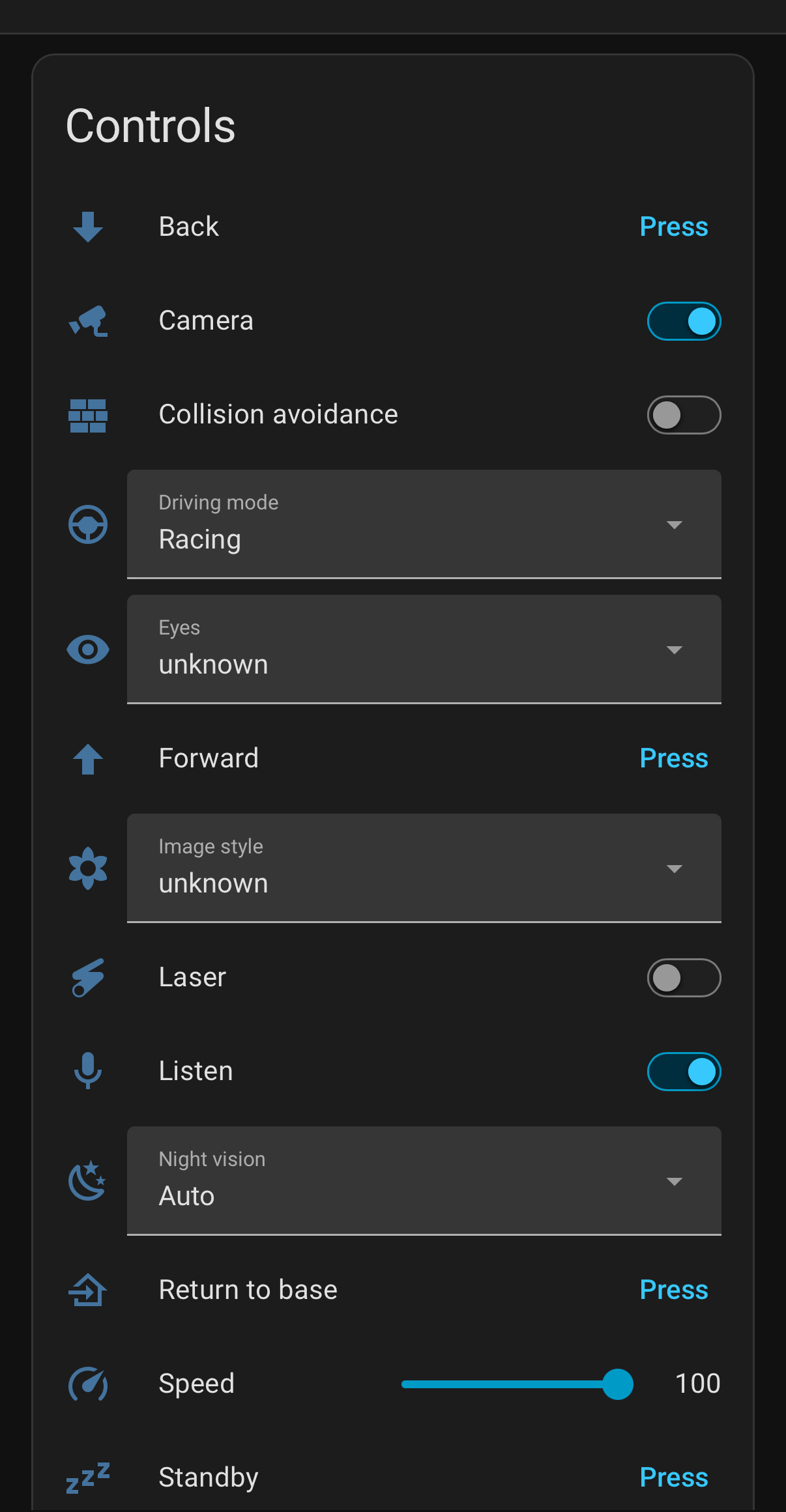
Left: the sidebar panel (all your robots). Right: one robot as a normal HA device.
One add-on signs into the Enabot cloud with your own credentials (exactly like the EBO HOME
app), discovers every robot on your account, and gives you a panel, entities and a live camera
for each.
⚠️ Independent, unofficial project. Not affiliated with Enabot or ThroughTek/Agora. It
interoperates using your own credentials and devices, through reverse engineering. Use at
your own risk; it may break if Enabot changes their API/firmware.
What you get
- A sidebar panel (like Zigbee2MQTT): every robot in one place — live preview, battery, Wi-Fi,
quick controls (camera, wake/standby, laser, dock), per-robot settings, pair a new robot
(QR, no phone) and remove a robot from the account. - A distinct device per robot (battery, Wi-Fi, charging, camera on/off, video quality, speed,
volume, eyes, dock/laser/wake/standby + a live camera) under the EBO integration — no
MQTT. The add-on installs its companion integration itself (no HACS). - A live camera per robot (RTSP → HA
stream/go2rtc → WebRTC).
No MQTT needed. The internal bus runs on a broker private to the add-on (localhost). Your
Home Assistant needs no Mosquitto and no MQTT integration — robots are native EBO devices.
Supported models
| family | models | how |
|---|---|---|
| Cloud (this add-on) | EBO Air 2 ✅, Air 2 Plus / Air 2S / Mini 🧪, EBO X / Max 🧪 | EBO HOME app + Enabot Agora cloud. All robots on your account are discovered automatically; non-Air 2 are experimental. |
| EBO SE (LAN) | EBO SE | Different, local-only stack (TUTK/Kalay) — not this add-on. Use ebo-se-lan-bridge by lilium360 (Raspberry Pi); it coexists with this add-on. |
Install
- Settings → Add-ons → Add-on Store → ⋮ (top right) → Repositories
- Add this URL:
https://github.com/Playcolors-co/ha-enabot - Install EBO for Home Assistant (unofficial), enter your Enabot email + password and the two
app crypto keys (not shipped — see docs), and start it. - The add-on installs its integration into Home Assistant. Restart Home Assistant once, then
Settings → Devices & Services → + Add Integration → "EBO" — it finds your robots
automatically and creates a device + live camera for each. Nothing else to type.
Why this exists
The Home Assistant community has asked for an Enabot integration
since 2021.
The cloud EBO robots are cloud-locked (live video + control go over Agora), so there is no official
integration. This project replicates the app's own cloud flow — encrypted login → Agora RTM
(control/telemetry) + RTC (video, H.265 decoded and re-encoded to H.264/RTSP) — using your own
account, and never ships any proprietary Enabot/ThroughTek/Agora key or library.
Contributing
Another EBO model, bug fixes, a smoother camera — all welcome. See CONTRIBUTING.md.
Support
Free, independent work. An optional coffee is appreciated, never required:
☕ buymeacoffee.com/scattolacom
License
MIT (see LICENSE). No proprietary Enabot/ThroughTek/Agora component is included or
redistributed.
Yorumlar (0)
Yorum birakmak icin giris yap.
Yorum birakSonuc bulunamadi