nui
Health Warn
- License — License: MIT
- Description — Repository has a description
- Active repo — Last push 0 days ago
- Low visibility — Only 5 GitHub stars
Code Pass
- Code scan — Scanned 12 files during light audit, no dangerous patterns found
Permissions Pass
- Permissions — No dangerous permissions requested
No AI report is available for this listing yet.
A multi-agent & multi-harness AI agent management and orchestration system
nui
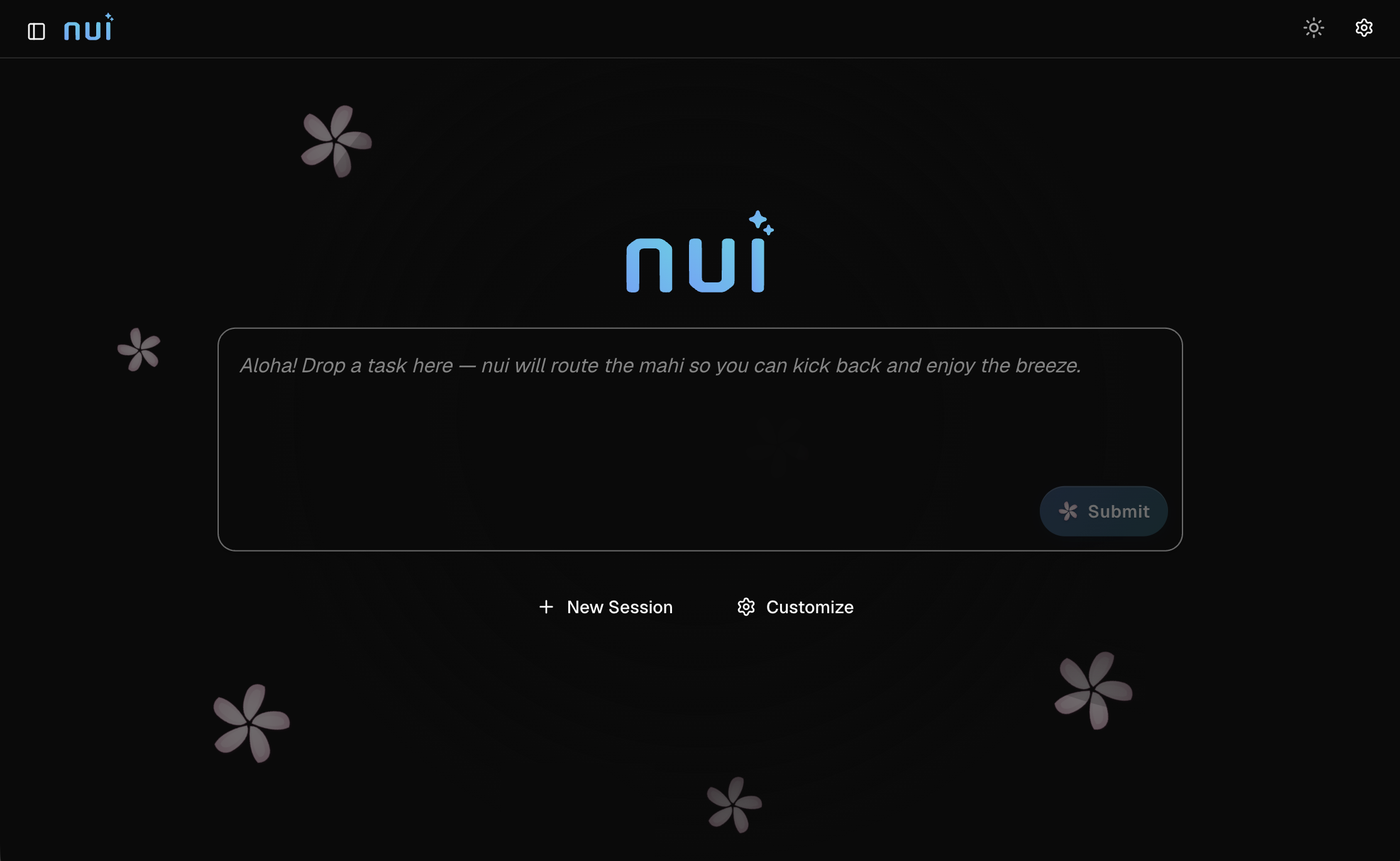
nui is a self-hosted web UI for interactive AI agent sessions. Run agents locally in your terminal, in Docker, or on a remote server — all from one interface.
Install
Linux and macOS (installs to ~/.local/bin):
curl -fsSL https://nui.plmbr.dev/install.sh | sh
Windows (installs to %LOCALAPPDATA%\nui and adds it to your user PATH):
irm https://nui.plmbr.dev/install.ps1 | iex
Install a specific version:
NUI_VERSION=v0.4.0-alpha curl -fsSL https://nui.plmbr.dev/install.sh | sh
$env:NUI_VERSION = "v0.4.0-alpha"; irm https://nui.plmbr.dev/install.ps1 | iex
Manual install: download the archive for your platform from GitHub Releases, extract the nui binary (or nui.exe on Windows), and place it on your PATH.
macOS note: release binaries and the desktop .app are currently not Developer ID–notarized. The CLI install script strips quarantine and ad-hoc codesigns the binary automatically. If you install manually or download nui.app:
xattr -cr /path/to/nui          # CLI binary
codesign -s - -f /path/to/nui  # required if `nui` exits with "zsh: killed"
xattr -cr /path/to/nui.app      # desktop app
Then open the app (right-click → Open the first time, or open nui.app). If macOS still blocks it, allow it under System Settings → Privacy & Security. Full notarization needs an Apple Developer ID (see DEVELOPERS.md).
Quick start
Start the server:
nui server
Open http://localhost:8080, pick an agent, and start chatting. nui creates a session automatically on first launch.
Launch with a specific agent and prompt:
nui server --agent-type claude-code --prompt "Review the README" --open
Prerequisites
Install the agent CLI you want to use and make sure it is on your PATH:
| Agent (ADL id) | CLI command |
|---|---|
claude-code |
claude |
pi |
pi |
codex |
codex |
opencode |
opencode |
API agents (no CLI required) use provider API keys instead:
| Agent | API key environment variable |
|---|---|
| Claude API | ANTHROPIC_API_KEY (or ANTHROPIC_AUTH_TOKEN) |
| OpenAI | OPENAI_API_KEY |
| Gemini | GEMINI_API_KEY or GOOGLE_API_KEY |
| OpenRouter | OPENROUTER_API_KEY |
| Ollama | none (local; optional OLLAMA_HOST) |
Optional:
- Docker — for sandboxed built-in agents and custom Docker-based agents
- Dev Container CLI — for devcontainer harness agents (
npm install -g @devcontainers/cli)
Using the UI
- Home launcher — type a task on the home screen; the built-in
nuimaster agent routes it to the best specialist (or helps you create one). - New session — choose a built-in or installed agent and a working directory.
- Chat — send prompts, attach files, and use
@mentions for context. - Sessions — switch between past sessions from the sidebar; rename or delete as needed.
- Settings — toggle light/dark theme, manage extensions, and configure MCP servers (including OAuth for remote MCP).
Preferences (theme, last agent, sidebar state) are saved to ~/.nui/settings.json and restored on reload.
CLI reference
nui server              # start web server on :8080
nui server --port 3000  # custom port
nui server --open       # open browser with a new session
nui server --no-browser # headless daemon (no browser)
nui run -a claude-code -m "Review README" --wait  # headless run
nui run -m "Summarize" --spawn --wait             # auto-start server if needed
nui agent list|add|remove|deploy|deployers
nui agent eval run -a my-agent  # run ADL eval cases against a running server
nui extension add|list|remove|create  # manage / scaffold extensions
nui skills add|list|remove  # manage skills catalog
nui memory list|show|edit  # persistent memory files
nui schedule list|add|enable|disable|delete|run-now  # recurring runs
nui harness-sdk reinstall  # copy Python SDK to ~/.nui/harness-sdk/
Launch flags
| Flag | Short | Description |
|---|---|---|
--open |
Open the web UI in your browser with a new session | |
--no-browser |
Do not open a browser (daemon mode) | |
--agent-type |
-a |
ADL agent id to launch (e.g. claude-code, pi, anthropic, nui) |
--prompt |
-m |
Initial prompt sent automatically |
--hide-input |
Hide the chat input (use with --prompt) |
|
--working-dir |
-w |
Working directory for the session |
--theme |
UI theme: light or dark |
|
--default-agent |
Default ADL agent id for new sessions (saved to ~/.nui/settings.json) |
|
--default-harness |
Default harness for internal agents (e.g. api/anthropic, claude-code; saved to settings) |
Headless runs
Run an agent without opening the browser (server must be running):
nui run -m "Review README" -w .
nui run -a claude-code -m "Review README" -w . --wait
Set NUI_URL or pass --url if the server is not on http://127.0.0.1:8080. Use --spawn to start nui server in the background if it is not already running.
Agents
Built-in agents
Master agent (home launcher / routing):
| ADL id | Description |
|---|---|
nui |
Master agent — routes tasks to specialists via nui-orchestrator MCP (list_agents, launch_session), or helps create agents |
CLI agents (require the corresponding binary on PATH):
| ADL id | Description |
|---|---|
claude-code |
Anthropic's Claude Code CLI |
pi |
pi agent CLI |
codex |
OpenAI Codex CLI |
opencode |
OpenCode CLI |
API agents (in-process LLM calls; selectable under built-in agents in the New Session panel):
| ADL id | Name | Description |
|---|---|---|
anthropic |
Claude API | Claude models via the Anthropic API |
openai |
OpenAI | GPT models via the OpenAI API |
gemini |
Gemini | Google Gemini via the Gemini API |
openrouter |
OpenRouter | Multi-model routing via OpenRouter |
ollama |
Ollama | Local models via Ollama |
See harness design for API harness configuration and env vars.
Custom agents
Install your own agent definitions (ADL YAML) to ~/.nui/agents/:
nui agent add ./my-agent.yaml
Custom agents appear under Installed agents in the New Session panel. They can run in Docker, dev containers, remote servers, or sandboxes. See the ADL examples and harness examples for templates.
Extensions
Extensions add harnesses, MCP servers, skills, and agents. Install from a local directory, zip file, or git URL:
nui extension add ./my-extension
nui extension add https://github.com/example/my-extension.git
nui extension list
nui extension remove my-extension
Manage installed extensions from the Settings → Extensions tab, or disable individual extensions without uninstalling.
MCP integration
Expose nui agents to MCP hosts (Cursor, Claude Desktop, etc.) by adding this to your MCP config:
{
  "mcpServers": {
    "nui": {
      "command": "nui",
      "args": ["mcp"],
      "env": { "NUI_URL": "http://127.0.0.1:8080" }
    }
  }
}
Install the CLI via the install script, a release archive, or by
opening the desktop app once (it bundles nui and installs it to~/.local/bin / %LOCALAPPDATA%\nui on first launch). Restart the MCP host
after install so it picks up PATH changes.
Available tools: list_agents, list_sessions, create_session, run_agent, get_run, get_run_events, stop_run.
nui also injects built-in MCP servers into agent harnesses when configured:
| MCP server | Command | Purpose |
|---|---|---|
nui-hitl |
nui hitl-mcp |
Human-in-the-loop prompts (ask_user, approvals) |
nui-viz |
nui viz-mcp |
Inline chart/visualization rendering in chat |
nui-agent |
nui agent-mcp |
Save ADL agents (save_agent) and update memory (update_memory) |
nui-orchestrator |
nui orchestrator-mcp |
Launcher routing (list_agents, launch_session) for the nui master agent |
Known limitations
- Tool-call details and image attachments are not persisted across server restarts (text messages are).
- AG-UI mid-stream replay after reconnect is not yet implemented.
- Bubblewrap sandboxing is Linux-only; macOS native sandboxing is not implemented.
- TCP JSON-RPC harness examples under
dev/harness-examples/py/andts/are reference-only and not wired as built-in agent types.
Further reading
- Developer guide — build from source, API reference, contributing, releasing
- Product & technical spec — architecture and roadmap
- Extension API — extension manifest, HITL, deployers
- Harness protocols — custom harness HTTP/SSE and JSON-RPC
- ADL — Agent Definition Language schema and examples
Reviews (0)
Sign in to leave a review.
Leave a reviewNo results found