postman-claude-code-plugin
Health Gecti
- License — License: Apache-2.0
- Description — Repository has a description
- Active repo — Last push 0 days ago
- Community trust — 10 GitHub stars
Code Gecti
- Code scan — Scanned 10 files during light audit, no dangerous patterns found
Permissions Gecti
- Permissions — No dangerous permissions requested
This is the official Postman plugin for Claude Code, designed to integrate full API lifecycle management directly into your workflow. It allows developers to sync OpenAPI specs, generate client code, run tests, create mock servers, and perform OWASP security audits via Postman.
Security Assessment
The overall risk is Low. The primary security consideration is that the tool requires your Postman API key (exported as an environment variable) to interact with the Postman MCP Server. The README clearly instructs users to fetch this from the official Postman settings. A rule-based code scan of 10 files found no dangerous patterns, hardcoded secrets, or dangerous permissions requested. However, because it interacts with your private workspaces and makes external network requests to Postman's APIs, you should ensure your API key is stored securely and not exposed in your shell history or version control.
Quality Assessment
The tool has a clean health profile. It is a relatively new but officially supported project by Postman DevRel, carrying 10 GitHub stars. It is highly active, with its most recent push occurring today. The project is properly licensed under the permissive Apache-2.0, meaning there are no restrictive legal barriers to using or modifying the code.
Verdict
Safe to use.
Official Postman plugin for Claude Code

Postman Plugin for Claude Code
The Postman Plugin provides a single, simple install for Claude Code. It provides full API lifecycle management, and best practices when working with Postman APIs.
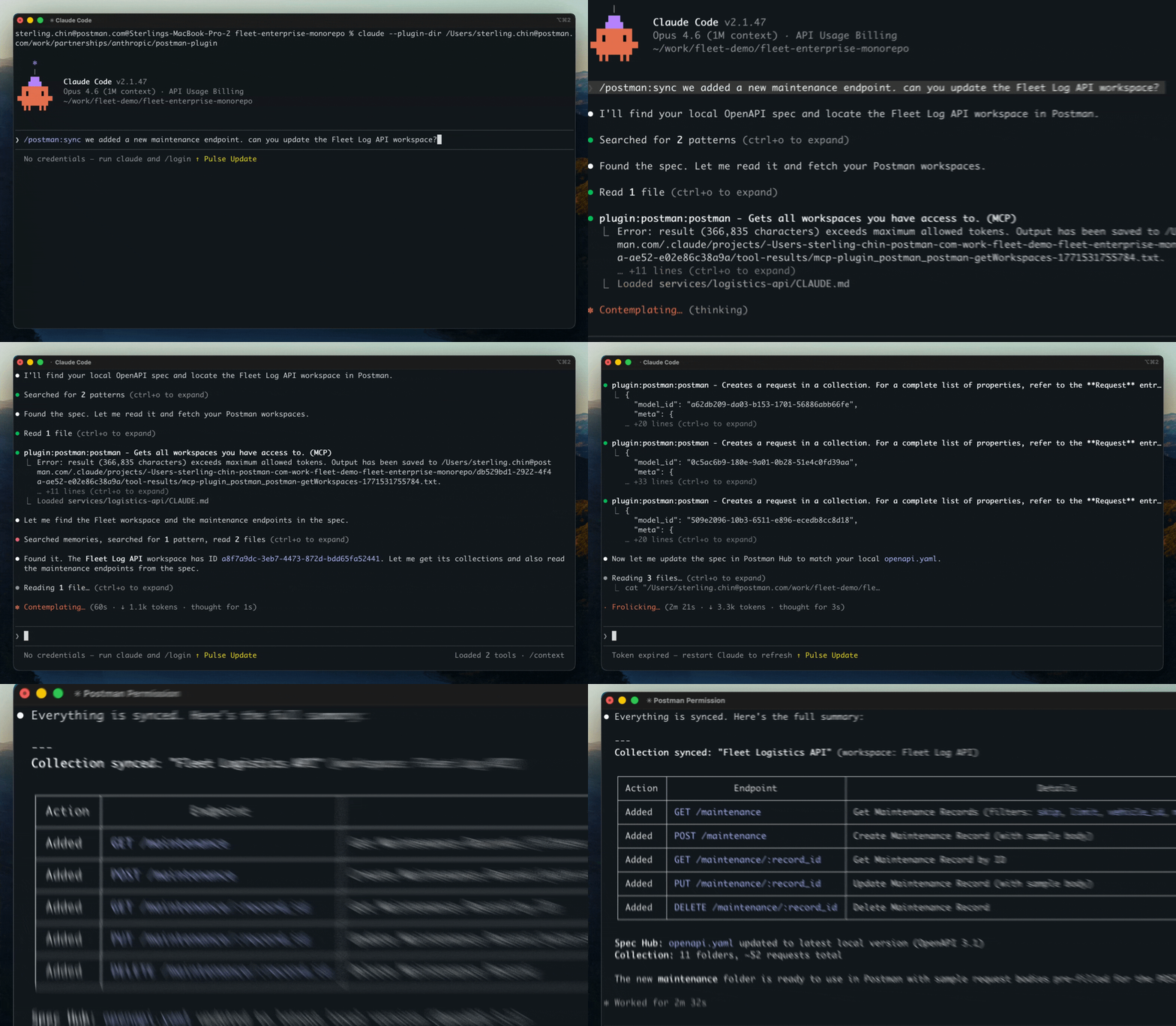
What's included:
- Commands for setting up the Postman MCP Server (no more manual installs!), working with Collections, Tests, Mock Servers, and generating code and documentation from Collections
- Skills for Postman Routing, API best practices, and API OWASP security reviews
- Agent for reviewing API production readiness and providing recommendations based on the Postman API Readiness Guide.
Installation
Clone the repo and load it as a local plugin:
git clone https://github.com/Postman-Devrel/postman-claude-code-plugin.git
Then start Claude Code with the plugin loaded:
cd your-api-project/
claude --plugin-dir /path/to/postman-claude-code-plugin
Quick Start
- Set your API key:
export POSTMAN_API_KEY=PMAK-your-key-here
Add it to your shell profile (~/.zshrc or ~/.bashrc) to persist across sessions.
- Start Claude Code with the plugin:
claude --plugin-dir /path/to/postman-claude-code-plugin
- Run setup:
/postman:setup
That's it. The plugin auto-configures the Postman MCP Server, verifies your connection, and lists your workspaces. You're ready to go.
Get your API key at postman.postman.co/settings/me/api-keys.
Commands
| Command | What It Does |
|---|---|
/postman:setup |
Configure API key, verify connection, select workspace |
/postman:sync |
Create or update Postman collections from OpenAPI specs |
/postman:codegen |
Generate typed client code from any Postman collection |
/postman:search |
Find APIs across your org's private network, your workspaces and the public Postman network |
/postman:test |
Run collection tests, diagnose failures, suggest fixes |
/postman:mock |
Create mock servers for frontend development |
/postman:docs |
Generate, improve, and publish API documentation |
/postman:security |
Security audit against OWASP API Top 10 |
What You Can Do
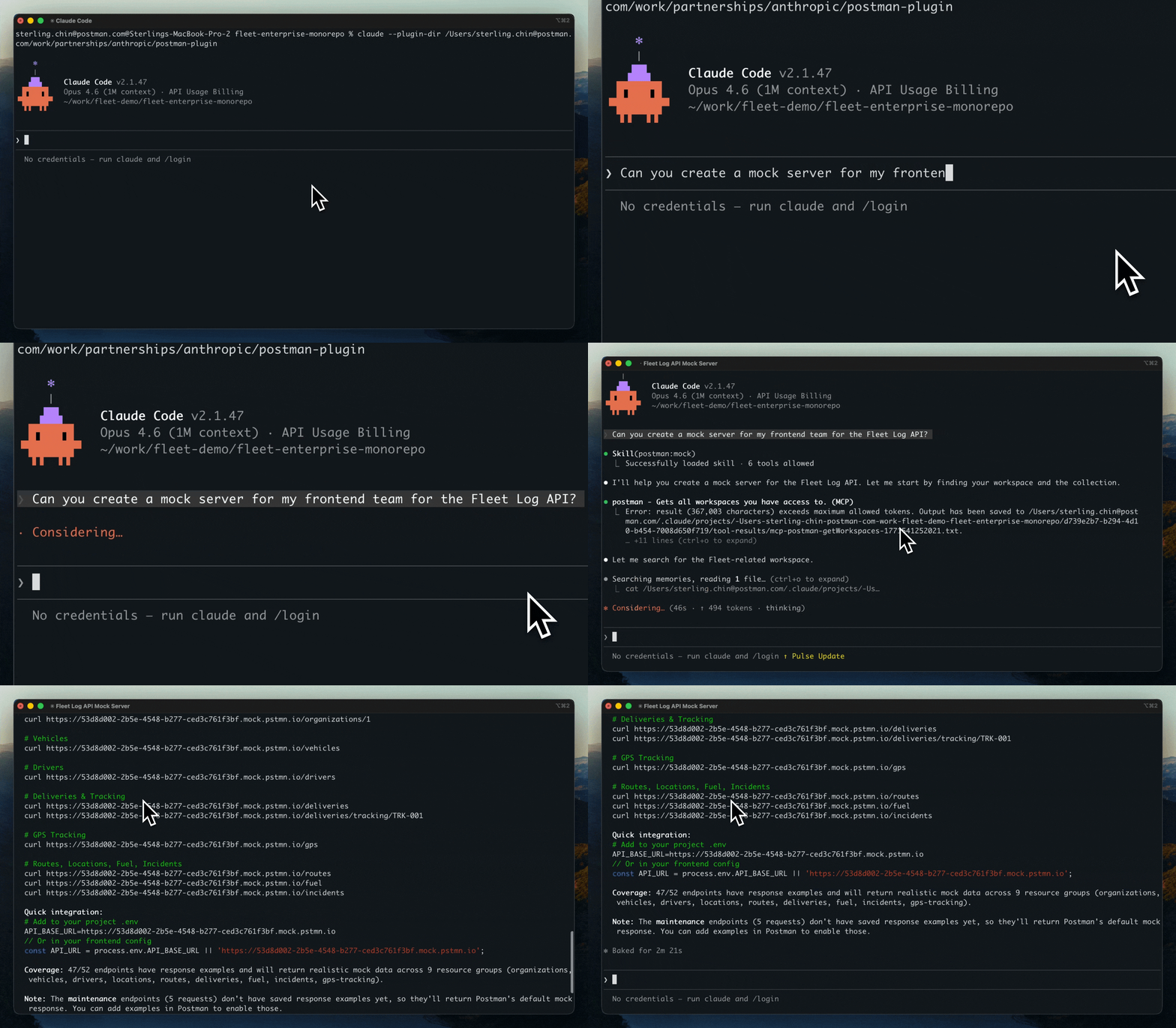
Sync your API to Postman
"Sync my OpenAPI spec with Postman"
→ Detects local spec, creates/updates collection, sets up environment
Generate client code from private APIs
"Generate a TypeScript client for the payments API"
→ Reads your Postman collection, detects project language, writes typed code
Search across your workspace
"Is there an endpoint that returns user emails?"
→ Searches private collections, drills into endpoint details, shows response shapes
Run API tests
"Run the tests for my User API collection"
→ Executes collection, parses results, diagnoses failures, suggests code fixes
Create mock servers
"Create a mock for frontend development"
→ Generates missing examples, creates mock, provides integration config
Audit API security
"Run a security audit on my API"
→ 20+ checks including OWASP Top 10, severity scoring, remediation guidance
Check if your API is agent-ready
"Is my API ready for AI agents?"
→ 48 checks across 8 pillars, scored 0-100, prioritized fix recommendations
Auto-Routing
You don't need to remember command names. The plugin's routing skill detects your intent and runs the right command:
- "Sync my collection" routes to
/postman:sync - "Generate a client" routes to
/postman:codegen - "Check for vulnerabilities" routes to
/postman:security - "Is my API agent-ready?" triggers the readiness analyzer
API Readiness Analyzer
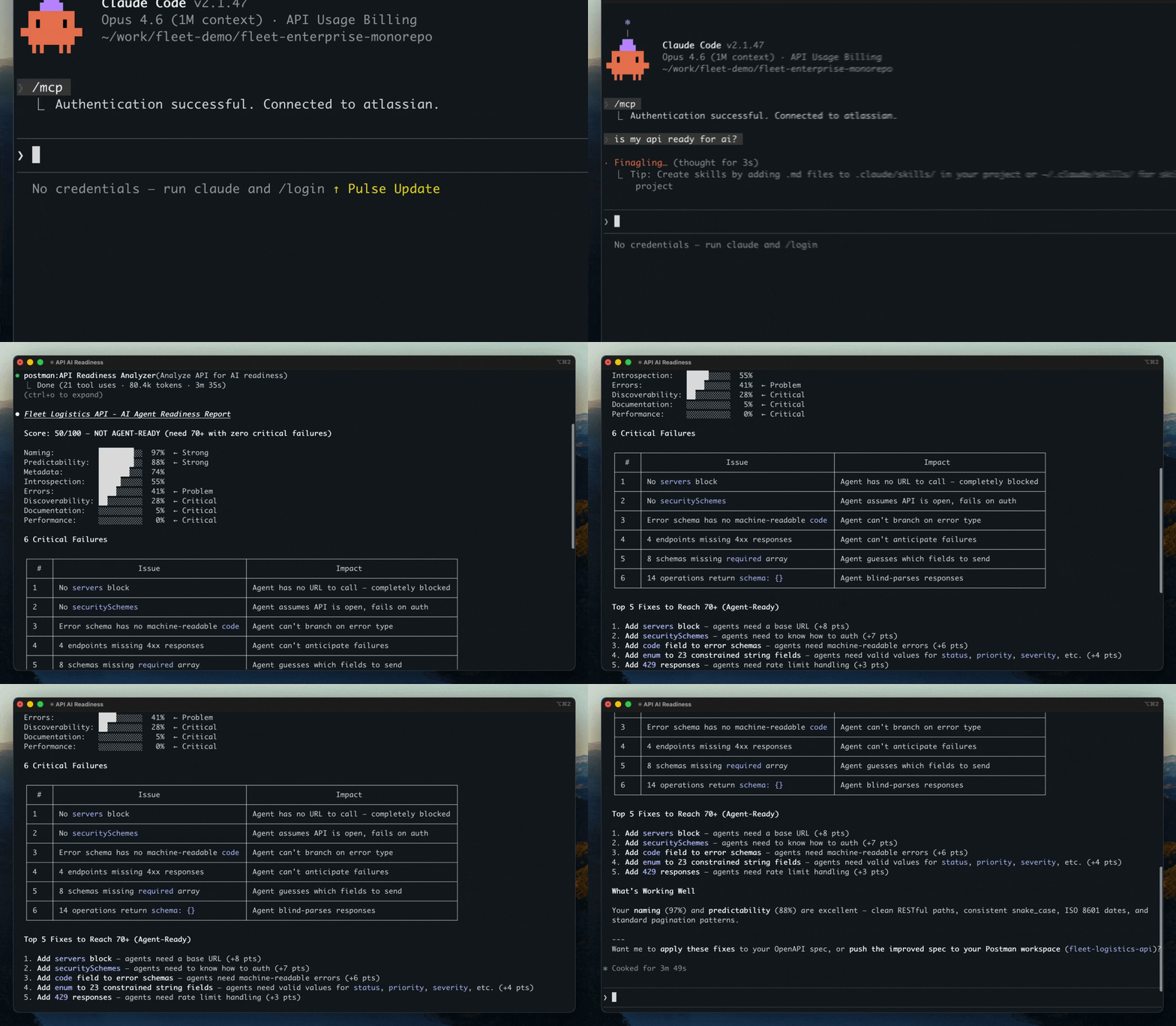
The built-in readiness analyzer evaluates APIs for AI agent compatibility across 8 pillars:
| Pillar | What It Checks |
|---|---|
| Metadata | operationIds, summaries, descriptions, tags |
| Errors | Error schemas, codes, retry guidance |
| Introspection | Parameter types, required fields, examples |
| Naming | Consistent casing, RESTful paths |
| Predictability | Response schemas, pagination, date formats |
| Documentation | Auth docs, rate limits |
| Performance | Rate limit headers, caching, bulk endpoints |
| Discoverability | OpenAPI version, server URLs |
70%+ with no critical failures = Agent-Ready.
Requirements
- Claude Code v1.0.33+
- Postman API key (
POSTMAN_API_KEYenvironment variable) - No Python, Node, or other runtime dependencies
How It Works
The plugin bundles a .mcp.json file that auto-configures the Postman MCP Server when installed. All commands communicate with Postman through 111 MCP tools. No scripts, no dependencies, pure MCP.
License
Apache-2.0
See Also
- Postman Plugin for Cursor - Same capabilities, adapted for Cursor IDE
- Postman Agent Skills - Portable skills for any skills.sh-compatible agent
- Postman Cursor Rules - Lightweight MCP config + rules for Cursor
Links
Yorumlar (0)
Yorum birakmak icin giris yap.
Yorum birakSonuc bulunamadi