PotionUI
Health Gecti
- License — License: GPL-3.0
- Description — Repository has a description
- Active repo — Last push 0 days ago
- Community trust — 65 GitHub stars
Code Basarisiz
- rm -rf — Recursive force deletion command in .github/workflows/backend-tests.yml
- rm -rf — Recursive force deletion command in .github/workflows/docker-publish.yml
- rm -rf — Recursive force deletion command in .github/workflows/docker-smoke.yml
Permissions Gecti
- Permissions — No dangerous permissions requested
Bu listing icin henuz AI raporu yok.
Self-hosted AI studio for images, video and music on your own GPU. Multi-user with logins and limits, no node graphs, drivable over MCP.

PotionUI
The self-hosted generation studio you can hand to other people.
Images, video and music on your own GPU · Free and open source · Linux & Windows






Install · Quick start · Website · Docs · Changelog · Contributing · Security
Run Krea-2, Anima, SDXL, Flux, Wan, LTX, Qwen-Image, MiniMax and YuE2 on one box — then give your team, your household, or your agents their own logins, presets, and limits. No node graphs. No per-model setup. Pick a model, type, watch it render live.
https://github.com/user-attachments/assets/950415f7-da97-403e-811b-4c9c41d8106f
Why PotionUI:
- Forms, not wiring — each model exposes only the controls it actually
understands. - Accounts, groups, admin panel — one GPU, many users, per-user presets
and model access. - Drive it from Claude Desktop or any MCP client — per-user tokens; every
write action needs your approval. - Video Director — compose shots in sections instead of one giant prompt.
Beta 0.2.0 · Linux and Windows x86_64 + NVIDIA · WSL2 or
Docker ·
Discord · Reddit ·
Ko-fi
60 seconds to first image
PotionUI is a self-hosted app for generating images, video and music with your own GPU, built to be shared: every person gets their own login, presets and limits. Pick a model, type, and watch it render live.
git clone https://github.com/PotionUI/PotionUI.git potionui && cd potionui
./potionui doctor    # check prerequisites, with a repair command for anything missing
./potionui start     # create the venv, install deps, launch backend + frontend, print the URL
Native Windows: .\potionui.cmd doctor and .\potionui.cmd start from PowerShell or cmd.
Floor: 8 GB VRAM + 16 GB RAM (SDXL). More in Install.
What you can do
|
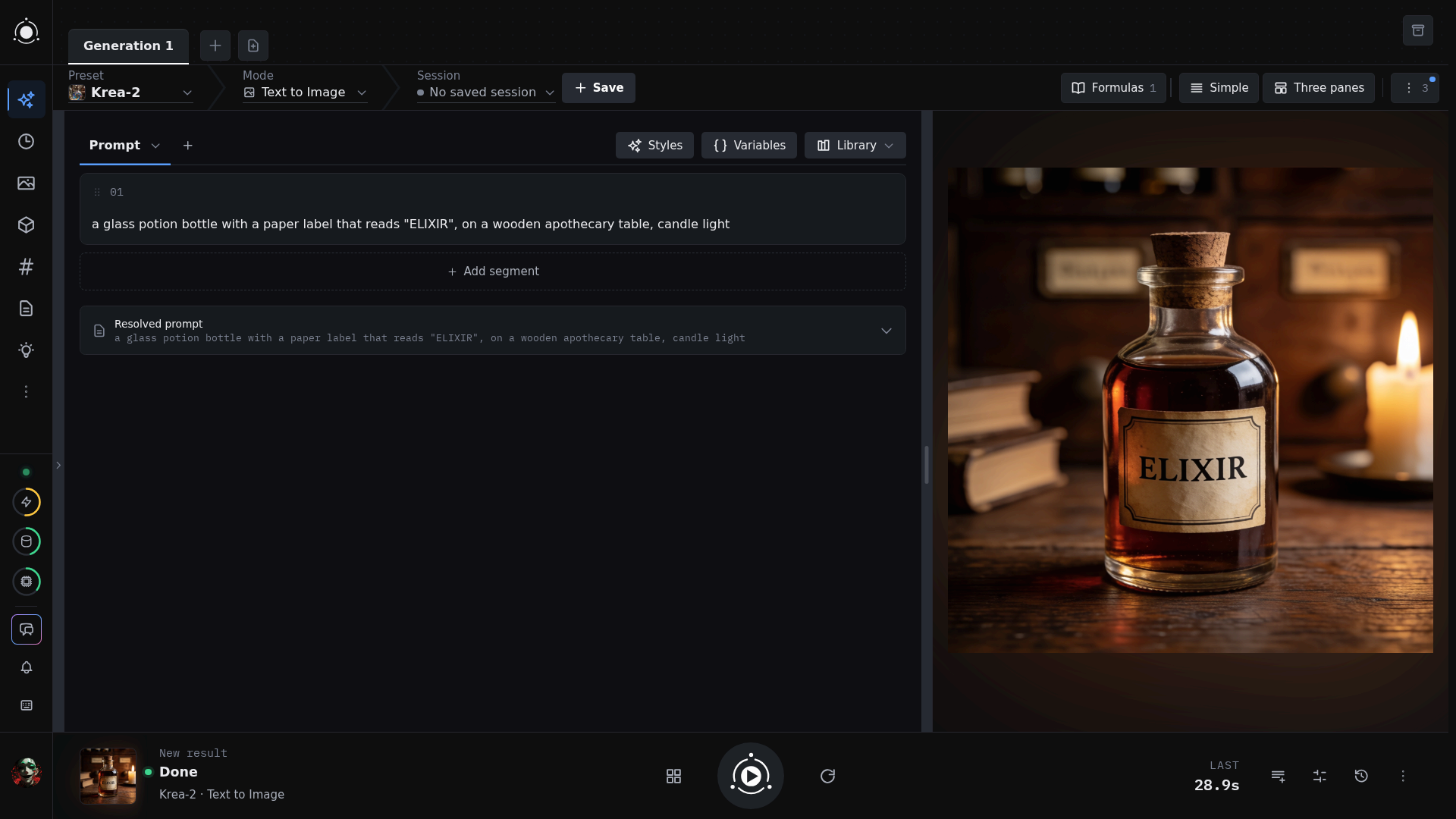
Generate images Pick a model and get a form with only the controls it understands. Previews stream in while it renders, and every tab keeps its own preset, prompts and results. Generating images |
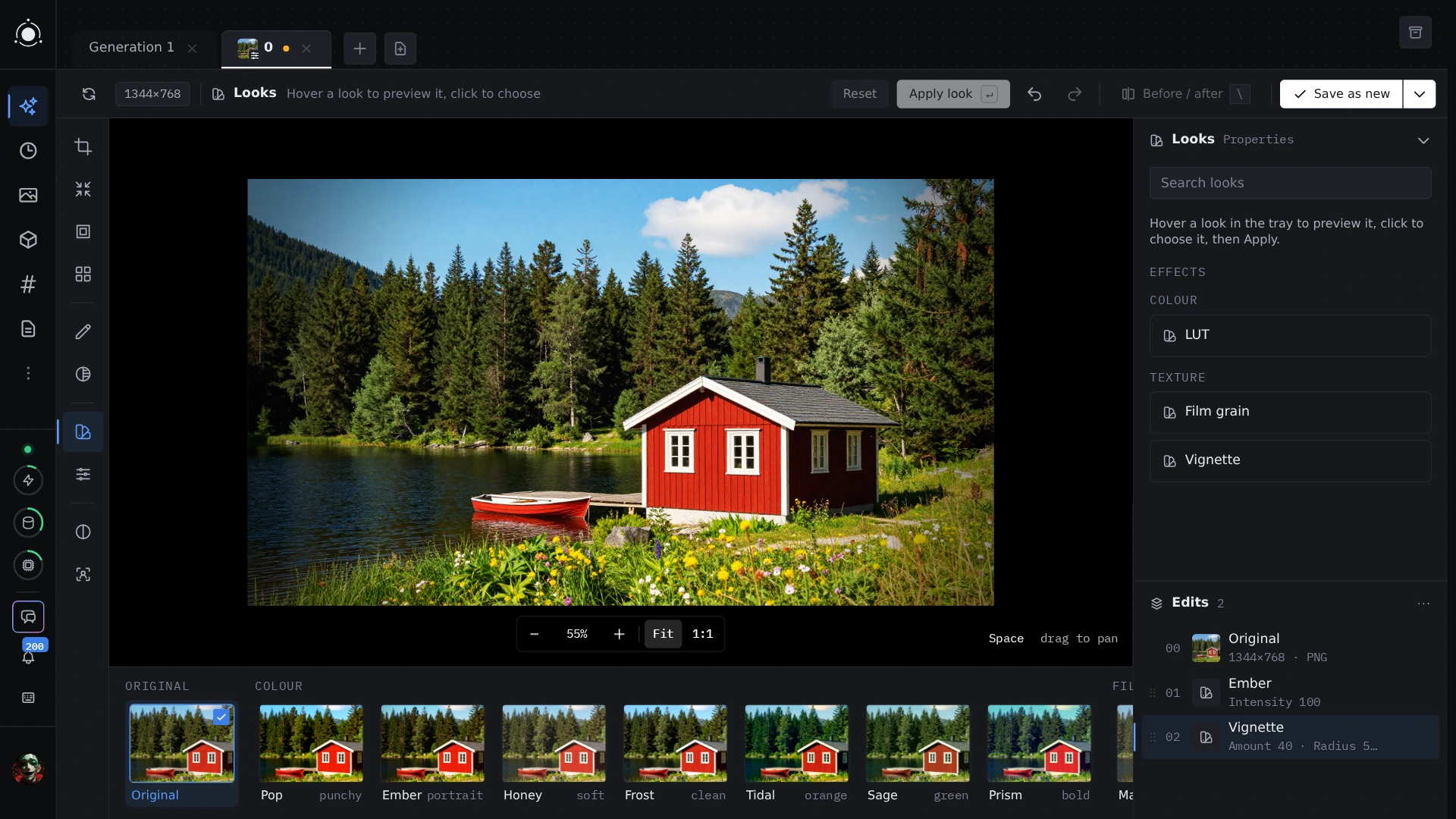 |
Edit images Edit with the Qwen-Image and FLUX 3 edit modes, or fix a picture in the built-in editor: adjust, crop, paint and layer, then save a new copy. Image editing |
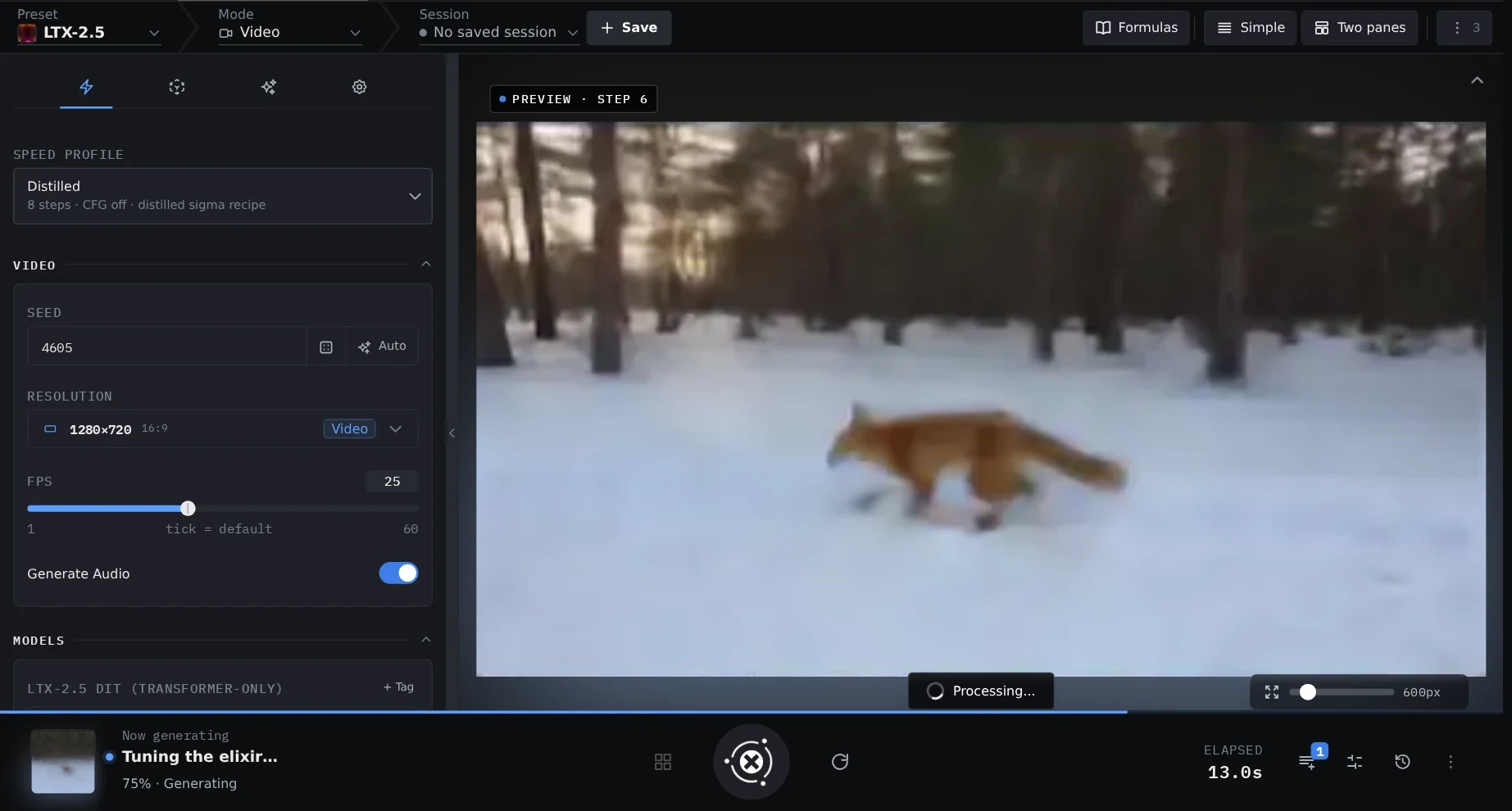 |
Generate video Text to video and image to video with Wan, LTX and MiniMax-H3 (which also takes reference images), with audio where the model makes it. Each model's modes sit behind one picker. Video models |
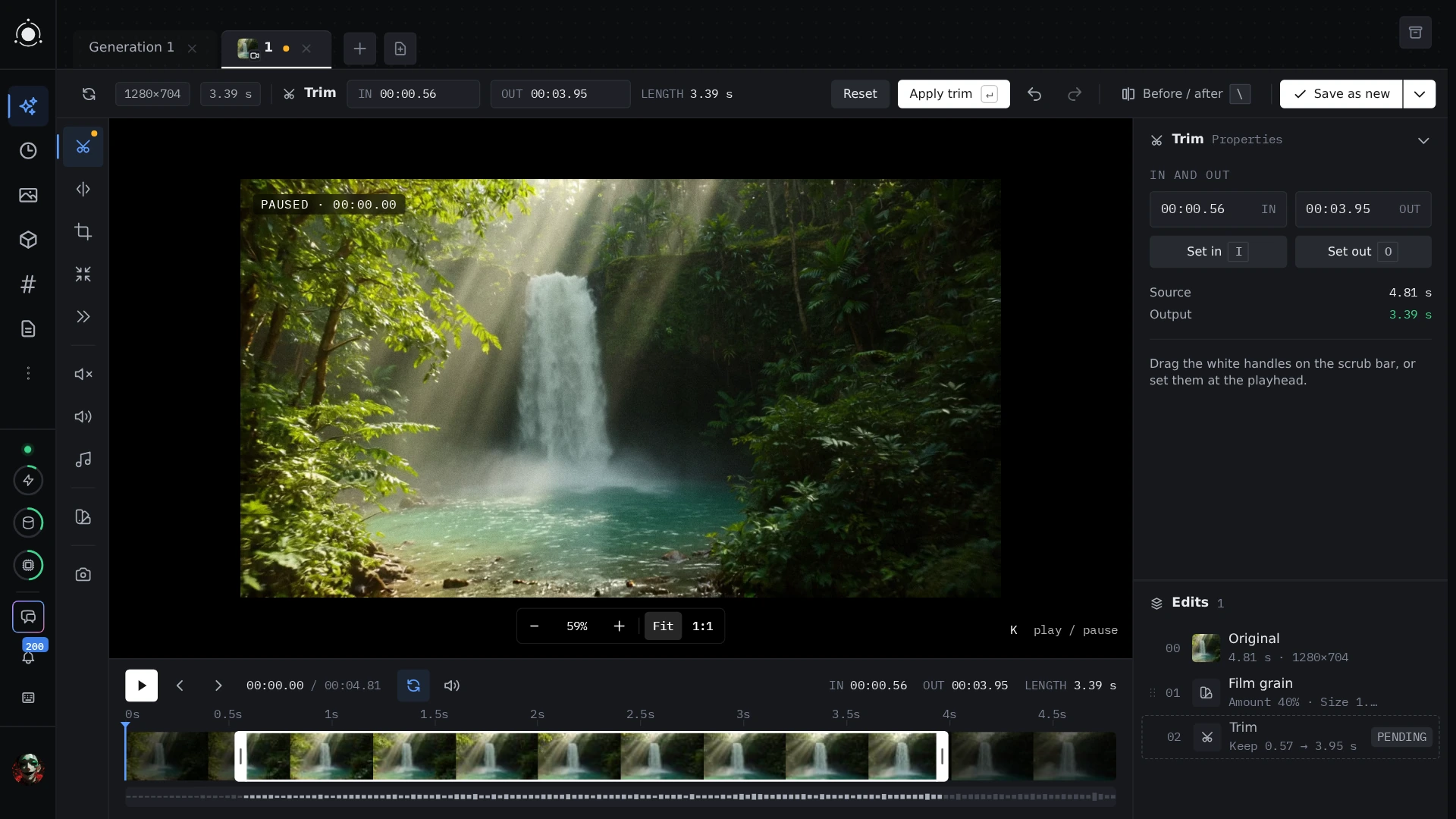 |
Edit video Restore, colorize, relight, extend, remove objects, refine faces and upscale a clip, keeping the source's audio and length. LTX modes |
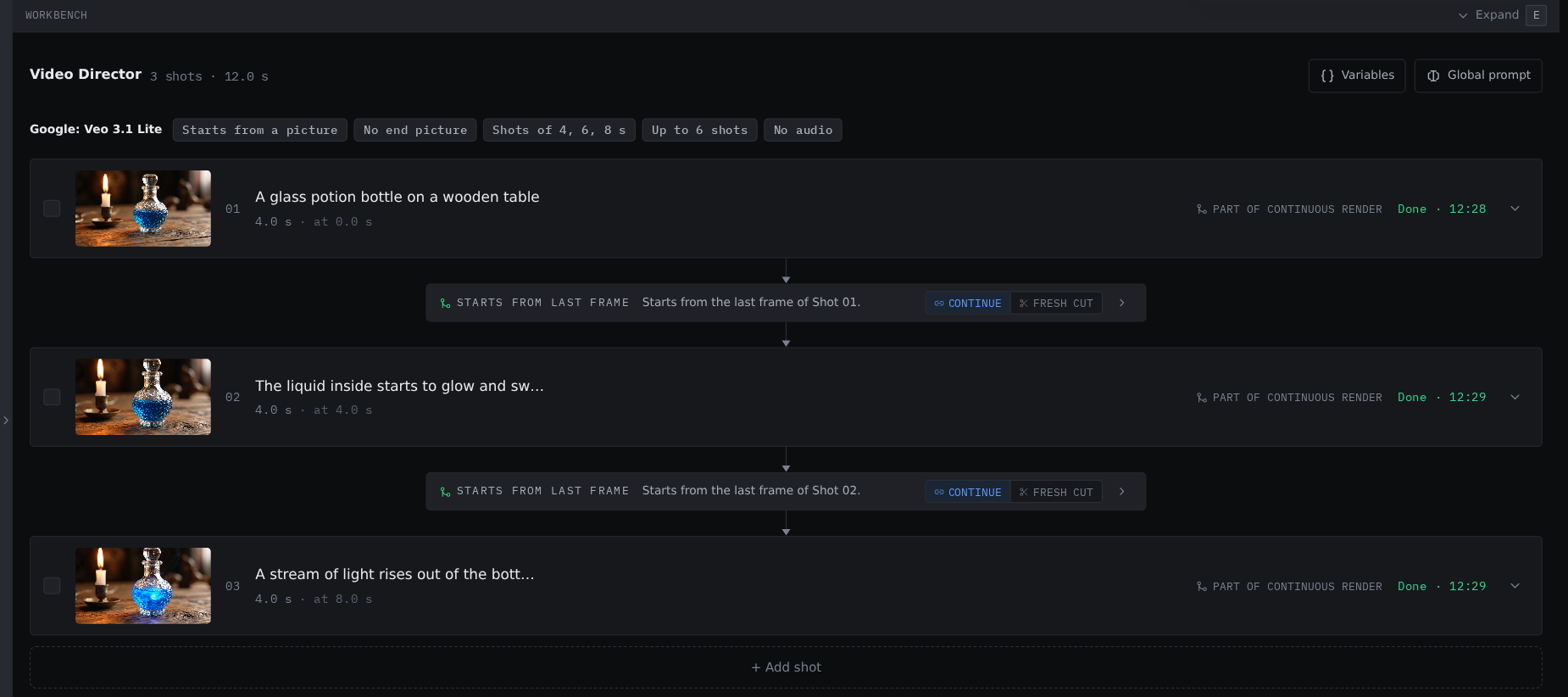 |
Video Director Compose a video from global, timed and chained sections instead of one giant prompt, each shot starting from the last frame of the one before. Video Director |
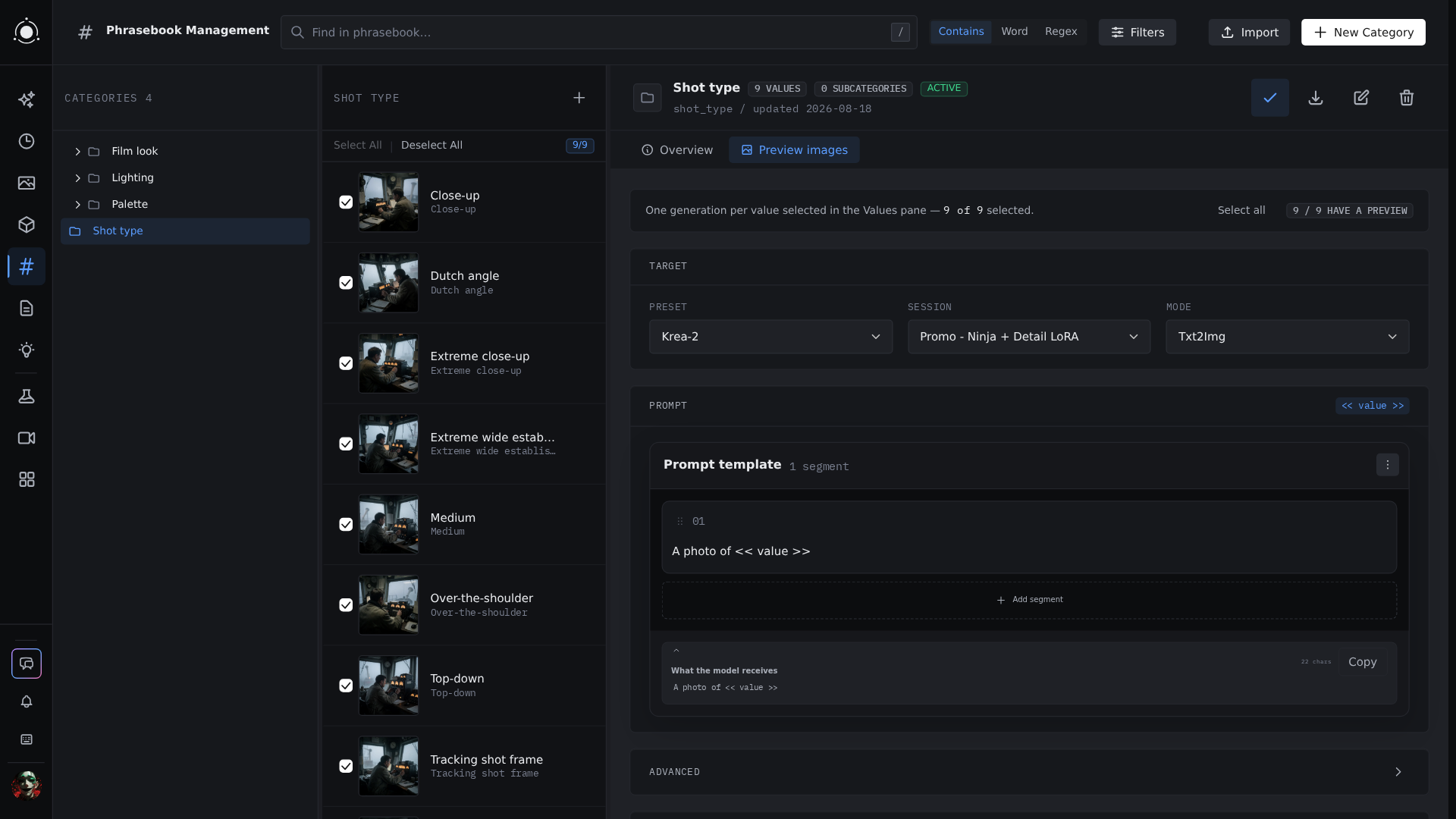 |
Prompt tools Save segments once and reuse them, autocomplete known terms from the phrasebook, and vary prompts with {a|b}, weights and ${vars}.Prompts workspace |
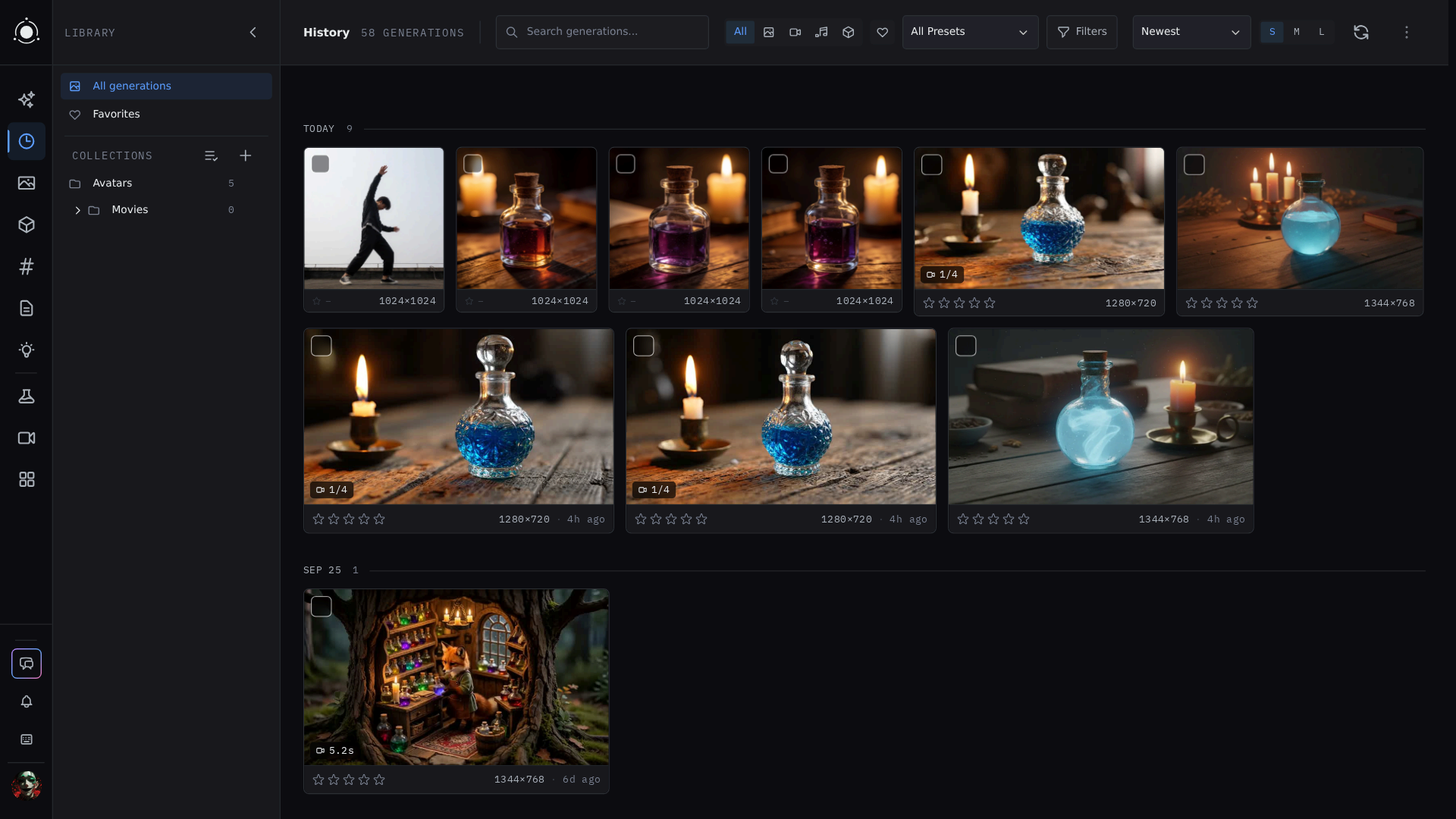 |
History and Library Everything you generate is saved with the exact parameters that made it. Tag, search, sort into collections, compare two results, and run media tools on the Library. History and tags |
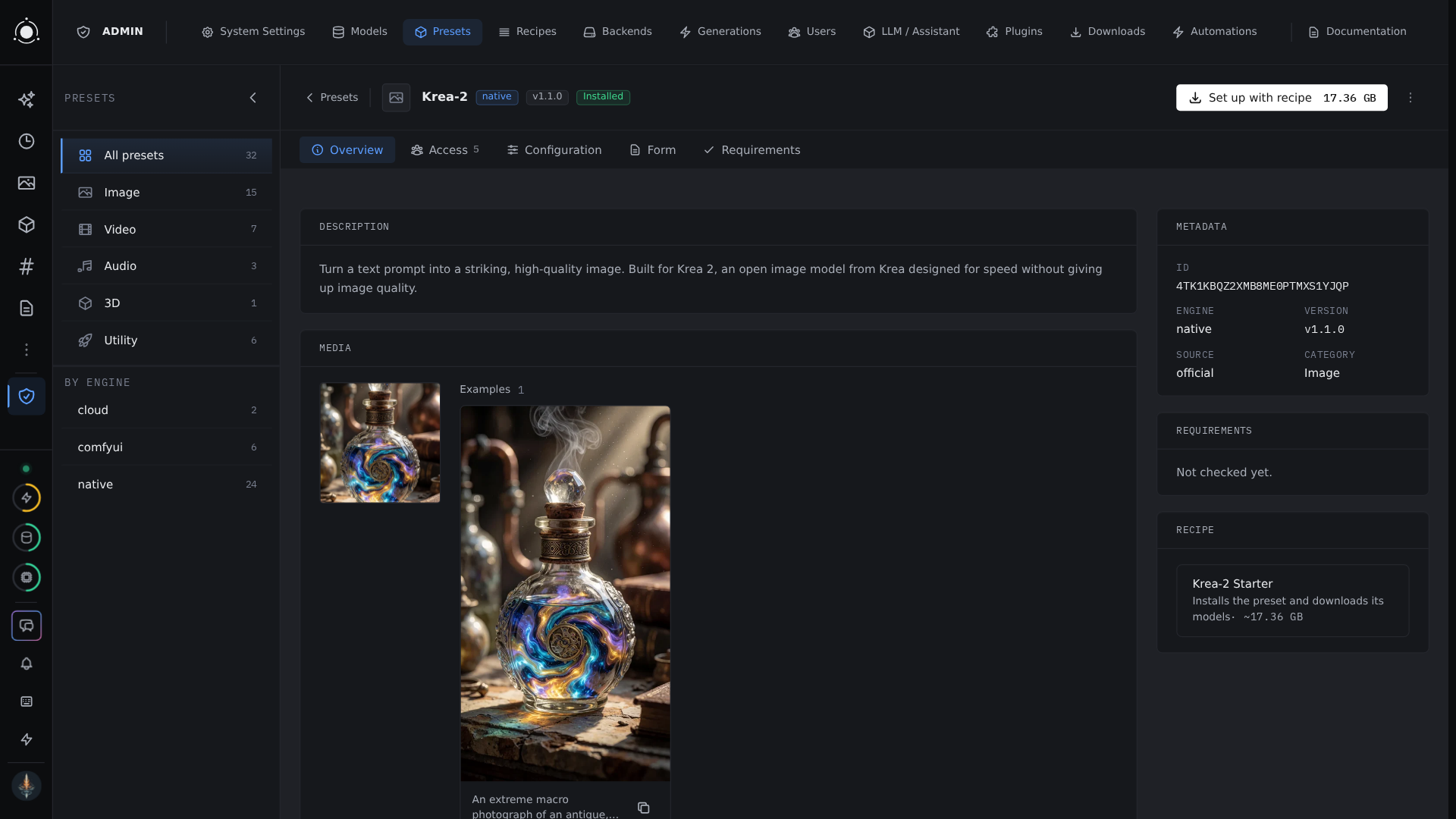 |
Administration Users, groups and access, presets and models per user, backends, plans, recipes and backups, all from one panel. Administration |
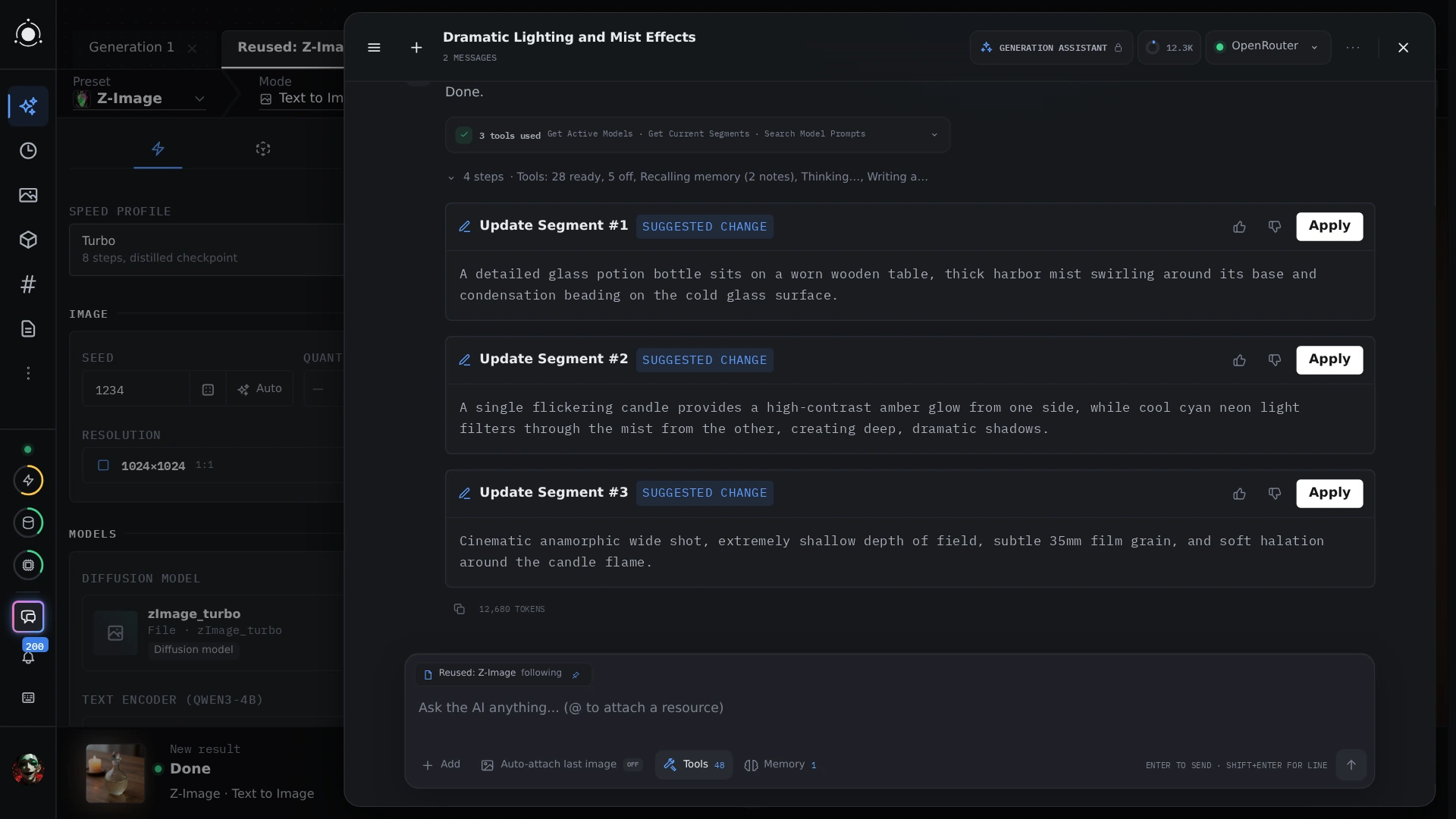 |
PotionAI and MCP PotionAI brainstorms and rewrites prompts and adjusts the form, with your approval on every change. Per-user MCP tokens let Claude Desktop or any MCP client drive your instance. MCP |
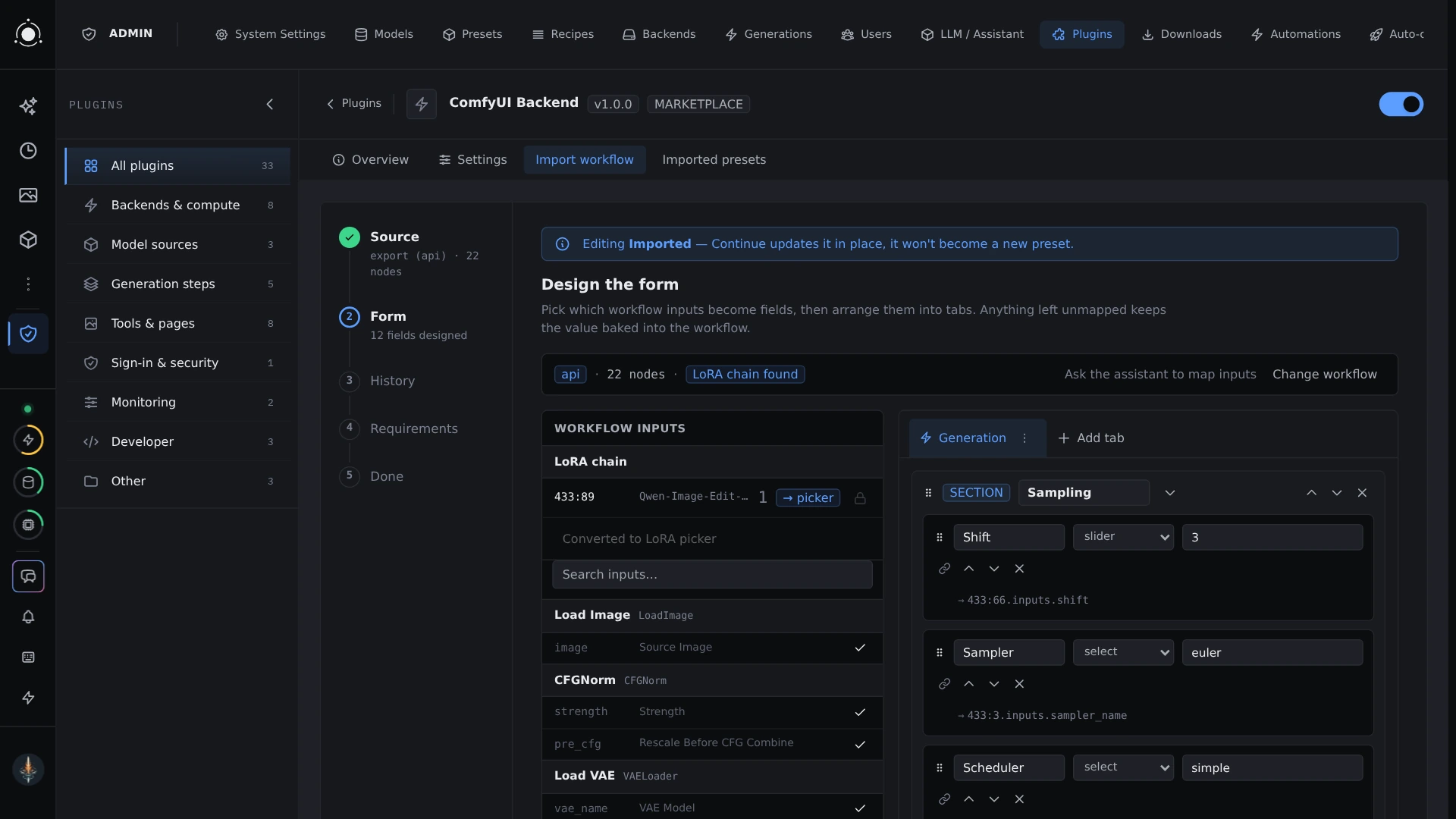 |
Plugins and presets Each preset targets one model and renders its own form. Plugins add providers, backends, pipes, field types and cloud models, and your ComfyUI workflows import as presets. Plugins |
Models
| Kind | Families |
|---|---|
| Image | SDXL · Flux 1 / 2 Klein · FLUX 3 Image Klein · Qwen-Image · Krea-2 · Z-Image · Anima · MOSS-Image · MiniMax-H3-Image |
| Video | Wan 2.1 / 2.2 · LTX-2 / 2.3 / 2.5 · MiniMax-H3 · RIFE (frame interpolation) |
| Music | MiniMax-Music3 · YuE2 |
| 3D | TRELLIS.2 · Pixal3D |
| Upscale and restore | SeedVR2 (image and video) |
No model weights ship with PotionUI. Models download at your request, each under its own license. See Models and licensing.
Install
PotionUI runs on Linux and Windows x86_64 with an NVIDIA GPU.
| Way in | How |
|---|---|
| Linux | ./potionui doctor, then ./potionui start |
| Windows | .\potionui.cmd doctor, then .\potionui.cmd start from PowerShell or cmd |
| Docker | docker run --gpus all -p 26730:26730 ghcr.io/potionui/potionui:latest (details) |
| Pinokio | Add the launcher to Pinokio from its address, https://github.com/PotionUI/potionui-pinokio, then press Install and Start |
| Requirement | Needed |
|---|---|
| GPU | NVIDIA, Turing or newer, driver 580 or newer |
| Memory | 8 GB VRAM + 16 GB RAM to run SDXL; larger families need more (hardware requirements) |
| Python | 3.12 |
| Node.js | 22 or newer (24 LTS recommended) |
[!NOTE]
PotionUI is in beta: expect rough edges between releases, and back up anything you care about.
No GPU here? ./potionui start --profile remote dispatches to a worker. Profiles, Windows prerequisites, WSL2, running the backend and frontend separately and logs are in the install guide.
Documentation
- Getting started: first login to first image, plus the rest of the
docs/user/guide. - Reference in
docs/: presets, prompts, backends, providers, native engine, models, video director, music director, plugin API.
Changelog
See CHANGELOG.md, or the GitHub releases page.
Contributing
- CONTRIBUTING.md: dev setup, test and lint commands, PR expectations.
CLAUDE.md: the architecture reference; package-layering rules are enforced bytests/architecture/test_layering.py.- Security issue? See SECURITY.md.
Support
If PotionUI is useful to you, a Ko-fi contribution helps keep it going. Development happens in the open on Discord; news, showcases and questions also go to r/PotionUI.
License
PotionUI is GPL-3.0: see LICENSE. Third-party code is bundled under vendor/, each component keeping its own upstream license; full attribution in vendor/NOTICE.md.
Yorumlar (0)
Yorum birakmak icin giris yap.
Yorum birakSonuc bulunamadi