claude-aws-cost-saver
Health Gecti
- License — License: MIT
- Description — Repository has a description
- Active repo — Last push 0 days ago
- Community trust — 17 GitHub stars
Code Gecti
- Code scan — Scanned 12 files during light audit, no dangerous patterns found
Permissions Gecti
- Permissions — No dangerous permissions requested
This tool is a Claude Code plugin that scans your AWS infrastructure to identify potential cost savings. It runs 163 checks across over 30 AWS services to detect idle resources and over-provisioned infrastructure.
Security Assessment
The tool requires local AWS credentials to read your infrastructure data, meaning it inherently accesses sensitive account and billing information. However, the documentation explicitly states it is read-only and will never modify or delete resources. The automated code scan of 12 files found no dangerous patterns, hardcoded secrets, or requests for risky permissions. The plugin runs locally and primarily interacts with the AWS API. Overall risk: Low.
Quality Assessment
The project is actively maintained, with the most recent code push occurring today. It uses the highly permissive MIT license, making it safe for both personal and commercial use. While the community is currently small at 17 GitHub stars, the project actively welcomes outside contributions. The repository is well-documented, offering clear installation steps, usage commands, and visual examples of expected outputs.
Verdict
Safe to use, provided your local AWS credentials are securely managed.
Claude Code plugin that finds AWS cost savings. 163 checks across EC2, RDS, S3, Lambda, and 30+ services.
AWS Cost Saver



Find what's wasting money in your AWS account.
You: "Scan my AWS for cost savings"
Claude: Found 8 issues. Potential savings: $340/month
Installation
In Claude Code:
/plugin → Marketplaces → Add Marketplace → [email protected]:prajapatimehul/claude-aws-cost-saver.git
Select aws-cost-saver and install.
Quick Start
/aws-cost-saver:scan
Or just ask: Scan my AWS account for cost savings
Requirements: AWS credentials configured (aws configure or SSO), uv installed.
This tool only reads data — it never modifies or deletes anything.
Features
- 163 checks across EC2, RDS, S3, Lambda, ECS, EKS, Aurora, SageMaker, and 30+ services
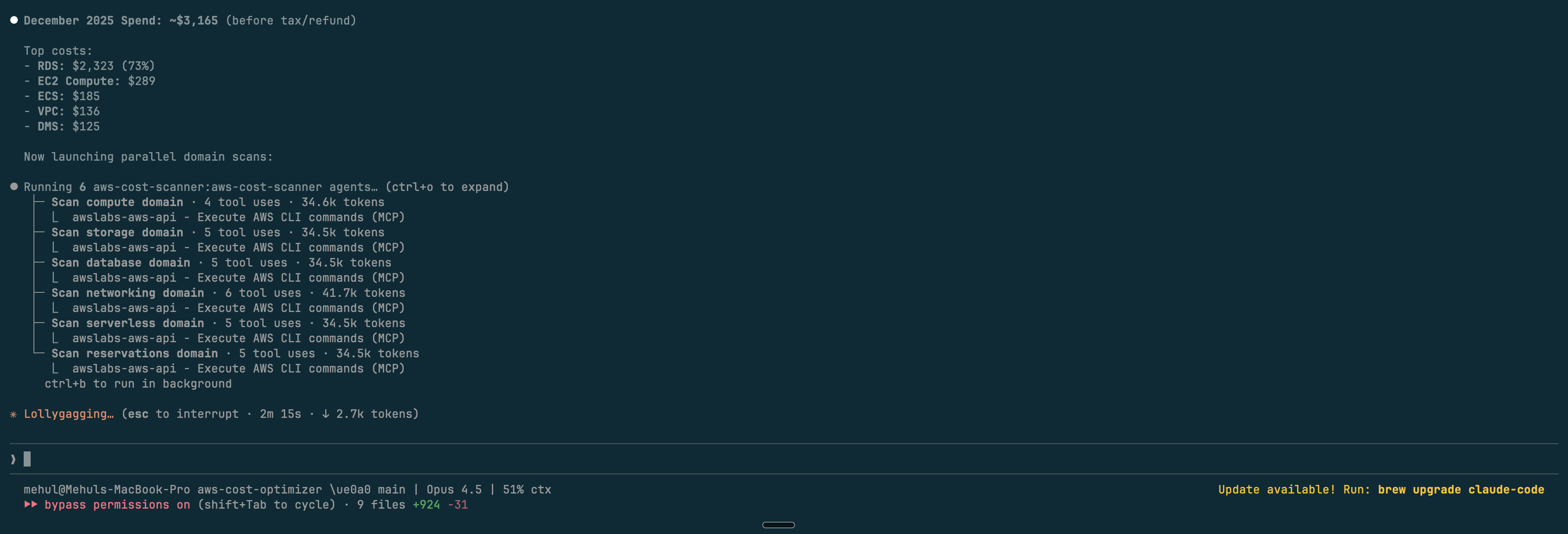
- Parallel scanning - 11 domain agents run simultaneously
- Confidence scoring - filters false positives
- Real pricing - uses AWS Cost Explorer
- Markdown reports - clean, actionable output
Commands
| Command | Description |
|---|---|
/aws-cost-saver:scan |
Full cost optimization scan |
/aws-cost-saver:reviewing-findings |
Review with confidence scoring |
/aws-cost-saver:validating-aws-pricing |
Validate against AWS Pricing API |
Demo
Results
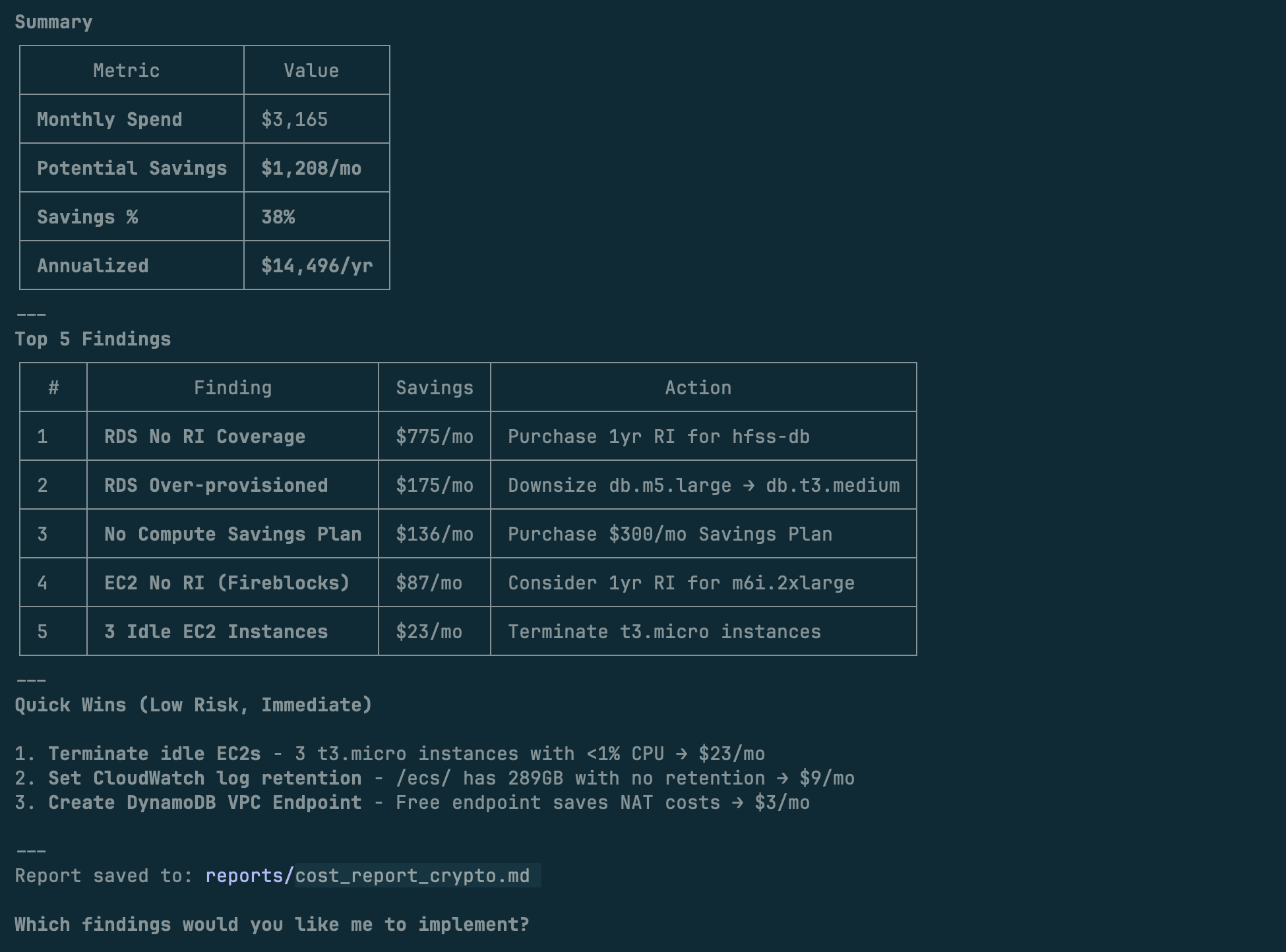
Before & After
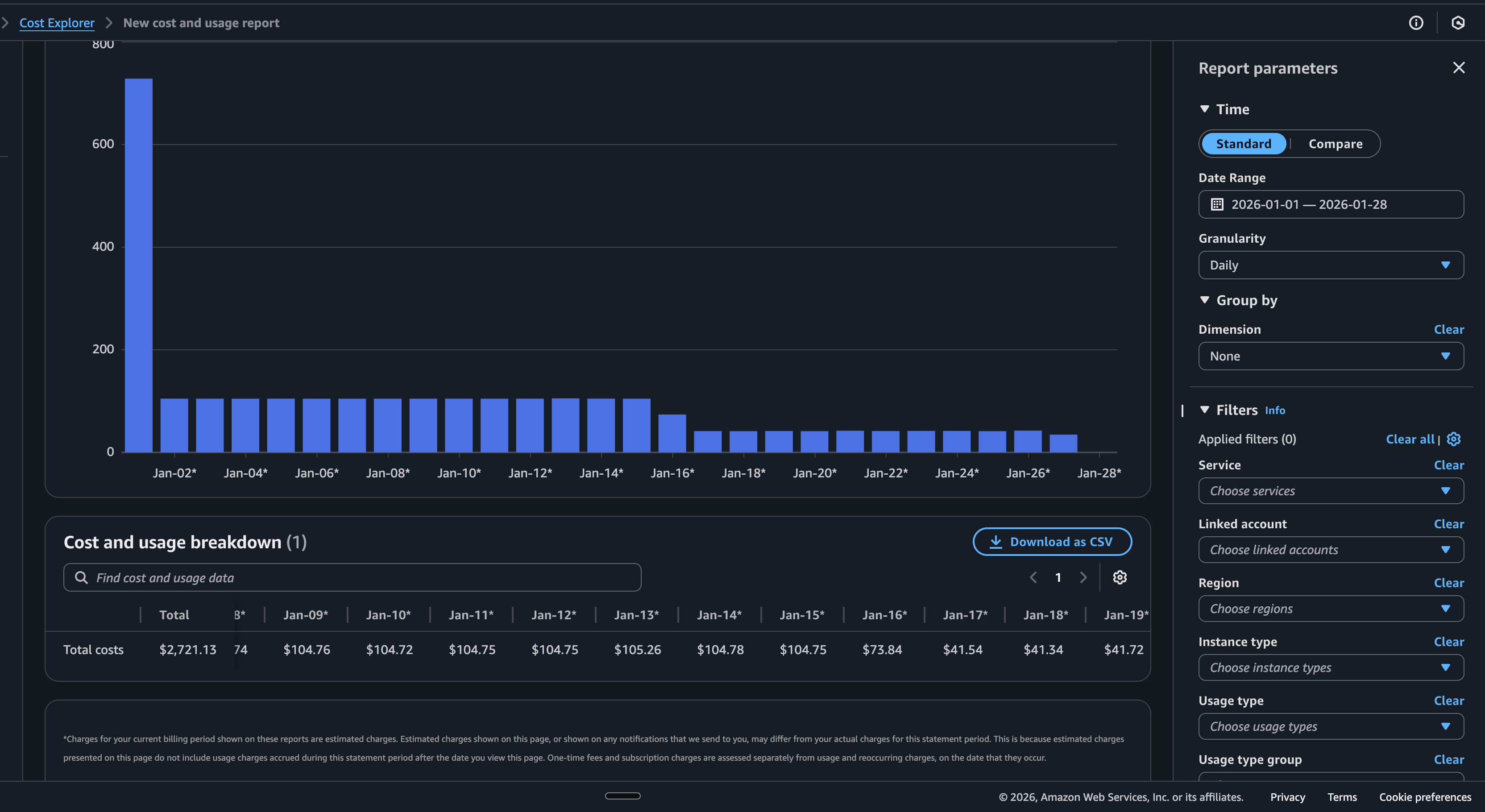
Real AWS account: $105/day → $42/day after running the scanner
How it works
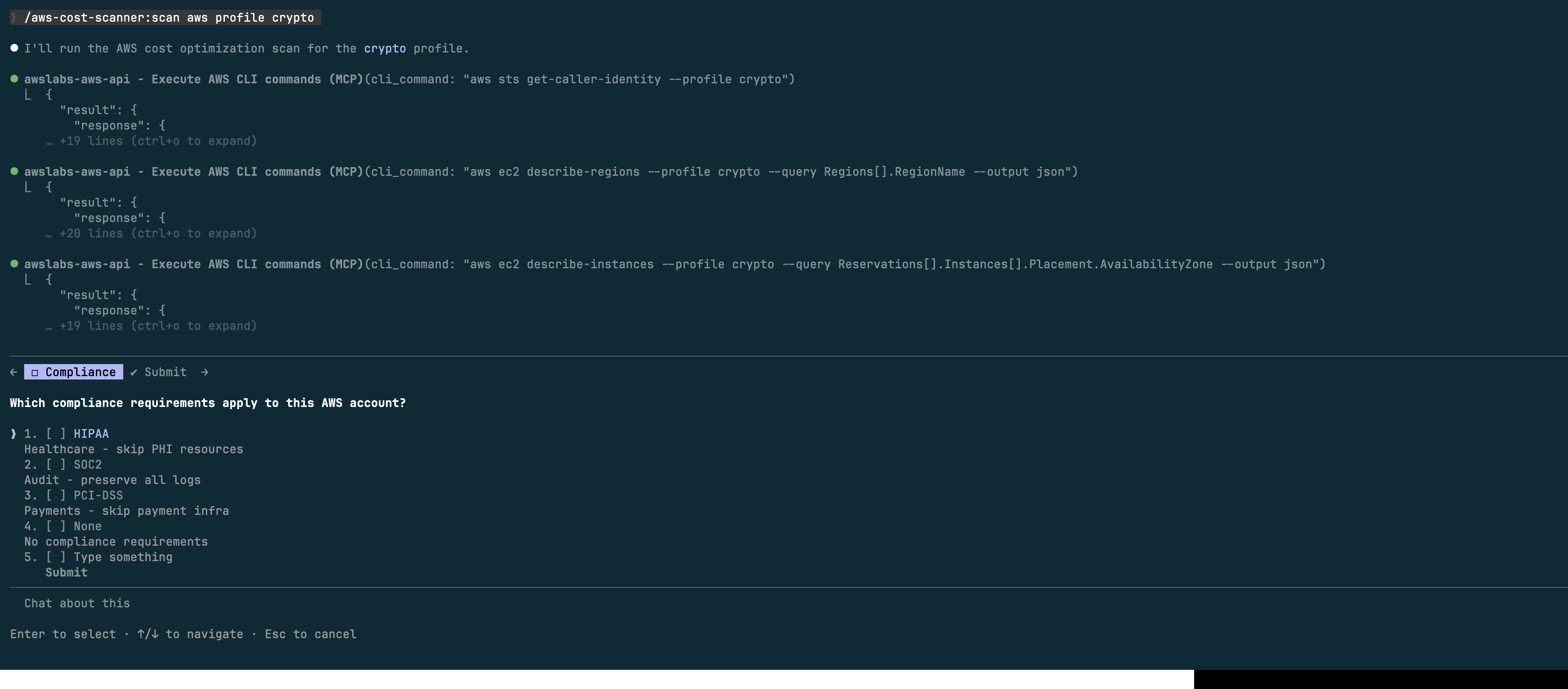
Step 1: Choose compliance requirements
Step 2: Parallel agents scan your account
Domains & Checks
| Domain | Checks | Key Areas |
|---|---|---|
| Compute | 25 | EC2 idle/over-provisioned, EBS, GP2→GP3 |
| Storage | 22 | S3 lifecycle, CloudWatch Logs, snapshots |
| Database | 15 | RDS idle/over-provisioned, RI coverage |
| Networking | 15 | Unused EIPs, NAT, VPC endpoints |
| Serverless | 10 | Lambda memory, unused functions |
| Reservations | 10 | RI/Savings Plans coverage |
| Containers | 15 | ECS/EKS idle, Fargate, Spot |
| Advanced DBs | 18 | Aurora, DocumentDB, Neptune, Redshift |
| Analytics | 15 | SageMaker, EMR, OpenSearch |
| Data Pipelines | 12 | Kinesis, MSK, Glue |
| Storage Advanced | 6 | FSx, AWS Backup |
Troubleshooting
"MCP server not found" — Install uv: curl -LsSf https://astral.sh/uv/install.sh | sh
"AWS credentials not configured" — Run aws configure or aws sso login
"Access Denied" — Use ReadOnlyAccess policy or check permissions
License
MIT
Yorumlar (0)
Yorum birakmak icin giris yap.
Yorum birakSonuc bulunamadi