claude-adaptive-research
Health Pass
- License — License: MIT
- Description — Repository has a description
- Active repo — Last push 0 days ago
- Community trust — 11 GitHub stars
Code Fail
- rm -rf — Recursive force deletion command in scripts/cleanup_cross_track_orphans.sh
Permissions Pass
- Permissions — No dangerous permissions requested
No AI report is available for this listing yet.
Autonomous, personalized research loops for Claude Code. Set a topic, walk away, come back to a quality-gated report adapted to your projects.
claude-adaptive-research



Research that adapts to YOUR projects. Autonomous loops that get smarter with every run.
Set a topic. Walk away. Come back to a quality-gated report — with findings mapped directly to your projects, role, and goals.
One command. Personalized research. Compound learning.
What it does
Most AI research workflows are manual: you ask a question, read the answer, ask another. claude-adaptive-research automates the entire loop. You give it a topic, it researches autonomously across the web, writes a structured report, scores it for quality, and adapts every finding to YOUR projects and goals.
The plugin learns your context once (a 2-minute setup) and then every report speaks directly to your work — not generic advice, but specific adaptations.
/auto-run "How do ant colony optimization patterns apply to database sharding?"
Claude researches, analyzes, writes a report, checks quality, and delivers — all without you touching the keyboard.
Quick Start
# Install the plugin
claude plugins install primeline-ai/claude-adaptive-research
Then in any Claude Code session:
/auto-run
First run triggers a guided setup:
- See examples of what's possible (domains, presets, free-text)
- Choose your research domains (e.g., psychology, biology, finance)
- Quick profile interview (your projects, role, goals)
- Done — start researching
Features
Autonomous Research Loop
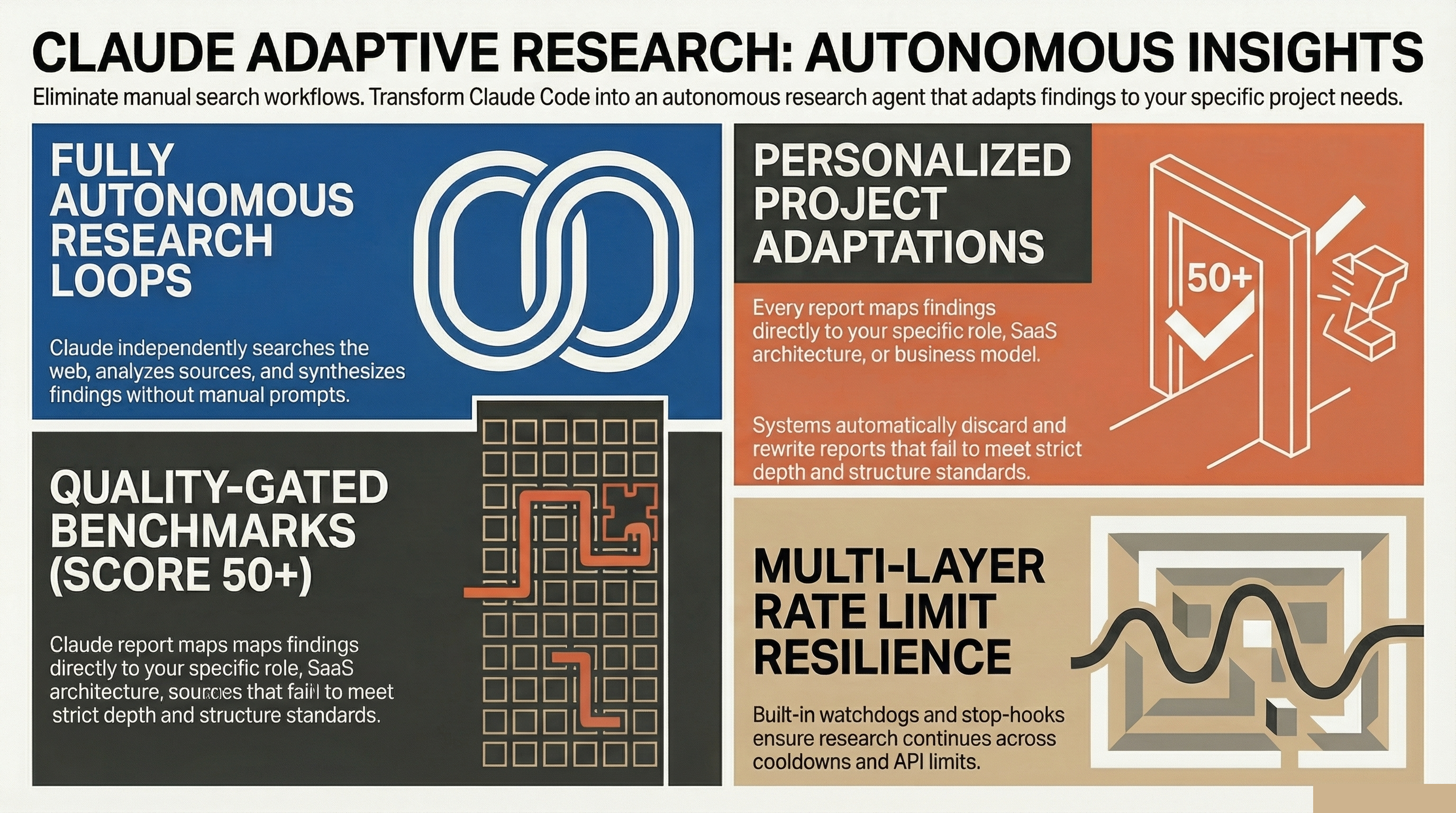
Claude researches your topic independently — searching the web, analyzing sources, synthesizing findings. No babysitting required. The loop continues across multiple iterations until the report meets quality standards.
Personalized Adaptations
Every report includes an Adaptations section that maps findings to YOUR projects. A biology finding about swarm intelligence doesn't just explain the concept — it shows how it applies to your specific SaaS architecture or your open-source library.
Quality Gate
Reports are scored on 4 criteria (structure, depth, originality, findings count). Score below 50? Claude automatically improves the report before completing. No half-baked outputs.
Premium rubric (v2, optional): For stricter premium-by-default scoring, run python3 scripts/quality_gate_v2.py path/to/report.md. v2 checks 5 metrics (citation density, DSV evidence, gap disclosure, ECP section, cross-track convergence) and assigns a tier: Premium (5/5), Standard (3-4/5), Reject (<3/5). See knowledge/quality-gate-v2.md. Requires Python 3.9+.
Cross-Track Aggregation (multi-track runs)
Run multiple research tracks in parallel on the same problem (one track per angle: technical, market, prior-art, etc.). After all tracks finish, scripts/cross_track_aggregator.py detects where independent tracks converged on the same idea (Jaccard similarity over content tokens, Union-Find clustering). Convergence across independent observers is a stronger signal than a single track. See knowledge/cross-track-aggregation.md. Requires Python 3.9+.
Compound Learning
Each run makes the next one smarter. Keywords, patterns, and follow-up questions discovered during research are saved and injected into future runs. Run 1 finds keywords → Run 2 searches deeper → Run 3 connects cross-domain. This is what makes it adaptive, not just autonomous.
Compound Score
Track your research progress: total runs, findings discovered, streak days. Research becomes a habit with visible momentum.
Research Domains
Organize your research into knowledge areas. Pick from examples or create your own:
| Domain | What it covers | Adapts to |
|---|---|---|
| Psychology | Cognition, bias, motivation | UX, conversion, agent behavior |
| Biology | Swarm, evolution, networks | Algorithms, architecture |
| Physics | Entropy, resonance, networks | System optimization |
| Finance | Income, pricing, monetization | Your business model |
| Engineering | Patterns, control theory | Code quality, DevOps |
| Everyday Life | Habits, heuristics, systems | Productivity, workflows |
Presets
Pre-configured research strategies for common needs:
| Preset | What it finds | Best for |
|---|---|---|
technique-scout |
New techniques and tools in your field | Staying current |
cross-domain |
Patterns transferred between disciplines | Innovation, breakthroughs |
trend-radar |
Emerging trends in any niche | Spotting opportunities early |
content-pipeline |
Research + draft a blog post or article | Content creation |
competitor-analysis |
Reverse-engineer top performers | Competitive intelligence |
Rate Limit Resilience
Three-layer protection keeps your research running:
- In-prompt retry — waits and retries on transient errors
- Stop Hook — detects rate limits, pauses without losing progress
- Watchdog — monitors sessions, resumes after cooldown
tmux Batch Mode
Run multiple research topics overnight:
# From the scripts/ directory
./scripts/start-loop.sh --preset technique-scout
Usage
Free-text research (any topic)
/auto-run "What can distributed systems learn from how mycelium networks share nutrients?"
Presets
/auto-run --preset technique-scout
/auto-run --preset cross-domain
/auto-run --preset trend-radar
Re-run setup
/auto-run --setup
Cancel a running loop
/cancel-loop
Check loop status
./scripts/start-loop.sh status
How it works
/auto-run "topic"
     |
     v
[Setup check] ─── no config? ──→ guided setup (domains + profile)
     |
     v
[Build prompt] ─── load profile + feedback context from previous runs
     |
     v
[Create loop state] ─── _autonomous/loop.state.md
     |
     v
[Research loop] ←──────────────────────────┐
     |                                      |
     v                                      |
[Claude researches] ── web search,          |
     |                  read sources,       |
     |                  analyze             |
     v                                      |
[Write report] ── _autonomous/results/      |
     |                                      |
     v                                      |
[Quality Gate] ── score >= 50? ── no ──────→┘
     |
     yes
     |
     v
[Save feedback] ── keywords + topics for next run
     |
     v
[Kairn?] ── if installed: save top findings to memory
     |
     yes
     |
     v
[<promise>DONE</promise>] ── loop ends, report ready
Output
Reports are saved to _autonomous/results/{domain}/{date}.md:
_autonomous/
  results/
    psychology/
      2026-03-30.md    ← today's research
    biology/
      2026-03-29.md
    cross-domain/
      2026-03-28.md
  config.yaml          ← your domains
  profile.yaml         ← your projects & goals
Configuration
_autonomous/config.yaml
Your research domains — created during setup, editable anytime.
_autonomous/profile.yaml
Your projects, role, and goals — used to personalize the Adaptations section in every report.
Cost Awareness
Each research loop uses multiple API calls for web search and analysis.
| Billing type | Estimated cost per run |
|---|---|
| Claude Max/Pro subscription | Uses your included quota (no extra charge) |
| API billing | ~$2-8 per run depending on depth and iterations |
The plugin shows a cost reminder on first use each session.
Pro Tip: Deeper Analysis & Persistent Memory
Quantum Lens — Perfect your findings
For perfected results, run Quantum Lens on your reports. 7 cognitive lenses analyze findings from fundamentally different perspectives — catching blind spots that single-perspective research always misses. The Solution Engine then turns insights into engineered solutions with feasibility scoring.
# After auto-run completes, deepen the best findings:
/quantum-lens "analyze _autonomous/results/biology/2026-03-30.md"
Kairn — Remember across sessions
Install Kairn for persistent knowledge across sessions. When Kairn is detected as an MCP server, the plugin automatically:
- Saves top findings from each run to your knowledge graph
- Recalls relevant past findings when starting a new run
- Prevents re-discovering what you already know
Without Kairn: reports live as markdown files. With Kairn: findings become searchable memory that survives across sessions and projects.
pip install kairn-ai # That's it — the plugin detects it automatically
Requirements
- Claude Code >= 2.1.80
- Claude model: Opus recommended (best research quality). Sonnet works well too. Haiku is not recommended (may struggle with quality gate).
- tmux (optional): Required only for persistent/batch runs
- Firecrawl MCP (optional): Recommended for web research. Without it, Claude uses built-in WebSearch/WebFetch.
License
MIT — free to use, modify, and distribute.
Credits
Built by PrimeLine AI. Extracted from a production AI orchestration system with months of daily autonomous research.
Part of the PrimeLine Ecosystem
| Tool | What It Does | Deep Dive |
|---|---|---|
| Evolving Lite | Self-improving Claude Code plugin — memory, delegation, self-correction | Blog |
| Kairn | Persistent knowledge graph with context routing for AI | Blog |
| tmux Orchestration | Parallel Claude Code sessions with heartbeat monitoring | Blog |
| UPF | 3-stage planning with adversarial hardening | Blog |
| Quantum Lens | 7 cognitive lenses for multi-perspective analysis | Blog |
| Adaptive Research | Autonomous personalized research loops with quality gate | Coming soon |
| PrimeLine Skills | 5 production-grade workflow skills for Claude Code | Blog |
| Starter System | Lightweight session memory and handoffs | Blog |
Reviews (0)
Sign in to leave a review.
Leave a reviewNo results found