claude-tmux-orchestration
Health Gecti
- License — License: MIT
- Description — Repository has a description
- Active repo — Last push 0 days ago
- Community trust — 22 GitHub stars
Code Basarisiz
- rm -rf — Recursive force deletion command in _orchestrator/rate-limit-watchdog.sh
Permissions Gecti
- Permissions — No dangerous permissions requested
Bu listing icin henuz AI raporu yok.
Claude Code tmux orchestration — spawn full AI sessions as parallel workers with heartbeat monitoring and file-based coordination
Claude Code tmux Orchestration — Parallel AI Sessions with Full Context
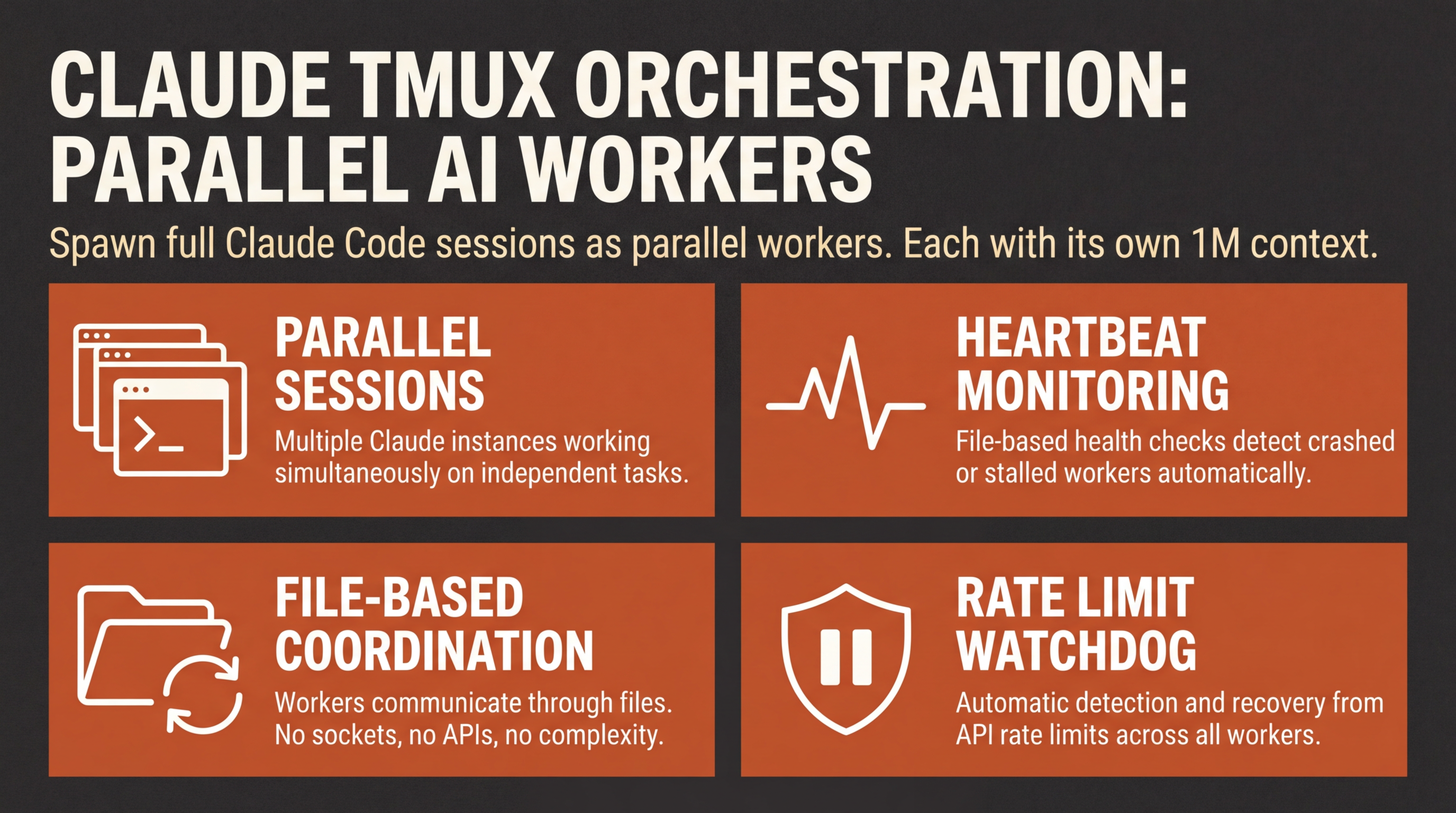
Spawn full Claude Code sessions as workers — each with its own 1M context window, hooks, MCP servers, and compaction. Coordinate them through a bash heartbeat and file-based state.


The Problem: Claude Code Sub-Agents Hit Limits
Sub-agents in Claude Code run inside your current session. They work for quick searches and code reviews, but three constraints make them unusable for complex work:
| Constraint | Sub-Agent (Tier 2) | tmux Worker (Tier 3) |
|---|---|---|
| Turn budget | ~25 tool calls max | Unlimited (own session) |
| Hooks & MCP | No access | Full access |
| Context window | Shares parent (~41K overhead each) | Own 1M context window |
| Compaction | Not possible | Works normally |
| Tools | Limited subset | Complete Claude Code instance |
tmux orchestration fills the gap between sub-agents (limited) and manual multi-tab (unstructured).
Architecture Overview
┌─────────────────────────────────────────────────────────┐
│                    tmux Session                         │
│                                                         │
│  ┌──────────────┐  ┌──────────┐  ┌──────────┐          │
│  │ Window 0     │  │ Window 1 │  │ Window 2 │          │
│  │ Orchestrator │  │ Worker 1 │  │ Worker 2 │   ...    │
│  │ (Claude Code)│  │ (Claude) │  │ (Claude) │          │
│  │              │  │ Sonnet   │  │ Haiku    │          │
│  └──────┬───────┘  └────┬─────┘  └────┬─────┘          │
│         │               │              │                │
│         └───────────┬───┴──────────────┘                │
│                     │                                   │
│              _orchestrator/                             │
│              ├── config.json      (rules & intervals)   │
│              ├── session.json     (runtime state)       │
│              ├── log.jsonl        (audit trail)         │
│              ├── workers/                               │
│              │   ├── w1.json      (worker 1 status)     │
│              │   └── w2.json      (worker 2 status)     │
│              ├── results/                               │
│              │   ├── w1/          (worker 1 output)     │
│              │   └── w2/          (worker 2 output)     │
│              └── inbox/                                 │
│                  ├── w1/          (escalations)         │
│                  └── w2/          (escalations)         │
└─────────────────────────────────────────────────────────┘

         ┌──────────────┐
         │ heartbeat.sh │  (external bash loop)
         │              │
         │  sleep → check idle → send /cycle │
         │  adaptive: 30s/120s/300s          │
         └──────────────┘
The 4-Step Monitoring Cycle
Every interval, the orchestrator runs:
COLLECT ──→ EVALUATE ──→ ACT ──→ LOG
  │            │           │        │
  │  Read      │  Map to   │  Send  │  Write
  │  worker    │  6 states │  cmds  │  audit
  │  status    │  + check  │  merge │  entry
  │  files     │  escala-  │  review│  update
  │  + pane    │  tions    │  gate  │  .ready
  │  fallback  │           │        │
Worker States: SAFE_TO_RESTART · DO_NOT_INTERRUPT · CONTEXT_LOW_CONTINUE · RATE_LIMITED_WAIT · ERROR_STATE · UNKNOWN
Quick Start
Prerequisites
- tmux installed
- jq installed
- Claude Code CLI (
claude) installed and authenticated
Setup
# 1. Clone this repo
git clone https://github.com/primeline-ai/claude-tmux-orchestration.git
cd claude-tmux-orchestration

# 2. Copy files to your project
cp -r _orchestrator/ /path/to/your/project/

# 3. Make scripts executable
chmod +x /path/to/your/project/_orchestrator/*.sh

# 4. Start the orchestrator
cd /path/to/your/project
./_orchestrator/orch-bootstrap.sh
Spawn a Worker
# Set ENV (bootstrap exports these, or set manually)
export SESSION_NAME="orch-your-project"
export ORCH_DIR="$(pwd)/_orchestrator"
export PROJECT_ROOT="$(pwd)"

# Spawn a worker with Sonnet
./_orchestrator/spawn-worker.sh w1 sonnet "Implement the auth module"

# Spawn a second worker with Haiku (for research)
./_orchestrator/spawn-worker.sh w2 haiku "Research OAuth2 best practices"
Monitor & Stop
# Attach to the tmux session
tmux attach -t orch-your-project

# Switch between windows
# Ctrl+B, 0 = Orchestrator | Ctrl+B, 1 = Worker 1 | Ctrl+B, 2 = Worker 2

# Watch the heartbeat log
tail -f _orchestrator/heartbeat.log

# Graceful stop
touch _orchestrator/.stop
How It Works
1. Bootstrap (orch-bootstrap.sh)
The entry point checks dependencies (tmux, jq), creates or reuses a tmux session named orch-<project>, initializes state files, and starts the heartbeat as a background process.
2. Heartbeat (heartbeat.sh)
A bash loop that keeps the orchestrator alive. It:
- Sleeps for an adaptive interval (30s when stuck, 120s normal, 300s idle)
- Collects worker statuses from
_orchestrator/workers/*.json - Checks if the orchestrator pane is idle (via
tmux capture-pane) - Sends the
/orchestrate-cyclecommand viatmux send-keyswhen idle - Logs every cycle to
log.jsonl
The heartbeat uses a .ready file handshake — it only sends commands when the orchestrator pane is actually idle. This prevents prompt collisions.
3. Worker Spawn (spawn-worker.sh)
A 6-step sequence:
| Step | Action | Detail |
|---|---|---|
| 1 | Create tmux window | tmux new-window -n w1 |
| 2 | Start Claude Code | With ORCHESTRATOR_WORKER_ID ENV var |
| 3 | Wait for boot | Poll capture-pane for idle prompt (max 60s) |
| 4 | Switch model | Send /sonnet or /haiku via send-keys |
| 5 | Inject task prompt | Multiline via tmux load-buffer + paste-buffer |
| 6 | Confirm status | Poll for workers/w1.json (max 90s) |
4. File-Based Coordination
Workers communicate through files — no custom servers, no daemons, no IPC:
Worker status file (_orchestrator/workers/w1.json):
{
  "worker_id": "w1",
  "status": "working",
  "task": "Implement auth module",
  "model": "sonnet",
  "branch": "orch/feature/w1",
  "started": "2026-03-22T10:00:00Z",
  "updated": "2026-03-22T10:15:00Z",
  "progress": "Created JWT middleware, writing tests",
  "turns": 42,
  "blockers": []
}
Workers can escalate to the orchestrator:
Escalation file (_orchestrator/inbox/w1/escalation.json):
{
  "type": "guidance",
  "question": "Should I use RS256 or HS256 for JWT signing?",
  "context": "RS256 is more secure but requires key management",
  "blocking": true
}
Key Technical Details
tmux send-keys: Getting It Right
The entire architecture depends on reliably delivering prompts to Claude Code via tmux. Three things matter:
# 1. Use send-keys -l (literal mode) + separate Enter
tmux send-keys -t "$SESSION:w1" -l "$PROMPT_TEXT"
sleep 0.5
tmux send-keys -t "$SESSION:w1" Enter

# 2. Strip ANSI before parsing capture-pane output
OUTPUT=$(tmux capture-pane -t "$SESSION:w1" -p | strip_ansi)

# 3. For multiline prompts, use load-buffer + paste-buffer
echo "$PROMPT" | tmux load-buffer -b "buf-w1" -
tmux paste-buffer -p -d -b "buf-w1" -t "$SESSION:w1"
tmux send-keys -t "$SESSION:w1" Enter
Why literal mode? Without -l, tmux interprets special characters. A prompt containing # or ! would break.
Why separate Enter? Combining the message and Enter in one send-keys call can cause race conditions with Claude Code's input buffer.
Why paste-buffer for multiline? send-keys breaks on newlines. load-buffer loads the full text into a tmux buffer, and paste-buffer injects it cleanly.
ANSI Stripping
Claude Code's terminal output contains color codes, cursor movements, and OSC sequences. All regex matching (idle detection, send verification) must strip these first:
strip_ansi() {
  sed -E \
    -e 's/\x1b\[[0-9;:?<=>]*[a-zA-Z]//g' \
    -e 's/\x1b\][^\x07\x1b]*(\x07|\x1b\\)//g' \
    -e 's/\x1bP[^\x1b]*(\x1b\\|$)//g' \
    -e 's/\x1b[()][0-9A-Za-z]//g' \
    -e 's/[\x0e\x0f]//g'
}
Idle Detection
The heartbeat checks if Claude Code is ready for input by examining the last 12 lines of terminal output:
# Spinner = busy (check first, overrides idle patterns)
grep -qE '(Running|thinking|Searching|Reading|Writing|Editing)'

# Idle patterns
grep -qE '(❯[\s ]*$|>\s*$|waiting for input)'
Security Note: --dangerously-skip-permissions
Workers are started with --dangerously-skip-permissions so they can operate without manual approval for every tool call. This is required for unattended operation but means workers can read, write, and execute anything in your project directory without confirmation.
Mitigations:
- Workers run in your project directory only (scoped via
cd $PROJECT_ROOT) - The
ORCHESTRATOR_WORKER_IDENV var lets hooks restrict worker behavior - Workers are instructed not to push code or end their own sessions
- The orchestrator's review gate catches issues before code reaches main
Do not run this on production systems or with access to sensitive credentials. Use on development machines with version-controlled code.
Adaptive Intervals
The heartbeat adjusts its polling frequency based on worker state:
| State | Interval | When |
|---|---|---|
| Stuck | 30s | Worker hasn't updated in 3+ normal intervals |
| Normal | 120s | Active workers, regular updates |
| Idle | 300s | No workers or all done |
Rate Limit Watchdog
When running multiple workers, you will hit API rate limits. Without the watchdog, a rate-limited session stops and waits for user input. Worse: if you paste the error back, Claude interprets it as "the command is broken" and uses a workaround instead of retrying.
The watchdog (rate-limit-watchdog.sh) solves this:
- Monitors all tmux panes every 15s for rate limit patterns (
429,Rate limit,overloaded) - Waits 65s for the rate limit to pass (API limits are typically 60s)
- Detects which command failed (e.g.
/commit,/whats-next) from the pane output - Sends an explicit retry message: "This was a TEMPORARY rate limit, not a bug. Run the exact same command again — no workaround."
- Backs off exponentially after repeated failures (up to 10 min cap)
The watchdog starts automatically with orch-bootstrap.sh and stops on the .stop signal.
# Manual control
./_orchestrator/rate-limit-watchdog.sh --status   # Check if running
./_orchestrator/rate-limit-watchdog.sh --stop     # Kill it
tail -f _orchestrator/watchdog.log                # Watch live

# Disable in config.json
{ "watchdog": { "enabled": false } }
Why the retry message matters: A simple "continue" causes Claude to skip the failed step or find creative alternatives. The watchdog's message explicitly says "NOT a bug, NO workaround, retry the EXACT command" — this is the key difference that makes it work.
Configuration
See config.json for all settings:
| Key | Default | Purpose |
|---|---|---|
intervals.stuck_seconds |
30 | Fast polling when workers are stuck |
intervals.normal_seconds |
120 | Standard monitoring interval |
intervals.idle_seconds |
300 | Slow polling, no active workers |
thresholds.max_workers |
6 | Maximum concurrent workers |
thresholds.turns_for_tmux |
25 | When to suggest tmux over sub-agents |
rules.enforce_code_review_after_turns |
30 | Auto-remind for code review |
watchdog.enabled |
true | Auto-start watchdog with bootstrap |
watchdog.check_interval |
15 | How often to scan panes (seconds) |
watchdog.cooldown_seconds |
65 | Wait after rate limit before retry |
watchdog.max_retries |
5 | Consecutive retries before backoff |
watchdog.backoff_multiplier |
2 | Exponential backoff factor |
Scaling: How Many Workers?
Each Claude Code session has ~41K tokens of system overhead. Plan accordingly:
| Workers | Setup Overhead | Practical Use |
|---|---|---|
| 1 | ~41K | Long-running single task |
| 2 | ~82K | Implementation + research in parallel |
| 3 | ~123K | Multi-phase project execution |
| 4+ | ~164K+ | Test rate limits on your plan first |
Recommended: Start with 2 workers. Each gets its own 1M context window, so the overhead is per-session, not shared.
Differences from Other Approaches
| Approach | Limitation | tmux Orchestration |
|---|---|---|
| Sub-agents | ~25 turns, no hooks/MCP, shared context | Full sessions, all capabilities |
| Agent Teams | Single session, no compaction, experimental | Independent sessions, fully capable |
| Worktrees | Git isolation only, still sub-agent turn limits | Git + session + context isolation |
| Manual tabs | No monitoring, no coordination, no rules | Automated heartbeat + file state |
| browser-use / CDP | Browser automation, not code agents | Code-focused, full Claude Code |
Credits & References
- Architecture: absmartly/Tmux-Orchestrator — send-keys literal mode, verify-retry pattern, hub-spoke coordination
- Idle Detection: Dicklesworthstone/ntm — 12-line capture window, spinner override, paste-buffer for multiline, ANSI strip, Double-Enter Protocol
Learn More
This Gist is a self-contained starter kit. For the full system with adaptive delegation, hook matrix, review gates, and inter-worker communication:
- Deep Dive: Claude Code tmux Orchestration: Parallel AI Sessions — full architecture walkthrough with diagrams
- Video: YouTube walkthrough — see the system in action
- Free Guide: The 3-Pattern System for Claude Code — memory, delegation, and knowledge graphs
Part of the PrimeLine Ecosystem
| Tool | What It Does | Deep Dive |
|---|---|---|
| Evolving Lite | Self-improving Claude Code plugin — memory, delegation, self-correction | Blog |
| Kairn | Persistent knowledge graph with context routing for AI | Blog |
| tmux Orchestration | Parallel Claude Code sessions with heartbeat monitoring | Blog |
| UPF | 3-stage planning with adversarial hardening | Blog |
| Quantum Lens | 7 cognitive lenses for multi-perspective analysis | Blog |
| PrimeLine Skills | 5 production-grade workflow skills for Claude Code | Blog |
| Starter System | Lightweight session memory and handoffs | Blog |
@PrimeLineAI · primeline.cc · Free Guide
License
MIT — use it, modify it, build on it. Attribution appreciated.
Yorumlar (0)
Yorum birakmak icin giris yap.
Yorum birakSonuc bulunamadi