compound-memory
Health Gecti
- License — License: MIT
- Description — Repository has a description
- Active repo — Last push 0 days ago
- Community trust — 349 GitHub stars
Code Gecti
- Code scan — Scanned 12 files during light audit, no dangerous patterns found
Permissions Gecti
- Permissions — No dangerous permissions requested
Bu listing icin henuz AI raporu yok.
Long-term memory for Claude Code and Codex: turns your daily AI sessions into a persistent memory of your preferences, decisions and open threads, injected at the start of every new session, on any machine. Local-first, zero dependencies. 让 AI 跨会话、跨机器、跨工具记住你。
English | 简体中文
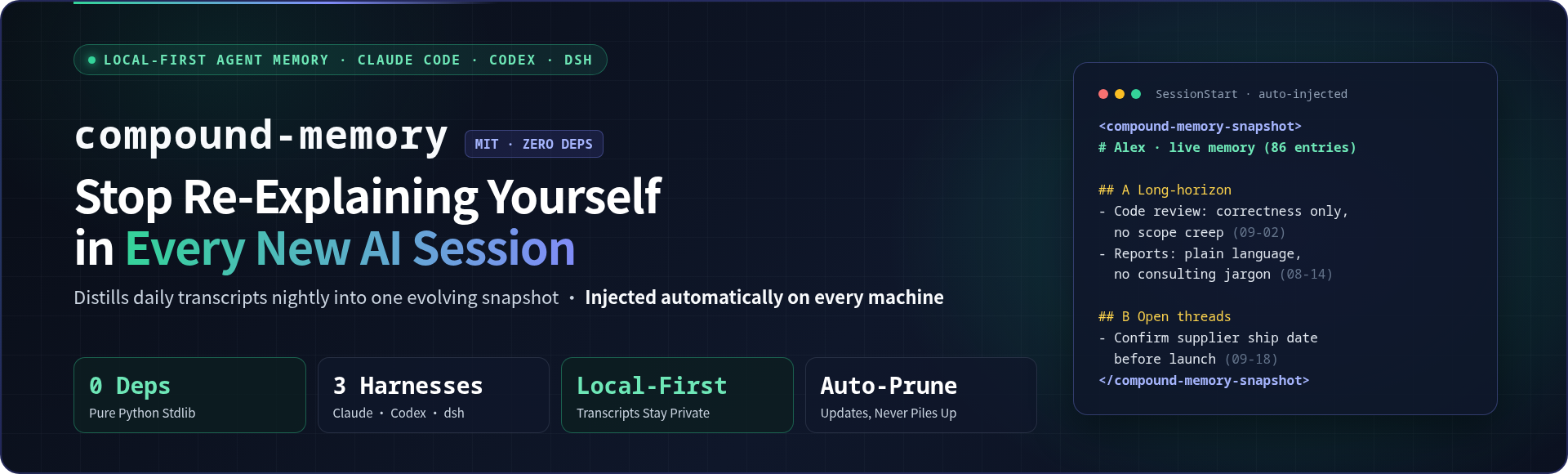




Tired of re-introducing yourself every new chat? Let the AI remember across sessions, tools, and machines.
Quick Install · Support Matrix · Design Notes (ZH) · Retrieval (ZH) · Push Privacy Gate (ZH)
What it looks like (fictional example below, not real user data)
At the start of a new session, this shows up in context automatically:
<compound-memory-snapshot source="shared">
# Alex · snapshot
generated 2026-09-20 04:30 · 86 live shared memories

## A Long-horizon
### What he has explicitly asked for
- Code review: correctness and simplification only, don't expand scope (09-02)
- Weekly reports: plain language, no consulting jargon (08-14)

## B Short-horizon
### Open threads
- Wait for the supplier to confirm delivery date before setting launch date (09-18)
</compound-memory-snapshot>
And you can search it anytime, with sources:
$ cm recall "supplier"
【memory】
- [open-thread, 09-18] Wait for the supplier to confirm delivery date before setting launch date
    from: claude:3267ab25 · launch timing discussion
Why it's worth using
- You do nothing. Reads transcripts, distills, writes the snapshot — every night, automatically.
- Works across tools and machines. Claude Code, Codex and DeepSeek Harness share one memory.
- Gets updated, doesn't pile up. Change your mind and the old memory expires — it's not an endless log.
- Transcripts never leave the machine. Only memories judged "necessary and appropriate to share" go out, scrubbed of secrets first.
- Budget discipline. Slim calls, a nightly cap, stops cold at the limit instead of quietly burning money.
Design rationale (why per-session not per-day, why not file mtime, how revisions are decided,
full architecture diagram) → docs/design.md (Chinese; translate as needed).
🚩 Before you install
- It reads all of your session logs. That is its only input. If that's not OK, don't install it.
- It spends model budget. Up to 20 sessions per night by default, one call each.
Runcm distill --dryfirst. - Session-start injection edits a few files (
~/.claude/settings.json,~/.codex/AGENTS.md, etc.),
each backed up and marked;cm uninstallremoves exactly what it added. - The default model is Claude Opus. Sonnet missed about a quarter of the entries in testing.
Downgrade if you want, just know the trade-off. - An inference is not a rule. Only things you said explicitly are tagged as requests.
Install
git clone https://github.com/Protocol-zero-0/compound-memory.git ~/compound-memory
cd ~/compound-memory && bash install.sh
It runs one distillation right away and prints the snapshot — you find out whether it
works now, not tomorrow morning.
bash install.sh --name Alex --yes          # non-interactive
bash install.sh --no-cron --no-inject      # just lay down files
cm uninstall                               # remove cleanly; --purge also deletes memories
One prerequisite: a model you can call. By default it uses the claude CLI you're
already logged into. Otherwise set llm.backend: openai with base_url and api_key_env —
any OpenAI-compatible endpoint works.
In Claude Code you can also add it as a plugin. The agent then runs cm recall on its own
when it needs earlier context, and walks you through the install above if cm is missing:
/plugin install compound-memory --marketplace Protocol-zero-0/compound-memory
On older Claude Code: /plugin marketplace add Protocol-zero-0/compound-memory, then/plugin install compound-memory@compound-memory. Just the skill: npx skills add Protocol-zero-0/compound-memory.
Support matrix
| Harness | Reads transcripts from | Session-start injection | Status |
|---|---|---|---|
| Claude Code | ~/.claude/projects/**/*.jsonl |
SessionStart hook in settings.json |
✅ verified |
| Codex CLI | ~/.codex/sessions/**/rollout-*.jsonl |
appended block in ~/.codex/AGENTS.md |
✅ verified |
| DeepSeek Harness (dsh) | ~/.dsh/sessions/**/*.jsonl.zstd |
~/.dsh/AGENTS.md block + hook plugin |
✅ reading verified · ⚠️ plugin bridge: see docs/dsh.md |
Adding a harness = one file, cm/sources/<name>.py, exposing available / scan / load_turns.
Configuration
Lives in ~/.compound-memory/config.yaml (copied from config.example.yaml at install).
| Key | Default | Meaning |
|---|---|---|
user_name |
asked at install | who the memory is about |
language |
zh |
zh / en |
model / effort |
opus / high |
model used for distillation (alias, tracks latest) |
llm.backend |
claude-cli |
or openai (any compatible endpoint) |
sink |
local |
shared layer: local / github / feishu |
nightly_limit |
20 |
max sessions processed per run |
window_days |
7 |
only sessions with new activity in this window |
snapshot_max_chars |
3200 |
hard cap on the snapshot body |
cron |
30 4 * * * |
when the nightly run fires |
hosts.<name>.enabled/inject |
auto / true |
whether to inject for this harness |
The prompts are plain files under prompts/ — the thing you should most want to tune.
Copy them to ~/.compound-memory/prompts/ to edit while keeping the originals. Before
tuning, run cm eval --n 24 to freeze a question set; compare with the same set afterward
(see docs/recall.md, Chinese).
FAQ
Nothing showed up after installing.
Run cm doctor. Usually there just wasn't a long enough conversation in the last 7 days.
Try cm distill --days 60 --limit 5.
How do I backfill history?cm distill --days 365 --limit 0, or a few nights at nightly_limit — the watermark remembers.
I already have a pile of memories elsewhere.python3 tools/import-legacy-jsonl.py <old.jsonl> takes most one-per-line formats; safe to re-run.
What does a night cost?
One call per session plus one snapshot build. ~/.compound-memory/usage.log has one line per call.
Will it turn things I said into rules it then follows?
No. Only what you stated explicitly is tagged as a request; inferences are labelled separately.
Can several machines share one memory?
Yes — sink: github with a private repo, or sink: feishu if you also want to browse it
by hand (cm sink-init creates the table).
What's left after uninstalling?cm uninstall removes the injections and cron; memories stay unless you pass --purge.
Privacy
- Transcripts stay local. Read in place, never uploaded.
- Every shared entry is judged individually — does anyone else need it, does it contain
secrets or private details — when unsure, it stays local; scrubbing happens at export. - Always revocable. The shared layer is files (or one table) — delete it and it's gone.
- Gate your pushes. Writing docs and examples is exactly when real content sneaks into
a repo.tools/global-gate/gates every repo on the machine against your term list and
session fingerprints. See docs/privacy-gate.md (Chinese).
License
MIT.
More from Protocol Zero
- evolution-kernel — Open-source AlphaEvolve / FunSearch-style self-improving code loop, sandboxed and ledgered.
- gpu-resume-skill — Checkpoint recovery layer for LLM fine-tuning, evaluation, and batch inference across Spot GPU preemptions on SkyPilot.
- link-rot-scanner — Zero-false-positive dead link auditor for large awesome lists.
Yorumlar (0)
Yorum birakmak icin giris yap.
Yorum birakSonuc bulunamadi