pug
Health Pass
- License — License: NOASSERTION
- Description — Repository has a description
- Active repo — Last push 0 days ago
- Community trust — 54 GitHub stars
Code Pass
- Code scan — Scanned 12 files during light audit, no dangerous patterns found
Permissions Pass
- Permissions — No dangerous permissions requested
No AI report is available for this listing yet.
Open-source product analytics
Pug



Pug is an open-source product analytics platform. Capture events, identify the
people behind them, and explore behavior through funnels, retention, trends,
segmentation, and user-flow analysis — all surfaced on customizable dashboards.
Built in Go on PostgreSQL, ClickHouse, and NATS.
Features
- Event ingestion — a NATS-backed capture pipeline with automatic geo,
user-agent, bot-detection, and web-attribution enrichment. - Web analytics — an overview auto-built from your events: visitors,
sessions, pageviews, bounce rate, and traffic sources, with no tile to wire up. - Live view — every visitor on a real-time world map, down to the person and
the event they just fired. - Profiles — identify and alias the users behind events, with a
ClickHouse-backed profile and activity API. - Insights — trends, funnels, retention, segmentation, user flow (Sankey),
and top-K breakdowns, with filtering, breakdowns, and period-over-period
comparison. - Dashboards — compose insight and markdown tiles on a grid with a
board-level time window, accelerated by a pre-aggregated rollup fast path. - Privacy & compliance — GDPR/DPDP data-subject erasure of a person's
events and profile.
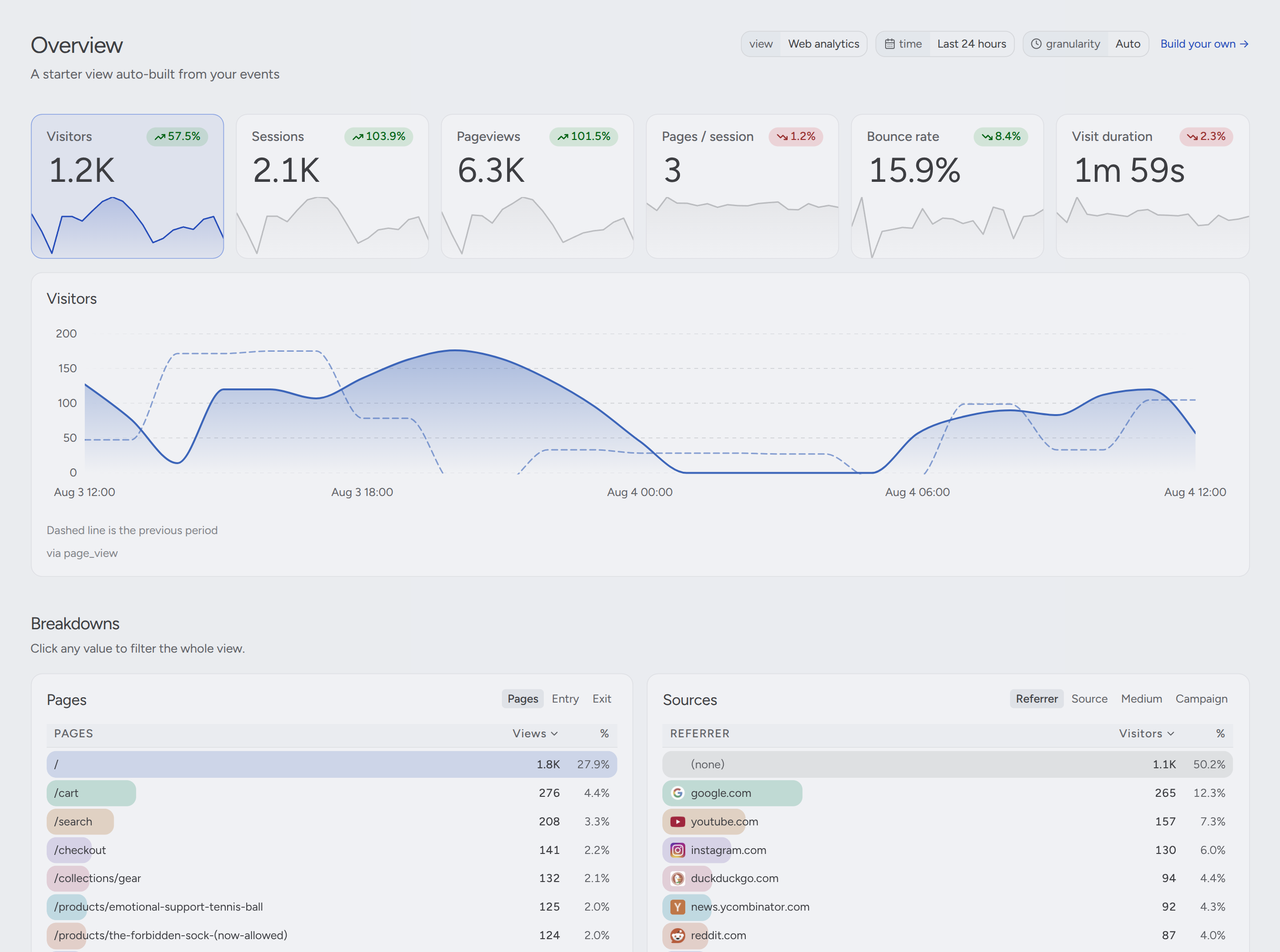
Overview — a web-analytics view auto-built from your events, with the previous period alongside.
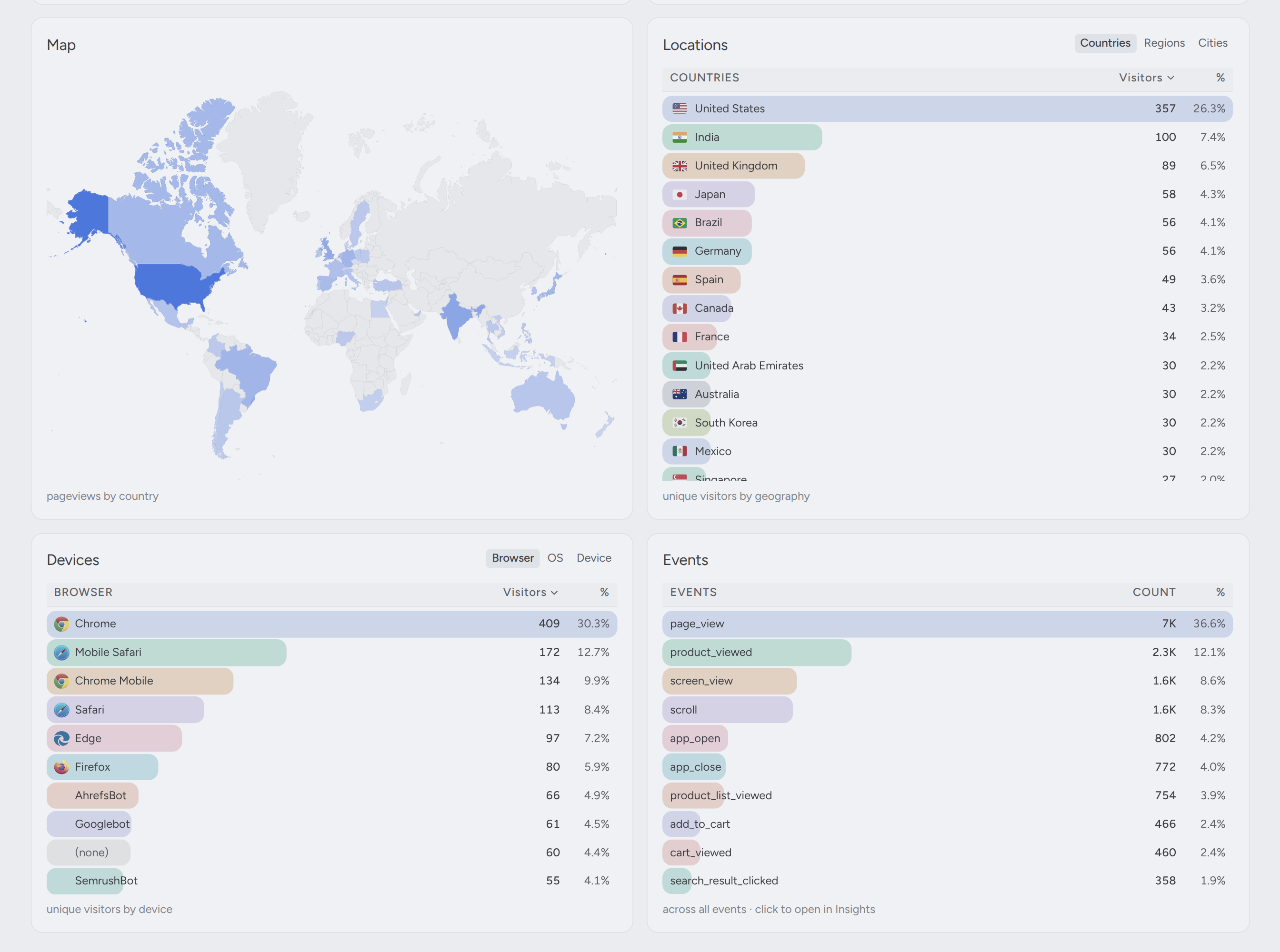
Breakdowns — pageviews by country, plus locations, devices, and events; click any value to filter the whole view.

Live view — every visitor on a live world map; click one to fly to them and see the page, device, and profile behind it.
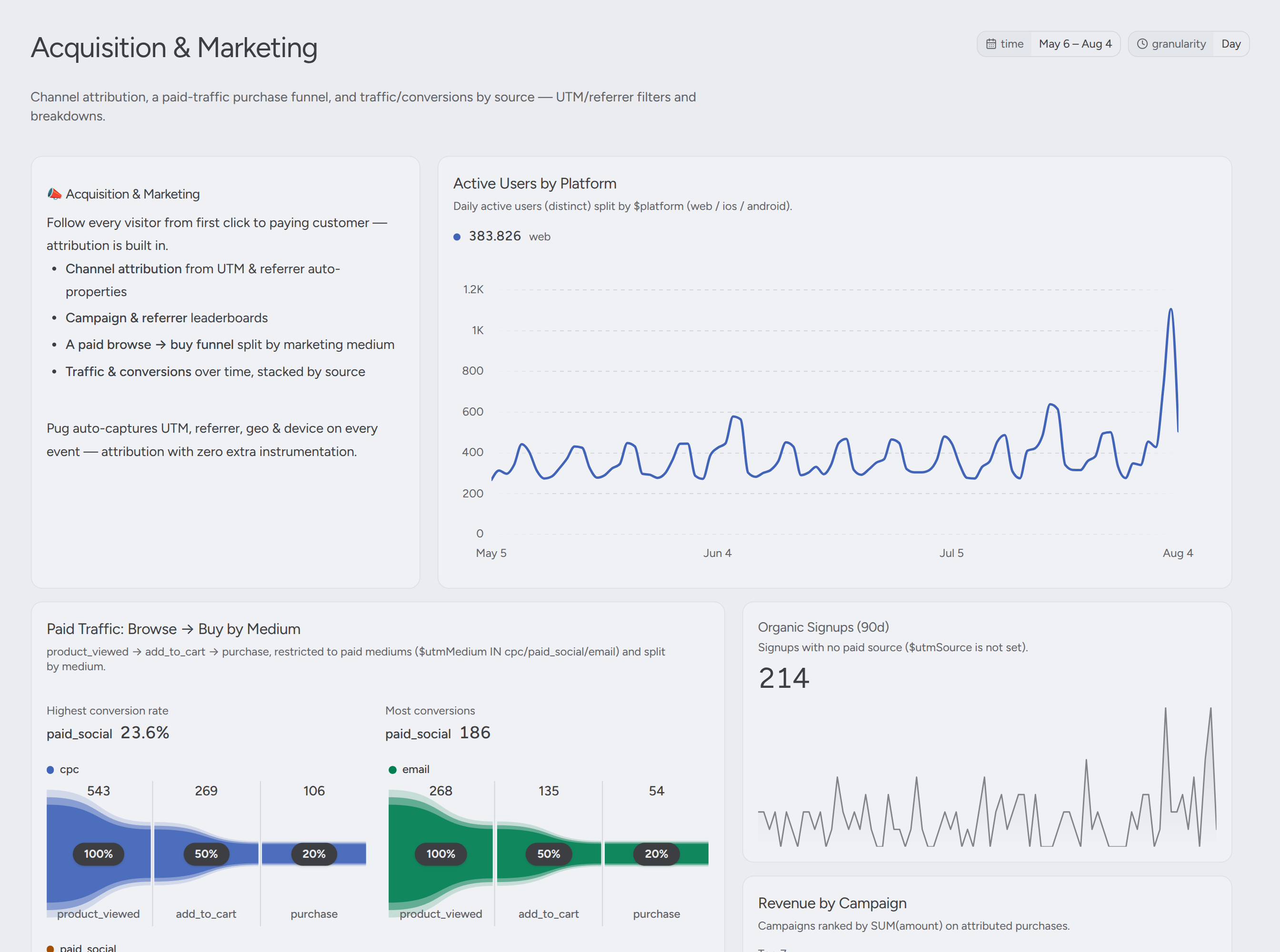
Dashboards — compose insight and markdown tiles on a time-windowed grid.
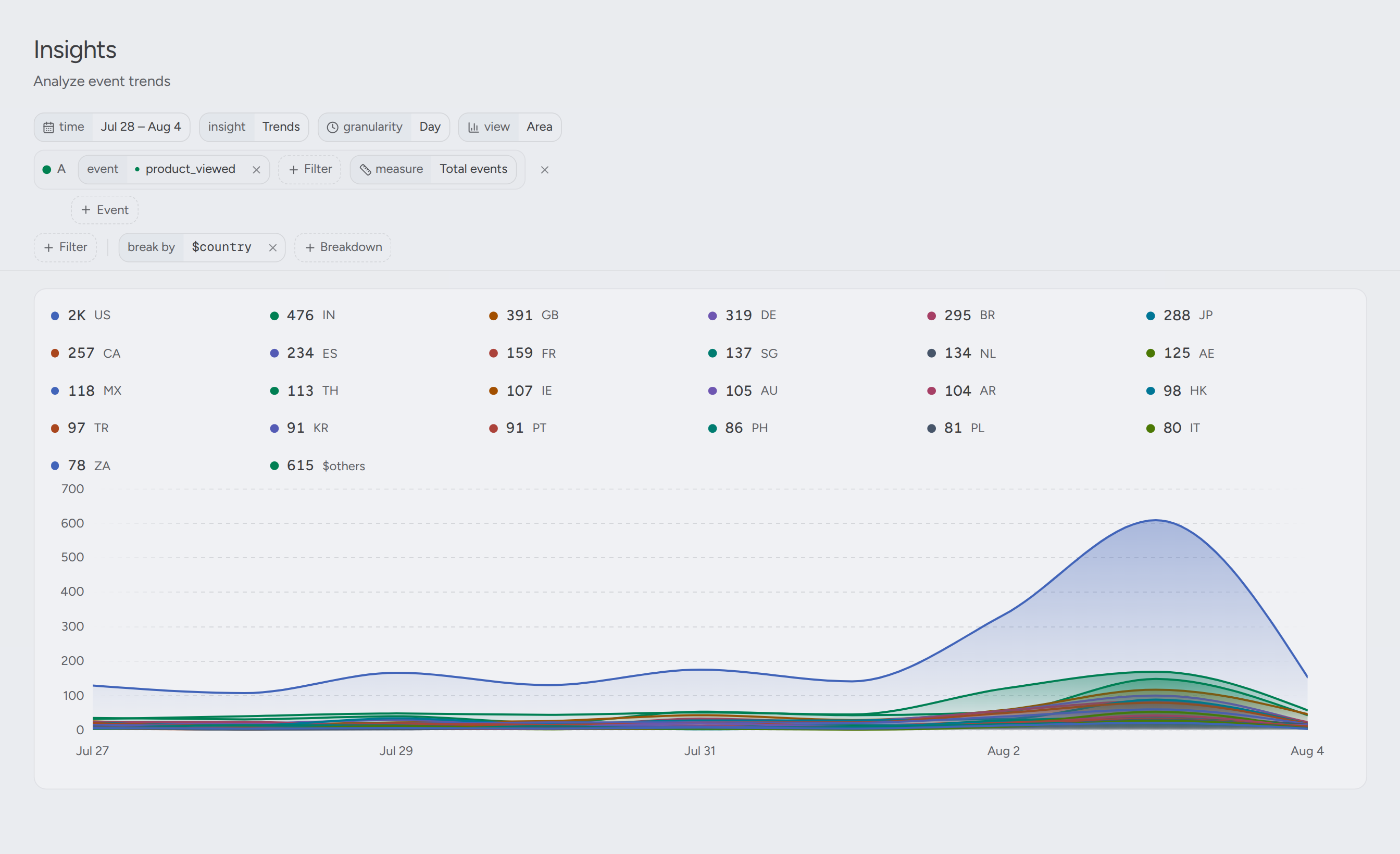
Insights — trends, filters, and breakdowns; here product views split by country.
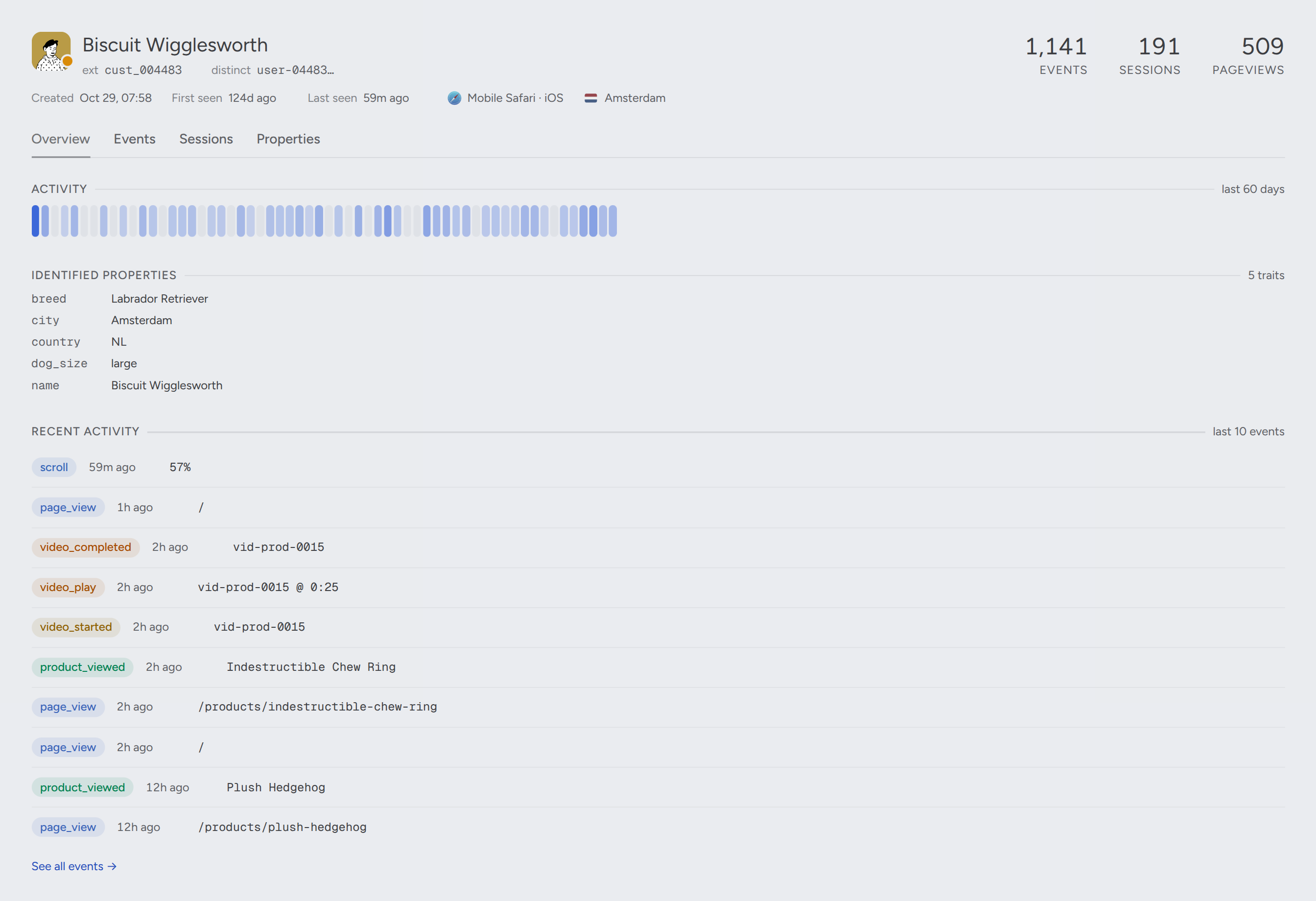
Profiles — the person behind the events, with traits, sessions, and activity.
Tech stack
- Go — backend services and workers, exposed over Connect RPC (HTTP/2)
- PostgreSQL — relational store (orgs, projects, dashboards, auth)
- ClickHouse — analytical store for events, insights, and profiles
- NATS — messaging backbone for the ingestion and worker pipelines
Quick start
# Build the binary -> bin/pug
make build

# Start dev infrastructure (PostgreSQL, NATS, ClickHouse)
make infra

# Run migrations
./bin/pug postgres migrate
./bin/pug nats migrate
./bin/pug clickhouse migrate

# Seed the demo project with events, profiles, and dashboards
# (resets the local Postgres and ClickHouse databases — see "Demo data" below)
./bin/pug seed

# Start the dev server + workers together
./bin/pug dev
Environment variables are documented in .env.example.
Google and generic OIDC sign-in are documented indocs/authentication.md, with a ready-to-copyconfig.example.json.
Demo data
./bin/pug seed fills a "Pug & Pals" demo project with ~4 months of history, so
dashboards, insights, and profiles have something to show. Profiles are seeded
only for users that produced events, so the data is internally consistent.
Local databases only. By default
seedmigrates Postgres and ClickHouse
all the way down and back up, dropping every table — not just the demo rows.
There is no confirmation prompt and no environment check: it connects to
whateverDATABASE_URLandCLICKHOUSE_URLresolve to, and an already
exported variable beats.env. Point it at a disposable local or demo
database.
Pass --no-reset to keep the schema; it then deletes the demo project's own
events and profiles before re-seeding them, leaving other projects untouched.
Volume is tunable with --count (default 500,000 events) and --batch (default
10,000 events per insert). Run it from the repo root; it reads the same .env
as the rest of the CLI.
Two accounts are seeded, both with the password goodboy:
[email protected]— org admin[email protected]— read-only viewer
For a live stream of traffic instead of a one-shot backfill, setPUG_DEMO_ENABLED=true: ./bin/pug dev then also runs the demo worker. It
backfills an empty project once, so after pug seed it skips straight to
playing new sessions out in real time. If you seed with a smaller --count,
lower PUG_DEMO_SEED_COUNT to match — the worker reads a project holding fewer
events than that as an interrupted backfill and warns rather than topping it up.
Development
make test    # run tests (race detector enabled)
make cover   # run tests and write coverage.out
make lint    # lint Go code
make sqlc    # regenerate sqlc queries after editing SQL
make rpc     # regenerate protobuf code after editing .proto files
make templ   # regenerate templ email templates
Architecture
Per-subsystem documentation lives in docs/architecture/
(insights, ClickHouse, profiles, ingestion, email, telemetry). Contributor
guidance and conventions are in CLAUDE.md.
License
Pug is licensed under the GNU AGPL v3.0.
Reviews (0)
Sign in to leave a review.
Leave a reviewNo results found