superagent-desktop
Health Gecti
- License — License: MIT
- Description — Repository has a description
- Active repo — Last push 0 days ago
- Community trust — 24 GitHub stars
Code Basarisiz
- exec() — Shell command execution in app/e2e/branches.spec.ts
- process.env — Environment variable access in app/e2e/branches.spec.ts
- process.env — Environment variable access in app/e2e/codex-live.spec.ts
- process.env — Environment variable access in app/e2e/non-git.spec.ts
- process.env — Environment variable access in app/e2e/smoke.spec.ts
Permissions Gecti
- Permissions — No dangerous permissions requested
Bu listing icin henuz AI raporu yok.
The desktop home for your coding agent — Claude Code or Codex. A persistent chat, a real browser it drives on your own logins, your phone in the loop, and routines on a schedule. Local, on your own subscription, open source. macOS.

Superagent
A home for your agent.
A Mac app where your coding agent lives: a real browser it drives, an iPhone in the window, chats that survive restarts, your phone in the loop. Open source, on the subscription you already have.





Works with Claude Code and Codex · switch per chat · Antigravity coming soon
⬇ Download for Mac · Website · Apple Silicon · free & open source
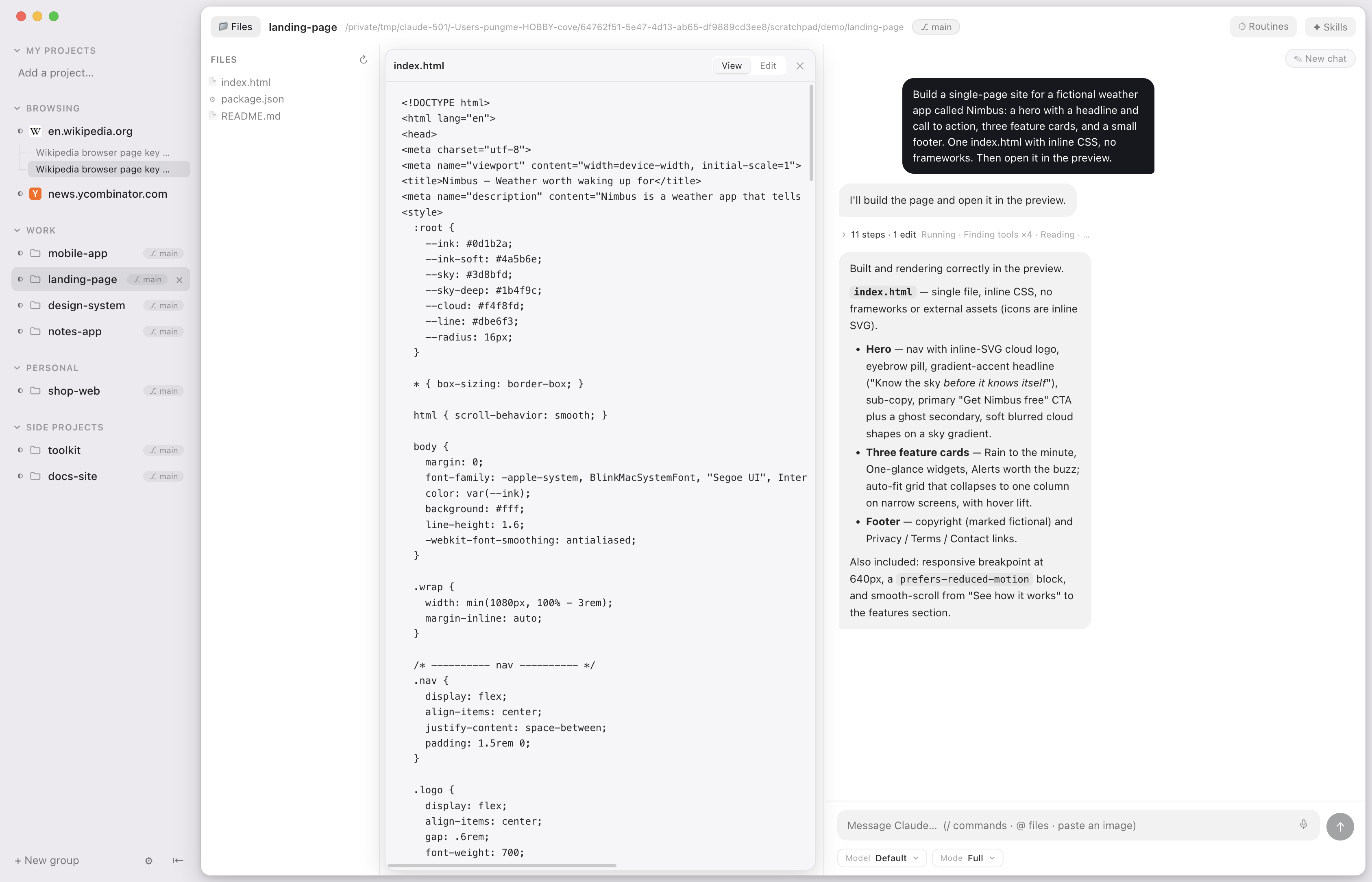
Your agent already writes the code. Superagent gives it a place to work — and
gives you a place to watch. Every project is a chat sitting next to the thing
being built: a real browser on the sites you're already logged into, the files
it's editing, an iOS Simulator streamed straight into the window. Every chat
works in its own copy of the project, so nothing collides. And when you leave
the desk, the iPhone app follows the conversation and lets you answer the
agent's questions from anywhere.
Everything runs locally on your Mac, on the agent subscription you already have
— Claude Code or Codex, switchable per chat. No middleman server, no API key, no
AI of its own — and the whole app is open source, so you can read exactly how it
touches your browser.
What it does
|
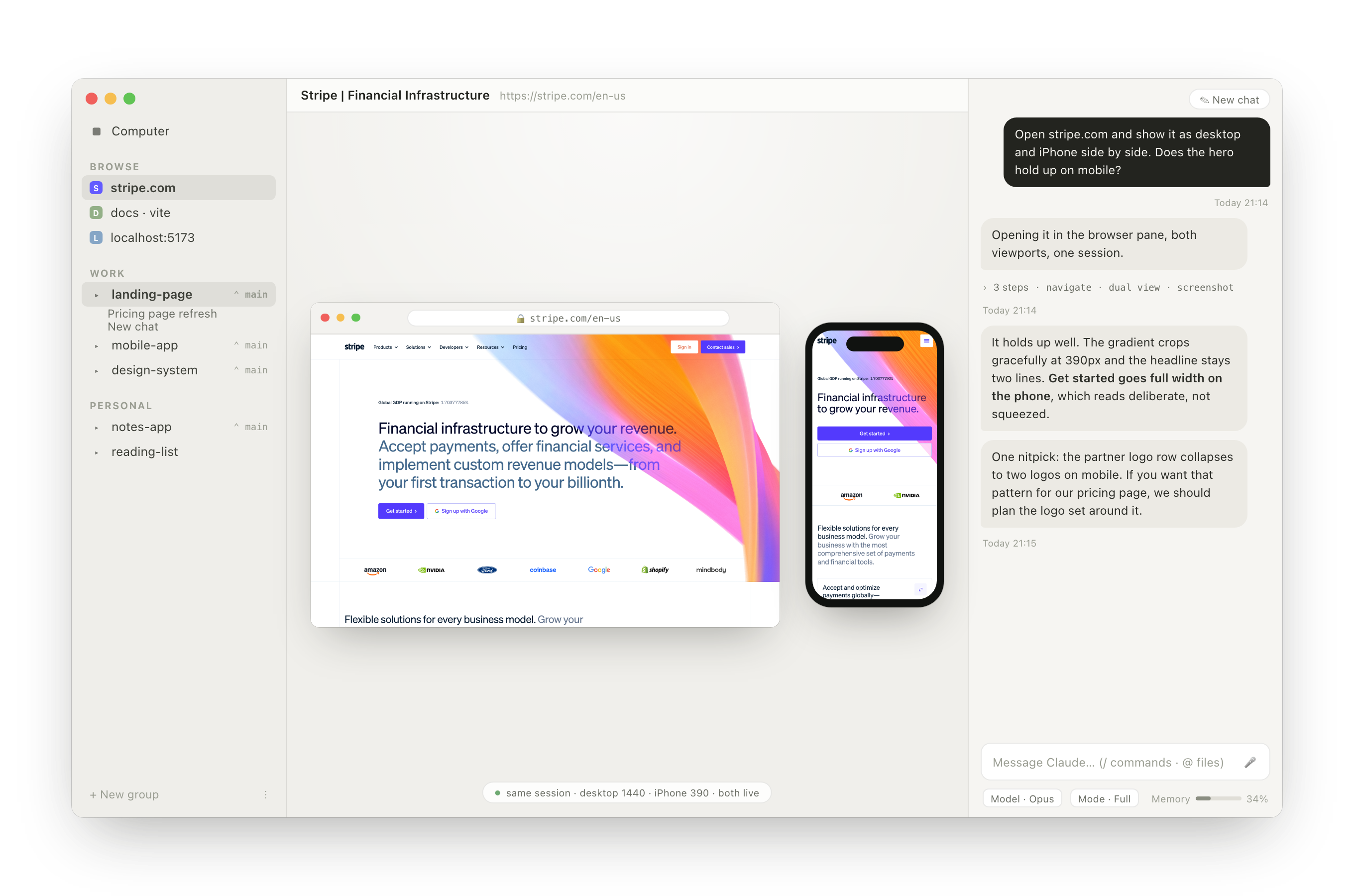
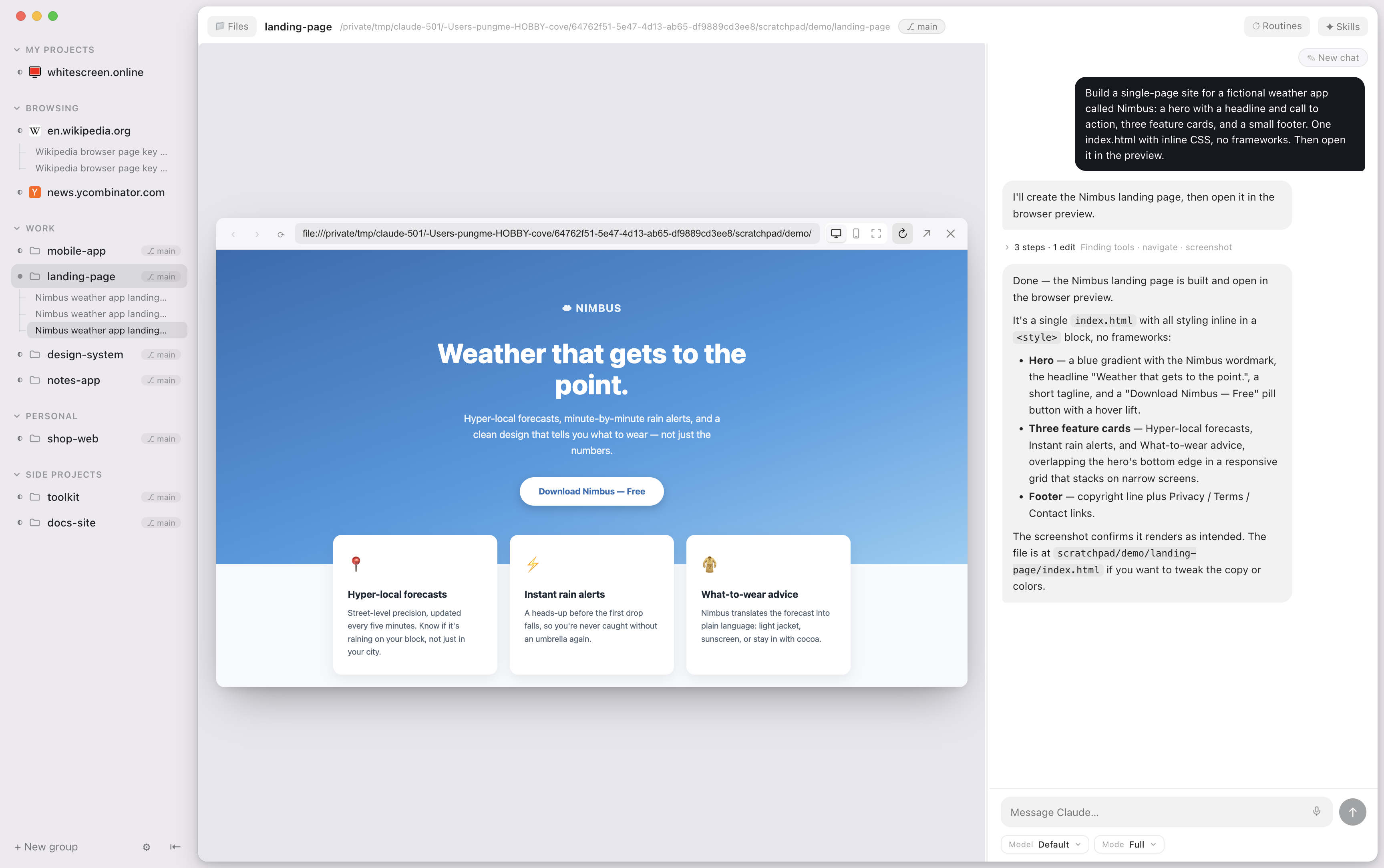
Build it and watch it, side by side. The chat sits next to a real browser. |
 |
|
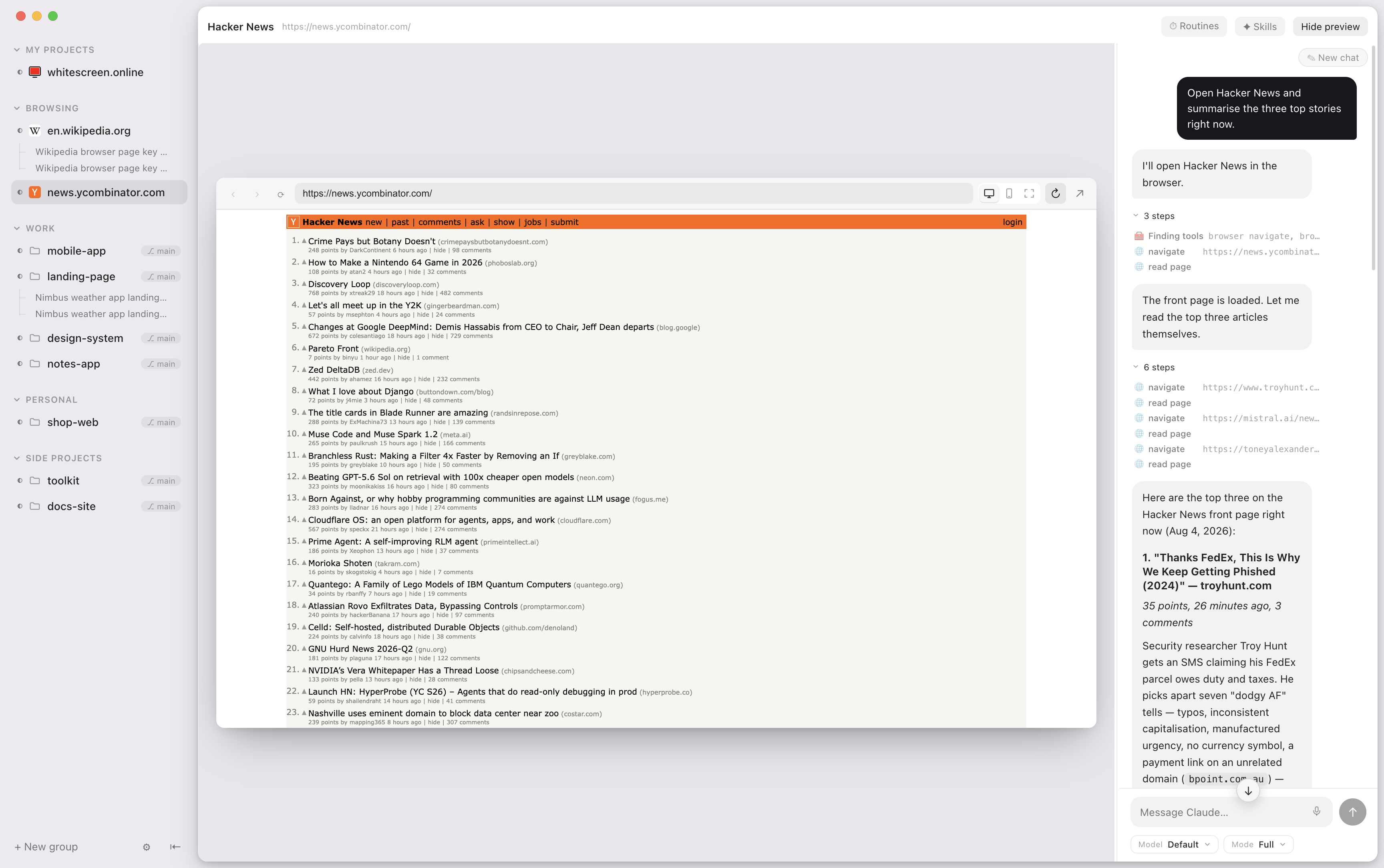
An agent that can use the browser. Your agent drives that same browser: open a |
 |
|
An iPhone in the window. A real iOS Simulator, streamed into the app at |
 |
|
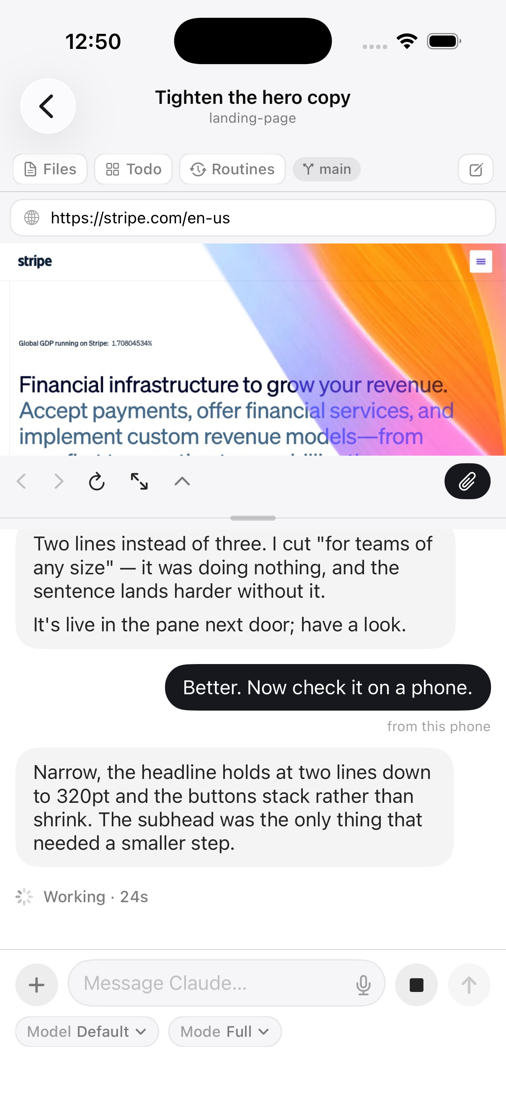
Your Mac's agent, in your pocket. Pair once from Settings → Phone and the |
 |
|
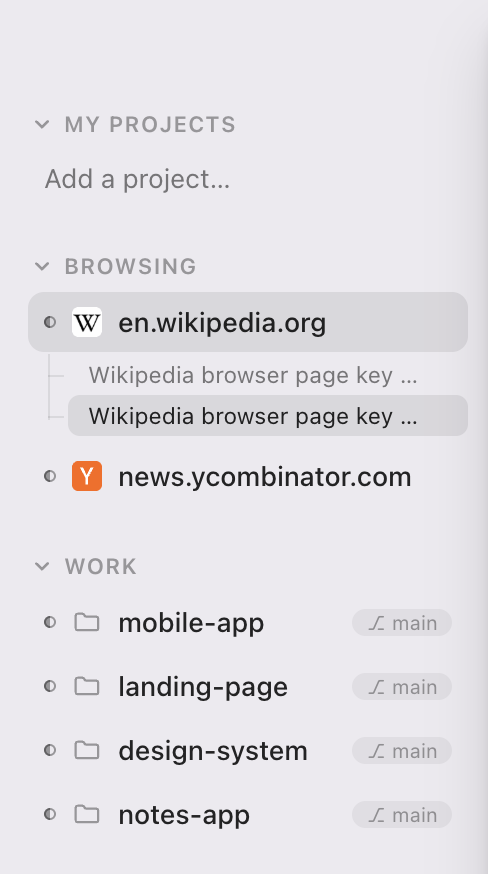
Everything in its place. The Computer sits at the top of the sidebar with |
 |
Getting the phone app
TestFlight, or build it from
source — see its README.
- Ask mode. A permission mode where the agent checks with you before it
acts — on the Mac, or on your phone if that is where you are. - Private by construction. Everything between the phone and the Mac is
end-to-end encrypted with a per-device key from the pairing QR. Both sides
dial out to a tiny blind relay
(superagent-relay) that forwards
ciphertext and stores nothing, so it works behind any network with no setup.
Run your own with one command and change the URL in Settings → Phone. - Connects only when it is used. The Mac opens its relay connection when a
phone is paired or being paired. An install that never pairs a phone never
connects anywhere.
Also in the box
- Every chat is its own checkout. A new conversation gets a private copy of
the project on its own branch, cut on its first message and named after what
you asked for. Keep folds its work back in as one change; Throw away
deletes it. The project row keeps a conversation that works in the folder
itself, for when that is what you want. - A board the agent keeps. Backlog, next, doing, done — per project, and
Claude moves the cards as it works. Watch them move while you talk to it. - Routines. "Check this site every hour," in plain language, on a timer.
- Dashboard. Turns per day, tasks done, a streak — and which projects
actually got your time. Computed locally. - Files & PDFs. Click any file to read it — PDFs, images, markdown, source —
right beside the tree; annotate PDFs in place; drag files into the chat. - Snip to attach. ✂ on the browser or the simulator (or ⌘⇧S): drag a box
right on the page or the phone screen and the crop lands in your message, at
full resolution. @reaches everything. Type@for this project's files, the other
projects in your sidebar by name, or any folder on the disk (@/,@~/) —
and drill into folders one level at a time.- Context gauge. Every conversation shows how much of the context window
it has used.
The small things
- Everything survives a restart — panes, open files, active chat — even
through updates. - Never steals your focus. Agents finish quietly in the background; the
window comes forward only when you ask. - Light on memory. Sessions start on your first message and wind down when
idle; preview panes are released when a chat is in the background. - Interject mid-turn. Type while the agent works and it sees your message
before it finishes — like the terminal. - Notifications that say something — done or has a question, with a
summary of the agent's actual last reply. - Many chats per project. They name themselves after what the conversation
turned out to be about. Starting a new one never loses the old. - Talk instead of typing. Hold ⌥Space, speak, let go.
Your voice is transcribed on your own Mac and never leaves it. - Quiet by default. A burst of activity folds into one line you can open,
instead of a wall of noise. - See every edit the moment it happens, with just the change highlighted.
- Model and mode pickers that match Claude Code's own.
- Updates itself. Signed, notarized, delivered in the background — restart
when it suits you, with a "What's new" for each release. - Light and dark, following your system.
What it needs — and what it talks to
- A Mac with Apple Silicon.
- Claude Code, installed and signed in. Your
subscription is the only thing Superagent runs on — nothing extra to buy, no
key to paste. - Xcode, only if you want the simulator.
- An iPhone with the companion app, only if you want your phone in the loop.
Network, in full: Claude Code's own connection to Anthropic; a check of this
repo's releases for updates; the Whisper model for push-to-talk dictation,
downloaded from Hugging Face the first time you hold the key and cached after
that (the transcription itself never leaves the Mac); and — only once you pair
a phone — one outbound connection to the companion relay (the project's by
default; swap in your own in Settings → Phone). Nothing else leaves the
machine.
The three repositories
| superagent-desktop | this app — Electron, TypeScript, React |
| superagent-ios | the iPhone companion — SwiftUI |
| superagent-relay | the blind relay between them — a Cloudflare Worker, also runs as plain Node |
All of them in one place: github.com/pungme?q=superagent.
Run it from source
cd app
npm install
npm run dev
npm test runs the unit tests, npm run test:e2e builds the app and drives it
with Playwright. Contributions welcome — see CONTRIBUTING.md.
Roadmap
- Other agents. Superagent wraps Claude Code today, but in the end it's an
LLM driving a home — the plan is an agent layer that other CLIs and local
models can plug into. - A desktop. A workspace that behaves like a real computer: several things
open at once — browser, files, a terminal, a simulator — arranged the way you
left them, with the agent working across all of them. - Memory that writes itself. Your agent relearns the same things in every
new session — your conventions, a project's traps, which command actually
deploys. Superagent should notice those and carry them across projects, in a
list you can read, edit and delete. - Watchers. Routines already run on a schedule and the browser already
reads pages. Point one at a page and get told what changed, with a before
and after.
License
Yorumlar (0)
Yorum birakmak icin giris yap.
Yorum birakSonuc bulunamadi