banda
Health Uyari
- License — License: AGPL-3.0
- Description — Repository has a description
- Active repo — Last push 0 days ago
- Low visibility — Only 5 GitHub stars
Code Basarisiz
- fs module — File system access in .github/workflows/ci.yml
- spawnSync — Synchronous process spawning in .github/workflows/release.yml
- process.env — Environment variable access in .github/workflows/release.yml
Permissions Gecti
- Permissions — No dangerous permissions requested
Bu listing icin henuz AI raporu yok.
A band of agents that work with you

banda
A band of agents that work with you.
banda.rocks
Sancho is your first agent, and you can add more. They have a computer of their own, apart from yours, to browse,
write and run routines in. Connect GitHub or any MCP server and choose which agents may use it. Reading is free; anything that
sends, posts or can't be undone waits for your OK.
 |
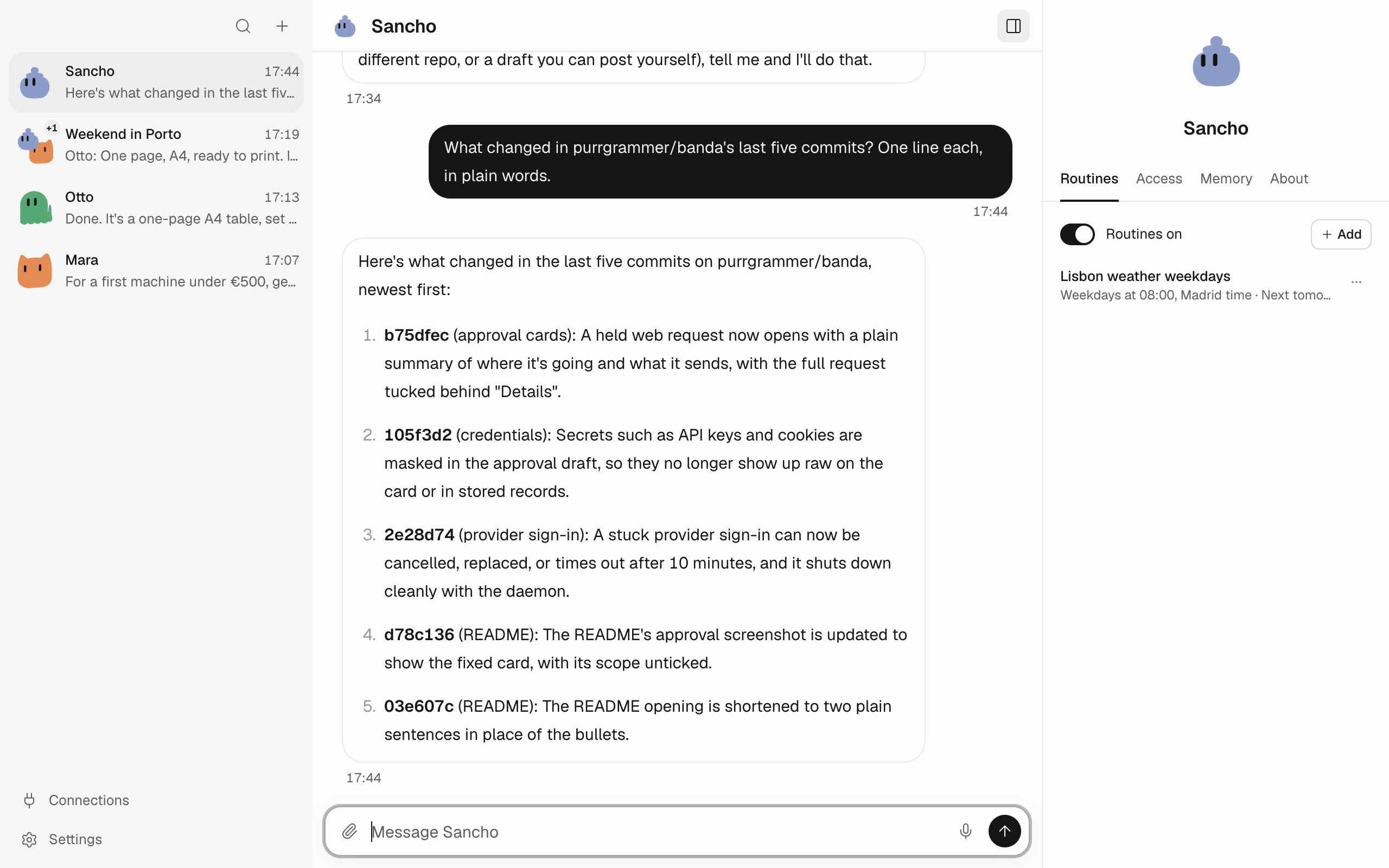 |
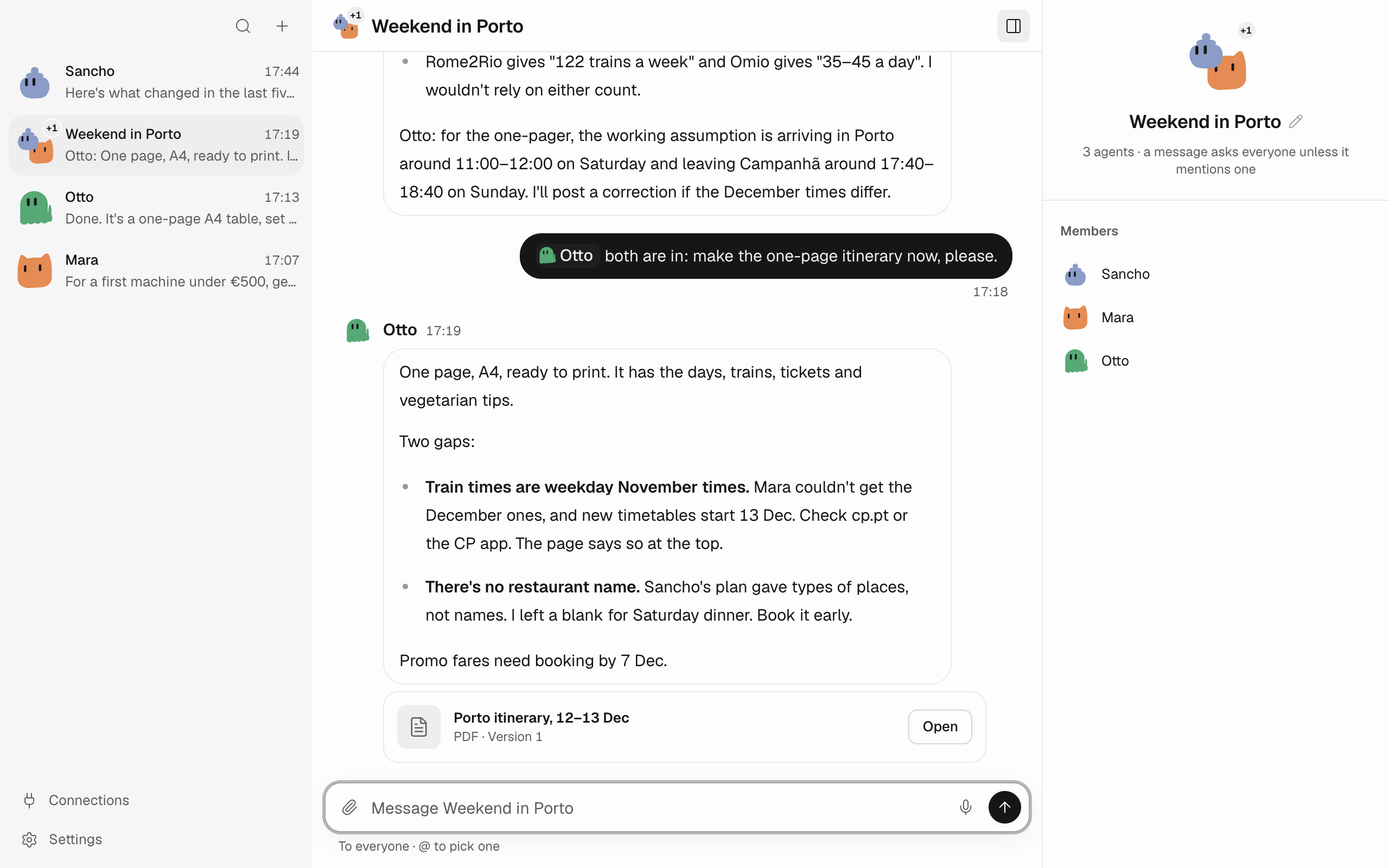
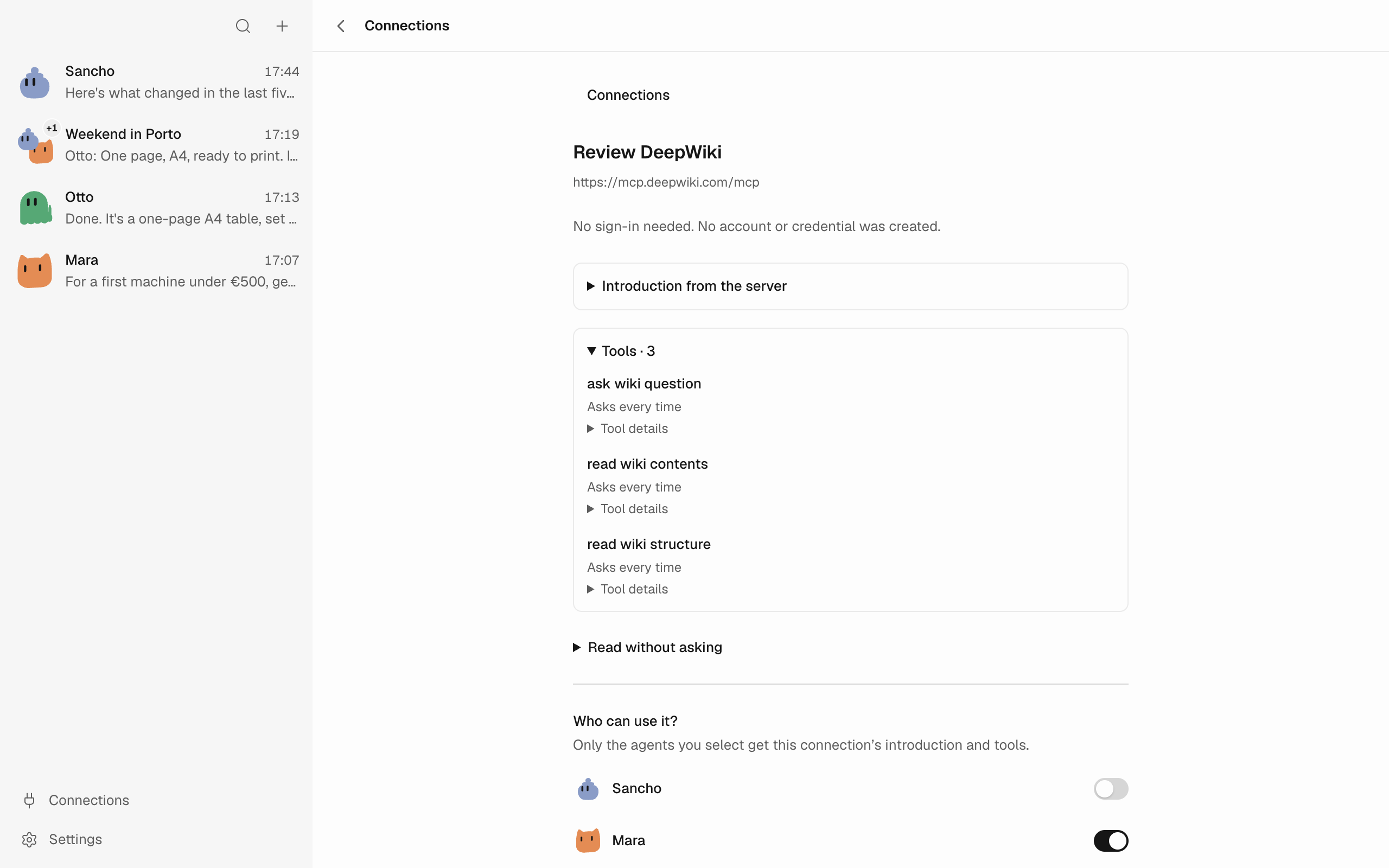
| Connect any MCP server by its address, and pick who gets it. | With GitHub connected, agents read repositories, issues and pull requests. |
 |
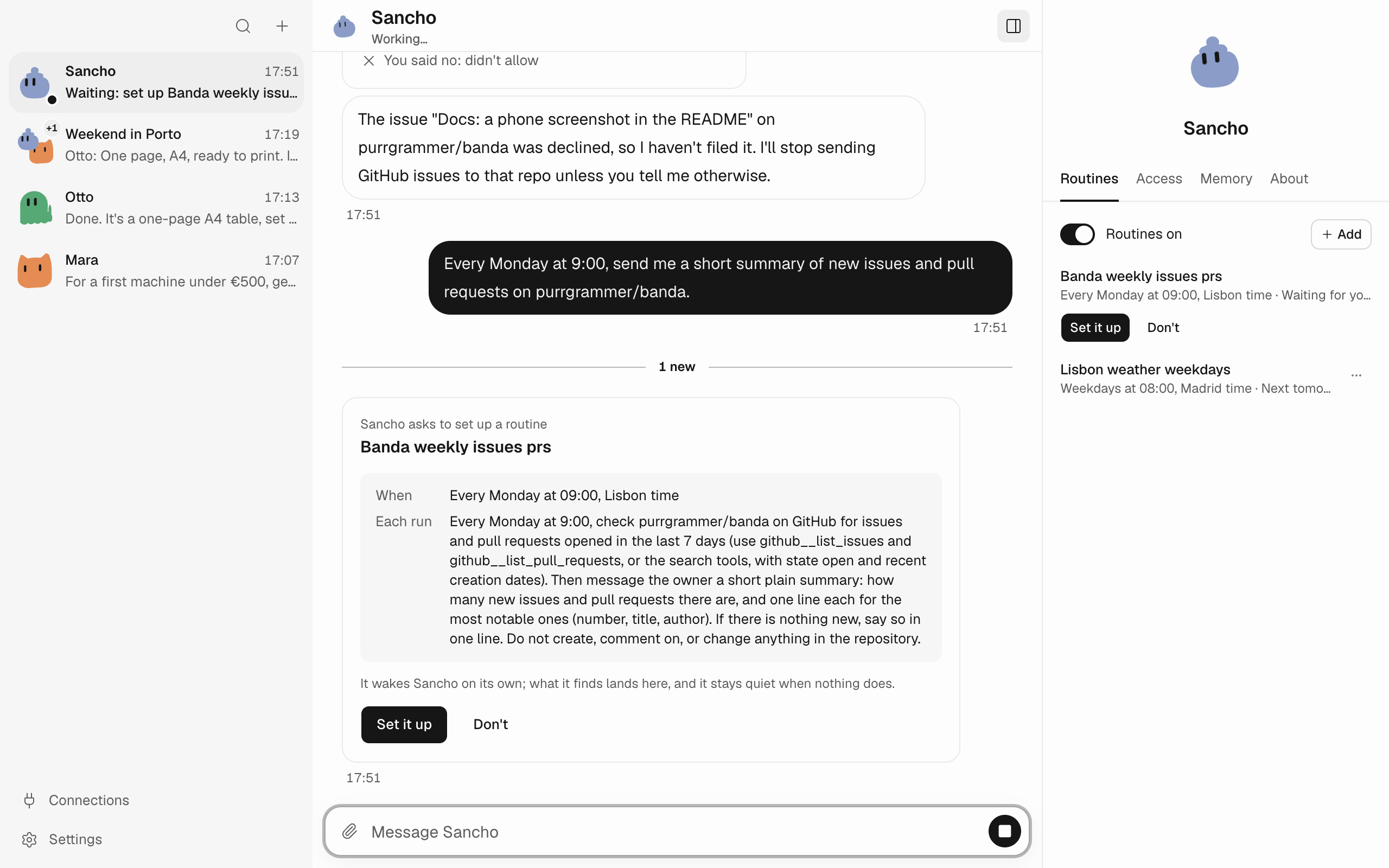 |
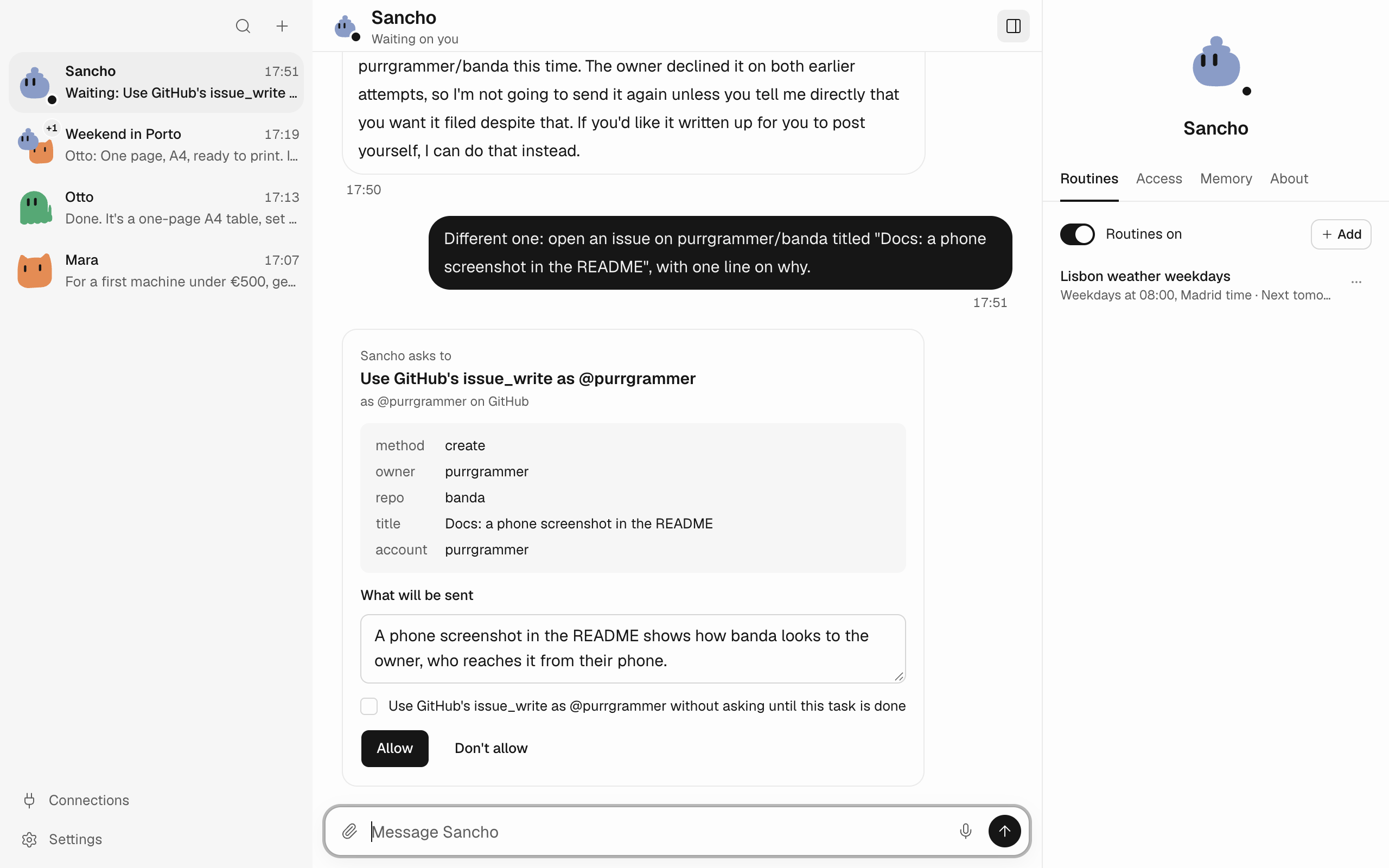
| Before it writes, it shows you the exact repository, title and text. | A routine wakes an agent on a schedule, in your time zone. |
 |
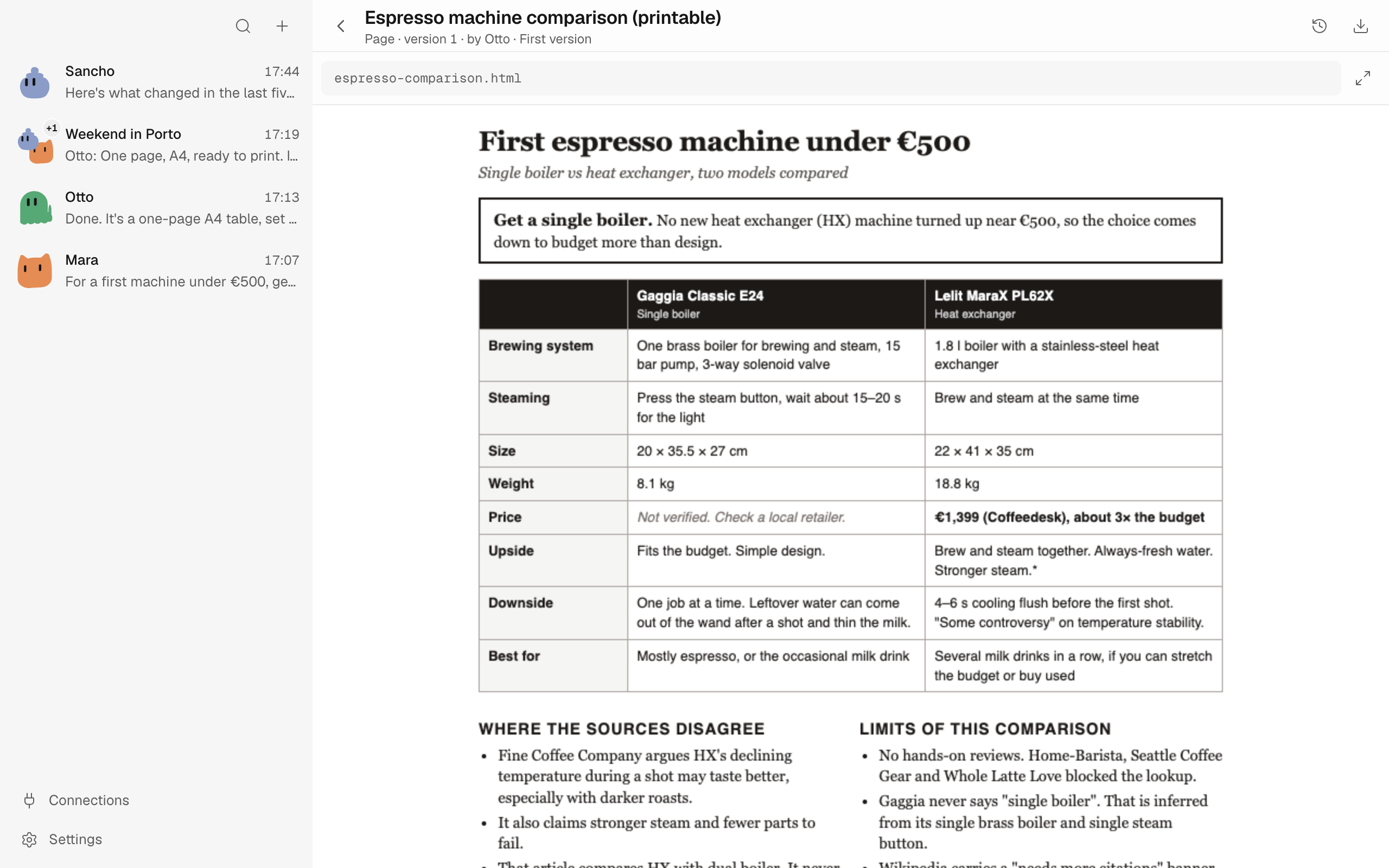 |
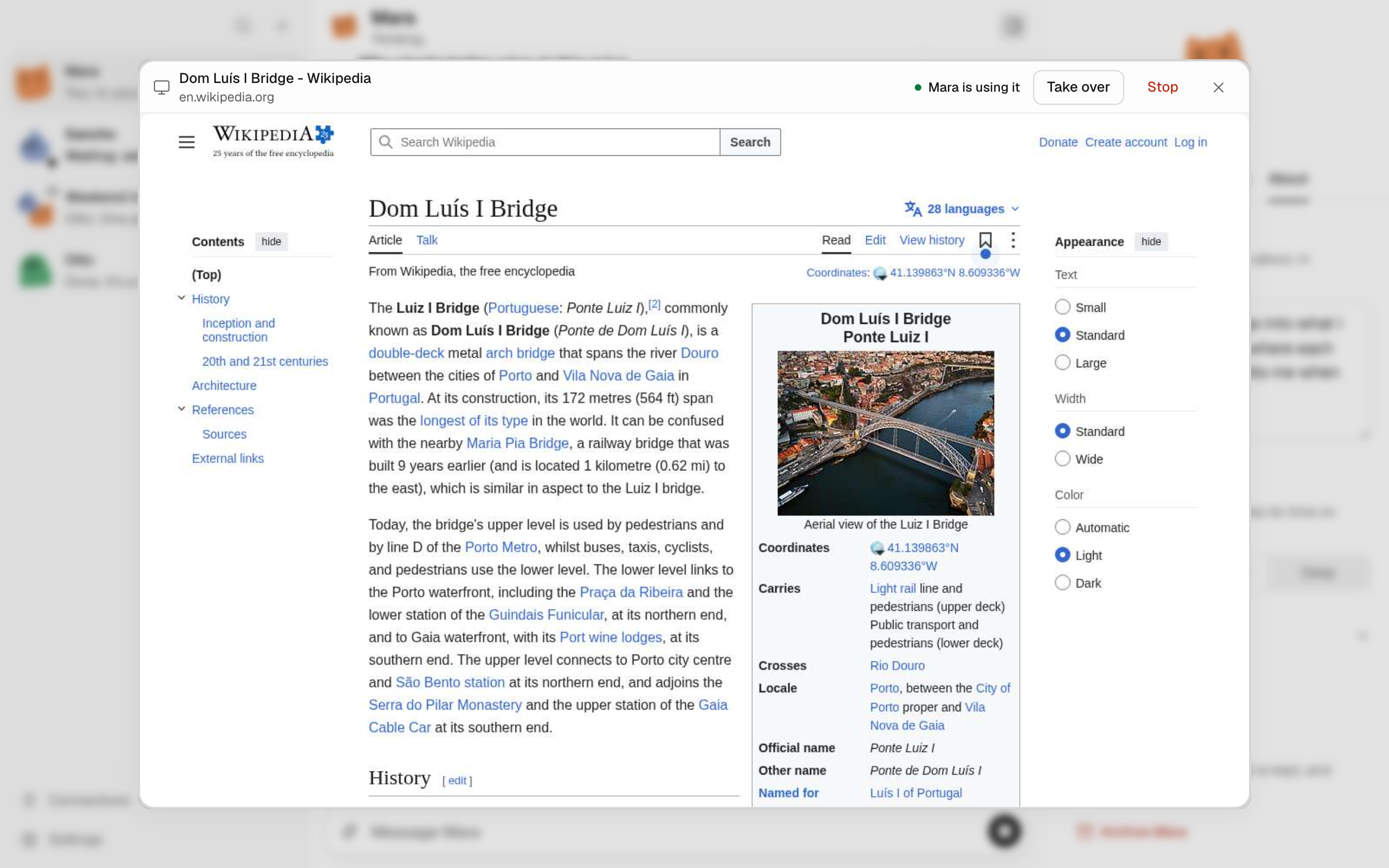
| You can watch its browser, take over, or stop it. | It makes pages and documents you can print and keep. |
What it does
- Agents, each a chat. Give each one a face, a name and a personality. Put several in a group and they work together.
- A computer of their own. Agents browse, write and run code in a virtual machine banda runs, apart from your own
files. Watch an agent's browser live, take over, or stop it. - It asks before it acts. Before anything that sends, posts or can't be undone, it shows you exactly what will
happen, and you say yes or no. - Routines. Agents wake on a schedule, in your time zone, and report back.
- Watches. Ask an agent to follow a pull request, an inbox or a calendar. It wakes when something changes and
stays quiet when nothing matters. - Connections. GitHub, Slack, Gmail, Google Calendar, Google Drive, Google Contacts or any MCP server, for the
agents you pick. What they find comes into the chat as cards. - Coding agents, over ACP. banda speaks the Agent Client Protocol, so your agents can hand code work to any coding
agent that speaks it too, like those in the ACP registry. It works
in your project folder, and when it asks for permission, the ask comes to you. - Memory and skills. Agents keep facts you can read, edit and delete, and use the skills you add.
- Pages and documents. Agents make pages and documents you can print and keep.
- Any model, or your own. Every provider pi-ai supports: sign in with
your account where the provider offers it, or paste an API key (Anthropic, OpenAI, GitHub Copilot, OpenRouter,
Google, Cloudflare, Hugging Face and many more). Or run the model on your own computer or network with Ollama,
LM Studio, llama.cpp or vLLM, or point banda at any OpenAI-, Anthropic- or Mistral-compatible server. banda finds
the models it has, and what you ask never goes to a model provider. - Desktop and phone. The app runs on Apple silicon Macs and on Linux x64. An Android app pairs with it.
First release. Expect rough edges, and run it on a machine you trust. The agents' computer is kept apart from
yours, but all your agents share it, and nothing inside it keeps one from another: code one agent runs can read the
others' files, and can go out to the network as another chat, so it can send to a site you allowed only for a
different agent. A computer for each agent is future work. Do not rely on banda to contain hostile code or content
yet (SECURITY.md, open work).
Get started
banda runs on Apple silicon Macs (macOS 14 or newer) and on Linux x64 (Debian 12, Ubuntu 22.04 or newer), with an
Android app (arm64) for your phone. The agents' computer is a small virtual machine banda ships, so there is nothing
else to install; on Linux your account needs access to /dev/kvm. Intel Macs, Windows and Linux on ARM64 are not
supported.
The releases page has a desktop app and a CLI, and each release's
notes say how to install them. The Mac app is not signed with an Apple Developer ID and not notarized, so macOS
refuses to open it the first time: open it as
Apple describes for an app from an unidentified developer (System Settings,
Privacy & Security, Open Anyway). banda does not update itself: to update, download the new release and install it
over the old one. Your data in ~/.banda stays; back it up first.
To run from source you need Node 26 (mise install sets it up):
npm ci
npm run build
node dist/cli/index.js serve
Open the link it prints, pick a model provider and sign in. Anthropic, OpenAI, GitHub Copilot, OpenRouter, xAI and
Meta use your account; Google, Azure, Vertex AI, Amazon Bedrock, Mistral, DeepSeek, Groq and Cerebras take an API key;
search the list for every other provider.
From source, the agents' computer comes from a bundle you prepare once with node scripts/microvm-bundle.ts --prepare
(it builds the runtime and its images, with Docker and a C toolchain at build time only). Without it the computer
stays offline; serve --box container uses a Docker container instead, and serve --box host runs commands on your
own computer with no box at all.
To think with a model on your own computer, start it first, with room for banda's instructions (at least 16,384 tokens
of context), then search for its server and pick it:
OLLAMA_CONTEXT_LENGTH=32768 ollama serve # then: ollama pull qwen3:8b
In LM Studio, load a model with a context length of 32,768 or more and start its local server. banda reads the models
the server has; a model that can't call tools isn't offered.
Your data lives in ~/.banda. Ctrl-C stops banda; the agents' containers stay, and npm run boxes:sweep removes those
of deleted homes. To start over, delete ~/.banda and sweep.
Contribute
npm run check && npm run typecheck && npm test
Start with DESIGN.md (how banda works and why) and AGENTS.md (how to work on it, by hand or
with an agent). docs/ holds the plan. Open an issue before a large change, and report security
issues privately as SECURITY.md says.
License
AGPL-3.0. Bundled third-party assets keep their own licenses, listed in
THIRD_PARTY_NOTICES.md.
Yorumlar (0)
Yorum birakmak icin giris yap.
Yorum birakSonuc bulunamadi