Revornix
Health Gecti
- License — License: NOASSERTION
- Description — Repository has a description
- Active repo — Last push 0 days ago
- Community trust — 177 GitHub stars
Code Gecti
- Code scan — Scanned 12 files during light audit, no dangerous patterns found
Permissions Gecti
- Permissions — No dangerous permissions requested
Bu listing icin henuz AI raporu yok.
Revornix is an open-source, local-first AI information/markdown workspace. It helps you collect fragmented inputs, turn them into structured knowledge, generate reports with images and podcast audio, and deliver the output through automated notifications.









Reject FOMO! When facing the information stream, be lazy, leave the rest to AI!
拒绝 FOMO!面对信息流,做个懒人,剩下的,交给 AI!
Revornix is an open-source, local-first AI information workspace. It helps you collect fragmented inputs, turn them into structured knowledge, generate reports with images and podcast audio, and deliver the output through automated notifications.
Links
- Official site: https://revornix.com
- Environment docs: https://revornix.com/docs/environment
- Roadmap: RoadMap
- Community: Discord | WeChat | QQ
Why Revornix
- One pipeline for noisy information: from ingestion to summary, graph, podcast, and notification.
- Built for AI retrieval quality: chunking + vector storage + personalized GraphRAG.
- Open and controllable: self-host locally and keep your data under your own infra.
- Model-flexible: any provider compatible with the OpenAI API can be wired in.
- Collaboration-ready: share private/public knowledge sections and co-create with others.
How It Works
- Collect: web pages, PDF, Word, Excel, PPT, text, APIs, library docs, and more.
- Understand: parse and normalize with pluggable converters (MinerU, Jina, custom engines).
- Organize: store vectors, build graph context, and keep content query-ready.
- Deliver: generate rich documents, add illustrations/podcasts, and push notifications.
Project Structure
Revornix/
├── web/                  # Next.js frontend (user interaction + dashboard)
├── api/                  # FastAPI core backend (auth, documents, sections, AI APIs)
├── celery-worker/        # Async workflows (embedding, summary, graph, podcast, notifications)
├── hot-news/             # Trending aggregation service (based on DailyHotApi)
└── docker-compose-local.yaml # Local dependency bootstrap
Core Capabilities
- Flexible ingestion: multi-format parsing with customizable engines.
- Advanced transformation: strong markdown/content conversion pipelines.
- Vector retrieval: chunk-to-vector storage for semantic search and AI context.
- Graph reasoning: personalized GraphRAG for better context precision.
- Built-in MCP: both MCP client and MCP server are supported.
- Auto podcast: generate and update podcast audio for documents/sections.
- Illustration generation: generate and embed AI images into content.
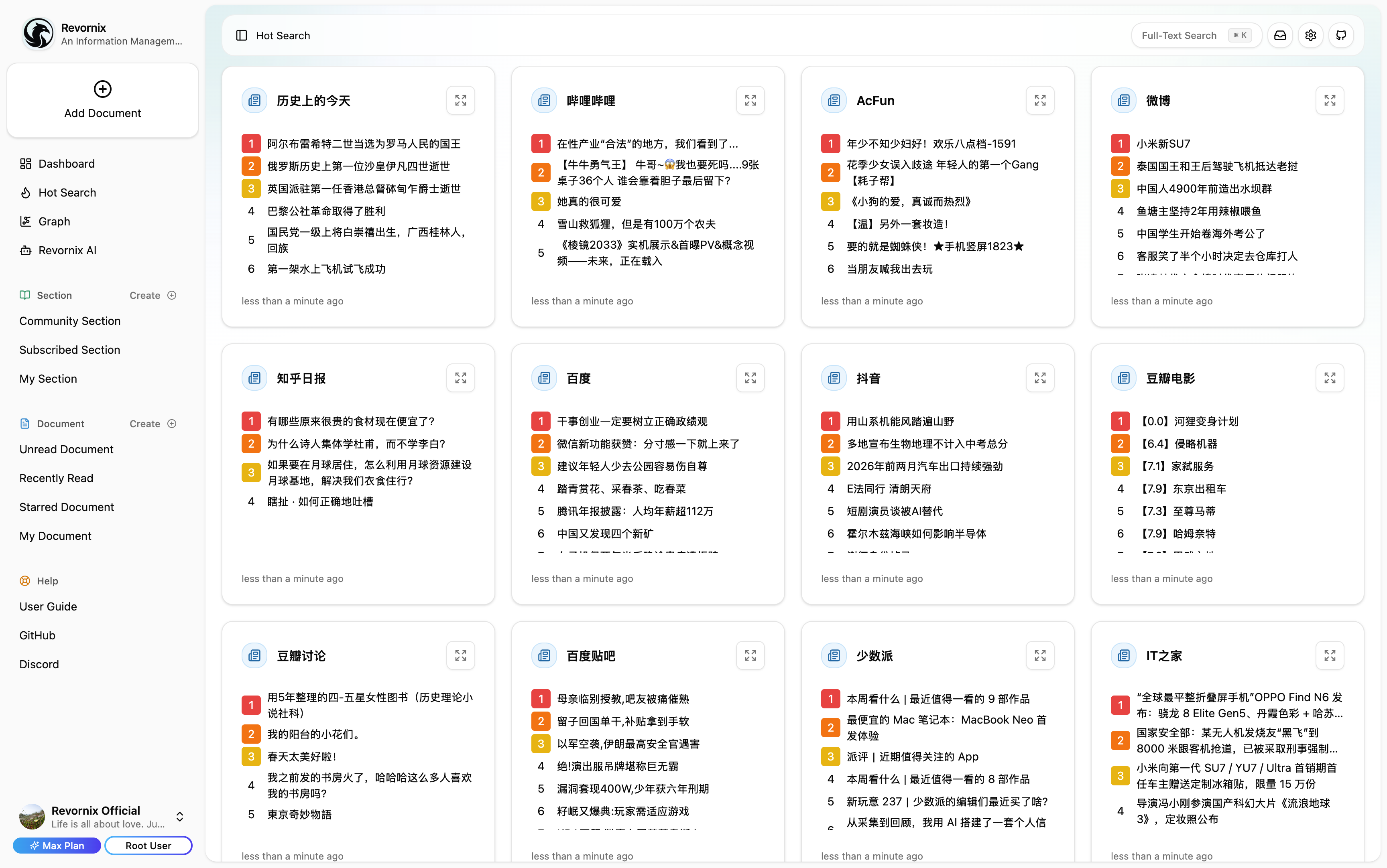
- Trending in one place: major platform hot lists via integrated DailyHotApi.
- Responsive and multilingual: available on mobile/desktop with multi-language support.
Some UI
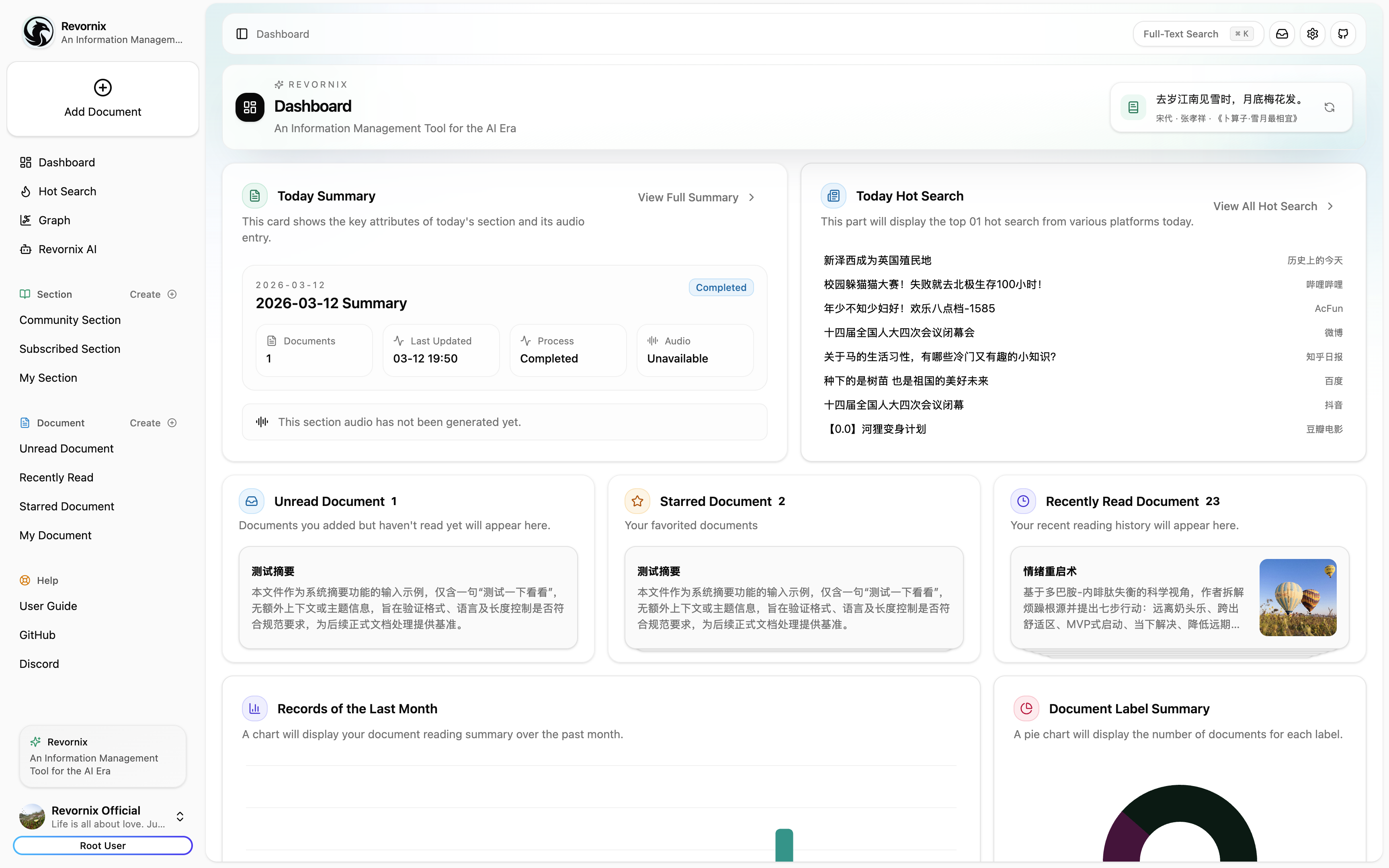
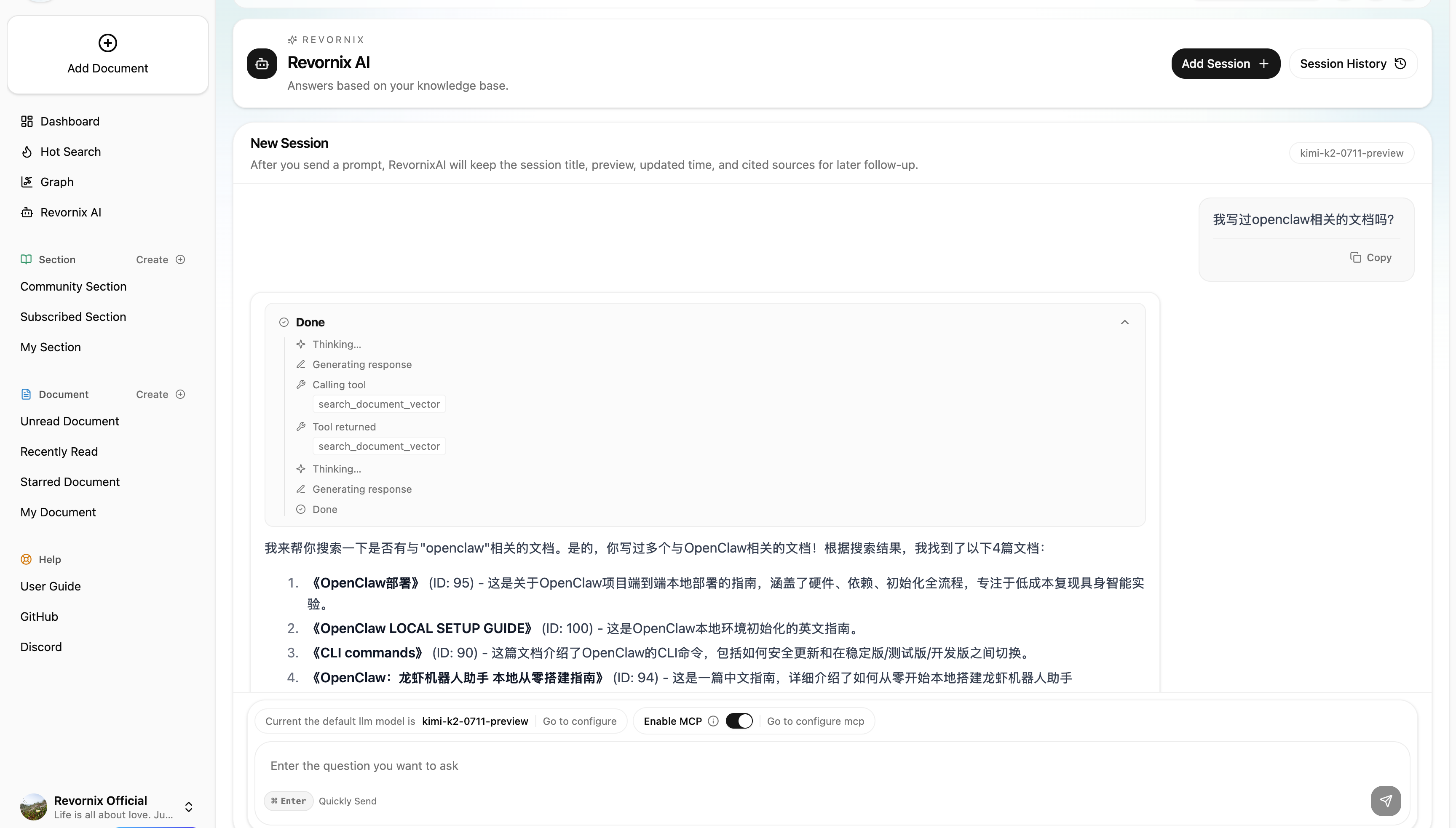
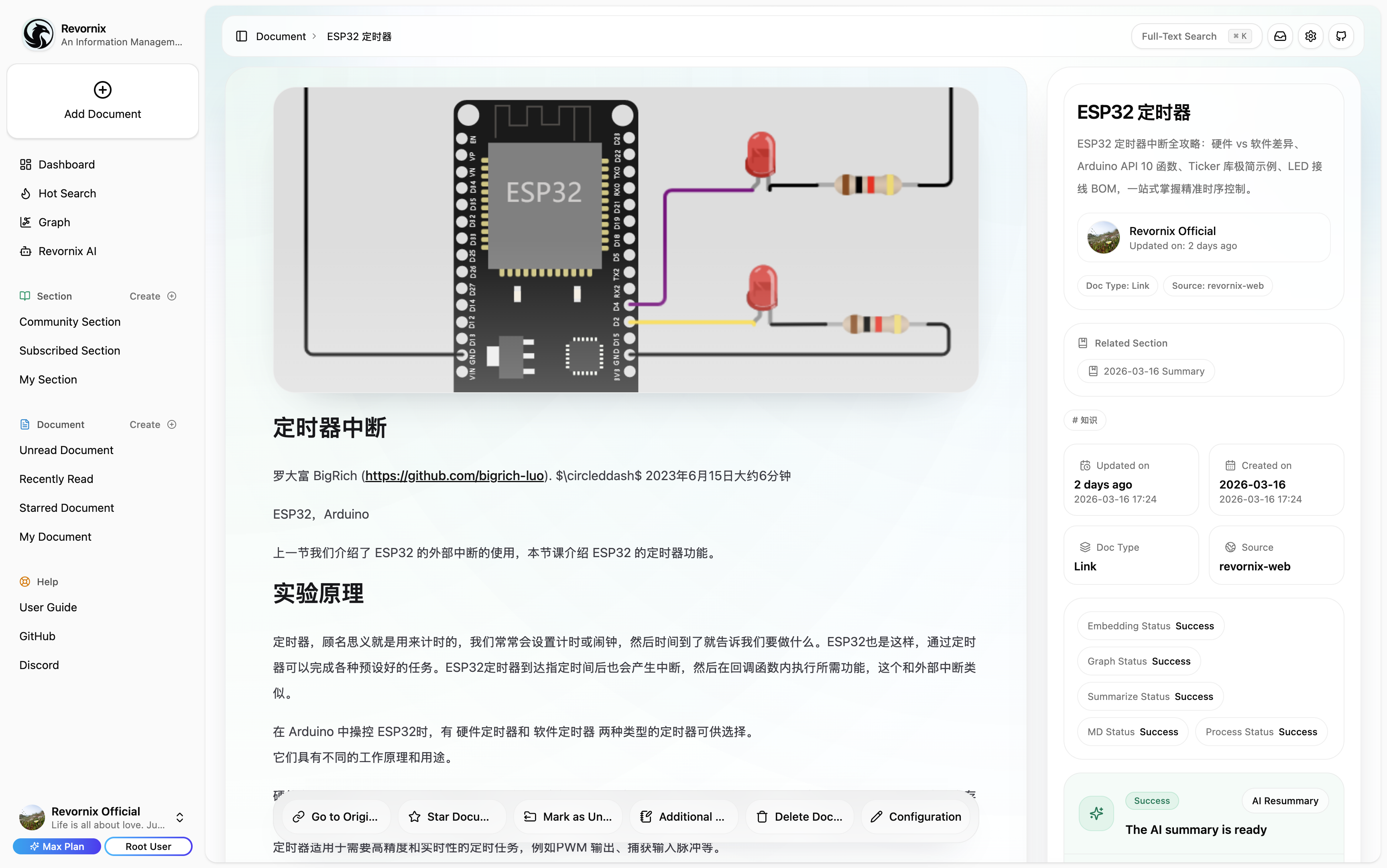
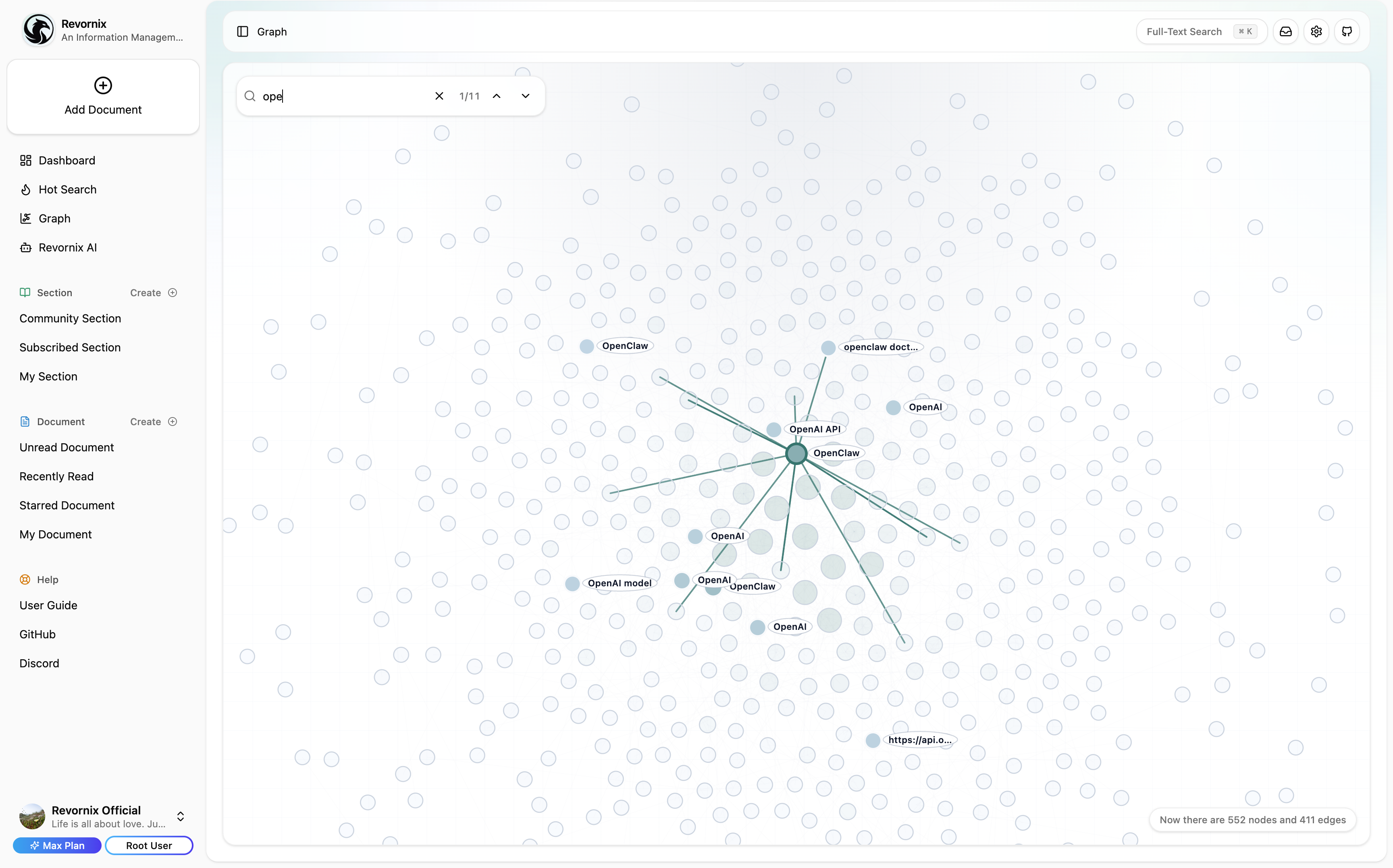
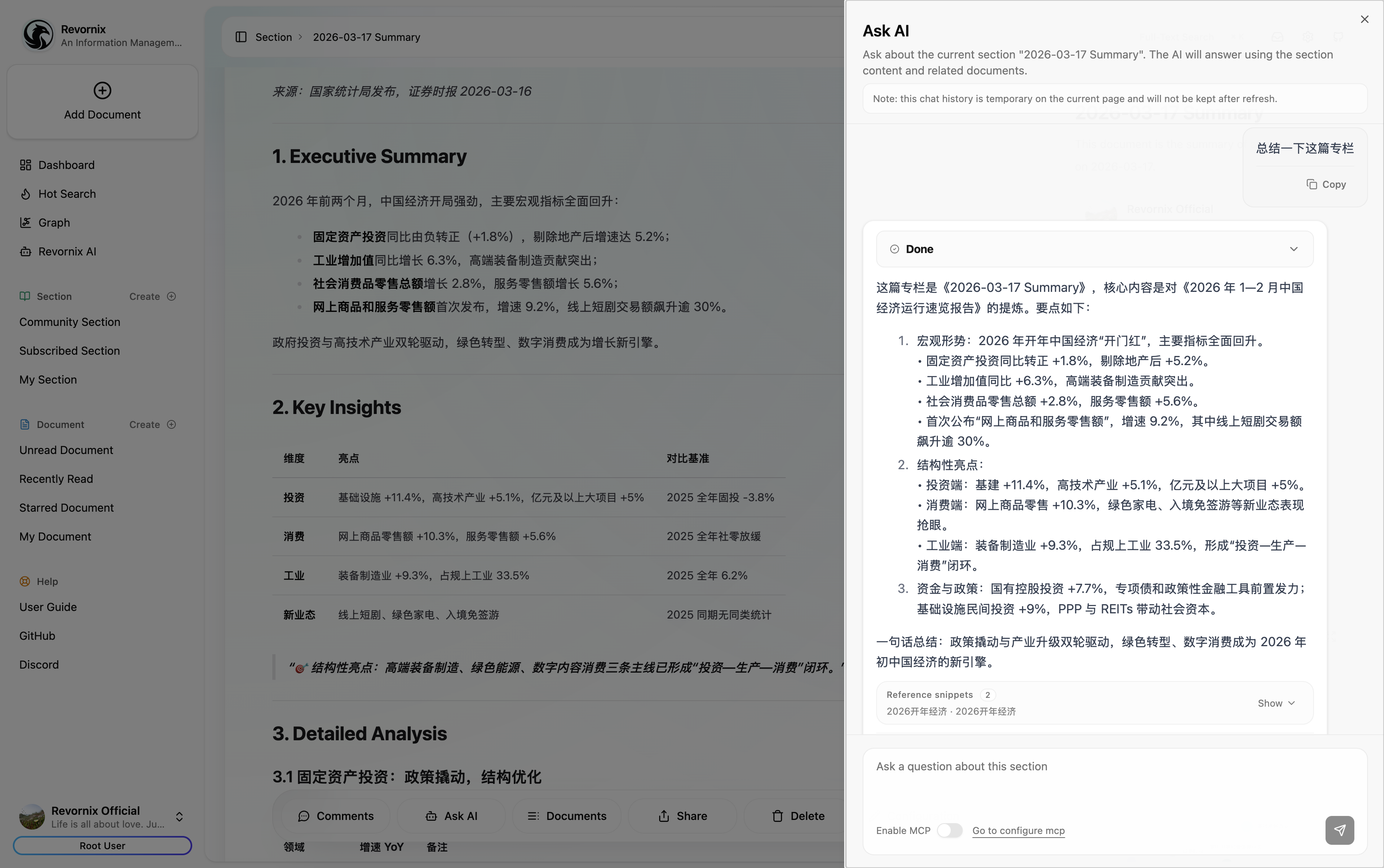
Note: The trending headlines feature is based on DailyHotApi.
Quick Start
[!NOTE]
We recommend creating isolated Python environments per service (for example with conda), because dependencies across services can conflict.
1) Clone repository
git clone [email protected]:Qingyon-AI/Revornix.git
cd Revornix
2) Start base dependencies
[!NOTE]
If you already have postgres, redis, neo4j, minio, and milvus installed, you can reuse them. Otherwise usedocker-compose-local.yamlwith.env.local.example.
[!WARNING]
If some dependencies are already running on your machine, disable the corresponding services indocker-compose-local.yamlto avoid conflicts.
cp .env.local.example .env.local
docker compose -f ./docker-compose-local.yaml --env-file .env.local up -d
3) Configure env files for microservices
cp ./web/.env.example ./web/.env
cp ./api/.env.example ./api/.env
cp ./celery-worker/.env.example ./celery-worker/.env
Configure env values based on environment docs.
[!WARNING]
For manual deployment, keepOAUTH_SECRET_KEYconsistent across services, or cross-service authentication will fail.
4) Initialize required data
cd api
python -m data.milvus.create
python -m data.sql.create
5) Run API service
cd api
conda create -n api python=3.11 -y
pip install -r ./requirements.txt
fastapi run --port 8001
6) Run trending aggregation service
cd hot-news
pnpm build
pnpm start
7) Run Celery worker
cd celery-worker
conda create -n celery-worker python=3.11 -y
pip install -r ./requirements.txt
playwright install
celery -A common.celery.app worker --pool=threads --concurrency=20 --loglevel=info -E
8) Run frontend
cd web
pnpm build
pnpm start
After all services are running, open http://localhost:3000.
Contributors
Yorumlar (0)
Yorum birakmak icin giris yap.
Yorum birakSonuc bulunamadi