discord_cli
Health Uyari
- No license — Repository has no license file
- Description — Repository has a description
- Active repo — Last push 0 days ago
- Low visibility — Only 7 GitHub stars
Code Basarisiz
- rm -rf — Recursive force deletion command in .github/workflows/release.yml
- rm -rf — Recursive force deletion command in install.sh
Permissions Gecti
- Permissions — No dangerous permissions requested
Bu listing icin henuz AI raporu yok.
Discord CLI + MCP server that runs as your own user account — read, send, search, and manage any server/DM you belong to, no bot invite. Agent-native JSON/JSONL output, SQLite + FTS5 offline archive, stealth-aware headers, single Rust binary.
discord — Your Discord, Driven From the Terminal
🚧 Active development — daily tested, not daily committed
This repo is under heavy daily use (automated digests, MCP integrations, agent workflows). If commit activity looks sparse, it's because the tool is stable for its current feature set — no open issues, no regressions, no need for churn. New features ship when real workflows surface a gap, not on a schedule. Check Releases for the latest binary.
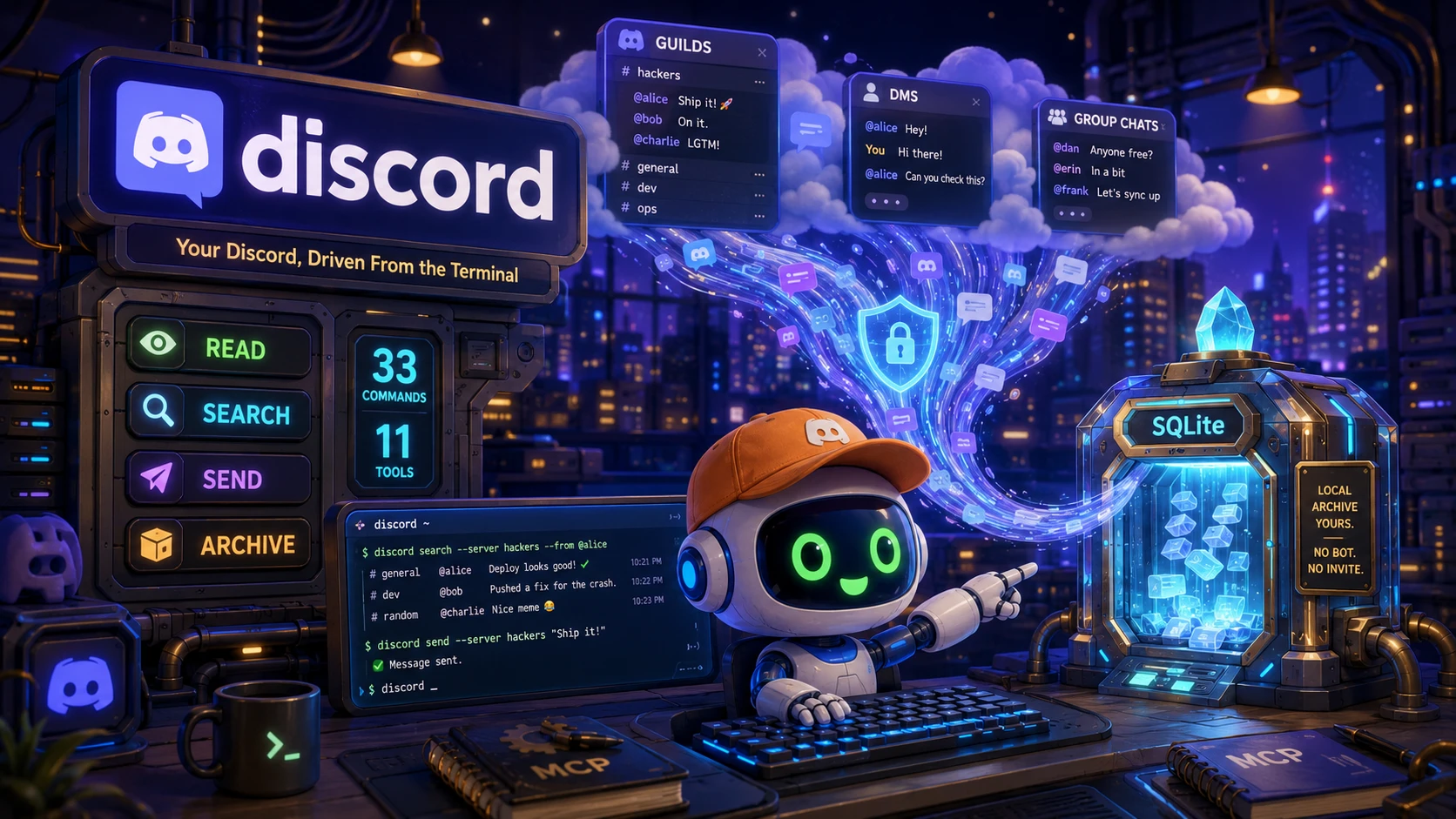


A Discord CLI + MCP server that operates your user account — so it sees every server, group, and DM you belong to. No bot invitation required.
Built in Rust for AI agents and terminal-first humans: 77 commands, SQLite archive with FTS5 search, stealth-aware, and an MCP server that plugs straight into Claude Code.
⚠️ ToS / account-risk warning — Automating a user account violates Discord's Terms of Service and can result in account termination. Use only on accounts you control, with restraint: rate limits are built in, reads are bounded, and destructive actions require explicit
--confirm. Admin operations (channel-*,role-*,emoji-*) are the highest-risk surface — channel deletion is irreversible and plainly visible.auth --qruses Discord's login API (highest risk) — opt-in only, never automatic. See docs/ADMIN.md for the permission matrix and ToS risk table.
Installation
# macOS / Linux — one-liner (downloads prebuilt binary)
curl -fsSL "https://raw.githubusercontent.com/quangdang46/discord_cli/main/install.sh?$(date +%s)" | bash

# With PATH auto-update + self-test
curl -fsSL "https://raw.githubusercontent.com/quangdang46/discord_cli/main/install.sh?$(date +%s)" | bash -s -- --easy-mode --verify

# Pin a specific version
curl -fsSL "https://raw.githubusercontent.com/quangdang46/discord_cli/main/install.sh?$(date +%s)" | bash -s -- --version v0.1.0
# Windows PowerShell
irm "https://raw.githubusercontent.com/quangdang46/discord_cli/main/install.ps1" | iex
Prebuilt binaries are attached to every GitHub release (Linux x86_64/aarch64 musl, macOS x86_64/aarch64, Windows x86_64) with .sha256 checksums.
# From source (requires Rust 1.80+)
cargo install --path crates/discord-cli --locked
# or build the workspace binary
cargo build --release && cp target/release/discord /usr/local/bin/
The workspace uses a tokio_unstable cfg for discord-user-rs (see .cargo/config.toml); cargo build handles it.
🤖 Agent Quickstart (Robot Mode)
This tool is built for AI agents. Every command emits machine-readable JSON/JSONL — never a bare interactive UI.
# 1) Authenticate once (auto-detect from local Discord/browser, or paste)
discord auth --save

# 2) "What can I see?" — discovery
discord guilds --json
discord dms --json

# 3) Read a channel (the agent-facing read)
discord read "guide" -l 20 --json

# 4) Archive + search offline
discord sync-all -l 200
discord search "deploy" -n 50

# 5) Reply (gated — needs --confirm for new messages)
discord send "guide" --text "Deploy looks good" --reply 1087808713206804713

# 6) Or run the full MCP server
claude mcp add discord --env DISCORD_TOKEN=$DISCORD_TOKEN -- $(which discord) serve
Output contract
- stdout = data only (JSONL when piped,
--jsonfor a single envelope) - stderr = diagnostics
- exit 0 = success, 2 = usage (missing
--confirm), 3 = not found, 4 = forbidden - Envelope:
{"ok":true,"schema_version":"1","data":[...]}/{"ok":false,...,"error":{...}}
See AGENTS.md for the full agent playbook (summarize / explore / reply / watch).
TL;DR
The Problem
- Bots are blind. A Discord bot only sees channels it was invited to — you can't have an AI read your private DMs, your friends' server, or a channel you joined years ago.
- The app is manual. Opening Discord to read/search/reply is slow; scripting it means fighting a GUI.
- Self-botting is risky. Unofficial user-token tools often scrape aggressively and get accounts banned.
The Solution
discord reads and writes Discord as your own account — every guild, group, and DM you belong to — from the terminal, with the same browser-like fingerprint a real client would send (UA, X-Super-Properties, per-install device_id). It archives what you read into SQLite for instant offline search, and exposes everything to agents over both CLI and MCP.
discord guilds
discord read "general" -l 20
discord search "meeting notes"
Why discord?
| Feature | What it does |
|---|---|
| Sees everything you can | Reads any server/DM/thread you belong to — no bot invite |
| Agent-native output | JSONL/JSON envelope + exit-code contract on every command |
| MCP server | discord serve → 43 tools for Claude Code, Cursor, etc. |
| Offline archive | sync → SQLite + FTS5 full-text search, search/recent/stats/top |
| Stealth-aware | Browser UA + X-Super-Properties + launch_signature mask + device_id |
| Safe by default | --confirm/--dry-run on destructive ops, bounded sync, rate-limit backoff, invisible presence |
| Live follows | tail / watch stream new messages as JSONL over the gateway |
| Cross-platform | Single Rust binary for Linux / macOS / Windows |
How discord Compares
| Capability | discord | Discord bot | discord.py self-bot | Terminal Discord app |
|---|---|---|---|---|
| Read any channel you belong to | Yes | Only invited | Yes | Yes |
| Agent-friendly (JSON/JSONL/MCP) | Yes | Via libs | No | No |
| Offline search archive | Yes | No | No | No |
| Stealth fingerprinting | Yes | N/A | Partial | Partial |
Safe write gating (--confirm) |
Yes | Manual | Manual | N/A |
| Banned-account risk | ⚠️ Low if cautious | None | ⚠️ High if careless | None |
| Setup friction | discord auth |
App + invite + intents | Token scraping | Install app |
Quick Example
# Authenticate (auto-detect from your local Discord/Chrome session)
discord auth --save                 # → {"authenticated":true,"source":"Chrome"}

# Verify who you are
discord whoami --json               # id, username, global_name, mfa_enabled

# Explore — what servers and DMs do you belong to?
discord guilds --json               # every guild you've joined
discord dms --json                  # DM + group-DM channels, labeled

# Drill into a server's channels
discord channels "TDG" --json       # text/announcement/forum, sorted

# Read recent messages (agent-friendly)
discord read "guide" -l 10 --json   # message_id, author, timestamp, content

# Archive a channel for offline search
discord sync "guide" -l 500         # → {"messages_synced": N}
discord sync "guide" --follow       # backfill, then keep persisting new messages (gateway)
discord sync "guide" --follow --max-duration 3600   # bounded follow (cron-friendly)
discord search "release" -n 20      # FTS5 over the local SQLite archive
discord stats --json                # per-channel counts

# Act (gated)
discord send "guide" --text "hi" --confirm       # requires --confirm
discord send "guide" --text "re:" --reply <MSG_ID>  # reply is auto-approved
discord send "guide" --text "https://x.com/..." --suppress-embeds  # no link preview
discord send "guide" --text "@mods ping" --mention-roles 111 222    # role-mention allowlist
discord react "guide" <MSG_ID> "👍"

# Live follow a keyword
discord watch --keyword "incident" --jsonl
Commands
Auth & identity
| Command | What it does |
|---|---|
auth [--save] [--paste] [--qr] |
Auto-detect token, paste, or QR scan (mobile); validate + save |
status |
Validate configured token (exit 1 on failure) |
whoami [--json] |
Show the authenticated user's profile |
Read
| Command | What it does |
|---|---|
guilds |
List every server you belong to |
channels <GUILD> |
List text/announcement/forum channels |
dms |
List DM + group-DM channels |
history <CH> [-l N] [--before/--after] |
Paginated message history |
read <CH> [-l N] [--before ID] [--around ID] [--since 12h|30d|YYYY-MM-DD] [--transcript] |
Recent messages — the agent-facing read; --around = window centered on a message (limit/2 each side); --since = time cutoff (snowflake after cursor); --transcript = compact plain-text (≈5× smaller, ideal for AI summarization) |
members <GUILD> [--max N] |
Guild members |
info <GUILD> |
Guild name, member/online counts |
guild-search <GUILD> <QUERY> |
Discord native search |
roles <GUILD> |
Guild roles, by position |
profile [USER_ID] |
User profile (default: self) |
userinfo <USER_ID> |
Public info for any user (username, badges, avatar, created_at) — user-token safe |
relationships |
Friends / blocked / pending |
threads <CH> |
Active threads (user-token fallback) |
thread-create <CH> --name X [--message-id M] [--text T] |
Create thread (standalone/message/forum) |
pins <CH> |
Pinned messages |
Act
| Command | What it does |
|---|---|
send <CH> --text "..." [--file PATH]... [--reply ID] [--suppress-embeds] [--mention-roles ID]... [--confirm] |
Send / reply / attach (gated; --text - reads stdin; --suppress-embeds kills link previews; --mention-roles allowlists role mentions) |
edit <CH> <MSG_ID> --text "..." |
Edit own message |
delete <CH> <MSG_ID> [--confirm] |
Delete own message (gated) |
react / unreact |
Add / remove a reaction |
pin <CH> <MSG_ID> |
Pin a message |
dm-group create/add/remove |
Group-DM management (gated create) |
notify guild/channel |
Notification settings |
join <INVITE> [--confirm] |
Preview + join a server via invite code/URL (gated) |
leave <GUILD> [--confirm] |
Leave a server (gated) |
presence [STATUS] |
Show/set presence (online|idle|dnd|invisible; default invisible) |
Admin & moderation
| Command | What it does |
|---|---|
channel-create <GUILD> <NAME> [--type T] [--category C] [--topic T] [--slowmode N] [--dry-run] |
Create a channel (MANAGE_CHANNELS) |
channel-rename <GUILD> <CH> <NAME> [--dry-run] |
Rename a channel |
channel-topic <GUILD> <CH> <TOPIC> |
Set a channel topic (≤1024) |
channel-move <GUILD> <CH> [--category C] [--position N] |
Move a channel (≥1 option) |
channel-clone <GUILD> <CH> [--name N] |
Clone a channel (same type/parent/topic) |
channel-slowmode <GUILD> <CH> <SECONDS> |
Set slowmode (0-21600) |
channel-delete <GUILD> <CH> [--confirm] |
Delete a channel (gated — highest ToS risk) |
role-create <GUILD> <NAME> [--color C] [--permissions P] [--mentionable] [--hoist] [--dry-run] |
Create a role (MANAGE_ROLES) |
role-edit <GUILD> <ROLE> [--name N] [--color C] [--permissions P] [--mentionable] [--no-mentionable] [--hoist] [--no-hoist] [--dry-run] |
Edit a role (≥1 option) |
role-delete <GUILD> <ROLE> [--confirm] |
Delete a role (gated; @everyone guarded) |
role-assign <GUILD> <ROLE> <USER> |
Assign a role to a member |
role-remove <GUILD> <ROLE> <USER> |
Remove a role from a member |
emoji-list <GUILD> [--count N] |
List custom emojis (MANAGE_GUILD_EXPRESSIONS) |
emoji-upload <GUILD> <NAME> <FILE> |
Upload a custom emoji (≤256KiB png/jpg/gif) |
emoji-delete <GUILD> <EMOJI> [--confirm] |
Delete a custom emoji (gated) |
member-kick <GUILD> <USER> [--reason R] [--confirm] |
Kick a member (KICK_MEMBERS; gated) |
member-ban <GUILD> <USER> [--reason R] [--delete-days D] [--confirm] |
Ban a member (BAN_MEMBERS; gated) |
member-unban <GUILD> <USER> [--confirm] |
Unban a user by ID (BAN_MEMBERS; gated) |
member-nick <GUILD> <USER> <NICKNAME> |
Set/clear a member's nickname (MANAGE_NICKNAMES; empty clears) |
perm-view <GUILD> <CHANNEL> |
List a channel's permission overwrites |
perm-set <GUILD> <CHANNEL> <ROLE> [--allow A] [--deny D] |
Set a role's channel overwrite (MANAGE_CHANNELS; ≥1 of allow/deny) |
perm-lock <GUILD> <CHANNEL> [--dry-run] [--confirm] |
Make a channel read-only for @everyone (gated) |
perm-unlock <GUILD> <CHANNEL> [--confirm] |
Remove the @everyone overwrite (gated) |
perm-list |
List permission names → bit table (local) |
server-set <GUILD> [--name N] [--description D] [--verification V] [--notifications N] [--content-filter C] [--afk-timeout T] [--system-channel ID] [--rules-channel ID] [--dry-run] |
Edit server settings (MANAGE_GUILD; ≥1 option) |
server-icon <GUILD> <FILE> |
Set the server icon (≤256KiB png/jpg/gif) |
audit-log <GUILD> [--count N] [--type ACTION] [--user ID] |
View the audit log (VIEW_AUDIT_LOG) |
audit-types |
List audit action names → codes (local) |
invite-list <GUILD> |
List guild invites (MANAGE_CHANNELS) |
invite-create <GUILD> <CHANNEL> [--max-age N] [--max-uses N] [--temporary] |
Create an invite (CREATE_INSTANT_INVITE; unique link) |
invite-delete <CODE|URL> [--guild G] [--confirm] |
Delete an invite by code/URL (gated) |
embed <CH> --title T [--description D] [--color HEX] [--field 'N|V|inline']... [--confirm] [--dry-run] |
Send a rich-embed message (gated; validated) |
Admin ops map 403 → exit 4. Full permission matrix + risk table: docs/ADMIN.md.
Archive & query (local SQLite + FTS5)
| Command | What it does |
|---|---|
sync <CH> [-l N] [--follow [--max-duration S]] |
Incremental two-phase sync to SQLite; --follow keeps tailing new messages into the archive via gateway (invisible presence) |
sync-all [-l N] |
Discover + sync accessible channels (bounded) |
search <KW> [-c CH] [--author A] [--since 12h|30d|DATE] [-n N] |
FTS5 full-text search |
recent [--hours N] [--since 12h|30d|DATE] |
Newest stored messages |
stats |
Per-channel counts |
today |
Per-channel counts since 00:00 local |
timeline [--by day|hour] |
Message volume per bucket (ASCII bars) |
top [-c CH] |
Top senders |
top-reactions [--guild G] [--channel C] [--limit N] |
Hottest messages by reaction count |
export <CH> [-f json] [-o FILE] |
Export archive |
purge <CH> [-y] |
Delete archive for a channel (gated) |
download [--guild G] [--channel C] [--type T] [--since S] [--min-reactions N] [--out DIR] |
Download archived attachments to disk |
Live & AI
| Command | What it does |
|---|---|
typing <CH> |
Send a typing indicator (one-shot) |
tail <CH> [--once] / watch [--typing] |
Gateway live follow (invisible presence) |
watch [--channel C] [--keyword K] |
Long-running JSONL stream for agents |
fetch-links <CH> [--since S] [--limit N] [--out DIR] |
Download external image links via Discord CDN proxy |
serve |
MCP server (stdio, 43 tools) |
Architecture
crates/
  discord-core/   REST client, stealth (X-Super-Properties, launch_signature),
                  config, types, output envelope
  discord-auth/   token auto-detect (LevelDB scan), paste, keyring, device_id
  discord-db/     SQLite schema, FTS5 search, two-phase sync state
  discord-cli/    the `discord` binary + 77 commands
  discord-mcp/    MCP server (rmcp stdio) — 43 tools
Design principles
| Principle | What it means |
|---|---|
| Transport first | discord-core wraps discord-user-rs; every command is a thin layer |
| Agent-first output | JSONL/JSON envelope + exit codes on every surface |
| Stealth by default | Real-client headers + per-install identity from day one |
Stealth status: The CLI sends real-client browser headers,
X-Super-Properties, a maskedlaunch_signature, per-installdevice_id, and gatewayis_fast_connect. TLS ClientHello (JA3) fingerprinting is not yet spoofed (uses rustls) — an optional future feature.--tls-chromeis reserved but returns "not implemented" (exit 2).
| Safety gating |--confirm/--dry-runnever interactive |
| Local-first archive | Read once, query forever (SQLite + FTS5) |
| Bounded by design | Sync caps, rate-limit backoff, invisible presence |
Safety & Rate Limits
| Guard | What it does |
|---|---|
--confirm |
Required for destructive / non-reply sends (never interactive) |
--dry-run |
Preview what would happen without acting |
| Rate limiting | Jitter between pages, 429 backoff (2s→10s), honors X-RateLimit-* |
| Invalid-request budget | Cloudflare-1015 protection (warn at 7k, stop at 9.5k) |
sync-all bounded |
Per-channel cap (default 200) |
| Gateway presence | Defaults to Invisible |
purge |
Only touches local archive, never Discord |
Troubleshooting
| Symptom | Likely cause | Fix |
|---|---|---|
status exits 1 |
No token configured | discord auth --save or --paste |
auth finds tokens but none validate |
Stale tokens in LevelDB | discord auth --paste manually |
guilds returns API error |
Token expired / invalid | Re-auth; check status |
sync reports "upsert message" |
Local DB missing channel row | sync now auto-upserts; re-run |
search returns empty |
No archive yet | discord sync-all -l 200 first |
| Rate-limited (429s) | Too many requests | Wait; reduce -l; check stats |
Limitations
- User-token automation violates Discord ToS — accounts can be banned. Use sparingly.
guild-searchis per-guild (Discord's native search has no global scope).syncstores text content; attachments/embeds are not downloaded (extendable).- Gateway
tail/watchrequire a live connection;--oncefetches a bounded window. - MCP
send_messageis intentionally not auto-approved in clients — agents must request approval.
FAQ
Q: Why user token instead of a bot?
A bot only sees channels it's invited to. A user token sees everything you belong to — that's the whole point of an account-level CLI for an agent.
Q: Will I get banned?
Automating a user account violates ToS and bans are possible. This tool is designed to reduce risk (real-client headers, bounded reads, invisible presence) but cannot eliminate it. Use on accounts you control.
Q: How do I get a token?discord auth --save scans your local Discord/Chrome LevelDB. Or discord auth --paste and paste it from DevTools → Network → Authorization header.
Q: Where is my data stored?
SQLite at the platform data dir ($LOCALAPPDATA/discord-cli/ on Windows, ~/.local/share/discord-cli/ on Linux, ~/Library/Application Support/discord-cli/ on macOS). Override with DB_PATH.
Q: Can an AI agent use this?
Yes — that's the primary design. --json/JSONL everywhere, discord serve for MCP, and AGENTS.md documents the playbook.
Q: Does it work on Windows?
Yes — built and tested on Windows, macOS, and Linux. Single static binary, no CGO.
Q: How do I stop watch/tail?
Ctrl+C. They run until interrupted.
Development
cargo build          # debug
cargo test           # 109 unit/integration tests (no network required)
./scripts/e2e.sh     # real-token smoke (needs DISCORD_TOKEN)
./scripts/e2e_admin.sh  # admin/mod flow (needs DISCORD_TOKEN + administered server)
Repo layout: research clones in .tmp/ (source of truth for patterns), plan in COMPREHENSIVEPLANFORDISCORDCLI.md, task graph in .beads/.
Solves "I can't have an AI read my Discord" — by being the account, not a guest.
Yorumlar (0)
Yorum birakmak icin giris yap.
Yorum birakSonuc bulunamadi