openbots
Health Warn
- No license — Repository has no license file
- Description — Repository has a description
- Active repo — Last push 0 days ago
- Low visibility — Only 5 GitHub stars
Code Warn
- process.env — Environment variable access in apps/api/src/agent/execute.ts
- network request — Outbound network request in apps/api/src/agent/execute.ts
- process.env — Environment variable access in apps/api/src/agent/tools.ts
- network request — Outbound network request in apps/api/src/agent/tools.ts
- process.env — Environment variable access in apps/api/src/index.ts
- process.env — Environment variable access in apps/api/src/trigger/agent-tools.ts
Permissions Pass
- Permissions — No dangerous permissions requested
No AI report is available for this listing yet.
Open-source platform for building and collaborating with autonomous AI agents that actually get work done.
OpenBots
Autonomous AI Coworkers for Humans Who Ship
OpenBots is an open-source platform where you can build, customize, and collaborate with teams of autonomous AI agents. Unlike simple chatbots that only talk, OpenBots agents research the web, write code, run scheduled tasks in the background, send emails, connect to your SaaS apps, generate interactive visual artifacts and many other things.
Explore Features • Self-Hosting Guide • Technical Docs
https://github.com/user-attachments/assets/e9e70be1-bec4-45a0-b9c4-f64d3890f2e5
What is OpenBots?
Imagine having a dedicated team of digital colleagues:
- A Research Assistant that searches the web, reads docs, cross-references sources, and delivers concise summaries.
- A Social Media Manager that drafts and publishes technical updates to LinkedIn or Twitter every day at 9:00 AM on a cron schedule.
- A Full-Stack Developer that inspects bugs, runs safe sandboxed code, and builds interactive HTML, SVG, or Mermaid diagrams directly inside the chat.
- An Executive Assistant that connects with Gmail, Slack, Notion, and Google Calendar to schedule meetings and manage follow-ups.
OpenBots gives you an elegant, fast workspace to orchestrate these agents effortlessly.
A Walkthrough of OpenBots
Take a visual tour through everything you can do in OpenBots:
1. Dedicated Agents with Personalities & Roles
Create distinct agents for any purpose. Give each agent their own:
- System Instructions: Define their tone, rules, domain knowledge, and exact boundaries.
- Model Intelligence: Select from state-of-the-art reasoning models like Google's Gemini, Anthropic Claude, OpenAI or OpenRouter.
- Distinct Avatars: Auto-generated animated Avatars give each agent an expressive visual identity.
- Allowed Tools: Turn specific tools on or off so agents only have the capabilities they need.
2. Rich Conversational Workspace
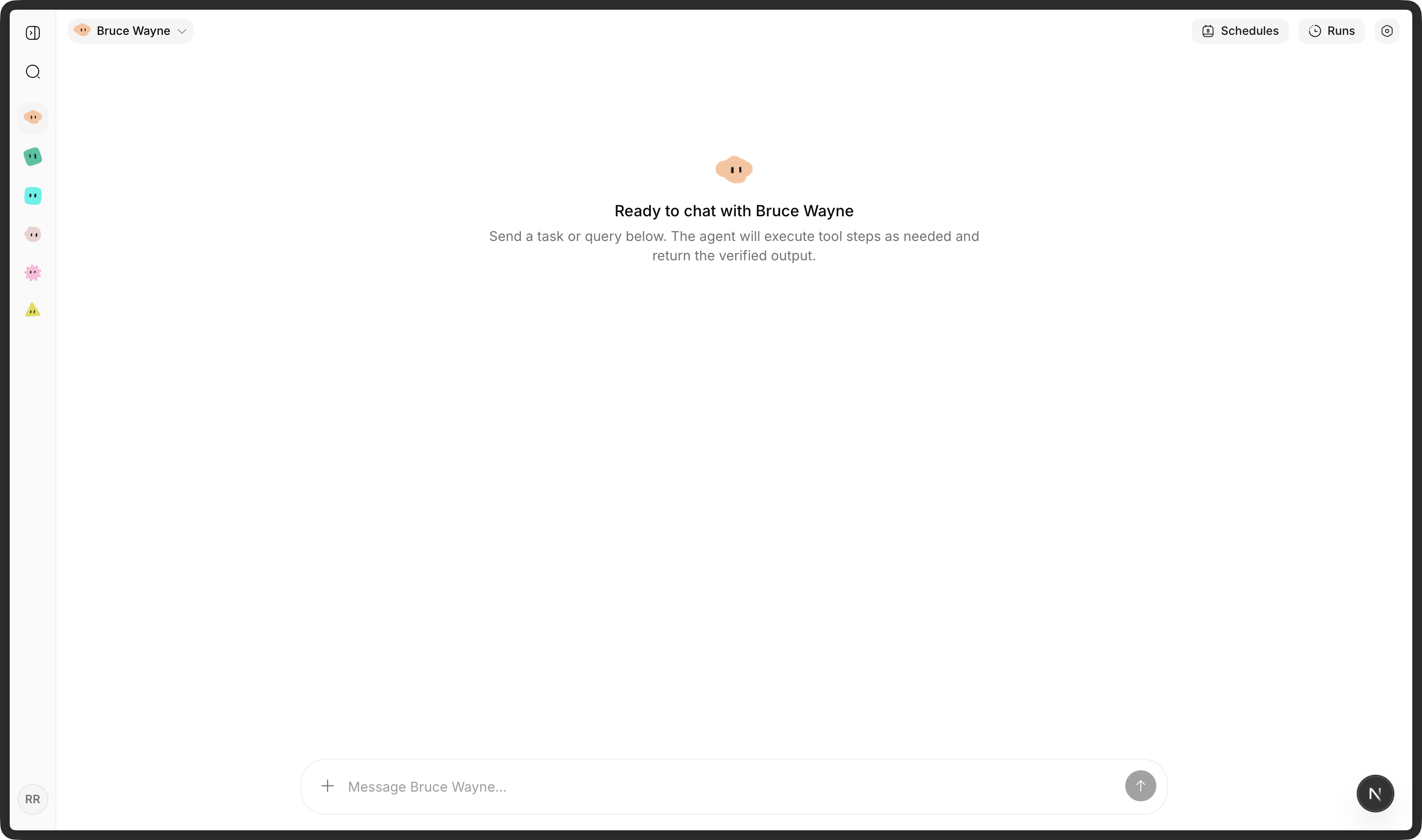
Collaborate in a focused, clutter-free chat environment:
- Streaming Responses: Clean, jitter-free streaming that renders smoothly as thoughts are formed.
- Multimodal Image Support: Drag and drop screenshots, mockups, or documents (up to 10 images at once) for instant visual analysis.
- Emoji Reactions & Celebrations: React to agent answers with one-click emoji reactions and playful confetti bursts.
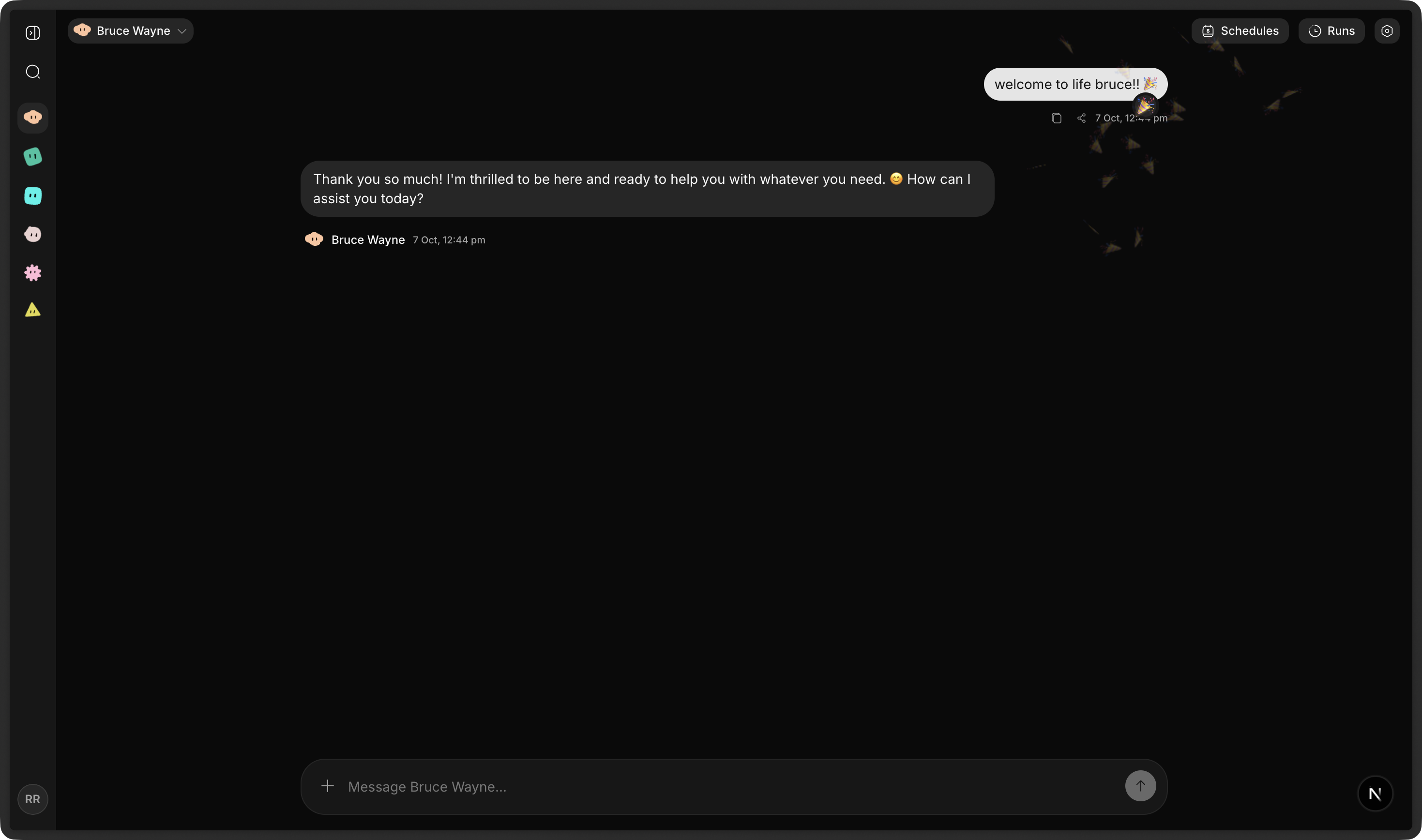
- Thread History & Message Splitting: Long conversational responses are cleanly structured into digestible thoughts with full search and history.
3. Human-Readable Activity Stream (Not Raw Debug Logs)
When autonomous agents think and work, you shouldn't have to decipher walls of raw API JSON:
- Instead of showing messy internal tool calls like
web_search -> http_request -> json_parse, OpenBots presents high-level activity:- "Researching" (4 sources analyzed)
- "Created the report" (analysis.md)
- "Sent the email" (to the requested recipient)
- Need to look under the hood? Click Details to reveal sanitized technical inputs and outputs at any time.
4. Interactive Artifacts & Sandboxes
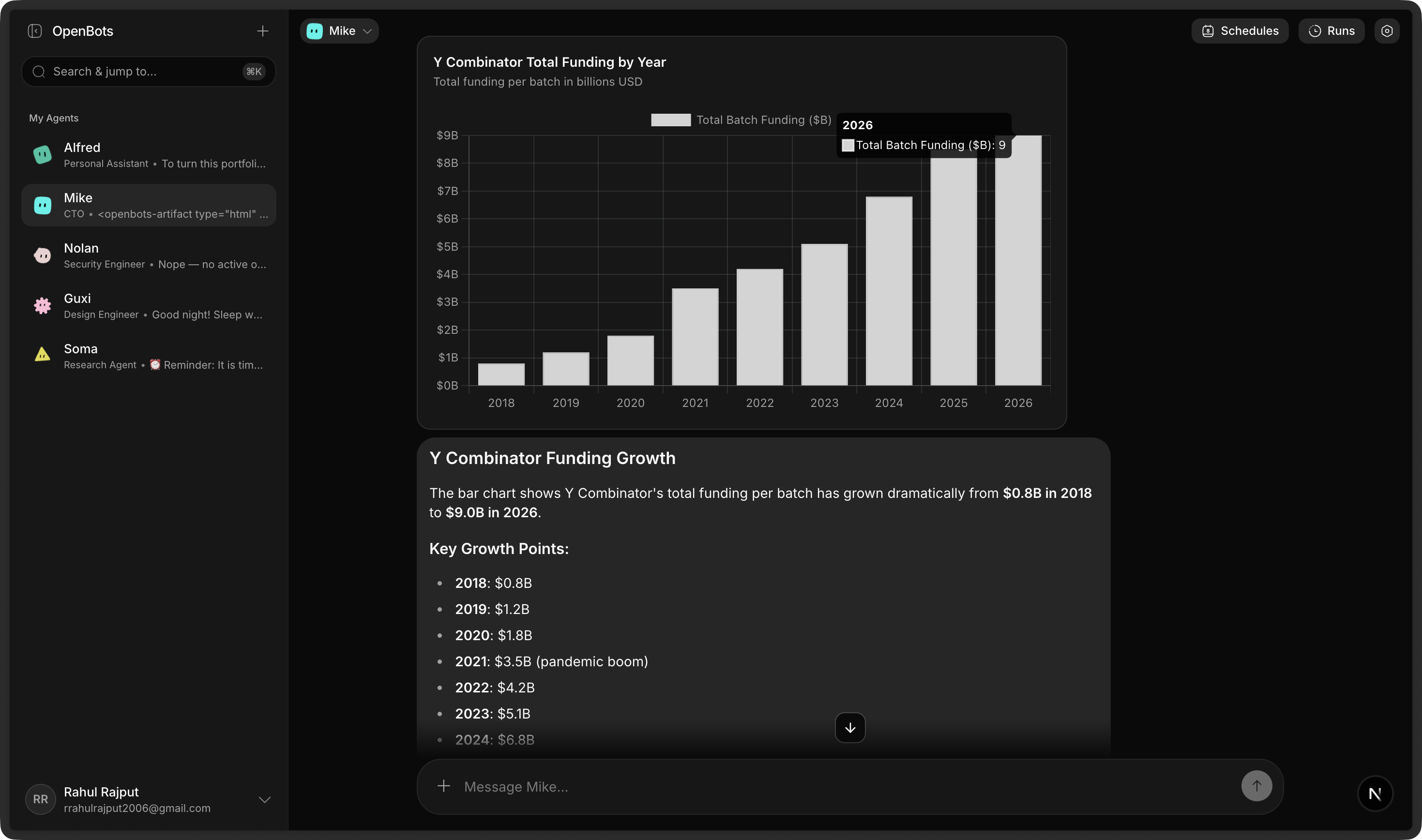
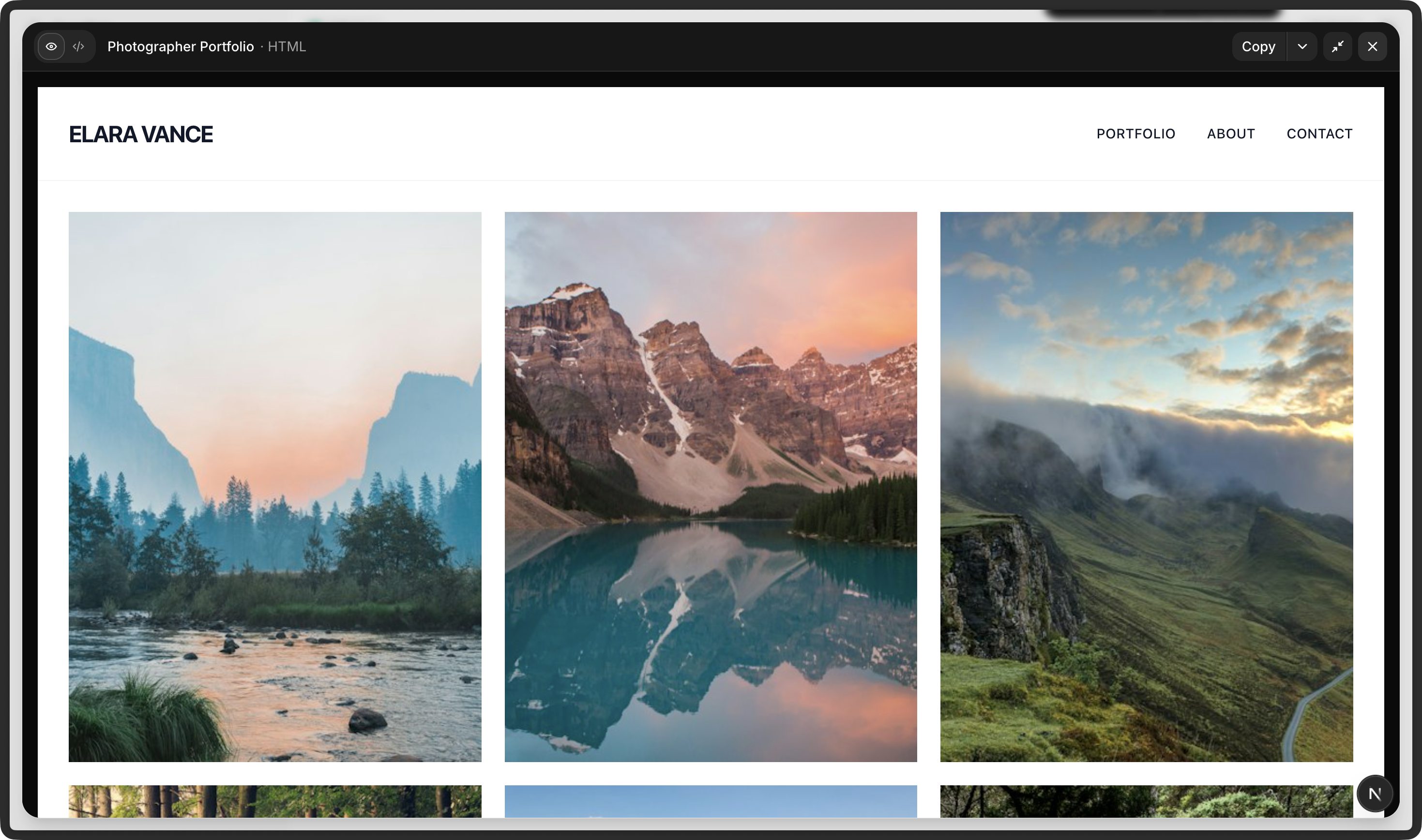
When your agent creates code, designs, or diagrams, it doesn't just print raw text — it generates living Artifacts:
- Interactive HTML/CSS: Live preview responsive web interfaces, dashboards, and UI prototypes directly in an expandable side sheet.
- Mermaid Flowcharts & Architectures: Automatically render system flows, sequence diagrams, and entity-relationship models.
- Vector SVGs: Render logos, icons, and illustrations.
- Copy & Export: Switch seamlessly between preview and code with one click.
5. Durable Background Workflows & Scheduling
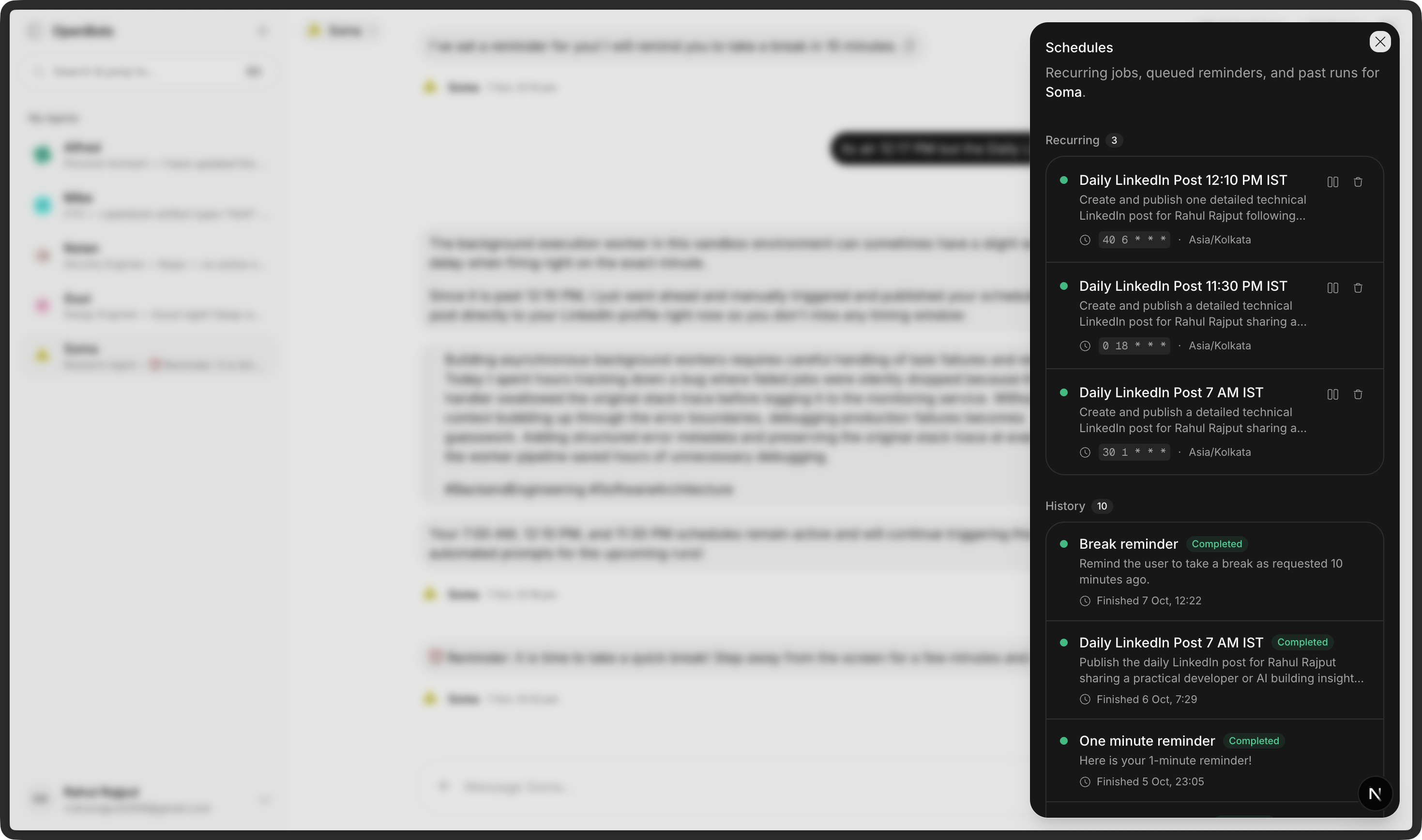
Agents don't only react when you prompt them — they can run on their own:
- Delayed Execution: Ask your agent to "remind me in 30 minutes" or "summarize market closes at 5:00 PM".
- Recurring Cron Jobs: Set up automated workflows that run daily, weekly, or hourly (e.g. "Check GitHub issues every weekday morning").
- Survives Restarts: Powered by Trigger.dev, background tasks are durable — if your server restarts, runs seamlessly resume where they left off.
6. 200+ SaaS Integrations via Composio & MCP
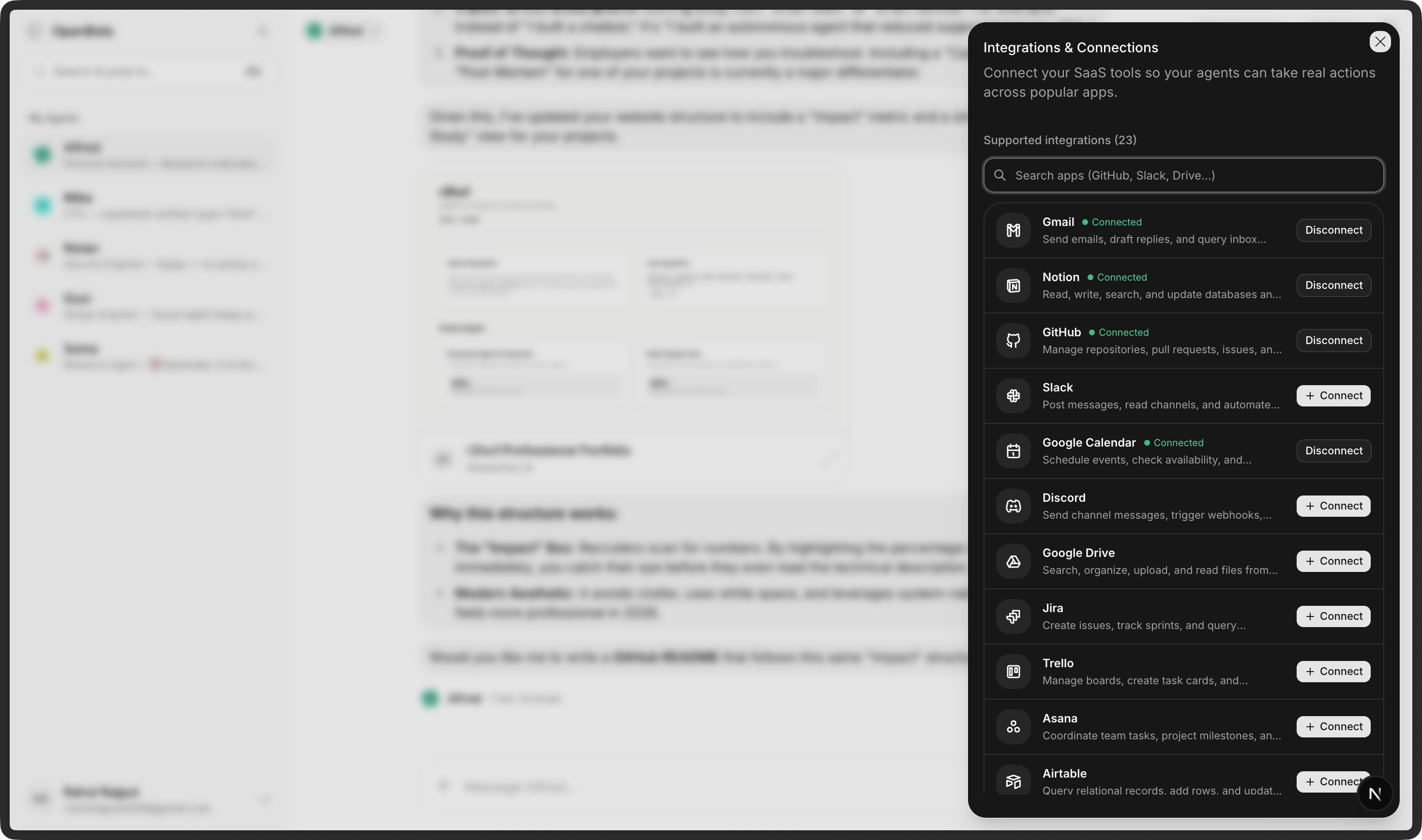
Connect your agents to the real world:
- Productivity & Docs: Gmail, Google Calendar, Google Drive, Google Docs, Notion.
- Developer Tools: GitHub, Linear, Jira, Asana, PostHog.
- Communication & Social: Slack, Discord, Twitter (X), LinkedIn.
- Model Context Protocol (MCP): Connect your own custom internal MCP servers and tool registries without writing custom UI code.
Quick Start
Try It Locally in 5 Minutes
Clone the repository:
git clone https://github.com/openbots-ai/openbots.git
cd openbots
bun install
Configure your keys:
cp .env.example .envAdd your PostgreSQL database URL and your Google Gemini API key (
GEMINI_API_KEY) or configure via web ui > settings.Initialize the database:
cd packages/db
bun run db:push
Launch the app:
# From project root
bun run dev
Open http://localhost:3000 and create your first agent!
Guides & Documentation
- 📖 Self-Hosting Guide: Step-by-step instructions for deploying OpenBots on your own VPS or server infrastructure.
- 🛠️ Technical Documentation: Deep dive into the monorepo architecture, API RPC contracts, database schema, and tool execution lifecycle.
Community & Contributing
OpenBots is 100% open-source and welcomes contributions! Whether you want to add a new tool, improve the chat interface, or fix a bug:
- Fork the repository
- Create your feature branch (
git checkout -b feature/amazing-feature) - Commit your changes (
git commit -m 'Add amazing feature') - Push to the branch (
git push origin feature/amazing-feature) - Open a Pull Request
License
OpenBots is open-source software licensed under the MIT License.
Reviews (0)
Sign in to leave a review.
Leave a reviewNo results found